


 Home
HomeApp Simplifies Using Ollama Local AI on MacOS Devices
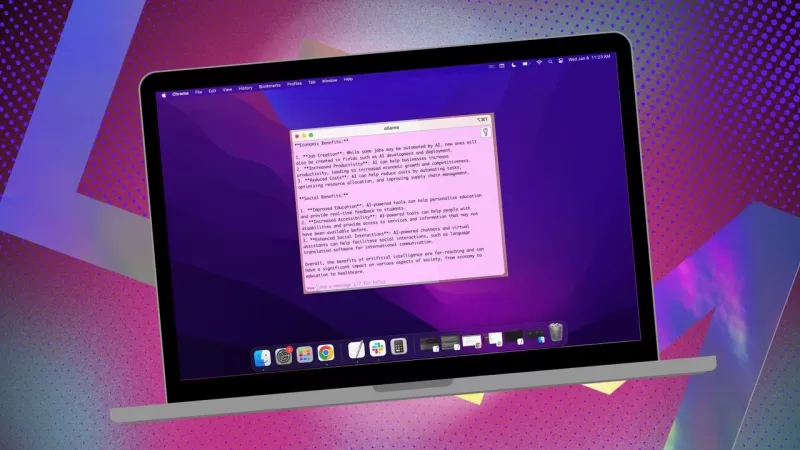
If you're looking to keep your data private and avoid feeding into third-party profiles or training sets, using a locally installed AI for your research is a smart move. I've been using the open-source Ollama on my Linux system, enhanced with a handy browser extension for a smoother experience. But when I switch to my MacOS, I opt for a straightforward, free app called Msty.
Also: How to turn Ollama from a terminal tool into a browser-based AI with this free extension
Msty is versatile, allowing you to tap into both locally installed and online AI models. Personally, I stick with the local option for maximum privacy. What sets Msty apart from other Ollama tools is its simplicity—no need for containers, terminals, or additional browser tabs.
The app is packed with features that make it a breeze to use. You can run multiple queries simultaneously with split chats, regenerate model responses, clone chats, and even add multiple models. There's real-time data summoning (though it's model-specific), and you can create Knowledge Stacks to train your local model with files, folders, Obsidian vaults, notes, and more. Plus, there's a prompt library to help you get the most out of your queries.
Msty is hands down one of the best ways to interact with Ollama. Here's how you can get started:
Installing Msty
What you'll need: Just a MacOS device and Ollama installed and running. If you haven't set up Ollama yet, follow the steps here. Don't forget to download a local model as well.
Download the Installer
Head over to the Msty website, click on the Download Msty dropdown, choose Mac, and then pick either Apple Silicon or Intel based on your device.
Install Msty
Once the download finishes, double-click the file and drag the Msty icon to the Applications folder when prompted.
Using Msty
Open Msty
Launch Msty from Launchpad on your MacOS.
Connect Your Local Ollama Model
When you first open Msty, click on Setup Local AI. It will download the necessary components and configure everything for you, including downloading a local model other than Ollama.
To link Msty with Ollama, navigate to Local AI Models in the sidebar and click the download button next to Llama 3.2. After it's downloaded, select it from the models dropdown. For other models, you'll need an API key from your account for that specific model. Now Msty should be connected to your local Ollama LLM.
I prefer sticking with the Ollama local model for my queries.
Model Instructions
One of my favorite features in Msty is the ability to customize model instructions. Whether you need the AI to act as a doctor, a writer, an accountant, an alien anthropologist, or an artistic advisor, Msty has you covered.
To tweak the model instructions, click on Edit Model Instructions in the center of the app, then hit the tiny chat button to the left of the broom icon. From the popup menu, pick the instructions you want and click "Apply to this chat" before you run your first query.
There are plenty of model instructions to choose from, helping you refine your queries for specific needs.
This guide should help you get up and running with Msty quickly. Start with the basics and, as you become more comfortable with the app, explore its more advanced features. It's a powerful tool that can really enhance your local AI experience on MacOS.
Related article
 Swedish AI Startup Lovable Eyes $13.2 Billion Valuation After Major Funding Round
As AI-driven coding tools gain traction, Swedish startup Lovable has secured a major funding round. The company aims to raise $3 billion, potentially boosting its valuation to $13.2 billion—double the $6.6 billion recorded last December. Menlo Ventur
Google Tests Remy AI Agent for Gemini as Focus Shifts to User Control
According to Business Insider, Google is testing Remy, a new AI personal agent for Gemini. This tool aims to execute tasks on behalf of users, streamlining both professional workflows and daily routines.Currently, Remy is undergoing testing in an int
How to fix Core Web Vitals for better SEO rankings
Streamline Report Card Comments with AI ToolsIntroductionAI Tools for Generating Report Card CommentsMagic SchoolAlmanac AIChat GPTUsing Magic School to Generate Report Card CommentsLogging into Magic SchoolSelecting the Report Card Comments ToolCust
Related Special Topic Recommendations
writing
Swedish AI Startup Lovable Eyes $13.2 Billion Valuation After Major Funding Round
As AI-driven coding tools gain traction, Swedish startup Lovable has secured a major funding round. The company aims to raise $3 billion, potentially boosting its valuation to $13.2 billion—double the $6.6 billion recorded last December. Menlo Ventur
Google Tests Remy AI Agent for Gemini as Focus Shifts to User Control
According to Business Insider, Google is testing Remy, a new AI personal agent for Gemini. This tool aims to execute tasks on behalf of users, streamlining both professional workflows and daily routines.Currently, Remy is undergoing testing in an int
How to fix Core Web Vitals for better SEO rankings
Streamline Report Card Comments with AI ToolsIntroductionAI Tools for Generating Report Card CommentsMagic SchoolAlmanac AIChat GPTUsing Magic School to Generate Report Card CommentsLogging into Magic SchoolSelecting the Report Card Comments ToolCust
Related Special Topic Recommendations
writing
 Best AI Outline Generators for Long-Form SEO Articles
2026 Latest Best Top-Rated AI Outline Generators for Long-Form SEO Articles, meticulously curated by XIX.AI. These powerful tools offer game-changing assistance in creating high-quality content quickly, boosting writing efficiency significantly. Get a free vs paid comparison along with real-world tests and detailed rankings to help you find the must-try option that suits your needs. Explore now to unlock your AI edge.
 8 tools
 xix.ai
Education and Learning
AI Study Tools for Homework and Exam Prep
xix.ai
Education and Learning
AI Study Tools for Homework and Exam Prep
2026 Latest Best AI Study Tools for Homework and Exam Prep! XIX.AI curates a top-rated list of powerful, game-changing tools that help students boost productivity, streamline homework completion, and ace exams through real-world tests. Get a free vs paid comparison, detailed rankings, and must-try options to unlock your AI edge. Explore now!
10 tools
xix.ai
Music composition
AI Vocal Demo Tools for Songwriters, Hooks, Toplines, and Multilingual Draft Sessions
2026 Latest Best AI Vocal Demo Tools for Songwriters, Hook Creators, and Multi-Language Content Teams! XIX.AI has curated a top-rated list of powerful game-changing tools that go through rigorous real-world tests. You’ll find detailed free vs paid comparison data, comprehensive rankings, and must-try options to help you boost writing efficiency and unlock your creative potential. Explore now to discover your perfect tool for all your content needs!
9 tools
xix.ai
Business
Best AI Competitive Research Tools for Small Businesses
2026 Latest Best Top-rated AI Competitive Research Tools for Small Businesses! XIX.AI has curated a highly powerful game-changing collection, updated weekly with rigorous real-world tests and detailed rankings. You can find a comprehensive free vs paid comparison to help you identify the must-try tools that boost your productivity and give you a competitive edge. Explore now to discover your perfect tool!
9 tools
xix.ai
Image editing
Photoshop AI Retouch Tools for Ecommerce Apparel, Skin Cleanup, and Color Consistency
2026 Latest Best Photoshop AI retouch tools for ecommerce apparel, skin cleanup, and color consistency! This top-rated curated list features powerful game-changing solutions that help you boost writing efficiency, streamline content creation, and achieve perfect visual results effortlessly. Each tool has undergone real-world tests through weekly updated rankings, complete with free vs paid comparison details. Backed by XIX.AI, it’s the must-try guide for anyone aiming to unlock your AI edge. Explore now!
10 tools
xix.ai
Prompt
Best AI Prompt Libraries for ChatGPT Workflows
2026 Latest Best Top-Rated AI Prompt Libraries for optimizing all types of ChatGPT workflows. XIX.AI has curated a powerful, game-changing collection that goes through rigorous real-world tests to ensure top performance. You can find detailed free vs paid comparisons and expert rankings to help you choose the must-try tools that boost your productivity and unlock your AI edge. Explore now!
11 tools
xix.ai

 Comments (6)
0/500
Comments (6)
0/500
![BrianWilliams]()
Honestly, I've been thinking about switching from cloud AI to local models for privacy, but setting things up always seemed like a hassle. This app might finally make it painless on macOS? 🤔 Curious if it supports Apple Silicon natively without extra tweaks.
![RogerSanchez]()
와, 이 글을 읽다 보니 macOS에서 로컬 AI 설치를 더 쉽게 하려는 도구가 있는지 몰랐어요. 🍎 저도 데이터 프라이버시 걱정이 많은데, Ollama를 맥에서도 쓸 수 있다면 진짜 편리하겠네요. 근데 확장프로그램 없이 사용할 때의 불편함이 궁금해지네요~ 아직 맥용으로는 경험이 없어서 직접 설치해보고 싶어졌어요!
![FrankJackson]()
この記事を読んで、思わず自分のMacを確認してしまいました。Ollamaのコンセプトは確かにプライバシーの悩みを解決してくれそう。ただ、実際に使うとなるとローカルPCの性能が気になりますよね。AIがどんどんローカル化される未来は、端末メーカーにとって新たな高機能アピールポイントになるのかも🤔
![LucasWalker]()
MacユーザーにOllamaは便利そうだけど、Linux版との機能差が気になるな。ローカルAIのセキュリティ評価って誰がやってるの?🤔 プライバシー重視なら尚更重要だと思うんだけど
![PaulHill]()
This app sounds like a game-changer for Mac users! I love the idea of keeping my data local with Ollama—privacy is everything these days. 😎 Anyone tried it yet? How’s the setup?
![DouglasMartin]()
This app sounds like a game-changer for Mac users wanting to keep their AI local! 😎 I love how it simplifies using Ollama—definitely gonna try it out to keep my data private.
If you're looking to keep your data private and avoid feeding into third-party profiles or training sets, using a locally installed AI for your research is a smart move. I've been using the open-source Ollama on my Linux system, enhanced with a handy browser extension for a smoother experience. But when I switch to my MacOS, I opt for a straightforward, free app called Msty.
Also: How to turn Ollama from a terminal tool into a browser-based AI with this free extension
Msty is versatile, allowing you to tap into both locally installed and online AI models. Personally, I stick with the local option for maximum privacy. What sets Msty apart from other Ollama tools is its simplicity—no need for containers, terminals, or additional browser tabs.
The app is packed with features that make it a breeze to use. You can run multiple queries simultaneously with split chats, regenerate model responses, clone chats, and even add multiple models. There's real-time data summoning (though it's model-specific), and you can create Knowledge Stacks to train your local model with files, folders, Obsidian vaults, notes, and more. Plus, there's a prompt library to help you get the most out of your queries.
Msty is hands down one of the best ways to interact with Ollama. Here's how you can get started:
Installing Msty
What you'll need: Just a MacOS device and Ollama installed and running. If you haven't set up Ollama yet, follow the steps here. Don't forget to download a local model as well.
Download the Installer
Head over to the Msty website, click on the Download Msty dropdown, choose Mac, and then pick either Apple Silicon or Intel based on your device.
Install Msty
Once the download finishes, double-click the file and drag the Msty icon to the Applications folder when prompted.
Using Msty
Open Msty
Launch Msty from Launchpad on your MacOS.
Connect Your Local Ollama Model
When you first open Msty, click on Setup Local AI. It will download the necessary components and configure everything for you, including downloading a local model other than Ollama.
To link Msty with Ollama, navigate to Local AI Models in the sidebar and click the download button next to Llama 3.2. After it's downloaded, select it from the models dropdown. For other models, you'll need an API key from your account for that specific model. Now Msty should be connected to your local Ollama LLM.
I prefer sticking with the Ollama local model for my queries.
Model Instructions
One of my favorite features in Msty is the ability to customize model instructions. Whether you need the AI to act as a doctor, a writer, an accountant, an alien anthropologist, or an artistic advisor, Msty has you covered.
To tweak the model instructions, click on Edit Model Instructions in the center of the app, then hit the tiny chat button to the left of the broom icon. From the popup menu, pick the instructions you want and click "Apply to this chat" before you run your first query.
There are plenty of model instructions to choose from, helping you refine your queries for specific needs.
This guide should help you get up and running with Msty quickly. Start with the basics and, as you become more comfortable with the app, explore its more advanced features. It's a powerful tool that can really enhance your local AI experience on MacOS.








 Swedish AI Startup Lovable Eyes $13.2 Billion Valuation After Major Funding Round
As AI-driven coding tools gain traction, Swedish startup Lovable has secured a major funding round. The company aims to raise $3 billion, potentially boosting its valuation to $13.2 billion—double the $6.6 billion recorded last December. Menlo Ventur
Google Tests Remy AI Agent for Gemini as Focus Shifts to User Control
According to Business Insider, Google is testing Remy, a new AI personal agent for Gemini. This tool aims to execute tasks on behalf of users, streamlining both professional workflows and daily routines.Currently, Remy is undergoing testing in an int
Swedish AI Startup Lovable Eyes $13.2 Billion Valuation After Major Funding Round
As AI-driven coding tools gain traction, Swedish startup Lovable has secured a major funding round. The company aims to raise $3 billion, potentially boosting its valuation to $13.2 billion—double the $6.6 billion recorded last December. Menlo Ventur
Google Tests Remy AI Agent for Gemini as Focus Shifts to User Control
According to Business Insider, Google is testing Remy, a new AI personal agent for Gemini. This tool aims to execute tasks on behalf of users, streamlining both professional workflows and daily routines.Currently, Remy is undergoing testing in an int
 How to fix Core Web Vitals for better SEO rankings
Streamline Report Card Comments with AI ToolsIntroductionAI Tools for Generating Report Card CommentsMagic SchoolAlmanac AIChat GPTUsing Magic School to Generate Report Card CommentsLogging into Magic SchoolSelecting the Report Card Comments ToolCust
How to fix Core Web Vitals for better SEO rankings
Streamline Report Card Comments with AI ToolsIntroductionAI Tools for Generating Report Card CommentsMagic SchoolAlmanac AIChat GPTUsing Magic School to Generate Report Card CommentsLogging into Magic SchoolSelecting the Report Card Comments ToolCust

2026 Latest Best Top-Rated AI Outline Generators for Long-Form SEO Articles, meticulously curated by XIX.AI. These powerful tools offer game-changing assistance in creating high-quality content quickly, boosting writing efficiency significantly. Get a free vs paid comparison along with real-world tests and detailed rankings to help you find the must-try option that suits your needs. Explore now to unlock your AI edge.
8 tools
xix.ai

2026 Latest Best AI Study Tools for Homework and Exam Prep! XIX.AI curates a top-rated list of powerful, game-changing tools that help students boost productivity, streamline homework completion, and ace exams through real-world tests. Get a free vs paid comparison, detailed rankings, and must-try options to unlock your AI edge. Explore now!
10 tools
xix.ai

2026 Latest Best AI Vocal Demo Tools for Songwriters, Hook Creators, and Multi-Language Content Teams! XIX.AI has curated a top-rated list of powerful game-changing tools that go through rigorous real-world tests. You’ll find detailed free vs paid comparison data, comprehensive rankings, and must-try options to help you boost writing efficiency and unlock your creative potential. Explore now to discover your perfect tool for all your content needs!
9 tools
xix.ai

2026 Latest Best Top-rated AI Competitive Research Tools for Small Businesses! XIX.AI has curated a highly powerful game-changing collection, updated weekly with rigorous real-world tests and detailed rankings. You can find a comprehensive free vs paid comparison to help you identify the must-try tools that boost your productivity and give you a competitive edge. Explore now to discover your perfect tool!
9 tools
xix.ai

2026 Latest Best Photoshop AI retouch tools for ecommerce apparel, skin cleanup, and color consistency! This top-rated curated list features powerful game-changing solutions that help you boost writing efficiency, streamline content creation, and achieve perfect visual results effortlessly. Each tool has undergone real-world tests through weekly updated rankings, complete with free vs paid comparison details. Backed by XIX.AI, it’s the must-try guide for anyone aiming to unlock your AI edge. Explore now!
10 tools
xix.ai

2026 Latest Best Top-Rated AI Prompt Libraries for optimizing all types of ChatGPT workflows. XIX.AI has curated a powerful, game-changing collection that goes through rigorous real-world tests to ensure top performance. You can find detailed free vs paid comparisons and expert rankings to help you choose the must-try tools that boost your productivity and unlock your AI edge. Explore now!
11 tools
xix.ai

Honestly, I've been thinking about switching from cloud AI to local models for privacy, but setting things up always seemed like a hassle. This app might finally make it painless on macOS? 🤔 Curious if it supports Apple Silicon natively without extra tweaks.
와, 이 글을 읽다 보니 macOS에서 로컬 AI 설치를 더 쉽게 하려는 도구가 있는지 몰랐어요. 🍎 저도 데이터 프라이버시 걱정이 많은데, Ollama를 맥에서도 쓸 수 있다면 진짜 편리하겠네요. 근데 확장프로그램 없이 사용할 때의 불편함이 궁금해지네요~ 아직 맥용으로는 경험이 없어서 직접 설치해보고 싶어졌어요!
この記事を読んで、思わず自分のMacを確認してしまいました。Ollamaのコンセプトは確かにプライバシーの悩みを解決してくれそう。ただ、実際に使うとなるとローカルPCの性能が気になりますよね。AIがどんどんローカル化される未来は、端末メーカーにとって新たな高機能アピールポイントになるのかも🤔
MacユーザーにOllamaは便利そうだけど、Linux版との機能差が気になるな。ローカルAIのセキュリティ評価って誰がやってるの?🤔 プライバシー重視なら尚更重要だと思うんだけど
This app sounds like a game-changer for Mac users! I love the idea of keeping my data local with Ollama—privacy is everything these days. 😎 Anyone tried it yet? How’s the setup?
This app sounds like a game-changer for Mac users wanting to keep their AI local! 😎 I love how it simplifies using Ollama—definitely gonna try it out to keep my data private.












