


 Home
HomeBing Image Creator Tutorial: AI Art Generation Guide
The world of AI art is buzzing with excitement, and Bing Image Creator is making waves as a user-friendly tool that transforms simple text into stunning visuals. This guide is your go-to resource for mastering Bing Image Creator, from setting it up to diving into advanced prompting techniques. Whether you're an artist looking to expand your toolkit, a marketer in search of fresh visuals, or just someone curious about AI's creative potential, this tutorial will help you create unique and captivating images effortlessly.
Key Points
- Bing Image Creator uses AI to generate images from text prompts, making it a powerful tool for visual creation.
- It's seamlessly integrated with Microsoft's Bing and Designer platforms, ensuring easy access for users.
- A Microsoft account is your key to unlocking Bing Image Creator's capabilities.
- Crafting effective prompts is essential for getting the results you want.
- It's important to consider the ethical implications of generating AI art.
- This tool is versatile, perfect for marketing, design, and a range of creative projects.
Getting Started with Bing Image Creator
What is Bing Image Creator?
Bing Image Creator is a Microsoft-developed tool that harnesses AI to turn text prompts into visual art. It's designed to be user-friendly, integrated with Microsoft's ecosystem like Bing and the Designer app, and it's even part of Microsoft COPILOT, enhancing AI's assistive capabilities. The beauty of Bing Image Creator lies in its ability to democratize art creation. Anyone can now bring their creative visions to life without needing advanced skills or pricey software. Imagine describing 'a futuristic city at sunset' and watching as a unique, breathtaking image emerges. That's the magic of Bing Image Creator!
Setting Up Your Microsoft Account
Before you can start creating with Bing Image Creator, you'll need a Microsoft account. Here's how you can set it up:
- Head over to the Microsoft Account Creation Page on your browser.
- Enter an email address you can access for verification and future communication.
- Create a strong password, mixing uppercase and lowercase letters, numbers, and symbols for security.
- Check your email for a verification link from Microsoft and follow the instructions to confirm your account.
- Fill in your profile details like name, birthdate, and country to personalize your experience and comply with Microsoft's terms.
- Review and agree to Microsoft's terms of service and privacy policy to complete your account setup.
With your Microsoft account ready, you're all set to dive into the world of AI art with Bing Image Creator.
Accessing Bing Image Creator
Getting to Bing Image Creator is a breeze once you have your Microsoft account:
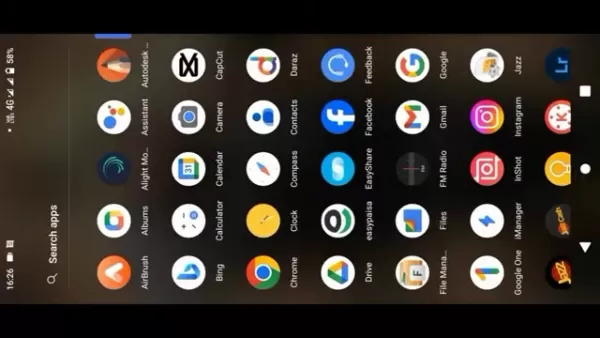
- Open Microsoft Edge on your device.
- Go to the Bing homepage.
- Look for the Image Creator icon, often marked by a stylized image or paintbrush.
- Click the icon and sign in with your Microsoft account if you're not already logged in.
Alternatively, you can jump straight into Bing Image Creator through the Microsoft Designer app for a more focused AI art experience. It's also accessible via Microsoft Copilot, expanding your AI toolkit.
Troubleshooting Common Issues with Bing Image Creator
Dealing with Vague or Undesirable Results
Sometimes, the images Bing Image Creator generates might not quite hit the mark. This often happens with vague or ambiguous prompts. Here's how you can refine your results:
- Get Specific: Add more details to your prompt, like specific objects, colors, or styles.
- Tweak Keywords: Experiment with different keywords to steer the AI towards your desired subject.
- Use Negative Prompts: Tell the AI what you don't want to see to avoid unwanted elements.
- Play with Styles: Try different artistic styles to see how they change the look of your images.
Remember, the key to great AI art is finding the perfect mix of words and phrases to guide Bing Image Creator.
Resolving Technical Problems
If you run into technical hiccups with Bing Image Creator, here are some steps to get back on track:
- Check Your Internet: Make sure you have a stable connection.
- Clear Cache: Clear your browser's cache and cookies to eliminate any temporary issues.
- Update Browser: Ensure you're using the latest version of Microsoft Edge or another supported browser.
- Disable Extensions: Turn off any browser extensions that might interfere with Bing Image Creator.
- Contact Support: If problems persist, reach out to Microsoft support for help.
With these tips, you'll be back to creating amazing AI art in no time.
Step-by-Step Guide: Generating AI Art with Bing Image Creator
Step 1: Access Bing Image Creator
Open Microsoft Edge, head to Bing, and click the Image Creator icon. Sign in with your Microsoft account if you're prompted.
Step 2: Enter Your Prompt
In the text box, type your prompt as descriptively as possible. For example, 'A majestic wolf howling at the moon in a snowy forest, photorealistic.'
Step 3: Generate the Image
Hit the 'Create' button. Bing Image Creator will process your prompt and generate four images based on your description.
Step 4: Review and Refine
Take a look at the images generated. If they're not quite what you had in mind, refine your prompt and hit 'Create' again. It's all about iterating to get the perfect result.
Step 5: Download or Share
Once you find an image you love, you can download it for personal use or share it on social media. Just remember to respect copyright and usage terms.
Pros and Cons of Using Bing Image Creator
Pros
- It's free to use with a Microsoft account.
- Easy access through Bing and Designer.
- Generates unique and creative images.
- Versatile for various purposes.
- Continuously evolving and improving.
Cons
- Results can vary based on the quality of your prompts.
- Ethical concerns around copyright and harmful content.
- Limited customization compared to some other AI art generators.
- Dependent on algorithms, which can change and affect results.
Frequently Asked Questions
Is Bing Image Creator free to use?
Yes, it's free to use, but you'll need a Microsoft account to access it.
What types of images can I create with Bing Image Creator?
The sky's the limit! From photorealistic landscapes to abstract art and character designs, you can create a wide variety of images.
Are there any restrictions on the types of prompts I can use?
Yes, prompts that promote harmful stereotypes, discrimination, or misinformation are restricted.
Can I use Bing Image Creator for commercial purposes?
Check the Bing Image Creator terms of service for details on commercial usage rights.
What are the best practices for prompting?
Be specific, include key details and descriptive adjectives, experiment with styles, and refine your prompts for better results.
Related Questions
How do I create more realistic images with AI?
To achieve realism, focus on detailed prompts. Mention lighting conditions, camera settings, and textures. Study real-world images for inspiration and use negative prompts to avoid undesirable elements. Some platforms allow you to use a reference image to guide the AI towards a specific style or composition.
What other AI art generators are available?
There are several other AI art generators worth exploring, each with unique features. Midjourney is known for its artistic outputs, DALL-E 2 offers high-resolution images and editing capabilities, Stable Diffusion is open-source for more control, Jasper Art integrates with writing tools, and NightCafe Creator offers various algorithms and community features. Experimenting with different tools can help you find the best fit for your creative needs.
Can AI replace human artists?
While AI can produce impressive visuals, it's unlikely to fully replace human artists. AI art relies on human prompts and lacks the nuanced understanding, emotional depth, and critical thinking that human artists bring. The value of art often lies in the artist's unique perspective and personal expression, which AI struggles to replicate. Instead, AI can augment human creativity, leading to a future where AI and human artists collaborate to explore new creative possibilities.
Related article
 Apple, Google Partner With Anthropic to Address 27-Year-Old Vulnerability via Glass Wing Protection
As artificial intelligence advances rapidly in code generation and logical reasoning, the cybersecurity landscape faces unprecedented challenges. Recently, the prominent AI startup Anthropic officially launched a cross-industry collaboration called *
OpenAI Chief Scientist Addresses AI Reasoning Transparency Debate: Complexity Steady, No Sudden Jump
On September 2, Jakub Pachocki, OpenAI’s Chief Scientist, addressed public concerns on X regarding the AI model Astra, clarifying claims that it operates without oversight and lacks transparent reasoning.Why the Controversy Erupted: Deep Recurrence O
U.S. Navy Selects Blue Water Autonomy for Deep-Sea Survey Missions
Blue Water Autonomy’s Liberty Class is a 190-foot steel autonomous ship. | Source: Blue Water AutonomyBoston-based technology and shipbuilding firm Blue Water Autonomy has secured a multiple-award contract with the Naval Oceanographic Office (NAVOCEA
Related Special Topic Recommendations
Text-to-speech
Apple, Google Partner With Anthropic to Address 27-Year-Old Vulnerability via Glass Wing Protection
As artificial intelligence advances rapidly in code generation and logical reasoning, the cybersecurity landscape faces unprecedented challenges. Recently, the prominent AI startup Anthropic officially launched a cross-industry collaboration called *
OpenAI Chief Scientist Addresses AI Reasoning Transparency Debate: Complexity Steady, No Sudden Jump
On September 2, Jakub Pachocki, OpenAI’s Chief Scientist, addressed public concerns on X regarding the AI model Astra, clarifying claims that it operates without oversight and lacks transparent reasoning.Why the Controversy Erupted: Deep Recurrence O
U.S. Navy Selects Blue Water Autonomy for Deep-Sea Survey Missions
Blue Water Autonomy’s Liberty Class is a 190-foot steel autonomous ship. | Source: Blue Water AutonomyBoston-based technology and shipbuilding firm Blue Water Autonomy has secured a multiple-award contract with the Naval Oceanographic Office (NAVOCEA
Related Special Topic Recommendations
Text-to-speech
 Best AI Text to Speech Tools for Online Courses
2026 Latest Best Top-rated AI Text to Speech Tools for Online Courses are curated by XIX.AI based on rigorous real-world tests and weekly updated rankings. These powerful tools help creators deliver crystal-clear audio content effortlessly, boosting writing efficiency and streamlining course production. Check out the free vs paid comparison to find your perfect fit. Explore now to unlock your AI edge in online education.
 10 tools
 xix.ai
writing
AI Blog Title Tools for Higher Click Through Rates
xix.ai
writing
AI Blog Title Tools for Higher Click Through Rates
2026 Latest Best Top-Rated AI Blog Title Tools for Higher Click Through Rates! XIX.AI has carefully curated a powerful, game-changing collection of top tools that go through rigorous real-world tests. You’ll find a free vs paid comparison, weekly updated rankings, and detailed insights to help you boost your blog’s traffic efficiently. Must-try options are highlighted to help you unlock your AI edge. Explore now!
10 tools
xix.ai
automation
Best AI Task Routing Tools for Support Workflows
2026 Latest Best Top-rated AI Task Routing Tools for Support Workflows! XIX.AI has curated a highly powerful game-changing collection of must-try solutions, all undergoing rigorous real-world tests and updated weekly. These tools streamline workflows, boost productivity, and help teams deliver faster, more efficient support. Explore now to discover your perfect tool and unlock your AI edge!
17 tools
xix.ai
Academic Research
AI Citation and Paper Summary Tools
2026 Latest Best Top-Rated AI Citation and Paper Summary Tools Curated by XIX.AI. Get powerful game-changing solutions for quick content creation, improved writing efficiency, and boosting productivity. We offer a free vs paid comparison along with real-world tests and weekly updated rankings to help you find the must-try tool that fits your needs perfectly. Explore now to Unlock your AI edge.
10 tools
xix.ai
Productivity
Best AI Productivity Tools for Daily Work
2026 Latest Best Top-Rated AI Productivity Tools for Daily Work! XIX.AI has curated a powerful, game-changing selection based on rigorous weekly updated rankings and real-world tests. You’ll find must-try options that boost writing efficiency, streamline content creation, and help you overcome daily work challenges. Get a free vs paid comparison to find the perfect fit for your needs. Explore now to unlock your AI edge!
9 tools
xix.ai
Academic Research
AI Systematic Review Tools for Research Screening
2026 Latest Best Top-Rated AI Systematic Review Tools for Research Screening are here on XIX.AI! This curated collection includes powerful, game-changing solutions that go through rigorous real-world tests to deliver accurate results. We also offer a free vs paid comparison along with weekly updated rankings to help you find the must-try option that boosts your research efficiency significantly. Explore now to unlock your AI edge in academic work!
11 tools
xix.ai

 Comments (9)
0/500
Comments (9)
0/500
![KevinMartínez]()
Ich hab's mal ausprobiert, aber irgendwie kommen bei mir immer nur seltsame Mischwesen raus 😅 Ist das Tool wirklich so einfach für Anfänger? Vielleicht fehlt mir einfach die Kreativität... Aber die Idee, dass jeder jetzt Kunst machen kann, finde ich trotzdem spannend!
![TimothyMitchell]()
Bing Image Creator、結構使い勝手が良いみたいですね。このチュートリアルでプロンプトのコツを学べば、もっとクオリティの高いAIアートが作れそう。でも、無料プランだと生成回数が少ないのがちょっと…有料版に誘導する戦略かな?笑 😅
![AvaHill]()
Yo probé la herramienta hace unas semanas. En general es fácil de usar, pero a veces las imágenes salen con detalles raros, como manos de seis dedos. ¿Alguien más ha notado eso? 😅 Interesante tutorial, a ver si con los tips mejoro los resultados. ¿Estará Bing dando batalla a Stable Diffusion? Parece que la competencia entre IA se pone buena.
![GeorgeCarter]()
Just tried this guide and honestly, AI art tools feel like magic wands for creativity now. The part about advanced prompting totally changed how I approach generating images - never realized how much phrasing matters!
![JoeLee]()
Este tutorial es muy útil para principiantes como yo 😄 ¿Hay algún truco para mejorar la calidad de las imágenes generadas sin prompts demasiado complejos? Me preocupa que las herramientas de IA artística puedan afectar a los creadores humanos, aunque es fascinante ver cómo evoluciona la tecnología.
![EmmaTurner]()
この記事のおかげでAI画像生成に手を出してみようかと思ってるんだけど、プロンプトの適切な書き方って難しいよね…何度か試したことあるけど、細かなニュアンスを伝えるのって本当に大変。あと、生成した画像の著作権ってどうなるんだろう?誰か詳しい人教えてください🙏
The world of AI art is buzzing with excitement, and Bing Image Creator is making waves as a user-friendly tool that transforms simple text into stunning visuals. This guide is your go-to resource for mastering Bing Image Creator, from setting it up to diving into advanced prompting techniques. Whether you're an artist looking to expand your toolkit, a marketer in search of fresh visuals, or just someone curious about AI's creative potential, this tutorial will help you create unique and captivating images effortlessly.
Key Points
- Bing Image Creator uses AI to generate images from text prompts, making it a powerful tool for visual creation.
- It's seamlessly integrated with Microsoft's Bing and Designer platforms, ensuring easy access for users.
- A Microsoft account is your key to unlocking Bing Image Creator's capabilities.
- Crafting effective prompts is essential for getting the results you want.
- It's important to consider the ethical implications of generating AI art.
- This tool is versatile, perfect for marketing, design, and a range of creative projects.
Getting Started with Bing Image Creator
What is Bing Image Creator?
Bing Image Creator is a Microsoft-developed tool that harnesses AI to turn text prompts into visual art. It's designed to be user-friendly, integrated with Microsoft's ecosystem like Bing and the Designer app, and it's even part of Microsoft COPILOT, enhancing AI's assistive capabilities. The beauty of Bing Image Creator lies in its ability to democratize art creation. Anyone can now bring their creative visions to life without needing advanced skills or pricey software. Imagine describing 'a futuristic city at sunset' and watching as a unique, breathtaking image emerges. That's the magic of Bing Image Creator!
Setting Up Your Microsoft Account
Before you can start creating with Bing Image Creator, you'll need a Microsoft account. Here's how you can set it up:
- Head over to the Microsoft Account Creation Page on your browser.
- Enter an email address you can access for verification and future communication.
- Create a strong password, mixing uppercase and lowercase letters, numbers, and symbols for security.
- Check your email for a verification link from Microsoft and follow the instructions to confirm your account.
- Fill in your profile details like name, birthdate, and country to personalize your experience and comply with Microsoft's terms.
- Review and agree to Microsoft's terms of service and privacy policy to complete your account setup.
With your Microsoft account ready, you're all set to dive into the world of AI art with Bing Image Creator.
Accessing Bing Image Creator
Getting to Bing Image Creator is a breeze once you have your Microsoft account:
- Open Microsoft Edge on your device.
- Go to the Bing homepage.
- Look for the Image Creator icon, often marked by a stylized image or paintbrush.
- Click the icon and sign in with your Microsoft account if you're not already logged in.
Alternatively, you can jump straight into Bing Image Creator through the Microsoft Designer app for a more focused AI art experience. It's also accessible via Microsoft Copilot, expanding your AI toolkit.
Troubleshooting Common Issues with Bing Image Creator
Dealing with Vague or Undesirable Results
Sometimes, the images Bing Image Creator generates might not quite hit the mark. This often happens with vague or ambiguous prompts. Here's how you can refine your results:
- Get Specific: Add more details to your prompt, like specific objects, colors, or styles.
- Tweak Keywords: Experiment with different keywords to steer the AI towards your desired subject.
- Use Negative Prompts: Tell the AI what you don't want to see to avoid unwanted elements.
- Play with Styles: Try different artistic styles to see how they change the look of your images.
Remember, the key to great AI art is finding the perfect mix of words and phrases to guide Bing Image Creator.
Resolving Technical Problems
If you run into technical hiccups with Bing Image Creator, here are some steps to get back on track:
- Check Your Internet: Make sure you have a stable connection.
- Clear Cache: Clear your browser's cache and cookies to eliminate any temporary issues.
- Update Browser: Ensure you're using the latest version of Microsoft Edge or another supported browser.
- Disable Extensions: Turn off any browser extensions that might interfere with Bing Image Creator.
- Contact Support: If problems persist, reach out to Microsoft support for help.
With these tips, you'll be back to creating amazing AI art in no time.
Step-by-Step Guide: Generating AI Art with Bing Image Creator
Step 1: Access Bing Image Creator
Open Microsoft Edge, head to Bing, and click the Image Creator icon. Sign in with your Microsoft account if you're prompted.
Step 2: Enter Your Prompt
In the text box, type your prompt as descriptively as possible. For example, 'A majestic wolf howling at the moon in a snowy forest, photorealistic.'
Step 3: Generate the Image
Hit the 'Create' button. Bing Image Creator will process your prompt and generate four images based on your description.
Step 4: Review and Refine
Take a look at the images generated. If they're not quite what you had in mind, refine your prompt and hit 'Create' again. It's all about iterating to get the perfect result.
Step 5: Download or Share
Once you find an image you love, you can download it for personal use or share it on social media. Just remember to respect copyright and usage terms.
Pros and Cons of Using Bing Image Creator
Pros
- It's free to use with a Microsoft account.
- Easy access through Bing and Designer.
- Generates unique and creative images.
- Versatile for various purposes.
- Continuously evolving and improving.
Cons
- Results can vary based on the quality of your prompts.
- Ethical concerns around copyright and harmful content.
- Limited customization compared to some other AI art generators.
- Dependent on algorithms, which can change and affect results.
Frequently Asked Questions
Is Bing Image Creator free to use?
Yes, it's free to use, but you'll need a Microsoft account to access it.
What types of images can I create with Bing Image Creator?
The sky's the limit! From photorealistic landscapes to abstract art and character designs, you can create a wide variety of images.
Are there any restrictions on the types of prompts I can use?
Yes, prompts that promote harmful stereotypes, discrimination, or misinformation are restricted.
Can I use Bing Image Creator for commercial purposes?
Check the Bing Image Creator terms of service for details on commercial usage rights.
What are the best practices for prompting?
Be specific, include key details and descriptive adjectives, experiment with styles, and refine your prompts for better results.
Related Questions
How do I create more realistic images with AI?
To achieve realism, focus on detailed prompts. Mention lighting conditions, camera settings, and textures. Study real-world images for inspiration and use negative prompts to avoid undesirable elements. Some platforms allow you to use a reference image to guide the AI towards a specific style or composition.
What other AI art generators are available?
There are several other AI art generators worth exploring, each with unique features. Midjourney is known for its artistic outputs, DALL-E 2 offers high-resolution images and editing capabilities, Stable Diffusion is open-source for more control, Jasper Art integrates with writing tools, and NightCafe Creator offers various algorithms and community features. Experimenting with different tools can help you find the best fit for your creative needs.
Can AI replace human artists?
While AI can produce impressive visuals, it's unlikely to fully replace human artists. AI art relies on human prompts and lacks the nuanced understanding, emotional depth, and critical thinking that human artists bring. The value of art often lies in the artist's unique perspective and personal expression, which AI struggles to replicate. Instead, AI can augment human creativity, leading to a future where AI and human artists collaborate to explore new creative possibilities.








 Apple, Google Partner With Anthropic to Address 27-Year-Old Vulnerability via Glass Wing Protection
As artificial intelligence advances rapidly in code generation and logical reasoning, the cybersecurity landscape faces unprecedented challenges. Recently, the prominent AI startup Anthropic officially launched a cross-industry collaboration called *
Apple, Google Partner With Anthropic to Address 27-Year-Old Vulnerability via Glass Wing Protection
As artificial intelligence advances rapidly in code generation and logical reasoning, the cybersecurity landscape faces unprecedented challenges. Recently, the prominent AI startup Anthropic officially launched a cross-industry collaboration called *
 OpenAI Chief Scientist Addresses AI Reasoning Transparency Debate: Complexity Steady, No Sudden Jump
On September 2, Jakub Pachocki, OpenAI’s Chief Scientist, addressed public concerns on X regarding the AI model Astra, clarifying claims that it operates without oversight and lacks transparent reasoning.Why the Controversy Erupted: Deep Recurrence O
OpenAI Chief Scientist Addresses AI Reasoning Transparency Debate: Complexity Steady, No Sudden Jump
On September 2, Jakub Pachocki, OpenAI’s Chief Scientist, addressed public concerns on X regarding the AI model Astra, clarifying claims that it operates without oversight and lacks transparent reasoning.Why the Controversy Erupted: Deep Recurrence O
 U.S. Navy Selects Blue Water Autonomy for Deep-Sea Survey Missions
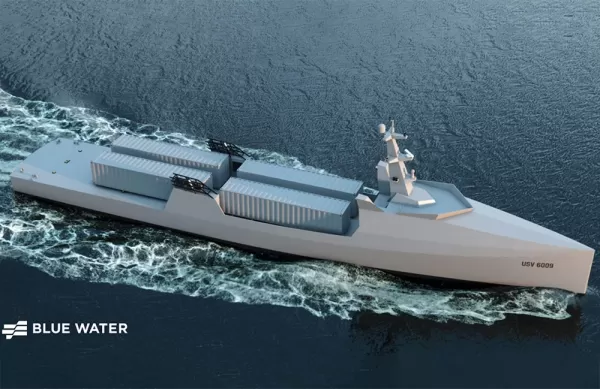
Blue Water Autonomy’s Liberty Class is a 190-foot steel autonomous ship. | Source: Blue Water AutonomyBoston-based technology and shipbuilding firm Blue Water Autonomy has secured a multiple-award contract with the Naval Oceanographic Office (NAVOCEA
U.S. Navy Selects Blue Water Autonomy for Deep-Sea Survey Missions
Blue Water Autonomy’s Liberty Class is a 190-foot steel autonomous ship. | Source: Blue Water AutonomyBoston-based technology and shipbuilding firm Blue Water Autonomy has secured a multiple-award contract with the Naval Oceanographic Office (NAVOCEA

2026 Latest Best Top-rated AI Text to Speech Tools for Online Courses are curated by XIX.AI based on rigorous real-world tests and weekly updated rankings. These powerful tools help creators deliver crystal-clear audio content effortlessly, boosting writing efficiency and streamlining course production. Check out the free vs paid comparison to find your perfect fit. Explore now to unlock your AI edge in online education.
10 tools
xix.ai

2026 Latest Best Top-Rated AI Blog Title Tools for Higher Click Through Rates! XIX.AI has carefully curated a powerful, game-changing collection of top tools that go through rigorous real-world tests. You’ll find a free vs paid comparison, weekly updated rankings, and detailed insights to help you boost your blog’s traffic efficiently. Must-try options are highlighted to help you unlock your AI edge. Explore now!
10 tools
xix.ai

2026 Latest Best Top-rated AI Task Routing Tools for Support Workflows! XIX.AI has curated a highly powerful game-changing collection of must-try solutions, all undergoing rigorous real-world tests and updated weekly. These tools streamline workflows, boost productivity, and help teams deliver faster, more efficient support. Explore now to discover your perfect tool and unlock your AI edge!
17 tools
xix.ai

2026 Latest Best Top-Rated AI Citation and Paper Summary Tools Curated by XIX.AI. Get powerful game-changing solutions for quick content creation, improved writing efficiency, and boosting productivity. We offer a free vs paid comparison along with real-world tests and weekly updated rankings to help you find the must-try tool that fits your needs perfectly. Explore now to Unlock your AI edge.
10 tools
xix.ai

2026 Latest Best Top-Rated AI Productivity Tools for Daily Work! XIX.AI has curated a powerful, game-changing selection based on rigorous weekly updated rankings and real-world tests. You’ll find must-try options that boost writing efficiency, streamline content creation, and help you overcome daily work challenges. Get a free vs paid comparison to find the perfect fit for your needs. Explore now to unlock your AI edge!
9 tools
xix.ai

2026 Latest Best Top-Rated AI Systematic Review Tools for Research Screening are here on XIX.AI! This curated collection includes powerful, game-changing solutions that go through rigorous real-world tests to deliver accurate results. We also offer a free vs paid comparison along with weekly updated rankings to help you find the must-try option that boosts your research efficiency significantly. Explore now to unlock your AI edge in academic work!
11 tools
xix.ai

Ich hab's mal ausprobiert, aber irgendwie kommen bei mir immer nur seltsame Mischwesen raus 😅 Ist das Tool wirklich so einfach für Anfänger? Vielleicht fehlt mir einfach die Kreativität... Aber die Idee, dass jeder jetzt Kunst machen kann, finde ich trotzdem spannend!
Bing Image Creator、結構使い勝手が良いみたいですね。このチュートリアルでプロンプトのコツを学べば、もっとクオリティの高いAIアートが作れそう。でも、無料プランだと生成回数が少ないのがちょっと…有料版に誘導する戦略かな?笑 😅
Yo probé la herramienta hace unas semanas. En general es fácil de usar, pero a veces las imágenes salen con detalles raros, como manos de seis dedos. ¿Alguien más ha notado eso? 😅 Interesante tutorial, a ver si con los tips mejoro los resultados. ¿Estará Bing dando batalla a Stable Diffusion? Parece que la competencia entre IA se pone buena.
Just tried this guide and honestly, AI art tools feel like magic wands for creativity now. The part about advanced prompting totally changed how I approach generating images - never realized how much phrasing matters!
Este tutorial es muy útil para principiantes como yo 😄 ¿Hay algún truco para mejorar la calidad de las imágenes generadas sin prompts demasiado complejos? Me preocupa que las herramientas de IA artística puedan afectar a los creadores humanos, aunque es fascinante ver cómo evoluciona la tecnología.
この記事のおかげでAI画像生成に手を出してみようかと思ってるんだけど、プロンプトの適切な書き方って難しいよね…何度か試したことあるけど、細かなニュアンスを伝えるのって本当に大変。あと、生成した画像の著作権ってどうなるんだろう?誰か詳しい人教えてください🙏












