


 Home
HomeHow to convert OLM to Apple Mail in 2025? Ultimate step-by-step guide.
Transitioning from Outlook for Mac to Apple Mail might seem challenging, particularly when moving your email data. Outlook for Mac stores emails, contacts, calendars, and other items in OLM files, while Apple Mail uses a different structure. This guide offers a complete walkthrough for converting OLM files into a format compatible with Apple Mail, helping you switch without losing important information. No matter your technical skill level, you’ll find clear steps and useful tips to make the process straightforward. We'll explore the most effective ways to convert OLM files for use in Apple Mail, so you can migrate with confidence.
Key Points
Learn the key differences between OLM files and Apple Mail's format.
Discover top-rated tools for converting OLM files to Apple Mail.
Follow detailed steps to convert OLM files using dedicated software.
Ensure a smooth transition without losing any data.
Resolve common problems that may arise during conversion.
Adopt best practices for organizing your emails in Apple Mail after migration.
Understanding OLM and Apple Mail Formats
What is an OLM File?
Outlook for Mac uses OLM files to archive emails, contacts, calendars, tasks, and notes. These files are created when you export data or archive older messages to free up space. Knowing what’s inside an OLM file is key to a successful conversion. Without specialized tools, accessing OLM data on a system without Outlook for Mac is difficult. These files serve as backups, and to extract their contents, users need specific conversion methods. A clear understanding of the OLM file’s structure and components is essential for moving your data to Apple Mail.
What is Apple Mail Format?
Apple Mail, the default email application on macOS, stores data primarily in the mbox format. Although it can import various file types, understanding the mbox structure is helpful because conversion often involves an intermediate mbox step before importing into Apple Mail. Apple Mail is valued for its smooth integration with macOS, easy-to-use interface, and strong feature set. Switching to Apple Mail can lead to better performance and a more unified experience for Apple users. Unlike OLM files, Apple Mail's storage is generally easier to manage within macOS, offering reliable compatibility and straightforward data handling. Knowing these advantages can make your move from Outlook for Mac efficient and trouble-free.
Choosing the Right OLM to Apple Mail Conversion Tool
Overview of Available Tools
Specialized software is essential for converting OLM files to Apple Mail format while preserving data integrity. Several tools are available, each with distinct features, pricing, and usability. This section compares popular options, focusing on their ability to maintain your email folder structure and organization during conversion.
Here’s a quick look at some recommended tools:
- Gladwev OLM Converter Pro
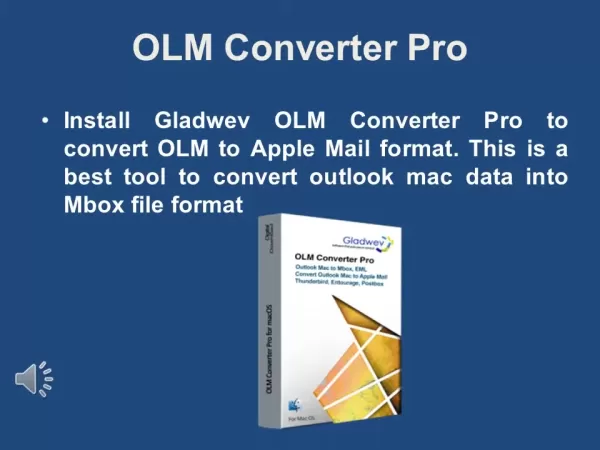
: Praised for its straightforward interface and dependable conversion results.
- Stellar Converter for OLM: A trustworthy choice with advanced features for large OLM files.
- SysTools OLM to MBOX Converter: Specializes in converting OLM to mbox format, which works with Apple Mail.
When choosing a tool, keep these factors in mind:
- Ease of Use: Is the software intuitive and simple to operate?
- Data Integrity: Does it keep email formatting and structure intact?
- Conversion Speed: How quickly does it handle large OLM files?
- Customer Support: Is helpful support available if issues occur?
- Pricing: Does it offer a free trial, and what is the full version cost?
Each tool has its strengths, so evaluate your specific needs before selecting one.
Step-by-Step Guide: Converting OLM to Apple Mail Using Gladwev OLM Converter Pro
Installing and Setting Up Gladwev OLM Converter Pro
Gladwev OLM Converter Pro is a favored option for converting OLM files to Apple Mail format, thanks to its easy-to-use design and consistent performance. Here’s a detailed guide on how to use it:
Download and Install:
Go to the Gladwev website and download OLM Converter Pro.
Double-click the downloaded file to start installation.
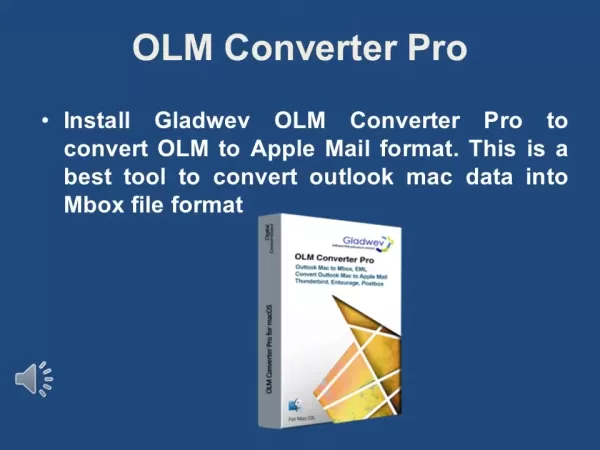
Follow the prompts to complete setup.
License Agreement: A license agreement will appear. Read it and click Agree to proceed.
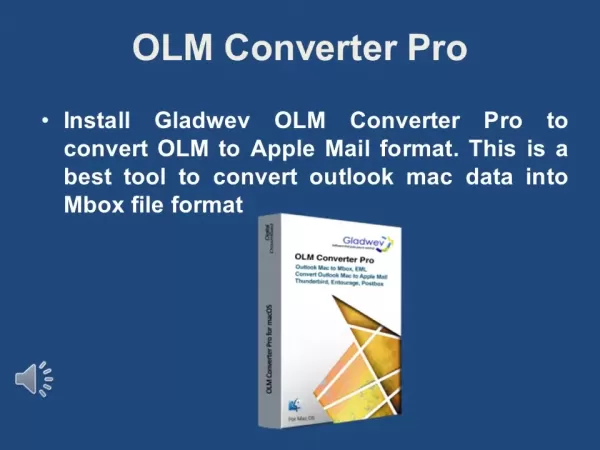
Launch the Application:
- Open Gladwev OLM Converter Pro from your Applications folder.
Add OLM Files:
Click Add OLM Files to choose the OLM file you wish to convert.
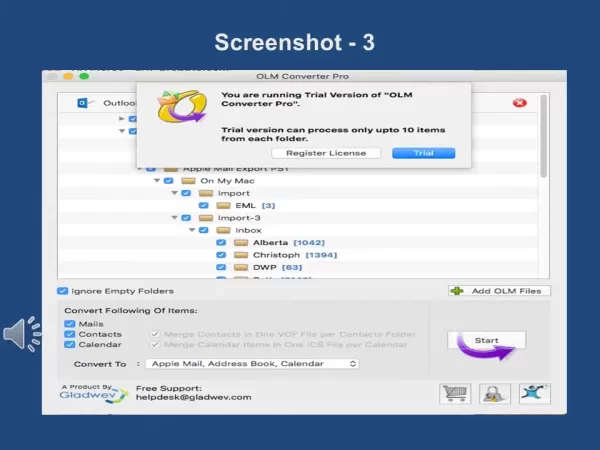
Locate and select your OLM file.
Select Files: Check the boxes next to each file you want to convert.
- You can select Ignore Empty Folders to skip folders with no data.
Choose Conversion Options
- Choose which items to convert: Emails, Contacts, and Calendar.
- Make sure each corresponding box is checked.
Start the Conversion:
- Click Start to begin converting.
- A pop-up may inform you of trial version limits. Click Trial to continue.
Choose A File Path:
- Select the folder where you want to save the converted data.
Monitor the Progress:
- A progress bar will show the conversion status.
- The time required depends on your OLM file size.
Conversion Completed:
- When finished, a confirmation message will appear.
- Click OK to close it.
Verify the Results:
- Check the output folder to confirm your emails, contacts, and calendars converted correctly.
Pricing and Licensing of Gladwev OLM Converter Pro
Understanding the Costs
Gladwev OLM Converter Pro provides several license options to fit different needs. Understanding these choices will help you pick the right plan for your situation.
- Trial Version:
- The trial lets you test the software’s features before buying.
- It usually limits how many items per folder you can convert.
- Single User License:
- Ideal for individual use on one computer.
- This license covers one person’s emails and allows installation on a single machine.
- Household License:
- Great for families, this license includes a household key.
- You can convert emails for yourself, your spouse, or children.
- The software can be installed on multiple machines, but each person’s data should be converted separately.
- Commercial License:
- Suited for IT support staff in organizations with under 50 employees, or technicians at repair shops.
- IT staff can perform conversions for the organization at one location.
- Enterprise License:
- For organizations with 51 to 100+ employees.
- Allows IT support to handle conversions for staff across global offices.
Pros and Cons of Using Gladwev OLM Converter Pro
Pros
Easy-to-use interface
Reliable conversion accuracy
Ability to convert multiple files at once
Option to select specific items for conversion
Fast processing speed
Access to customer support
Handles large OLM files well
Cons
Trial version has limitations
Paid license required for full use
May not work on older operating systems
Updates may be needed for new macOS versions
Key Features of Gladwev OLM Converter Pro
Exploring the Software Capabilities
Gladwev OLM Converter Pro includes many features to make OLM to Apple Mail conversion efficient and reliable. Key features include:
- User-Friendly Interface: An intuitive layout suitable for all user levels.
- Batch Conversion: Convert several OLM files simultaneously to save time.
- Data Integrity: Preserves emails, contacts, calendars, and other data without loss.
- Selective Conversion: Choose specific folders or items instead of the whole file.
- Preview Option: Review emails and other items before converting.
- Fast Conversion Speed: Quickly processes OLM files to minimize wait time.
- Support for Large OLM Files: Manages big files without slowing down.
- Merge Contacts & Calendars: Combine contacts into one VCF file and calendars into one ICS file.
Use Cases for OLM to Apple Mail Conversion
Why Convert OLM to Apple Mail?
Several situations call for converting OLM files to Apple Mail format:
- Switching from Outlook for Mac to Apple Mail: When moving from Outlook to Apple Mail, converting OLM files ensures your data comes with you.
- Data Backup and Archiving: Conversion can serve as a backup, keeping your email accessible even after you stop using Outlook.
- Compatibility Issues: Since Apple Mail doesn’t support OLM files directly, conversion allows access to your data.
- Moving to a New Mac: When setting up a new Mac, transfer your Outlook email data to Apple Mail via conversion.
- Collaboration: Share email data with others who use Apple Mail by converting OLM files to a compatible format.
Frequently Asked Questions (FAQ)
Can I directly import OLM files into Apple Mail?
No, Apple Mail does not support OLM files directly. You must first convert the OLM file to a compatible format like mbox before importing. Using a conversion tool is necessary to move your Outlook for Mac data to Apple Mail.
Is it safe to convert OLM files to Apple Mail format?
Yes, it is safe when using trusted tools like Gladwev OLM Converter Pro and following the instructions. Always back up your OLM file before starting to avoid data loss. Reliable software protects your data throughout the conversion.
How long does it take to convert an OLM file to Apple Mail format?
Conversion time varies with the OLM file size and your computer’s speed. Small files may take minutes, while larger ones can take hours. Gladwev OLM Converter Pro works efficiently to minimize downtime.
Do I need to be a technical expert to convert OLM files?
No, most conversion tools, including Gladwev OLM Converter Pro, are designed for ease of use. Following the built-in step-by-step guides makes the process accessible for users of all experience levels.
Related Questions
What should I do if I encounter errors during the conversion process?
If you run into errors during conversion, try these steps:Check the OLM File: Make sure the OLM file isn’t damaged by opening it in Outlook for Mac first.Try Another Tool: If one converter fails, test another reputable option like Stellar Converter for OLM or SysTools OLM to MBOX Converter.Update Software: Ensure your conversion tool is updated to the latest version.Contact Support: Reach out to the software’s support team for help with specific error messages.Check System Requirements: Verify that your computer meets the tool’s system needs.Restart Your Computer: A simple restart can sometimes fix underlying issues.Convert in Batches: For large OLM files, try converting smaller portions at a time.Check File Permissions: Confirm you have permission to access and modify the OLM file and output folder.Temporarily Disable Antivirus: Security software might interfere; try disabling it briefly during conversion.These steps can often resolve common conversion errors and help you successfully move your OLM data to Apple Mail.
Related article
 ByteDance Boosts Core AI Incentives as Doubao Surges 14.6%
ByteDance recently convened a DouBao equity briefing to unveil fresh incentive policies for staff involved in the DouBao division. The strike price for DouBao shares has been lifted from $14.85 in June 2026 to $17.02, marking an approximate 14.6% inc
MiniMax Unveils 10x Team Program to Incentivize Global AI Experts
MiniMax (Xiyu Technology), the General Artificial Intelligence Lab, has officially launched "10x Team," a global talent collaboration initiative. This program aims to recruit top experts across industries to explore the deep application of large mode
South Korea Breaks Ground on National AI Computing Center, Investing 2.5 Trillion Won with 2028 Target
South Korean outlet EtNews reports that groundbreaking for the Korea AI Computing Center (KOACC) took place on August 3 at the Solar City data center park in Sunan, Jeollanam-do. Backed by a total investment of 2.5 trillion KRW (roughly 11.838 billio
Related Special Topic Recommendations
Education and Learning
ByteDance Boosts Core AI Incentives as Doubao Surges 14.6%
ByteDance recently convened a DouBao equity briefing to unveil fresh incentive policies for staff involved in the DouBao division. The strike price for DouBao shares has been lifted from $14.85 in June 2026 to $17.02, marking an approximate 14.6% inc
MiniMax Unveils 10x Team Program to Incentivize Global AI Experts
MiniMax (Xiyu Technology), the General Artificial Intelligence Lab, has officially launched "10x Team," a global talent collaboration initiative. This program aims to recruit top experts across industries to explore the deep application of large mode
South Korea Breaks Ground on National AI Computing Center, Investing 2.5 Trillion Won with 2028 Target
South Korean outlet EtNews reports that groundbreaking for the Korea AI Computing Center (KOACC) took place on August 3 at the Solar City data center park in Sunan, Jeollanam-do. Backed by a total investment of 2.5 trillion KRW (roughly 11.838 billio
Related Special Topic Recommendations
Education and Learning
 AI Study Tools for Homework and Exam Prep
2026 Latest Best AI Study Tools for Homework and Exam Prep! XIX.AI curates a top-rated list of powerful, game-changing tools that help students boost productivity, streamline homework completion, and ace exams through real-world tests. Get a free vs paid comparison, detailed rankings, and must-try options to unlock your AI edge. Explore now!
 10 tools
 xix.ai
Music composition
AI Vocal Demo Tools for Songwriters, Hooks, Toplines, and Multilingual Draft Sessions
xix.ai
Music composition
AI Vocal Demo Tools for Songwriters, Hooks, Toplines, and Multilingual Draft Sessions
2026 Latest Best AI Vocal Demo Tools for Songwriters, Hook Creators, and Multi-Language Content Teams! XIX.AI has curated a top-rated list of powerful game-changing tools that go through rigorous real-world tests. You’ll find detailed free vs paid comparison data, comprehensive rankings, and must-try options to help you boost writing efficiency and unlock your creative potential. Explore now to discover your perfect tool for all your content needs!
9 tools
xix.ai
Business
Best AI Competitive Research Tools for Small Businesses
2026 Latest Best Top-rated AI Competitive Research Tools for Small Businesses! XIX.AI has curated a highly powerful game-changing collection, updated weekly with rigorous real-world tests and detailed rankings. You can find a comprehensive free vs paid comparison to help you identify the must-try tools that boost your productivity and give you a competitive edge. Explore now to discover your perfect tool!
9 tools
xix.ai
Image editing
Photoshop AI Retouch Tools for Ecommerce Apparel, Skin Cleanup, and Color Consistency
2026 Latest Best Photoshop AI retouch tools for ecommerce apparel, skin cleanup, and color consistency! This top-rated curated list features powerful game-changing solutions that help you boost writing efficiency, streamline content creation, and achieve perfect visual results effortlessly. Each tool has undergone real-world tests through weekly updated rankings, complete with free vs paid comparison details. Backed by XIX.AI, it’s the must-try guide for anyone aiming to unlock your AI edge. Explore now!
10 tools
xix.ai
Prompt
Best AI Prompt Libraries for ChatGPT Workflows
2026 Latest Best Top-Rated AI Prompt Libraries for optimizing all types of ChatGPT workflows. XIX.AI has curated a powerful, game-changing collection that goes through rigorous real-world tests to ensure top performance. You can find detailed free vs paid comparisons and expert rankings to help you choose the must-try tools that boost your productivity and unlock your AI edge. Explore now!
11 tools
xix.ai
Education and Learning
AI Quiz Builder Platforms for Teachers, Tutors, and Cohort-Based Learning Programs
2026 Latest Best AI Quiz Builder Platforms for Teachers, Tutors, and Cohort-Based Learning Programs! XIX.AI has curated a top-rated list of powerful game-changing tools that go through real-world tests to deliver accurate rankings. These must-try platforms help boost writing efficiency, streamline content creation, and simplify quiz design across all learning scenarios. Explore now to discover your perfect tool for unlocking your AI edge in teaching!
13 tools
xix.ai

 Comments (0)
0/500
Comments (0)
0/500
Transitioning from Outlook for Mac to Apple Mail might seem challenging, particularly when moving your email data. Outlook for Mac stores emails, contacts, calendars, and other items in OLM files, while Apple Mail uses a different structure. This guide offers a complete walkthrough for converting OLM files into a format compatible with Apple Mail, helping you switch without losing important information. No matter your technical skill level, you’ll find clear steps and useful tips to make the process straightforward. We'll explore the most effective ways to convert OLM files for use in Apple Mail, so you can migrate with confidence.
Key Points
Learn the key differences between OLM files and Apple Mail's format.
Discover top-rated tools for converting OLM files to Apple Mail.
Follow detailed steps to convert OLM files using dedicated software.
Ensure a smooth transition without losing any data.
Resolve common problems that may arise during conversion.
Adopt best practices for organizing your emails in Apple Mail after migration.
Understanding OLM and Apple Mail Formats
What is an OLM File?
Outlook for Mac uses OLM files to archive emails, contacts, calendars, tasks, and notes. These files are created when you export data or archive older messages to free up space. Knowing what’s inside an OLM file is key to a successful conversion. Without specialized tools, accessing OLM data on a system without Outlook for Mac is difficult. These files serve as backups, and to extract their contents, users need specific conversion methods. A clear understanding of the OLM file’s structure and components is essential for moving your data to Apple Mail.
What is Apple Mail Format?
Apple Mail, the default email application on macOS, stores data primarily in the mbox format. Although it can import various file types, understanding the mbox structure is helpful because conversion often involves an intermediate mbox step before importing into Apple Mail. Apple Mail is valued for its smooth integration with macOS, easy-to-use interface, and strong feature set. Switching to Apple Mail can lead to better performance and a more unified experience for Apple users. Unlike OLM files, Apple Mail's storage is generally easier to manage within macOS, offering reliable compatibility and straightforward data handling. Knowing these advantages can make your move from Outlook for Mac efficient and trouble-free.
Choosing the Right OLM to Apple Mail Conversion Tool
Overview of Available Tools
Specialized software is essential for converting OLM files to Apple Mail format while preserving data integrity. Several tools are available, each with distinct features, pricing, and usability. This section compares popular options, focusing on their ability to maintain your email folder structure and organization during conversion.
Here’s a quick look at some recommended tools:
- Gladwev OLM Converter Pro
: Praised for its straightforward interface and dependable conversion results.
- Stellar Converter for OLM: A trustworthy choice with advanced features for large OLM files.
- SysTools OLM to MBOX Converter: Specializes in converting OLM to mbox format, which works with Apple Mail.
When choosing a tool, keep these factors in mind:
- Ease of Use: Is the software intuitive and simple to operate?
- Data Integrity: Does it keep email formatting and structure intact?
- Conversion Speed: How quickly does it handle large OLM files?
- Customer Support: Is helpful support available if issues occur?
- Pricing: Does it offer a free trial, and what is the full version cost?
Each tool has its strengths, so evaluate your specific needs before selecting one.
Step-by-Step Guide: Converting OLM to Apple Mail Using Gladwev OLM Converter Pro
Installing and Setting Up Gladwev OLM Converter Pro
Gladwev OLM Converter Pro is a favored option for converting OLM files to Apple Mail format, thanks to its easy-to-use design and consistent performance. Here’s a detailed guide on how to use it:
Download and Install:
Go to the Gladwev website and download OLM Converter Pro.
Double-click the downloaded file to start installation.
Follow the prompts to complete setup.
License Agreement: A license agreement will appear. Read it and click Agree to proceed.
Launch the Application:
- Open Gladwev OLM Converter Pro from your Applications folder.
Add OLM Files:
Click Add OLM Files to choose the OLM file you wish to convert.
Locate and select your OLM file.
Select Files: Check the boxes next to each file you want to convert.
- You can select Ignore Empty Folders to skip folders with no data.
Choose Conversion Options
- Choose which items to convert: Emails, Contacts, and Calendar.
- Make sure each corresponding box is checked.
Start the Conversion:
- Click Start to begin converting.
- A pop-up may inform you of trial version limits. Click Trial to continue.
Choose A File Path:
- Select the folder where you want to save the converted data.
Monitor the Progress:
- A progress bar will show the conversion status.
- The time required depends on your OLM file size.
Conversion Completed:
- When finished, a confirmation message will appear.
- Click OK to close it.
Verify the Results:
- Check the output folder to confirm your emails, contacts, and calendars converted correctly.
Pricing and Licensing of Gladwev OLM Converter Pro
Understanding the Costs
Gladwev OLM Converter Pro provides several license options to fit different needs. Understanding these choices will help you pick the right plan for your situation.
- Trial Version:
- The trial lets you test the software’s features before buying.
- It usually limits how many items per folder you can convert.
- Single User License:
- Ideal for individual use on one computer.
- This license covers one person’s emails and allows installation on a single machine.
- Household License:
- Great for families, this license includes a household key.
- You can convert emails for yourself, your spouse, or children.
- The software can be installed on multiple machines, but each person’s data should be converted separately.
- Commercial License:
- Suited for IT support staff in organizations with under 50 employees, or technicians at repair shops.
- IT staff can perform conversions for the organization at one location.
- Enterprise License:
- For organizations with 51 to 100+ employees.
- Allows IT support to handle conversions for staff across global offices.
Pros and Cons of Using Gladwev OLM Converter Pro
Pros
Easy-to-use interface
Reliable conversion accuracy
Ability to convert multiple files at once
Option to select specific items for conversion
Fast processing speed
Access to customer support
Handles large OLM files well
Cons
Trial version has limitations
Paid license required for full use
May not work on older operating systems
Updates may be needed for new macOS versions
Key Features of Gladwev OLM Converter Pro
Exploring the Software Capabilities
Gladwev OLM Converter Pro includes many features to make OLM to Apple Mail conversion efficient and reliable. Key features include:
- User-Friendly Interface: An intuitive layout suitable for all user levels.
- Batch Conversion: Convert several OLM files simultaneously to save time.
- Data Integrity: Preserves emails, contacts, calendars, and other data without loss.
- Selective Conversion: Choose specific folders or items instead of the whole file.
- Preview Option: Review emails and other items before converting.
- Fast Conversion Speed: Quickly processes OLM files to minimize wait time.
- Support for Large OLM Files: Manages big files without slowing down.
- Merge Contacts & Calendars: Combine contacts into one VCF file and calendars into one ICS file.
Use Cases for OLM to Apple Mail Conversion
Why Convert OLM to Apple Mail?
Several situations call for converting OLM files to Apple Mail format:
- Switching from Outlook for Mac to Apple Mail: When moving from Outlook to Apple Mail, converting OLM files ensures your data comes with you.
- Data Backup and Archiving: Conversion can serve as a backup, keeping your email accessible even after you stop using Outlook.
- Compatibility Issues: Since Apple Mail doesn’t support OLM files directly, conversion allows access to your data.
- Moving to a New Mac: When setting up a new Mac, transfer your Outlook email data to Apple Mail via conversion.
- Collaboration: Share email data with others who use Apple Mail by converting OLM files to a compatible format.
Frequently Asked Questions (FAQ)
Can I directly import OLM files into Apple Mail?
No, Apple Mail does not support OLM files directly. You must first convert the OLM file to a compatible format like mbox before importing. Using a conversion tool is necessary to move your Outlook for Mac data to Apple Mail.
Is it safe to convert OLM files to Apple Mail format?
Yes, it is safe when using trusted tools like Gladwev OLM Converter Pro and following the instructions. Always back up your OLM file before starting to avoid data loss. Reliable software protects your data throughout the conversion.
How long does it take to convert an OLM file to Apple Mail format?
Conversion time varies with the OLM file size and your computer’s speed. Small files may take minutes, while larger ones can take hours. Gladwev OLM Converter Pro works efficiently to minimize downtime.
Do I need to be a technical expert to convert OLM files?
No, most conversion tools, including Gladwev OLM Converter Pro, are designed for ease of use. Following the built-in step-by-step guides makes the process accessible for users of all experience levels.
Related Questions
What should I do if I encounter errors during the conversion process?
If you run into errors during conversion, try these steps:Check the OLM File: Make sure the OLM file isn’t damaged by opening it in Outlook for Mac first.Try Another Tool: If one converter fails, test another reputable option like Stellar Converter for OLM or SysTools OLM to MBOX Converter.Update Software: Ensure your conversion tool is updated to the latest version.Contact Support: Reach out to the software’s support team for help with specific error messages.Check System Requirements: Verify that your computer meets the tool’s system needs.Restart Your Computer: A simple restart can sometimes fix underlying issues.Convert in Batches: For large OLM files, try converting smaller portions at a time.Check File Permissions: Confirm you have permission to access and modify the OLM file and output folder.Temporarily Disable Antivirus: Security software might interfere; try disabling it briefly during conversion.These steps can often resolve common conversion errors and help you successfully move your OLM data to Apple Mail.








 ByteDance Boosts Core AI Incentives as Doubao Surges 14.6%
ByteDance recently convened a DouBao equity briefing to unveil fresh incentive policies for staff involved in the DouBao division. The strike price for DouBao shares has been lifted from $14.85 in June 2026 to $17.02, marking an approximate 14.6% inc
ByteDance Boosts Core AI Incentives as Doubao Surges 14.6%
ByteDance recently convened a DouBao equity briefing to unveil fresh incentive policies for staff involved in the DouBao division. The strike price for DouBao shares has been lifted from $14.85 in June 2026 to $17.02, marking an approximate 14.6% inc
 MiniMax Unveils 10x Team Program to Incentivize Global AI Experts
MiniMax (Xiyu Technology), the General Artificial Intelligence Lab, has officially launched "10x Team," a global talent collaboration initiative. This program aims to recruit top experts across industries to explore the deep application of large mode
MiniMax Unveils 10x Team Program to Incentivize Global AI Experts
MiniMax (Xiyu Technology), the General Artificial Intelligence Lab, has officially launched "10x Team," a global talent collaboration initiative. This program aims to recruit top experts across industries to explore the deep application of large mode
 South Korea Breaks Ground on National AI Computing Center, Investing 2.5 Trillion Won with 2028 Target
South Korean outlet EtNews reports that groundbreaking for the Korea AI Computing Center (KOACC) took place on August 3 at the Solar City data center park in Sunan, Jeollanam-do. Backed by a total investment of 2.5 trillion KRW (roughly 11.838 billio
South Korea Breaks Ground on National AI Computing Center, Investing 2.5 Trillion Won with 2028 Target
South Korean outlet EtNews reports that groundbreaking for the Korea AI Computing Center (KOACC) took place on August 3 at the Solar City data center park in Sunan, Jeollanam-do. Backed by a total investment of 2.5 trillion KRW (roughly 11.838 billio

2026 Latest Best AI Study Tools for Homework and Exam Prep! XIX.AI curates a top-rated list of powerful, game-changing tools that help students boost productivity, streamline homework completion, and ace exams through real-world tests. Get a free vs paid comparison, detailed rankings, and must-try options to unlock your AI edge. Explore now!
10 tools
xix.ai

2026 Latest Best AI Vocal Demo Tools for Songwriters, Hook Creators, and Multi-Language Content Teams! XIX.AI has curated a top-rated list of powerful game-changing tools that go through rigorous real-world tests. You’ll find detailed free vs paid comparison data, comprehensive rankings, and must-try options to help you boost writing efficiency and unlock your creative potential. Explore now to discover your perfect tool for all your content needs!
9 tools
xix.ai

2026 Latest Best Top-rated AI Competitive Research Tools for Small Businesses! XIX.AI has curated a highly powerful game-changing collection, updated weekly with rigorous real-world tests and detailed rankings. You can find a comprehensive free vs paid comparison to help you identify the must-try tools that boost your productivity and give you a competitive edge. Explore now to discover your perfect tool!
9 tools
xix.ai

2026 Latest Best Photoshop AI retouch tools for ecommerce apparel, skin cleanup, and color consistency! This top-rated curated list features powerful game-changing solutions that help you boost writing efficiency, streamline content creation, and achieve perfect visual results effortlessly. Each tool has undergone real-world tests through weekly updated rankings, complete with free vs paid comparison details. Backed by XIX.AI, it’s the must-try guide for anyone aiming to unlock your AI edge. Explore now!
10 tools
xix.ai

2026 Latest Best Top-Rated AI Prompt Libraries for optimizing all types of ChatGPT workflows. XIX.AI has curated a powerful, game-changing collection that goes through rigorous real-world tests to ensure top performance. You can find detailed free vs paid comparisons and expert rankings to help you choose the must-try tools that boost your productivity and unlock your AI edge. Explore now!
11 tools
xix.ai

2026 Latest Best AI Quiz Builder Platforms for Teachers, Tutors, and Cohort-Based Learning Programs! XIX.AI has curated a top-rated list of powerful game-changing tools that go through real-world tests to deliver accurate rankings. These must-try platforms help boost writing efficiency, streamline content creation, and simplify quiz design across all learning scenarios. Explore now to discover your perfect tool for unlocking your AI edge in teaching!
13 tools
xix.ai












