


 Home
HomeBest automatic audio transcription for students? 2026 free tools comparison and guide.
As a student, finding effective ways to enhance your note-taking process is essential. You need dependable materials for later review and quick reference. Automatic audio transcription services convert recorded lectures into written text, streamlining your study sessions. This article examines some of the top solutions, demonstrating how these AI-powered tools can boost productivity and academic results. Integrating these services is an excellent strategy for improving your study methods and note-taking abilities.
Key Points
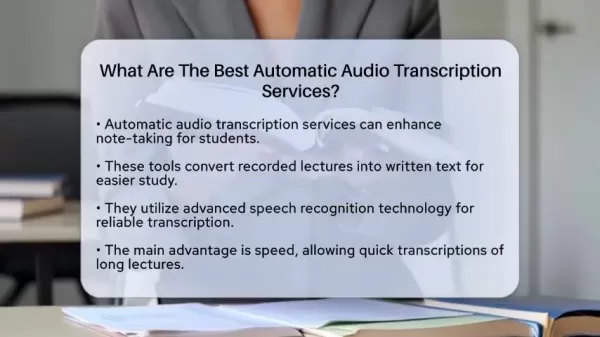
Automatic audio transcription significantly improves student note-taking.
These tools transform recorded lectures into text for more efficient studying.
Services use advanced speech recognition technology to deliver reliable transcripts.
Speed is a major benefit, allowing for quick transcription of lengthy lectures.
Leading options include Sonix, Otter.ai, Rev, and Happy Scribe.
These tools enhance accessibility for students with disabilities by providing written documentation.
They are valuable for group study, making it simple to revisit discussion points.
Language learners benefit by improving their listening and comprehension skills.
Adopting these tools can increase productivity and academic achievement.
Understanding Automatic Audio Transcription Services
What is Automatic Audio Transcription?
Automatic audio transcription services employ speech recognition technology to convert spoken language into written text.
This technology has advanced considerably, making it a dependable resource for students aiming to upgrade their note-taking and study practices. These platforms use sophisticated algorithms to quickly and accurately interpret and transcribe spoken content, saving time and enhancing study effectiveness. High-quality automatic audio transcription can be an invaluable asset for any student.
Automatic audio transcription revolutionizes the student experience. It changes how learners interact with recorded lectures, interviews, and even informal study group conversations. Rather than struggling to take notes in real-time, students can record audio and use transcription software to obtain a written account of the content. This offers several important advantages:
- Focus: Without the distraction of writing, students can concentrate more fully on comprehending the lecture or discussion.
- Efficiency: The automated process drastically cuts down the time spent on note-taking, making study sessions more productive.
- Accuracy: Advanced algorithms enable these services to generate highly accurate transcripts, ensuring critical information is captured.
The functionality of automatic audio transcription services goes beyond basic note-taking. They improve accessibility for students with disabilities, support collaborative study efforts, and aid language learners. Incorporating these tools into academic routines reflects a move toward smarter, more inclusive, and highly effective learning strategies.
Moreover, the underlying technology has progressed rapidly. Cloud-based systems, machine learning algorithms, and refined voice recognition methods mean transcriptions are not only faster but also more precise and adaptable to various accents and speaking patterns. These advancements establish automatic audio transcription as a crucial resource for academic success.
Benefits of Using Audio Transcription Services for Students
The primary advantage of automatic audio transcription services is speed.
Converting lectures into text simplifies later review. Automatic transcription services provide substantial benefits for students, influencing note-taking efficiency, study routines, and accessibility. These advantages contribute to better learning outcomes and overall academic performance.
- Enhanced Note-Taking: Using automatic audio transcription frees students from writing during lectures. They can instead focus on understanding the concepts being presented. Later, they can use the transcribed notes to review and reinforce the material.
- Improved Study Habits: Students can turn recorded lectures into written text, facilitating easier study sessions. No more hurried note-taking during class. Access to accurate transcripts aids in retaining important information.
- Accessibility: Audio transcription is particularly helpful for students with disabilities. Written records assist those with hearing challenges, enabling better comprehension and more active participation.
- Effective Collaboration: For group study, audio transcription allows the recording and transcribing of study sessions. It makes it easy to revisit key discussion points, fostering more organized and productive group work.
- Language Learning Support: Transcription tools aid language acquisition. Students learning a new language can use transcribed audio to improve their listening and understanding skills.
The benefits for students highlight the growing importance of this service. By adopting digital solutions, academic experiences are enhanced, and learners are better equipped to achieve their full potential.
Recommended Services for Specific Student Needs
Selecting the Perfect Transcription Tool
Students have unique academic requirements.
Audio transcription services must adapt to these variations. Choosing a tool that aligns with specific priorities will increase its effectiveness and user satisfaction.
For Accuracy:
- Happy Scribe: This platform's support for multiple file formats and focus on precision make it the top choice for students who need high-quality transcriptions.
For Real-Time Transcription:
- Otter.ai: Ideal for live lectures, Otter.ai provides real-time transcription, allowing students to capture content without distraction.
For User-Friendliness:
- Sonix: Sonix's intuitive design simplifies navigation, enabling users to benefit from fast transcriptions.
For Budget-Cons
cious Students:
- Rev: Rev offers both automated and human transcription services with flexible pricing, so users can select a plan that fits their needs and budget.
Selecting a system that matches specific needs ensures that learning is enhanced, time is used efficiently, and academic goals are met effectively. Assessing individual criteria helps students gain maximum value from using these tools in their academic workflows.
Step-by-Step Guide to Using Audio Transcription Services
Getting Started with Transcription
Incorporating automatic audio transcription into your academic routine involves several key steps. Following this guide will help students integrate digital tools to improve their study and note-taking techniques. These steps outline the basic setup process.
Step 1: Select the Right Service
- Research audio transcription services: Evaluate factors like accuracy, cost, and user experience.
- Explore trial options: Take advantage of free trials to test the software before committing to a subscription.
Step 2: Account Setup and Software Install
- Sign-up: Create an account with your chosen transcription service.
- Check system requirements: Verify your device meets the necessary specifications for optimal performance.
Step 3: Configuring Settings
- Adjust settings: Customize options for language, accents, and preferred writing style to optimize results.
- Learn the interface: Familiarize yourself with the platform's features to operate it smoothly.
Step 4: Uploading Audio/Video Files
- File upload: Import your audio or video files into the platform. Ensure the format is compatible.
- Organize recordings: Make sure all recordings have clear audio quality for more accurate transcription.
Step 5: Transcription Process
- Start transcribing: Initiate the transcription process and let the platform convert speech to text.
- Monitor progress: Track the transcription as it develops to identify any potential errors early.
Step 6: Review and Edit
- Proofread: After transcription, review the text for completeness and correct any inaccuracies.
- Make enhancements: Edit speaker labels, add timestamps, and adjust formatting to clarify the text.
Step 7: Export and Use
- Export formats: Choose output formats such as DOCX, TXT, or SRT based on your requirements.
- Incorporate material: Integrate the finished transcripts into study materials, presentations, or collaborative projects to maximize their utility.
Pricing and Subscription Models of Audio Transcription Services
Evaluating Cost-Effective Options
Understanding the pricing structures of automatic audio transcription services helps students choose cost-effective solutions that fit their budgets and usage patterns.
The primary pricing models are:
Subscription Plans:
- Monthly or annual fees for a set amount of transcription minutes or hours.
- Ideal for students who use transcription services regularly.
- Example: Sonix offers budget-friendly subscription plans, especially useful for handling large volumes of audio or video content.
Pay-as-You-Go:
- Charges based on the actual transcription time used.
- This model suits those with occasional or unpredictable transcription needs.
- Flexibility is a key advantage, as costs correlate directly with usage.
Free Tiers and Trials:
- Some providers offer free tiers with limited features or trial periods with full access.
- Perfect for testing the service and assessing its suitability before purchasing a paid plan.
Additional Costs:
- Potential extra charges for features like manual review, speaker identification, or real-time transcription.
- Students should be aware of all possible fees to avoid unexpected expenses.
Comparison of Pricing Among Services
Service Pricing Model Average Cost SonixSubscription, Pay-as-You-Go$10 per hour (Pay-as-You-Go), various subscriptionsOtter.aiSubscription, Limited Free$8.33 per month (Annual Premium)RevPay-as-You-Go, Subscription$1.50 per minute (Automated), subscriptionsHappy ScribeSubscription, Pay-as-You-Go€0.20 per minute (Pay-as-You-Go), subscriptionsAnalyzing pricing models assists students in selecting a transcription service that aligns with their study habits, financial limits, and accuracy requirements.
Evaluating Audio Transcription Services: Pros
and Cons
Pros
Improved Note-Taking Efficiency
Enhanced Accessibility for Students
Support for Group Study
Beneficial for Language Learning
Increased Productivity
Cons
Accuracy Limitations
Dependence on Audio Quality
Privacy Concerns
Cost Implications
Technical Issues
Key Features of Top Transcription Services
Understanding the Features That Matter
When choosing an audio transcription service, students should evaluate several essential features.
These features ensure the service meets academic and study requirements, providing accurate, efficient, and accessible transcriptions. Key features include:
- Accuracy: High accuracy in converting speech to text is crucial. It guarantees that transcripts correctly capture information and context, reducing the need for extensive corrections.
- Speed: Efficient processing and quick turnaround times are important. The speed of transcription delivery affects how quickly students can access and review their study materials.
- Speaker Identification: Automatic speaker identification is helpful for lectures and discussions with multiple participants. It allows students to follow conversations by clearly indicating who is speaking.
- Real-time Transcription: Real-time transcription provides immediate text output during live lectures or meetings, supporting instant note-taking and understanding.
- Integration with Other Tools: Compatibility with video conferencing software and note-taking apps streamlines workflow and improves the usefulness of transcripts.
- File Format Support: Broad support for various audio and video file formats makes it easier to use transcription services regardless of recording media.
- Editing Capabilities: Features like timestamps, highlighting options, and correction tools are beneficial for reviewing and refining transcripts.
- Accessibility Features: Important accessibility provisions include text scaling, screen reader compatibility, and customization options to meet the diverse needs of all students, including those with disabilities.
- Pricing Plans: Flexible pricing options are a significant consideration. Students need subscription plans and pay-as-you-go choices that suit their budgets based on usage frequency and project scope.
Effective Use Cases for Audio Transcription in Academic Settings
Maximizing Learning Potential
Audio transcription services are applicable in various academic scenarios. They enhance learning efficiency, improve accessibility, and promote effective study habits.
- Lectures and Seminars: Record lectures and convert them to text for deeper analysis, enabling thorough comprehension and aiding exam preparation.
- Interviews: Recording and transcribing interviews enhances academic research by providing accurate records and enriching data analysis.
- Group Discussions: Transcription helps document group project meetings, ensuring all members recall action items and keeping project schedules on track.
- Accessibility: Supporting education for students with disabilities by providing transcriptions that turn lectures and study materials into written formats, ensuring equal learning opportunities.
- Language Studies: Transcriptions improve language skills by allowing learners to review written records of spoken content, facilitating study and skill development.
- Note-Taking: Convert spoken notes into digital format to preserve key insights from conversations or brainstorming sessions.
By applying audio transcription to academic activities, students boost productivity and inclusion, creating opportunities for academic excellence. This approach not only transforms how students learn but also contributes to greater academic achievement.
Frequently Asked Questions about Audio Transcription Services
How accurate are automatic audio transcription services?
Accuracy depends on factors like audio quality, accents, and background noise. High-quality services often reach 90% accuracy or higher, but manual review is advised for critical transcripts.
Are audio transcription services secure for confidential academic data?
Most reputable services use encryption and secure data storage, but always check their privacy policies and opt for services that adhere to academic data protection standards.
Can these services transcribe multiple speakers?
Yes, many services include speaker identification features that label different speakers, making it easier to follow conversations in group discussions or interviews. Otter.ai is a notable example with excellent speaker identification.
Do audio transcription services support different languages?
Yes, many services support multiple languages, making them valuable for transcription projects and language learners.
Related Questions
What are some tips for improving the accuracy of audio transcriptions?
Improving transcription accuracy involves strategic steps during both recording and tool selection. First, record audio in a quiet environment to minimize background noise interference. Using a high-quality microphone placed near the speaker greatly improves audio clarity. For multiple speakers, ensure each voice is distinct and consider using tools with speaker recognition to differentiate participants.Test the transcription service with a short sample before uploading full audio to check its compatibility with various accents and speaking styles. Experiment with different service settings, such as language preferences and noise reduction, to optimize outcomes. Manually correcting initial transcripts can also train the system and enhance future accuracy. Regular software updates provide improved algorithms and features. By applying these methods, you can maximize the precision and efficiency of automated transcription, ensuring reliable results for academic and professional use.
How can audio transcription services help students with disabilities?
Audio transcription services offer significant support for students with hearing or learning challenges. These tools make spoken content available in written form, improving accessibility for those with hearing difficulties or those who find auditory comprehension challenging. This enables all students to participate more fully in class material and group discussions. Audio transcripts can also be used with assistive technologies like screen readers, providing additional support for visually impaired students. By converting lectures and conversations into text, these services accommodate students who need adaptable tools to succeed academically. In essence, audio transcription helps level the playing field for students with disabilities.
Are there any free audio transcription tools available?
Yes, several free audio transcription tools are available for those on a tight budget, though they often have limitations and may be less accurate. One popular option is Google Docs Voice Typing, which transcribes speech directly into documents, performing well with clear voice input. Another choice is Google's Live Transcribe app, which provides real-time transcription of conversations on mobile devices, though it has some saving limitations.Descript is another useful software that includes transcription as part of its multimedia editing features. For those with minimal or non-professional needs, these can be cost-effective starting points for exploring transcription technology. However, if consistent high accuracy is required, paid options may eventually be necessary.
Related article
 South Korea Breaks Ground on National AI Computing Center, Investing 2.5 Trillion Won with 2028 Target
South Korean outlet EtNews reports that groundbreaking for the Korea AI Computing Center (KOACC) took place on August 3 at the Solar City data center park in Sunan, Jeollanam-do. Backed by a total investment of 2.5 trillion KRW (roughly 11.838 billio
Six Tech Giants Back Linux Foundation With $12.5M to Tackle AI Vulnerability Noise
To tackle the flood of low-quality security reports produced by AI automation tools, six major tech companies—Anthropic, Amazon (AWS), GitHub, Google, Microsoft, and OpenAI—have collectively contributed $12.5 million in funding to Linux Foundation in
Musk Considered Leaving OpenAI to His Kids as Altman Testifies
This morning, OpenAI CEO Sam Altman took the stand to address former co-founder Elon Musk’s lawsuit challenging the company’s corporate structure.When asked about Musk’s claim that other founders “stole a charity” by launching a for-profit subsidiary
Related Special Topic Recommendations
Music composition
South Korea Breaks Ground on National AI Computing Center, Investing 2.5 Trillion Won with 2028 Target
South Korean outlet EtNews reports that groundbreaking for the Korea AI Computing Center (KOACC) took place on August 3 at the Solar City data center park in Sunan, Jeollanam-do. Backed by a total investment of 2.5 trillion KRW (roughly 11.838 billio
Six Tech Giants Back Linux Foundation With $12.5M to Tackle AI Vulnerability Noise
To tackle the flood of low-quality security reports produced by AI automation tools, six major tech companies—Anthropic, Amazon (AWS), GitHub, Google, Microsoft, and OpenAI—have collectively contributed $12.5 million in funding to Linux Foundation in
Musk Considered Leaving OpenAI to His Kids as Altman Testifies
This morning, OpenAI CEO Sam Altman took the stand to address former co-founder Elon Musk’s lawsuit challenging the company’s corporate structure.When asked about Musk’s claim that other founders “stole a charity” by launching a for-profit subsidiary
Related Special Topic Recommendations
Music composition
 AI Vocal Demo Tools for Songwriters, Hooks, Toplines, and Multilingual Draft Sessions
2026 Latest Best AI Vocal Demo Tools for Songwriters, Hook Creators, and Multi-Language Content Teams! XIX.AI has curated a top-rated list of powerful game-changing tools that go through rigorous real-world tests. You’ll find detailed free vs paid comparison data, comprehensive rankings, and must-try options to help you boost writing efficiency and unlock your creative potential. Explore now to discover your perfect tool for all your content needs!
 9 tools
 xix.ai
Business
Best AI Competitive Research Tools for Small Businesses
xix.ai
Business
Best AI Competitive Research Tools for Small Businesses
2026 Latest Best Top-rated AI Competitive Research Tools for Small Businesses! XIX.AI has curated a highly powerful game-changing collection, updated weekly with rigorous real-world tests and detailed rankings. You can find a comprehensive free vs paid comparison to help you identify the must-try tools that boost your productivity and give you a competitive edge. Explore now to discover your perfect tool!
9 tools
xix.ai
Image editing
Photoshop AI Retouch Tools for Ecommerce Apparel, Skin Cleanup, and Color Consistency
2026 Latest Best Photoshop AI retouch tools for ecommerce apparel, skin cleanup, and color consistency! This top-rated curated list features powerful game-changing solutions that help you boost writing efficiency, streamline content creation, and achieve perfect visual results effortlessly. Each tool has undergone real-world tests through weekly updated rankings, complete with free vs paid comparison details. Backed by XIX.AI, it’s the must-try guide for anyone aiming to unlock your AI edge. Explore now!
10 tools
xix.ai
Prompt
Best AI Prompt Libraries for ChatGPT Workflows
2026 Latest Best Top-Rated AI Prompt Libraries for optimizing all types of ChatGPT workflows. XIX.AI has curated a powerful, game-changing collection that goes through rigorous real-world tests to ensure top performance. You can find detailed free vs paid comparisons and expert rankings to help you choose the must-try tools that boost your productivity and unlock your AI edge. Explore now!
11 tools
xix.ai
Education and Learning
AI Quiz Builder Platforms for Teachers, Tutors, and Cohort-Based Learning Programs
2026 Latest Best AI Quiz Builder Platforms for Teachers, Tutors, and Cohort-Based Learning Programs! XIX.AI has curated a top-rated list of powerful game-changing tools that go through real-world tests to deliver accurate rankings. These must-try platforms help boost writing efficiency, streamline content creation, and simplify quiz design across all learning scenarios. Explore now to discover your perfect tool for unlocking your AI edge in teaching!
13 tools
xix.ai
code
AI Pull Request Review Tools for GitHub Teams Handling Refactors, Bugs, and Security Gaps
2026 Latest Best AI Pull Request Review Tools for GitHub Teams are here on XIX.AI! This top-rated curated list showcases powerful game-changing solutions that streamline refactoring, bug fixing, and security gap detection across all team workflows. Enjoy a free vs paid comparison along with real-world tests and detailed rankings to help you find the perfect tool that boosts productivity significantly. Explore now to unlock your AI edge!
12 tools
xix.ai

 Comments (2)
0/500
Comments (2)
0/500
![RichardJohnson]()
2026년까지 기다릴 수 있을까요? 😅 사실 이미 많은 무료 도구들이 있지만, 너무 많아서 선택하기 어렵다. 이 가이드가 필요한 사람 많을 것 같아. 강의가 어렵다면 스크립션 받아서 보는 편이 확실히 도움 됐어요.
![KevinJohnson]()
This is actually super helpful for me since I sometimes zone out during lectures 😅. I've been just recording and trying to scribble notes later... having a tool that turns it all into text would save me so much time. Does anyone have experience with the options for long, detailed lectures? Any that handle mumbling professors well? 👀
As a student, finding effective ways to enhance your note-taking process is essential. You need dependable materials for later review and quick reference. Automatic audio transcription services convert recorded lectures into written text, streamlining your study sessions. This article examines some of the top solutions, demonstrating how these AI-powered tools can boost productivity and academic results. Integrating these services is an excellent strategy for improving your study methods and note-taking abilities.
Key Points
Automatic audio transcription significantly improves student note-taking.
These tools transform recorded lectures into text for more efficient studying.
Services use advanced speech recognition technology to deliver reliable transcripts.
Speed is a major benefit, allowing for quick transcription of lengthy lectures.
Leading options include Sonix, Otter.ai, Rev, and Happy Scribe.
These tools enhance accessibility for students with disabilities by providing written documentation.
They are valuable for group study, making it simple to revisit discussion points.
Language learners benefit by improving their listening and comprehension skills.
Adopting these tools can increase productivity and academic achievement.
Understanding Automatic Audio Transcription Services
What is Automatic Audio Transcription?
Automatic audio transcription services employ speech recognition technology to convert spoken language into written text.
This technology has advanced considerably, making it a dependable resource for students aiming to upgrade their note-taking and study practices. These platforms use sophisticated algorithms to quickly and accurately interpret and transcribe spoken content, saving time and enhancing study effectiveness. High-quality automatic audio transcription can be an invaluable asset for any student.
Automatic audio transcription revolutionizes the student experience. It changes how learners interact with recorded lectures, interviews, and even informal study group conversations. Rather than struggling to take notes in real-time, students can record audio and use transcription software to obtain a written account of the content. This offers several important advantages:
- Focus: Without the distraction of writing, students can concentrate more fully on comprehending the lecture or discussion.
- Efficiency: The automated process drastically cuts down the time spent on note-taking, making study sessions more productive.
- Accuracy: Advanced algorithms enable these services to generate highly accurate transcripts, ensuring critical information is captured.
The functionality of automatic audio transcription services goes beyond basic note-taking. They improve accessibility for students with disabilities, support collaborative study efforts, and aid language learners. Incorporating these tools into academic routines reflects a move toward smarter, more inclusive, and highly effective learning strategies.
Moreover, the underlying technology has progressed rapidly. Cloud-based systems, machine learning algorithms, and refined voice recognition methods mean transcriptions are not only faster but also more precise and adaptable to various accents and speaking patterns. These advancements establish automatic audio transcription as a crucial resource for academic success.
Benefits of Using Audio Transcription Services for Students
The primary advantage of automatic audio transcription services is speed.
Converting lectures into text simplifies later review. Automatic transcription services provide substantial benefits for students, influencing note-taking efficiency, study routines, and accessibility. These advantages contribute to better learning outcomes and overall academic performance.
- Enhanced Note-Taking: Using automatic audio transcription frees students from writing during lectures. They can instead focus on understanding the concepts being presented. Later, they can use the transcribed notes to review and reinforce the material.
- Improved Study Habits: Students can turn recorded lectures into written text, facilitating easier study sessions. No more hurried note-taking during class. Access to accurate transcripts aids in retaining important information.
- Accessibility: Audio transcription is particularly helpful for students with disabilities. Written records assist those with hearing challenges, enabling better comprehension and more active participation.
- Effective Collaboration: For group study, audio transcription allows the recording and transcribing of study sessions. It makes it easy to revisit key discussion points, fostering more organized and productive group work.
- Language Learning Support: Transcription tools aid language acquisition. Students learning a new language can use transcribed audio to improve their listening and understanding skills.
The benefits for students highlight the growing importance of this service. By adopting digital solutions, academic experiences are enhanced, and learners are better equipped to achieve their full potential.
Recommended Services for Specific Student Needs
Selecting the Perfect Transcription Tool
Students have unique academic requirements.
Audio transcription services must adapt to these variations. Choosing a tool that aligns with specific priorities will increase its effectiveness and user satisfaction.
For Accuracy:
- Happy Scribe: This platform's support for multiple file formats and focus on precision make it the top choice for students who need high-quality transcriptions.
For Real-Time Transcription:
- Otter.ai: Ideal for live lectures, Otter.ai provides real-time transcription, allowing students to capture content without distraction.
For User-Friendliness:
- Sonix: Sonix's intuitive design simplifies navigation, enabling users to benefit from fast transcriptions.
For Budget-Cons
cious Students:
- Rev: Rev offers both automated and human transcription services with flexible pricing, so users can select a plan that fits their needs and budget.
Selecting a system that matches specific needs ensures that learning is enhanced, time is used efficiently, and academic goals are met effectively. Assessing individual criteria helps students gain maximum value from using these tools in their academic workflows.
Step-by-Step Guide to Using Audio Transcription Services
Getting Started with Transcription
Incorporating automatic audio transcription into your academic routine involves several key steps. Following this guide will help students integrate digital tools to improve their study and note-taking techniques. These steps outline the basic setup process.
Step 1: Select the Right Service
- Research audio transcription services: Evaluate factors like accuracy, cost, and user experience.
- Explore trial options: Take advantage of free trials to test the software before committing to a subscription.
Step 2: Account Setup and Software Install
- Sign-up: Create an account with your chosen transcription service.
- Check system requirements: Verify your device meets the necessary specifications for optimal performance.
Step 3: Configuring Settings
- Adjust settings: Customize options for language, accents, and preferred writing style to optimize results.
- Learn the interface: Familiarize yourself with the platform's features to operate it smoothly.
Step 4: Uploading Audio/Video Files
- File upload: Import your audio or video files into the platform. Ensure the format is compatible.
- Organize recordings: Make sure all recordings have clear audio quality for more accurate transcription.
Step 5: Transcription Process
- Start transcribing: Initiate the transcription process and let the platform convert speech to text.
- Monitor progress: Track the transcription as it develops to identify any potential errors early.
Step 6: Review and Edit
- Proofread: After transcription, review the text for completeness and correct any inaccuracies.
- Make enhancements: Edit speaker labels, add timestamps, and adjust formatting to clarify the text.
Step 7: Export and Use
- Export formats: Choose output formats such as DOCX, TXT, or SRT based on your requirements.
- Incorporate material: Integrate the finished transcripts into study materials, presentations, or collaborative projects to maximize their utility.
Pricing and Subscription Models of Audio Transcription Services
Evaluating Cost-Effective Options
Understanding the pricing structures of automatic audio transcription services helps students choose cost-effective solutions that fit their budgets and usage patterns.
The primary pricing models are:
Subscription Plans:
- Monthly or annual fees for a set amount of transcription minutes or hours.
- Ideal for students who use transcription services regularly.
- Example: Sonix offers budget-friendly subscription plans, especially useful for handling large volumes of audio or video content.
Pay-as-You-Go:
- Charges based on the actual transcription time used.
- This model suits those with occasional or unpredictable transcription needs.
- Flexibility is a key advantage, as costs correlate directly with usage.
Free Tiers and Trials:
- Some providers offer free tiers with limited features or trial periods with full access.
- Perfect for testing the service and assessing its suitability before purchasing a paid plan.
Additional Costs:
- Potential extra charges for features like manual review, speaker identification, or real-time transcription.
- Students should be aware of all possible fees to avoid unexpected expenses.
Comparison of Pricing Among Services
Analyzing pricing models assists students in selecting a transcription service that aligns with their study habits, financial limits, and accuracy requirements.
Evaluating Audio Transcription Services: Pros
and Cons
Pros
Improved Note-Taking Efficiency
Enhanced Accessibility for Students
Support for Group Study
Beneficial for Language Learning
Increased Productivity
Cons
Accuracy Limitations
Dependence on Audio Quality
Privacy Concerns
Cost Implications
Technical Issues
Key Features of Top Transcription Services
Understanding the Features That Matter
When choosing an audio transcription service, students should evaluate several essential features.
These features ensure the service meets academic and study requirements, providing accurate, efficient, and accessible transcriptions. Key features include:
- Accuracy: High accuracy in converting speech to text is crucial. It guarantees that transcripts correctly capture information and context, reducing the need for extensive corrections.
- Speed: Efficient processing and quick turnaround times are important. The speed of transcription delivery affects how quickly students can access and review their study materials.
- Speaker Identification: Automatic speaker identification is helpful for lectures and discussions with multiple participants. It allows students to follow conversations by clearly indicating who is speaking.
- Real-time Transcription: Real-time transcription provides immediate text output during live lectures or meetings, supporting instant note-taking and understanding.
- Integration with Other Tools: Compatibility with video conferencing software and note-taking apps streamlines workflow and improves the usefulness of transcripts.
- File Format Support: Broad support for various audio and video file formats makes it easier to use transcription services regardless of recording media.
- Editing Capabilities: Features like timestamps, highlighting options, and correction tools are beneficial for reviewing and refining transcripts.
- Accessibility Features: Important accessibility provisions include text scaling, screen reader compatibility, and customization options to meet the diverse needs of all students, including those with disabilities.
- Pricing Plans: Flexible pricing options are a significant consideration. Students need subscription plans and pay-as-you-go choices that suit their budgets based on usage frequency and project scope.
Effective Use Cases for Audio Transcription in Academic Settings
Maximizing Learning Potential
Audio transcription services are applicable in various academic scenarios. They enhance learning efficiency, improve accessibility, and promote effective study habits.
- Lectures and Seminars: Record lectures and convert them to text for deeper analysis, enabling thorough comprehension and aiding exam preparation.
- Interviews: Recording and transcribing interviews enhances academic research by providing accurate records and enriching data analysis.
- Group Discussions: Transcription helps document group project meetings, ensuring all members recall action items and keeping project schedules on track.
- Accessibility: Supporting education for students with disabilities by providing transcriptions that turn lectures and study materials into written formats, ensuring equal learning opportunities.
- Language Studies: Transcriptions improve language skills by allowing learners to review written records of spoken content, facilitating study and skill development.
- Note-Taking: Convert spoken notes into digital format to preserve key insights from conversations or brainstorming sessions.
By applying audio transcription to academic activities, students boost productivity and inclusion, creating opportunities for academic excellence. This approach not only transforms how students learn but also contributes to greater academic achievement.
Frequently Asked Questions about Audio Transcription Services
How accurate are automatic audio transcription services?
Accuracy depends on factors like audio quality, accents, and background noise. High-quality services often reach 90% accuracy or higher, but manual review is advised for critical transcripts.
Are audio transcription services secure for confidential academic data?
Most reputable services use encryption and secure data storage, but always check their privacy policies and opt for services that adhere to academic data protection standards.
Can these services transcribe multiple speakers?
Yes, many services include speaker identification features that label different speakers, making it easier to follow conversations in group discussions or interviews. Otter.ai is a notable example with excellent speaker identification.
Do audio transcription services support different languages?
Yes, many services support multiple languages, making them valuable for transcription projects and language learners.
Related Questions
What are some tips for improving the accuracy of audio transcriptions?
Improving transcription accuracy involves strategic steps during both recording and tool selection. First, record audio in a quiet environment to minimize background noise interference. Using a high-quality microphone placed near the speaker greatly improves audio clarity. For multiple speakers, ensure each voice is distinct and consider using tools with speaker recognition to differentiate participants.Test the transcription service with a short sample before uploading full audio to check its compatibility with various accents and speaking styles. Experiment with different service settings, such as language preferences and noise reduction, to optimize outcomes. Manually correcting initial transcripts can also train the system and enhance future accuracy. Regular software updates provide improved algorithms and features. By applying these methods, you can maximize the precision and efficiency of automated transcription, ensuring reliable results for academic and professional use.
How can audio transcription services help students with disabilities?
Audio transcription services offer significant support for students with hearing or learning challenges. These tools make spoken content available in written form, improving accessibility for those with hearing difficulties or those who find auditory comprehension challenging. This enables all students to participate more fully in class material and group discussions. Audio transcripts can also be used with assistive technologies like screen readers, providing additional support for visually impaired students. By converting lectures and conversations into text, these services accommodate students who need adaptable tools to succeed academically. In essence, audio transcription helps level the playing field for students with disabilities.
Are there any free audio transcription tools available?
Yes, several free audio transcription tools are available for those on a tight budget, though they often have limitations and may be less accurate. One popular option is Google Docs Voice Typing, which transcribes speech directly into documents, performing well with clear voice input. Another choice is Google's Live Transcribe app, which provides real-time transcription of conversations on mobile devices, though it has some saving limitations.Descript is another useful software that includes transcription as part of its multimedia editing features. For those with minimal or non-professional needs, these can be cost-effective starting points for exploring transcription technology. However, if consistent high accuracy is required, paid options may eventually be necessary.








 South Korea Breaks Ground on National AI Computing Center, Investing 2.5 Trillion Won with 2028 Target
South Korean outlet EtNews reports that groundbreaking for the Korea AI Computing Center (KOACC) took place on August 3 at the Solar City data center park in Sunan, Jeollanam-do. Backed by a total investment of 2.5 trillion KRW (roughly 11.838 billio
South Korea Breaks Ground on National AI Computing Center, Investing 2.5 Trillion Won with 2028 Target
South Korean outlet EtNews reports that groundbreaking for the Korea AI Computing Center (KOACC) took place on August 3 at the Solar City data center park in Sunan, Jeollanam-do. Backed by a total investment of 2.5 trillion KRW (roughly 11.838 billio
 Six Tech Giants Back Linux Foundation With $12.5M to Tackle AI Vulnerability Noise
To tackle the flood of low-quality security reports produced by AI automation tools, six major tech companies—Anthropic, Amazon (AWS), GitHub, Google, Microsoft, and OpenAI—have collectively contributed $12.5 million in funding to Linux Foundation in
Six Tech Giants Back Linux Foundation With $12.5M to Tackle AI Vulnerability Noise
To tackle the flood of low-quality security reports produced by AI automation tools, six major tech companies—Anthropic, Amazon (AWS), GitHub, Google, Microsoft, and OpenAI—have collectively contributed $12.5 million in funding to Linux Foundation in
 Musk Considered Leaving OpenAI to His Kids as Altman Testifies
This morning, OpenAI CEO Sam Altman took the stand to address former co-founder Elon Musk’s lawsuit challenging the company’s corporate structure.When asked about Musk’s claim that other founders “stole a charity” by launching a for-profit subsidiary
Musk Considered Leaving OpenAI to His Kids as Altman Testifies
This morning, OpenAI CEO Sam Altman took the stand to address former co-founder Elon Musk’s lawsuit challenging the company’s corporate structure.When asked about Musk’s claim that other founders “stole a charity” by launching a for-profit subsidiary

2026 Latest Best AI Vocal Demo Tools for Songwriters, Hook Creators, and Multi-Language Content Teams! XIX.AI has curated a top-rated list of powerful game-changing tools that go through rigorous real-world tests. You’ll find detailed free vs paid comparison data, comprehensive rankings, and must-try options to help you boost writing efficiency and unlock your creative potential. Explore now to discover your perfect tool for all your content needs!
9 tools
xix.ai

2026 Latest Best Top-rated AI Competitive Research Tools for Small Businesses! XIX.AI has curated a highly powerful game-changing collection, updated weekly with rigorous real-world tests and detailed rankings. You can find a comprehensive free vs paid comparison to help you identify the must-try tools that boost your productivity and give you a competitive edge. Explore now to discover your perfect tool!
9 tools
xix.ai

2026 Latest Best Photoshop AI retouch tools for ecommerce apparel, skin cleanup, and color consistency! This top-rated curated list features powerful game-changing solutions that help you boost writing efficiency, streamline content creation, and achieve perfect visual results effortlessly. Each tool has undergone real-world tests through weekly updated rankings, complete with free vs paid comparison details. Backed by XIX.AI, it’s the must-try guide for anyone aiming to unlock your AI edge. Explore now!
10 tools
xix.ai

2026 Latest Best Top-Rated AI Prompt Libraries for optimizing all types of ChatGPT workflows. XIX.AI has curated a powerful, game-changing collection that goes through rigorous real-world tests to ensure top performance. You can find detailed free vs paid comparisons and expert rankings to help you choose the must-try tools that boost your productivity and unlock your AI edge. Explore now!
11 tools
xix.ai

2026 Latest Best AI Quiz Builder Platforms for Teachers, Tutors, and Cohort-Based Learning Programs! XIX.AI has curated a top-rated list of powerful game-changing tools that go through real-world tests to deliver accurate rankings. These must-try platforms help boost writing efficiency, streamline content creation, and simplify quiz design across all learning scenarios. Explore now to discover your perfect tool for unlocking your AI edge in teaching!
13 tools
xix.ai

2026 Latest Best AI Pull Request Review Tools for GitHub Teams are here on XIX.AI! This top-rated curated list showcases powerful game-changing solutions that streamline refactoring, bug fixing, and security gap detection across all team workflows. Enjoy a free vs paid comparison along with real-world tests and detailed rankings to help you find the perfect tool that boosts productivity significantly. Explore now to unlock your AI edge!
12 tools
xix.ai

2026년까지 기다릴 수 있을까요? 😅 사실 이미 많은 무료 도구들이 있지만, 너무 많아서 선택하기 어렵다. 이 가이드가 필요한 사람 많을 것 같아. 강의가 어렵다면 스크립션 받아서 보는 편이 확실히 도움 됐어요.
This is actually super helpful for me since I sometimes zone out during lectures 😅. I've been just recording and trying to scribble notes later... having a tool that turns it all into text would save me so much time. Does anyone have experience with the options for long, detailed lectures? Any that handle mumbling professors well? 👀












