


 Home
HomeAI Tool Automates Writing of Git Commit Messages
In the fast-paced world of modern software development, streamlining workflows is essential for maximizing productivity. Crafting clear and informative Git commit messages, a task often overlooked, is crucial for code maintainability and team collaboration. This article explores AI-powered Git commit message generation, focusing on tools and techniques that leverage large language models to automate and enhance this vital process.
Key Points
AI can generate insightful and efficient Git commit messages.
Command-line applications can use local large language models for offline commit message creation.
Tools like AI-Commit analyze Git diff output to understand code changes.
Developers can regenerate commit messages until satisfied with the result.
Python packaging enables the global installation of AI commit tools.
Understanding AI-Powered Git Commit Message Generation
The Challenge of Writing Effective Commit Messages
Writing effective Git commit messages can be surprisingly time-consuming. Developers often struggle to articulate the purpose and impact of their changes succinctly and clearly. This can lead to commit histories that are difficult to navigate, hindering both collaboration and long-term code maintenance. Vague or incomplete messages make it hard to trace the evolution of a codebase, creating challenges for debugging or understanding past decisions.
A well-crafted commit message should answer several key questions:
- What problem does this commit solve?
- What specific changes were made to resolve it?
- What is the overall impact of these changes on the system?
Traditional, manual methods for writing commit messages are prone to inconsistency. AI-powered solutions offer a way to automate and significantly improve this process.
The Power of Large Language Models in Code Analysis
Large Language Models (LLMs) excel at understanding and generating human-like text. When trained on vast datasets of code and documentation, they can analyze code changes and automatically generate meaningful commit messages. This allows developers to focus more on coding while ensuring their commit history remains comprehensive and insightful.
By processing the diff output from Git, which highlights the exact code modifications, an LLM can understand the changes and generate an accurate summary. These sophisticated models can grasp relationships between different code sections and the implications of the changes made.
Key benefits of using LLMs for commit messages include:
- Increased Efficiency: Automates message writing, saving developers significant time.
- Improved Consistency: Ensures messages follow a consistent style and level of detail.
- Enhanced Clarity: Generates clear, concise, and easy-to-understand summaries.
- Better Maintainability: Facilitates easier navigation and understanding of the commit history.
AI-Commit: A Command-Line Application for Offline Commit Message Generation
While many AI tools operate in the cloud, offline functionality is often desirable. AI-Commit is a command-line interface (CLI) application that leverages local LLMs to generate commit messages without an internet connection. This approach eliminates privacy concerns associated with sending code changes to third-party services.
The tool works by analyzing the staged changes in a Git repository and using this information to instruct the local LLM. It runs directly from your machine's command line.
Currently, AI-Commit's core functionalities include:
- Git Repository Verification
- A Clear Command Line Interface
- Commit Message Generation
Exploring the Code Structure
The 'run_command' Function
def run_command(command: list[str] | str):try:result = subprocess.run(command,capture_output=True,text=True,check=True,timeout=10,)return result.stdoutexcept subprocess.CalledProcessError as e:print(f"Error: {e.stderr=}")sys.exit(1)
This function
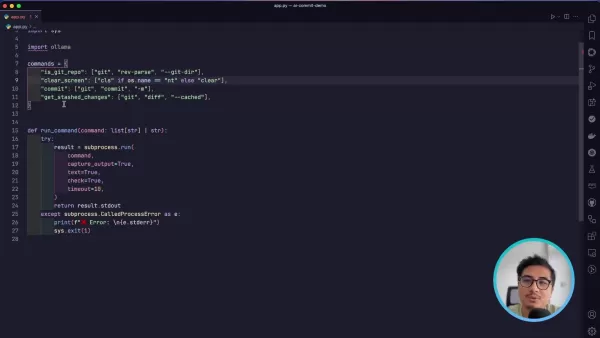
is a core component responsible for executing system commands. It uses Python's subprocess module to run external processes, capture their output, and handle errors gracefully.
The function's parameters are:
- command (list[str] | str): Specifies the command to execute, either as a list of strings (ideal for commands with multiple arguments) or a single string.
The code incorporates robust error handling within a try...except block.
- The function attempts to execute the command using subprocess.run() with several key arguments:
capture_output=True: Captures the command's standard output and error streams.text=True: Opens the files in text mode, ensuring stdout and stderr are returned as strings with transparent encoding.check=True: Raises a CalledProcessError if the process exits with a non-zero status code.timeout=10: Limits command execution to 10 seconds, preventing the application from hanging due to a long-running process.
Command definitions
commands = {"is_git_repo": ["git", "rev-parse", "--is-inside-work-tree"],"clear_screen": ["cls"] if os.name == "nt" else ["clear"],"commit": ["git", "commit", "-m"],"get_stashed_changes": ["git", "diff", "--cached"],}
This dictionary
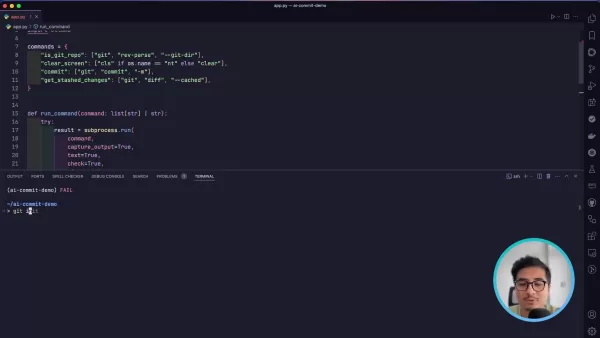
stores essential commands used throughout the AI-Commit application. Defining them centrally allows for easy execution via the run_command function and ensures cross-platform compatibility, enhancing the tool's portability and flexibility.
The defined commands are:
- is_git_repo: Checks if the current directory is a valid Git repository using
git rev-parse --is-inside-work-tree. - clear_screen: Provides a cross-platform method to clear the terminal screen. It uses
cls for Windows ('nt') and clear for Unix-like systems. - commit: Formats the Git commit command with the
-m flag for providing a message directly. - get_stashed_changes: Retrieves the differences between staged changes and the last commit using
git diff --cached. This output is used as input for the LLM to understand the modifications.
LLM System Prompts
system_prompt = """You are an expert AI commit message generator specialized in creating concise, informative commit messages that follow best practices in version control.Your ONLY task is to generate a well-structured commit message based on the provided diff. The commit message must:1.Use a clear, descriptive title in the imperative mood (50 characters max)2.Provide a detailed explanation of changes in bullet points3.Focus solely on the technical changes in the code4.Use present tense and be specific about modificationsKey Guidelines:- Analyze the entire diff comprehensively- Capture the essence of only MAJOR changes- Use technical, precise languages- Avoid generic or vague descriptions- Avoid quoting any word or sentences- Avoid adding description for minor changes with not much context- Return just the commit message, no additional text- Don't return more bullet points than required- Generate a single commit messageOutput Format:Concise Title Summarizing Changes- Specific change description- Another specific change description- Rationale for key modifications- Impact of changes"""
This system prompt
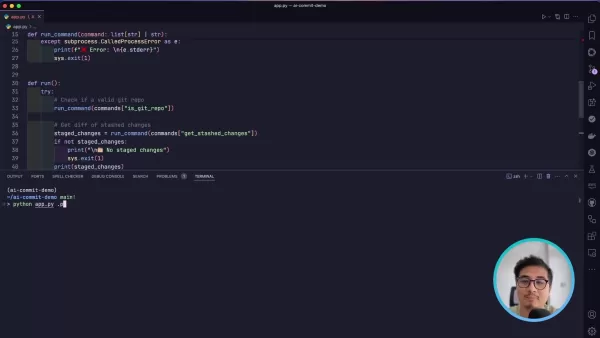
serves as the core instruction set for the language model, guiding it on how to generate high-quality commit messages. It outlines the key principles and best practices to ensure the output is useful and adheres to standards.
The prompt defines the AI's role as an expert commit message generator, emphasizing conciseness and adherence to version control best practices. This sets the tone and direction for the AI's task.
How to Install and Use AI-Commit
Install Build Tools
To successfully package your project into a command-line application, you must first install the necessary build tools. This prepares your Python environment for effective packaging and distribution. Run the following command:
pip install wheel build setuptools
Configure 'pyproject.toml'
- Navigate to the root directory of your Python project, where your main application code is located.
- Create the pyproject.toml file: If it doesn't exist, create a new file named
pyproject.toml in your project's root directory using your preferred text editor or IDE. - Add basic build system requirements: Open the file and add the following configuration to specify setuptools as the build backend.
[build-system]requires = ["setuptools >= 61.0"]build-backend = "setuptools.build_meta"
- Define the 'AI-Commit' Command: On a new line, specify the command-line entry point for your application. This is the command used to run the tool from the terminal.
[project.scripts]ai-commit = "ai_commit.app:run"
- ai-commit: The command itself.
- ai_commit.app: Refers to the main
app.py file. - run: The main function within
app.py.
Build and Run the Application
python -m build
Execute this command from the project's root directory to generate the wheel and distribution archives. Next, install it on your system. Note that your specific wheel filename may differ.
pip install dist/ai_commit-0.0.1-py3-none-any.whl
After completing these steps, the program is ready to use. Run it from the command line by typing ai-commit.
Pricing
Local LLM Usage
Using AI-Commit with Ollama and local LLMs is completely free after the initial setup of downloading the model. There are no subscription fees or usage-based charges. The primary associated cost is the initial investment in the computer hardware itself.
Analyzing the Upsides and Downsides of AI-Commit
Pros
Saves significant time and effort by automating commit message creation.
Promotes consistency in commit messages across projects.
Allows developers to refine commit messages before finalizing, enhancing accuracy and clarity.
Operates offline, ensuring data privacy and accessibility in various environments.
Cons
The quality of generated messages can vary based on the model used and the complexity of the code changes.
Requires additional setup and configuration, particularly for integrating local large language models.
May not always capture the full context or nuanced reasoning behind changes, necessitating manual review and adjustments.
Core Features
Automatic Commit Message Generation
AI-Commit automatically generates commit messages by analyzing staged changes via Git diff, saving developers time and boosting efficiency.
Offline Functionality
It leverages local large language models for message generation, ensuring privacy and enabling use without an internet connection.
Interactive Mode
The tool prompts users to confirm or regenerate the proposed commit message, allowing for iterative refinement to ensure it accurately reflects the work done.
Git Repository Validation
It verifies that the tool is executed within a valid Git repository before proceeding, preventing errors and ensuring the correct context for generating messages.
Use Cases
Streamlining Individual Workflows
For solo developers, AI-Commit automates the tedious task of writing commit messages, ensuring consistency and helping maintain a clear, informative commit history.
Enhancing Team Collaboration
In team settings, AI-Commit promotes a uniform standard for commit messages. This facilitates easier code review and collaboration by ensuring all team members provide clear, concise descriptions of their changes.
Improving Codebase Maintainability
AI-Commit helps maintain a well-documented codebase, making it easier for developers to understand the purpose and impact of past changes. This is especially valuable for long-term projects and large codebases.
Frequently Asked Questions
What are the primary benefits of using AI-Commit for generating commit messages?
AI-Commit automates the process of writing commit messages, saving time and effort. It promotes consistency and clarity, which enhances code maintainability and streamlines team collaboration.
Can AI-Commit be used without an internet connection?
Yes, AI-Commit is designed for offline use by leveraging local large language models. This ensures data privacy and allows the tool to function in environments with limited or no internet access.
How does AI-Commit ensure the generated commit messages are accurate?
AI-Commit analyzes staged changes using Git diff and provides the large language model with specific guidelines. These instructions focus on using precise technical language and generating focused summaries, helping the generated messages accurately reflect the core changes.
What are the limitations of AI-Commit?
AI-Commit requires a computer with sufficient computational power and RAM to run the local LLM effectively. It may struggle with very large or complex changes that exceed the system's available resources.
Related Questions
What are the best practices for writing Git commit messages?
Best practices for Git commit messages emphasize clarity, conciseness, and informativeness. A good message includes a clear title summarizing the change and a detailed body explaining what was done, why it was necessary, and its impact. Use the imperative mood in the title (e.g., "Fix bug" not "Fixed bug") and keep it under 50 characters. In the body, provide context, explain the problem solved, and describe the changes made. Consistent formatting and adherence to these guidelines greatly improve a commit history's readability and usefulness for collaboration and future maintenance.
Related article
 South Korea Breaks Ground on National AI Computing Center, Investing 2.5 Trillion Won with 2028 Target
South Korean outlet EtNews reports that groundbreaking for the Korea AI Computing Center (KOACC) took place on August 3 at the Solar City data center park in Sunan, Jeollanam-do. Backed by a total investment of 2.5 trillion KRW (roughly 11.838 billio
Six Tech Giants Back Linux Foundation With $12.5M to Tackle AI Vulnerability Noise
To tackle the flood of low-quality security reports produced by AI automation tools, six major tech companies—Anthropic, Amazon (AWS), GitHub, Google, Microsoft, and OpenAI—have collectively contributed $12.5 million in funding to Linux Foundation in
Musk Considered Leaving OpenAI to His Kids as Altman Testifies
This morning, OpenAI CEO Sam Altman took the stand to address former co-founder Elon Musk’s lawsuit challenging the company’s corporate structure.When asked about Musk’s claim that other founders “stole a charity” by launching a for-profit subsidiary
Related Special Topic Recommendations
Music composition
South Korea Breaks Ground on National AI Computing Center, Investing 2.5 Trillion Won with 2028 Target
South Korean outlet EtNews reports that groundbreaking for the Korea AI Computing Center (KOACC) took place on August 3 at the Solar City data center park in Sunan, Jeollanam-do. Backed by a total investment of 2.5 trillion KRW (roughly 11.838 billio
Six Tech Giants Back Linux Foundation With $12.5M to Tackle AI Vulnerability Noise
To tackle the flood of low-quality security reports produced by AI automation tools, six major tech companies—Anthropic, Amazon (AWS), GitHub, Google, Microsoft, and OpenAI—have collectively contributed $12.5 million in funding to Linux Foundation in
Musk Considered Leaving OpenAI to His Kids as Altman Testifies
This morning, OpenAI CEO Sam Altman took the stand to address former co-founder Elon Musk’s lawsuit challenging the company’s corporate structure.When asked about Musk’s claim that other founders “stole a charity” by launching a for-profit subsidiary
Related Special Topic Recommendations
Music composition
 AI Vocal Demo Tools for Songwriters, Hooks, Toplines, and Multilingual Draft Sessions
2026 Latest Best AI Vocal Demo Tools for Songwriters, Hook Creators, and Multi-Language Content Teams! XIX.AI has curated a top-rated list of powerful game-changing tools that go through rigorous real-world tests. You’ll find detailed free vs paid comparison data, comprehensive rankings, and must-try options to help you boost writing efficiency and unlock your creative potential. Explore now to discover your perfect tool for all your content needs!
 9 tools
 xix.ai
Business
Best AI Competitive Research Tools for Small Businesses
xix.ai
Business
Best AI Competitive Research Tools for Small Businesses
2026 Latest Best Top-rated AI Competitive Research Tools for Small Businesses! XIX.AI has curated a highly powerful game-changing collection, updated weekly with rigorous real-world tests and detailed rankings. You can find a comprehensive free vs paid comparison to help you identify the must-try tools that boost your productivity and give you a competitive edge. Explore now to discover your perfect tool!
9 tools
xix.ai
Image editing
Photoshop AI Retouch Tools for Ecommerce Apparel, Skin Cleanup, and Color Consistency
2026 Latest Best Photoshop AI retouch tools for ecommerce apparel, skin cleanup, and color consistency! This top-rated curated list features powerful game-changing solutions that help you boost writing efficiency, streamline content creation, and achieve perfect visual results effortlessly. Each tool has undergone real-world tests through weekly updated rankings, complete with free vs paid comparison details. Backed by XIX.AI, it’s the must-try guide for anyone aiming to unlock your AI edge. Explore now!
10 tools
xix.ai
Prompt
Best AI Prompt Libraries for ChatGPT Workflows
2026 Latest Best Top-Rated AI Prompt Libraries for optimizing all types of ChatGPT workflows. XIX.AI has curated a powerful, game-changing collection that goes through rigorous real-world tests to ensure top performance. You can find detailed free vs paid comparisons and expert rankings to help you choose the must-try tools that boost your productivity and unlock your AI edge. Explore now!
11 tools
xix.ai
Education and Learning
AI Quiz Builder Platforms for Teachers, Tutors, and Cohort-Based Learning Programs
2026 Latest Best AI Quiz Builder Platforms for Teachers, Tutors, and Cohort-Based Learning Programs! XIX.AI has curated a top-rated list of powerful game-changing tools that go through real-world tests to deliver accurate rankings. These must-try platforms help boost writing efficiency, streamline content creation, and simplify quiz design across all learning scenarios. Explore now to discover your perfect tool for unlocking your AI edge in teaching!
13 tools
xix.ai
code
AI Pull Request Review Tools for GitHub Teams Handling Refactors, Bugs, and Security Gaps
2026 Latest Best AI Pull Request Review Tools for GitHub Teams are here on XIX.AI! This top-rated curated list showcases powerful game-changing solutions that streamline refactoring, bug fixing, and security gap detection across all team workflows. Enjoy a free vs paid comparison along with real-world tests and detailed rankings to help you find the perfect tool that boosts productivity significantly. Explore now to unlock your AI edge!
12 tools
xix.ai

 Comments (1)
0/500
Comments (1)
0/500
![AnthonyGonzález]()
Finalement un outil qui me soulage de ce pensum ! 😅 Écrire des messages de commit explicites prenait tellement de temps en fin de sprint. Je suis curieux.e de voir comment il gère les modifications complexes. Ça pourrait vraiment améliorer la lisibilité de l'historique en équipe.
In the fast-paced world of modern software development, streamlining workflows is essential for maximizing productivity. Crafting clear and informative Git commit messages, a task often overlooked, is crucial for code maintainability and team collaboration. This article explores AI-powered Git commit message generation, focusing on tools and techniques that leverage large language models to automate and enhance this vital process.
Key Points
AI can generate insightful and efficient Git commit messages.
Command-line applications can use local large language models for offline commit message creation.
Tools like AI-Commit analyze Git diff output to understand code changes.
Developers can regenerate commit messages until satisfied with the result.
Python packaging enables the global installation of AI commit tools.
Understanding AI-Powered Git Commit Message Generation
The Challenge of Writing Effective Commit Messages
Writing effective Git commit messages can be surprisingly time-consuming. Developers often struggle to articulate the purpose and impact of their changes succinctly and clearly. This can lead to commit histories that are difficult to navigate, hindering both collaboration and long-term code maintenance. Vague or incomplete messages make it hard to trace the evolution of a codebase, creating challenges for debugging or understanding past decisions.
A well-crafted commit message should answer several key questions:
- What problem does this commit solve?
- What specific changes were made to resolve it?
- What is the overall impact of these changes on the system?
Traditional, manual methods for writing commit messages are prone to inconsistency. AI-powered solutions offer a way to automate and significantly improve this process.
The Power of Large Language Models in Code Analysis
Large Language Models (LLMs) excel at understanding and generating human-like text. When trained on vast datasets of code and documentation, they can analyze code changes and automatically generate meaningful commit messages. This allows developers to focus more on coding while ensuring their commit history remains comprehensive and insightful.
By processing the diff output from Git, which highlights the exact code modifications, an LLM can understand the changes and generate an accurate summary. These sophisticated models can grasp relationships between different code sections and the implications of the changes made.
Key benefits of using LLMs for commit messages include:
- Increased Efficiency: Automates message writing, saving developers significant time.
- Improved Consistency: Ensures messages follow a consistent style and level of detail.
- Enhanced Clarity: Generates clear, concise, and easy-to-understand summaries.
- Better Maintainability: Facilitates easier navigation and understanding of the commit history.
AI-Commit: A Command-Line Application for Offline Commit Message Generation
While many AI tools operate in the cloud, offline functionality is often desirable. AI-Commit is a command-line interface (CLI) application that leverages local LLMs to generate commit messages without an internet connection. This approach eliminates privacy concerns associated with sending code changes to third-party services.
The tool works by analyzing the staged changes in a Git repository and using this information to instruct the local LLM. It runs directly from your machine's command line.
Currently, AI-Commit's core functionalities include:
- Git Repository Verification
- A Clear Command Line Interface
- Commit Message Generation
Exploring the Code Structure
The 'run_command' Function
def run_command(command: list[str] | str):try:result = subprocess.run(command,capture_output=True,text=True,check=True,timeout=10,)return result.stdoutexcept subprocess.CalledProcessError as e:print(f"Error: {e.stderr=}")sys.exit(1)
This function
is a core component responsible for executing system commands. It uses Python's subprocess module to run external processes, capture their output, and handle errors gracefully.
The function's parameters are:
- command (list[str] | str): Specifies the command to execute, either as a list of strings (ideal for commands with multiple arguments) or a single string.
The code incorporates robust error handling within a try...except block.
- The function attempts to execute the command using subprocess.run() with several key arguments:
capture_output=True: Captures the command's standard output and error streams.text=True: Opens the files in text mode, ensuring stdout and stderr are returned as strings with transparent encoding.check=True: Raises a CalledProcessError if the process exits with a non-zero status code.timeout=10: Limits command execution to 10 seconds, preventing the application from hanging due to a long-running process.
Command definitions
commands = {"is_git_repo": ["git", "rev-parse", "--is-inside-work-tree"],"clear_screen": ["cls"] if os.name == "nt" else ["clear"],"commit": ["git", "commit", "-m"],"get_stashed_changes": ["git", "diff", "--cached"],}
This dictionary
stores essential commands used throughout the AI-Commit application. Defining them centrally allows for easy execution via the run_command function and ensures cross-platform compatibility, enhancing the tool's portability and flexibility.
The defined commands are:
- is_git_repo: Checks if the current directory is a valid Git repository using
git rev-parse --is-inside-work-tree. - clear_screen: Provides a cross-platform method to clear the terminal screen. It uses
clsfor Windows ('nt') andclearfor Unix-like systems. - commit: Formats the Git commit command with the
-mflag for providing a message directly. - get_stashed_changes: Retrieves the differences between staged changes and the last commit using
git diff --cached. This output is used as input for the LLM to understand the modifications.
LLM System Prompts
system_prompt = """You are an expert AI commit message generator specialized in creating concise, informative commit messages that follow best practices in version control.Your ONLY task is to generate a well-structured commit message based on the provided diff. The commit message must:1.Use a clear, descriptive title in the imperative mood (50 characters max)2.Provide a detailed explanation of changes in bullet points3.Focus solely on the technical changes in the code4.Use present tense and be specific about modificationsKey Guidelines:- Analyze the entire diff comprehensively- Capture the essence of only MAJOR changes- Use technical, precise languages- Avoid generic or vague descriptions- Avoid quoting any word or sentences- Avoid adding description for minor changes with not much context- Return just the commit message, no additional text- Don't return more bullet points than required- Generate a single commit messageOutput Format:Concise Title Summarizing Changes- Specific change description- Another specific change description- Rationale for key modifications- Impact of changes"""
This system prompt
serves as the core instruction set for the language model, guiding it on how to generate high-quality commit messages. It outlines the key principles and best practices to ensure the output is useful and adheres to standards.
The prompt defines the AI's role as an expert commit message generator, emphasizing conciseness and adherence to version control best practices. This sets the tone and direction for the AI's task.
How to Install and Use AI-Commit
Install Build Tools
To successfully package your project into a command-line application, you must first install the necessary build tools. This prepares your Python environment for effective packaging and distribution. Run the following command:
pip install wheel build setuptools
Configure 'pyproject.toml'
- Navigate to the root directory of your Python project, where your main application code is located.
- Create the pyproject.toml file: If it doesn't exist, create a new file named
pyproject.tomlin your project's root directory using your preferred text editor or IDE. - Add basic build system requirements: Open the file and add the following configuration to specify setuptools as the build backend.
[build-system]requires = ["setuptools >= 61.0"]build-backend = "setuptools.build_meta"
- Define the 'AI-Commit' Command: On a new line, specify the command-line entry point for your application. This is the command used to run the tool from the terminal.
[project.scripts]ai-commit = "ai_commit.app:run"
- ai-commit: The command itself.
- ai_commit.app: Refers to the main
app.pyfile. - run: The main function within
app.py.
Build and Run the Application
python -m build
Execute this command from the project's root directory to generate the wheel and distribution archives. Next, install it on your system. Note that your specific wheel filename may differ.
pip install dist/ai_commit-0.0.1-py3-none-any.whl
After completing these steps, the program is ready to use. Run it from the command line by typing ai-commit.
Pricing
Local LLM Usage
Using AI-Commit with Ollama and local LLMs is completely free after the initial setup of downloading the model. There are no subscription fees or usage-based charges. The primary associated cost is the initial investment in the computer hardware itself.
Analyzing the Upsides and Downsides of AI-Commit
Pros
Saves significant time and effort by automating commit message creation.
Promotes consistency in commit messages across projects.
Allows developers to refine commit messages before finalizing, enhancing accuracy and clarity.
Operates offline, ensuring data privacy and accessibility in various environments.
Cons
The quality of generated messages can vary based on the model used and the complexity of the code changes.
Requires additional setup and configuration, particularly for integrating local large language models.
May not always capture the full context or nuanced reasoning behind changes, necessitating manual review and adjustments.
Core Features
Automatic Commit Message Generation
AI-Commit automatically generates commit messages by analyzing staged changes via Git diff, saving developers time and boosting efficiency.
Offline Functionality
It leverages local large language models for message generation, ensuring privacy and enabling use without an internet connection.
Interactive Mode
The tool prompts users to confirm or regenerate the proposed commit message, allowing for iterative refinement to ensure it accurately reflects the work done.
Git Repository Validation
It verifies that the tool is executed within a valid Git repository before proceeding, preventing errors and ensuring the correct context for generating messages.
Use Cases
Streamlining Individual Workflows
For solo developers, AI-Commit automates the tedious task of writing commit messages, ensuring consistency and helping maintain a clear, informative commit history.
Enhancing Team Collaboration
In team settings, AI-Commit promotes a uniform standard for commit messages. This facilitates easier code review and collaboration by ensuring all team members provide clear, concise descriptions of their changes.
Improving Codebase Maintainability
AI-Commit helps maintain a well-documented codebase, making it easier for developers to understand the purpose and impact of past changes. This is especially valuable for long-term projects and large codebases.
Frequently Asked Questions
What are the primary benefits of using AI-Commit for generating commit messages?
AI-Commit automates the process of writing commit messages, saving time and effort. It promotes consistency and clarity, which enhances code maintainability and streamlines team collaboration.
Can AI-Commit be used without an internet connection?
Yes, AI-Commit is designed for offline use by leveraging local large language models. This ensures data privacy and allows the tool to function in environments with limited or no internet access.
How does AI-Commit ensure the generated commit messages are accurate?
AI-Commit analyzes staged changes using Git diff and provides the large language model with specific guidelines. These instructions focus on using precise technical language and generating focused summaries, helping the generated messages accurately reflect the core changes.
What are the limitations of AI-Commit?
AI-Commit requires a computer with sufficient computational power and RAM to run the local LLM effectively. It may struggle with very large or complex changes that exceed the system's available resources.
Related Questions
What are the best practices for writing Git commit messages?
Best practices for Git commit messages emphasize clarity, conciseness, and informativeness. A good message includes a clear title summarizing the change and a detailed body explaining what was done, why it was necessary, and its impact. Use the imperative mood in the title (e.g., "Fix bug" not "Fixed bug") and keep it under 50 characters. In the body, provide context, explain the problem solved, and describe the changes made. Consistent formatting and adherence to these guidelines greatly improve a commit history's readability and usefulness for collaboration and future maintenance.








 South Korea Breaks Ground on National AI Computing Center, Investing 2.5 Trillion Won with 2028 Target
South Korean outlet EtNews reports that groundbreaking for the Korea AI Computing Center (KOACC) took place on August 3 at the Solar City data center park in Sunan, Jeollanam-do. Backed by a total investment of 2.5 trillion KRW (roughly 11.838 billio
South Korea Breaks Ground on National AI Computing Center, Investing 2.5 Trillion Won with 2028 Target
South Korean outlet EtNews reports that groundbreaking for the Korea AI Computing Center (KOACC) took place on August 3 at the Solar City data center park in Sunan, Jeollanam-do. Backed by a total investment of 2.5 trillion KRW (roughly 11.838 billio
 Six Tech Giants Back Linux Foundation With $12.5M to Tackle AI Vulnerability Noise
To tackle the flood of low-quality security reports produced by AI automation tools, six major tech companies—Anthropic, Amazon (AWS), GitHub, Google, Microsoft, and OpenAI—have collectively contributed $12.5 million in funding to Linux Foundation in
Six Tech Giants Back Linux Foundation With $12.5M to Tackle AI Vulnerability Noise
To tackle the flood of low-quality security reports produced by AI automation tools, six major tech companies—Anthropic, Amazon (AWS), GitHub, Google, Microsoft, and OpenAI—have collectively contributed $12.5 million in funding to Linux Foundation in
 Musk Considered Leaving OpenAI to His Kids as Altman Testifies
This morning, OpenAI CEO Sam Altman took the stand to address former co-founder Elon Musk’s lawsuit challenging the company’s corporate structure.When asked about Musk’s claim that other founders “stole a charity” by launching a for-profit subsidiary
Musk Considered Leaving OpenAI to His Kids as Altman Testifies
This morning, OpenAI CEO Sam Altman took the stand to address former co-founder Elon Musk’s lawsuit challenging the company’s corporate structure.When asked about Musk’s claim that other founders “stole a charity” by launching a for-profit subsidiary

2026 Latest Best AI Vocal Demo Tools for Songwriters, Hook Creators, and Multi-Language Content Teams! XIX.AI has curated a top-rated list of powerful game-changing tools that go through rigorous real-world tests. You’ll find detailed free vs paid comparison data, comprehensive rankings, and must-try options to help you boost writing efficiency and unlock your creative potential. Explore now to discover your perfect tool for all your content needs!
9 tools
xix.ai

2026 Latest Best Top-rated AI Competitive Research Tools for Small Businesses! XIX.AI has curated a highly powerful game-changing collection, updated weekly with rigorous real-world tests and detailed rankings. You can find a comprehensive free vs paid comparison to help you identify the must-try tools that boost your productivity and give you a competitive edge. Explore now to discover your perfect tool!
9 tools
xix.ai

2026 Latest Best Photoshop AI retouch tools for ecommerce apparel, skin cleanup, and color consistency! This top-rated curated list features powerful game-changing solutions that help you boost writing efficiency, streamline content creation, and achieve perfect visual results effortlessly. Each tool has undergone real-world tests through weekly updated rankings, complete with free vs paid comparison details. Backed by XIX.AI, it’s the must-try guide for anyone aiming to unlock your AI edge. Explore now!
10 tools
xix.ai

2026 Latest Best Top-Rated AI Prompt Libraries for optimizing all types of ChatGPT workflows. XIX.AI has curated a powerful, game-changing collection that goes through rigorous real-world tests to ensure top performance. You can find detailed free vs paid comparisons and expert rankings to help you choose the must-try tools that boost your productivity and unlock your AI edge. Explore now!
11 tools
xix.ai

2026 Latest Best AI Quiz Builder Platforms for Teachers, Tutors, and Cohort-Based Learning Programs! XIX.AI has curated a top-rated list of powerful game-changing tools that go through real-world tests to deliver accurate rankings. These must-try platforms help boost writing efficiency, streamline content creation, and simplify quiz design across all learning scenarios. Explore now to discover your perfect tool for unlocking your AI edge in teaching!
13 tools
xix.ai

2026 Latest Best AI Pull Request Review Tools for GitHub Teams are here on XIX.AI! This top-rated curated list showcases powerful game-changing solutions that streamline refactoring, bug fixing, and security gap detection across all team workflows. Enjoy a free vs paid comparison along with real-world tests and detailed rankings to help you find the perfect tool that boosts productivity significantly. Explore now to unlock your AI edge!
12 tools
xix.ai

Finalement un outil qui me soulage de ce pensum ! 😅 Écrire des messages de commit explicites prenait tellement de temps en fin de sprint. Je suis curieux.e de voir comment il gère les modifications complexes. Ça pourrait vraiment améliorer la lisibilité de l'historique en équipe.












