


 Home
HomeHow to create free AI avatars in 2025 with Mirage Studio? Beginner tutorial guide.
Curious about AI avatars but held back by time or technical complexity? Crafting a custom AI avatar can revolutionize your approach to digital content, whether you're a creator, a marketer, or simply looking to boost your online presence. This guide walks you through building personalized AI avatars at no cost, allowing you to produce compelling videos and media with ease using Mirage Studio.
Key Points
Learn to create custom AI avatars without spending any money.
Discover how to use Mirage Studio as a powerful, free alternative to the expensive Google Veo 3.
Follow a straightforward process for uploading audio and images to generate your avatar.
Find out how to secure extra credits for creating an unlimited number of avatars.
Explore the wide range of uses for AI avatars in video production and personal branding.
Learn to produce high-quality lip-sync videos without any loss in fidelity.
Introduction to Free AI Avatar Creation
The Allure of AI Avatars
AI avatars are transforming digital content, offering a fresh way to represent individuals or create characters for diverse purposes. From marketing campaigns and social media to educational resources, these digital personas can dramatically increase audience connection. Yet, many available tools are expensive and complicated, which can discourage newcomers.
Our focus is on a free, accessible method for building these digital identities. Conventional approaches often demand professional equipment and advanced editing skills, making them time-consuming and difficult. This tutorial demonstrates how to overcome these barriers and start creating AI avatars without any financial investment. With the right technique, anyone can develop engaging avatars to strengthen their digital footprint, making content creation more efficient and inclusive. The applications are vast, spanning from captivating promotional videos to interactive learning materials, all while preserving a polished and consistent brand image.
Bypassing the Costly Google Veo 3
Mirage Studio vs. Google Veo 3
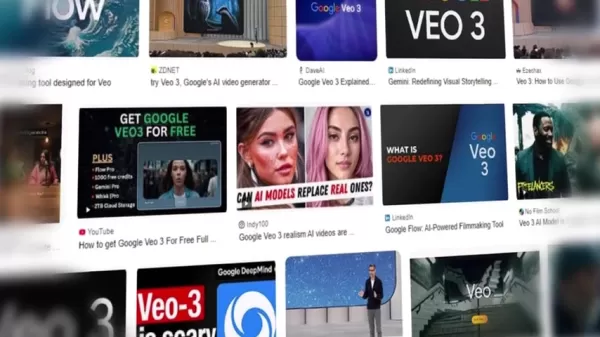
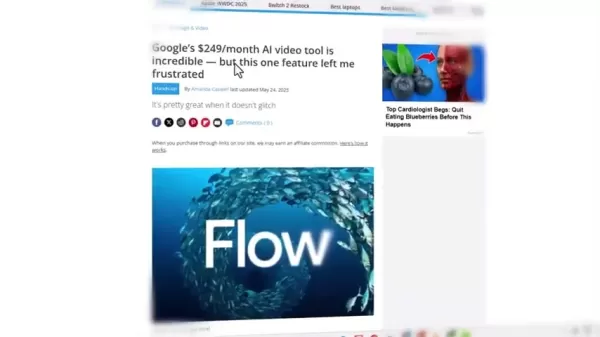
Google's recent release of Veo 3, a cutting-edge AI video generator, has generated significant buzz for its accurate lip-syncing technology. However, its premium subscription costs $250 per month, placing it beyond the budget of many potential users.
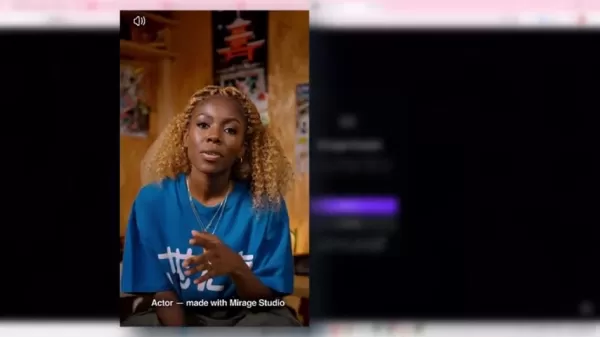
Mirage Studio provides a compelling, fully free alternative that delivers comparable, if not better, results. It enables you to create AI avatars and lip-sync videos without watermarks or quality compromises. This makes it an ideal solution for creators who wish to leverage AI power without a hefty price tag. By choosing Mirage Studio, you can achieve professional-grade outcomes that rival Veo 3, all while enjoying unlimited access and creative flexibility. This ensures that even those with modest budgets can produce high-impact content that engages viewers and elevates their brand.
Step-by-Step Guide to Creating AI Avatars with Mirage Studio
Signing Up and Initial Setup
- Accessing Mirage Studio: Start by visiting the Mirage Studio website.
The first step is to create an account to gain access to the platform's features.
- Initial Interface: Once registered, you'll arrive at the main Mirage Studio dashboard. This is your central workspace for managing all AI avatar projects.
- Terms and Conditions: Before you begin, it's advisable to watch the complete tutorial video to understand how to maintain unlimited access.
- Navigating the Dashboard: Take a moment to explore the layout. You'll find options for starting new projects, uploading media, and generating avatars.These initial steps are crucial for preparing your workspace. Familiarity with the interface and platform terms ensures a smooth and productive avatar creation process with Mirage Studio.
Uploading Your Audio
- Preparing Your Audio: Before generating your avatar, prepare your audio file. This involves recording or selecting the narration you want your avatar to lip-sync. Clear, high-quality audio is essential for the best results.
- Uploading Audio to Mirage Studio: Within the dashboard, click the upload option to import your prepared audio file. The platform supports multiple audio formats for easy import.
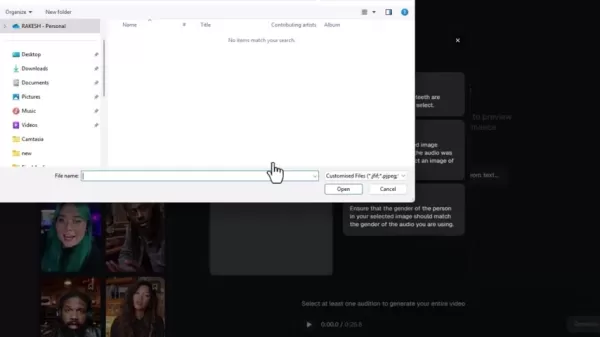
- Audio Destination: After selecting upload, navigate to the folder on your device where the audio file is stored. This ensures Mirage Studio can locate and process the correct file.
- Selecting Your Audio: Locate the appropriate folder, choose your audio file, and it will be imported into the platform, ready for the next stage.
- Audio Length: While the demonstration uses 30-second clips, the method for creating longer, unlimited content will be explained.
Following these steps ensures your audio is properly integrated, setting the foundation for a seamless avatar creation process. High-quality audio is key to achieving realistic lip-syncing and overall viewer engagement.
Uploading and Preparing the Character Image
- Navigating to the Upload Section: After successfully uploading your audio, proceed to add the character image for your AI avatar. Go to the image upload section within Mirage Studio.
- Image Requirements: The platform needs a clear, high-resolution image of the person or character you wish to animate. A well-defined face ensures optimal lip-syncing accuracy.
- Selecting the Image: Click the upload image button and browse your device to locate the desired picture. Common formats like PNG and JPEG are supported.
- Agreeing to Terms: A terms of use agreement appears when you utilize an uploaded avatar.
- Image Cropping and Preparation: Once uploaded, you may need to crop the image to meet the platform's requirements. Adjust the frame to ensure the face is centered and clearly visible.These steps are vital for preparing the visual element of your avatar. A properly prepared image guarantees a realistic and engaging final product, enhancing the overall quality of your content.
Generating the Video
- Audition Generation Process: With both audio and image uploaded, select ‘Create Actor’ to begin the audition. The system will start generating the lip-sync video.
- Processing Time: The tool requires a few minutes to process the video; allow approximately four minutes for completion.
- Character Options: A notable advantage over Veo 3 is the ability to select and customize the voice for your avatar.
- Reviewing and Generating Video: Once the audition is complete, a preview will be available. You can then select ‘Generate Video’ to produce the final version.Mirage Studio streamlines video generation, enabling you to create professional AI avatar content quickly and efficiently.
Creating Unlimited Avatars
- Going to Settings: Start by navigating to the settings menu.
- Logging Out: Click the ‘logout’ button to sign out of your Mirage Studio account.
- Using a Temporary Email Address: This step is key for unlimited avatar creation. Open a new browser tab and search for “temp mail” services.
- Copying the Temporary Email: Generate a new temporary email address and copy it to your clipboard.
- Back to the Start: Having logged out, return to the sign-up page, register with the new email, and start the process again!By following these steps, you can enjoy a seamless and unrestricted AI avatar creation experience on Mirage Studio, maximizing your creative output without any cost.
Mirage Studio: Cost-Effective Solution
Free Access and Unlimited Potential
Mirage Studio offers a completely free AI avatar creation platform, distinguishing it from costly alternatives like Google Veo 3, which charges $250 monthly.
With Mirage Studio, you get unlimited avatar and video generation with no hidden fees or watermarks. The advantages of this free tool include: Zero initial cost, complete creative freedom, the ability to manage unlimited projects, and full access to core features without payment. This makes Mirage Studio an excellent choice for individuals and businesses aiming to create engaging AI avatar content on a budget. Whether you are a content creator, marketer, or educator, Mirage Studio supplies the tools necessary to enhance your digital presence and captivate your audience.
Mirage Studio: Evaluating the Pros
and Cons
Pros
Completely free access to all features
Unlimited AI avatar generation
Intuitive and user-friendly interface
High-quality lip-syncing output
Supports a variety of image formats
Cons
Requires a temporary email for unlimited use
Video generation requires processing time
Final output quality depends on the original image quality
Key Features of Mirage Studio
Robust Toolset for AI Avatar Creation
Mirage Studio is equipped with a comprehensive set of features that make AI avatar creation both accessible and effective:
- Custom Avatar Generation: Develop unique AI avatars designed for your specific needs, be it marketing, social media, or educational content.
- Lip-Syncing Technology: Deliver natural and engaging performances with advanced, precise lip-syncing capabilities.
- User-Friendly Interface: The platform's intuitive design is suitable for beginners and experts alike, simplifying the process of creating high-quality videos.
- Versatile Image Support: Upload images in various formats to create avatars that align with your brand's visual identity.
- Free and Unlimited Access: Experience unrestricted creativity with unlimited avatar and video creation at no cost.These features combine to offer a powerful platform for anyone eager to explore the potential of AI avatars in their content strategy.
Versatile Use Cases for AI Avatars
Unlocking Creativity in Various Sectors
AI avatars built with Mirage Studio can be applied across numerous fields to enhance content engagement and brand identity:
- Marketing Videos: Create compelling promotional videos featuring AI avatars that effectively communicate your brand's message.
- Social Media Content: Produce dynamic posts and stories that capture attention and drive higher audience interaction.
- Educational Material: Develop engaging instructional videos using AI avatars to simplify complex topics in an relatable way.
- Virtual Assistants: Design AI avatars to function as virtual assistants, offering customer support and guidance on digital platforms.
- Animated Storytelling: Bring narratives to life with AI avatars, creating animated content that enthralls viewers and amplifies storytelling.By leveraging AI avatars in these diverse applications, you can revitalize your content, boost engagement, and forge memorable brand experiences for your audience. The possibilities are extensive, and Mirage Studio provides the tools to turn your creative ideas into reality.
Frequently Asked Questions About Mirage Studio
Is Mirage Studio really free to use?
Yes, Mirage Studio is entirely free. You can generate an unlimited number of avatars and create videos without any subscription fees or hidden charges, making it accessible to everyone.
Can I create avatars with my own voice?
This tool provides a distinctive method for voice selection. It blends your uploaded audio with the AI persona's style, creating a unique audition for your content.
What image formats does Mirage Studio support?
Mirage Studio supports various image formats, including PNG and JPEG, giving you the flexibility to use a wide range of images for your AI avatars.
Are there any watermarks on the videos created with Mirage Studio?
No, Mirage Studio does not apply any watermarks to your videos. This ensures your content maintains a professional, clean appearance.
How can I generate more credits on Mirage Studio?
To generate more credits, simply log out and register a new account using a temporary email address. This method allows for multiple accounts and unlimited access to avatar creation.
What are the limitations of the free version compared to paid AI tools?
This free tool offers advantages not always found in paid alternatives, such as greater voice control. Some paid tools impose restrictions on avatar capabilities and dialogue.
Related Questions
What are some effective strategies for using AI avatars in marketing?
AI avatars serve as powerful marketing tools, providing an innovative way to engage your audience. Consider these strategies to maximize their effectiveness:Brand Representation: Employ AI avatars as brand ambassadors, creating consistent, memorable characters that reflect your brand's values. These avatars can act as spokespeople, delivering information and interacting with customers in a distinctive and relatable manner.Customized Content: Personalize your messaging by using AI avatars to address different audience segments. This tailored approach can significantly boost engagement and conversions by fostering a stronger customer connection.Interactive Experiences: Develop interactive scenarios where AI avatars respond to user inquiries and actions in real-time. This can include website virtual assistants or engaging characters in educational modules, enhancing user satisfaction and creating an immersive experience.Social Media Engagement: Produce dynamic social media content featuring AI avatars. Animated posts, stories, and videos can capture attention in busy feeds, drive website traffic, and increase brand visibility.
Cons
istent Brand Voice: Maintain a consistent brand voice across all communications delivered by your AI avatars. This consistency builds trust and reinforces brand identity, making it easier for customers to recognize and connect with your brand.By implementing these strategies, you can effectively harness AI avatars to strengthen your marketing campaigns, create more engaging content, and build deeper relationships with your audience.
Related article
 ByteDance Boosts Core AI Incentives as Doubao Surges 14.6%
ByteDance recently convened a DouBao equity briefing to unveil fresh incentive policies for staff involved in the DouBao division. The strike price for DouBao shares has been lifted from $14.85 in June 2026 to $17.02, marking an approximate 14.6% inc
MiniMax Unveils 10x Team Program to Incentivize Global AI Experts
MiniMax (Xiyu Technology), the General Artificial Intelligence Lab, has officially launched "10x Team," a global talent collaboration initiative. This program aims to recruit top experts across industries to explore the deep application of large mode
South Korea Breaks Ground on National AI Computing Center, Investing 2.5 Trillion Won with 2028 Target
South Korean outlet EtNews reports that groundbreaking for the Korea AI Computing Center (KOACC) took place on August 3 at the Solar City data center park in Sunan, Jeollanam-do. Backed by a total investment of 2.5 trillion KRW (roughly 11.838 billio
Related Special Topic Recommendations
Education and Learning
ByteDance Boosts Core AI Incentives as Doubao Surges 14.6%
ByteDance recently convened a DouBao equity briefing to unveil fresh incentive policies for staff involved in the DouBao division. The strike price for DouBao shares has been lifted from $14.85 in June 2026 to $17.02, marking an approximate 14.6% inc
MiniMax Unveils 10x Team Program to Incentivize Global AI Experts
MiniMax (Xiyu Technology), the General Artificial Intelligence Lab, has officially launched "10x Team," a global talent collaboration initiative. This program aims to recruit top experts across industries to explore the deep application of large mode
South Korea Breaks Ground on National AI Computing Center, Investing 2.5 Trillion Won with 2028 Target
South Korean outlet EtNews reports that groundbreaking for the Korea AI Computing Center (KOACC) took place on August 3 at the Solar City data center park in Sunan, Jeollanam-do. Backed by a total investment of 2.5 trillion KRW (roughly 11.838 billio
Related Special Topic Recommendations
Education and Learning
 AI Study Tools for Homework and Exam Prep
2026 Latest Best AI Study Tools for Homework and Exam Prep! XIX.AI curates a top-rated list of powerful, game-changing tools that help students boost productivity, streamline homework completion, and ace exams through real-world tests. Get a free vs paid comparison, detailed rankings, and must-try options to unlock your AI edge. Explore now!
 10 tools
 xix.ai
Music composition
AI Vocal Demo Tools for Songwriters, Hooks, Toplines, and Multilingual Draft Sessions
xix.ai
Music composition
AI Vocal Demo Tools for Songwriters, Hooks, Toplines, and Multilingual Draft Sessions
2026 Latest Best AI Vocal Demo Tools for Songwriters, Hook Creators, and Multi-Language Content Teams! XIX.AI has curated a top-rated list of powerful game-changing tools that go through rigorous real-world tests. You’ll find detailed free vs paid comparison data, comprehensive rankings, and must-try options to help you boost writing efficiency and unlock your creative potential. Explore now to discover your perfect tool for all your content needs!
9 tools
xix.ai
Business
Best AI Competitive Research Tools for Small Businesses
2026 Latest Best Top-rated AI Competitive Research Tools for Small Businesses! XIX.AI has curated a highly powerful game-changing collection, updated weekly with rigorous real-world tests and detailed rankings. You can find a comprehensive free vs paid comparison to help you identify the must-try tools that boost your productivity and give you a competitive edge. Explore now to discover your perfect tool!
9 tools
xix.ai
Image editing
Photoshop AI Retouch Tools for Ecommerce Apparel, Skin Cleanup, and Color Consistency
2026 Latest Best Photoshop AI retouch tools for ecommerce apparel, skin cleanup, and color consistency! This top-rated curated list features powerful game-changing solutions that help you boost writing efficiency, streamline content creation, and achieve perfect visual results effortlessly. Each tool has undergone real-world tests through weekly updated rankings, complete with free vs paid comparison details. Backed by XIX.AI, it’s the must-try guide for anyone aiming to unlock your AI edge. Explore now!
10 tools
xix.ai
Prompt
Best AI Prompt Libraries for ChatGPT Workflows
2026 Latest Best Top-Rated AI Prompt Libraries for optimizing all types of ChatGPT workflows. XIX.AI has curated a powerful, game-changing collection that goes through rigorous real-world tests to ensure top performance. You can find detailed free vs paid comparisons and expert rankings to help you choose the must-try tools that boost your productivity and unlock your AI edge. Explore now!
11 tools
xix.ai
Education and Learning
AI Quiz Builder Platforms for Teachers, Tutors, and Cohort-Based Learning Programs
2026 Latest Best AI Quiz Builder Platforms for Teachers, Tutors, and Cohort-Based Learning Programs! XIX.AI has curated a top-rated list of powerful game-changing tools that go through real-world tests to deliver accurate rankings. These must-try platforms help boost writing efficiency, streamline content creation, and simplify quiz design across all learning scenarios. Explore now to discover your perfect tool for unlocking your AI edge in teaching!
13 tools
xix.ai

 Comments (1)
0/500
Comments (1)
0/500
![HarryLewis]()
AI 아바타 만드는데 왜 이렇게 다들 미쳐있는 거야? 2025년이 되면 진짜 우리 아바타랑 나랑 구분 못할 정도일 듯 😅 근데 이런 기술이 계속 발전하면 개인정보는 어떻게 보호되는 거지? 재미있긴 한데 좀 무섭기도 하네... 특히 마케팅용으로 쓰이면 정체성 문제까지 생길 수 있을 것 같아요.
Curious about AI avatars but held back by time or technical complexity? Crafting a custom AI avatar can revolutionize your approach to digital content, whether you're a creator, a marketer, or simply looking to boost your online presence. This guide walks you through building personalized AI avatars at no cost, allowing you to produce compelling videos and media with ease using Mirage Studio.
Key Points
Learn to create custom AI avatars without spending any money.
Discover how to use Mirage Studio as a powerful, free alternative to the expensive Google Veo 3.
Follow a straightforward process for uploading audio and images to generate your avatar.
Find out how to secure extra credits for creating an unlimited number of avatars.
Explore the wide range of uses for AI avatars in video production and personal branding.
Learn to produce high-quality lip-sync videos without any loss in fidelity.
Introduction to Free AI Avatar Creation
The Allure of AI Avatars
AI avatars are transforming digital content, offering a fresh way to represent individuals or create characters for diverse purposes. From marketing campaigns and social media to educational resources, these digital personas can dramatically increase audience connection. Yet, many available tools are expensive and complicated, which can discourage newcomers.
Our focus is on a free, accessible method for building these digital identities. Conventional approaches often demand professional equipment and advanced editing skills, making them time-consuming and difficult. This tutorial demonstrates how to overcome these barriers and start creating AI avatars without any financial investment. With the right technique, anyone can develop engaging avatars to strengthen their digital footprint, making content creation more efficient and inclusive. The applications are vast, spanning from captivating promotional videos to interactive learning materials, all while preserving a polished and consistent brand image.
Bypassing the Costly Google Veo 3
Mirage Studio vs. Google Veo 3
Google's recent release of Veo 3, a cutting-edge AI video generator, has generated significant buzz for its accurate lip-syncing technology. However, its premium subscription costs $250 per month, placing it beyond the budget of many potential users.
Mirage Studio provides a compelling, fully free alternative that delivers comparable, if not better, results. It enables you to create AI avatars and lip-sync videos without watermarks or quality compromises. This makes it an ideal solution for creators who wish to leverage AI power without a hefty price tag. By choosing Mirage Studio, you can achieve professional-grade outcomes that rival Veo 3, all while enjoying unlimited access and creative flexibility. This ensures that even those with modest budgets can produce high-impact content that engages viewers and elevates their brand.
Step-by-Step Guide to Creating AI Avatars with Mirage Studio
Signing Up and Initial Setup
- Accessing Mirage Studio: Start by visiting the Mirage Studio website.
The first step is to create an account to gain access to the platform's features.
- Initial Interface: Once registered, you'll arrive at the main Mirage Studio dashboard. This is your central workspace for managing all AI avatar projects.
- Terms and Conditions: Before you begin, it's advisable to watch the complete tutorial video to understand how to maintain unlimited access.
- Navigating the Dashboard: Take a moment to explore the layout. You'll find options for starting new projects, uploading media, and generating avatars.These initial steps are crucial for preparing your workspace. Familiarity with the interface and platform terms ensures a smooth and productive avatar creation process with Mirage Studio.
Uploading Your Audio
- Preparing Your Audio: Before generating your avatar, prepare your audio file. This involves recording or selecting the narration you want your avatar to lip-sync. Clear, high-quality audio is essential for the best results.
- Uploading Audio to Mirage Studio: Within the dashboard, click the upload option to import your prepared audio file. The platform supports multiple audio formats for easy import.
- Audio Destination: After selecting upload, navigate to the folder on your device where the audio file is stored. This ensures Mirage Studio can locate and process the correct file.
- Selecting Your Audio: Locate the appropriate folder, choose your audio file, and it will be imported into the platform, ready for the next stage.
- Audio Length: While the demonstration uses 30-second clips, the method for creating longer, unlimited content will be explained.
Following these steps ensures your audio is properly integrated, setting the foundation for a seamless avatar creation process. High-quality audio is key to achieving realistic lip-syncing and overall viewer engagement.
Uploading and Preparing the Character Image
- Navigating to the Upload Section: After successfully uploading your audio, proceed to add the character image for your AI avatar. Go to the image upload section within Mirage Studio.
- Image Requirements: The platform needs a clear, high-resolution image of the person or character you wish to animate. A well-defined face ensures optimal lip-syncing accuracy.
- Selecting the Image: Click the upload image button and browse your device to locate the desired picture. Common formats like PNG and JPEG are supported.
- Agreeing to Terms: A terms of use agreement appears when you utilize an uploaded avatar.
- Image Cropping and Preparation: Once uploaded, you may need to crop the image to meet the platform's requirements. Adjust the frame to ensure the face is centered and clearly visible.These steps are vital for preparing the visual element of your avatar. A properly prepared image guarantees a realistic and engaging final product, enhancing the overall quality of your content.
Generating the Video
- Audition Generation Process: With both audio and image uploaded, select ‘Create Actor’ to begin the audition. The system will start generating the lip-sync video.
- Processing Time: The tool requires a few minutes to process the video; allow approximately four minutes for completion.
- Character Options: A notable advantage over Veo 3 is the ability to select and customize the voice for your avatar.
- Reviewing and Generating Video: Once the audition is complete, a preview will be available. You can then select ‘Generate Video’ to produce the final version.Mirage Studio streamlines video generation, enabling you to create professional AI avatar content quickly and efficiently.
Creating Unlimited Avatars
- Going to Settings: Start by navigating to the settings menu.
- Logging Out: Click the ‘logout’ button to sign out of your Mirage Studio account.
- Using a Temporary Email Address: This step is key for unlimited avatar creation. Open a new browser tab and search for “temp mail” services.
- Copying the Temporary Email: Generate a new temporary email address and copy it to your clipboard.
- Back to the Start: Having logged out, return to the sign-up page, register with the new email, and start the process again!By following these steps, you can enjoy a seamless and unrestricted AI avatar creation experience on Mirage Studio, maximizing your creative output without any cost.
Mirage Studio: Cost-Effective Solution
Free Access and Unlimited Potential
Mirage Studio offers a completely free AI avatar creation platform, distinguishing it from costly alternatives like Google Veo 3, which charges $250 monthly.
With Mirage Studio, you get unlimited avatar and video generation with no hidden fees or watermarks. The advantages of this free tool include: Zero initial cost, complete creative freedom, the ability to manage unlimited projects, and full access to core features without payment. This makes Mirage Studio an excellent choice for individuals and businesses aiming to create engaging AI avatar content on a budget. Whether you are a content creator, marketer, or educator, Mirage Studio supplies the tools necessary to enhance your digital presence and captivate your audience.
Mirage Studio: Evaluating the Pros
and Cons
Pros
Completely free access to all features
Unlimited AI avatar generation
Intuitive and user-friendly interface
High-quality lip-syncing output
Supports a variety of image formats
Cons
Requires a temporary email for unlimited use
Video generation requires processing time
Final output quality depends on the original image quality
Key Features of Mirage Studio
Robust Toolset for AI Avatar Creation
Mirage Studio is equipped with a comprehensive set of features that make AI avatar creation both accessible and effective:
- Custom Avatar Generation: Develop unique AI avatars designed for your specific needs, be it marketing, social media, or educational content.
- Lip-Syncing Technology: Deliver natural and engaging performances with advanced, precise lip-syncing capabilities.
- User-Friendly Interface: The platform's intuitive design is suitable for beginners and experts alike, simplifying the process of creating high-quality videos.
- Versatile Image Support: Upload images in various formats to create avatars that align with your brand's visual identity.
- Free and Unlimited Access: Experience unrestricted creativity with unlimited avatar and video creation at no cost.These features combine to offer a powerful platform for anyone eager to explore the potential of AI avatars in their content strategy.
Versatile Use Cases for AI Avatars
Unlocking Creativity in Various Sectors
AI avatars built with Mirage Studio can be applied across numerous fields to enhance content engagement and brand identity:
- Marketing Videos: Create compelling promotional videos featuring AI avatars that effectively communicate your brand's message.
- Social Media Content: Produce dynamic posts and stories that capture attention and drive higher audience interaction.
- Educational Material: Develop engaging instructional videos using AI avatars to simplify complex topics in an relatable way.
- Virtual Assistants: Design AI avatars to function as virtual assistants, offering customer support and guidance on digital platforms.
- Animated Storytelling: Bring narratives to life with AI avatars, creating animated content that enthralls viewers and amplifies storytelling.By leveraging AI avatars in these diverse applications, you can revitalize your content, boost engagement, and forge memorable brand experiences for your audience. The possibilities are extensive, and Mirage Studio provides the tools to turn your creative ideas into reality.
Frequently Asked Questions About Mirage Studio
Is Mirage Studio really free to use?
Yes, Mirage Studio is entirely free. You can generate an unlimited number of avatars and create videos without any subscription fees or hidden charges, making it accessible to everyone.
Can I create avatars with my own voice?
This tool provides a distinctive method for voice selection. It blends your uploaded audio with the AI persona's style, creating a unique audition for your content.
What image formats does Mirage Studio support?
Mirage Studio supports various image formats, including PNG and JPEG, giving you the flexibility to use a wide range of images for your AI avatars.
Are there any watermarks on the videos created with Mirage Studio?
No, Mirage Studio does not apply any watermarks to your videos. This ensures your content maintains a professional, clean appearance.
How can I generate more credits on Mirage Studio?
To generate more credits, simply log out and register a new account using a temporary email address. This method allows for multiple accounts and unlimited access to avatar creation.
What are the limitations of the free version compared to paid AI tools?
This free tool offers advantages not always found in paid alternatives, such as greater voice control. Some paid tools impose restrictions on avatar capabilities and dialogue.
Related Questions
What are some effective strategies for using AI avatars in marketing?
AI avatars serve as powerful marketing tools, providing an innovative way to engage your audience. Consider these strategies to maximize their effectiveness:Brand Representation: Employ AI avatars as brand ambassadors, creating consistent, memorable characters that reflect your brand's values. These avatars can act as spokespeople, delivering information and interacting with customers in a distinctive and relatable manner.Customized Content: Personalize your messaging by using AI avatars to address different audience segments. This tailored approach can significantly boost engagement and conversions by fostering a stronger customer connection.Interactive Experiences: Develop interactive scenarios where AI avatars respond to user inquiries and actions in real-time. This can include website virtual assistants or engaging characters in educational modules, enhancing user satisfaction and creating an immersive experience.Social Media Engagement: Produce dynamic social media content featuring AI avatars. Animated posts, stories, and videos can capture attention in busy feeds, drive website traffic, and increase brand visibility.
Cons
istent Brand Voice: Maintain a consistent brand voice across all communications delivered by your AI avatars. This consistency builds trust and reinforces brand identity, making it easier for customers to recognize and connect with your brand.By implementing these strategies, you can effectively harness AI avatars to strengthen your marketing campaigns, create more engaging content, and build deeper relationships with your audience.








 ByteDance Boosts Core AI Incentives as Doubao Surges 14.6%
ByteDance recently convened a DouBao equity briefing to unveil fresh incentive policies for staff involved in the DouBao division. The strike price for DouBao shares has been lifted from $14.85 in June 2026 to $17.02, marking an approximate 14.6% inc
ByteDance Boosts Core AI Incentives as Doubao Surges 14.6%
ByteDance recently convened a DouBao equity briefing to unveil fresh incentive policies for staff involved in the DouBao division. The strike price for DouBao shares has been lifted from $14.85 in June 2026 to $17.02, marking an approximate 14.6% inc
 MiniMax Unveils 10x Team Program to Incentivize Global AI Experts
MiniMax (Xiyu Technology), the General Artificial Intelligence Lab, has officially launched "10x Team," a global talent collaboration initiative. This program aims to recruit top experts across industries to explore the deep application of large mode
MiniMax Unveils 10x Team Program to Incentivize Global AI Experts
MiniMax (Xiyu Technology), the General Artificial Intelligence Lab, has officially launched "10x Team," a global talent collaboration initiative. This program aims to recruit top experts across industries to explore the deep application of large mode
 South Korea Breaks Ground on National AI Computing Center, Investing 2.5 Trillion Won with 2028 Target
South Korean outlet EtNews reports that groundbreaking for the Korea AI Computing Center (KOACC) took place on August 3 at the Solar City data center park in Sunan, Jeollanam-do. Backed by a total investment of 2.5 trillion KRW (roughly 11.838 billio
South Korea Breaks Ground on National AI Computing Center, Investing 2.5 Trillion Won with 2028 Target
South Korean outlet EtNews reports that groundbreaking for the Korea AI Computing Center (KOACC) took place on August 3 at the Solar City data center park in Sunan, Jeollanam-do. Backed by a total investment of 2.5 trillion KRW (roughly 11.838 billio

2026 Latest Best AI Study Tools for Homework and Exam Prep! XIX.AI curates a top-rated list of powerful, game-changing tools that help students boost productivity, streamline homework completion, and ace exams through real-world tests. Get a free vs paid comparison, detailed rankings, and must-try options to unlock your AI edge. Explore now!
10 tools
xix.ai

2026 Latest Best AI Vocal Demo Tools for Songwriters, Hook Creators, and Multi-Language Content Teams! XIX.AI has curated a top-rated list of powerful game-changing tools that go through rigorous real-world tests. You’ll find detailed free vs paid comparison data, comprehensive rankings, and must-try options to help you boost writing efficiency and unlock your creative potential. Explore now to discover your perfect tool for all your content needs!
9 tools
xix.ai

2026 Latest Best Top-rated AI Competitive Research Tools for Small Businesses! XIX.AI has curated a highly powerful game-changing collection, updated weekly with rigorous real-world tests and detailed rankings. You can find a comprehensive free vs paid comparison to help you identify the must-try tools that boost your productivity and give you a competitive edge. Explore now to discover your perfect tool!
9 tools
xix.ai

2026 Latest Best Photoshop AI retouch tools for ecommerce apparel, skin cleanup, and color consistency! This top-rated curated list features powerful game-changing solutions that help you boost writing efficiency, streamline content creation, and achieve perfect visual results effortlessly. Each tool has undergone real-world tests through weekly updated rankings, complete with free vs paid comparison details. Backed by XIX.AI, it’s the must-try guide for anyone aiming to unlock your AI edge. Explore now!
10 tools
xix.ai

2026 Latest Best Top-Rated AI Prompt Libraries for optimizing all types of ChatGPT workflows. XIX.AI has curated a powerful, game-changing collection that goes through rigorous real-world tests to ensure top performance. You can find detailed free vs paid comparisons and expert rankings to help you choose the must-try tools that boost your productivity and unlock your AI edge. Explore now!
11 tools
xix.ai

2026 Latest Best AI Quiz Builder Platforms for Teachers, Tutors, and Cohort-Based Learning Programs! XIX.AI has curated a top-rated list of powerful game-changing tools that go through real-world tests to deliver accurate rankings. These must-try platforms help boost writing efficiency, streamline content creation, and simplify quiz design across all learning scenarios. Explore now to discover your perfect tool for unlocking your AI edge in teaching!
13 tools
xix.ai

AI 아바타 만드는데 왜 이렇게 다들 미쳐있는 거야? 2025년이 되면 진짜 우리 아바타랑 나랑 구분 못할 정도일 듯 😅 근데 이런 기술이 계속 발전하면 개인정보는 어떻게 보호되는 거지? 재미있긴 한데 좀 무섭기도 하네... 특히 마케팅용으로 쓰이면 정체성 문제까지 생길 수 있을 것 같아요.












