


 Home
HomeStreamline Email Replies with AI: A Step-by-Step Make.com Tutorial
In today's fast-paced digital landscape, efficient communication is essential for both businesses and individuals. Responding quickly to inquiries is vital for maintaining engagement and building strong relationships. However, managing and replying to every email manually can be incredibly time-consuming. The good news is that with automation platforms like Make.com and the capabilities of Artificial Intelligence (AI), you can create a smart email response system that saves time and improves the customer experience. Here’s how to build it.
Key Points
Learn how to construct an automated email response system using Make.com integrated with AI.
Understand how AI can personalize email interactions and improve customer retention.
Discover strategies for creating concise, effective 'spartan' responses using AI.
Explore how to use Make.com webhooks to connect various platforms and applications.
Learn how to select the right GPT models to generate tailored and impactful responses.
Building an Automated Email Response System with Make.com
The Importance of Prompt Email Responses
Speed is critical in professional communication. Whether it's a sales query, a support request, or a general question, a quick reply demonstrates professionalism and care. Here are the key advantages of timely email responses:
- Greater Customer Satisfaction: Fast replies show customers their time and needs are valued.
- Improved Customer Retention: Prompt follow-up can significantly boost retention rates by making customers feel heard and supported.
- Stronger Brand Reputation: Being known for responsiveness builds a positive brand image.
- Competitive Edge: In a busy market, quick communication can set you apart from slower competitors.
Maintaining this level of speed manually is often unsustainable, especially as a business grows. AI-powered automation provides a scalable and efficient alternative. An automated system can send instant acknowledgments, provide initial information, and direct inquiries to the right team member—all without manual effort.
Laying the Groundwork: Understanding Make.com and AI Integration
Make.com is a powerful platform for connecting apps and automating workflows through an intuitive visual interface, making it accessible regardless of technical skill. By integrating AI into your Make.com scenarios, you can add intelligence and personalization to your processes.
The goal is to build a system that
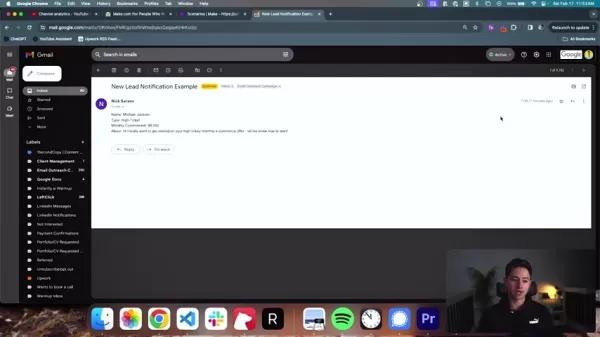
monitors for new emails, analyzes their content, and uses AI to generate an appropriate reply automatically. This response is then sent back, providing an immediate and helpful answer. The main components of this system are:
- Email Module: Monitors the incoming mailbox and triggers the workflow.
- AI Module: Analyzes the email content and generates a personalized reply using GPT models.
- Tools Module: Adds capabilities like delays and further processing steps.
- Send Email Module: Delivers the AI-crafted response back to the sender.
Step-by-Step Guide: Creating the Email Automation Scenario
Let's walk through the process of building this system step by step.
Step 1: Setting Up the Email Module
- Log into your Make.com account and create a new Scenario.
- Add an Email module by clicking the '+' button and searching for 'Email'.
- Select the 'Watch Emails' trigger to activate the scenario upon receiving a new email.
- Configure your Email Connection: Link your Gmail or other email service by granting Make.com the necessary permissions.
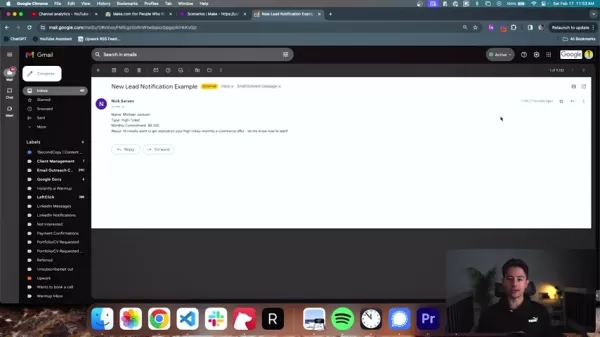
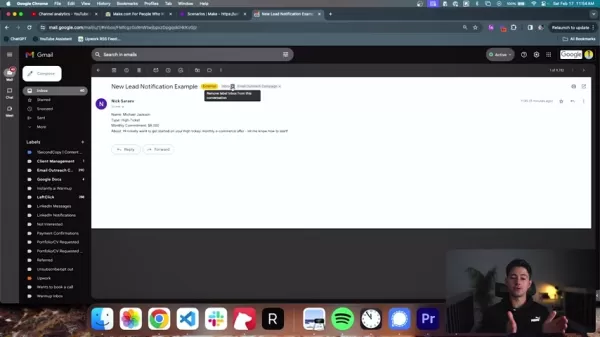
- Define your trigger criteria. You can filter emails by folder (e.g., Inbox), sender, recipient, subject, or specific keywords. For example, you can label new lead emails for easier identification.
Step 2: Adding the AI Module
- Add an AI module by clicking '+' and searching for 'OpenAI'.
- Select the appropriate module.
- Configure the user prompt, which instructs the AI on how to generate the reply.
- Establish your Make.com connection to link it with ChatGPT's API.
- Structure the data flow to pass the necessary email content to the AI.
Step 3: Adding the 'Tool' Module
- To make the process seem more natural and avoid being flagged as spam, add a 'Tool' module. Click '+' and select 'Sleep'.
- Configure a delay of a few seconds before sending the email. This helps prevent Google's algorithms from identifying the activity as bot-like.
Step 4: Adding the 'Send an Email' Module
- Now, set up the module to send the final response.
- Connect all the previous modules to ensure data flows correctly from trigger to AI to final send.
- Test the scenario thoroughly to ensure it produces the desired results.
Tips and Considerations for Your Email Automation System
Prompt Engineering Best Practices
Writing effective prompts for the AI is key to success. Keep these tips in mind:
- Be Specific: Clearly define the response's tone—whether it should be professional, friendly, or informative.
- Provide Context: Give the AI sufficient background from the original email to understand the inquiry.
- Set Boundaries: Specify the desired length and format to avoid overly long or complex replies.
- Use Examples: Providing sample responses helps the AI grasp your expectations better.
- Iterate and Refine: Continuously test and adjust your prompts based on the AI's output to improve quality.
Following these practices will help ensure your AI generates high-quality, on-brand responses. It's advisable to test and refine your templates over several weeks.
Optimizing for Deliverability
Automated emails carry a higher spam risk. Use these strategies to improve inbox placement:
- Personalize: Include the recipient's name and reference specific details from their inquiry.
- Avoid Overt Sales Language: Steer clear of aggressive promotional phrasing.
- Use Plain Text: Keep the email body simple and readable, minimizing images and rich media.
- Implement SPF and DKIM: Set up these email authentication protocols to verify your sender identity and prevent spoofing.
- Monitor Sender Reputation: Keep an eye on your reputation scores to catch and resolve deliverability issues early.
How to Use
Advanced Tips and Customization
Once your basic system is running, consider these advanced customizations to boost its capabilities:
Sentiment Analysis: Integrate tools to detect the sender's emotional tone and tailor the response accordingly.
Multi-Language Support: Add translation services to handle inquiries in various languages.
Dynamic Routing: Automatically route emails to specific teams or individuals based on sender details or content.
Integration with Other Apps: Connect your email system to CRM, project management, or support software for unified workflows.
A/B Testing: Experiment with different prompts and message variations to maximize engagement and effectiveness.
Pricing
Understanding the Pricing Models
Make.com and OpenAI offer various pricing plans to fit different needs and budgets. Understanding these models is important for cost management.
- Make.com: Uses a tiered subscription model based on the number of operations (scenario executions), active connections, and premium features. Review their pricing page before you begin.
- OpenAI: GPT model costs are based on the specific model used and the volume of tokens processed. Monitor your usage and adjust prompts to control expenses.
Pros and Cons
Pros
Drastically reduces customer response times and increases operational efficiency.
Provides 24/7 availability to respond to inquiries.
Scales easily to handle growing volumes and improve overall customer experience.
Offers valuable insights and data that can inform further automation efforts.
Cons
Costs can escalate with high email volume, depending on platform and AI usage.
AI may not perfectly understand nuanced or complex customer requests.
There is a risk of emails being flagged as spam if not configured carefully.
Core Features
Key Features
- Email Monitoring: Automatically watches designated inboxes and folders for new messages.
- AI-Powered Content Analysis: Uses GPT models to comprehend email intent and content.
- Customizable Responses: Crafts personalized, concise replies in a 'spartan' style.
- Webhooks and API Connectivity: Easily integrates with other platforms like CRM systems or Monday.com.
- Scheduled Tasks: Can leverage GPT to help manage and prioritize follow-up actions.
Use Cases
Who Can Benefit From the High-ROI System
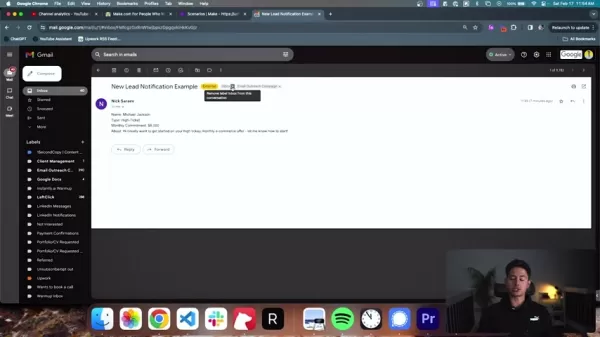
This high-ROI system is ideal for agencies, coaching firms, or any business relying on lead notifications via email. Prompt responses to new inquiries can significantly boost retention rates. Effective implementations include:
:
- Coaching Companies
- Marketing or Service Agencies that receive lead notifications by email
- Businesses that process form submissions or contact requests
FAQ
What are the components of setting up a lead system with Make.com?
The core components are the email module, the AI module, and the tools module.
How will a lead system improve a customer experience?
Customers receive a helpful reply within minutes of making an inquiry.
Related Questions
What are the benefits of an AI system?
Integrating AI is a strategic move, not just a trend. It allows organizations to scale operations and provide round-the-clock support. By automating routine tasks, an AI system frees up your team to focus on higher-value work, boosting overall productivity. Key benefits include: Enhanced Efficiency through rapid response to notifications, improving turnaround times and customer satisfaction. 24/7 Availability ensures support is always accessible. Personalization capabilities allow for high-quality, tailored interactions. Improved Data Management provides actionable insights for further streamlining operations. By embedding AI into your workflows, you can optimize processes, elevate the client experience, and empower your team.
Related article
 South Korea Breaks Ground on National AI Computing Center, Investing 2.5 Trillion Won with 2028 Target
South Korean outlet EtNews reports that groundbreaking for the Korea AI Computing Center (KOACC) took place on August 3 at the Solar City data center park in Sunan, Jeollanam-do. Backed by a total investment of 2.5 trillion KRW (roughly 11.838 billio
Six Tech Giants Back Linux Foundation With $12.5M to Tackle AI Vulnerability Noise
To tackle the flood of low-quality security reports produced by AI automation tools, six major tech companies—Anthropic, Amazon (AWS), GitHub, Google, Microsoft, and OpenAI—have collectively contributed $12.5 million in funding to Linux Foundation in
Musk Considered Leaving OpenAI to His Kids as Altman Testifies
This morning, OpenAI CEO Sam Altman took the stand to address former co-founder Elon Musk’s lawsuit challenging the company’s corporate structure.When asked about Musk’s claim that other founders “stole a charity” by launching a for-profit subsidiary
Related Special Topic Recommendations
Education and Learning
South Korea Breaks Ground on National AI Computing Center, Investing 2.5 Trillion Won with 2028 Target
South Korean outlet EtNews reports that groundbreaking for the Korea AI Computing Center (KOACC) took place on August 3 at the Solar City data center park in Sunan, Jeollanam-do. Backed by a total investment of 2.5 trillion KRW (roughly 11.838 billio
Six Tech Giants Back Linux Foundation With $12.5M to Tackle AI Vulnerability Noise
To tackle the flood of low-quality security reports produced by AI automation tools, six major tech companies—Anthropic, Amazon (AWS), GitHub, Google, Microsoft, and OpenAI—have collectively contributed $12.5 million in funding to Linux Foundation in
Musk Considered Leaving OpenAI to His Kids as Altman Testifies
This morning, OpenAI CEO Sam Altman took the stand to address former co-founder Elon Musk’s lawsuit challenging the company’s corporate structure.When asked about Musk’s claim that other founders “stole a charity” by launching a for-profit subsidiary
Related Special Topic Recommendations
Education and Learning
 AI Study Tools for Homework and Exam Prep
2026 Latest Best AI Study Tools for Homework and Exam Prep! XIX.AI curates a top-rated list of powerful, game-changing tools that help students boost productivity, streamline homework completion, and ace exams through real-world tests. Get a free vs paid comparison, detailed rankings, and must-try options to unlock your AI edge. Explore now!
 10 tools
 xix.ai
Music composition
AI Vocal Demo Tools for Songwriters, Hooks, Toplines, and Multilingual Draft Sessions
xix.ai
Music composition
AI Vocal Demo Tools for Songwriters, Hooks, Toplines, and Multilingual Draft Sessions
2026 Latest Best AI Vocal Demo Tools for Songwriters, Hook Creators, and Multi-Language Content Teams! XIX.AI has curated a top-rated list of powerful game-changing tools that go through rigorous real-world tests. You’ll find detailed free vs paid comparison data, comprehensive rankings, and must-try options to help you boost writing efficiency and unlock your creative potential. Explore now to discover your perfect tool for all your content needs!
9 tools
xix.ai
Business
Best AI Competitive Research Tools for Small Businesses
2026 Latest Best Top-rated AI Competitive Research Tools for Small Businesses! XIX.AI has curated a highly powerful game-changing collection, updated weekly with rigorous real-world tests and detailed rankings. You can find a comprehensive free vs paid comparison to help you identify the must-try tools that boost your productivity and give you a competitive edge. Explore now to discover your perfect tool!
9 tools
xix.ai
Image editing
Photoshop AI Retouch Tools for Ecommerce Apparel, Skin Cleanup, and Color Consistency
2026 Latest Best Photoshop AI retouch tools for ecommerce apparel, skin cleanup, and color consistency! This top-rated curated list features powerful game-changing solutions that help you boost writing efficiency, streamline content creation, and achieve perfect visual results effortlessly. Each tool has undergone real-world tests through weekly updated rankings, complete with free vs paid comparison details. Backed by XIX.AI, it’s the must-try guide for anyone aiming to unlock your AI edge. Explore now!
10 tools
xix.ai
Prompt
Best AI Prompt Libraries for ChatGPT Workflows
2026 Latest Best Top-Rated AI Prompt Libraries for optimizing all types of ChatGPT workflows. XIX.AI has curated a powerful, game-changing collection that goes through rigorous real-world tests to ensure top performance. You can find detailed free vs paid comparisons and expert rankings to help you choose the must-try tools that boost your productivity and unlock your AI edge. Explore now!
11 tools
xix.ai
Education and Learning
AI Quiz Builder Platforms for Teachers, Tutors, and Cohort-Based Learning Programs
2026 Latest Best AI Quiz Builder Platforms for Teachers, Tutors, and Cohort-Based Learning Programs! XIX.AI has curated a top-rated list of powerful game-changing tools that go through real-world tests to deliver accurate rankings. These must-try platforms help boost writing efficiency, streamline content creation, and simplify quiz design across all learning scenarios. Explore now to discover your perfect tool for unlocking your AI edge in teaching!
13 tools
xix.ai

 Comments (1)
0/500
Comments (1)
0/500
![DanielWalker]()
用Make.com搞AI自动回邮件?这功能确实能省不少时间,不过得小心别把客服变成机器人,毕竟人情味还是重要的。😅
In today's fast-paced digital landscape, efficient communication is essential for both businesses and individuals. Responding quickly to inquiries is vital for maintaining engagement and building strong relationships. However, managing and replying to every email manually can be incredibly time-consuming. The good news is that with automation platforms like Make.com and the capabilities of Artificial Intelligence (AI), you can create a smart email response system that saves time and improves the customer experience. Here’s how to build it.
Key Points
Learn how to construct an automated email response system using Make.com integrated with AI.
Understand how AI can personalize email interactions and improve customer retention.
Discover strategies for creating concise, effective 'spartan' responses using AI.
Explore how to use Make.com webhooks to connect various platforms and applications.
Learn how to select the right GPT models to generate tailored and impactful responses.
Building an Automated Email Response System with Make.com
The Importance of Prompt Email Responses
Speed is critical in professional communication. Whether it's a sales query, a support request, or a general question, a quick reply demonstrates professionalism and care. Here are the key advantages of timely email responses:
- Greater Customer Satisfaction: Fast replies show customers their time and needs are valued.
- Improved Customer Retention: Prompt follow-up can significantly boost retention rates by making customers feel heard and supported.
- Stronger Brand Reputation: Being known for responsiveness builds a positive brand image.
- Competitive Edge: In a busy market, quick communication can set you apart from slower competitors.
Maintaining this level of speed manually is often unsustainable, especially as a business grows. AI-powered automation provides a scalable and efficient alternative. An automated system can send instant acknowledgments, provide initial information, and direct inquiries to the right team member—all without manual effort.
Laying the Groundwork: Understanding Make.com and AI Integration
Make.com is a powerful platform for connecting apps and automating workflows through an intuitive visual interface, making it accessible regardless of technical skill. By integrating AI into your Make.com scenarios, you can add intelligence and personalization to your processes.
The goal is to build a system that
monitors for new emails, analyzes their content, and uses AI to generate an appropriate reply automatically. This response is then sent back, providing an immediate and helpful answer. The main components of this system are:
- Email Module: Monitors the incoming mailbox and triggers the workflow.
- AI Module: Analyzes the email content and generates a personalized reply using GPT models.
- Tools Module: Adds capabilities like delays and further processing steps.
- Send Email Module: Delivers the AI-crafted response back to the sender.
Step-by-Step Guide: Creating the Email Automation Scenario
Let's walk through the process of building this system step by step.
Step 1: Setting Up the Email Module
- Log into your Make.com account and create a new Scenario.
- Add an Email module by clicking the '+' button and searching for 'Email'.
- Select the 'Watch Emails' trigger to activate the scenario upon receiving a new email.
- Configure your Email Connection: Link your Gmail or other email service by granting Make.com the necessary permissions.
- Define your trigger criteria. You can filter emails by folder (e.g., Inbox), sender, recipient, subject, or specific keywords. For example, you can label new lead emails for easier identification.
Step 2: Adding the AI Module
- Add an AI module by clicking '+' and searching for 'OpenAI'.
- Select the appropriate module.
- Configure the user prompt, which instructs the AI on how to generate the reply.
- Establish your Make.com connection to link it with ChatGPT's API.
- Structure the data flow to pass the necessary email content to the AI.
Step 3: Adding the 'Tool' Module
- To make the process seem more natural and avoid being flagged as spam, add a 'Tool' module. Click '+' and select 'Sleep'.
- Configure a delay of a few seconds before sending the email. This helps prevent Google's algorithms from identifying the activity as bot-like.
Step 4: Adding the 'Send an Email' Module
- Now, set up the module to send the final response.
- Connect all the previous modules to ensure data flows correctly from trigger to AI to final send.
- Test the scenario thoroughly to ensure it produces the desired results.
Tips and Considerations for Your Email Automation System
Prompt Engineering Best Practices
Writing effective prompts for the AI is key to success. Keep these tips in mind:
- Be Specific: Clearly define the response's tone—whether it should be professional, friendly, or informative.
- Provide Context: Give the AI sufficient background from the original email to understand the inquiry.
- Set Boundaries: Specify the desired length and format to avoid overly long or complex replies.
- Use Examples: Providing sample responses helps the AI grasp your expectations better.
- Iterate and Refine: Continuously test and adjust your prompts based on the AI's output to improve quality.
Following these practices will help ensure your AI generates high-quality, on-brand responses. It's advisable to test and refine your templates over several weeks.
Optimizing for Deliverability
Automated emails carry a higher spam risk. Use these strategies to improve inbox placement:
- Personalize: Include the recipient's name and reference specific details from their inquiry.
- Avoid Overt Sales Language: Steer clear of aggressive promotional phrasing.
- Use Plain Text: Keep the email body simple and readable, minimizing images and rich media.
- Implement SPF and DKIM: Set up these email authentication protocols to verify your sender identity and prevent spoofing.
- Monitor Sender Reputation: Keep an eye on your reputation scores to catch and resolve deliverability issues early.
How to Use
Advanced Tips and Customization
Once your basic system is running, consider these advanced customizations to boost its capabilities:
Sentiment Analysis: Integrate tools to detect the sender's emotional tone and tailor the response accordingly.
Multi-Language Support: Add translation services to handle inquiries in various languages.
Dynamic Routing: Automatically route emails to specific teams or individuals based on sender details or content.
Integration with Other Apps: Connect your email system to CRM, project management, or support software for unified workflows.
A/B Testing: Experiment with different prompts and message variations to maximize engagement and effectiveness.
Pricing
Understanding the Pricing Models
Make.com and OpenAI offer various pricing plans to fit different needs and budgets. Understanding these models is important for cost management.
- Make.com: Uses a tiered subscription model based on the number of operations (scenario executions), active connections, and premium features. Review their pricing page before you begin.
- OpenAI: GPT model costs are based on the specific model used and the volume of tokens processed. Monitor your usage and adjust prompts to control expenses.
Pros and Cons
Pros
Drastically reduces customer response times and increases operational efficiency.
Provides 24/7 availability to respond to inquiries.
Scales easily to handle growing volumes and improve overall customer experience.
Offers valuable insights and data that can inform further automation efforts.
Cons
Costs can escalate with high email volume, depending on platform and AI usage.
AI may not perfectly understand nuanced or complex customer requests.
There is a risk of emails being flagged as spam if not configured carefully.
Core Features
Key Features
- Email Monitoring: Automatically watches designated inboxes and folders for new messages.
- AI-Powered Content Analysis: Uses GPT models to comprehend email intent and content.
- Customizable Responses: Crafts personalized, concise replies in a 'spartan' style.
- Webhooks and API Connectivity: Easily integrates with other platforms like CRM systems or Monday.com.
- Scheduled Tasks: Can leverage GPT to help manage and prioritize follow-up actions.
Use Cases
Who Can Benefit From the High-ROI System
This high-ROI system is ideal for agencies, coaching firms, or any business relying on lead notifications via email. Prompt responses to new inquiries can significantly boost retention rates. Effective implementations include:
:
- Coaching Companies
- Marketing or Service Agencies that receive lead notifications by email
- Businesses that process form submissions or contact requests
FAQ
What are the components of setting up a lead system with Make.com?
The core components are the email module, the AI module, and the tools module.
How will a lead system improve a customer experience?
Customers receive a helpful reply within minutes of making an inquiry.
Related Questions
What are the benefits of an AI system?
Integrating AI is a strategic move, not just a trend. It allows organizations to scale operations and provide round-the-clock support. By automating routine tasks, an AI system frees up your team to focus on higher-value work, boosting overall productivity. Key benefits include: Enhanced Efficiency through rapid response to notifications, improving turnaround times and customer satisfaction. 24/7 Availability ensures support is always accessible. Personalization capabilities allow for high-quality, tailored interactions. Improved Data Management provides actionable insights for further streamlining operations. By embedding AI into your workflows, you can optimize processes, elevate the client experience, and empower your team.








 South Korea Breaks Ground on National AI Computing Center, Investing 2.5 Trillion Won with 2028 Target
South Korean outlet EtNews reports that groundbreaking for the Korea AI Computing Center (KOACC) took place on August 3 at the Solar City data center park in Sunan, Jeollanam-do. Backed by a total investment of 2.5 trillion KRW (roughly 11.838 billio
South Korea Breaks Ground on National AI Computing Center, Investing 2.5 Trillion Won with 2028 Target
South Korean outlet EtNews reports that groundbreaking for the Korea AI Computing Center (KOACC) took place on August 3 at the Solar City data center park in Sunan, Jeollanam-do. Backed by a total investment of 2.5 trillion KRW (roughly 11.838 billio
 Six Tech Giants Back Linux Foundation With $12.5M to Tackle AI Vulnerability Noise
To tackle the flood of low-quality security reports produced by AI automation tools, six major tech companies—Anthropic, Amazon (AWS), GitHub, Google, Microsoft, and OpenAI—have collectively contributed $12.5 million in funding to Linux Foundation in
Six Tech Giants Back Linux Foundation With $12.5M to Tackle AI Vulnerability Noise
To tackle the flood of low-quality security reports produced by AI automation tools, six major tech companies—Anthropic, Amazon (AWS), GitHub, Google, Microsoft, and OpenAI—have collectively contributed $12.5 million in funding to Linux Foundation in
 Musk Considered Leaving OpenAI to His Kids as Altman Testifies
This morning, OpenAI CEO Sam Altman took the stand to address former co-founder Elon Musk’s lawsuit challenging the company’s corporate structure.When asked about Musk’s claim that other founders “stole a charity” by launching a for-profit subsidiary
Musk Considered Leaving OpenAI to His Kids as Altman Testifies
This morning, OpenAI CEO Sam Altman took the stand to address former co-founder Elon Musk’s lawsuit challenging the company’s corporate structure.When asked about Musk’s claim that other founders “stole a charity” by launching a for-profit subsidiary

2026 Latest Best AI Study Tools for Homework and Exam Prep! XIX.AI curates a top-rated list of powerful, game-changing tools that help students boost productivity, streamline homework completion, and ace exams through real-world tests. Get a free vs paid comparison, detailed rankings, and must-try options to unlock your AI edge. Explore now!
10 tools
xix.ai

2026 Latest Best AI Vocal Demo Tools for Songwriters, Hook Creators, and Multi-Language Content Teams! XIX.AI has curated a top-rated list of powerful game-changing tools that go through rigorous real-world tests. You’ll find detailed free vs paid comparison data, comprehensive rankings, and must-try options to help you boost writing efficiency and unlock your creative potential. Explore now to discover your perfect tool for all your content needs!
9 tools
xix.ai

2026 Latest Best Top-rated AI Competitive Research Tools for Small Businesses! XIX.AI has curated a highly powerful game-changing collection, updated weekly with rigorous real-world tests and detailed rankings. You can find a comprehensive free vs paid comparison to help you identify the must-try tools that boost your productivity and give you a competitive edge. Explore now to discover your perfect tool!
9 tools
xix.ai

2026 Latest Best Photoshop AI retouch tools for ecommerce apparel, skin cleanup, and color consistency! This top-rated curated list features powerful game-changing solutions that help you boost writing efficiency, streamline content creation, and achieve perfect visual results effortlessly. Each tool has undergone real-world tests through weekly updated rankings, complete with free vs paid comparison details. Backed by XIX.AI, it’s the must-try guide for anyone aiming to unlock your AI edge. Explore now!
10 tools
xix.ai

2026 Latest Best Top-Rated AI Prompt Libraries for optimizing all types of ChatGPT workflows. XIX.AI has curated a powerful, game-changing collection that goes through rigorous real-world tests to ensure top performance. You can find detailed free vs paid comparisons and expert rankings to help you choose the must-try tools that boost your productivity and unlock your AI edge. Explore now!
11 tools
xix.ai

2026 Latest Best AI Quiz Builder Platforms for Teachers, Tutors, and Cohort-Based Learning Programs! XIX.AI has curated a top-rated list of powerful game-changing tools that go through real-world tests to deliver accurate rankings. These must-try platforms help boost writing efficiency, streamline content creation, and simplify quiz design across all learning scenarios. Explore now to discover your perfect tool for unlocking your AI edge in teaching!
13 tools
xix.ai

用Make.com搞AI自动回邮件?这功能确实能省不少时间,不过得小心别把客服变成机器人,毕竟人情味还是重要的。😅












