


 Home
HomeAI Basics Unveiled: A Beginner's Guide to PictoBlox Programming
Step into the fascinating realm of Artificial Intelligence (AI) and Machine Learning (ML) with this beginner-friendly guide. Using PictoBlox, a dynamic platform blending Python’s strength with visual coding, we’ll uncover the essentials of AI assistants like Siri, Alexa, and Google Assistant. Learn to build an app that reads and responds to text, unlocking a world of interactive opportunities. Jump in to create your own AI-powered assistant and explore endless possibilities!
Highlights
Overview of Artificial Intelligence (AI) and Machine Learning (ML).
Insights into AI assistants and their real-world uses.
Developing a text recognition app with PictoBlox.
Mastering core programming concepts and features.
Enabling text reading and response functions.
Leveraging Python for AI projects.
Practical guide to camera integration and text processing.
Discovering AI’s potential in personal assistance and beyond.
Exploring AI and Machine Learning with PictoBlox
What Are AI and Machine Learning?
Artificial Intelligence (AI) is a field of computer science dedicated to building systems that mimic human intelligence, tackling tasks like learning, problem-solving, decision-making, and language comprehension. Machine Learning (ML), a key branch of AI, empowers systems to analyze data, detect patterns, and make decisions with minimal human input.
Picture AI as the overarching idea of machines emulating human thinking, with ML providing the tools to achieve it. Together, they’re revolutionizing sectors like healthcare, finance, transportation, and entertainment. This guide equips you with the basics to launch your own AI projects.
We encounter AI daily—think of Apple’s Siri, assisting with tasks via voice recognition, or Amazon’s Alexa, enhancing smart homes. Google Assistant is another example, using ML to interpret and meet user needs, showcasing AI’s practical impact.
These systems excel at processing data and learning from it, enabling smart decisions and responses. Our aim is to explore the foundational elements that make this possible.
Why Choose PictoBlox for AI and ML?
PictoBlox simplifies AI and ML for beginners by blending visual, block-based coding with Python’s power, creating an engaging learning experience that connects theory with hands-on practice.
Advantages of PictoBlox:
Intuitive Interface: Its drag-and-drop design lets you build programs without complex coding, making programming approachable for newcomers.
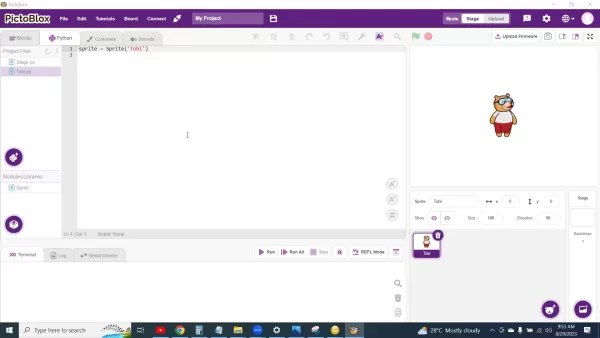
Python Support: Advanced users can tap into Python’s versatility, a go-to language for AI and ML development.
Rich Libraries: Access a wide array of libraries and extensions to streamline your projects.
Real-World Engagement: Build projects that interact with inputs like cameras and sensors, making learning dynamic and relevant.
PictoBlox lets you focus on AI logic and algorithms without getting lost in intricate code syntax.
Setting Up Your PictoBlox Workspace
Before diving into AI development, prepare your PictoBlox environment with these steps:
- Install PictoBlox:
- Download the software from the official PictoBlox website, compatible with Windows, macOS, or Linux.
- Follow the setup instructions to install it on your device.
- Get Familiar with the Interface:
- Open PictoBlox and explore its components, including the blocks palette, scripting area, and stage.
- Add Extensions:
- Go to the extensions menu and install “Machine Learning” and “Text Recognition” extensions to enable AI features.
- Configure Your Camera:
- Ensure your camera is connected and set up in PictoBlox for real-time video input.
- Adjust Sprite Size and Position:
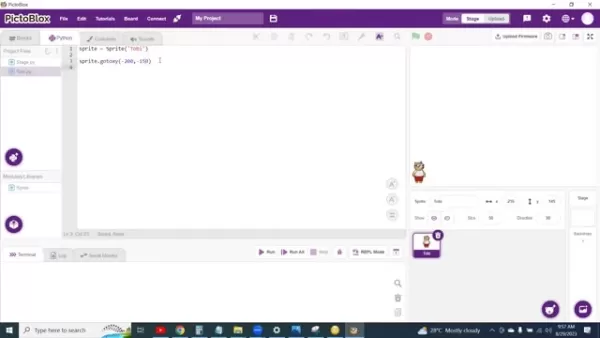
- Customize the sprite size in the Sprite section on the right to optimize camera functionality.
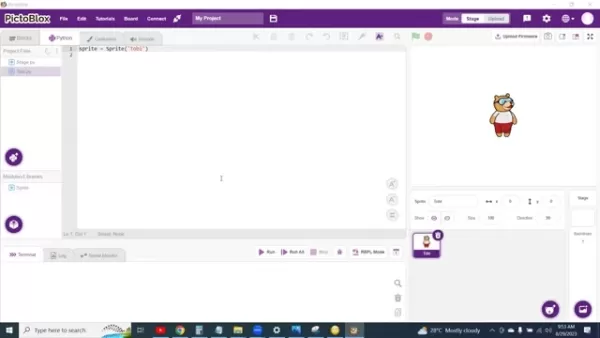
- Position Tobi (the sprite) using the Sprite.gotoxy method to keep it in your desired spot.
With your workspace ready, you’re set to explore AI and ML with PictoBlox.
Mastering Text Recognition
What Is Text Recognition?
Text recognition, or Optical Character Recognition (OCR), allows computers to extract text from images or scanned documents, converting it into editable, searchable data for analysis.
In this guide, we’ll build an app that uses a camera to capture handwritten text and convert it to digital text via PictoBlox’s text recognition extension, enabling applications like automated data entry or text translation.
Configuring Camera and Text Recognition
To enable text recognition in PictoBlox, integrate the camera and text recognition extension with these steps:
- Initialize the Camera:
- Add code to set up the camera and enable video mode for capturing images.
- Load the Text Recognition Extension:
- Import the TextRecognition library in Python mode to access text detection functions.
- Capture Live Video:
- Use the camera stream to process real-time video for text analysis.
Combining camera input with text recognition unlocks possibilities like reading signs or analyzing notes.
Building the Text Recognition App
Here’s how to code a text recognition app in PictoBlox:
- Position and Size the Sprite:
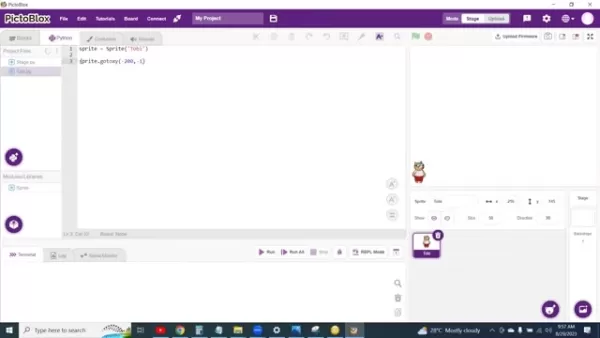
- Shrink Tobi and set its coordinates to keep it out of the camera’s way.
- Create a Continuous Loop:
- Use a while True loop to keep capturing and analyzing video for text recognition.
- Activate the Camera:
- Enable the camera with TextRecognition.video(’on flipped’) to start capturing.
- Analyze Images:
- Create a TextRecognition object with TextRecognition = TextRecognition(), then use TextRecognition.analyseCamera('HandwrittenText') to process text.
- These steps ensure the camera detects visible text.
- Add Conditional Responses:
- Set conditions like “If Happy, say I’m glad you’re happy” to display responses based on detected text.
- Ensure Code Accuracy:
- Verify all letters and symbols are correct, as errors prevent execution.
The app will display “Wow, I’m glad you’re happy” for the text “Happy”; otherwise, it responds with “Couldn’t Read Your Text.”
FAQ
What is PictoBlox?
PictoBlox, built on Scratch 3.0, is a visual programming tool for beginners, offering a drag-and-drop interface to simplify coding and robotics.
How do AI and ML relate?
AI focuses on creating intelligent machines, while ML, a subset of AI, enables systems to learn from data for smarter outcomes.
Is prior coding experience needed?
No! This guide is tailored for beginners, with PictoBlox’s intuitive interface and clear steps making it accessible.
What if the camera can’t read the text?
The app will show “Couldn’t Read Your Text,” prompting the sprite to signal the text isn’t recognized.
Related Questions
What other AI and ML projects can I create with PictoBlox?
PictoBlox supports diverse applications, including:
- Facial Recognition: Detect and identify faces in images or videos.
- Object Detection: Locate specific objects in real-time.
- Image Classification: Categorize images, like identifying plant or animal types.
- Voice Recognition: Build voice-controlled systems.
- Gesture Recognition: Create programs that interpret human gestures.
How can I connect hardware to AI projects in PictoBlox?
PictoBlox integrates seamlessly with hardware:
- Sensors: Connect temperature, light, or motion sensors for real-time data.
- Actuators: Control motors, LEDs, or servos for physical responses.
- Robotics: Pair with Arduino for AI-driven robots that operate autonomously.
Related article
 Six Tech Giants Back Linux Foundation With $12.5M to Tackle AI Vulnerability Noise
To tackle the flood of low-quality security reports produced by AI automation tools, six major tech companies—Anthropic, Amazon (AWS), GitHub, Google, Microsoft, and OpenAI—have collectively contributed $12.5 million in funding to Linux Foundation in
Musk Considered Leaving OpenAI to His Kids as Altman Testifies
This morning, OpenAI CEO Sam Altman took the stand to address former co-founder Elon Musk’s lawsuit challenging the company’s corporate structure.When asked about Musk’s claim that other founders “stole a charity” by launching a for-profit subsidiary
Sam Altman Sparks Debate Over AI's Deceleration
Listen onApple PodcastsListen onSpotifyOpenAI CEO Sam Altman recently suggested that it may be time to “pace the rate of AI development” to allow society to “harden around some of these new capability levels.”On the latest episode of TechCrunch’s Equ
Related Special Topic Recommendations
Business
Six Tech Giants Back Linux Foundation With $12.5M to Tackle AI Vulnerability Noise
To tackle the flood of low-quality security reports produced by AI automation tools, six major tech companies—Anthropic, Amazon (AWS), GitHub, Google, Microsoft, and OpenAI—have collectively contributed $12.5 million in funding to Linux Foundation in
Musk Considered Leaving OpenAI to His Kids as Altman Testifies
This morning, OpenAI CEO Sam Altman took the stand to address former co-founder Elon Musk’s lawsuit challenging the company’s corporate structure.When asked about Musk’s claim that other founders “stole a charity” by launching a for-profit subsidiary
Sam Altman Sparks Debate Over AI's Deceleration
Listen onApple PodcastsListen onSpotifyOpenAI CEO Sam Altman recently suggested that it may be time to “pace the rate of AI development” to allow society to “harden around some of these new capability levels.”On the latest episode of TechCrunch’s Equ
Related Special Topic Recommendations
Business
 Best AI Competitive Research Tools for Small Businesses
2026 Latest Best Top-rated AI Competitive Research Tools for Small Businesses! XIX.AI has curated a highly powerful game-changing collection, updated weekly with rigorous real-world tests and detailed rankings. You can find a comprehensive free vs paid comparison to help you identify the must-try tools that boost your productivity and give you a competitive edge. Explore now to discover your perfect tool!
 9 tools
 xix.ai
Image editing
Photoshop AI Retouch Tools for Ecommerce Apparel, Skin Cleanup, and Color Consistency
xix.ai
Image editing
Photoshop AI Retouch Tools for Ecommerce Apparel, Skin Cleanup, and Color Consistency
2026 Latest Best Photoshop AI retouch tools for ecommerce apparel, skin cleanup, and color consistency! This top-rated curated list features powerful game-changing solutions that help you boost writing efficiency, streamline content creation, and achieve perfect visual results effortlessly. Each tool has undergone real-world tests through weekly updated rankings, complete with free vs paid comparison details. Backed by XIX.AI, it’s the must-try guide for anyone aiming to unlock your AI edge. Explore now!
10 tools
xix.ai
Prompt
Best AI Prompt Libraries for ChatGPT Workflows
2026 Latest Best Top-Rated AI Prompt Libraries for optimizing all types of ChatGPT workflows. XIX.AI has curated a powerful, game-changing collection that goes through rigorous real-world tests to ensure top performance. You can find detailed free vs paid comparisons and expert rankings to help you choose the must-try tools that boost your productivity and unlock your AI edge. Explore now!
11 tools
xix.ai
Education and Learning
AI Quiz Builder Platforms for Teachers, Tutors, and Cohort-Based Learning Programs
2026 Latest Best AI Quiz Builder Platforms for Teachers, Tutors, and Cohort-Based Learning Programs! XIX.AI has curated a top-rated list of powerful game-changing tools that go through real-world tests to deliver accurate rankings. These must-try platforms help boost writing efficiency, streamline content creation, and simplify quiz design across all learning scenarios. Explore now to discover your perfect tool for unlocking your AI edge in teaching!
13 tools
xix.ai
code
AI Pull Request Review Tools for GitHub Teams Handling Refactors, Bugs, and Security Gaps
2026 Latest Best AI Pull Request Review Tools for GitHub Teams are here on XIX.AI! This top-rated curated list showcases powerful game-changing solutions that streamline refactoring, bug fixing, and security gap detection across all team workflows. Enjoy a free vs paid comparison along with real-world tests and detailed rankings to help you find the perfect tool that boosts productivity significantly. Explore now to unlock your AI edge!
12 tools
xix.ai
Text-to-speech
Best AI Text to Speech Tools for Natural Voiceovers
2026 Latest Best Top-rated AI Text to Speech Tools for Natural Voiceovers are here on XIX.AI! This curated list features powerful, game-changing options that deliver crystal-clear voices for every use case, backed by real-world tests and weekly updated rankings. Get a free vs paid comparison to find the must-try solution that boosts your productivity instantly. Explore now to Unlock your AI edge!
11 tools
xix.ai

 Comments (4)
0/500
Comments (4)
0/500
![JonathanDavis]()
This guide makes AI look so approachable! 😄 PictoBlox really seems like a clever bridge between learning to code and understanding ML concepts. I've been wondering if tools like this will eventually become standard in middle school curriculums. Makes me wish I had access to this stuff when I was starting out!
![WillieRamirez]()
PictoBlox klingt nach einem guten Einstieg in KI! 😊 Aber macht das nicht alle Kinder zu kleinen Programmierern? Ich frage mich, ob Schulen so etwas schon anbieten... oder ob das nur für Hobby-Projekte bleibt.
![RaymondAdams]()
This guide makes AI feel so approachable! PictoBlox seems like a fun way to dive into coding—kinda like playing with digital Lego bricks. Anyone tried it yet? 😄
![DavidGreen]()
This guide makes AI feel less like rocket science and more like a fun puzzle! PictoBlox seems super cool for beginners—has anyone tried it yet? 😄
Step into the fascinating realm of Artificial Intelligence (AI) and Machine Learning (ML) with this beginner-friendly guide. Using PictoBlox, a dynamic platform blending Python’s strength with visual coding, we’ll uncover the essentials of AI assistants like Siri, Alexa, and Google Assistant. Learn to build an app that reads and responds to text, unlocking a world of interactive opportunities. Jump in to create your own AI-powered assistant and explore endless possibilities!
Highlights
Overview of Artificial Intelligence (AI) and Machine Learning (ML).
Insights into AI assistants and their real-world uses.
Developing a text recognition app with PictoBlox.
Mastering core programming concepts and features.
Enabling text reading and response functions.
Leveraging Python for AI projects.
Practical guide to camera integration and text processing.
Discovering AI’s potential in personal assistance and beyond.
Exploring AI and Machine Learning with PictoBlox
What Are AI and Machine Learning?
Artificial Intelligence (AI) is a field of computer science dedicated to building systems that mimic human intelligence, tackling tasks like learning, problem-solving, decision-making, and language comprehension. Machine Learning (ML), a key branch of AI, empowers systems to analyze data, detect patterns, and make decisions with minimal human input.
Picture AI as the overarching idea of machines emulating human thinking, with ML providing the tools to achieve it. Together, they’re revolutionizing sectors like healthcare, finance, transportation, and entertainment. This guide equips you with the basics to launch your own AI projects.
We encounter AI daily—think of Apple’s Siri, assisting with tasks via voice recognition, or Amazon’s Alexa, enhancing smart homes. Google Assistant is another example, using ML to interpret and meet user needs, showcasing AI’s practical impact.
These systems excel at processing data and learning from it, enabling smart decisions and responses. Our aim is to explore the foundational elements that make this possible.
Why Choose PictoBlox for AI and ML?
PictoBlox simplifies AI and ML for beginners by blending visual, block-based coding with Python’s power, creating an engaging learning experience that connects theory with hands-on practice.
Advantages of PictoBlox:
Intuitive Interface: Its drag-and-drop design lets you build programs without complex coding, making programming approachable for newcomers.
Python Support: Advanced users can tap into Python’s versatility, a go-to language for AI and ML development.
Rich Libraries: Access a wide array of libraries and extensions to streamline your projects.
Real-World Engagement: Build projects that interact with inputs like cameras and sensors, making learning dynamic and relevant.
PictoBlox lets you focus on AI logic and algorithms without getting lost in intricate code syntax.
Setting Up Your PictoBlox Workspace
Before diving into AI development, prepare your PictoBlox environment with these steps:
- Install PictoBlox:
- Download the software from the official PictoBlox website, compatible with Windows, macOS, or Linux.
- Follow the setup instructions to install it on your device.
- Get Familiar with the Interface:
- Open PictoBlox and explore its components, including the blocks palette, scripting area, and stage.
- Add Extensions:
- Go to the extensions menu and install “Machine Learning” and “Text Recognition” extensions to enable AI features.
- Configure Your Camera:
- Ensure your camera is connected and set up in PictoBlox for real-time video input.
- Adjust Sprite Size and Position:
- Customize the sprite size in the Sprite section on the right to optimize camera functionality.
- Position Tobi (the sprite) using the Sprite.gotoxy method to keep it in your desired spot.
With your workspace ready, you’re set to explore AI and ML with PictoBlox.
Mastering Text Recognition
What Is Text Recognition?
Text recognition, or Optical Character Recognition (OCR), allows computers to extract text from images or scanned documents, converting it into editable, searchable data for analysis.
In this guide, we’ll build an app that uses a camera to capture handwritten text and convert it to digital text via PictoBlox’s text recognition extension, enabling applications like automated data entry or text translation.
Configuring Camera and Text Recognition
To enable text recognition in PictoBlox, integrate the camera and text recognition extension with these steps:
- Initialize the Camera:
- Add code to set up the camera and enable video mode for capturing images.
- Load the Text Recognition Extension:
- Import the TextRecognition library in Python mode to access text detection functions.
- Capture Live Video:
- Use the camera stream to process real-time video for text analysis.
Combining camera input with text recognition unlocks possibilities like reading signs or analyzing notes.
Building the Text Recognition App
Here’s how to code a text recognition app in PictoBlox:
- Position and Size the Sprite:
- Shrink Tobi and set its coordinates to keep it out of the camera’s way.
- Create a Continuous Loop:
- Use a while True loop to keep capturing and analyzing video for text recognition.
- Activate the Camera:
- Enable the camera with TextRecognition.video(’on flipped’) to start capturing.
- Analyze Images:
- Create a TextRecognition object with TextRecognition = TextRecognition(), then use TextRecognition.analyseCamera('HandwrittenText') to process text.
- These steps ensure the camera detects visible text.
- Add Conditional Responses:
- Set conditions like “If Happy, say I’m glad you’re happy” to display responses based on detected text.
- Ensure Code Accuracy:
- Verify all letters and symbols are correct, as errors prevent execution.
The app will display “Wow, I’m glad you’re happy” for the text “Happy”; otherwise, it responds with “Couldn’t Read Your Text.”
FAQ
What is PictoBlox?
PictoBlox, built on Scratch 3.0, is a visual programming tool for beginners, offering a drag-and-drop interface to simplify coding and robotics.
How do AI and ML relate?
AI focuses on creating intelligent machines, while ML, a subset of AI, enables systems to learn from data for smarter outcomes.
Is prior coding experience needed?
No! This guide is tailored for beginners, with PictoBlox’s intuitive interface and clear steps making it accessible.
What if the camera can’t read the text?
The app will show “Couldn’t Read Your Text,” prompting the sprite to signal the text isn’t recognized.
Related Questions
What other AI and ML projects can I create with PictoBlox?
PictoBlox supports diverse applications, including:
- Facial Recognition: Detect and identify faces in images or videos.
- Object Detection: Locate specific objects in real-time.
- Image Classification: Categorize images, like identifying plant or animal types.
- Voice Recognition: Build voice-controlled systems.
- Gesture Recognition: Create programs that interpret human gestures.
How can I connect hardware to AI projects in PictoBlox?
PictoBlox integrates seamlessly with hardware:
- Sensors: Connect temperature, light, or motion sensors for real-time data.
- Actuators: Control motors, LEDs, or servos for physical responses.
- Robotics: Pair with Arduino for AI-driven robots that operate autonomously.








 Six Tech Giants Back Linux Foundation With $12.5M to Tackle AI Vulnerability Noise
To tackle the flood of low-quality security reports produced by AI automation tools, six major tech companies—Anthropic, Amazon (AWS), GitHub, Google, Microsoft, and OpenAI—have collectively contributed $12.5 million in funding to Linux Foundation in
Six Tech Giants Back Linux Foundation With $12.5M to Tackle AI Vulnerability Noise
To tackle the flood of low-quality security reports produced by AI automation tools, six major tech companies—Anthropic, Amazon (AWS), GitHub, Google, Microsoft, and OpenAI—have collectively contributed $12.5 million in funding to Linux Foundation in
 Musk Considered Leaving OpenAI to His Kids as Altman Testifies
This morning, OpenAI CEO Sam Altman took the stand to address former co-founder Elon Musk’s lawsuit challenging the company’s corporate structure.When asked about Musk’s claim that other founders “stole a charity” by launching a for-profit subsidiary
Musk Considered Leaving OpenAI to His Kids as Altman Testifies
This morning, OpenAI CEO Sam Altman took the stand to address former co-founder Elon Musk’s lawsuit challenging the company’s corporate structure.When asked about Musk’s claim that other founders “stole a charity” by launching a for-profit subsidiary
 Sam Altman Sparks Debate Over AI's Deceleration
Listen onApple PodcastsListen onSpotifyOpenAI CEO Sam Altman recently suggested that it may be time to “pace the rate of AI development” to allow society to “harden around some of these new capability levels.”On the latest episode of TechCrunch’s Equ
Sam Altman Sparks Debate Over AI's Deceleration
Listen onApple PodcastsListen onSpotifyOpenAI CEO Sam Altman recently suggested that it may be time to “pace the rate of AI development” to allow society to “harden around some of these new capability levels.”On the latest episode of TechCrunch’s Equ

2026 Latest Best Top-rated AI Competitive Research Tools for Small Businesses! XIX.AI has curated a highly powerful game-changing collection, updated weekly with rigorous real-world tests and detailed rankings. You can find a comprehensive free vs paid comparison to help you identify the must-try tools that boost your productivity and give you a competitive edge. Explore now to discover your perfect tool!
9 tools
xix.ai

2026 Latest Best Photoshop AI retouch tools for ecommerce apparel, skin cleanup, and color consistency! This top-rated curated list features powerful game-changing solutions that help you boost writing efficiency, streamline content creation, and achieve perfect visual results effortlessly. Each tool has undergone real-world tests through weekly updated rankings, complete with free vs paid comparison details. Backed by XIX.AI, it’s the must-try guide for anyone aiming to unlock your AI edge. Explore now!
10 tools
xix.ai

2026 Latest Best Top-Rated AI Prompt Libraries for optimizing all types of ChatGPT workflows. XIX.AI has curated a powerful, game-changing collection that goes through rigorous real-world tests to ensure top performance. You can find detailed free vs paid comparisons and expert rankings to help you choose the must-try tools that boost your productivity and unlock your AI edge. Explore now!
11 tools
xix.ai

2026 Latest Best AI Quiz Builder Platforms for Teachers, Tutors, and Cohort-Based Learning Programs! XIX.AI has curated a top-rated list of powerful game-changing tools that go through real-world tests to deliver accurate rankings. These must-try platforms help boost writing efficiency, streamline content creation, and simplify quiz design across all learning scenarios. Explore now to discover your perfect tool for unlocking your AI edge in teaching!
13 tools
xix.ai

2026 Latest Best AI Pull Request Review Tools for GitHub Teams are here on XIX.AI! This top-rated curated list showcases powerful game-changing solutions that streamline refactoring, bug fixing, and security gap detection across all team workflows. Enjoy a free vs paid comparison along with real-world tests and detailed rankings to help you find the perfect tool that boosts productivity significantly. Explore now to unlock your AI edge!
12 tools
xix.ai

2026 Latest Best Top-rated AI Text to Speech Tools for Natural Voiceovers are here on XIX.AI! This curated list features powerful, game-changing options that deliver crystal-clear voices for every use case, backed by real-world tests and weekly updated rankings. Get a free vs paid comparison to find the must-try solution that boosts your productivity instantly. Explore now to Unlock your AI edge!
11 tools
xix.ai

This guide makes AI look so approachable! 😄 PictoBlox really seems like a clever bridge between learning to code and understanding ML concepts. I've been wondering if tools like this will eventually become standard in middle school curriculums. Makes me wish I had access to this stuff when I was starting out!
PictoBlox klingt nach einem guten Einstieg in KI! 😊 Aber macht das nicht alle Kinder zu kleinen Programmierern? Ich frage mich, ob Schulen so etwas schon anbieten... oder ob das nur für Hobby-Projekte bleibt.
This guide makes AI feel so approachable! PictoBlox seems like a fun way to dive into coding—kinda like playing with digital Lego bricks. Anyone tried it yet? 😄
This guide makes AI feel less like rocket science and more like a fun puzzle! PictoBlox seems super cool for beginners—has anyone tried it yet? 😄












