


 Home
HomeKling AI: Comprehensive Review of Free AI Video Creation Tool
Artificial intelligence is transforming creative industries, with video generation at the forefront. Kling AI stands out as a powerful, free platform for crafting high-quality AI videos with lifelike motion and intricate details. Accessible to both professionals and beginners, it offers an intuitive way to explore AI-driven video production.
Key Highlights
Kling AI provides a free, globally accessible AI video generator.
It delivers lifelike motion and consistent visual detail.
Supports diverse video styles for versatile creative output.
Image referencing improves image-to-video conversion quality.
Adjustable sliders allow control over creativity and relevance.
Negative prompts refine output by excluding unwanted elements.
Kling AI Overview: Redefining AI Video Production
What is Kling AI?
Kling AI is an innovative, free AI video generator now available worldwide. It creates high-quality videos from text prompts or image references, excelling in realistic motion and consistent detail. Its versatility suits various styles, empowering both novice and expert creators to explore AI video production. With robust features and no cost, Kling AI is a go-to tool for AI-generated video content.
Its ability to produce videos with smooth motion and sharp details makes it ideal for both professional and amateur creators.
Core Features:
- Text-to-Video: Transform written ideas into dynamic visuals.
- Image-to-Video: Animate static images with lifelike motion.
- Style Flexibility: Create videos in diverse artistic styles.
- Customization Options: Adjust creativity and relevance with sliders.
- Negative Prompts: Exclude unwanted elements for refined results.
Evaluating Video Quality & Versatility
Consistency in Detail and Motion
Kling AI excels in maintaining sharp details and fluid motion, ensuring a realistic and engaging viewing experience. Unlike some AI tools that produce distorted outputs, Kling AI keeps visuals cohesive and clear.
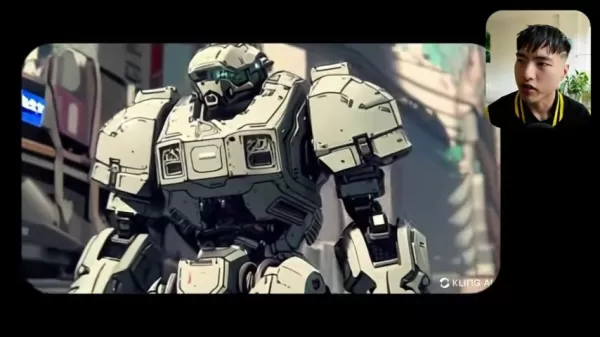
Its precision shines in animations, preserving fine details and intricate patterns. Advanced algorithms simulate real-world physics, delivering natural movements for characters, objects, or camera pans, enhancing overall realism.
Variety of Styles
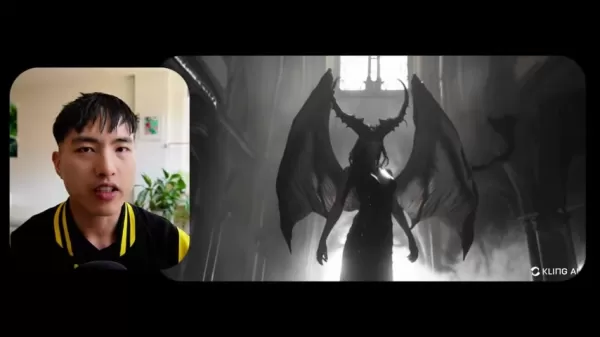
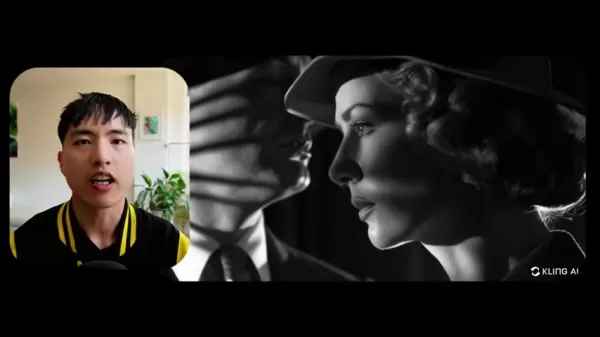
Kling AI’s flexibility allows video creation in diverse styles, from photorealistic to anime-inspired. Users can bring unique visions to life with ease.
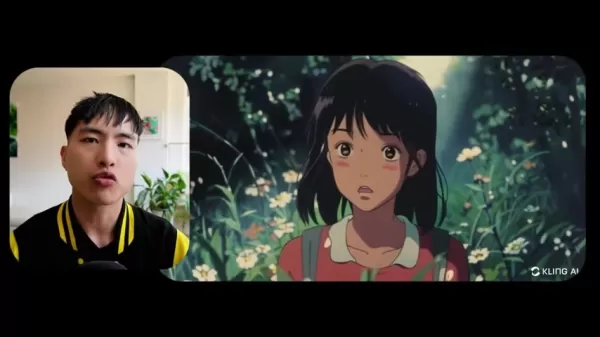
Trained on vast datasets, its AI models replicate a wide range of artistic styles. Detailed text prompts or image references guide the output, while customization controls fine-tune results to match user preferences.
Guide: Creating Videos with Kling AI
Getting Started
- Visit Kliai.com: Access the Kling AI platform.
Click the "Sign In" button in the top-right corner.
- Sign Up: Choose "Sign up for free," enter your email, and set a password. Verify your account with the emailed passcode.
- Browse Gallery: Explore user-generated videos and images for inspiration and to understand platform capabilities.
Text-to-Video Creation
- Access AI Video Generator: Select "AI Videos" from the homepage.
- Write Prompt: Describe your vision in detail.
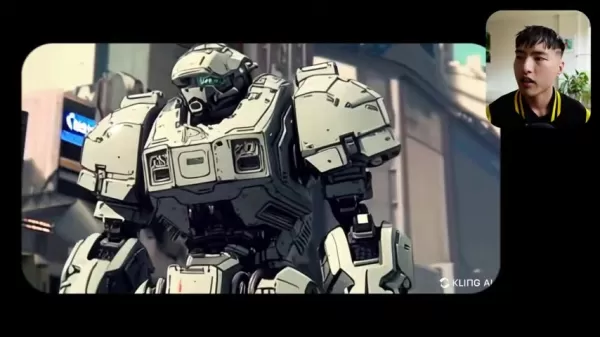
Specify scenes, characters, and aesthetics for accurate results.
- Adjust Settings: Use sliders to balance creativity and relevance.
- Add Negative Prompt: Exclude unwanted elements like distortions.
- Customize Camera: Add dynamic movements like zooming or panning.
- Generate Video: Click "Generate" to create your video, noting credit usage.
- Review & Download: Check the result and download via the arrow icon.
Image-to-Video Creation
- Select Image-to-Video: Navigate to the "Image to Video" tab.
- Upload Image: Choose a reference image for animation.
- Add Prompt (Optional): Describe desired video elements.
- Customize Settings: Adjust sliders and negative prompts.
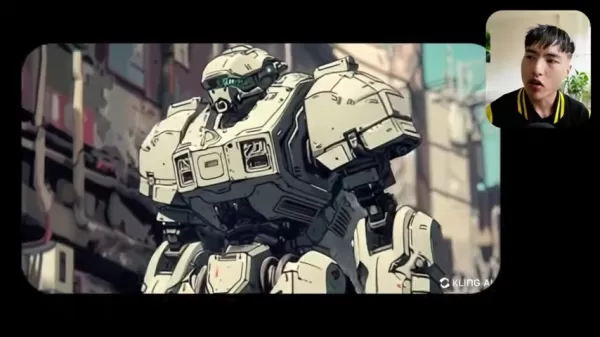
- Generate Video: Start the process and review the output.
Pricing
Free Credit System
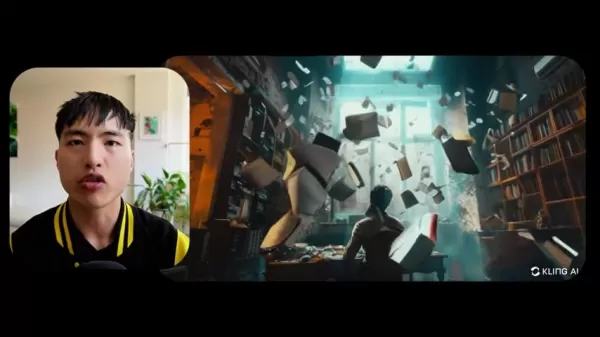
Kling AI uses a free credit system, offering 66 daily credits for approximately 6 high-performance video generations, enabling cost-free exploration.
Pros and Cons of Kling AI
Pros
Free to use, accessible to all.
Creates realistic motion for engaging videos.
Maintains consistent, high-quality details.
Supports diverse styles for creative flexibility.
Image referencing enhances video conversions.
Offers precise customization controls.
Cons
Limited to 5-second videos initially.
High-quality model unavailable.
Camera motion may need manual tweaks.
Animation styles may vary unexpectedly.
Occasional scene-switching disruptions.
Lower resolution compared to competitors.
Core Features: Unleashing Creativity
Text-to-Video
Turn text prompts into dynamic videos, ideal for storytelling, education, or marketing.
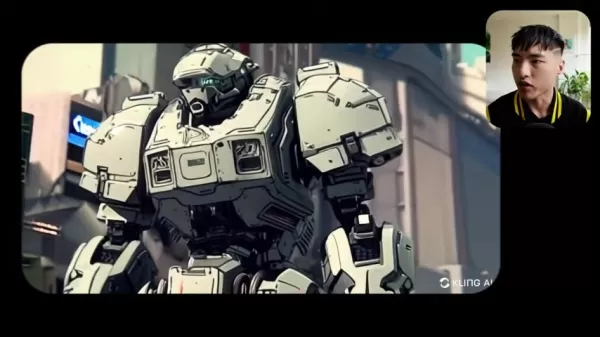
Image-to-Video
Animate static images with lifelike motion, perfect for social media or presentations.
Style Diversity
Create videos in various styles, from photorealistic to anime, to match your vision.
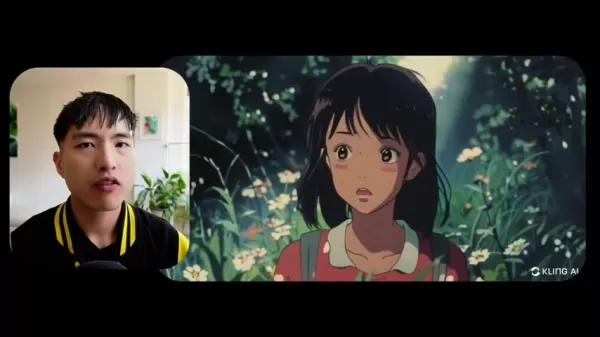
Customization Controls
Adjust creativity and relevance sliders for precise video output.
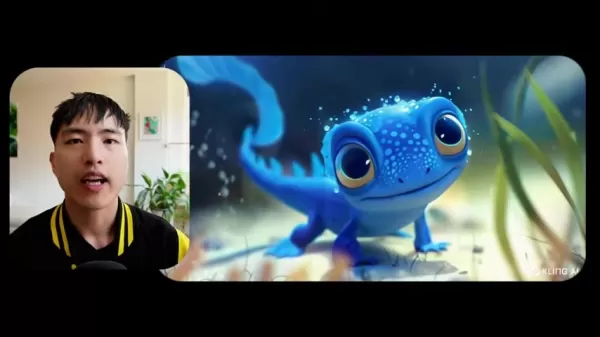
Negative Prompts
Exclude unwanted elements for cleaner, more accurate videos.
Use Cases Across Industries
Social Media Content
Marketers can create engaging videos quickly, with image-to-video tools boosting audience interaction.
Education
Educators can produce animated videos to simplify complex concepts for better student engagement.
eLearning
Develop dynamic training videos and courses with AI-generated animations.
Frequently Asked Questions
Is Kling AI truly free?
Yes, Kling AI is free, offering 66 daily credits for multiple video generations, though future subscription plans may apply.
What are the video length and quality options?
Currently, videos are limited to 5 seconds using the high-performance setting, with high-quality models pending release.
How can I control video style and content?
Use detailed text prompts, creativity/relevance sliders, negative prompts, and image references to customize style and content.
What is Kliai.com?
Kliai.com is Kling AI’s website, offering free signup and access to AI video and image tools, with potential for future expansions.
Related Questions
Tips for High-Quality AI Videos
Use detailed prompts, experiment with styles, leverage image references, adjust sliders, utilize negative prompts, and stay updated on features.
Limitations of AI Video Generators
Copyright risks from training data, potential biases requiring correction, and inaccuracies if prompts or models are underdeveloped.
Related article
 How to fix Core Web Vitals for better SEO rankings
How to Build a Free Website: Free Domain, Hosting & AI Website BuilderTable of ContentsIntroductionAI Website Builder 1: Hookous AIStep 1: Sign UpStep 2: Choose Business Type/NicheStep 3: Select ServicesStep 4: Define Website GoalsStep 5: Enter Busin
Apple, Google Partner With Anthropic to Address 27-Year-Old Vulnerability via Glass Wing Protection
As artificial intelligence advances rapidly in code generation and logical reasoning, the cybersecurity landscape faces unprecedented challenges. Recently, the prominent AI startup Anthropic officially launched a cross-industry collaboration called *
OpenAI Chief Scientist Addresses AI Reasoning Transparency Debate: Complexity Steady, No Sudden Jump
On September 2, Jakub Pachocki, OpenAI’s Chief Scientist, addressed public concerns on X regarding the AI model Astra, clarifying claims that it operates without oversight and lacks transparent reasoning.Why the Controversy Erupted: Deep Recurrence O
Related Special Topic Recommendations
Image editing
How to fix Core Web Vitals for better SEO rankings
How to Build a Free Website: Free Domain, Hosting & AI Website BuilderTable of ContentsIntroductionAI Website Builder 1: Hookous AIStep 1: Sign UpStep 2: Choose Business Type/NicheStep 3: Select ServicesStep 4: Define Website GoalsStep 5: Enter Busin
Apple, Google Partner With Anthropic to Address 27-Year-Old Vulnerability via Glass Wing Protection
As artificial intelligence advances rapidly in code generation and logical reasoning, the cybersecurity landscape faces unprecedented challenges. Recently, the prominent AI startup Anthropic officially launched a cross-industry collaboration called *
OpenAI Chief Scientist Addresses AI Reasoning Transparency Debate: Complexity Steady, No Sudden Jump
On September 2, Jakub Pachocki, OpenAI’s Chief Scientist, addressed public concerns on X regarding the AI model Astra, clarifying claims that it operates without oversight and lacks transparent reasoning.Why the Controversy Erupted: Deep Recurrence O
Related Special Topic Recommendations
Image editing
 AI Object Removal Editors: Clean Up Portraits, Travel, and Product Shots
2026 Latest Best Top-rated AI Object Removal Editors for portraits travel product shots! XIX.AI curates a powerful game-changing collection regularly updated with weekly rankings. These tools offer real-world tests to help you quickly remove unwanted elements, boost content quality, and save tons of time without compromising results. Must-try for anyone aiming to unlock their AI creation edge. Explore now!
 10 tools
 xix.ai
Text-to-speech
Best AI Text to Speech Tools for Online Courses
xix.ai
Text-to-speech
Best AI Text to Speech Tools for Online Courses
2026 Latest Best Top-rated AI Text to Speech Tools for Online Courses are curated by XIX.AI based on rigorous real-world tests and weekly updated rankings. These powerful tools help creators deliver crystal-clear audio content effortlessly, boosting writing efficiency and streamlining course production. Check out the free vs paid comparison to find your perfect fit. Explore now to unlock your AI edge in online education.
10 tools
xix.ai
writing
AI Blog Title Tools for Higher Click Through Rates
2026 Latest Best Top-Rated AI Blog Title Tools for Higher Click Through Rates! XIX.AI has carefully curated a powerful, game-changing collection of top tools that go through rigorous real-world tests. You’ll find a free vs paid comparison, weekly updated rankings, and detailed insights to help you boost your blog’s traffic efficiently. Must-try options are highlighted to help you unlock your AI edge. Explore now!
10 tools
xix.ai
automation
Best AI Task Routing Tools for Support Workflows
2026 Latest Best Top-rated AI Task Routing Tools for Support Workflows! XIX.AI has curated a highly powerful game-changing collection of must-try solutions, all undergoing rigorous real-world tests and updated weekly. These tools streamline workflows, boost productivity, and help teams deliver faster, more efficient support. Explore now to discover your perfect tool and unlock your AI edge!
17 tools
xix.ai
Academic Research
AI Citation and Paper Summary Tools
2026 Latest Best Top-Rated AI Citation and Paper Summary Tools Curated by XIX.AI. Get powerful game-changing solutions for quick content creation, improved writing efficiency, and boosting productivity. We offer a free vs paid comparison along with real-world tests and weekly updated rankings to help you find the must-try tool that fits your needs perfectly. Explore now to Unlock your AI edge.
10 tools
xix.ai
Productivity
Best AI Productivity Tools for Daily Work
2026 Latest Best Top-Rated AI Productivity Tools for Daily Work! XIX.AI has curated a powerful, game-changing selection based on rigorous weekly updated rankings and real-world tests. You’ll find must-try options that boost writing efficiency, streamline content creation, and help you overcome daily work challenges. Get a free vs paid comparison to find the perfect fit for your needs. Explore now to unlock your AI edge!
9 tools
xix.ai

 Comments (2)
0/500
Comments (2)
0/500
![WillieRodriguez]()
Cet outil de vidéo IA gratuit comme Kling AI est impressionnant, mais je commence à m'inquiéter pour les réalisateurs débutants. Ça va être de plus en plus dur de se démarquer si tout le monde peut générer du contenu professionnel aussi facilement! 😅 C'est cool pour les petits projets perso par contre.
![WillMitchell]()
Esto suena increíble 🤯 ¿Alguien ya probó Kling AI para crear videos? Me encantaría saber si realmente cumple con lo prometido en cuanto a calidad y facilidad de uso. Aunque lo de 'gratis' siempre me hace dudar... seguro hay alguna trampa oculta 🧐
Artificial intelligence is transforming creative industries, with video generation at the forefront. Kling AI stands out as a powerful, free platform for crafting high-quality AI videos with lifelike motion and intricate details. Accessible to both professionals and beginners, it offers an intuitive way to explore AI-driven video production.
Key Highlights
Kling AI provides a free, globally accessible AI video generator.
It delivers lifelike motion and consistent visual detail.
Supports diverse video styles for versatile creative output.
Image referencing improves image-to-video conversion quality.
Adjustable sliders allow control over creativity and relevance.
Negative prompts refine output by excluding unwanted elements.
Kling AI Overview: Redefining AI Video Production
What is Kling AI?
Kling AI is an innovative, free AI video generator now available worldwide. It creates high-quality videos from text prompts or image references, excelling in realistic motion and consistent detail. Its versatility suits various styles, empowering both novice and expert creators to explore AI video production. With robust features and no cost, Kling AI is a go-to tool for AI-generated video content.
Its ability to produce videos with smooth motion and sharp details makes it ideal for both professional and amateur creators.
Core Features:
- Text-to-Video: Transform written ideas into dynamic visuals.
- Image-to-Video: Animate static images with lifelike motion.
- Style Flexibility: Create videos in diverse artistic styles.
- Customization Options: Adjust creativity and relevance with sliders.
- Negative Prompts: Exclude unwanted elements for refined results.
Evaluating Video Quality & Versatility
Consistency in Detail and Motion
Kling AI excels in maintaining sharp details and fluid motion, ensuring a realistic and engaging viewing experience. Unlike some AI tools that produce distorted outputs, Kling AI keeps visuals cohesive and clear.
Its precision shines in animations, preserving fine details and intricate patterns. Advanced algorithms simulate real-world physics, delivering natural movements for characters, objects, or camera pans, enhancing overall realism.
Variety of Styles
Kling AI’s flexibility allows video creation in diverse styles, from photorealistic to anime-inspired. Users can bring unique visions to life with ease.
Trained on vast datasets, its AI models replicate a wide range of artistic styles. Detailed text prompts or image references guide the output, while customization controls fine-tune results to match user preferences.
Guide: Creating Videos with Kling AI
Getting Started
- Visit Kliai.com: Access the Kling AI platform.
Click the "Sign In" button in the top-right corner.
- Sign Up: Choose "Sign up for free," enter your email, and set a password. Verify your account with the emailed passcode.
- Browse Gallery: Explore user-generated videos and images for inspiration and to understand platform capabilities.
Text-to-Video Creation
- Access AI Video Generator: Select "AI Videos" from the homepage.
- Write Prompt: Describe your vision in detail.
Specify scenes, characters, and aesthetics for accurate results.
- Adjust Settings: Use sliders to balance creativity and relevance.
- Add Negative Prompt: Exclude unwanted elements like distortions.
- Customize Camera: Add dynamic movements like zooming or panning.
- Generate Video: Click "Generate" to create your video, noting credit usage.
- Review & Download: Check the result and download via the arrow icon.
Image-to-Video Creation
- Select Image-to-Video: Navigate to the "Image to Video" tab.
- Upload Image: Choose a reference image for animation.
- Add Prompt (Optional): Describe desired video elements.
- Customize Settings: Adjust sliders and negative prompts.
- Generate Video: Start the process and review the output.
Pricing
Free Credit System
Kling AI uses a free credit system, offering 66 daily credits for approximately 6 high-performance video generations, enabling cost-free exploration.
Pros and Cons of Kling AI
Pros
Free to use, accessible to all.
Creates realistic motion for engaging videos.
Maintains consistent, high-quality details.
Supports diverse styles for creative flexibility.
Image referencing enhances video conversions.
Offers precise customization controls.
Cons
Limited to 5-second videos initially.
High-quality model unavailable.
Camera motion may need manual tweaks.
Animation styles may vary unexpectedly.
Occasional scene-switching disruptions.
Lower resolution compared to competitors.
Core Features: Unleashing Creativity
Text-to-Video
Turn text prompts into dynamic videos, ideal for storytelling, education, or marketing.
Image-to-Video
Animate static images with lifelike motion, perfect for social media or presentations.
Style Diversity
Create videos in various styles, from photorealistic to anime, to match your vision.
Customization Controls
Adjust creativity and relevance sliders for precise video output.
Negative Prompts
Exclude unwanted elements for cleaner, more accurate videos.
Use Cases Across Industries
Social Media Content
Marketers can create engaging videos quickly, with image-to-video tools boosting audience interaction.
Education
Educators can produce animated videos to simplify complex concepts for better student engagement.
eLearning
Develop dynamic training videos and courses with AI-generated animations.
Frequently Asked Questions
Is Kling AI truly free?
Yes, Kling AI is free, offering 66 daily credits for multiple video generations, though future subscription plans may apply.
What are the video length and quality options?
Currently, videos are limited to 5 seconds using the high-performance setting, with high-quality models pending release.
How can I control video style and content?
Use detailed text prompts, creativity/relevance sliders, negative prompts, and image references to customize style and content.
What is Kliai.com?
Kliai.com is Kling AI’s website, offering free signup and access to AI video and image tools, with potential for future expansions.
Related Questions
Tips for High-Quality AI Videos
Use detailed prompts, experiment with styles, leverage image references, adjust sliders, utilize negative prompts, and stay updated on features.
Limitations of AI Video Generators
Copyright risks from training data, potential biases requiring correction, and inaccuracies if prompts or models are underdeveloped.








 How to fix Core Web Vitals for better SEO rankings
How to Build a Free Website: Free Domain, Hosting & AI Website BuilderTable of ContentsIntroductionAI Website Builder 1: Hookous AIStep 1: Sign UpStep 2: Choose Business Type/NicheStep 3: Select ServicesStep 4: Define Website GoalsStep 5: Enter Busin
How to fix Core Web Vitals for better SEO rankings
How to Build a Free Website: Free Domain, Hosting & AI Website BuilderTable of ContentsIntroductionAI Website Builder 1: Hookous AIStep 1: Sign UpStep 2: Choose Business Type/NicheStep 3: Select ServicesStep 4: Define Website GoalsStep 5: Enter Busin
 Apple, Google Partner With Anthropic to Address 27-Year-Old Vulnerability via Glass Wing Protection
As artificial intelligence advances rapidly in code generation and logical reasoning, the cybersecurity landscape faces unprecedented challenges. Recently, the prominent AI startup Anthropic officially launched a cross-industry collaboration called *
Apple, Google Partner With Anthropic to Address 27-Year-Old Vulnerability via Glass Wing Protection
As artificial intelligence advances rapidly in code generation and logical reasoning, the cybersecurity landscape faces unprecedented challenges. Recently, the prominent AI startup Anthropic officially launched a cross-industry collaboration called *
 OpenAI Chief Scientist Addresses AI Reasoning Transparency Debate: Complexity Steady, No Sudden Jump
On September 2, Jakub Pachocki, OpenAI’s Chief Scientist, addressed public concerns on X regarding the AI model Astra, clarifying claims that it operates without oversight and lacks transparent reasoning.Why the Controversy Erupted: Deep Recurrence O
OpenAI Chief Scientist Addresses AI Reasoning Transparency Debate: Complexity Steady, No Sudden Jump
On September 2, Jakub Pachocki, OpenAI’s Chief Scientist, addressed public concerns on X regarding the AI model Astra, clarifying claims that it operates without oversight and lacks transparent reasoning.Why the Controversy Erupted: Deep Recurrence O

2026 Latest Best Top-rated AI Object Removal Editors for portraits travel product shots! XIX.AI curates a powerful game-changing collection regularly updated with weekly rankings. These tools offer real-world tests to help you quickly remove unwanted elements, boost content quality, and save tons of time without compromising results. Must-try for anyone aiming to unlock their AI creation edge. Explore now!
10 tools
xix.ai

2026 Latest Best Top-rated AI Text to Speech Tools for Online Courses are curated by XIX.AI based on rigorous real-world tests and weekly updated rankings. These powerful tools help creators deliver crystal-clear audio content effortlessly, boosting writing efficiency and streamlining course production. Check out the free vs paid comparison to find your perfect fit. Explore now to unlock your AI edge in online education.
10 tools
xix.ai

2026 Latest Best Top-Rated AI Blog Title Tools for Higher Click Through Rates! XIX.AI has carefully curated a powerful, game-changing collection of top tools that go through rigorous real-world tests. You’ll find a free vs paid comparison, weekly updated rankings, and detailed insights to help you boost your blog’s traffic efficiently. Must-try options are highlighted to help you unlock your AI edge. Explore now!
10 tools
xix.ai

2026 Latest Best Top-rated AI Task Routing Tools for Support Workflows! XIX.AI has curated a highly powerful game-changing collection of must-try solutions, all undergoing rigorous real-world tests and updated weekly. These tools streamline workflows, boost productivity, and help teams deliver faster, more efficient support. Explore now to discover your perfect tool and unlock your AI edge!
17 tools
xix.ai

2026 Latest Best Top-Rated AI Citation and Paper Summary Tools Curated by XIX.AI. Get powerful game-changing solutions for quick content creation, improved writing efficiency, and boosting productivity. We offer a free vs paid comparison along with real-world tests and weekly updated rankings to help you find the must-try tool that fits your needs perfectly. Explore now to Unlock your AI edge.
10 tools
xix.ai

2026 Latest Best Top-Rated AI Productivity Tools for Daily Work! XIX.AI has curated a powerful, game-changing selection based on rigorous weekly updated rankings and real-world tests. You’ll find must-try options that boost writing efficiency, streamline content creation, and help you overcome daily work challenges. Get a free vs paid comparison to find the perfect fit for your needs. Explore now to unlock your AI edge!
9 tools
xix.ai

Cet outil de vidéo IA gratuit comme Kling AI est impressionnant, mais je commence à m'inquiéter pour les réalisateurs débutants. Ça va être de plus en plus dur de se démarquer si tout le monde peut générer du contenu professionnel aussi facilement! 😅 C'est cool pour les petits projets perso par contre.
Esto suena increíble 🤯 ¿Alguien ya probó Kling AI para crear videos? Me encantaría saber si realmente cumple con lo prometido en cuanto a calidad y facilidad de uso. Aunque lo de 'gratis' siempre me hace dudar... seguro hay alguna trampa oculta 🧐












