


 Home
HomeHow to transfer outfits in GTA Online 2025? Checkboard style glitch guide.
Grand Theft Auto Online gives players a huge range of customization tools to build a truly unique and personal character. One popular style involves creating partially invisible arms paired with a checkerboard-pattern outfit. This walkthrough provides a clear, step-by-step method to pull off this visual glitch, letting you carve out a distinctive look on the streets of Los Santos. The guide is crafted to be detailed and easy to follow, ensuring your avatar can hit the town in style.
Key Points
This glitch requires two characters on the same account: one male and one female.
It uses a transfer method that will erase all saved outfits on your male character.
Accessories can disrupt the process and must be taken off beforehand.
Specific clothing items need to be bought and equipped on the female character.
Precise timing is crucial during the PlayStation Home button sequence.
The method was tested and confirmed working on PlayStation 4 and 5.
Preparing for the Outfit Transfer Glitch
Character Requirements
First, you need two characters in your GTA Online account: a male character and a female character. This glitch uses both to transfer specific outfit parts. This setup is essential because the method relies on how the game handles clothing assets differently between genders.

You may need to create a second character if you don't have one, so check your account has room. Importantly, this process will overwrite every outfit on your male character. Be prepared to lose them all, and make absolutely sure the outfit your male character is wearing when you start is the one you want to keep.
Clothing Prerequisites
Before starting, you must gather specific clothing items on your female character to enable a successful transfer. You'll need to create two outfits.
These outfits contain the specific items needed to build the final Checkerboard Outfit this glitch is designed for. For the first outfit, gather:
Jeans: Black Cropped Jeans (found in the pants section)

Bustiers: Camo Bustier (found in the tops section)
High Heel Boots: Deluxe Midnight Combat (found in the shoes section)
Gloves: Light Woodland Tactical (found in the accessories section)
For the second outfit, you will need:
- Sports Pants: Spotted Muscle Pants (found in the pants section)
- Work Jackets: Peach Camo Closed Field (found in the tops section)
- Tucked T-Shirts: Blue Digital T-Shirt (found in the tops section)
- Casual Glasses: Copper Marbles (found in the accessories section)
- Canvas Hats: Gray Plaid Canvas Hat (found in the accessories section)
Meeting these requirements ensures the outfit can be properly assembled and transferred. Saving these outfits is recommended for convenience. Remember, the outfit your male character wears when you begin is the one that will be preserved, so choose it wisely.
Remove All Accessories
Before initiating the transfer, remove every accessory from your female character. This means hats, glasses, masks, earrings, and any other gear. Accessories can interfere with the glitch, causing unexpected issues. This cleanup step is vital for minimizing complications and smoothing the outfit merging process, giving you the best chance of a quick and successful result.
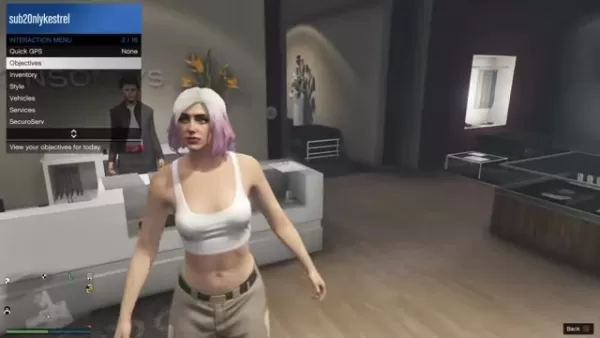
By stripping your female character of accessories, you focus the transfer purely on the core clothing items, preventing any conflicts with extra data. This helps guarantee a clean execution of the glitch.
Performing the GTA Online Outfit Transfer Glitch
Step 1: Swap to the Female Character
Start by opening the pause menu, going to the Online tab, and selecting 'Swap Character'. From there, switch to your female character and load into an online session.
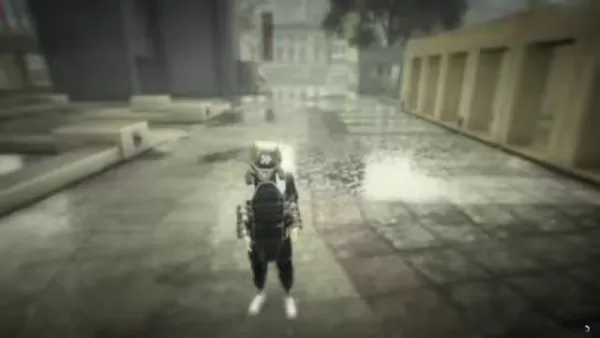
Double-check that all accessories are removed before swapping, as they can ruin the glitch. If it fails, you can simply restart from the beginning.
Step 2: Create The Required Outfits
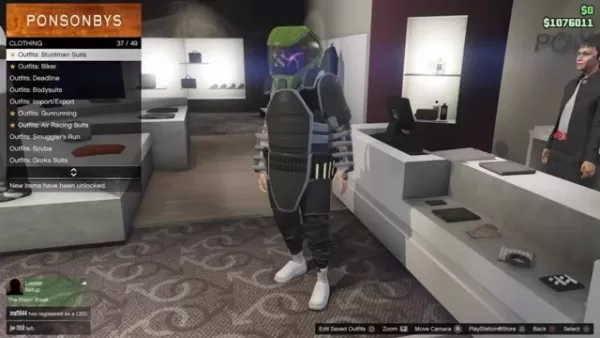
With your female character active, visit a clothing store like Ponsonbys. Create the two outfits needed to merge into the final Checkerboard Outfit with Partially Invisible Arms, using the items listed in the “Clothing Prerequisites” section. This step is essential for completing the glitch and securing your new look.

Step 3: Return to Story Mode
After saving the Checkerboard Outfit, open the pause menu and exit to Story Mode. This prepares the game's state for the next crucial phase of the glitch.
Step 4: Load into Invite-Only Session
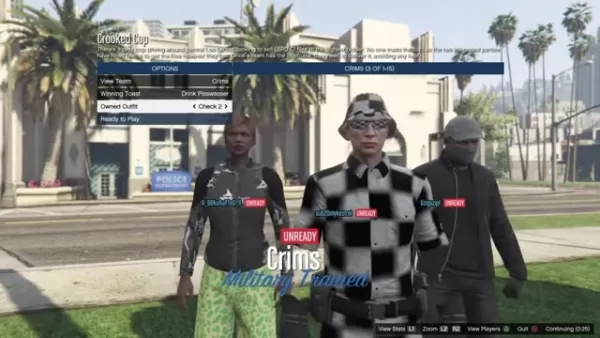
From Story Mode, open the pause menu, go to Online, and choose to load into an Invite-Only Session. Hover over the 'Yes' confirmation prompt, but do not select it yet—proceed to the next step.
Step 5: Precise Timing with PlayStation Home Button
While hovering over 'Yes', quickly press the PlayStation Home button. Navigate to your Capture Gallery and select any video. You only need it to access the 'Trim' option. Open the options for the video and hover over the Trim setting.
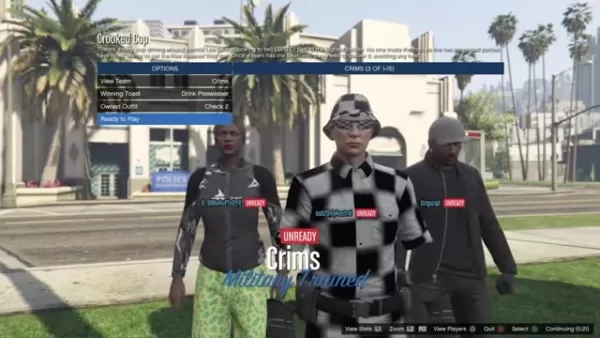
Quickly return to GTA using a double-tap shortcut on the Home button, then immediately confirm loading into the online session. You'll see a black loading screen with a white spinning circle in the corner.
The moment this circle turns orange, double-tap the Home button to jump back to the video trim screen and press X on Trim. Then, rapidly mash the X button!
After spamming X, wait about 30 seconds while still in the trim screen. Then, return to GTA using the same shortcut. You should see an error message saying "Character 2 could not be loaded." This is a good sign the glitch is progressing.
Step 6: Load into GTA Online with Male Character
Accept the error message and any follow-up prompt. The game will now load you into an online session with your male character. You're almost done—just a few final steps remain to lock in the new outfit.

Step 7: Change Outfit
Once your male character loads in, open the pause menu, go to Online, and select 'Swap Character'. You should now be able to select and swap back to your male character—do so.
Step 8: Modify the outfit
Head to the nearest clothing store. The Checkerboard Outfit should now be applied. You can remove the earpiece from it. Also, verify that the original outfit you wanted to save on your male character is still intact!
Weighing the Outfit Glitch: Pros
and Cons
Pros
Creates Unique Outfits
Relatively Easy To Perform
Does Not Require A Friend
Cons
Overwrites Outfits
Timing Can Be Tricky
Potential Stability Issues
FAQ
What happens if I mess up the timing?
If your timing is off, the glitch likely won't work and the items won't transfer. Don't worry—you can simply restart the process from the beginning and try again.
Will I lose any progress or items during this glitch?
Yes. This transfer glitch will replace all saved outfits on your male character with those from your female character. To avoid losing a specific outfit, make sure your male character is wearing it before you switch to your female character at the start.
Does this glitch work on all platforms?
This method has been tested and confirmed to work on PlayStation 4 and PlayStation 5. Its effectiveness on other platforms like Xbox or PC may vary. On the tested consoles, the process is consistent and reliable when followed correctly.
Related Questions
Are there other glitches I can perform in GTA Online to customize my character?
GTA Online is home to numerous glitches that allow for advanced character customization. Many involve mixing and matching clothing assets that aren't normally combinable, often using transfer methods similar to this one. For more ways to personalize your character, search for other guides to fully explore the game's customization potential.
Related article
 ByteDance’s Seed launches global campus drive, offering virtual shares to win top large model talent
In the competitive landscape of large language models, securing top-tier talent remains the most critical strategic asset.On April 1st, ByteDance announced the launch of its Seed global campus recruitment initiative, part of its large model talent de
Suno to Watermark Songs Amid Legal Battles
Suno, the platform enabling users to generate AI-created music, has unveiled new features to label platform-produced tracks, restrict downloads, and update community standards to curb unauthorized replicas. These updates arrive as Suno confronts mult
Musk Admits Grok Build Leaked User Code, Promises to Erase All Historical Data
Elon Musk directly addressed the privacy controversy surrounding Grok Build, beginning with a simple "True" to confirm the incident's validity. He pledged that all user data previously uploaded to SpaceXAI would be permanently erased, stating, "not a
Related Special Topic Recommendations
Design & Art
ByteDance’s Seed launches global campus drive, offering virtual shares to win top large model talent
In the competitive landscape of large language models, securing top-tier talent remains the most critical strategic asset.On April 1st, ByteDance announced the launch of its Seed global campus recruitment initiative, part of its large model talent de
Suno to Watermark Songs Amid Legal Battles
Suno, the platform enabling users to generate AI-created music, has unveiled new features to label platform-produced tracks, restrict downloads, and update community standards to curb unauthorized replicas. These updates arrive as Suno confronts mult
Musk Admits Grok Build Leaked User Code, Promises to Erase All Historical Data
Elon Musk directly addressed the privacy controversy surrounding Grok Build, beginning with a simple "True" to confirm the incident's validity. He pledged that all user data previously uploaded to SpaceXAI would be permanently erased, stating, "not a
Related Special Topic Recommendations
Design & Art
 AI Visual Style Reference Tools for Character Sheets, Moodboards, and Pitch Decks
2026 Latest Best AI Visual Style Reference Tools for Character Sheets, Moodboards, and Pitch Decks are here on XIX.AI! This curated top-rated list features powerful game-changing tools that go through rigorous real-world tests. You’ll find a free vs paid comparison, detailed rankings, and must-try options to help you boost creativity and streamline your workflow. Explore now to discover your perfect tool for boosting productivity!
 11 tools
 xix.ai
SEO
Best AI SERP Analysis Tools for Search Strategy
xix.ai
SEO
Best AI SERP Analysis Tools for Search Strategy
2026 Latest Best Top-rated AI SERP Analysis Tools for Search Strategy are curated by XIX.AI through rigorous real-world tests and weekly updated rankings. These powerful tools help you unlock hidden optimization opportunities, boost content performance, and gain a competitive edge in search. Discover your perfect tool to elevate your search strategy today. Explore now!
13 tools
xix.ai
Data Analysis
Best AI Anomaly Detection Tools for KPI Monitoring across SaaS and Ecommerce Teams
2026 Latest Best Top-rated AI Anomaly Detection Tools for KPI Monitoring in SaaS and Ecommerce teams! XIX.AI has curated a powerful, game-changing collection based on rigorous real-world tests and weekly updated rankings. You’ll find detailed free vs paid comparison insights to help you identify the must-try solution that boosts productivity and unlocks your AI edge. Explore now!
10 tools
xix.ai
writing
Best AI Outline Generators for Long-Form SEO Articles
2026 Latest Best Top-Rated AI Outline Generators for Long-Form SEO Articles, meticulously curated by XIX.AI. These powerful tools offer game-changing assistance in creating high-quality content quickly, boosting writing efficiency significantly. Get a free vs paid comparison along with real-world tests and detailed rankings to help you find the must-try option that suits your needs. Explore now to unlock your AI edge.
8 tools
xix.ai
Education and Learning
AI Study Tools for Homework and Exam Prep
2026 Latest Best AI Study Tools for Homework and Exam Prep! XIX.AI curates a top-rated list of powerful, game-changing tools that help students boost productivity, streamline homework completion, and ace exams through real-world tests. Get a free vs paid comparison, detailed rankings, and must-try options to unlock your AI edge. Explore now!
10 tools
xix.ai
Music composition
AI Vocal Demo Tools for Songwriters, Hooks, Toplines, and Multilingual Draft Sessions
2026 Latest Best AI Vocal Demo Tools for Songwriters, Hook Creators, and Multi-Language Content Teams! XIX.AI has curated a top-rated list of powerful game-changing tools that go through rigorous real-world tests. You’ll find detailed free vs paid comparison data, comprehensive rankings, and must-try options to help you boost writing efficiency and unlock your creative potential. Explore now to discover your perfect tool for all your content needs!
9 tools
xix.ai

 Comments (0)
0/500
Comments (0)
0/500
Grand Theft Auto Online gives players a huge range of customization tools to build a truly unique and personal character. One popular style involves creating partially invisible arms paired with a checkerboard-pattern outfit. This walkthrough provides a clear, step-by-step method to pull off this visual glitch, letting you carve out a distinctive look on the streets of Los Santos. The guide is crafted to be detailed and easy to follow, ensuring your avatar can hit the town in style.
Key Points
This glitch requires two characters on the same account: one male and one female.
It uses a transfer method that will erase all saved outfits on your male character.
Accessories can disrupt the process and must be taken off beforehand.
Specific clothing items need to be bought and equipped on the female character.
Precise timing is crucial during the PlayStation Home button sequence.
The method was tested and confirmed working on PlayStation 4 and 5.
Preparing for the Outfit Transfer Glitch
Character Requirements
First, you need two characters in your GTA Online account: a male character and a female character. This glitch uses both to transfer specific outfit parts. This setup is essential because the method relies on how the game handles clothing assets differently between genders.
You may need to create a second character if you don't have one, so check your account has room. Importantly, this process will overwrite every outfit on your male character. Be prepared to lose them all, and make absolutely sure the outfit your male character is wearing when you start is the one you want to keep.
Clothing Prerequisites
Before starting, you must gather specific clothing items on your female character to enable a successful transfer. You'll need to create two outfits.
These outfits contain the specific items needed to build the final Checkerboard Outfit this glitch is designed for. For the first outfit, gather:
Jeans: Black Cropped Jeans (found in the pants section)
Bustiers: Camo Bustier (found in the tops section)
High Heel Boots: Deluxe Midnight Combat (found in the shoes section)
Gloves: Light Woodland Tactical (found in the accessories section)
For the second outfit, you will need:
- Sports Pants: Spotted Muscle Pants (found in the pants section)
- Work Jackets: Peach Camo Closed Field (found in the tops section)
- Tucked T-Shirts: Blue Digital T-Shirt (found in the tops section)
- Casual Glasses: Copper Marbles (found in the accessories section)
- Canvas Hats: Gray Plaid Canvas Hat (found in the accessories section)
Meeting these requirements ensures the outfit can be properly assembled and transferred. Saving these outfits is recommended for convenience. Remember, the outfit your male character wears when you begin is the one that will be preserved, so choose it wisely.
Remove All Accessories
Before initiating the transfer, remove every accessory from your female character. This means hats, glasses, masks, earrings, and any other gear. Accessories can interfere with the glitch, causing unexpected issues. This cleanup step is vital for minimizing complications and smoothing the outfit merging process, giving you the best chance of a quick and successful result.
By stripping your female character of accessories, you focus the transfer purely on the core clothing items, preventing any conflicts with extra data. This helps guarantee a clean execution of the glitch.
Performing the GTA Online Outfit Transfer Glitch
Step 1: Swap to the Female Character
Start by opening the pause menu, going to the Online tab, and selecting 'Swap Character'. From there, switch to your female character and load into an online session.
Double-check that all accessories are removed before swapping, as they can ruin the glitch. If it fails, you can simply restart from the beginning.
Step 2: Create The Required Outfits
With your female character active, visit a clothing store like Ponsonbys. Create the two outfits needed to merge into the final Checkerboard Outfit with Partially Invisible Arms, using the items listed in the “Clothing Prerequisites” section. This step is essential for completing the glitch and securing your new look.
Step 3: Return to Story Mode
After saving the Checkerboard Outfit, open the pause menu and exit to Story Mode. This prepares the game's state for the next crucial phase of the glitch.
Step 4: Load into Invite-Only Session
From Story Mode, open the pause menu, go to Online, and choose to load into an Invite-Only Session. Hover over the 'Yes' confirmation prompt, but do not select it yet—proceed to the next step.
Step 5: Precise Timing with PlayStation Home Button
While hovering over 'Yes', quickly press the PlayStation Home button. Navigate to your Capture Gallery and select any video. You only need it to access the 'Trim' option. Open the options for the video and hover over the Trim setting.
Quickly return to GTA using a double-tap shortcut on the Home button, then immediately confirm loading into the online session. You'll see a black loading screen with a white spinning circle in the corner.
The moment this circle turns orange, double-tap the Home button to jump back to the video trim screen and press X on Trim. Then, rapidly mash the X button!
After spamming X, wait about 30 seconds while still in the trim screen. Then, return to GTA using the same shortcut. You should see an error message saying "Character 2 could not be loaded." This is a good sign the glitch is progressing.
Step 6: Load into GTA Online with Male Character
Accept the error message and any follow-up prompt. The game will now load you into an online session with your male character. You're almost done—just a few final steps remain to lock in the new outfit.
Step 7: Change Outfit
Once your male character loads in, open the pause menu, go to Online, and select 'Swap Character'. You should now be able to select and swap back to your male character—do so.
Step 8: Modify the outfit
Head to the nearest clothing store. The Checkerboard Outfit should now be applied. You can remove the earpiece from it. Also, verify that the original outfit you wanted to save on your male character is still intact!
Weighing the Outfit Glitch: Pros
and Cons
Pros
Creates Unique Outfits
Relatively Easy To Perform
Does Not Require A Friend
Cons
Overwrites Outfits
Timing Can Be Tricky
Potential Stability Issues
FAQ
What happens if I mess up the timing?
If your timing is off, the glitch likely won't work and the items won't transfer. Don't worry—you can simply restart the process from the beginning and try again.
Will I lose any progress or items during this glitch?
Yes. This transfer glitch will replace all saved outfits on your male character with those from your female character. To avoid losing a specific outfit, make sure your male character is wearing it before you switch to your female character at the start.
Does this glitch work on all platforms?
This method has been tested and confirmed to work on PlayStation 4 and PlayStation 5. Its effectiveness on other platforms like Xbox or PC may vary. On the tested consoles, the process is consistent and reliable when followed correctly.
Related Questions
Are there other glitches I can perform in GTA Online to customize my character?
GTA Online is home to numerous glitches that allow for advanced character customization. Many involve mixing and matching clothing assets that aren't normally combinable, often using transfer methods similar to this one. For more ways to personalize your character, search for other guides to fully explore the game's customization potential.








 ByteDance’s Seed launches global campus drive, offering virtual shares to win top large model talent
In the competitive landscape of large language models, securing top-tier talent remains the most critical strategic asset.On April 1st, ByteDance announced the launch of its Seed global campus recruitment initiative, part of its large model talent de
ByteDance’s Seed launches global campus drive, offering virtual shares to win top large model talent
In the competitive landscape of large language models, securing top-tier talent remains the most critical strategic asset.On April 1st, ByteDance announced the launch of its Seed global campus recruitment initiative, part of its large model talent de
 Suno to Watermark Songs Amid Legal Battles
Suno, the platform enabling users to generate AI-created music, has unveiled new features to label platform-produced tracks, restrict downloads, and update community standards to curb unauthorized replicas. These updates arrive as Suno confronts mult
Suno to Watermark Songs Amid Legal Battles
Suno, the platform enabling users to generate AI-created music, has unveiled new features to label platform-produced tracks, restrict downloads, and update community standards to curb unauthorized replicas. These updates arrive as Suno confronts mult
 Musk Admits Grok Build Leaked User Code, Promises to Erase All Historical Data
Elon Musk directly addressed the privacy controversy surrounding Grok Build, beginning with a simple "True" to confirm the incident's validity. He pledged that all user data previously uploaded to SpaceXAI would be permanently erased, stating, "not a
Musk Admits Grok Build Leaked User Code, Promises to Erase All Historical Data
Elon Musk directly addressed the privacy controversy surrounding Grok Build, beginning with a simple "True" to confirm the incident's validity. He pledged that all user data previously uploaded to SpaceXAI would be permanently erased, stating, "not a

2026 Latest Best AI Visual Style Reference Tools for Character Sheets, Moodboards, and Pitch Decks are here on XIX.AI! This curated top-rated list features powerful game-changing tools that go through rigorous real-world tests. You’ll find a free vs paid comparison, detailed rankings, and must-try options to help you boost creativity and streamline your workflow. Explore now to discover your perfect tool for boosting productivity!
11 tools
xix.ai

2026 Latest Best Top-rated AI SERP Analysis Tools for Search Strategy are curated by XIX.AI through rigorous real-world tests and weekly updated rankings. These powerful tools help you unlock hidden optimization opportunities, boost content performance, and gain a competitive edge in search. Discover your perfect tool to elevate your search strategy today. Explore now!
13 tools
xix.ai

2026 Latest Best Top-rated AI Anomaly Detection Tools for KPI Monitoring in SaaS and Ecommerce teams! XIX.AI has curated a powerful, game-changing collection based on rigorous real-world tests and weekly updated rankings. You’ll find detailed free vs paid comparison insights to help you identify the must-try solution that boosts productivity and unlocks your AI edge. Explore now!
10 tools
xix.ai

2026 Latest Best Top-Rated AI Outline Generators for Long-Form SEO Articles, meticulously curated by XIX.AI. These powerful tools offer game-changing assistance in creating high-quality content quickly, boosting writing efficiency significantly. Get a free vs paid comparison along with real-world tests and detailed rankings to help you find the must-try option that suits your needs. Explore now to unlock your AI edge.
8 tools
xix.ai

2026 Latest Best AI Study Tools for Homework and Exam Prep! XIX.AI curates a top-rated list of powerful, game-changing tools that help students boost productivity, streamline homework completion, and ace exams through real-world tests. Get a free vs paid comparison, detailed rankings, and must-try options to unlock your AI edge. Explore now!
10 tools
xix.ai

2026 Latest Best AI Vocal Demo Tools for Songwriters, Hook Creators, and Multi-Language Content Teams! XIX.AI has curated a top-rated list of powerful game-changing tools that go through rigorous real-world tests. You’ll find detailed free vs paid comparison data, comprehensive rankings, and must-try options to help you boost writing efficiency and unlock your creative potential. Explore now to discover your perfect tool for all your content needs!
9 tools
xix.ai












