


 Home
HomeFilmora AI: Boost Your Creativity with AI-Powered Video Editing
Filmora AI is transforming the world of video editing by harnessing the power of Artificial Intelligence to help creators craft professional-quality videos with ease. This innovative tool offers a comprehensive suite of AI-powered features that not only streamline the editing process but also open up a world of creative possibilities. In this guide, we'll dive into what Filmora AI can do, how much it costs, and what it's like to use, giving you all the insights you need to start using Filmora AI like a pro.
Filmora AI: The Next Generation of Video Editing
What is Filmora AI?
Filmora AI is a cutting-edge AI video editing tool designed to make content creation more efficient. It's built to simplify and speed up various editing tasks, making it a game-changer for both beginners and seasoned video editors. With Filmora AI, you can create and edit videos effortlessly, thanks to its smart AI features that save time and enhance your creativity.
This tool lets you generate videos, images, sound effects, and music using simple text prompts, eliminating the need for complex manual work. The AI co-editing feature is like having a personal editing assistant, offering smart suggestions to keep your workflow smooth and your videos looking professional.
Here are some of the key components of Filmora AI:
- AI Text to Video: Turn text prompts into engaging video content with ease.
- AI Text to Image: Create unique images from your text descriptions.
- AI Sound Effect Generator: Craft custom sound effects that fit your video perfectly.
- AI Music Generator: Generate royalty-free music tailored to your video's mood and style.
- AI Co-Editing: Get intelligent editing recommendations to streamline your process.
Core Features of Filmora AI: AI-Powered Creativity
Filmora AI is packed with features that make video editing a breeze. Let's take a closer look at some of its standout tools:
- AI COPILOT Editing:
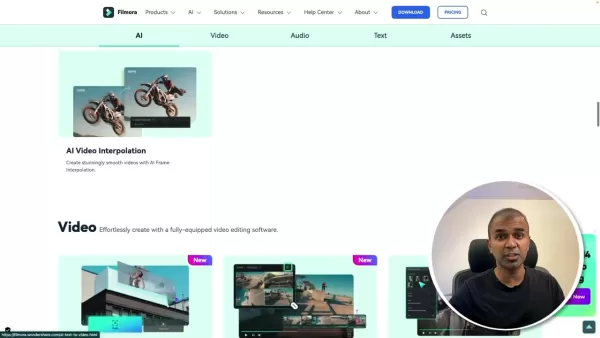 Think of this as your personal AI editor. It analyzes your video in real-time and offers tailored editing suggestions. Need to lighten your video? Just type 'Help me lighten the video,' and the AI will adjust it for you.
 - AI Text-to-Video: Transform your written ideas into captivating video content. Describe your scene, characters, and plot, and let Filmora's AI bring it to life. No more endless searches for stock footage or manual animations—saving you tons of time.
- AI Text-to-Image: Need visuals for your video? Simply describe what you want, and Filmora's AI will generate custom images. From futuristic cityscapes to whimsical characters, it's all at your fingertips.
- AI Music and Sound Effect Generator: The right audio can make or break your video. With Filmora AI, you can create custom music tracks and sound effects that perfectly match your visuals, all with a few simple prompts.
- AI Vocal Remover: Isolate and extract vocals from your videos with precision, ensuring your audio tracks are just right.
AI-Driven Editing Tools: Enhancing Efficiency and Quality
Beyond its core features, Filmora AI offers a variety of AI-driven tools to boost your editing efficiency and video quality:
- Smart Scene Cut:
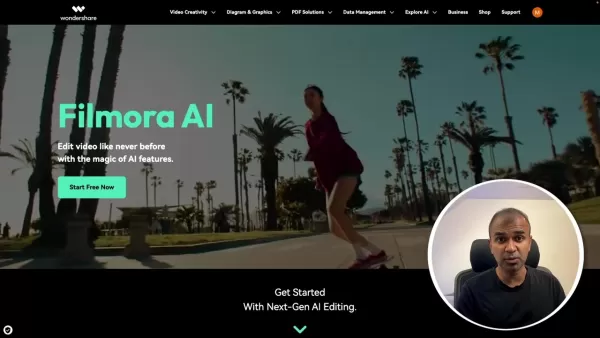 This tool automatically finds and extracts the best parts of your video, so you can focus on what matters most. It's like having an AI editor sift through your footage for you, making your final cut more engaging.
 - Smart Short Clips: Turn long videos into short, shareable clips optimized for social media. Filmora AI identifies key moments, adds music and subtitles, and ensures your clips are ready to go viral.
- AI Portrait Cutout: Remove unwanted objects or change backgrounds easily. The AI detects human figures and lets you swap backgrounds or add effects for a more impactful video.
- AI Video Enhancer: With one click, Filmora AI can enhance your video's clarity and detail, upscaling it to 4K resolution for a professional finish.
Step-by-Step Guide: Creating Videos with Filmora AI
Step 1: Downloading and Installing Filmora AI
Start by heading over to the Wondershare website to download Filmora AI. 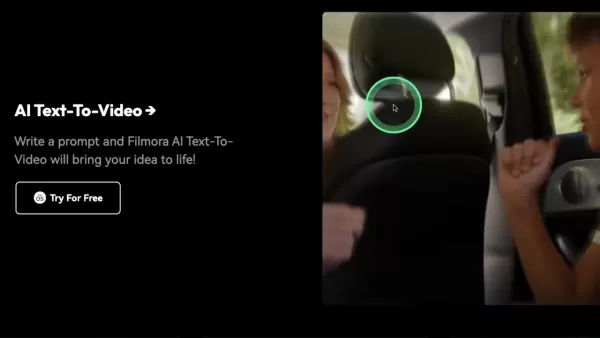 Once downloaded, run the installer and follow the prompts to get it set up on your computer. After installation, open the Filmora application and you're ready to go.
Step 2: Accessing AI Features
When you launch Filmora, click on the Toolbox option. 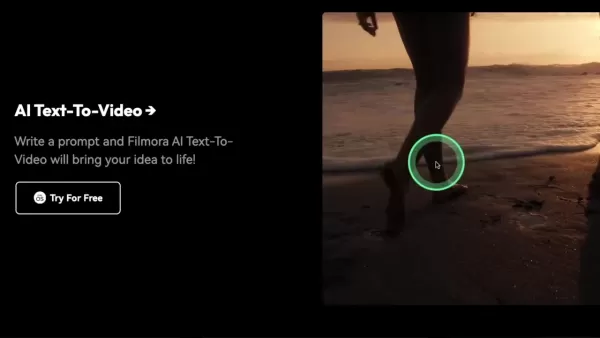 This will open up a world of AI features like Text-to-Video, Text-to-Image, AI Music, and AI Sound Effects.
Step 3: Using AI Text to Video Feature
Once you're in the Toolbox, try out the AI Text to Video feature. Just create a prompt, and watch as Filmora AI turns your idea into a video.
Step 4: Exploring AI Co-Editing
To use AI Co-Editing, click on the AI copilot button on the Filmora screen. It'll help you find and add resources to guide you through editing your video seamlessly.
Pricing for Filmora AI: Flexible Options for Every Creator
Filmora Pricing Options
Filmora offers a range of pricing plans to fit different needs. Here's a quick rundown:
Plan Price Features Monthly Plan $28.98/month Access to Filmora's standard video editing tools and features. Annual Plan $68.98/year (billed annually) All features in the Monthly Plan, plus additional benefits and resources for the entire year. Perpetual License $98.99 (one-time purchase) Lifetime access to Filmora's current version, including all standard features. Bundled Plan $119.99/year (billed annually) Includes Filmora, Filmstock Standard, AI Portrait, and Boris FX Suite.
Keep an eye out for discounts and promotions on the official Filmora website. Pricing and features can change, so it's always a good idea to check the latest details before you buy.
Evaluating Filmora AI: Weighing the Pros and Cons
Pros
- Intuitive AI-powered editing tools.
- Affordable pricing plans.
- Extensive library of templates and effects.
- User-friendly interface.
- Wide range of AI features including Text-to-Video and AI Copilot Editing.
Cons
- Watermark on free trial videos.
- Limited advanced customization options.
- Some AI features may require a stable internet connection.
Frequently Asked Questions about Filmora AI
What are the key features of Filmora AI?
Filmora AI's key features include AI Text to Video, AI Text to Image, AI Sound Effect Generator, AI Music Generator, and AI Co-Editing, along with tools like Smart Scene Cut, Smart Short Clips, and AI Portrait Cutout.
Can Filmora AI generate custom music and sound effects?
Yes, you can create custom royalty-free music and sound effects with Filmora AI by specifying the mood, genre, and duration you want.
How does AI Copilot Editing work in Filmora AI?
AI Copilot Editing analyzes your video in real-time and provides intelligent editing suggestions, helping you streamline your workflow and achieve professional results.
What are the pricing options for Filmora AI?
Filmora AI offers various plans: a monthly plan at $28.98/month, an annual plan at $68.98/year, a perpetual license for $98.99, and a bundled plan at $119.99/year that includes additional software.
Is Filmora AI suitable for beginners?
Absolutely, Filmora AI is designed to be user-friendly, making it perfect for both beginners and experienced editors. Its AI-driven tools make it easy to create professional videos.
Related Questions
What are the advantages of using AI in video editing?
Using AI in video editing has several benefits:
- Increased Efficiency: AI automates time-consuming tasks like scene detection and audio enhancement, saving you time and effort.
- Enhanced Creativity: AI tools can generate unique visuals and audio, sparking new ideas and expanding your creative horizons.
- Improved Quality: AI algorithms automatically enhance video and audio quality, ensuring a polished final product.
- Simplified Workflow: AI-driven features make the editing process smoother for all levels of editors.
- Cost Savings: By automating tasks, AI can reduce the need for manual labor and expensive resources, leading to significant savings.
Overall, AI in video editing helps creators work more efficiently, creatively, and cost-effectively, resulting in better videos with less effort.
Related article
 How to enhance audio with Filmora's AI in 2026? A complete guide for creators.
In today's content-driven world, exceptional audio quality is just as important as stunning visuals. For podcasters, video editors, and creators of all kinds, clear and crisp sound dramatically improves audience engagement and the overall viewing exp
Filmora 14: Revolutionize Video Editing with AI-Powered Tools
Wondershare Filmora 14 introduces a robust set of AI-driven features to simplify and elevate your video editing experience. From novices to experts, these tools empower creators to produce standout vi
Boost Productivity: Enhance Audio with AI Using Filmora
In the bustling world of video content creation, achieving top-notch audio quality isn't just a bonus—it's a necessity. Filmora, a standout in the realm of video editing software,
Related Special Topic Recommendations
Education and Learning
How to enhance audio with Filmora's AI in 2026? A complete guide for creators.
In today's content-driven world, exceptional audio quality is just as important as stunning visuals. For podcasters, video editors, and creators of all kinds, clear and crisp sound dramatically improves audience engagement and the overall viewing exp
Filmora 14: Revolutionize Video Editing with AI-Powered Tools
Wondershare Filmora 14 introduces a robust set of AI-driven features to simplify and elevate your video editing experience. From novices to experts, these tools empower creators to produce standout vi
Boost Productivity: Enhance Audio with AI Using Filmora
In the bustling world of video content creation, achieving top-notch audio quality isn't just a bonus—it's a necessity. Filmora, a standout in the realm of video editing software,
Related Special Topic Recommendations
Education and Learning
 AI Study Tools for Homework and Exam Prep
2026 Latest Best AI Study Tools for Homework and Exam Prep! XIX.AI curates a top-rated list of powerful, game-changing tools that help students boost productivity, streamline homework completion, and ace exams through real-world tests. Get a free vs paid comparison, detailed rankings, and must-try options to unlock your AI edge. Explore now!
 10 tools
 xix.ai
Music composition
AI Vocal Demo Tools for Songwriters, Hooks, Toplines, and Multilingual Draft Sessions
xix.ai
Music composition
AI Vocal Demo Tools for Songwriters, Hooks, Toplines, and Multilingual Draft Sessions
2026 Latest Best AI Vocal Demo Tools for Songwriters, Hook Creators, and Multi-Language Content Teams! XIX.AI has curated a top-rated list of powerful game-changing tools that go through rigorous real-world tests. You’ll find detailed free vs paid comparison data, comprehensive rankings, and must-try options to help you boost writing efficiency and unlock your creative potential. Explore now to discover your perfect tool for all your content needs!
9 tools
xix.ai
Business
Best AI Competitive Research Tools for Small Businesses
2026 Latest Best Top-rated AI Competitive Research Tools for Small Businesses! XIX.AI has curated a highly powerful game-changing collection, updated weekly with rigorous real-world tests and detailed rankings. You can find a comprehensive free vs paid comparison to help you identify the must-try tools that boost your productivity and give you a competitive edge. Explore now to discover your perfect tool!
9 tools
xix.ai
Image editing
Photoshop AI Retouch Tools for Ecommerce Apparel, Skin Cleanup, and Color Consistency
2026 Latest Best Photoshop AI retouch tools for ecommerce apparel, skin cleanup, and color consistency! This top-rated curated list features powerful game-changing solutions that help you boost writing efficiency, streamline content creation, and achieve perfect visual results effortlessly. Each tool has undergone real-world tests through weekly updated rankings, complete with free vs paid comparison details. Backed by XIX.AI, it’s the must-try guide for anyone aiming to unlock your AI edge. Explore now!
10 tools
xix.ai
Prompt
Best AI Prompt Libraries for ChatGPT Workflows
2026 Latest Best Top-Rated AI Prompt Libraries for optimizing all types of ChatGPT workflows. XIX.AI has curated a powerful, game-changing collection that goes through rigorous real-world tests to ensure top performance. You can find detailed free vs paid comparisons and expert rankings to help you choose the must-try tools that boost your productivity and unlock your AI edge. Explore now!
11 tools
xix.ai
Education and Learning
AI Quiz Builder Platforms for Teachers, Tutors, and Cohort-Based Learning Programs
2026 Latest Best AI Quiz Builder Platforms for Teachers, Tutors, and Cohort-Based Learning Programs! XIX.AI has curated a top-rated list of powerful game-changing tools that go through real-world tests to deliver accurate rankings. These must-try platforms help boost writing efficiency, streamline content creation, and simplify quiz design across all learning scenarios. Explore now to discover your perfect tool for unlocking your AI edge in teaching!
13 tools
xix.ai

 Comments (4)
0/500
Comments (4)
0/500
![JuanScott]()
I tried Filmora's AI features last week and honestly, it's like having a tiny robot assistant that actually knows what you want 😂 The auto-reframe saved me hours on a wedding video. But I wonder if relying too much on AI kills the creative instinct? Call me old-fashioned, but sometimes the manual cuts have more soul. Still, for a quick social media clip, this is gold.
![JonathanKing]()
Siempre me ha dado pereza aprender a editar videos, pero tal vez con esta IA ya no tenga excusa 😅 Ahora me preocupa que esas herramientas sean tan buenas que luego nadie quiera contratar editores humanos. Habrá que ver cómo evoluciona el mercado.
![WilliamYoung]()
Boah, KI macht wirklich alles einfacher, oder? Filmora klingt vielversprechend, aber werden solche Tools langfristig den kreativen Prozess verkümmern lassen? Manchmal macht das Selbermachen doch erst den Reiz aus. Trotzdem, für schnelle Projekte bestimmt super hilfreich! 😅
![HarryClark]()
Whoa, AI is really reshaping the creative game! 😲 Just tried Filmora's new AI features and it's wild how easy it is to get pro-level edits now. But honestly, does this mean human editors will get phased out eventually? Mixed feelings about that, but can't deny it's super handy for quick projects! 🤖✂️
Filmora AI is transforming the world of video editing by harnessing the power of Artificial Intelligence to help creators craft professional-quality videos with ease. This innovative tool offers a comprehensive suite of AI-powered features that not only streamline the editing process but also open up a world of creative possibilities. In this guide, we'll dive into what Filmora AI can do, how much it costs, and what it's like to use, giving you all the insights you need to start using Filmora AI like a pro.
Filmora AI: The Next Generation of Video Editing
What is Filmora AI?
Filmora AI is a cutting-edge AI video editing tool designed to make content creation more efficient. It's built to simplify and speed up various editing tasks, making it a game-changer for both beginners and seasoned video editors. With Filmora AI, you can create and edit videos effortlessly, thanks to its smart AI features that save time and enhance your creativity.
This tool lets you generate videos, images, sound effects, and music using simple text prompts, eliminating the need for complex manual work. The AI co-editing feature is like having a personal editing assistant, offering smart suggestions to keep your workflow smooth and your videos looking professional.
Here are some of the key components of Filmora AI:
- AI Text to Video: Turn text prompts into engaging video content with ease.
- AI Text to Image: Create unique images from your text descriptions.
- AI Sound Effect Generator: Craft custom sound effects that fit your video perfectly.
- AI Music Generator: Generate royalty-free music tailored to your video's mood and style.
- AI Co-Editing: Get intelligent editing recommendations to streamline your process.
Core Features of Filmora AI: AI-Powered Creativity
Filmora AI is packed with features that make video editing a breeze. Let's take a closer look at some of its standout tools:
- AI COPILOT Editing: Think of this as your personal AI editor. It analyzes your video in real-time and offers tailored editing suggestions. Need to lighten your video? Just type 'Help me lighten the video,' and the AI will adjust it for you.
- AI Text-to-Video: Transform your written ideas into captivating video content. Describe your scene, characters, and plot, and let Filmora's AI bring it to life. No more endless searches for stock footage or manual animations—saving you tons of time.
- AI Text-to-Image: Need visuals for your video? Simply describe what you want, and Filmora's AI will generate custom images. From futuristic cityscapes to whimsical characters, it's all at your fingertips.
- AI Music and Sound Effect Generator: The right audio can make or break your video. With Filmora AI, you can create custom music tracks and sound effects that perfectly match your visuals, all with a few simple prompts.
- AI Vocal Remover: Isolate and extract vocals from your videos with precision, ensuring your audio tracks are just right.
AI-Driven Editing Tools: Enhancing Efficiency and Quality
Beyond its core features, Filmora AI offers a variety of AI-driven tools to boost your editing efficiency and video quality:
- Smart Scene Cut: This tool automatically finds and extracts the best parts of your video, so you can focus on what matters most. It's like having an AI editor sift through your footage for you, making your final cut more engaging.
- Smart Short Clips: Turn long videos into short, shareable clips optimized for social media. Filmora AI identifies key moments, adds music and subtitles, and ensures your clips are ready to go viral.
- AI Portrait Cutout: Remove unwanted objects or change backgrounds easily. The AI detects human figures and lets you swap backgrounds or add effects for a more impactful video.
- AI Video Enhancer: With one click, Filmora AI can enhance your video's clarity and detail, upscaling it to 4K resolution for a professional finish.
Step-by-Step Guide: Creating Videos with Filmora AI
Step 1: Downloading and Installing Filmora AI
Start by heading over to the Wondershare website to download Filmora AI. Once downloaded, run the installer and follow the prompts to get it set up on your computer. After installation, open the Filmora application and you're ready to go.
Step 2: Accessing AI Features
When you launch Filmora, click on the Toolbox option. This will open up a world of AI features like Text-to-Video, Text-to-Image, AI Music, and AI Sound Effects.
Step 3: Using AI Text to Video Feature
Once you're in the Toolbox, try out the AI Text to Video feature. Just create a prompt, and watch as Filmora AI turns your idea into a video.
Step 4: Exploring AI Co-Editing
To use AI Co-Editing, click on the AI copilot button on the Filmora screen. It'll help you find and add resources to guide you through editing your video seamlessly.
Pricing for Filmora AI: Flexible Options for Every Creator
Filmora Pricing Options
Filmora offers a range of pricing plans to fit different needs. Here's a quick rundown:
| Plan | Price | Features |
|---|---|---|
| Monthly Plan | $28.98/month | Access to Filmora's standard video editing tools and features. |
| Annual Plan | $68.98/year (billed annually) | All features in the Monthly Plan, plus additional benefits and resources for the entire year. |
| Perpetual License | $98.99 (one-time purchase) | Lifetime access to Filmora's current version, including all standard features. |
| Bundled Plan | $119.99/year (billed annually) | Includes Filmora, Filmstock Standard, AI Portrait, and Boris FX Suite. |
Keep an eye out for discounts and promotions on the official Filmora website. Pricing and features can change, so it's always a good idea to check the latest details before you buy.
Evaluating Filmora AI: Weighing the Pros and Cons
Pros
- Intuitive AI-powered editing tools.
- Affordable pricing plans.
- Extensive library of templates and effects.
- User-friendly interface.
- Wide range of AI features including Text-to-Video and AI Copilot Editing.
Cons
- Watermark on free trial videos.
- Limited advanced customization options.
- Some AI features may require a stable internet connection.
Frequently Asked Questions about Filmora AI
What are the key features of Filmora AI?
Filmora AI's key features include AI Text to Video, AI Text to Image, AI Sound Effect Generator, AI Music Generator, and AI Co-Editing, along with tools like Smart Scene Cut, Smart Short Clips, and AI Portrait Cutout.
Can Filmora AI generate custom music and sound effects?
Yes, you can create custom royalty-free music and sound effects with Filmora AI by specifying the mood, genre, and duration you want.
How does AI Copilot Editing work in Filmora AI?
AI Copilot Editing analyzes your video in real-time and provides intelligent editing suggestions, helping you streamline your workflow and achieve professional results.
What are the pricing options for Filmora AI?
Filmora AI offers various plans: a monthly plan at $28.98/month, an annual plan at $68.98/year, a perpetual license for $98.99, and a bundled plan at $119.99/year that includes additional software.
Is Filmora AI suitable for beginners?
Absolutely, Filmora AI is designed to be user-friendly, making it perfect for both beginners and experienced editors. Its AI-driven tools make it easy to create professional videos.
Related Questions
What are the advantages of using AI in video editing?
Using AI in video editing has several benefits:
- Increased Efficiency: AI automates time-consuming tasks like scene detection and audio enhancement, saving you time and effort.
- Enhanced Creativity: AI tools can generate unique visuals and audio, sparking new ideas and expanding your creative horizons.
- Improved Quality: AI algorithms automatically enhance video and audio quality, ensuring a polished final product.
- Simplified Workflow: AI-driven features make the editing process smoother for all levels of editors.
- Cost Savings: By automating tasks, AI can reduce the need for manual labor and expensive resources, leading to significant savings.
Overall, AI in video editing helps creators work more efficiently, creatively, and cost-effectively, resulting in better videos with less effort.







 How to enhance audio with Filmora's AI in 2026? A complete guide for creators.
In today's content-driven world, exceptional audio quality is just as important as stunning visuals. For podcasters, video editors, and creators of all kinds, clear and crisp sound dramatically improves audience engagement and the overall viewing exp
How to enhance audio with Filmora's AI in 2026? A complete guide for creators.
In today's content-driven world, exceptional audio quality is just as important as stunning visuals. For podcasters, video editors, and creators of all kinds, clear and crisp sound dramatically improves audience engagement and the overall viewing exp
 Filmora 14: Revolutionize Video Editing with AI-Powered Tools
Wondershare Filmora 14 introduces a robust set of AI-driven features to simplify and elevate your video editing experience. From novices to experts, these tools empower creators to produce standout vi
Filmora 14: Revolutionize Video Editing with AI-Powered Tools
Wondershare Filmora 14 introduces a robust set of AI-driven features to simplify and elevate your video editing experience. From novices to experts, these tools empower creators to produce standout vi
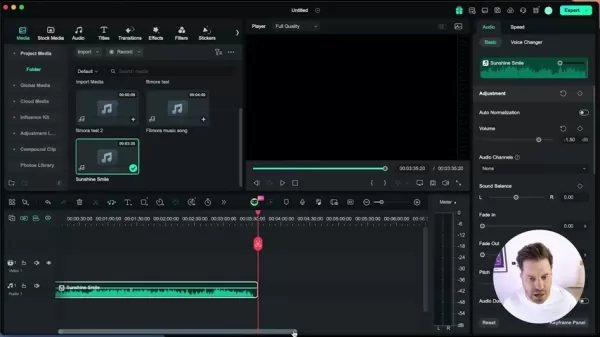 Boost Productivity: Enhance Audio with AI Using Filmora
In the bustling world of video content creation, achieving top-notch audio quality isn't just a bonus—it's a necessity. Filmora, a standout in the realm of video editing software,
Boost Productivity: Enhance Audio with AI Using Filmora
In the bustling world of video content creation, achieving top-notch audio quality isn't just a bonus—it's a necessity. Filmora, a standout in the realm of video editing software,

2026 Latest Best AI Study Tools for Homework and Exam Prep! XIX.AI curates a top-rated list of powerful, game-changing tools that help students boost productivity, streamline homework completion, and ace exams through real-world tests. Get a free vs paid comparison, detailed rankings, and must-try options to unlock your AI edge. Explore now!
10 tools
xix.ai

2026 Latest Best AI Vocal Demo Tools for Songwriters, Hook Creators, and Multi-Language Content Teams! XIX.AI has curated a top-rated list of powerful game-changing tools that go through rigorous real-world tests. You’ll find detailed free vs paid comparison data, comprehensive rankings, and must-try options to help you boost writing efficiency and unlock your creative potential. Explore now to discover your perfect tool for all your content needs!
9 tools
xix.ai

2026 Latest Best Top-rated AI Competitive Research Tools for Small Businesses! XIX.AI has curated a highly powerful game-changing collection, updated weekly with rigorous real-world tests and detailed rankings. You can find a comprehensive free vs paid comparison to help you identify the must-try tools that boost your productivity and give you a competitive edge. Explore now to discover your perfect tool!
9 tools
xix.ai

2026 Latest Best Photoshop AI retouch tools for ecommerce apparel, skin cleanup, and color consistency! This top-rated curated list features powerful game-changing solutions that help you boost writing efficiency, streamline content creation, and achieve perfect visual results effortlessly. Each tool has undergone real-world tests through weekly updated rankings, complete with free vs paid comparison details. Backed by XIX.AI, it’s the must-try guide for anyone aiming to unlock your AI edge. Explore now!
10 tools
xix.ai

2026 Latest Best Top-Rated AI Prompt Libraries for optimizing all types of ChatGPT workflows. XIX.AI has curated a powerful, game-changing collection that goes through rigorous real-world tests to ensure top performance. You can find detailed free vs paid comparisons and expert rankings to help you choose the must-try tools that boost your productivity and unlock your AI edge. Explore now!
11 tools
xix.ai

2026 Latest Best AI Quiz Builder Platforms for Teachers, Tutors, and Cohort-Based Learning Programs! XIX.AI has curated a top-rated list of powerful game-changing tools that go through real-world tests to deliver accurate rankings. These must-try platforms help boost writing efficiency, streamline content creation, and simplify quiz design across all learning scenarios. Explore now to discover your perfect tool for unlocking your AI edge in teaching!
13 tools
xix.ai

I tried Filmora's AI features last week and honestly, it's like having a tiny robot assistant that actually knows what you want 😂 The auto-reframe saved me hours on a wedding video. But I wonder if relying too much on AI kills the creative instinct? Call me old-fashioned, but sometimes the manual cuts have more soul. Still, for a quick social media clip, this is gold.
Siempre me ha dado pereza aprender a editar videos, pero tal vez con esta IA ya no tenga excusa 😅 Ahora me preocupa que esas herramientas sean tan buenas que luego nadie quiera contratar editores humanos. Habrá que ver cómo evoluciona el mercado.
Boah, KI macht wirklich alles einfacher, oder? Filmora klingt vielversprechend, aber werden solche Tools langfristig den kreativen Prozess verkümmern lassen? Manchmal macht das Selbermachen doch erst den Reiz aus. Trotzdem, für schnelle Projekte bestimmt super hilfreich! 😅
Whoa, AI is really reshaping the creative game! 😲 Just tried Filmora's new AI features and it's wild how easy it is to get pro-level edits now. But honestly, does this mean human editors will get phased out eventually? Mixed feelings about that, but can't deny it's super handy for quick projects! 🤖✂️












