


 Home
HomeFilmora 14: Revolutionize Video Editing with AI-Powered Tools
Wondershare Filmora 14 introduces a robust set of AI-driven features to simplify and elevate your video editing experience. From novices to experts, these tools empower creators to produce standout videos effortlessly. This article delves into Filmora 14’s cutting-edge AI capabilities, showcasing their functionality and advantages.
Highlights: Filmora 14 AI Features
AI Translation: Seamlessly translate video audio and subtitles into multiple languages with synchronized lip movements.
AI Subject Isolation: Effortlessly remove video backgrounds and apply creative effects.
AI Audio Optimization: Enhance sound quality by eliminating background noise for crisp audio.
Intelligent Clip Creation: Automatically generate captivating short clips from extended videos.
Dynamic BGM Creation: Instantly add background music tailored to your video’s theme.
Auto Frame Adjustment: Automatically resize videos for various aspect ratios.
Exploring Filmora 14’s AI Innovations
What is Wondershare Filmora 14?
Wondershare Filmora 14 is a versatile video editing platform crafted for both beginners and seasoned editors. Its user-friendly interface and extensive feature set make it ideal for creators of all skill levels. With advanced AI tools, Filmora 14 streamlines the editing process, enabling users to prioritize storytelling and creativity.
Target Audience: Filmora 14 caters to a broad range of users, from hobbyists to professionals.
This editing software is compatible with both Windows and macOS.
The latest version introduces a host of innovative tools, including:
- AI Translation feature
- AI subject isolation
- AI audio optimization
- Intelligent clip creation
- Dynamic BGM creation
- Auto frame adjustment
AI Translation: Expand Your Global Reach
A standout feature of Filmora 14 is its AI Translation tool.
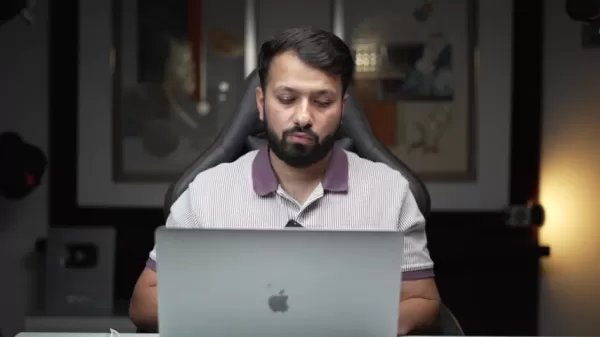
This tool overcomes language barriers, enabling creators to connect with international audiences effortlessly.
AI Translation automatically converts video audio and subtitles into various languages, with lip-sync technology adjusting mouth movements to match the translated audio. This ensures a natural, engaging viewing experience for global audiences.
How to Use AI Translation:
- Import your video into Filmora 14.
- Click the AI Translation icon on the timeline.
- Choose the source and target languages.
- Activate the lip-sync (beta) feature.
- Press “Translate.”
Once translated, you can customize subtitles by adjusting fonts, sizes, colors, and styles to align with your creative vision.
AI Subject Isolation: Simplified Background Removal
The AI Subject Isolation tool revolutionizes background removal, a process that once demanded advanced skills and time. With Filmora 14, you can isolate subjects with a single click.
Using AI, this feature identifies and separates the subject from the background, allowing you to swap in new scenes or apply artistic effects. It’s ideal for crafting compelling content, product demos, or tutorials.
Steps to Use AI Subject Isolation:
- Import your video into Filmora 14.
- Navigate to the “Video” tab in the right panel.
- Select “AI Tools” and activate “AI Subject Isolation.”
- Choose an advanced isolation mode to access templates.
- Refine and enhance your video’s appearance.
After removing the background, you can elevate your video with built-in animation templates or custom background footage.
AI Audio Optimization: Pristine Sound Quality
High-quality audio is essential for professional videos.
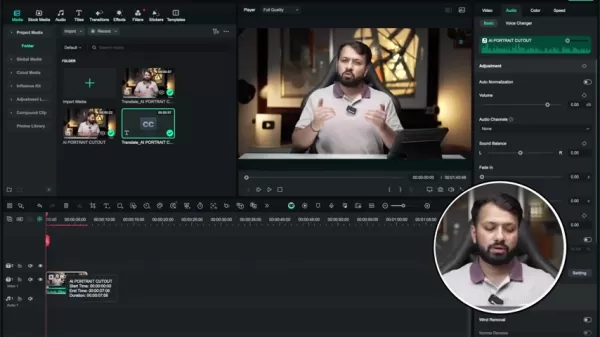
Filmora 14’s AI Audio Optimization tool tackles common audio issues, such as background noise, that can compromise viewer experience.
This feature automatically detects and eliminates unwanted sounds like wind, hums, or hisses, delivering clear, professional audio. It’s especially valuable for vloggers, interviewers, and creators recording in challenging environments.
To use AI Audio Optimization:
- Import your video into Filmora 14.
- Select the video clip on the timeline.
- Go to the “Audio” tab in the right panel.
- Enable the “AI Audio Optimization” toggle.
- Fine-tune clarity and enhancement settings as needed.
AI Audio Optimization is among the innovative features introduced in Wondershare Filmora 14.
Intelligent Clip Creation: Social Media-Ready Content
Producing short, engaging clips from longer videos is critical for platforms like TikTok and Instagram Reels. Filmora 14’s Intelligent Clip Creation tool simplifies this task, enabling rapid content creation for social media.
This AI-driven feature analyzes your video, selects the most compelling segments, and generates shareable short clips automatically. These clips are optimized for social platforms, saving you time and effort.
To create short clips with this feature:
- Open Wondershare Filmora and click on
Related article
 How to enhance audio with Filmora's AI in 2026? A complete guide for creators.
In today's content-driven world, exceptional audio quality is just as important as stunning visuals. For podcasters, video editors, and creators of all kinds, clear and crisp sound dramatically improves audience engagement and the overall viewing exp
Boost Productivity: Enhance Audio with AI Using Filmora
In the bustling world of video content creation, achieving top-notch audio quality isn't just a bonus—it's a necessity. Filmora, a standout in the realm of video editing software,
Filmora AI: Boost Your Creativity with AI-Powered Video Editing
Filmora AI is transforming the world of video editing by harnessing the power of Artificial Intelligence to help creators craft professional-quality videos with ease. This innovative tool offers a comprehensive suite of AI-powered features that not only streamline the editing process but also open u
Related Special Topic Recommendations
Data Analysis
How to enhance audio with Filmora's AI in 2026? A complete guide for creators.
In today's content-driven world, exceptional audio quality is just as important as stunning visuals. For podcasters, video editors, and creators of all kinds, clear and crisp sound dramatically improves audience engagement and the overall viewing exp
Boost Productivity: Enhance Audio with AI Using Filmora
In the bustling world of video content creation, achieving top-notch audio quality isn't just a bonus—it's a necessity. Filmora, a standout in the realm of video editing software,
Filmora AI: Boost Your Creativity with AI-Powered Video Editing
Filmora AI is transforming the world of video editing by harnessing the power of Artificial Intelligence to help creators craft professional-quality videos with ease. This innovative tool offers a comprehensive suite of AI-powered features that not only streamline the editing process but also open u
Related Special Topic Recommendations
Data Analysis
 Best AI Anomaly Detection Tools for KPI Monitoring across SaaS and Ecommerce Teams
2026 Latest Best Top-rated AI Anomaly Detection Tools for KPI Monitoring in SaaS and Ecommerce teams! XIX.AI has curated a powerful, game-changing collection based on rigorous real-world tests and weekly updated rankings. You’ll find detailed free vs paid comparison insights to help you identify the must-try solution that boosts productivity and unlocks your AI edge. Explore now!
 10 tools
 xix.ai
writing
Best AI Outline Generators for Long-Form SEO Articles
xix.ai
writing
Best AI Outline Generators for Long-Form SEO Articles
2026 Latest Best Top-Rated AI Outline Generators for Long-Form SEO Articles, meticulously curated by XIX.AI. These powerful tools offer game-changing assistance in creating high-quality content quickly, boosting writing efficiency significantly. Get a free vs paid comparison along with real-world tests and detailed rankings to help you find the must-try option that suits your needs. Explore now to unlock your AI edge.
8 tools
xix.ai
Education and Learning
AI Study Tools for Homework and Exam Prep
2026 Latest Best AI Study Tools for Homework and Exam Prep! XIX.AI curates a top-rated list of powerful, game-changing tools that help students boost productivity, streamline homework completion, and ace exams through real-world tests. Get a free vs paid comparison, detailed rankings, and must-try options to unlock your AI edge. Explore now!
10 tools
xix.ai
Music composition
AI Vocal Demo Tools for Songwriters, Hooks, Toplines, and Multilingual Draft Sessions
2026 Latest Best AI Vocal Demo Tools for Songwriters, Hook Creators, and Multi-Language Content Teams! XIX.AI has curated a top-rated list of powerful game-changing tools that go through rigorous real-world tests. You’ll find detailed free vs paid comparison data, comprehensive rankings, and must-try options to help you boost writing efficiency and unlock your creative potential. Explore now to discover your perfect tool for all your content needs!
9 tools
xix.ai
Business
Best AI Competitive Research Tools for Small Businesses
2026 Latest Best Top-rated AI Competitive Research Tools for Small Businesses! XIX.AI has curated a highly powerful game-changing collection, updated weekly with rigorous real-world tests and detailed rankings. You can find a comprehensive free vs paid comparison to help you identify the must-try tools that boost your productivity and give you a competitive edge. Explore now to discover your perfect tool!
9 tools
xix.ai
Image editing
Photoshop AI Retouch Tools for Ecommerce Apparel, Skin Cleanup, and Color Consistency
2026 Latest Best Photoshop AI retouch tools for ecommerce apparel, skin cleanup, and color consistency! This top-rated curated list features powerful game-changing solutions that help you boost writing efficiency, streamline content creation, and achieve perfect visual results effortlessly. Each tool has undergone real-world tests through weekly updated rankings, complete with free vs paid comparison details. Backed by XIX.AI, it’s the must-try guide for anyone aiming to unlock your AI edge. Explore now!
10 tools
xix.ai

 Comments (2)
0/500
Comments (2)
0/500
![ScottMartinez]()
Ist es nicht faszinierend, wie KI-Werkzeuge wie in Filmora 14 jetzt selbst Amateuren helfen, professionell aussehende Videos zu erstellen? Manchmal frage ich mich, ob die Kunst des manuellen Schnitts dadurch langsam verloren geht. Aber der Komfort-Faktor ist einfach unwiderstehlich! 😅
![StevenSanchez]()
Filmora 14's AI tools are a game-changer! The Smart Short Clips feature feels like having a personal editor who knows exactly what to cut. Super intuitive for beginners like me, but I wonder how it stacks up against pro software like Premiere Pro for complex projects. 😎
Wondershare Filmora 14 introduces a robust set of AI-driven features to simplify and elevate your video editing experience. From novices to experts, these tools empower creators to produce standout videos effortlessly. This article delves into Filmora 14’s cutting-edge AI capabilities, showcasing their functionality and advantages.
Highlights: Filmora 14 AI Features
AI Translation: Seamlessly translate video audio and subtitles into multiple languages with synchronized lip movements.
AI Subject Isolation: Effortlessly remove video backgrounds and apply creative effects.
AI Audio Optimization: Enhance sound quality by eliminating background noise for crisp audio.
Intelligent Clip Creation: Automatically generate captivating short clips from extended videos.
Dynamic BGM Creation: Instantly add background music tailored to your video’s theme.
Auto Frame Adjustment: Automatically resize videos for various aspect ratios.
Exploring Filmora 14’s AI Innovations
What is Wondershare Filmora 14?
Wondershare Filmora 14 is a versatile video editing platform crafted for both beginners and seasoned editors. Its user-friendly interface and extensive feature set make it ideal for creators of all skill levels. With advanced AI tools, Filmora 14 streamlines the editing process, enabling users to prioritize storytelling and creativity.
Target Audience: Filmora 14 caters to a broad range of users, from hobbyists to professionals.
This editing software is compatible with both Windows and macOS.
The latest version introduces a host of innovative tools, including:
- AI Translation feature
- AI subject isolation
- AI audio optimization
- Intelligent clip creation
- Dynamic BGM creation
- Auto frame adjustment
AI Translation: Expand Your Global Reach
A standout feature of Filmora 14 is its AI Translation tool.
This tool overcomes language barriers, enabling creators to connect with international audiences effortlessly.
AI Translation automatically converts video audio and subtitles into various languages, with lip-sync technology adjusting mouth movements to match the translated audio. This ensures a natural, engaging viewing experience for global audiences.
How to Use AI Translation:
- Import your video into Filmora 14.
- Click the AI Translation icon on the timeline.
- Choose the source and target languages.
- Activate the lip-sync (beta) feature.
- Press “Translate.”
Once translated, you can customize subtitles by adjusting fonts, sizes, colors, and styles to align with your creative vision.
AI Subject Isolation: Simplified Background Removal
The AI Subject Isolation tool revolutionizes background removal, a process that once demanded advanced skills and time. With Filmora 14, you can isolate subjects with a single click.
Using AI, this feature identifies and separates the subject from the background, allowing you to swap in new scenes or apply artistic effects. It’s ideal for crafting compelling content, product demos, or tutorials.
Steps to Use AI Subject Isolation:
- Import your video into Filmora 14.
- Navigate to the “Video” tab in the right panel.
- Select “AI Tools” and activate “AI Subject Isolation.”
- Choose an advanced isolation mode to access templates.
- Refine and enhance your video’s appearance.
After removing the background, you can elevate your video with built-in animation templates or custom background footage.
AI Audio Optimization: Pristine Sound Quality
High-quality audio is essential for professional videos.
Filmora 14’s AI Audio Optimization tool tackles common audio issues, such as background noise, that can compromise viewer experience.
This feature automatically detects and eliminates unwanted sounds like wind, hums, or hisses, delivering clear, professional audio. It’s especially valuable for vloggers, interviewers, and creators recording in challenging environments.
To use AI Audio Optimization:
- Import your video into Filmora 14.
- Select the video clip on the timeline.
- Go to the “Audio” tab in the right panel.
- Enable the “AI Audio Optimization” toggle.
- Fine-tune clarity and enhancement settings as needed.
AI Audio Optimization is among the innovative features introduced in Wondershare Filmora 14.
Intelligent Clip Creation: Social Media-Ready Content
Producing short, engaging clips from longer videos is critical for platforms like TikTok and Instagram Reels. Filmora 14’s Intelligent Clip Creation tool simplifies this task, enabling rapid content creation for social media.
This AI-driven feature analyzes your video, selects the most compelling segments, and generates shareable short clips automatically. These clips are optimized for social platforms, saving you time and effort.
To create short clips with this feature:
- Open Wondershare Filmora and click on







 How to enhance audio with Filmora's AI in 2026? A complete guide for creators.
In today's content-driven world, exceptional audio quality is just as important as stunning visuals. For podcasters, video editors, and creators of all kinds, clear and crisp sound dramatically improves audience engagement and the overall viewing exp
How to enhance audio with Filmora's AI in 2026? A complete guide for creators.
In today's content-driven world, exceptional audio quality is just as important as stunning visuals. For podcasters, video editors, and creators of all kinds, clear and crisp sound dramatically improves audience engagement and the overall viewing exp
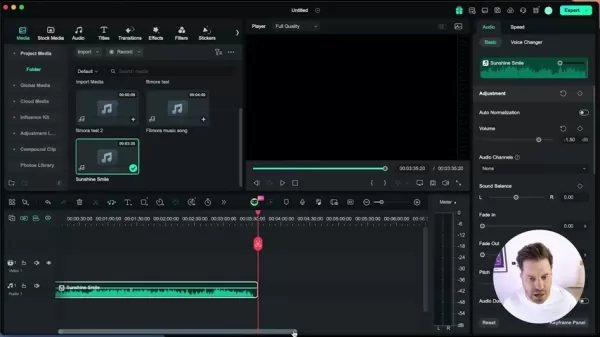 Boost Productivity: Enhance Audio with AI Using Filmora
In the bustling world of video content creation, achieving top-notch audio quality isn't just a bonus—it's a necessity. Filmora, a standout in the realm of video editing software,
Boost Productivity: Enhance Audio with AI Using Filmora
In the bustling world of video content creation, achieving top-notch audio quality isn't just a bonus—it's a necessity. Filmora, a standout in the realm of video editing software,
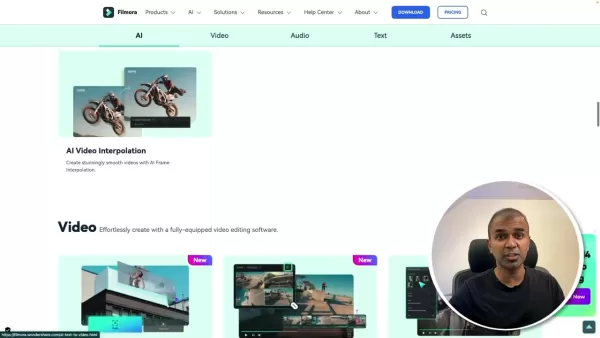 Filmora AI: Boost Your Creativity with AI-Powered Video Editing
Filmora AI is transforming the world of video editing by harnessing the power of Artificial Intelligence to help creators craft professional-quality videos with ease. This innovative tool offers a comprehensive suite of AI-powered features that not only streamline the editing process but also open u
Filmora AI: Boost Your Creativity with AI-Powered Video Editing
Filmora AI is transforming the world of video editing by harnessing the power of Artificial Intelligence to help creators craft professional-quality videos with ease. This innovative tool offers a comprehensive suite of AI-powered features that not only streamline the editing process but also open u

2026 Latest Best Top-rated AI Anomaly Detection Tools for KPI Monitoring in SaaS and Ecommerce teams! XIX.AI has curated a powerful, game-changing collection based on rigorous real-world tests and weekly updated rankings. You’ll find detailed free vs paid comparison insights to help you identify the must-try solution that boosts productivity and unlocks your AI edge. Explore now!
10 tools
xix.ai

2026 Latest Best Top-Rated AI Outline Generators for Long-Form SEO Articles, meticulously curated by XIX.AI. These powerful tools offer game-changing assistance in creating high-quality content quickly, boosting writing efficiency significantly. Get a free vs paid comparison along with real-world tests and detailed rankings to help you find the must-try option that suits your needs. Explore now to unlock your AI edge.
8 tools
xix.ai

2026 Latest Best AI Study Tools for Homework and Exam Prep! XIX.AI curates a top-rated list of powerful, game-changing tools that help students boost productivity, streamline homework completion, and ace exams through real-world tests. Get a free vs paid comparison, detailed rankings, and must-try options to unlock your AI edge. Explore now!
10 tools
xix.ai

2026 Latest Best AI Vocal Demo Tools for Songwriters, Hook Creators, and Multi-Language Content Teams! XIX.AI has curated a top-rated list of powerful game-changing tools that go through rigorous real-world tests. You’ll find detailed free vs paid comparison data, comprehensive rankings, and must-try options to help you boost writing efficiency and unlock your creative potential. Explore now to discover your perfect tool for all your content needs!
9 tools
xix.ai

2026 Latest Best Top-rated AI Competitive Research Tools for Small Businesses! XIX.AI has curated a highly powerful game-changing collection, updated weekly with rigorous real-world tests and detailed rankings. You can find a comprehensive free vs paid comparison to help you identify the must-try tools that boost your productivity and give you a competitive edge. Explore now to discover your perfect tool!
9 tools
xix.ai

2026 Latest Best Photoshop AI retouch tools for ecommerce apparel, skin cleanup, and color consistency! This top-rated curated list features powerful game-changing solutions that help you boost writing efficiency, streamline content creation, and achieve perfect visual results effortlessly. Each tool has undergone real-world tests through weekly updated rankings, complete with free vs paid comparison details. Backed by XIX.AI, it’s the must-try guide for anyone aiming to unlock your AI edge. Explore now!
10 tools
xix.ai

Ist es nicht faszinierend, wie KI-Werkzeuge wie in Filmora 14 jetzt selbst Amateuren helfen, professionell aussehende Videos zu erstellen? Manchmal frage ich mich, ob die Kunst des manuellen Schnitts dadurch langsam verloren geht. Aber der Komfort-Faktor ist einfach unwiderstehlich! 😅
Filmora 14's AI tools are a game-changer! The Smart Short Clips feature feels like having a personal editor who knows exactly what to cut. Super intuitive for beginners like me, but I wonder how it stacks up against pro software like Premiere Pro for complex projects. 😎












