


 Home
HomeYouTube Content Strategy: How to Design Thumbnails for Maximum Reach
On YouTube, your thumbnail acts as the all-important first impression. A powerful, eye-catching thumbnail can be the deciding factor between a video's success and failure, significantly boosting clicks and viewership. This guide examines the essential strategies, tools, and design features required to produce thumbnails that grab attention and convert viewers, thereby maximizing your content's reach and impact. You will find practical steps and insights to enhance your YouTube presence through effective visual storytelling.
Key Points
Thumbnails are vital for capturing viewer interest on YouTube.
An effective YouTube thumbnail requires attention-grabbing designs and compelling elements.
Selecting the appropriate tools can streamline the process of creating thumbnails.
A/B testing is instrumental in discovering which thumbnail designs connect most with your audience.
A consistent brand identity fosters recognition and helps retain subscribers.
Optimizing thumbnails for various devices guarantees they always appear as intended.
Creating High-Impact YouTube Thumbnails
The Importance of Effective Thumbnails on YouTube
A thumbnail is frequently the initial point of contact for viewers on YouTube
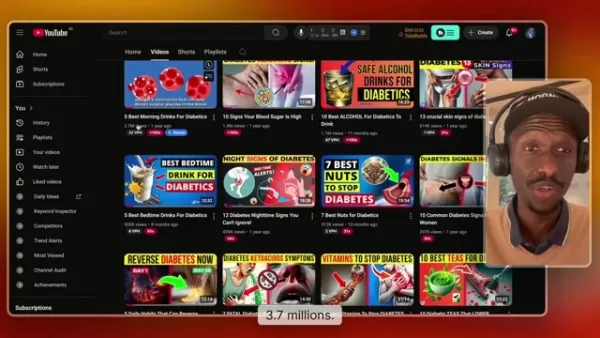
. Its primary role is to instantly capture attention and entice a click. A skillfully crafted thumbnail functions as a miniature advertisement for your video, conveying its subject matter and value proposition. High-performing thumbnails are fundamental for increasing views, engagement, and the overall growth of your channel.
A great thumbnail succinctly communicates the video's core message, offering a glimpse of what viewers can expect. It plays a key role in establishing the video's atmosphere and building anticipation. By employing clear imagery, persuasive text, and a uniform style, your thumbnails can evolve into a recognizable component of your brand identity.
To achieve the greatest reach and effect, prioritize developing thumbnails that are not just visually attractive but also fine-tuned for search and discovery. These components, when integrated, markedly improve your YouTube channel's visibility and audience engagement, paving the way for sustainable growth and monetization. This methodology ensures every video has the optimal opportunity to attract a broad audience and stimulate meaningful interaction. Utilize the design principles and tools detailed in the subsequent sections to perfect your approach.
Key Design Elements of High-Performing Thumbnails
Designing thumbnails that generate clicks incorporates several crucial design elements. These features work in concert to make your thumbnail stand out while faithfully representing your video's content.
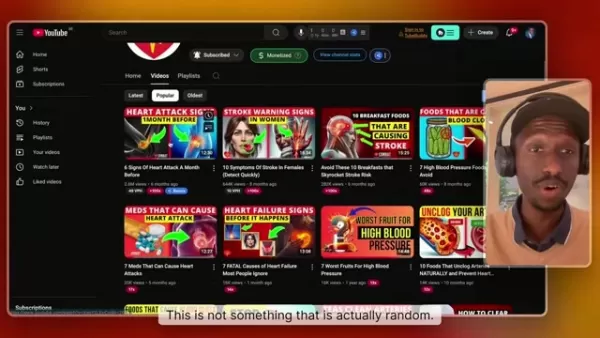
Let's examine them in detail:
- Compelling Visuals: Utilize high-resolution images or striking graphics. Think about integrating dynamic compositions or action shots to engage viewers.
- Clear Text: Include brief, easily readable text that emphasizes the video's primary subject. Opt for fonts and colors that stand out clearly against the background.
- Branding: Uphold a consistent brand style to help your audience quickly identify your videos. Incorporate your brand's colors, logos, or signature design features to achieve a unified appearance.
- Consistency is crucial, but also ensure all your primary keywords are visible within the thumbnail.
Tools for Creating YouTube Thumbnails
Essential Thumbnail Creation Platforms
Creating effective thumbnails becomes far more manageable with the proper tools. These platforms offer a variety of features to help you design thumbnails that command attention. Here are some of the top choices:
- Canva: An intuitive design platform offering an extensive library of templates, graphics, and fonts. Canva makes the design workflow straightforward for users at any experience level.
- TubeBuddy: A YouTube-certified application that includes advanced capabilities for A/B testing thumbnails and analyzing their performance.
- Midjourney: An AI-driven art generator that produces distinctive, captivating images from text descriptions, enabling the creation of unique visuals.
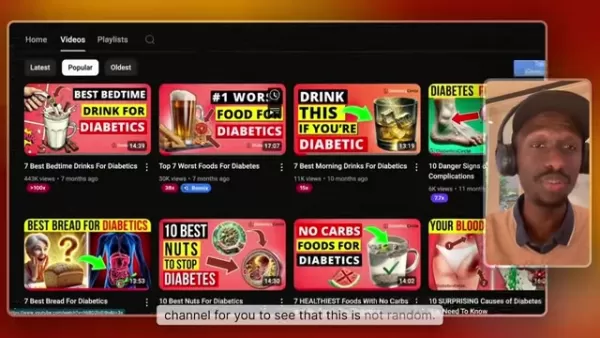
These tools not only make the design process more efficient but also offer valuable feedback on what makes a thumbnail work. Whether you prioritize simplicity, in-depth analytics, or AI-powered innovation, there is a platform suited to your thumbnail design requirements.
Practical Steps for Creating Effective Thumbnails
Step 1: Gathering and Preparing Visual Assets
The cornerstone of an outstanding thumbnail is a collection of high-quality visual assets. Source high-resolution images that precisely reflect your video's subject matter. This could include choosing key screenshots from the video itself or obtaining pertinent graphics and photos from stock libraries.
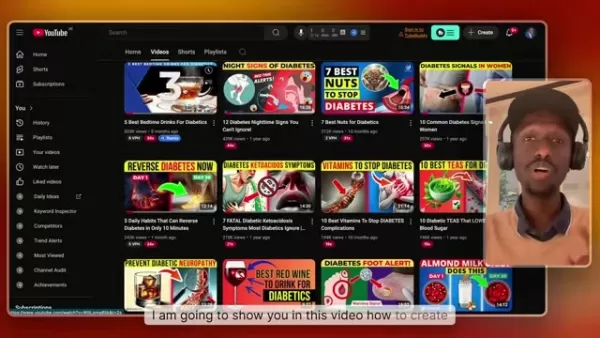
Make sure these visuals are sharp, properly exposed, and free from clutter.
To locate these assets, you can browse free stock photo sites such as Unsplash or Pexels. For screenshots, use your video editing software to capture crisp frames. Remember to optimize these images to preserve their quality while minimizing file size for rapid loading. Beginning with strong visual components lays the groundwork for a compelling and clickable thumbnail.
Step 2: Designing and Assembling Your Thumbnail
After collecting your visual assets, the next stage is to design and construct your thumbnail. Using applications like Canva or Adobe Photoshop, start organizing the elements to form an engaging visual arrangement.

Strategically place the most important components to seize attention without overcrowding the design.
Begin by setting the canvas to the standard YouTube thumbnail aspect ratio of 1280x720 pixels. Place your primary image as the central focal point. Add text that is legible and summarizes the video's main focus. Test different font styles, color combinations, and graphic elements to achieve a look that is both consistent with your brand and appropriate for your content.
To maintain viewer interest, use visuals that trigger an emotional response. These aspects can greatly increase your click-through rates.
Step 3: Optimizing and Testing Your Thumbnails
The last step involves fine-tuning your thumbnail and evaluating its performance. Prior to uploading, confirm that the file size is below 2MB to comply with YouTube's specifications. Employ compression tools like TinyPNG to reduce file size without compromising on visual fidelity.
Once the thumbnail is live, track its performance via YouTube Analytics. Keep a close eye on the click-through rate (CTR) to assess its effectiveness in drawing viewers.
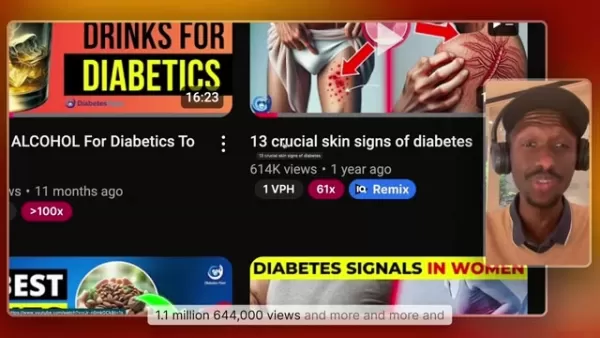
Should the CTR be unsatisfactory, initiate A/B tests with alternative thumbnail designs. Try out different imagery, text positions, and color palettes to identify what your audience prefers most. Consistent refinement based on actual performance metrics is essential for maximizing your thumbnails' effectiveness.
By adhering to these steps, you can craft persuasive thumbnails that not only capture interest but also truthfully depict your video, resulting in more views, heightened engagement, and improved performance on YouTube.
Pros and Cons of Different Thumbnail Design Approaches
Pros
Consistent Branding: Strengthens brand awareness.
High Engagement: Attracts dedicated followers of your channel.
Clear Expectations: Establishes a familiar tone for your content.
Cons
Risk of Repetition: Can lead to viewer boredom if the style is not varied periodically.
Limited Creativity: Might hinder your ability to try out new and different design trends.
Narrow Appeal: Could potentially fail to attract new viewers who are not already familiar with your channel's style.
Frequently Asked Questions About Creating YouTube Thumbnails
What size should my YouTube thumbnail be?
The ideal dimensions for a YouTube thumbnail are 1280x720 pixels. This size guarantees a sharp, professional appearance across all screens. Additionally, the file size should be kept under 2MB to align with YouTube's guidelines. If you are unsure how to accomplish this, a quick online search will provide the necessary guidance.
What makes a good YouTube thumbnail?
An effective YouTube thumbnail combines a high-quality, relevant image with bold, easily readable text to attract clicks. The optimal method is to understand and apply proven techniques to enhance your thumbnails. Many different strategies are available to explore. While good design is beneficial, the most effective long-term strategy is to consistently iterate and improve your thumbnails with each new upload, learning what specifically resonates with your viewership.
Should I use my face in thumbnails?
Including your face can foster a stronger personal connection with your audience, but it may be off-putting if not executed professionally. The decision ultimately hinges on your target demographic. What appeals to them is the most critical factor, as they are the ones deciding whether or not to click.
How can I test different thumbnail designs?
You can test various thumbnail designs through A/B testing using a tool like TubeBuddy. This allows you to compare different versions and determine which one yields the best results for your channel.
Related Questions
How can I boost my YouTube channel growth?
Accelerating the growth of your YouTube channel requires a multi-faceted approach, focusing on content optimization and audience interaction. Here is a closer examination of the key tactics: Niche Selection: Choosing a well-defined niche allows you to focus on a specific, interested audience. Leverage tools like MorningFame to research and validate your niche, ensuring it matches your passion and knowledge. Content Quality and Consistency: Create valuable, high-production videos for your viewers. Maintain a reliable upload schedule to keep your audience engaged and encourage repeat visits. Consistency fosters reliability and keeps your channel active in viewers' minds. Optimize Video SEO: Enhance your videos' discoverability by carefully crafting titles, descriptions, and tags. Incorporate relevant keywords to draw more organic search traffic. Knowing the principles of video ranking is essential. Effective Thumbnails: As emphasized in this guide, thumbnails are paramount for generating clicks. Ensure your thumbnails are distinctive and truthfully represent the video's content. Engage with Your Audience: Reply to comments, solicit feedback, and cultivate a community spirit. Develop content based on your audience's preferences and interests. Collaborate with Others: Work with fellow creators to tap into new viewer bases. Promote each other's content to widen your channel's exposure. Analyze and Adapt: Use YouTube Analytics to monitor video performance and understand audience preferences. Continuously refine your strategy based on these insights to foster steady channel improvement. By concentrating on these fundamental areas, you can substantially accelerate your YouTube channel's growth, draw in more viewers, and establish a dedicated subscriber community.
Related article
 How to fix Core Web Vitals for better SEO rankings
How to Build a Free Website: Free Domain, Hosting & AI Website BuilderTable of ContentsIntroductionAI Website Builder 1: Hookous AIStep 1: Sign UpStep 2: Choose Business Type/NicheStep 3: Select ServicesStep 4: Define Website GoalsStep 5: Enter Busin
Apple, Google Partner With Anthropic to Address 27-Year-Old Vulnerability via Glass Wing Protection
As artificial intelligence advances rapidly in code generation and logical reasoning, the cybersecurity landscape faces unprecedented challenges. Recently, the prominent AI startup Anthropic officially launched a cross-industry collaboration called *
OpenAI Chief Scientist Addresses AI Reasoning Transparency Debate: Complexity Steady, No Sudden Jump
On September 2, Jakub Pachocki, OpenAI’s Chief Scientist, addressed public concerns on X regarding the AI model Astra, clarifying claims that it operates without oversight and lacks transparent reasoning.Why the Controversy Erupted: Deep Recurrence O
Related Special Topic Recommendations
Text-to-speech
How to fix Core Web Vitals for better SEO rankings
How to Build a Free Website: Free Domain, Hosting & AI Website BuilderTable of ContentsIntroductionAI Website Builder 1: Hookous AIStep 1: Sign UpStep 2: Choose Business Type/NicheStep 3: Select ServicesStep 4: Define Website GoalsStep 5: Enter Busin
Apple, Google Partner With Anthropic to Address 27-Year-Old Vulnerability via Glass Wing Protection
As artificial intelligence advances rapidly in code generation and logical reasoning, the cybersecurity landscape faces unprecedented challenges. Recently, the prominent AI startup Anthropic officially launched a cross-industry collaboration called *
OpenAI Chief Scientist Addresses AI Reasoning Transparency Debate: Complexity Steady, No Sudden Jump
On September 2, Jakub Pachocki, OpenAI’s Chief Scientist, addressed public concerns on X regarding the AI model Astra, clarifying claims that it operates without oversight and lacks transparent reasoning.Why the Controversy Erupted: Deep Recurrence O
Related Special Topic Recommendations
Text-to-speech
 Best AI Text to Speech Tools for Online Courses
2026 Latest Best Top-rated AI Text to Speech Tools for Online Courses are curated by XIX.AI based on rigorous real-world tests and weekly updated rankings. These powerful tools help creators deliver crystal-clear audio content effortlessly, boosting writing efficiency and streamlining course production. Check out the free vs paid comparison to find your perfect fit. Explore now to unlock your AI edge in online education.
 10 tools
 xix.ai
writing
AI Blog Title Tools for Higher Click Through Rates
xix.ai
writing
AI Blog Title Tools for Higher Click Through Rates
2026 Latest Best Top-Rated AI Blog Title Tools for Higher Click Through Rates! XIX.AI has carefully curated a powerful, game-changing collection of top tools that go through rigorous real-world tests. You’ll find a free vs paid comparison, weekly updated rankings, and detailed insights to help you boost your blog’s traffic efficiently. Must-try options are highlighted to help you unlock your AI edge. Explore now!
10 tools
xix.ai
automation
Best AI Task Routing Tools for Support Workflows
2026 Latest Best Top-rated AI Task Routing Tools for Support Workflows! XIX.AI has curated a highly powerful game-changing collection of must-try solutions, all undergoing rigorous real-world tests and updated weekly. These tools streamline workflows, boost productivity, and help teams deliver faster, more efficient support. Explore now to discover your perfect tool and unlock your AI edge!
17 tools
xix.ai
Academic Research
AI Citation and Paper Summary Tools
2026 Latest Best Top-Rated AI Citation and Paper Summary Tools Curated by XIX.AI. Get powerful game-changing solutions for quick content creation, improved writing efficiency, and boosting productivity. We offer a free vs paid comparison along with real-world tests and weekly updated rankings to help you find the must-try tool that fits your needs perfectly. Explore now to Unlock your AI edge.
10 tools
xix.ai
Productivity
Best AI Productivity Tools for Daily Work
2026 Latest Best Top-Rated AI Productivity Tools for Daily Work! XIX.AI has curated a powerful, game-changing selection based on rigorous weekly updated rankings and real-world tests. You’ll find must-try options that boost writing efficiency, streamline content creation, and help you overcome daily work challenges. Get a free vs paid comparison to find the perfect fit for your needs. Explore now to unlock your AI edge!
9 tools
xix.ai
Academic Research
AI Systematic Review Tools for Research Screening
2026 Latest Best Top-Rated AI Systematic Review Tools for Research Screening are here on XIX.AI! This curated collection includes powerful, game-changing solutions that go through rigorous real-world tests to deliver accurate results. We also offer a free vs paid comparison along with weekly updated rankings to help you find the must-try option that boosts your research efficiency significantly. Explore now to unlock your AI edge in academic work!
11 tools
xix.ai

 Comments (0)
0/500
Comments (0)
0/500
On YouTube, your thumbnail acts as the all-important first impression. A powerful, eye-catching thumbnail can be the deciding factor between a video's success and failure, significantly boosting clicks and viewership. This guide examines the essential strategies, tools, and design features required to produce thumbnails that grab attention and convert viewers, thereby maximizing your content's reach and impact. You will find practical steps and insights to enhance your YouTube presence through effective visual storytelling.
Key Points
Thumbnails are vital for capturing viewer interest on YouTube.
An effective YouTube thumbnail requires attention-grabbing designs and compelling elements.
Selecting the appropriate tools can streamline the process of creating thumbnails.
A/B testing is instrumental in discovering which thumbnail designs connect most with your audience.
A consistent brand identity fosters recognition and helps retain subscribers.
Optimizing thumbnails for various devices guarantees they always appear as intended.
Creating High-Impact YouTube Thumbnails
The Importance of Effective Thumbnails on YouTube
A thumbnail is frequently the initial point of contact for viewers on YouTube
. Its primary role is to instantly capture attention and entice a click. A skillfully crafted thumbnail functions as a miniature advertisement for your video, conveying its subject matter and value proposition. High-performing thumbnails are fundamental for increasing views, engagement, and the overall growth of your channel.
A great thumbnail succinctly communicates the video's core message, offering a glimpse of what viewers can expect. It plays a key role in establishing the video's atmosphere and building anticipation. By employing clear imagery, persuasive text, and a uniform style, your thumbnails can evolve into a recognizable component of your brand identity.
To achieve the greatest reach and effect, prioritize developing thumbnails that are not just visually attractive but also fine-tuned for search and discovery. These components, when integrated, markedly improve your YouTube channel's visibility and audience engagement, paving the way for sustainable growth and monetization. This methodology ensures every video has the optimal opportunity to attract a broad audience and stimulate meaningful interaction. Utilize the design principles and tools detailed in the subsequent sections to perfect your approach.
Key Design Elements of High-Performing Thumbnails
Designing thumbnails that generate clicks incorporates several crucial design elements. These features work in concert to make your thumbnail stand out while faithfully representing your video's content.
Let's examine them in detail:
- Compelling Visuals: Utilize high-resolution images or striking graphics. Think about integrating dynamic compositions or action shots to engage viewers.
- Clear Text: Include brief, easily readable text that emphasizes the video's primary subject. Opt for fonts and colors that stand out clearly against the background.
- Branding: Uphold a consistent brand style to help your audience quickly identify your videos. Incorporate your brand's colors, logos, or signature design features to achieve a unified appearance.
- Consistency is crucial, but also ensure all your primary keywords are visible within the thumbnail.
Tools for Creating YouTube Thumbnails
Essential Thumbnail Creation Platforms
Creating effective thumbnails becomes far more manageable with the proper tools. These platforms offer a variety of features to help you design thumbnails that command attention. Here are some of the top choices:
- Canva: An intuitive design platform offering an extensive library of templates, graphics, and fonts. Canva makes the design workflow straightforward for users at any experience level.
- TubeBuddy: A YouTube-certified application that includes advanced capabilities for A/B testing thumbnails and analyzing their performance.
- Midjourney: An AI-driven art generator that produces distinctive, captivating images from text descriptions, enabling the creation of unique visuals.
These tools not only make the design process more efficient but also offer valuable feedback on what makes a thumbnail work. Whether you prioritize simplicity, in-depth analytics, or AI-powered innovation, there is a platform suited to your thumbnail design requirements.
Practical Steps for Creating Effective Thumbnails
Step 1: Gathering and Preparing Visual Assets
The cornerstone of an outstanding thumbnail is a collection of high-quality visual assets. Source high-resolution images that precisely reflect your video's subject matter. This could include choosing key screenshots from the video itself or obtaining pertinent graphics and photos from stock libraries.
Make sure these visuals are sharp, properly exposed, and free from clutter.
To locate these assets, you can browse free stock photo sites such as Unsplash or Pexels. For screenshots, use your video editing software to capture crisp frames. Remember to optimize these images to preserve their quality while minimizing file size for rapid loading. Beginning with strong visual components lays the groundwork for a compelling and clickable thumbnail.
Step 2: Designing and Assembling Your Thumbnail
After collecting your visual assets, the next stage is to design and construct your thumbnail. Using applications like Canva or Adobe Photoshop, start organizing the elements to form an engaging visual arrangement.
Strategically place the most important components to seize attention without overcrowding the design.
Begin by setting the canvas to the standard YouTube thumbnail aspect ratio of 1280x720 pixels. Place your primary image as the central focal point. Add text that is legible and summarizes the video's main focus. Test different font styles, color combinations, and graphic elements to achieve a look that is both consistent with your brand and appropriate for your content.
To maintain viewer interest, use visuals that trigger an emotional response. These aspects can greatly increase your click-through rates.
Step 3: Optimizing and Testing Your Thumbnails
The last step involves fine-tuning your thumbnail and evaluating its performance. Prior to uploading, confirm that the file size is below 2MB to comply with YouTube's specifications. Employ compression tools like TinyPNG to reduce file size without compromising on visual fidelity.
Once the thumbnail is live, track its performance via YouTube Analytics. Keep a close eye on the click-through rate (CTR) to assess its effectiveness in drawing viewers.
Should the CTR be unsatisfactory, initiate A/B tests with alternative thumbnail designs. Try out different imagery, text positions, and color palettes to identify what your audience prefers most. Consistent refinement based on actual performance metrics is essential for maximizing your thumbnails' effectiveness.
By adhering to these steps, you can craft persuasive thumbnails that not only capture interest but also truthfully depict your video, resulting in more views, heightened engagement, and improved performance on YouTube.
Pros and Cons of Different Thumbnail Design Approaches
Pros
Consistent Branding: Strengthens brand awareness.
High Engagement: Attracts dedicated followers of your channel.
Clear Expectations: Establishes a familiar tone for your content.
Cons
Risk of Repetition: Can lead to viewer boredom if the style is not varied periodically.
Limited Creativity: Might hinder your ability to try out new and different design trends.
Narrow Appeal: Could potentially fail to attract new viewers who are not already familiar with your channel's style.
Frequently Asked Questions About Creating YouTube Thumbnails
What size should my YouTube thumbnail be?
The ideal dimensions for a YouTube thumbnail are 1280x720 pixels. This size guarantees a sharp, professional appearance across all screens. Additionally, the file size should be kept under 2MB to align with YouTube's guidelines. If you are unsure how to accomplish this, a quick online search will provide the necessary guidance.
What makes a good YouTube thumbnail?
An effective YouTube thumbnail combines a high-quality, relevant image with bold, easily readable text to attract clicks. The optimal method is to understand and apply proven techniques to enhance your thumbnails. Many different strategies are available to explore. While good design is beneficial, the most effective long-term strategy is to consistently iterate and improve your thumbnails with each new upload, learning what specifically resonates with your viewership.
Should I use my face in thumbnails?
Including your face can foster a stronger personal connection with your audience, but it may be off-putting if not executed professionally. The decision ultimately hinges on your target demographic. What appeals to them is the most critical factor, as they are the ones deciding whether or not to click.
How can I test different thumbnail designs?
You can test various thumbnail designs through A/B testing using a tool like TubeBuddy. This allows you to compare different versions and determine which one yields the best results for your channel.
Related Questions
How can I boost my YouTube channel growth?
Accelerating the growth of your YouTube channel requires a multi-faceted approach, focusing on content optimization and audience interaction. Here is a closer examination of the key tactics: Niche Selection: Choosing a well-defined niche allows you to focus on a specific, interested audience. Leverage tools like MorningFame to research and validate your niche, ensuring it matches your passion and knowledge. Content Quality and Consistency: Create valuable, high-production videos for your viewers. Maintain a reliable upload schedule to keep your audience engaged and encourage repeat visits. Consistency fosters reliability and keeps your channel active in viewers' minds. Optimize Video SEO: Enhance your videos' discoverability by carefully crafting titles, descriptions, and tags. Incorporate relevant keywords to draw more organic search traffic. Knowing the principles of video ranking is essential. Effective Thumbnails: As emphasized in this guide, thumbnails are paramount for generating clicks. Ensure your thumbnails are distinctive and truthfully represent the video's content. Engage with Your Audience: Reply to comments, solicit feedback, and cultivate a community spirit. Develop content based on your audience's preferences and interests. Collaborate with Others: Work with fellow creators to tap into new viewer bases. Promote each other's content to widen your channel's exposure. Analyze and Adapt: Use YouTube Analytics to monitor video performance and understand audience preferences. Continuously refine your strategy based on these insights to foster steady channel improvement. By concentrating on these fundamental areas, you can substantially accelerate your YouTube channel's growth, draw in more viewers, and establish a dedicated subscriber community.








 How to fix Core Web Vitals for better SEO rankings
How to Build a Free Website: Free Domain, Hosting & AI Website BuilderTable of ContentsIntroductionAI Website Builder 1: Hookous AIStep 1: Sign UpStep 2: Choose Business Type/NicheStep 3: Select ServicesStep 4: Define Website GoalsStep 5: Enter Busin
How to fix Core Web Vitals for better SEO rankings
How to Build a Free Website: Free Domain, Hosting & AI Website BuilderTable of ContentsIntroductionAI Website Builder 1: Hookous AIStep 1: Sign UpStep 2: Choose Business Type/NicheStep 3: Select ServicesStep 4: Define Website GoalsStep 5: Enter Busin
 Apple, Google Partner With Anthropic to Address 27-Year-Old Vulnerability via Glass Wing Protection
As artificial intelligence advances rapidly in code generation and logical reasoning, the cybersecurity landscape faces unprecedented challenges. Recently, the prominent AI startup Anthropic officially launched a cross-industry collaboration called *
Apple, Google Partner With Anthropic to Address 27-Year-Old Vulnerability via Glass Wing Protection
As artificial intelligence advances rapidly in code generation and logical reasoning, the cybersecurity landscape faces unprecedented challenges. Recently, the prominent AI startup Anthropic officially launched a cross-industry collaboration called *
 OpenAI Chief Scientist Addresses AI Reasoning Transparency Debate: Complexity Steady, No Sudden Jump
On September 2, Jakub Pachocki, OpenAI’s Chief Scientist, addressed public concerns on X regarding the AI model Astra, clarifying claims that it operates without oversight and lacks transparent reasoning.Why the Controversy Erupted: Deep Recurrence O
OpenAI Chief Scientist Addresses AI Reasoning Transparency Debate: Complexity Steady, No Sudden Jump
On September 2, Jakub Pachocki, OpenAI’s Chief Scientist, addressed public concerns on X regarding the AI model Astra, clarifying claims that it operates without oversight and lacks transparent reasoning.Why the Controversy Erupted: Deep Recurrence O

2026 Latest Best Top-rated AI Text to Speech Tools for Online Courses are curated by XIX.AI based on rigorous real-world tests and weekly updated rankings. These powerful tools help creators deliver crystal-clear audio content effortlessly, boosting writing efficiency and streamlining course production. Check out the free vs paid comparison to find your perfect fit. Explore now to unlock your AI edge in online education.
10 tools
xix.ai

2026 Latest Best Top-Rated AI Blog Title Tools for Higher Click Through Rates! XIX.AI has carefully curated a powerful, game-changing collection of top tools that go through rigorous real-world tests. You’ll find a free vs paid comparison, weekly updated rankings, and detailed insights to help you boost your blog’s traffic efficiently. Must-try options are highlighted to help you unlock your AI edge. Explore now!
10 tools
xix.ai

2026 Latest Best Top-rated AI Task Routing Tools for Support Workflows! XIX.AI has curated a highly powerful game-changing collection of must-try solutions, all undergoing rigorous real-world tests and updated weekly. These tools streamline workflows, boost productivity, and help teams deliver faster, more efficient support. Explore now to discover your perfect tool and unlock your AI edge!
17 tools
xix.ai

2026 Latest Best Top-Rated AI Citation and Paper Summary Tools Curated by XIX.AI. Get powerful game-changing solutions for quick content creation, improved writing efficiency, and boosting productivity. We offer a free vs paid comparison along with real-world tests and weekly updated rankings to help you find the must-try tool that fits your needs perfectly. Explore now to Unlock your AI edge.
10 tools
xix.ai

2026 Latest Best Top-Rated AI Productivity Tools for Daily Work! XIX.AI has curated a powerful, game-changing selection based on rigorous weekly updated rankings and real-world tests. You’ll find must-try options that boost writing efficiency, streamline content creation, and help you overcome daily work challenges. Get a free vs paid comparison to find the perfect fit for your needs. Explore now to unlock your AI edge!
9 tools
xix.ai

2026 Latest Best Top-Rated AI Systematic Review Tools for Research Screening are here on XIX.AI! This curated collection includes powerful, game-changing solutions that go through rigorous real-world tests to deliver accurate results. We also offer a free vs paid comparison along with weekly updated rankings to help you find the must-try option that boosts your research efficiency significantly. Explore now to unlock your AI edge in academic work!
11 tools
xix.ai












