


 Home
HomeAI-Powered Image Accessibility for Drupal with AIDMI
In today's digital landscape, website accessibility is critical. The AIDMI Drupal module revolutionizes this space by using AI to create descriptive alt text for images automatically. This enhances accessibility for visually impaired users and improves comprehension of image content on Drupal websites. AIDMI, short for AI, Describe My Image!, empowers content creators and site administrators with a robust accessibility tool.
Key Features
AIDMI delivers fast image descriptions for Drupal content.
It harnesses AI to produce high-quality alt text for images.
The module boosts image accessibility for all users.
It educates users on best practices for image accessibility.
Content creators can edit AI-generated text before use.
AIDMI integrates seamlessly as a CKEditor 5 plugin.
AIDMI: Revolutionizing Image Accessibility with AI
What is AIDMI?
AIDMI
is a Drupal module designed to improve image accessibility on Drupal websites. It enables users to send images to an AI API, which generates descriptive alt text suitable for screen readers and visually impaired users. AIDMI, meaning "AI, Describe My Image," streamlines the creation of accessible visual content, fostering inclusivity. Learn more about AIDMI at drupal.org/project/aidmi. By using AIDMI, content creators gain insights into crafting effective image descriptions, moving beyond basic labels to provide richer context.
How AIDMI Works: AI-Driven Alt Text Creation
AIDMI’s core functionality
involves sending images to an AI API to generate detailed alt text. Users can review and refine this text before adding it to Drupal content, ensuring accuracy and relevance. Integrated with CKEditor 5, AIDMI scans content in the editor, processes images, and delivers contextually appropriate descriptions, streamlining the accessibility workflow.
Benefits of AIDMI: Accessibility and Flexibility
AIDMI offers significant advantages
, including:
- Rapid Image Descriptions: AIDMI generates quick, effective descriptions for website images.
- Improved Accessibility: It ensures visually impaired users can access image content via screen readers.
- Better Understanding: AIDMI provides examples of quality alt text, enhancing user knowledge of accessibility standards.
- Editable Text: Content creators can tweak AI-generated alt text for precision and context.
These features make AIDMI an essential tool for Drupal websites prioritizing accessibility and user experience.
AIDMI: Seamless CKEditor 5 Integration
AIDMI operates as a CKEditor 5 plugin
, integrating effortlessly with Drupal’s editing environment. When an image is added, AIDMI prompts users to generate alt text via an "AI Describe My Image!" button. The plugin provides editable feedback in a CKEditor text box, ensuring smooth incorporation of accessible descriptions.
Single Image Descriptions with AIDMI
AIDMI generates AI-driven descriptions for individual images directly within Drupal’s alt text form
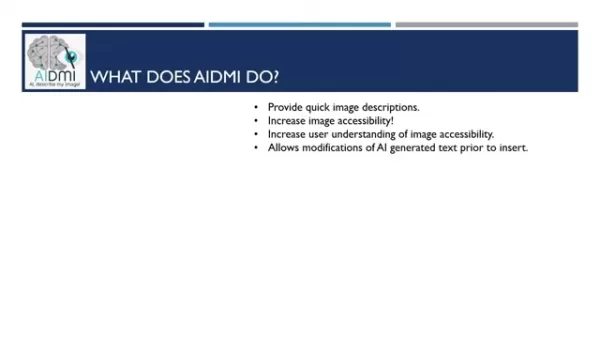
. For example, it might describe a vibrant, geometric phoenix logo used for DrupalCon Atlanta 2025.
AIDMI in Action
Showcasing AIDMI’s Capabilities
AIDMI excels in practical use
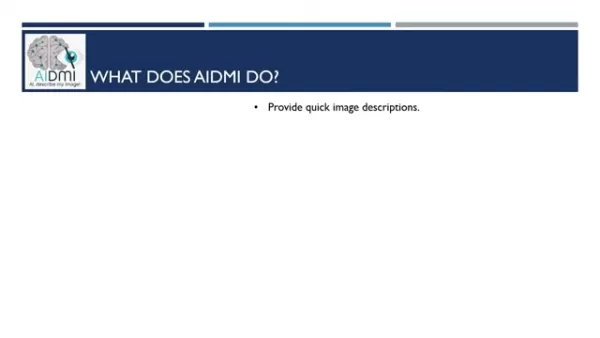
. It handles complex images like charts and graphs, generating detailed alt text that can be time-consuming to create manually. After generating text, users can review the source code and ensure accessibility, including additional context beyond alt tags for comprehensive documentation.
With one click, AIDMI opens a dialog box to send image data to the AI, simplifying the creation of accurate descriptions.
How to Use AIDMI
Guide to Implementing AIDMI
Follow these steps to leverage AIDMI effectively:
Install AIDMI: Download and enable the AIDMI module from Drupal.org in your website’s module settings.
Set Up API Key: Obtain a Gemini API key as outlined at drupal.org/project/aidmi and configure it in Drupal’s image text fields.
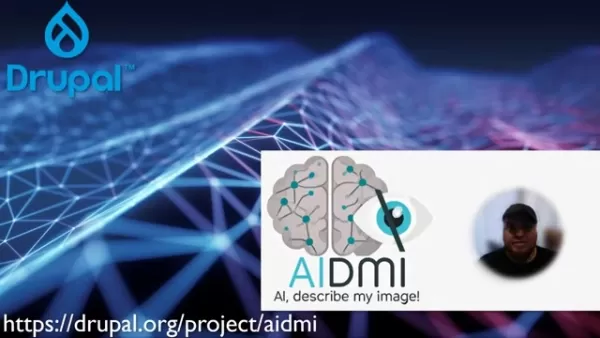
Enable CKEditor 5 Integration: Confirm AIDMI is fully integrated with your CKEditor 5 setup.
Add an Image: Insert an image into your Drupal content via CKEditor 5.
Use the AI Button: Click the "AI Describe My Image!" button when prompted to generate alt text.
Edit and Refine: Review the AI-generated alt text in the AIDMI dialog box and make adjustments as needed.
Insert Text: Add the finalized alt text to your Drupal content.
These steps unlock AI-driven accessibility for your Drupal website.
AIDMI: Pros and Cons
Advantages
Delivers rapid image descriptions.
Enhances accessibility for images.
Improves user knowledge of accessibility practices.
Allows editing of AI-generated text before insertion.
Integrates as a CKEditor 5 plugin.
Limitations
Relies on AI API accuracy.
May require manual text adjustments.
Needs proper setup with Drupal and CKEditor 5.
Frequently Asked Questions about AIDMI
What is AIDMI’s main function?
AIDMI generates detailed alt text for images, simplifying accessibility efforts and supporting visually impaired users.
Can AI-generated alt text be edited in AIDMI?
Yes, users can refine AI-generated alt text before adding it to Drupal content for accuracy and relevance.
Which text editor works with AIDMI?
AIDMI integrates with CKEditor 5 to create accessible image descriptions.
Related Questions on Drupal Accessibility
How to Conduct an Accessibility Audit on a Drupal Website?
Ensuring a Drupal website meets accessibility standards like WCAG involves multiple steps:Automated Testing:Use Accessibility Modules: Install Drupal modules like Accessibility Checker or Deq Flags to scan for common issues and generate reports.Browser Extensions: Leverage tools like WAVE or Axe to identify accessibility violations on individual pages.Online Tools: Analyze your site with tools like WebAIM’s WAVE or Axe DevTools for detailed accessibility reports.Manual Testing:Keyboard Navigation: Verify all interactive elements (links, buttons, forms) are fully navigable via keyboard.Screen Reader Testing: Test compatibility with screen readers like NVDA, JAWS, or VoiceOver to ensure content is accurately conveyed.Color Contrast: Check text-background contrast with WCAG-compliant tools to ensure readability for low-vision users.Image Alt Text: Confirm all images have concise, descriptive alt text that conveys their purpose and context.Form Accessibility: Ensure forms are labeled clearly, with accessible error messages and ARIA attributes for enhanced usability.Content Structure: Use semantic markup and ARIA landmarks to create a logical content hierarchy for easy navigation.
Related article
 ByteDance reshapes AI strategy as large model ARR hits $4 billion amid integration with collaboration tools and core models
On July 30, ByteDance unveiled a significant restructuring of its AI division, splitting the Feishu collaboration platform team and integrating its components into the Doubao and Volcano Engine units. This strategic shift is designed to enhance the i
Otter.ai Secures $320 Million Growth Funding From General Catalyst for Meeting Tool
On Tuesday, Otter.ai, a meeting note-taking platform, announced a $320 million investment from General Catalyst’s Customer Value Fund (CVF). This fund supports startups without requiring equity dilution, instead seeking returns based on marketing per
Anthropic Launches Claude Haiku 5.5, Cutting Small Model Costs by 75% and Letting Users Adjust Inference Intensity
On October 8th, Anthropic introduced its most efficient and capable model to date: Claude Haiku 5.5. Positioned as the fastest and most capable small model in Anthropic’s lineup, it is engineered for high-frequency, cost-sensitive applications such a
Related Special Topic Recommendations
Design & Art
ByteDance reshapes AI strategy as large model ARR hits $4 billion amid integration with collaboration tools and core models
On July 30, ByteDance unveiled a significant restructuring of its AI division, splitting the Feishu collaboration platform team and integrating its components into the Doubao and Volcano Engine units. This strategic shift is designed to enhance the i
Otter.ai Secures $320 Million Growth Funding From General Catalyst for Meeting Tool
On Tuesday, Otter.ai, a meeting note-taking platform, announced a $320 million investment from General Catalyst’s Customer Value Fund (CVF). This fund supports startups without requiring equity dilution, instead seeking returns based on marketing per
Anthropic Launches Claude Haiku 5.5, Cutting Small Model Costs by 75% and Letting Users Adjust Inference Intensity
On October 8th, Anthropic introduced its most efficient and capable model to date: Claude Haiku 5.5. Positioned as the fastest and most capable small model in Anthropic’s lineup, it is engineered for high-frequency, cost-sensitive applications such a
Related Special Topic Recommendations
Design & Art
 Top AI Illustration Tools: Create Editorial Scenes and Cover Art Faster
2026 Latest Top-rated AI Illustration Tools: Our curated list features the best powerfully designed tools for creating stunning editorial scenes and eye-catching cover art quickly. Each option has gone through rigorous real-world tests, offering a free vs paid comparison to help you find the perfect match for your workflow. Try these must-try solutions today to unlock your AI edge and boost your creative productivity. Explore now at XIX.AI.
 10 tools
 xix.ai
Education and Learning
Top AI Tutors for Exam Prep: Practice Math, Science, and English
xix.ai
Education and Learning
Top AI Tutors for Exam Prep: Practice Math, Science, and English
2026 Latest Top-Rated Best AI Tutors for Exam Prep are here on XIX.AI! Our curated list features powerful game-changing tools that offer free vs paid comparison, real-world tests, and weekly updated rankings. They help boost your writing efficiency, simplify complex topic learning, and unlock your academic potential. Explore now to Discover your perfect exam prep tool and Start creating today to Unlock your AI edge!
10 tools
xix.ai
Finance
AI Budget Planning Tools for Personal Money Management
2026 Latest Best Top-Rated AI Budget Planning Tools for Personal Money Management are here on XIX.AI! This curated collection features powerful, game-changing solutions that help you conduct real-world tests, understand spending habits, and create personalized plans to boost productivity. Enjoy a free vs paid comparison along with detailed rankings. Must-try tools designed to simplify money management and unlock your AI edge. Explore now!
11 tools
xix.ai
Health & Wellness
AI Sleep Tracking Assistants: Improve Recovery with Better Bedtime Habits
2026 Latest Best Top-Rated AI Sleep Tracking Assistants curated for ultimate recovery. This fully updated weekly guide features powerful tools that deliver real-world tests, free vs paid comparison, and detailed rankings to help you find the must-try solution that boosts sleep quality and supports better bedtime habits. Explore now at XIX.AI to Unlock your AI edge.
10 tools
xix.ai
Data Analysis
AI SQL Copilots for Product and Revenue Analytics
2026 Latest Best Top-Rated AI SQL Copilots for Product and Revenue Analytics! XIX.AI has curated a powerful, game-changing collection of must-try tools that undergo real-world tests through weekly updated rankings. These tools help users boost productivity significantly by accelerating data analysis, streamlining complex queries, and generating accurate insights to drive smarter business decisions. Explore now to Discover your perfect tool for unlocking your AI edge!
14 tools
xix.ai
Education and Learning
Best AI Homework Helpers That Teach: Learn Concepts, Not Just Answers
2026 Latest Best Top-Rated AI Homework Helpers That Teach Core Concepts Not Just Answers Powerful Tools for Students Must-Try Curated List Weekly Updated Free vs Paid Comparison Real-World Tests Accurate Rankings to Help You Unlock Your Full Learning Potential Explore now to Discover your perfect tool for smarter studying.
10 tools
xix.ai

 Comments (4)
0/500
Comments (4)
0/500
![WillieRodriguez]()
Sympa ce module ! 😄 L'accessibilité web est souvent négligée, alors c'est cool de voir l'IA utilisée pour ça. J'espère que ça ne va pas trop simplifier le travail des devs au point qu'ils oublient de réfléchir aux vrais besoins des utilisateurs handicapés...
![WilliamRamirez]()
This AIDMI module sounds like a game-changer for web accessibility! 😄 Auto-generating alt text with AI is super cool, but I wonder how accurate it is for complex images. Anyone tried it yet?
![BruceWilson]()
This AIDMI module sounds like a game-changer for web accessibility! 😎 Auto-generating alt text with AI is such a smart move, especially for folks managing tons of images. Wonder how accurate the descriptions are, though—any quirks in real-world use?
![RyanGonzalez]()
Super cool that AIDMI uses AI to make images accessible! 😄 Makes me wonder how it handles super complex visuals though.
In today's digital landscape, website accessibility is critical. The AIDMI Drupal module revolutionizes this space by using AI to create descriptive alt text for images automatically. This enhances accessibility for visually impaired users and improves comprehension of image content on Drupal websites. AIDMI, short for AI, Describe My Image!, empowers content creators and site administrators with a robust accessibility tool.
Key Features
AIDMI delivers fast image descriptions for Drupal content.
It harnesses AI to produce high-quality alt text for images.
The module boosts image accessibility for all users.
It educates users on best practices for image accessibility.
Content creators can edit AI-generated text before use.
AIDMI integrates seamlessly as a CKEditor 5 plugin.
AIDMI: Revolutionizing Image Accessibility with AI
What is AIDMI?
AIDMI
is a Drupal module designed to improve image accessibility on Drupal websites. It enables users to send images to an AI API, which generates descriptive alt text suitable for screen readers and visually impaired users. AIDMI, meaning "AI, Describe My Image," streamlines the creation of accessible visual content, fostering inclusivity. Learn more about AIDMI at drupal.org/project/aidmi. By using AIDMI, content creators gain insights into crafting effective image descriptions, moving beyond basic labels to provide richer context.
How AIDMI Works: AI-Driven Alt Text Creation
AIDMI’s core functionality
involves sending images to an AI API to generate detailed alt text. Users can review and refine this text before adding it to Drupal content, ensuring accuracy and relevance. Integrated with CKEditor 5, AIDMI scans content in the editor, processes images, and delivers contextually appropriate descriptions, streamlining the accessibility workflow.
Benefits of AIDMI: Accessibility and Flexibility
AIDMI offers significant advantages
, including:
- Rapid Image Descriptions: AIDMI generates quick, effective descriptions for website images.
- Improved Accessibility: It ensures visually impaired users can access image content via screen readers.
- Better Understanding: AIDMI provides examples of quality alt text, enhancing user knowledge of accessibility standards.
- Editable Text: Content creators can tweak AI-generated alt text for precision and context.
These features make AIDMI an essential tool for Drupal websites prioritizing accessibility and user experience.
AIDMI: Seamless CKEditor 5 Integration
AIDMI operates as a CKEditor 5 plugin
, integrating effortlessly with Drupal’s editing environment. When an image is added, AIDMI prompts users to generate alt text via an "AI Describe My Image!" button. The plugin provides editable feedback in a CKEditor text box, ensuring smooth incorporation of accessible descriptions.
Single Image Descriptions with AIDMI
AIDMI generates AI-driven descriptions for individual images directly within Drupal’s alt text form
. For example, it might describe a vibrant, geometric phoenix logo used for DrupalCon Atlanta 2025.
AIDMI in Action
Showcasing AIDMI’s Capabilities
AIDMI excels in practical use
. It handles complex images like charts and graphs, generating detailed alt text that can be time-consuming to create manually. After generating text, users can review the source code and ensure accessibility, including additional context beyond alt tags for comprehensive documentation.
With one click, AIDMI opens a dialog box to send image data to the AI, simplifying the creation of accurate descriptions.
How to Use AIDMI
Guide to Implementing AIDMI
Follow these steps to leverage AIDMI effectively:
Install AIDMI: Download and enable the AIDMI module from Drupal.org in your website’s module settings.
Set Up API Key: Obtain a Gemini API key as outlined at drupal.org/project/aidmi and configure it in Drupal’s image text fields.
Enable CKEditor 5 Integration: Confirm AIDMI is fully integrated with your CKEditor 5 setup.
Add an Image: Insert an image into your Drupal content via CKEditor 5.
Use the AI Button: Click the "AI Describe My Image!" button when prompted to generate alt text.
Edit and Refine: Review the AI-generated alt text in the AIDMI dialog box and make adjustments as needed.
Insert Text: Add the finalized alt text to your Drupal content.
These steps unlock AI-driven accessibility for your Drupal website.
AIDMI: Pros and Cons
Advantages
Delivers rapid image descriptions.
Enhances accessibility for images.
Improves user knowledge of accessibility practices.
Allows editing of AI-generated text before insertion.
Integrates as a CKEditor 5 plugin.
Limitations
Relies on AI API accuracy.
May require manual text adjustments.
Needs proper setup with Drupal and CKEditor 5.
Frequently Asked Questions about AIDMI
What is AIDMI’s main function?
AIDMI generates detailed alt text for images, simplifying accessibility efforts and supporting visually impaired users.
Can AI-generated alt text be edited in AIDMI?
Yes, users can refine AI-generated alt text before adding it to Drupal content for accuracy and relevance.
Which text editor works with AIDMI?
AIDMI integrates with CKEditor 5 to create accessible image descriptions.
Related Questions on Drupal Accessibility
How to Conduct an Accessibility Audit on a Drupal Website?
Ensuring a Drupal website meets accessibility standards like WCAG involves multiple steps:Automated Testing:Use Accessibility Modules: Install Drupal modules like Accessibility Checker or Deq Flags to scan for common issues and generate reports.Browser Extensions: Leverage tools like WAVE or Axe to identify accessibility violations on individual pages.Online Tools: Analyze your site with tools like WebAIM’s WAVE or Axe DevTools for detailed accessibility reports.Manual Testing:Keyboard Navigation: Verify all interactive elements (links, buttons, forms) are fully navigable via keyboard.Screen Reader Testing: Test compatibility with screen readers like NVDA, JAWS, or VoiceOver to ensure content is accurately conveyed.Color Contrast: Check text-background contrast with WCAG-compliant tools to ensure readability for low-vision users.Image Alt Text: Confirm all images have concise, descriptive alt text that conveys their purpose and context.Form Accessibility: Ensure forms are labeled clearly, with accessible error messages and ARIA attributes for enhanced usability.Content Structure: Use semantic markup and ARIA landmarks to create a logical content hierarchy for easy navigation.








 ByteDance reshapes AI strategy as large model ARR hits $4 billion amid integration with collaboration tools and core models
On July 30, ByteDance unveiled a significant restructuring of its AI division, splitting the Feishu collaboration platform team and integrating its components into the Doubao and Volcano Engine units. This strategic shift is designed to enhance the i
ByteDance reshapes AI strategy as large model ARR hits $4 billion amid integration with collaboration tools and core models
On July 30, ByteDance unveiled a significant restructuring of its AI division, splitting the Feishu collaboration platform team and integrating its components into the Doubao and Volcano Engine units. This strategic shift is designed to enhance the i
 Otter.ai Secures $320 Million Growth Funding From General Catalyst for Meeting Tool
On Tuesday, Otter.ai, a meeting note-taking platform, announced a $320 million investment from General Catalyst’s Customer Value Fund (CVF). This fund supports startups without requiring equity dilution, instead seeking returns based on marketing per
Otter.ai Secures $320 Million Growth Funding From General Catalyst for Meeting Tool
On Tuesday, Otter.ai, a meeting note-taking platform, announced a $320 million investment from General Catalyst’s Customer Value Fund (CVF). This fund supports startups without requiring equity dilution, instead seeking returns based on marketing per
 Anthropic Launches Claude Haiku 5.5, Cutting Small Model Costs by 75% and Letting Users Adjust Inference Intensity
On October 8th, Anthropic introduced its most efficient and capable model to date: Claude Haiku 5.5. Positioned as the fastest and most capable small model in Anthropic’s lineup, it is engineered for high-frequency, cost-sensitive applications such a
Anthropic Launches Claude Haiku 5.5, Cutting Small Model Costs by 75% and Letting Users Adjust Inference Intensity
On October 8th, Anthropic introduced its most efficient and capable model to date: Claude Haiku 5.5. Positioned as the fastest and most capable small model in Anthropic’s lineup, it is engineered for high-frequency, cost-sensitive applications such a

2026 Latest Top-rated AI Illustration Tools: Our curated list features the best powerfully designed tools for creating stunning editorial scenes and eye-catching cover art quickly. Each option has gone through rigorous real-world tests, offering a free vs paid comparison to help you find the perfect match for your workflow. Try these must-try solutions today to unlock your AI edge and boost your creative productivity. Explore now at XIX.AI.
10 tools
xix.ai

2026 Latest Top-Rated Best AI Tutors for Exam Prep are here on XIX.AI! Our curated list features powerful game-changing tools that offer free vs paid comparison, real-world tests, and weekly updated rankings. They help boost your writing efficiency, simplify complex topic learning, and unlock your academic potential. Explore now to Discover your perfect exam prep tool and Start creating today to Unlock your AI edge!
10 tools
xix.ai

2026 Latest Best Top-Rated AI Budget Planning Tools for Personal Money Management are here on XIX.AI! This curated collection features powerful, game-changing solutions that help you conduct real-world tests, understand spending habits, and create personalized plans to boost productivity. Enjoy a free vs paid comparison along with detailed rankings. Must-try tools designed to simplify money management and unlock your AI edge. Explore now!
11 tools
xix.ai

2026 Latest Best Top-Rated AI Sleep Tracking Assistants curated for ultimate recovery. This fully updated weekly guide features powerful tools that deliver real-world tests, free vs paid comparison, and detailed rankings to help you find the must-try solution that boosts sleep quality and supports better bedtime habits. Explore now at XIX.AI to Unlock your AI edge.
10 tools
xix.ai

2026 Latest Best Top-Rated AI SQL Copilots for Product and Revenue Analytics! XIX.AI has curated a powerful, game-changing collection of must-try tools that undergo real-world tests through weekly updated rankings. These tools help users boost productivity significantly by accelerating data analysis, streamlining complex queries, and generating accurate insights to drive smarter business decisions. Explore now to Discover your perfect tool for unlocking your AI edge!
14 tools
xix.ai

2026 Latest Best Top-Rated AI Homework Helpers That Teach Core Concepts Not Just Answers Powerful Tools for Students Must-Try Curated List Weekly Updated Free vs Paid Comparison Real-World Tests Accurate Rankings to Help You Unlock Your Full Learning Potential Explore now to Discover your perfect tool for smarter studying.
10 tools
xix.ai

Sympa ce module ! 😄 L'accessibilité web est souvent négligée, alors c'est cool de voir l'IA utilisée pour ça. J'espère que ça ne va pas trop simplifier le travail des devs au point qu'ils oublient de réfléchir aux vrais besoins des utilisateurs handicapés...
This AIDMI module sounds like a game-changer for web accessibility! 😄 Auto-generating alt text with AI is super cool, but I wonder how accurate it is for complex images. Anyone tried it yet?
This AIDMI module sounds like a game-changer for web accessibility! 😎 Auto-generating alt text with AI is such a smart move, especially for folks managing tons of images. Wonder how accurate the descriptions are, though—any quirks in real-world use?
Super cool that AIDMI uses AI to make images accessible! 😄 Makes me wonder how it handles super complex visuals though.












