


 Home
HomeCaptionCreator
Auto Video Subtitle Generator



Helps TikTok sellers, brands, MCNs, and TAPs discover winning products and find creators.

HelpLook is an AI-powered all-in-one knowledge base tool that helps businesses quickly build knowledge bases, help centers, and...

Your AI Workspace

302.AI is an enterprise-grade AI resource platform with pay-as-you-go pricing, API access to a full range of AI models, and ready-to-use online applications.

剧火AI — AI Screenwriter + Director, a One-Person Short Drama Studio In one sentence, what is it?
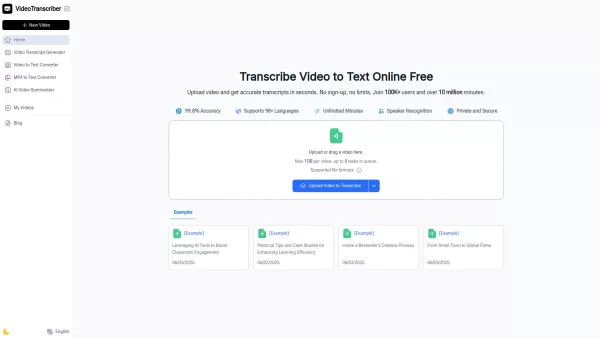
What is Video Transcriber AI? Video Transcriber AI is an online AI tool that quickly converts video and audio from sources like YouTube, Podcasts, and Bilibili into precise text transcripts for free. No downloads or login are required — just upload a
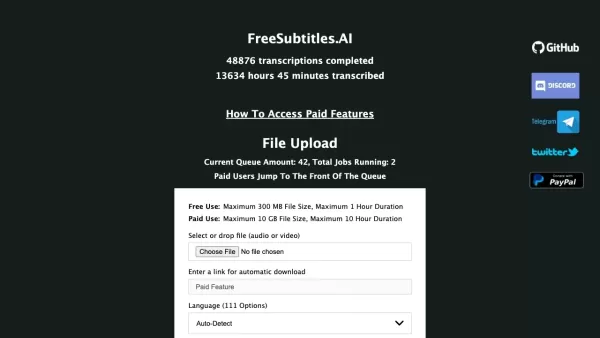
What is Free Subtitles AI?FreeSubtitles.AI is a robust tool offering complimentary transcription and translation for audio and video content. Its user-friendly platform allows you to effortlessly convert speech from any language into text and transla
CaptionCreator Product Information
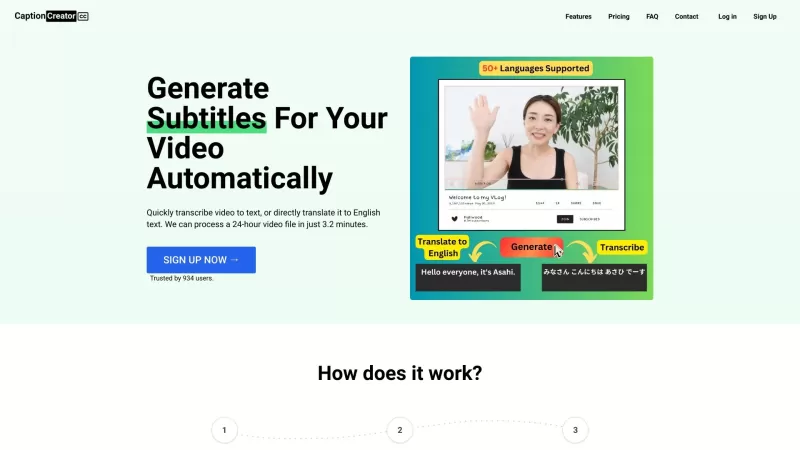
Ever found yourself wishing you could easily add subtitles to your videos or translate them into English? Well, let me introduce you to CaptionCreator, your new best friend for all things video and audio transcription. This nifty online tool is designed to make your life easier by turning your video or audio content into text, and it does so with a flair that's hard to beat.
How to Use CaptionCreator?
Using CaptionCreator is as easy as pie. Here's how you can get started:
- Upload Your Video/Audio: Just drag and drop your file into the platform. It's that simple!
- Select Source Audio Language: Choose the language of your video or audio. CaptionCreator supports over 50 languages, so you're covered no matter where your content comes from.
- Select Transcribe Mode or Translate to English Mode: Decide if you want to transcribe your content in its original language or translate it into English. It's your call!
- Download SRT/VTT/Plain Text: Once processed, you can download your subtitles or transcript in various formats. Choose what suits your needs best.
CaptionCreator's Core Features
CaptionCreator isn't just another tool; it's packed with features that make it stand out:
- Quickly Transcribe Video to Text: Get your video content transcribed in a snap.
- Translate Video to English Text: Break language barriers by translating your videos into English.
- Support for 50+ Languages: No matter the language, CaptionCreator has you covered.
- Multilingual Audio Support: Handle audio in multiple languages with ease.
- Robust to Noisy Audio: Even if your audio isn't perfect, CaptionCreator can handle it.
- Robust to Diverse Accents and Dialects: It understands various accents and dialects, making it incredibly versatile.
CaptionCreator's Use Cases
Wondering how you can use CaptionCreator? Here are some ideas:
- Adding Subtitles to Videos: Make your videos accessible to a wider audience by adding subtitles.
- Generating Transcripts of Meetings and Conversations: Keep a record of important discussions with ease.
FAQ from CaptionCreator
- Is CaptionCreator Free?
- Is there a limit to the number of videos or audio files I can transcribe?
- How does the speech translation service work?
- Is the service accurate?
- Can I use the service offline?
- Didn’t find the answer you are looking for?
- CaptionCreator Support Email & Customer service contact & Refund contact etc.
Here is the CaptionCreator support email for customer service: [email protected]. For more contact options, visit the contact us page.
- CaptionCreator Company
To learn more about CaptionCreator, please visit the about us page.
- CaptionCreator Login
CaptionCreator Login Link: https://captioncreator.cc/signin
- CaptionCreator Sign up
CaptionCreator Sign up Link: https://captioncreator.cc/signup
- CaptionCreator Pricing
CaptionCreator Pricing Link: https://captioncreator.cc/#pricing
CaptionCreator Screenshot
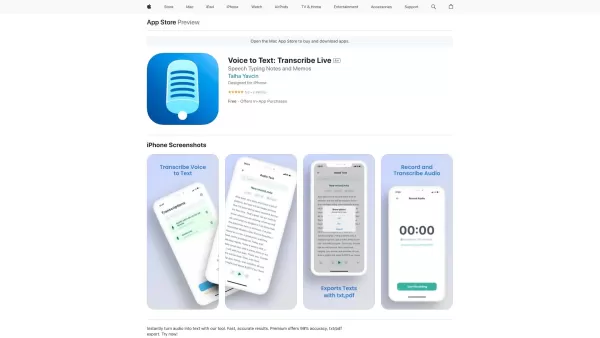
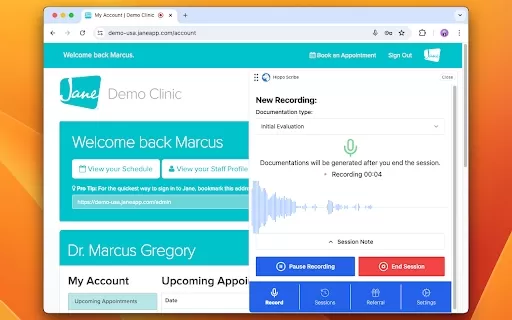
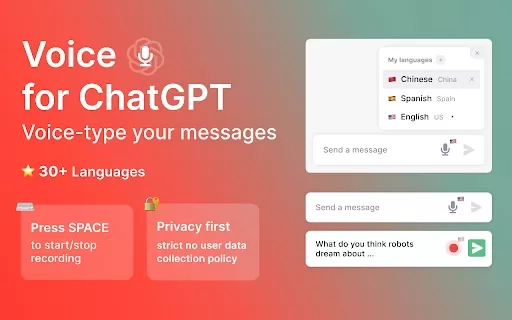

2026 Latest Best Top-rated AI Object Removal Editors for portraits travel product shots! XIX.AI curates a powerful game-changing collection regularly updated with weekly rankings. These tools offer real-world tests to help you quickly remove unwanted elements, boost content quality, and save tons of time without compromising results. Must-try for anyone aiming to unlock their AI creation edge. Explore now!
 10 tools
 xix.ai

2026 Latest Best Top-rated AI Text to Speech Tools for Online Courses are curated by XIX.AI based on rigorous real-world tests and weekly updated rankings. These powerful tools help creators deliver crystal-clear audio content effortlessly, boosting writing efficiency and streamlining course production. Check out the free vs paid comparison to find your perfect fit. Explore now to unlock your AI edge in online education.
10 tools
xix.ai

2026 Latest Best Top-Rated AI Blog Title Tools for Higher Click Through Rates! XIX.AI has carefully curated a powerful, game-changing collection of top tools that go through rigorous real-world tests. You’ll find a free vs paid comparison, weekly updated rankings, and detailed insights to help you boost your blog’s traffic efficiently. Must-try options are highlighted to help you unlock your AI edge. Explore now!
10 tools
xix.ai

2026 Latest Best Top-rated AI Task Routing Tools for Support Workflows! XIX.AI has curated a highly powerful game-changing collection of must-try solutions, all undergoing rigorous real-world tests and updated weekly. These tools streamline workflows, boost productivity, and help teams deliver faster, more efficient support. Explore now to discover your perfect tool and unlock your AI edge!
17 tools
xix.ai

2026 Latest Best Top-Rated AI Citation and Paper Summary Tools Curated by XIX.AI. Get powerful game-changing solutions for quick content creation, improved writing efficiency, and boosting productivity. We offer a free vs paid comparison along with real-world tests and weekly updated rankings to help you find the must-try tool that fits your needs perfectly. Explore now to Unlock your AI edge.
10 tools
xix.ai

2026 Latest Best Top-Rated AI Productivity Tools for Daily Work! XIX.AI has curated a powerful, game-changing selection based on rigorous weekly updated rankings and real-world tests. You’ll find must-try options that boost writing efficiency, streamline content creation, and help you overcome daily work challenges. Get a free vs paid comparison to find the perfect fit for your needs. Explore now to unlock your AI edge!
9 tools
xix.ai


Just tried CaptionCreator for my travel vlog and it's a game-changer! The auto-transcription saved me hours of manual work, though the English translation had a couple quirky phrasing moments 😅. Still, being able to add subtitles in minutes instead of days? Totally worth it. Makes me wonder how we ever managed without tools like this!
CaptionCreator is a game-changer! 😍 I uploaded a video, and it generated subtitles in minutes with solid accuracy. Translated my English vid to Japanese flawlessly. Super easy to use, but I wish it supported more niche languages. Still, a must-have for content creators!


