


 Home
HomeEffective UI/UX Strategies for AI Agent Design
The emergence of AI agents is reshaping human-technology interactions. Crafting intuitive user interfaces (UI) and seamless user experiences (UX) for these agents poses distinct challenges and opportunities. AI agents must be user-friendly, transparent, and reliable to achieve widespread acceptance. This article delves into essential UI/UX design patterns for AI agents, leveraging expert insights and evolving best practices to inform product design and development. Beyond technical capabilities, understanding how users perceive and engage with AI is critical.
Core Principles
User Perceptions: Grasp how users view and interact with AI agents to design intuitive interfaces.
Conversational AI: Integrate conversational AI smoothly into applications using effective design patterns.
Task-Oriented Interfaces: Prioritize interfaces tailored to specific tasks for streamlined user interactions.
Multimodal Engagement: Utilize text, visuals, and voice to create a dynamic user experience.
Human-AI Dynamics: Evaluate the broader implications of AI tools on human interactions and ethical considerations.
Evolving Designs: Ensure designs adapt continuously to technological advancements.
Decoding User Perceptions for AI Agents
Influenced by Prior Experiences
Past interactions with technology shape users’ expectations of AI agents. Designers must account for these preconceptions to create familiar, intuitive interfaces. Understanding diverse user perspectives enables applications to be more accessible, reducing barriers to adoption.
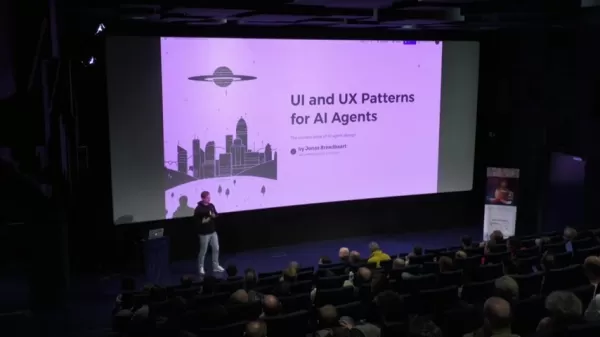
For example, users accustomed to voice assistants may expect similar interaction styles from new AI agents, boosting engagement and easing adoption for hesitant users.
Individual and Tailored
Each user has a unique perspective shaped by their background. Effective UI/UX design embraces this diversity through customization options, enabling users to tailor interactions to their preferences for a more personalized experience.
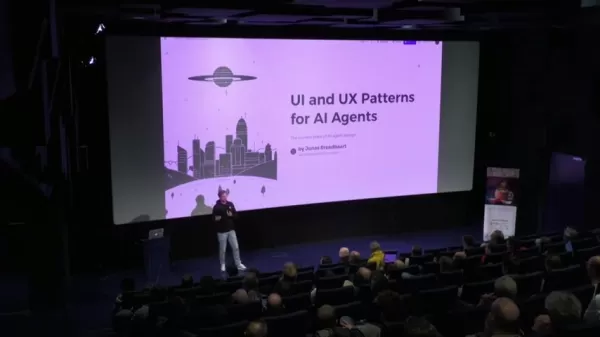
Users are more likely to trust and engage with AI agents that adapt to their communication styles, fostering a sense of ownership and control.
Setting Clear Expectations
Establishing a framework that clarifies an AI agent’s capabilities and limitations is essential. Transparent onboarding, informative tooltips, and clear explanations of the AI’s processes build trust and reduce frustration. User feedback is critical in shaping intuitive interfaces that cater to varying skill levels and technical backgrounds.
Common User Perceptions and Design Considerations for AI Agents
Digital Assistants: Optimizing Task-Oriented Design
AI agents often function as digital assistants, aiding users in specific tasks. Streamlined onboarding, quick-start prompts, and clear visual feedback enhance usability. Incorporate multimodal interactions like text, images, and voice, and provide progress indicators to keep users informed, empowering them to control their experience.
AI as Team Members: Enhancing Collaboration
AI tools should integrate seamlessly with collaboration platforms like calendars, document-sharing systems, and task management tools. Chat-based interfaces resembling messaging apps like Slack simplify interactions, while threaded discussions and professional AI profiles with defined roles enhance user connection and personalization.
Applying Core Design Principles for AI Tools
Familiar Interface Design
AI tools often emulate the interfaces of established software, such as text editors for AI writing tools, to provide a familiar experience. This approach accelerates user adoption by leveraging recognizable layouts and functionalities.
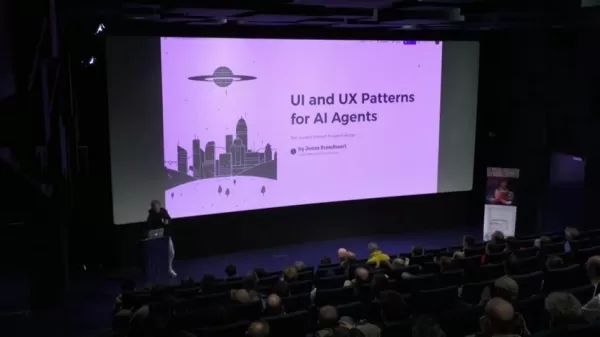
Familiar interfaces reduce friction, encouraging long-term engagement and making AI tools more approachable for new users.
Streamlined Onboarding Experience
Effective onboarding is key to user adoption. AI tools should offer low-friction, quick-start experiences with pre-built templates or examples, enabling users to see value immediately without complex setup.
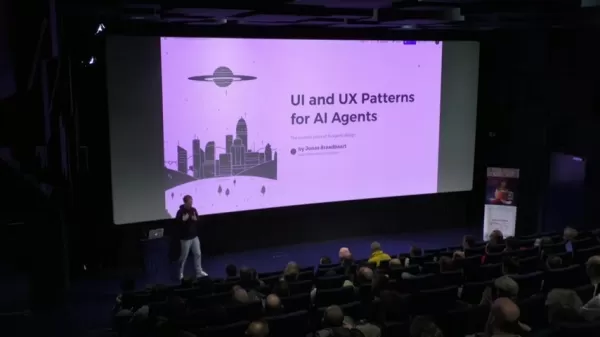
Visual Clarity and Structure
Intuitive AI tools rely on clear visual hierarchy and uncluttered design. Simplified interfaces with quick-start features minimize complexity, allowing users to grasp core functionalities with ease and reducing frustration.
Digital Assistants UX: Benefits and Challenges
Pros
AI-powered features reduce learning curves for users.
Interactions become simpler and more intuitive over time.
Task efficiency is improved, though flexibility for complex requests may be limited.
Cons
Limited control can restrict the tool’s capabilities.
Collaboration and multi-agent interactions are often underdeveloped.
Multimodal integration, such as combining text, images, and video, may feel disconnected.
Frequently Asked Questions (FAQ)
What are the main advantages of effective UI/UX design for AI agents?
Enhanced user satisfaction, higher adoption rates, increased trust, and improved interactions are key benefits. Intuitive interfaces make AI agents more accessible and effective.
How do user perceptions shape AI agent design?
User perceptions guide the creation of intuitive, expectation-aligned interfaces, making AI agents more user-friendly and engaging.
Why is multimodal interaction important in AI agent design?
Combining text, images, and voice creates a more natural and flexible user experience, boosting engagement and trust in AI services.
Related Questions
Which tools are commonly integrated into AI systems to enhance human interaction?
AI tools often integrate with calendar systems, document-sharing platforms, and task management tools to foster collaboration and individuality. Professional AI profiles with photos help build rapport with users, easing concerns about interacting with AI.
How can trust be built between users and AI assistants?
Clear user perceptions, transparent visual cues, and explanations of AI functions enhance understanding and trust, ensuring users feel confident in the AI’s capabilities.
Related article
 Slackbot Becomes an AI Agent
Slackbot, the automated assistant embedded in Salesforce’s corporate messaging platform Slack, is evolving into an AI agent. Salesforce CTO Parker Harris envisions it achieving viral status comparable to OpenAI’s ChatGPT.The cloud software giant laun
ByteDance Boosts Core AI Incentives as Doubao Surges 14.6%
ByteDance recently convened a DouBao equity briefing to unveil fresh incentive policies for staff involved in the DouBao division. The strike price for DouBao shares has been lifted from $14.85 in June 2026 to $17.02, marking an approximate 14.6% inc
MiniMax Unveils 10x Team Program to Incentivize Global AI Experts
MiniMax (Xiyu Technology), the General Artificial Intelligence Lab, has officially launched "10x Team," a global talent collaboration initiative. This program aims to recruit top experts across industries to explore the deep application of large mode
Related Special Topic Recommendations
Education and Learning
Slackbot Becomes an AI Agent
Slackbot, the automated assistant embedded in Salesforce’s corporate messaging platform Slack, is evolving into an AI agent. Salesforce CTO Parker Harris envisions it achieving viral status comparable to OpenAI’s ChatGPT.The cloud software giant laun
ByteDance Boosts Core AI Incentives as Doubao Surges 14.6%
ByteDance recently convened a DouBao equity briefing to unveil fresh incentive policies for staff involved in the DouBao division. The strike price for DouBao shares has been lifted from $14.85 in June 2026 to $17.02, marking an approximate 14.6% inc
MiniMax Unveils 10x Team Program to Incentivize Global AI Experts
MiniMax (Xiyu Technology), the General Artificial Intelligence Lab, has officially launched "10x Team," a global talent collaboration initiative. This program aims to recruit top experts across industries to explore the deep application of large mode
Related Special Topic Recommendations
Education and Learning
 AI Study Tools for Homework and Exam Prep
2026 Latest Best AI Study Tools for Homework and Exam Prep! XIX.AI curates a top-rated list of powerful, game-changing tools that help students boost productivity, streamline homework completion, and ace exams through real-world tests. Get a free vs paid comparison, detailed rankings, and must-try options to unlock your AI edge. Explore now!
 10 tools
 xix.ai
Music composition
AI Vocal Demo Tools for Songwriters, Hooks, Toplines, and Multilingual Draft Sessions
xix.ai
Music composition
AI Vocal Demo Tools for Songwriters, Hooks, Toplines, and Multilingual Draft Sessions
2026 Latest Best AI Vocal Demo Tools for Songwriters, Hook Creators, and Multi-Language Content Teams! XIX.AI has curated a top-rated list of powerful game-changing tools that go through rigorous real-world tests. You’ll find detailed free vs paid comparison data, comprehensive rankings, and must-try options to help you boost writing efficiency and unlock your creative potential. Explore now to discover your perfect tool for all your content needs!
9 tools
xix.ai
Business
Best AI Competitive Research Tools for Small Businesses
2026 Latest Best Top-rated AI Competitive Research Tools for Small Businesses! XIX.AI has curated a highly powerful game-changing collection, updated weekly with rigorous real-world tests and detailed rankings. You can find a comprehensive free vs paid comparison to help you identify the must-try tools that boost your productivity and give you a competitive edge. Explore now to discover your perfect tool!
9 tools
xix.ai
Image editing
Photoshop AI Retouch Tools for Ecommerce Apparel, Skin Cleanup, and Color Consistency
2026 Latest Best Photoshop AI retouch tools for ecommerce apparel, skin cleanup, and color consistency! This top-rated curated list features powerful game-changing solutions that help you boost writing efficiency, streamline content creation, and achieve perfect visual results effortlessly. Each tool has undergone real-world tests through weekly updated rankings, complete with free vs paid comparison details. Backed by XIX.AI, it’s the must-try guide for anyone aiming to unlock your AI edge. Explore now!
10 tools
xix.ai
Prompt
Best AI Prompt Libraries for ChatGPT Workflows
2026 Latest Best Top-Rated AI Prompt Libraries for optimizing all types of ChatGPT workflows. XIX.AI has curated a powerful, game-changing collection that goes through rigorous real-world tests to ensure top performance. You can find detailed free vs paid comparisons and expert rankings to help you choose the must-try tools that boost your productivity and unlock your AI edge. Explore now!
11 tools
xix.ai
Education and Learning
AI Quiz Builder Platforms for Teachers, Tutors, and Cohort-Based Learning Programs
2026 Latest Best AI Quiz Builder Platforms for Teachers, Tutors, and Cohort-Based Learning Programs! XIX.AI has curated a top-rated list of powerful game-changing tools that go through real-world tests to deliver accurate rankings. These must-try platforms help boost writing efficiency, streamline content creation, and simplify quiz design across all learning scenarios. Explore now to discover your perfect tool for unlocking your AI edge in teaching!
13 tools
xix.ai

 Comments (3)
0/500
Comments (3)
0/500
![RalphMartinez]()
這篇文章提到的UI/UX策略真的切中要害!AI助理的介面如果太複雜,根本沒人想用。我覺得設計時應該多考慮非科技背景的使用者,讓操作更直覺,不然再強大的功能也是白搭。大家有同感嗎?😅
![JackMartin]()
この記事ではAIエージェントのUI/UXデザイン戦略がすごくまとまっていたね。ビジネスアプリに組み込む場合、あまり人間らしすぎるとかえって不安を感じるユーザーもいるかも。もうちょっと実際のプロジェクトでの失敗事例とかも知りたいな✨
![KennethRoberts]()
UI/UX für KI-Agenten ist echt tricky! Man will ja nicht, dass sich der Nutzer wie gegenüber einem Roboter fühlt. Gibt es eigentlich Studien dazu, wie viel ‘Persönlichkeit’ so ein Agent haben sollte, bevor es creepy wird? Die Balance zwischen hilfreich und aufdringlich ist so eine Gratwanderung. Gerade bei Voice-Interfaces flippe ich schnell aus, wenn es nicht intuitiv ist 😅
The emergence of AI agents is reshaping human-technology interactions. Crafting intuitive user interfaces (UI) and seamless user experiences (UX) for these agents poses distinct challenges and opportunities. AI agents must be user-friendly, transparent, and reliable to achieve widespread acceptance. This article delves into essential UI/UX design patterns for AI agents, leveraging expert insights and evolving best practices to inform product design and development. Beyond technical capabilities, understanding how users perceive and engage with AI is critical.
Core Principles
User Perceptions: Grasp how users view and interact with AI agents to design intuitive interfaces.
Conversational AI: Integrate conversational AI smoothly into applications using effective design patterns.
Task-Oriented Interfaces: Prioritize interfaces tailored to specific tasks for streamlined user interactions.
Multimodal Engagement: Utilize text, visuals, and voice to create a dynamic user experience.
Human-AI Dynamics: Evaluate the broader implications of AI tools on human interactions and ethical considerations.
Evolving Designs: Ensure designs adapt continuously to technological advancements.
Decoding User Perceptions for AI Agents
Influenced by Prior Experiences
Past interactions with technology shape users’ expectations of AI agents. Designers must account for these preconceptions to create familiar, intuitive interfaces. Understanding diverse user perspectives enables applications to be more accessible, reducing barriers to adoption.
For example, users accustomed to voice assistants may expect similar interaction styles from new AI agents, boosting engagement and easing adoption for hesitant users.
Individual and Tailored
Each user has a unique perspective shaped by their background. Effective UI/UX design embraces this diversity through customization options, enabling users to tailor interactions to their preferences for a more personalized experience.
Users are more likely to trust and engage with AI agents that adapt to their communication styles, fostering a sense of ownership and control.
Setting Clear Expectations
Establishing a framework that clarifies an AI agent’s capabilities and limitations is essential. Transparent onboarding, informative tooltips, and clear explanations of the AI’s processes build trust and reduce frustration. User feedback is critical in shaping intuitive interfaces that cater to varying skill levels and technical backgrounds.
Common User Perceptions and Design Considerations for AI Agents
Digital Assistants: Optimizing Task-Oriented Design
AI agents often function as digital assistants, aiding users in specific tasks. Streamlined onboarding, quick-start prompts, and clear visual feedback enhance usability. Incorporate multimodal interactions like text, images, and voice, and provide progress indicators to keep users informed, empowering them to control their experience.
AI as Team Members: Enhancing Collaboration
AI tools should integrate seamlessly with collaboration platforms like calendars, document-sharing systems, and task management tools. Chat-based interfaces resembling messaging apps like Slack simplify interactions, while threaded discussions and professional AI profiles with defined roles enhance user connection and personalization.
Applying Core Design Principles for AI Tools
Familiar Interface Design
AI tools often emulate the interfaces of established software, such as text editors for AI writing tools, to provide a familiar experience. This approach accelerates user adoption by leveraging recognizable layouts and functionalities.
Familiar interfaces reduce friction, encouraging long-term engagement and making AI tools more approachable for new users.
Streamlined Onboarding Experience
Effective onboarding is key to user adoption. AI tools should offer low-friction, quick-start experiences with pre-built templates or examples, enabling users to see value immediately without complex setup.
Visual Clarity and Structure
Intuitive AI tools rely on clear visual hierarchy and uncluttered design. Simplified interfaces with quick-start features minimize complexity, allowing users to grasp core functionalities with ease and reducing frustration.
Digital Assistants UX: Benefits and Challenges
Pros
AI-powered features reduce learning curves for users.
Interactions become simpler and more intuitive over time.
Task efficiency is improved, though flexibility for complex requests may be limited.
Cons
Limited control can restrict the tool’s capabilities.
Collaboration and multi-agent interactions are often underdeveloped.
Multimodal integration, such as combining text, images, and video, may feel disconnected.
Frequently Asked Questions (FAQ)
What are the main advantages of effective UI/UX design for AI agents?
Enhanced user satisfaction, higher adoption rates, increased trust, and improved interactions are key benefits. Intuitive interfaces make AI agents more accessible and effective.
How do user perceptions shape AI agent design?
User perceptions guide the creation of intuitive, expectation-aligned interfaces, making AI agents more user-friendly and engaging.
Why is multimodal interaction important in AI agent design?
Combining text, images, and voice creates a more natural and flexible user experience, boosting engagement and trust in AI services.
Related Questions
Which tools are commonly integrated into AI systems to enhance human interaction?
AI tools often integrate with calendar systems, document-sharing platforms, and task management tools to foster collaboration and individuality. Professional AI profiles with photos help build rapport with users, easing concerns about interacting with AI.
How can trust be built between users and AI assistants?
Clear user perceptions, transparent visual cues, and explanations of AI functions enhance understanding and trust, ensuring users feel confident in the AI’s capabilities.








 Slackbot Becomes an AI Agent
Slackbot, the automated assistant embedded in Salesforce’s corporate messaging platform Slack, is evolving into an AI agent. Salesforce CTO Parker Harris envisions it achieving viral status comparable to OpenAI’s ChatGPT.The cloud software giant laun
Slackbot Becomes an AI Agent
Slackbot, the automated assistant embedded in Salesforce’s corporate messaging platform Slack, is evolving into an AI agent. Salesforce CTO Parker Harris envisions it achieving viral status comparable to OpenAI’s ChatGPT.The cloud software giant laun
 ByteDance Boosts Core AI Incentives as Doubao Surges 14.6%
ByteDance recently convened a DouBao equity briefing to unveil fresh incentive policies for staff involved in the DouBao division. The strike price for DouBao shares has been lifted from $14.85 in June 2026 to $17.02, marking an approximate 14.6% inc
ByteDance Boosts Core AI Incentives as Doubao Surges 14.6%
ByteDance recently convened a DouBao equity briefing to unveil fresh incentive policies for staff involved in the DouBao division. The strike price for DouBao shares has been lifted from $14.85 in June 2026 to $17.02, marking an approximate 14.6% inc
 MiniMax Unveils 10x Team Program to Incentivize Global AI Experts
MiniMax (Xiyu Technology), the General Artificial Intelligence Lab, has officially launched "10x Team," a global talent collaboration initiative. This program aims to recruit top experts across industries to explore the deep application of large mode
MiniMax Unveils 10x Team Program to Incentivize Global AI Experts
MiniMax (Xiyu Technology), the General Artificial Intelligence Lab, has officially launched "10x Team," a global talent collaboration initiative. This program aims to recruit top experts across industries to explore the deep application of large mode

2026 Latest Best AI Study Tools for Homework and Exam Prep! XIX.AI curates a top-rated list of powerful, game-changing tools that help students boost productivity, streamline homework completion, and ace exams through real-world tests. Get a free vs paid comparison, detailed rankings, and must-try options to unlock your AI edge. Explore now!
10 tools
xix.ai

2026 Latest Best AI Vocal Demo Tools for Songwriters, Hook Creators, and Multi-Language Content Teams! XIX.AI has curated a top-rated list of powerful game-changing tools that go through rigorous real-world tests. You’ll find detailed free vs paid comparison data, comprehensive rankings, and must-try options to help you boost writing efficiency and unlock your creative potential. Explore now to discover your perfect tool for all your content needs!
9 tools
xix.ai

2026 Latest Best Top-rated AI Competitive Research Tools for Small Businesses! XIX.AI has curated a highly powerful game-changing collection, updated weekly with rigorous real-world tests and detailed rankings. You can find a comprehensive free vs paid comparison to help you identify the must-try tools that boost your productivity and give you a competitive edge. Explore now to discover your perfect tool!
9 tools
xix.ai

2026 Latest Best Photoshop AI retouch tools for ecommerce apparel, skin cleanup, and color consistency! This top-rated curated list features powerful game-changing solutions that help you boost writing efficiency, streamline content creation, and achieve perfect visual results effortlessly. Each tool has undergone real-world tests through weekly updated rankings, complete with free vs paid comparison details. Backed by XIX.AI, it’s the must-try guide for anyone aiming to unlock your AI edge. Explore now!
10 tools
xix.ai

2026 Latest Best Top-Rated AI Prompt Libraries for optimizing all types of ChatGPT workflows. XIX.AI has curated a powerful, game-changing collection that goes through rigorous real-world tests to ensure top performance. You can find detailed free vs paid comparisons and expert rankings to help you choose the must-try tools that boost your productivity and unlock your AI edge. Explore now!
11 tools
xix.ai

2026 Latest Best AI Quiz Builder Platforms for Teachers, Tutors, and Cohort-Based Learning Programs! XIX.AI has curated a top-rated list of powerful game-changing tools that go through real-world tests to deliver accurate rankings. These must-try platforms help boost writing efficiency, streamline content creation, and simplify quiz design across all learning scenarios. Explore now to discover your perfect tool for unlocking your AI edge in teaching!
13 tools
xix.ai

這篇文章提到的UI/UX策略真的切中要害!AI助理的介面如果太複雜,根本沒人想用。我覺得設計時應該多考慮非科技背景的使用者,讓操作更直覺,不然再強大的功能也是白搭。大家有同感嗎?😅
この記事ではAIエージェントのUI/UXデザイン戦略がすごくまとまっていたね。ビジネスアプリに組み込む場合、あまり人間らしすぎるとかえって不安を感じるユーザーもいるかも。もうちょっと実際のプロジェクトでの失敗事例とかも知りたいな✨
UI/UX für KI-Agenten ist echt tricky! Man will ja nicht, dass sich der Nutzer wie gegenüber einem Roboter fühlt. Gibt es eigentlich Studien dazu, wie viel ‘Persönlichkeit’ so ein Agent haben sollte, bevor es creepy wird? Die Balance zwischen hilfreich und aufdringlich ist so eine Gratwanderung. Gerade bei Voice-Interfaces flippe ich schnell aus, wenn es nicht intuitiv ist 😅












