


 Home
HomeUltimate Guide to Transforming Photos into AI Art
In the modern digital era, the integration of technology and art has unlocked innovative pathways for creative exploration. A prime example is leveraging Artificial Intelligence (AI) to convert everyday photographs into remarkable artistic pieces. This comprehensive guide delves into the realm of AI-driven photo transformation, equipping you with the insights and resources to craft compelling visuals that distinguish themselves online. Whether you are a professional artist, a photography enthusiast, or simply exploring your creative side, AI art presents a distinctive and approachable method to realize your vision.
Key Points
Explore the diverse ecosystem of AI-powered photo editing software.
Grasp the foundational technology behind AI-driven visual transformations.
Learn to choose an AI art style that aligns with your creative intent.
Master crafting effective prompts to guide the AI toward your desired outcome.
Prepare your photos correctly to optimize results from AI art generators.
Discover advanced methods for refining and enhancing AI-generated artwork.
Identify practical applications for AI-transformed images, from personal use to business projects.
Navigate the ethical considerations and copyright landscape of AI-generated art.
Understand how to adjust transition settings within AI photo editors for precise control.
Understanding AI Photo Transformation
What is AI Photo Transformation?
AI photo transformation utilizes artificial intelligence algorithms to modify and enhance photographs. This often involves emulating the styles of renowned artists, generating surreal visuals, or adding artistic elements not found in the original image. The technology is powered by machine learning models trained on extensive image datasets, enabling them to recognize patterns, textures, and styles to apply these characteristics to new photos.
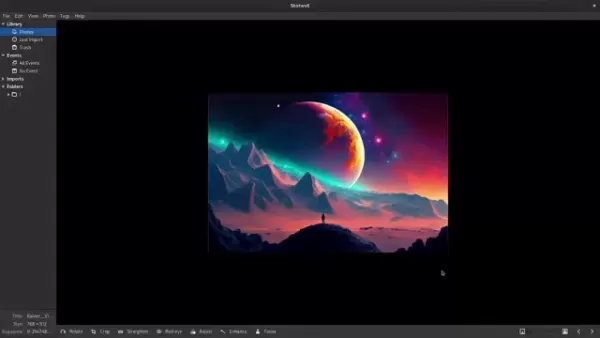
AI photo editing differs from traditional methods by automating intricate tasks and producing effects that are challenging to achieve manually. For instance, an AI photo editor can swiftly turn a landscape into a piece resembling Van Gogh's or Monet's work. Users direct the AI by selecting a style and providing prompts—textual descriptions that offer further guidance. This interactive process makes AI art creation accessible to people of all skill levels, empowering them to unleash creativity and produce striking artwork from their own photographs.
The Technology Behind AI Art Generation
The foundation of AI art generation rests on sophisticated machine learning models, primarily Generative Adversarial Networks (GANs) and Diffusion Models. GANs involve two neural networks—a generator and a discriminator—working together. The generator creates images, while the discriminator evaluates them against real images, driving the generator to produce increasingly realistic and stylized outputs. Diffusion models, conversely, operate by progressively adding noise to an image and then learning to reverse this process to reconstruct it in a new artistic style. These models are trained on massive datasets, absorbing a vast repertoire of artistic techniques.
The model's performance is heavily dependent on the quality and variety of its training data. Models fine-tuned on specific art movements become exceptionally skilled at replicating those aesthetics.
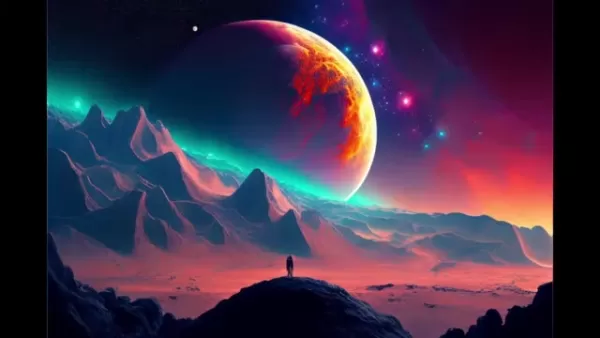
User input, through style selection and prompts, further shapes the final output. Prompts act as textual instructions, steering the AI to emphasize certain colors, themes, or elements. The interplay of advanced algorithms, comprehensive training, and user guidance makes AI photo transformation a potent tool for creativity. The final artwork is influenced by the model choice, data quality, and the specificity of the user's prompts.
Selecting the Right AI Art Style
Choosing the Right AI Style
Selecting an appropriate style is crucial for achieving your desired result in AI photo transformation. AI editing tools provide a broad spectrum of styles, from classical movements like Impressionism and Cubism to contemporary digital and abstract art. Each style imparts distinct characteristics affecting color, texture, and overall mood. Understanding these details is key to ensuring the AI's output matches your creative vision.
Consider your original photo's subject. A landscape might suit an Impressionistic or Surreal style, while a portrait could be enhanced with a Renaissance or Pop Art treatment. Experimentation is essential; test different styles to see which complements your image and evokes the right feeling. Observe the color palettes, brushwork, and compositional hallmarks of each style. Some tools offer style blending or custom creation for greater flexibility.
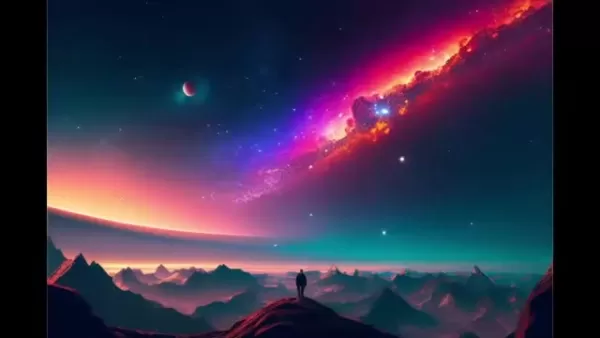
By thoughtfully selecting and customizing styles, you can ensure the AI enhances your photo in a way that reflects your personal artistic expression.
Mastering the Art of Prompting
Prompts are textual instructions that guide the AI photo editor to create specific effects. A well-written prompt can dramatically improve the final image, allowing you to specify particular subjects, moods, or details. Prompts work alongside the chosen style, providing additional context for the AI's creative process.
Effective prompting is clear, specific, and descriptive. Use keywords related to your desired subject, colors, textures, and artistic elements.
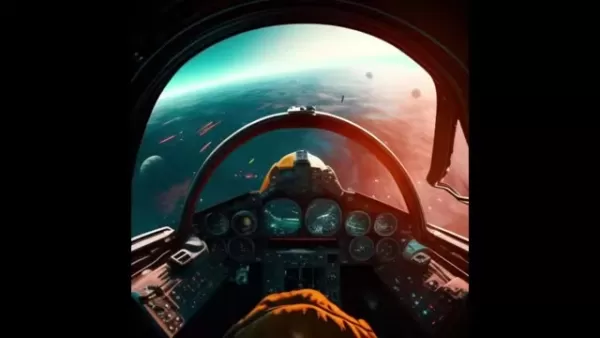
For example, when transforming a photo of a night sky, prompts like "vibrant blue hues," "swirling constellations," or "in the style of Van Gogh" can be effective. Experiment with different keyword combinations. Some tools also support negative prompts to exclude unwanted elements. Mastering this skill allows you to fully harness AI's potential and create unique, personalized art.
How to use AI Photo Editor
Adjusting Transition Durations
These settings include options for adjusting transition durations, giving you precise control over the length of each transition. This affects the overall pacing and rhythm of your final video.
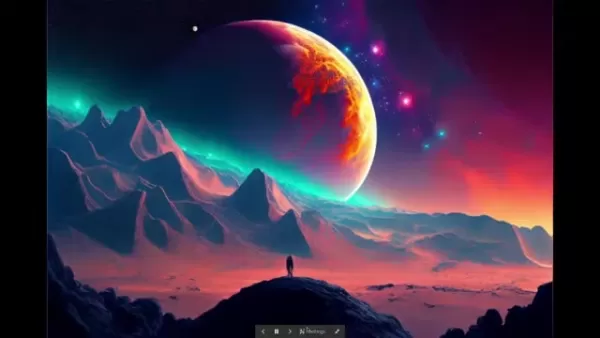
Longer durations create smooth, gradual changes, while shorter ones produce quicker, more dynamic transitions.
Transition Effects and Their Usage
The transition effects settings offer various styles, such as slide transitions, to add visual interest between photos. Each effect contributes a unique feel, allowing you to customize the video's atmosphere. Slide transitions, for example, provide a clean, modern look suitable for many themes.
Showing Titles
The settings also include an option to display titles, enabling you to add custom text or captions alongside your photos.
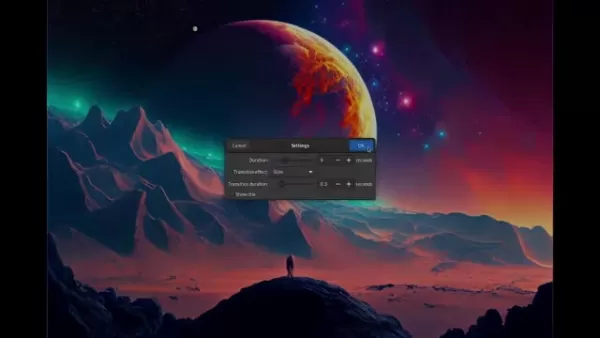
This feature is ideal for storytelling, providing context, or simply labeling images for clarity and engagement.
Pros and Cons of AI Photo Transformation
Pros
Democratized Creativity: AI tools make artistic creation accessible to everyone, regardless of technical skill.
Efficiency: AI automates complex editing processes, saving considerable time and effort.
Unique Visual Effects: Can generate distinctive effects difficult to replicate by hand.
Versatile Output: A wide array of styles and prompts supports diverse artistic exploration.
Encourages Experimentation: Fosters creative experimentation and the discovery of new ideas.
Cons
Ethical Questions: Raises debates about artistic originality, authorship, and copyright.
Potential Skill Erosion: Over-reliance on AI may hinder the development of traditional artistic techniques.
Technical Inconsistencies: Results can be unpredictable, requiring iterative prompting and adjustments.
Cost Factors: Advanced features in many AI tools often require a subscription or payment.
Limited Fine Control: The inherent unpredictability of algorithms can sometimes yield undesired outcomes.
FAQ
What types of photos work best with AI transformation?
Photos with well-defined subjects and good lighting typically yield the best results. High-resolution images are also preferable, as they provide more detail for the AI to interpret. It's beneficial to experiment with various photo types to discover which styles work best for each.
Are there any copyright issues with AI-generated art?
The copyright status of AI-generated art is a complex and evolving area. Generally, art created solely by AI may not be eligible for copyright protection unless there is substantial human creative input. Always review the terms of service of your chosen AI tool and avoid generating content that infringes on existing copyrights.
Can I use AI-transformed photos for commercial purposes?
Commercial use of AI-transformed photos depends entirely on the licensing terms of the AI tool you use. Some platforms permit commercial use, while others restrict it. Always verify the specific terms and conditions before using AI-generated images in commercial projects.
How do I improve the quality of my AI-transformed photos?
To enhance quality, start with high-resolution source images, use clear and detailed prompts, experiment with various styles and settings, and apply post-processing techniques for final touches. Consider using dedicated AI upscaling tools to increase the resolution of your output.
Are there any free AI photo transformation tools available?
Yes, several free AI photo editor tools are available, such as DeepArt.io, Prisma, and Artisto. These platforms offer a variety of styles and features for experimentation without cost. Note that free versions often have limitations on output resolution, available styles, and commercial usage rights.
Related Questions
What are some popular styles for AI photo transformation?
Popular AI art styles include: Impressionism: Emulates the soft brushstrokes and luminous color of artists like Monet. Cubism: Creates abstract, geometric compositions inspired by Picasso. Surrealism: Produces dreamlike, fantastical imagery with unusual combinations. Pop Art: Applies bold colors and graphic sensibilities reminiscent of Warhol. Digital Art: Encompasses modern techniques like glitch art, pixel art, and abstract digital patterns.
What are the best AI photo transformation tools for beginners?
Beginner-friendly AI art tools include Prisma, DeepArt.io, and BeCasso. These platforms feature intuitive interfaces, a wide selection of pre-set styles, and straightforward prompting systems, making it easy for newcomers to create impressive art quickly.
What are the advanced techniques for fine-tuning AI art?
Advanced fine-tuning techniques include: Prompt Engineering: Systematically testing and refining text prompts for precise control. Style Mixing: Blending multiple artistic styles to create unique hybrids. Post-Processing: Using image editing software to adjust color, contrast, and detail after AI generation. AI Upscaling: Employing specialized tools to increase the resolution and clarity of AI outputs. Layering: Combining multiple AI-generated layers in compositing software for complex artworks.
How can AI photo transformation be used in commercial applications?
AI-transformed photos have numerous commercial uses, such as: Marketing & Advertising: Creating standout visuals for social media, websites, and advertisements. E-commerce: Enhancing product photography with artistic flair to attract customers. Graphic Design: Generating unique textures, backgrounds, and design elements. Game Development: Producing stylized concept art and in-game assets. Fashion & Textiles: Developing innovative patterns and designs for fabrics.
Related article
 Swedish AI Startup Lovable Eyes $13.2 Billion Valuation After Major Funding Round
As AI-driven coding tools gain traction, Swedish startup Lovable has secured a major funding round. The company aims to raise $3 billion, potentially boosting its valuation to $13.2 billion—double the $6.6 billion recorded last December. Menlo Ventur
Google Tests Remy AI Agent for Gemini as Focus Shifts to User Control
According to Business Insider, Google is testing Remy, a new AI personal agent for Gemini. This tool aims to execute tasks on behalf of users, streamlining both professional workflows and daily routines.Currently, Remy is undergoing testing in an int
How to fix Core Web Vitals for better SEO rankings
Streamline Report Card Comments with AI ToolsIntroductionAI Tools for Generating Report Card CommentsMagic SchoolAlmanac AIChat GPTUsing Magic School to Generate Report Card CommentsLogging into Magic SchoolSelecting the Report Card Comments ToolCust
Related Special Topic Recommendations
writing
Swedish AI Startup Lovable Eyes $13.2 Billion Valuation After Major Funding Round
As AI-driven coding tools gain traction, Swedish startup Lovable has secured a major funding round. The company aims to raise $3 billion, potentially boosting its valuation to $13.2 billion—double the $6.6 billion recorded last December. Menlo Ventur
Google Tests Remy AI Agent for Gemini as Focus Shifts to User Control
According to Business Insider, Google is testing Remy, a new AI personal agent for Gemini. This tool aims to execute tasks on behalf of users, streamlining both professional workflows and daily routines.Currently, Remy is undergoing testing in an int
How to fix Core Web Vitals for better SEO rankings
Streamline Report Card Comments with AI ToolsIntroductionAI Tools for Generating Report Card CommentsMagic SchoolAlmanac AIChat GPTUsing Magic School to Generate Report Card CommentsLogging into Magic SchoolSelecting the Report Card Comments ToolCust
Related Special Topic Recommendations
writing
 Best AI Outline Generators for Long-Form SEO Articles
2026 Latest Best Top-Rated AI Outline Generators for Long-Form SEO Articles, meticulously curated by XIX.AI. These powerful tools offer game-changing assistance in creating high-quality content quickly, boosting writing efficiency significantly. Get a free vs paid comparison along with real-world tests and detailed rankings to help you find the must-try option that suits your needs. Explore now to unlock your AI edge.
 8 tools
 xix.ai
Education and Learning
AI Study Tools for Homework and Exam Prep
xix.ai
Education and Learning
AI Study Tools for Homework and Exam Prep
2026 Latest Best AI Study Tools for Homework and Exam Prep! XIX.AI curates a top-rated list of powerful, game-changing tools that help students boost productivity, streamline homework completion, and ace exams through real-world tests. Get a free vs paid comparison, detailed rankings, and must-try options to unlock your AI edge. Explore now!
10 tools
xix.ai
Music composition
AI Vocal Demo Tools for Songwriters, Hooks, Toplines, and Multilingual Draft Sessions
2026 Latest Best AI Vocal Demo Tools for Songwriters, Hook Creators, and Multi-Language Content Teams! XIX.AI has curated a top-rated list of powerful game-changing tools that go through rigorous real-world tests. You’ll find detailed free vs paid comparison data, comprehensive rankings, and must-try options to help you boost writing efficiency and unlock your creative potential. Explore now to discover your perfect tool for all your content needs!
9 tools
xix.ai
Business
Best AI Competitive Research Tools for Small Businesses
2026 Latest Best Top-rated AI Competitive Research Tools for Small Businesses! XIX.AI has curated a highly powerful game-changing collection, updated weekly with rigorous real-world tests and detailed rankings. You can find a comprehensive free vs paid comparison to help you identify the must-try tools that boost your productivity and give you a competitive edge. Explore now to discover your perfect tool!
9 tools
xix.ai
Image editing
Photoshop AI Retouch Tools for Ecommerce Apparel, Skin Cleanup, and Color Consistency
2026 Latest Best Photoshop AI retouch tools for ecommerce apparel, skin cleanup, and color consistency! This top-rated curated list features powerful game-changing solutions that help you boost writing efficiency, streamline content creation, and achieve perfect visual results effortlessly. Each tool has undergone real-world tests through weekly updated rankings, complete with free vs paid comparison details. Backed by XIX.AI, it’s the must-try guide for anyone aiming to unlock your AI edge. Explore now!
10 tools
xix.ai
Prompt
Best AI Prompt Libraries for ChatGPT Workflows
2026 Latest Best Top-Rated AI Prompt Libraries for optimizing all types of ChatGPT workflows. XIX.AI has curated a powerful, game-changing collection that goes through rigorous real-world tests to ensure top performance. You can find detailed free vs paid comparisons and expert rankings to help you choose the must-try tools that boost your productivity and unlock your AI edge. Explore now!
11 tools
xix.ai

 Comments (1)
0/500
Comments (1)
0/500
![GaryWalker]()
写真をAIアートに変換する方法がここまで進化したなんて!これなら絵心がなくても素敵な作品が作れそう。でもAIがアート界を支配する日が来るのかな…少し怖いかも😅 使い方をマスターしたらSNSに投稿してみよう。
In the modern digital era, the integration of technology and art has unlocked innovative pathways for creative exploration. A prime example is leveraging Artificial Intelligence (AI) to convert everyday photographs into remarkable artistic pieces. This comprehensive guide delves into the realm of AI-driven photo transformation, equipping you with the insights and resources to craft compelling visuals that distinguish themselves online. Whether you are a professional artist, a photography enthusiast, or simply exploring your creative side, AI art presents a distinctive and approachable method to realize your vision.
Key Points
Explore the diverse ecosystem of AI-powered photo editing software.
Grasp the foundational technology behind AI-driven visual transformations.
Learn to choose an AI art style that aligns with your creative intent.
Master crafting effective prompts to guide the AI toward your desired outcome.
Prepare your photos correctly to optimize results from AI art generators.
Discover advanced methods for refining and enhancing AI-generated artwork.
Identify practical applications for AI-transformed images, from personal use to business projects.
Navigate the ethical considerations and copyright landscape of AI-generated art.
Understand how to adjust transition settings within AI photo editors for precise control.
Understanding AI Photo Transformation
What is AI Photo Transformation?
AI photo transformation utilizes artificial intelligence algorithms to modify and enhance photographs. This often involves emulating the styles of renowned artists, generating surreal visuals, or adding artistic elements not found in the original image. The technology is powered by machine learning models trained on extensive image datasets, enabling them to recognize patterns, textures, and styles to apply these characteristics to new photos.
AI photo editing differs from traditional methods by automating intricate tasks and producing effects that are challenging to achieve manually. For instance, an AI photo editor can swiftly turn a landscape into a piece resembling Van Gogh's or Monet's work. Users direct the AI by selecting a style and providing prompts—textual descriptions that offer further guidance. This interactive process makes AI art creation accessible to people of all skill levels, empowering them to unleash creativity and produce striking artwork from their own photographs.
The Technology Behind AI Art Generation
The foundation of AI art generation rests on sophisticated machine learning models, primarily Generative Adversarial Networks (GANs) and Diffusion Models. GANs involve two neural networks—a generator and a discriminator—working together. The generator creates images, while the discriminator evaluates them against real images, driving the generator to produce increasingly realistic and stylized outputs. Diffusion models, conversely, operate by progressively adding noise to an image and then learning to reverse this process to reconstruct it in a new artistic style. These models are trained on massive datasets, absorbing a vast repertoire of artistic techniques.
The model's performance is heavily dependent on the quality and variety of its training data. Models fine-tuned on specific art movements become exceptionally skilled at replicating those aesthetics.
User input, through style selection and prompts, further shapes the final output. Prompts act as textual instructions, steering the AI to emphasize certain colors, themes, or elements. The interplay of advanced algorithms, comprehensive training, and user guidance makes AI photo transformation a potent tool for creativity. The final artwork is influenced by the model choice, data quality, and the specificity of the user's prompts.
Selecting the Right AI Art Style
Choosing the Right AI Style
Selecting an appropriate style is crucial for achieving your desired result in AI photo transformation. AI editing tools provide a broad spectrum of styles, from classical movements like Impressionism and Cubism to contemporary digital and abstract art. Each style imparts distinct characteristics affecting color, texture, and overall mood. Understanding these details is key to ensuring the AI's output matches your creative vision.
Consider your original photo's subject. A landscape might suit an Impressionistic or Surreal style, while a portrait could be enhanced with a Renaissance or Pop Art treatment. Experimentation is essential; test different styles to see which complements your image and evokes the right feeling. Observe the color palettes, brushwork, and compositional hallmarks of each style. Some tools offer style blending or custom creation for greater flexibility.
By thoughtfully selecting and customizing styles, you can ensure the AI enhances your photo in a way that reflects your personal artistic expression.
Mastering the Art of Prompting
Prompts are textual instructions that guide the AI photo editor to create specific effects. A well-written prompt can dramatically improve the final image, allowing you to specify particular subjects, moods, or details. Prompts work alongside the chosen style, providing additional context for the AI's creative process.
Effective prompting is clear, specific, and descriptive. Use keywords related to your desired subject, colors, textures, and artistic elements.
For example, when transforming a photo of a night sky, prompts like "vibrant blue hues," "swirling constellations," or "in the style of Van Gogh" can be effective. Experiment with different keyword combinations. Some tools also support negative prompts to exclude unwanted elements. Mastering this skill allows you to fully harness AI's potential and create unique, personalized art.
How to use AI Photo Editor
Adjusting Transition Durations
These settings include options for adjusting transition durations, giving you precise control over the length of each transition. This affects the overall pacing and rhythm of your final video.
Longer durations create smooth, gradual changes, while shorter ones produce quicker, more dynamic transitions.
Transition Effects and Their Usage
The transition effects settings offer various styles, such as slide transitions, to add visual interest between photos. Each effect contributes a unique feel, allowing you to customize the video's atmosphere. Slide transitions, for example, provide a clean, modern look suitable for many themes.
Showing Titles
The settings also include an option to display titles, enabling you to add custom text or captions alongside your photos.
This feature is ideal for storytelling, providing context, or simply labeling images for clarity and engagement.
Pros and Cons of AI Photo Transformation
Pros
Democratized Creativity: AI tools make artistic creation accessible to everyone, regardless of technical skill.
Efficiency: AI automates complex editing processes, saving considerable time and effort.
Unique Visual Effects: Can generate distinctive effects difficult to replicate by hand.
Versatile Output: A wide array of styles and prompts supports diverse artistic exploration.
Encourages Experimentation: Fosters creative experimentation and the discovery of new ideas.
Cons
Ethical Questions: Raises debates about artistic originality, authorship, and copyright.
Potential Skill Erosion: Over-reliance on AI may hinder the development of traditional artistic techniques.
Technical Inconsistencies: Results can be unpredictable, requiring iterative prompting and adjustments.
Cost Factors: Advanced features in many AI tools often require a subscription or payment.
Limited Fine Control: The inherent unpredictability of algorithms can sometimes yield undesired outcomes.
FAQ
What types of photos work best with AI transformation?
Photos with well-defined subjects and good lighting typically yield the best results. High-resolution images are also preferable, as they provide more detail for the AI to interpret. It's beneficial to experiment with various photo types to discover which styles work best for each.
Are there any copyright issues with AI-generated art?
The copyright status of AI-generated art is a complex and evolving area. Generally, art created solely by AI may not be eligible for copyright protection unless there is substantial human creative input. Always review the terms of service of your chosen AI tool and avoid generating content that infringes on existing copyrights.
Can I use AI-transformed photos for commercial purposes?
Commercial use of AI-transformed photos depends entirely on the licensing terms of the AI tool you use. Some platforms permit commercial use, while others restrict it. Always verify the specific terms and conditions before using AI-generated images in commercial projects.
How do I improve the quality of my AI-transformed photos?
To enhance quality, start with high-resolution source images, use clear and detailed prompts, experiment with various styles and settings, and apply post-processing techniques for final touches. Consider using dedicated AI upscaling tools to increase the resolution of your output.
Are there any free AI photo transformation tools available?
Yes, several free AI photo editor tools are available, such as DeepArt.io, Prisma, and Artisto. These platforms offer a variety of styles and features for experimentation without cost. Note that free versions often have limitations on output resolution, available styles, and commercial usage rights.
Related Questions
What are some popular styles for AI photo transformation?
Popular AI art styles include: Impressionism: Emulates the soft brushstrokes and luminous color of artists like Monet. Cubism: Creates abstract, geometric compositions inspired by Picasso. Surrealism: Produces dreamlike, fantastical imagery with unusual combinations. Pop Art: Applies bold colors and graphic sensibilities reminiscent of Warhol. Digital Art: Encompasses modern techniques like glitch art, pixel art, and abstract digital patterns.
What are the best AI photo transformation tools for beginners?
Beginner-friendly AI art tools include Prisma, DeepArt.io, and BeCasso. These platforms feature intuitive interfaces, a wide selection of pre-set styles, and straightforward prompting systems, making it easy for newcomers to create impressive art quickly.
What are the advanced techniques for fine-tuning AI art?
Advanced fine-tuning techniques include: Prompt Engineering: Systematically testing and refining text prompts for precise control. Style Mixing: Blending multiple artistic styles to create unique hybrids. Post-Processing: Using image editing software to adjust color, contrast, and detail after AI generation. AI Upscaling: Employing specialized tools to increase the resolution and clarity of AI outputs. Layering: Combining multiple AI-generated layers in compositing software for complex artworks.
How can AI photo transformation be used in commercial applications?
AI-transformed photos have numerous commercial uses, such as: Marketing & Advertising: Creating standout visuals for social media, websites, and advertisements. E-commerce: Enhancing product photography with artistic flair to attract customers. Graphic Design: Generating unique textures, backgrounds, and design elements. Game Development: Producing stylized concept art and in-game assets. Fashion & Textiles: Developing innovative patterns and designs for fabrics.








 Swedish AI Startup Lovable Eyes $13.2 Billion Valuation After Major Funding Round
As AI-driven coding tools gain traction, Swedish startup Lovable has secured a major funding round. The company aims to raise $3 billion, potentially boosting its valuation to $13.2 billion—double the $6.6 billion recorded last December. Menlo Ventur
Google Tests Remy AI Agent for Gemini as Focus Shifts to User Control
According to Business Insider, Google is testing Remy, a new AI personal agent for Gemini. This tool aims to execute tasks on behalf of users, streamlining both professional workflows and daily routines.Currently, Remy is undergoing testing in an int
Swedish AI Startup Lovable Eyes $13.2 Billion Valuation After Major Funding Round
As AI-driven coding tools gain traction, Swedish startup Lovable has secured a major funding round. The company aims to raise $3 billion, potentially boosting its valuation to $13.2 billion—double the $6.6 billion recorded last December. Menlo Ventur
Google Tests Remy AI Agent for Gemini as Focus Shifts to User Control
According to Business Insider, Google is testing Remy, a new AI personal agent for Gemini. This tool aims to execute tasks on behalf of users, streamlining both professional workflows and daily routines.Currently, Remy is undergoing testing in an int
 How to fix Core Web Vitals for better SEO rankings
Streamline Report Card Comments with AI ToolsIntroductionAI Tools for Generating Report Card CommentsMagic SchoolAlmanac AIChat GPTUsing Magic School to Generate Report Card CommentsLogging into Magic SchoolSelecting the Report Card Comments ToolCust
How to fix Core Web Vitals for better SEO rankings
Streamline Report Card Comments with AI ToolsIntroductionAI Tools for Generating Report Card CommentsMagic SchoolAlmanac AIChat GPTUsing Magic School to Generate Report Card CommentsLogging into Magic SchoolSelecting the Report Card Comments ToolCust

2026 Latest Best Top-Rated AI Outline Generators for Long-Form SEO Articles, meticulously curated by XIX.AI. These powerful tools offer game-changing assistance in creating high-quality content quickly, boosting writing efficiency significantly. Get a free vs paid comparison along with real-world tests and detailed rankings to help you find the must-try option that suits your needs. Explore now to unlock your AI edge.
8 tools
xix.ai

2026 Latest Best AI Study Tools for Homework and Exam Prep! XIX.AI curates a top-rated list of powerful, game-changing tools that help students boost productivity, streamline homework completion, and ace exams through real-world tests. Get a free vs paid comparison, detailed rankings, and must-try options to unlock your AI edge. Explore now!
10 tools
xix.ai

2026 Latest Best AI Vocal Demo Tools for Songwriters, Hook Creators, and Multi-Language Content Teams! XIX.AI has curated a top-rated list of powerful game-changing tools that go through rigorous real-world tests. You’ll find detailed free vs paid comparison data, comprehensive rankings, and must-try options to help you boost writing efficiency and unlock your creative potential. Explore now to discover your perfect tool for all your content needs!
9 tools
xix.ai

2026 Latest Best Top-rated AI Competitive Research Tools for Small Businesses! XIX.AI has curated a highly powerful game-changing collection, updated weekly with rigorous real-world tests and detailed rankings. You can find a comprehensive free vs paid comparison to help you identify the must-try tools that boost your productivity and give you a competitive edge. Explore now to discover your perfect tool!
9 tools
xix.ai

2026 Latest Best Photoshop AI retouch tools for ecommerce apparel, skin cleanup, and color consistency! This top-rated curated list features powerful game-changing solutions that help you boost writing efficiency, streamline content creation, and achieve perfect visual results effortlessly. Each tool has undergone real-world tests through weekly updated rankings, complete with free vs paid comparison details. Backed by XIX.AI, it’s the must-try guide for anyone aiming to unlock your AI edge. Explore now!
10 tools
xix.ai

2026 Latest Best Top-Rated AI Prompt Libraries for optimizing all types of ChatGPT workflows. XIX.AI has curated a powerful, game-changing collection that goes through rigorous real-world tests to ensure top performance. You can find detailed free vs paid comparisons and expert rankings to help you choose the must-try tools that boost your productivity and unlock your AI edge. Explore now!
11 tools
xix.ai

写真をAIアートに変換する方法がここまで進化したなんて!これなら絵心がなくても素敵な作品が作れそう。でもAIがアート界を支配する日が来るのかな…少し怖いかも😅 使い方をマスターしたらSNSに投稿してみよう。












