


 Home
HomeRemini AI Photo Enhancer Upgrades Images with Advanced AI Portraits
In today's visually-driven world, high-quality images are crucial for everything from preserving personal memories to building a professional brand. However, what do you do when your treasured old photos are blurry, or your device's camera fails to capture the sharpness you need? This is where Remini, the AI-powered photo enhancer, steps in. Remini employs cutting-edge artificial intelligence to transform your pictures, revitalizing old memories and elevating the quality of your everyday snaps. Whether you aim to restore faded family portraits or create striking visuals for social media, Remini is a powerful tool that delivers advanced AI photo enhancement directly to you.
Key Points
Remini utilizes sophisticated AI to improve blurry, aged, and low-quality photographs.
The application can restore faded pictures, enhance image clarity, and increase resolution.
Remini features an intuitive interface, making it easy for users of all skill levels.
It is suitable for enhancing both personal photographs and professional imagery.
The app is available for both iOS and Android devices.
Remini provides several AI-driven features beyond basic enhancement, including portrait creation and more.
Users can share their enhanced photos directly to social media from the app.
Understanding AI Photo Enhancement with Remini
What is Remini?
Remini is an AI Photo Enhancer designed to revitalize old, blurry, or low-resolution photographs.
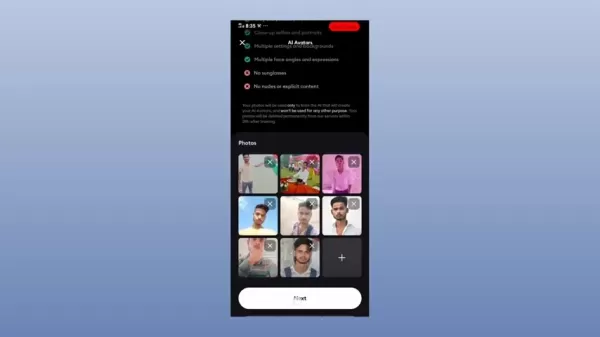
It is more than a simple filter app; Remini uses complex algorithms to analyze and reconstruct images, filling in missing details and sharpening edges. The outcome is often a dramatically improved photo that appears to have been taken with a modern, high-resolution camera. Remini isn't just for old photos, however. It can also enhance pictures taken on smartphones, improving clarity, reducing visual noise, and boosting overall quality. This makes it a valuable tool for anyone wanting to get the best from their photos, for personal or professional use. With continuous updates and algorithm refinements, Remini remains at the forefront of AI-driven image enhancement.
The Power of AI in Photo Restoration
The core of Remini's capability lies in its use of artificial intelligence. Unlike traditional photo editing that relies on manual adjustments, Remini's AI algorithms learn from vast datasets of images. This enables the app to intelligently identify patterns, recognize faces, and accurately reconstruct missing or damaged parts of a photo. The process involves several key steps: image analysis, AI-driven reconstruction, and final quality enhancement.
Image analysis: Remini's AI first examines the photo to pinpoint areas needing improvement, such as blurriness, low resolution, or faded colors.
AI-driven reconstruction: The AI then applies its learned knowledge to reconstruct the image, filling in missing details and sharpening edges. This is where Remini excels, as it can often generate details that were not visible in the original photo.
Quality enhancement: Finally, Remini improves the photo's overall quality by adjusting brightness, contrast, and color balance. The end result is a strikingly clear and vibrant image that looks modern. The key to Remini’s success is its ability to perform intelligent reconstruction, making it a superior solution for photo restoration.
Diving Deeper: Remini's Enhanced Features
Exploring the Core AI Features
Remini offers a suite of AI-powered features, each addressing specific photo enhancement needs. Beyond basic improvement, it provides specialized functions for various image imperfections. Here is a look at some of its core AI photo enhancement features.
Enhance: This is the primary feature for improving a photo's overall quality. It sharpens edges, reduces noise, and enhances details.
Portrait: Specifically designed for portraits, this feature focuses on refining skin texture, sharpening facial features, and minimizing blemishes. It is perfect for bringing out the best in selfies and portraits.
DeBlur: This feature targets blurry photos, reducing blur and sharpening the image. It is especially useful for rescuing photos taken with shaky hands or in low light.
Colorize: Breathe new life into old black-and-white photos by automatically adding color. Remini's AI intelligently applies realistic colors, bringing historical images to life.
Face Animator: This is a fun feature! It animates faces in photos, making them smile, wink, or even talk. It is a great way to add humor and create engaging social media content.
AI Filters: Apply various artistic filters to transform photos into paintings, sketches, and more. This feature allows you to unleash creativity and give photos a unique look.
By offering these specialized tools, Remini provides a comprehensive toolkit for AI photo enhancement, catering to a wide range of needs and creative projects.
Step-by-Step Guide: Enhancing Your Photos with Remini
Getting Started: Installing and Setting Up Remini
The first step to using Remini is to download and install the app. It is available on both iOS and Android platforms, making it accessible to a wide audience. Here is how to begin:
Download and install: Visit the App Store (iOS) or Google Play Store (Android) and search for 'Remini'. Download and install the app on your device.
Create an account: Launch the app and create an account. You can sign up using your email, Google account, or Facebook account.
Subscription options: Remini offers both free and paid subscriptions. The free version allows a limited number of daily enhancements, while the paid subscription unlocks unlimited use and premium features. Choose the option that fits your needs.
Familiarize yourself with the interface: Take a moment to explore the app's user-friendly interface and its various tools. You should quickly understand how to navigate it. After these steps, you are ready to start enhancing photos with Remini.
Enhancing Photos: A Detailed Walkthrough
Now that Remini is set up, here is a step-by-step guide to enhancing your photos:
Select a photo: Tap the 'Enhance' button on the main screen.

This opens your device's gallery, allowing you to select the photo you wish to enhance. Choose a blurry, old, or low-resolution image.
Wait for the AI to process: Once selected, Remini's AI will process the photo. This may take a few seconds, depending on the image's size and complexity.
Review the enhanced photo: After processing, you will see the enhanced result. Use the comparison slider to see the dramatic difference between the original and enhanced versions.
Save the enhanced photo: If satisfied with the result, tap 'Save' to store the enhanced photo in your device's gallery. You can also share it directly to social media from the app.
Experiment with other features: Remini offers other AI-powered features like 'Portrait', 'DeBlur', and 'Colorize'. Try these features to see how they can further improve your photos.
By following these steps, you can easily transform your photos with Remini and give new life to old memories.
Tips for Best Results
To achieve the best possible results with Remini's AI photo enhancement, keep these tips in mind:
- Start with the best possible original: While Remini works wonders, a higher-quality starting photo will yield a better final result.
- Experiment with different features: Try various features to see what works best for each specific photo. The 'Portrait' feature, for instance, is tailored for enhancing faces.
- Consider the subscription: If you plan to enhance many photos, consider Remini Premium for unlimited enhancements.
- Be patient: AI processing can take a few seconds, especially for large or complex images. Allow the AI time to work.
- Adjust settings: When available, experiment with adjustable settings within Remini's AI tools to fine-tune the look of your photo.
By following these tips, you will be well on your way to creating stunning, high-quality photos with Remini.
Remini Pricing Plans: Choosing the Right Option for You
Understanding the Subscription Options
Remini offers both free and paid subscriptions to suit different users and needs. The free version is excellent for trying the app, while the paid subscription unlocks unlimited enhancements and premium features. Here is a breakdown of the plans:
- Free Version: Offers a limited number of daily enhancements. Ideal for casual users who only need to enhance a few photos occasionally.
- Remini Pro (Weekly): Provides unlimited enhancements and premium features for one week. Perfect for short-term projects or testing premium features.
- Remini Pro (Monthly): Offers unlimited enhancements and premium features for one month. A good choice for regular users.
- Remini Pro (Yearly): Provides unlimited enhancements and premium features for one year. The most cost-effective option for frequent users.
Pricing Table
Plan Price Features Free Version Free Limited enhancements per day Weekly $4.99/week Unlimited enhancements, premium features Monthly $19.99/month Unlimited enhancements, premium features, no ads Yearly $99.99/year Unlimited enhancements, premium features, no ads, priority support
Please note that pricing may vary slightly by region and platform (iOS or Android). Check the Remini app for the most current pricing.
Remini: Weighing the Pros and Cons
Pros
Excellent AI-powered photo enhancement
User-friendly interface
Wide range of features
Available on iOS and Android
Affordable subscription options
Cons
Requires an internet connection
Free version has limited enhancements
Results may vary depending on the original photo quality
Subscription required for some features
Exploring Remini's Core Features: A Deep Dive
Unveiling the Key Capabilities of Remini
Remini’s core strength is its diverse suite of AI photo enhancement capabilities. These features tackle a wide spectrum of image quality issues, making it a versatile tool. Here is a detailed look at some key features:
- AI Enhance: The flagship feature uses advanced AI to improve overall photo quality, reduce noise, sharpen edges, and enhance details. It can revitalize old or low-quality images.
- AI Portrait: Specifically for portraits and selfies, this feature improves skin texture, sharpens facial features, removes blemishes, and enhances facial aesthetics.
- AI DeBlur: Designed to reduce blurriness, this feature intelligently sharpens images for greater clarity and detail.
- AI Colorize: This feature brings old black-and-white photos to life by automatically adding realistic colors, resulting in a natural and vibrant look.
- AI Face Animator: A fun feature that animates faces in photos, adding smiles, winks, or expressions. Great for creating engaging social media content.
By combining these core features, Remini provides a comprehensive solution for AI-powered photo enhancement, catering to diverse needs and creative possibilities.
Real-World Applications: How Remini is Used
Diverse Use Cases Across Personal and Professional Scenarios
Remini's versatility makes it valuable for a wide range of users, from individuals restoring family photos to professionals enhancing visual content. Here are some real-world applications:
Restoring old family photos: Revitalize faded, damaged, or blurry family photographs to preserve cherished memories.
Enhancing smartphone photos: Improve the clarity, sharpness, and vibrancy of pictures taken on smartphones.
Creating professional visuals: Enhance product photos, marketing materials, and other professional imagery to improve brand presentation.
Social media content creation: Produce eye-catching and engaging content for social media platforms to attract followers.
Historical preservation: Digitize and enhance historical photographs for research and education.
Forensic analysis: Improve image clarity for forensic investigations, aiding in identification and evidence gathering.
These diverse use cases demonstrate Remini's versatility and value across numerous applications.
Frequently Asked Questions about Remini
Is Remini safe to use?
Yes, Remini is generally safe to use. The app employs industry-standard security measures to protect your data and privacy. However, as with any app, it is wise to review its privacy policy and terms of service. Be cautious about the permissions you grant and avoid uploading highly sensitive personal photos.
Does Remini require an internet connection?
Yes, Remini requires an internet connection to process photos, as its AI algorithms run on remote servers. Offline enhancement is not possible.
Can I use Remini for commercial purposes?
Yes, you can use Remini for commercial purposes, such as enhancing product photos or marketing materials. However, depending on your specific use case, a commercial license may be required. Contact Remini's customer support for detailed information.
Related Questions About AI Photo Enhancement
What other AI photo enhancement apps are available?
While Remini is popular, several other AI photo enhancement apps exist, each with unique strengths. Notable alternatives include: ToonMe: Specializes in transforming photos into cartoon-style images using AI, offering a creative alternative to restoration-focused apps. FaceApp: Known for its AI-powered face editing features like age transformation and gender swap, providing extensive creative manipulations beyond basic enhancement. Exploring these alternatives can help you find the app that best matches your specific needs and preferences, as each utilizes AI differently.
How accurate are AI photo enhancers?
The accuracy of AI photo enhancers has improved significantly due to advances in artificial intelligence and machine learning. Modern tools can produce remarkably realistic and detailed results, especially with minor quality issues. However, they are not infallible. They may struggle with extremely damaged or low-resolution images, and results may not always be perfectly accurate. Accuracy also depends on the quality and scope of the training data used to develop the algorithms. Despite these limitations, AI photo enhancers remain valuable tools for improving photo quality and revitalizing memories.
Related article
 Suno to Watermark Songs Amid Legal Battles
Suno, the platform enabling users to generate AI-created music, has unveiled new features to label platform-produced tracks, restrict downloads, and update community standards to curb unauthorized replicas. These updates arrive as Suno confronts mult
Musk Admits Grok Build Leaked User Code, Promises to Erase All Historical Data
Elon Musk directly addressed the privacy controversy surrounding Grok Build, beginning with a simple "True" to confirm the incident's validity. He pledged that all user data previously uploaded to SpaceXAI would be permanently erased, stating, "not a
U.S. Stocks Hit Historic Milestone as AI and Aerospace Giants Prepare for Trillion-Dollar Debut
Elon Musk, Sam Altman, and Dario Amodei, three titans of the technology sector, are advancing toward initial public offerings for their respective ventures. With SpaceX, OpenAI, and Anthropic—three industry behemoths nearing trillion-dollar valuation
Related Special Topic Recommendations
SEO
Suno to Watermark Songs Amid Legal Battles
Suno, the platform enabling users to generate AI-created music, has unveiled new features to label platform-produced tracks, restrict downloads, and update community standards to curb unauthorized replicas. These updates arrive as Suno confronts mult
Musk Admits Grok Build Leaked User Code, Promises to Erase All Historical Data
Elon Musk directly addressed the privacy controversy surrounding Grok Build, beginning with a simple "True" to confirm the incident's validity. He pledged that all user data previously uploaded to SpaceXAI would be permanently erased, stating, "not a
U.S. Stocks Hit Historic Milestone as AI and Aerospace Giants Prepare for Trillion-Dollar Debut
Elon Musk, Sam Altman, and Dario Amodei, three titans of the technology sector, are advancing toward initial public offerings for their respective ventures. With SpaceX, OpenAI, and Anthropic—three industry behemoths nearing trillion-dollar valuation
Related Special Topic Recommendations
SEO
 Best AI SERP Analysis Tools for Search Strategy
2026 Latest Best Top-rated AI SERP Analysis Tools for Search Strategy are curated by XIX.AI through rigorous real-world tests and weekly updated rankings. These powerful tools help you unlock hidden optimization opportunities, boost content performance, and gain a competitive edge in search. Discover your perfect tool to elevate your search strategy today. Explore now!
 13 tools
 xix.ai
Data Analysis
Best AI Anomaly Detection Tools for KPI Monitoring across SaaS and Ecommerce Teams
xix.ai
Data Analysis
Best AI Anomaly Detection Tools for KPI Monitoring across SaaS and Ecommerce Teams
2026 Latest Best Top-rated AI Anomaly Detection Tools for KPI Monitoring in SaaS and Ecommerce teams! XIX.AI has curated a powerful, game-changing collection based on rigorous real-world tests and weekly updated rankings. You’ll find detailed free vs paid comparison insights to help you identify the must-try solution that boosts productivity and unlocks your AI edge. Explore now!
10 tools
xix.ai
writing
Best AI Outline Generators for Long-Form SEO Articles
2026 Latest Best Top-Rated AI Outline Generators for Long-Form SEO Articles, meticulously curated by XIX.AI. These powerful tools offer game-changing assistance in creating high-quality content quickly, boosting writing efficiency significantly. Get a free vs paid comparison along with real-world tests and detailed rankings to help you find the must-try option that suits your needs. Explore now to unlock your AI edge.
8 tools
xix.ai
Education and Learning
AI Study Tools for Homework and Exam Prep
2026 Latest Best AI Study Tools for Homework and Exam Prep! XIX.AI curates a top-rated list of powerful, game-changing tools that help students boost productivity, streamline homework completion, and ace exams through real-world tests. Get a free vs paid comparison, detailed rankings, and must-try options to unlock your AI edge. Explore now!
10 tools
xix.ai
Music composition
AI Vocal Demo Tools for Songwriters, Hooks, Toplines, and Multilingual Draft Sessions
2026 Latest Best AI Vocal Demo Tools for Songwriters, Hook Creators, and Multi-Language Content Teams! XIX.AI has curated a top-rated list of powerful game-changing tools that go through rigorous real-world tests. You’ll find detailed free vs paid comparison data, comprehensive rankings, and must-try options to help you boost writing efficiency and unlock your creative potential. Explore now to discover your perfect tool for all your content needs!
9 tools
xix.ai
Business
Best AI Competitive Research Tools for Small Businesses
2026 Latest Best Top-rated AI Competitive Research Tools for Small Businesses! XIX.AI has curated a highly powerful game-changing collection, updated weekly with rigorous real-world tests and detailed rankings. You can find a comprehensive free vs paid comparison to help you identify the must-try tools that boost your productivity and give you a competitive edge. Explore now to discover your perfect tool!
9 tools
xix.ai

 Comments (1)
0/500
Comments (1)
0/500
![RogerGonzález]()
這AI修圖技術也太強了吧!老照片模糊不清的問題終於有解了,感覺像是給了舊回憶第二次生命。不過有點好奇,它處理人像時會不會不小心『美化』過頭,讓爺爺看起來像用了美肌濾鏡?😂 對於重視原汁原味的人來說,可能得謹慎使用。
In today's visually-driven world, high-quality images are crucial for everything from preserving personal memories to building a professional brand. However, what do you do when your treasured old photos are blurry, or your device's camera fails to capture the sharpness you need? This is where Remini, the AI-powered photo enhancer, steps in. Remini employs cutting-edge artificial intelligence to transform your pictures, revitalizing old memories and elevating the quality of your everyday snaps. Whether you aim to restore faded family portraits or create striking visuals for social media, Remini is a powerful tool that delivers advanced AI photo enhancement directly to you.
Key Points
Remini utilizes sophisticated AI to improve blurry, aged, and low-quality photographs.
The application can restore faded pictures, enhance image clarity, and increase resolution.
Remini features an intuitive interface, making it easy for users of all skill levels.
It is suitable for enhancing both personal photographs and professional imagery.
The app is available for both iOS and Android devices.
Remini provides several AI-driven features beyond basic enhancement, including portrait creation and more.
Users can share their enhanced photos directly to social media from the app.
Understanding AI Photo Enhancement with Remini
What is Remini?
Remini is an AI Photo Enhancer designed to revitalize old, blurry, or low-resolution photographs.
It is more than a simple filter app; Remini uses complex algorithms to analyze and reconstruct images, filling in missing details and sharpening edges. The outcome is often a dramatically improved photo that appears to have been taken with a modern, high-resolution camera. Remini isn't just for old photos, however. It can also enhance pictures taken on smartphones, improving clarity, reducing visual noise, and boosting overall quality. This makes it a valuable tool for anyone wanting to get the best from their photos, for personal or professional use. With continuous updates and algorithm refinements, Remini remains at the forefront of AI-driven image enhancement.
The Power of AI in Photo Restoration
The core of Remini's capability lies in its use of artificial intelligence. Unlike traditional photo editing that relies on manual adjustments, Remini's AI algorithms learn from vast datasets of images. This enables the app to intelligently identify patterns, recognize faces, and accurately reconstruct missing or damaged parts of a photo. The process involves several key steps: image analysis, AI-driven reconstruction, and final quality enhancement.
Image analysis: Remini's AI first examines the photo to pinpoint areas needing improvement, such as blurriness, low resolution, or faded colors.
AI-driven reconstruction: The AI then applies its learned knowledge to reconstruct the image, filling in missing details and sharpening edges. This is where Remini excels, as it can often generate details that were not visible in the original photo.
Quality enhancement: Finally, Remini improves the photo's overall quality by adjusting brightness, contrast, and color balance. The end result is a strikingly clear and vibrant image that looks modern. The key to Remini’s success is its ability to perform intelligent reconstruction, making it a superior solution for photo restoration.
Diving Deeper: Remini's Enhanced Features
Exploring the Core AI Features
Remini offers a suite of AI-powered features, each addressing specific photo enhancement needs. Beyond basic improvement, it provides specialized functions for various image imperfections. Here is a look at some of its core AI photo enhancement features.
Enhance: This is the primary feature for improving a photo's overall quality. It sharpens edges, reduces noise, and enhances details.
Portrait: Specifically designed for portraits, this feature focuses on refining skin texture, sharpening facial features, and minimizing blemishes. It is perfect for bringing out the best in selfies and portraits.
DeBlur: This feature targets blurry photos, reducing blur and sharpening the image. It is especially useful for rescuing photos taken with shaky hands or in low light.
Colorize: Breathe new life into old black-and-white photos by automatically adding color. Remini's AI intelligently applies realistic colors, bringing historical images to life.
Face Animator: This is a fun feature! It animates faces in photos, making them smile, wink, or even talk. It is a great way to add humor and create engaging social media content.
AI Filters: Apply various artistic filters to transform photos into paintings, sketches, and more. This feature allows you to unleash creativity and give photos a unique look.
By offering these specialized tools, Remini provides a comprehensive toolkit for AI photo enhancement, catering to a wide range of needs and creative projects.
Step-by-Step Guide: Enhancing Your Photos with Remini
Getting Started: Installing and Setting Up Remini
The first step to using Remini is to download and install the app. It is available on both iOS and Android platforms, making it accessible to a wide audience. Here is how to begin:
Download and install: Visit the App Store (iOS) or Google Play Store (Android) and search for 'Remini'. Download and install the app on your device.
Create an account: Launch the app and create an account. You can sign up using your email, Google account, or Facebook account.
Subscription options: Remini offers both free and paid subscriptions. The free version allows a limited number of daily enhancements, while the paid subscription unlocks unlimited use and premium features. Choose the option that fits your needs.
Familiarize yourself with the interface: Take a moment to explore the app's user-friendly interface and its various tools. You should quickly understand how to navigate it. After these steps, you are ready to start enhancing photos with Remini.
Enhancing Photos: A Detailed Walkthrough
Now that Remini is set up, here is a step-by-step guide to enhancing your photos:
Select a photo: Tap the 'Enhance' button on the main screen.
This opens your device's gallery, allowing you to select the photo you wish to enhance. Choose a blurry, old, or low-resolution image.
Wait for the AI to process: Once selected, Remini's AI will process the photo. This may take a few seconds, depending on the image's size and complexity.
Review the enhanced photo: After processing, you will see the enhanced result. Use the comparison slider to see the dramatic difference between the original and enhanced versions.
Save the enhanced photo: If satisfied with the result, tap 'Save' to store the enhanced photo in your device's gallery. You can also share it directly to social media from the app.
Experiment with other features: Remini offers other AI-powered features like 'Portrait', 'DeBlur', and 'Colorize'. Try these features to see how they can further improve your photos.
By following these steps, you can easily transform your photos with Remini and give new life to old memories.
Tips for Best Results
To achieve the best possible results with Remini's AI photo enhancement, keep these tips in mind:
- Start with the best possible original: While Remini works wonders, a higher-quality starting photo will yield a better final result.
- Experiment with different features: Try various features to see what works best for each specific photo. The 'Portrait' feature, for instance, is tailored for enhancing faces.
- Consider the subscription: If you plan to enhance many photos, consider Remini Premium for unlimited enhancements.
- Be patient: AI processing can take a few seconds, especially for large or complex images. Allow the AI time to work.
- Adjust settings: When available, experiment with adjustable settings within Remini's AI tools to fine-tune the look of your photo.
By following these tips, you will be well on your way to creating stunning, high-quality photos with Remini.
Remini Pricing Plans: Choosing the Right Option for You
Understanding the Subscription Options
Remini offers both free and paid subscriptions to suit different users and needs. The free version is excellent for trying the app, while the paid subscription unlocks unlimited enhancements and premium features. Here is a breakdown of the plans:
- Free Version: Offers a limited number of daily enhancements. Ideal for casual users who only need to enhance a few photos occasionally.
- Remini Pro (Weekly): Provides unlimited enhancements and premium features for one week. Perfect for short-term projects or testing premium features.
- Remini Pro (Monthly): Offers unlimited enhancements and premium features for one month. A good choice for regular users.
- Remini Pro (Yearly): Provides unlimited enhancements and premium features for one year. The most cost-effective option for frequent users.
Pricing Table
| Plan | Price | Features |
|---|---|---|
| Free Version | Free | Limited enhancements per day |
| Weekly | $4.99/week | Unlimited enhancements, premium features |
| Monthly | $19.99/month | Unlimited enhancements, premium features, no ads |
| Yearly | $99.99/year | Unlimited enhancements, premium features, no ads, priority support |
Please note that pricing may vary slightly by region and platform (iOS or Android). Check the Remini app for the most current pricing.
Remini: Weighing the Pros and Cons
Pros
Excellent AI-powered photo enhancement
User-friendly interface
Wide range of features
Available on iOS and Android
Affordable subscription options
Cons
Requires an internet connection
Free version has limited enhancements
Results may vary depending on the original photo quality
Subscription required for some features
Exploring Remini's Core Features: A Deep Dive
Unveiling the Key Capabilities of Remini
Remini’s core strength is its diverse suite of AI photo enhancement capabilities. These features tackle a wide spectrum of image quality issues, making it a versatile tool. Here is a detailed look at some key features:
- AI Enhance: The flagship feature uses advanced AI to improve overall photo quality, reduce noise, sharpen edges, and enhance details. It can revitalize old or low-quality images.
- AI Portrait: Specifically for portraits and selfies, this feature improves skin texture, sharpens facial features, removes blemishes, and enhances facial aesthetics.
- AI DeBlur: Designed to reduce blurriness, this feature intelligently sharpens images for greater clarity and detail.
- AI Colorize: This feature brings old black-and-white photos to life by automatically adding realistic colors, resulting in a natural and vibrant look.
- AI Face Animator: A fun feature that animates faces in photos, adding smiles, winks, or expressions. Great for creating engaging social media content.
By combining these core features, Remini provides a comprehensive solution for AI-powered photo enhancement, catering to diverse needs and creative possibilities.
Real-World Applications: How Remini is Used
Diverse Use Cases Across Personal and Professional Scenarios
Remini's versatility makes it valuable for a wide range of users, from individuals restoring family photos to professionals enhancing visual content. Here are some real-world applications:
Restoring old family photos: Revitalize faded, damaged, or blurry family photographs to preserve cherished memories.
Enhancing smartphone photos: Improve the clarity, sharpness, and vibrancy of pictures taken on smartphones.
Creating professional visuals: Enhance product photos, marketing materials, and other professional imagery to improve brand presentation.
Social media content creation: Produce eye-catching and engaging content for social media platforms to attract followers.
Historical preservation: Digitize and enhance historical photographs for research and education.
Forensic analysis: Improve image clarity for forensic investigations, aiding in identification and evidence gathering.
These diverse use cases demonstrate Remini's versatility and value across numerous applications.
Frequently Asked Questions about Remini
Is Remini safe to use?
Yes, Remini is generally safe to use. The app employs industry-standard security measures to protect your data and privacy. However, as with any app, it is wise to review its privacy policy and terms of service. Be cautious about the permissions you grant and avoid uploading highly sensitive personal photos.
Does Remini require an internet connection?
Yes, Remini requires an internet connection to process photos, as its AI algorithms run on remote servers. Offline enhancement is not possible.
Can I use Remini for commercial purposes?
Yes, you can use Remini for commercial purposes, such as enhancing product photos or marketing materials. However, depending on your specific use case, a commercial license may be required. Contact Remini's customer support for detailed information.
Related Questions About AI Photo Enhancement
What other AI photo enhancement apps are available?
While Remini is popular, several other AI photo enhancement apps exist, each with unique strengths. Notable alternatives include: ToonMe: Specializes in transforming photos into cartoon-style images using AI, offering a creative alternative to restoration-focused apps. FaceApp: Known for its AI-powered face editing features like age transformation and gender swap, providing extensive creative manipulations beyond basic enhancement. Exploring these alternatives can help you find the app that best matches your specific needs and preferences, as each utilizes AI differently.
How accurate are AI photo enhancers?
The accuracy of AI photo enhancers has improved significantly due to advances in artificial intelligence and machine learning. Modern tools can produce remarkably realistic and detailed results, especially with minor quality issues. However, they are not infallible. They may struggle with extremely damaged or low-resolution images, and results may not always be perfectly accurate. Accuracy also depends on the quality and scope of the training data used to develop the algorithms. Despite these limitations, AI photo enhancers remain valuable tools for improving photo quality and revitalizing memories.








 Suno to Watermark Songs Amid Legal Battles
Suno, the platform enabling users to generate AI-created music, has unveiled new features to label platform-produced tracks, restrict downloads, and update community standards to curb unauthorized replicas. These updates arrive as Suno confronts mult
Suno to Watermark Songs Amid Legal Battles
Suno, the platform enabling users to generate AI-created music, has unveiled new features to label platform-produced tracks, restrict downloads, and update community standards to curb unauthorized replicas. These updates arrive as Suno confronts mult
 Musk Admits Grok Build Leaked User Code, Promises to Erase All Historical Data
Elon Musk directly addressed the privacy controversy surrounding Grok Build, beginning with a simple "True" to confirm the incident's validity. He pledged that all user data previously uploaded to SpaceXAI would be permanently erased, stating, "not a
Musk Admits Grok Build Leaked User Code, Promises to Erase All Historical Data
Elon Musk directly addressed the privacy controversy surrounding Grok Build, beginning with a simple "True" to confirm the incident's validity. He pledged that all user data previously uploaded to SpaceXAI would be permanently erased, stating, "not a
 U.S. Stocks Hit Historic Milestone as AI and Aerospace Giants Prepare for Trillion-Dollar Debut
Elon Musk, Sam Altman, and Dario Amodei, three titans of the technology sector, are advancing toward initial public offerings for their respective ventures. With SpaceX, OpenAI, and Anthropic—three industry behemoths nearing trillion-dollar valuation
U.S. Stocks Hit Historic Milestone as AI and Aerospace Giants Prepare for Trillion-Dollar Debut
Elon Musk, Sam Altman, and Dario Amodei, three titans of the technology sector, are advancing toward initial public offerings for their respective ventures. With SpaceX, OpenAI, and Anthropic—three industry behemoths nearing trillion-dollar valuation

2026 Latest Best Top-rated AI SERP Analysis Tools for Search Strategy are curated by XIX.AI through rigorous real-world tests and weekly updated rankings. These powerful tools help you unlock hidden optimization opportunities, boost content performance, and gain a competitive edge in search. Discover your perfect tool to elevate your search strategy today. Explore now!
13 tools
xix.ai

2026 Latest Best Top-rated AI Anomaly Detection Tools for KPI Monitoring in SaaS and Ecommerce teams! XIX.AI has curated a powerful, game-changing collection based on rigorous real-world tests and weekly updated rankings. You’ll find detailed free vs paid comparison insights to help you identify the must-try solution that boosts productivity and unlocks your AI edge. Explore now!
10 tools
xix.ai

2026 Latest Best Top-Rated AI Outline Generators for Long-Form SEO Articles, meticulously curated by XIX.AI. These powerful tools offer game-changing assistance in creating high-quality content quickly, boosting writing efficiency significantly. Get a free vs paid comparison along with real-world tests and detailed rankings to help you find the must-try option that suits your needs. Explore now to unlock your AI edge.
8 tools
xix.ai

2026 Latest Best AI Study Tools for Homework and Exam Prep! XIX.AI curates a top-rated list of powerful, game-changing tools that help students boost productivity, streamline homework completion, and ace exams through real-world tests. Get a free vs paid comparison, detailed rankings, and must-try options to unlock your AI edge. Explore now!
10 tools
xix.ai

2026 Latest Best AI Vocal Demo Tools for Songwriters, Hook Creators, and Multi-Language Content Teams! XIX.AI has curated a top-rated list of powerful game-changing tools that go through rigorous real-world tests. You’ll find detailed free vs paid comparison data, comprehensive rankings, and must-try options to help you boost writing efficiency and unlock your creative potential. Explore now to discover your perfect tool for all your content needs!
9 tools
xix.ai

2026 Latest Best Top-rated AI Competitive Research Tools for Small Businesses! XIX.AI has curated a highly powerful game-changing collection, updated weekly with rigorous real-world tests and detailed rankings. You can find a comprehensive free vs paid comparison to help you identify the must-try tools that boost your productivity and give you a competitive edge. Explore now to discover your perfect tool!
9 tools
xix.ai

這AI修圖技術也太強了吧!老照片模糊不清的問題終於有解了,感覺像是給了舊回憶第二次生命。不過有點好奇,它處理人像時會不會不小心『美化』過頭,讓爺爺看起來像用了美肌濾鏡?😂 對於重視原汁原味的人來說,可能得謹慎使用。












