


 Home
HomeNapkin AI: Elevate Business Storytelling with Text-to-Visual Transformation
In today's fast-moving digital landscape, clear communication is critical. Napkin AI is a dynamic tool for professionals aiming to amplify their storytelling. This advanced visual AI platform converts text into compelling visuals, boosting the impact and efficiency of communication. From presentations to reports or social media, Napkin AI streamlines visual storytelling, helping you engage your audience more effectively.
Key Points
Napkin AI quickly turns text into engaging visuals.
It provides a free plan ideal for individuals and small teams.
Creating diagrams from text is effortless.
Napkin AI supports diverse formats like mind maps, flowcharts, and data visuals.
Export visuals in formats such as PNG, PDF, and SVG.
Master Visual Storytelling with Napkin AI
What is Napkin AI?
Napkin AI is an innovative visual AI tool crafted to transform business storytelling. It enables users to instantly convert plain text into striking visuals.
Whether for presentations, reports, or social media, Napkin AI simplifies visual communication. Easily create diagrams, mind maps, flowcharts, and data visuals directly from text. This cutting-edge tool enhances communication, making it more engaging and effective, helping you connect with audiences compellingly.
It transforms complex ideas into clear, digestible visuals.
Getting Started with Napkin AI: A Step-by-Step Guide
Begin using Napkin AI with these simple steps:
- Accessing Napkin AI:
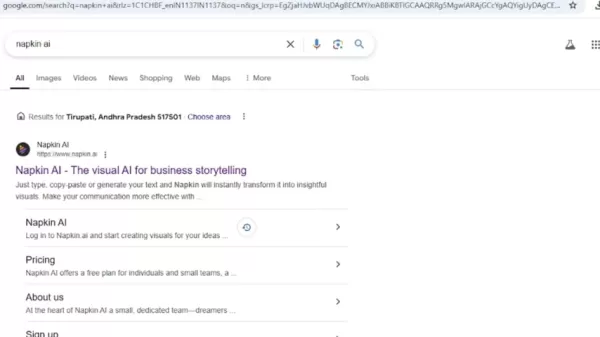
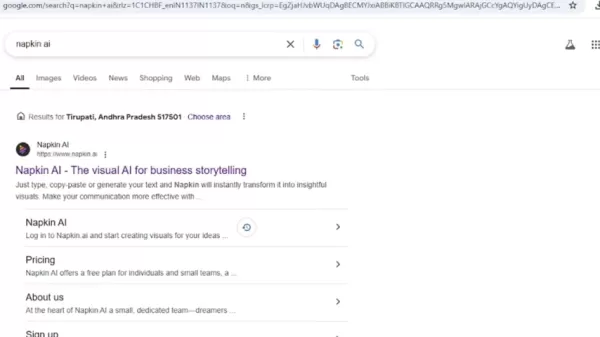
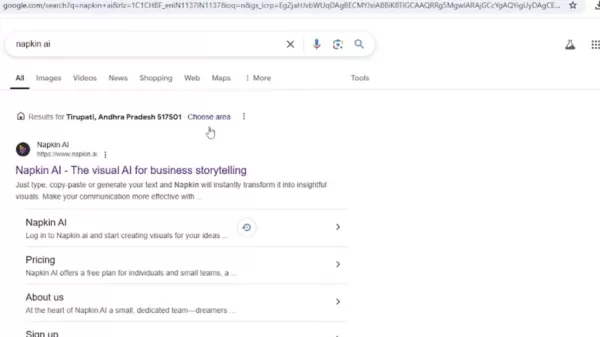
- Open your browser and navigate to Google Search.
- Enter "Napkin AI" in the search bar and hit Enter.
- Click the first result to visit the Napkin AI website.
- Exploring the Homepage:
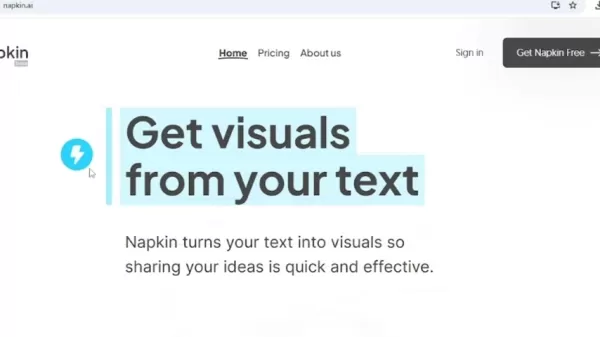
- The homepage highlights the core feature: turning text into visuals.
- A brief overview explains how Napkin AI converts text into shareable visuals efficiently.
- Browse sections to understand the platform’s features and capabilities.
- Understanding the Interface:
- The left panel offers options for creating visuals like diagrams and flowcharts.
- The main interface features a Venn diagram showcasing text-to-visual transformation.
- Exploring Visual Styles:
- Scroll to view examples of visual styles Napkin AI can produce.
- Styles include mind maps, flowcharts, data visuals, and more, showcasing versatility.
- Key Features and Benefits:
- Napkin AI is free, enabling creation of text, images, and flowcharts at no cost.
- It supports multiple file types, including PowerPoint and Word, for broad compatibility.
- Understanding Workflow:
- Create mind maps, flowcharts, data visuals, and metaphors from text effortlessly.
These steps equip you to transform text into captivating visuals using Napkin AI. Whether you're a professional, educator, or creator, this tool enhances communication and audience engagement.
Napkin AI Key Features
Napkin AI stands out with features designed to streamline visual storytelling:
- Text-to-Visual Transformation:
Instantly convert text into formats like mind maps, flowcharts, and data visuals.
- Diverse Content Support: Work seamlessly with file types like PowerPoint and Word for compatibility.
- Free Accessibility: A free plan makes it accessible for individuals and small teams.
- Customizable Diagrams: Add icons and decorators for dynamic, tailored visuals.
- Versatile Export Options: Share visuals in PNG, PDF, and SVG formats effortlessly.
These features make Napkin AI an essential tool for creating engaging, effective visuals for various communication needs.
Different Visual Styles Available in Napkin AI
Napkin AI offers diverse visual styles, including:
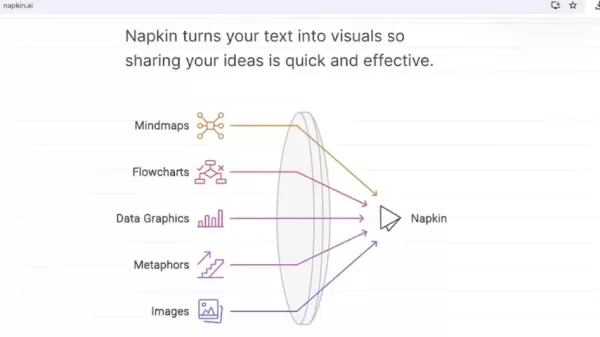
:
- Mind Maps: Structure ideas hierarchically, perfect for brainstorming.
- Flowcharts: Visualize processes clearly for easy understanding.
- Data Graphics: Present data in appealing charts and graphs.
- Metaphors: Convey abstract ideas through engaging visual metaphors.
- Images: Enhance text with contextual visuals.
These styles allow users to customize designs effectively.
Harnessing Napkin AI Across Industries: Use Cases
Napkin AI’s versatility supports various industries and roles:
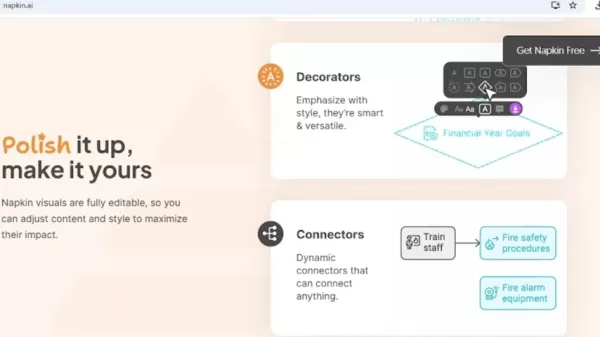
- Business Presentations: Craft engaging slides to captivate audiences.
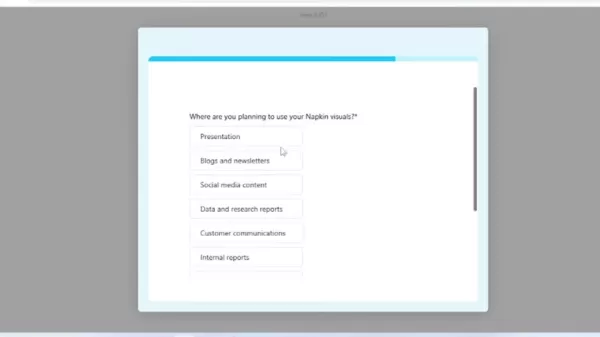
.
- Social Media Content: Create striking graphics for platforms like LinkedIn and Twitter.
- Reports and Research: Simplify complex data with clear visuals for impact.
- Internal Communications: Enhance reports and communications with engaging visuals.
- Educational Materials: Develop diagrams and infographics for effective teaching.
Formatting Options in Napkin AI
Napkin AI offers extensive formatting options for tailored visuals:
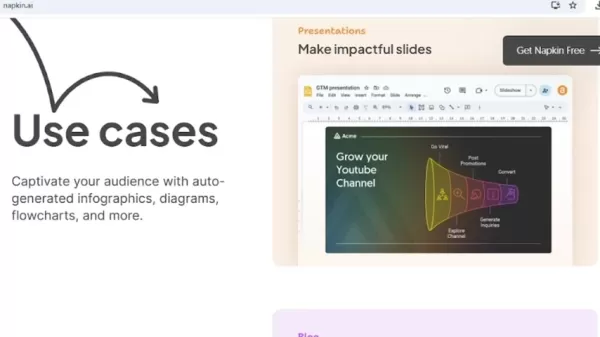
- Icons: Choose from a vast database to boost clarity and appeal.
- Decorators: Add stylish elements for emphasis.
- Connectors: Link elements with dynamic connectors for informative charts.
- Colors: Select colors to align with branding and enhance impact.
- Fonts: Pick fonts for readability and consistent design.
Optimize Your Visual Storytelling with Napkin AI
Best Practices for Using Napkin AI
Maximize Napkin AI’s potential with these tips:
- Start with Clear Text: Use well-structured text as the foundation for visuals.
.
- Choose the Right Visual Style: Select styles that enhance your message.
- Customize for Impact: Align visuals with your brand using formatting options.
- Utilize Templates: Speed up creation with professional templates.
- Regular Updates: Stay updated on new features to fully leverage the tool.
- Focus on Key Elements: Prioritize essential visuals for quick decisions.
Step-by-Step Guide for Napkin AI
Create a Free Napkin AI Account
Start by creating an account:
.
- Visit the website.
- Click the sign-in button at the top.
- Sign in with Google or email.
Convert a Block of Text into a Diagram
Transform text into diagrams using AI:
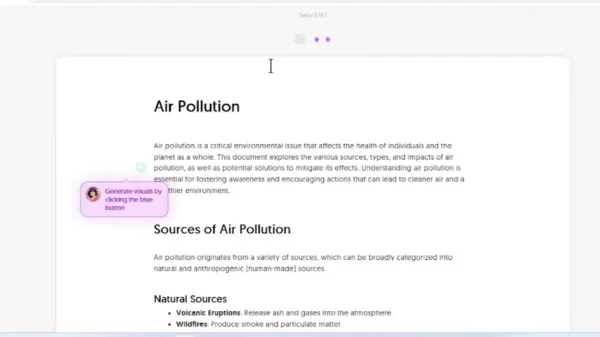
.
- Create a Napkin.
- Select the "draft with AI" option.
- Paste or write your content.
- Click the blue "Generate visuals" button next to the content.
Napkin AI Pricing
Understanding Napkin AI’s Flexible Pricing Plans
Napkin AI offers pricing plans for various needs. The free plan includes all core features, making it accessible for individuals exploring visual storytelling.
- Free: Create text, images, infographics, and flowcharts at no cost.
- Paid Plans: Unlock additional features.
Pros and Cons
Pros
Ease of Use: Simple text input yields instant visuals.
Time-Saving: Quickly create professional infographics.
Free Tier: Robust features at no cost.
Export Options: Versatile formats for sharing.
Cons
Limited Mobile Support: Fewer options for mobile users.
AI Reliance: Visuals may lack variety or precision.
Frequently Asked Questions
Is Napkin AI Free to Use?
Yes, Napkin AI offers a free plan with core features, ideal for individuals and small teams.
Can I Use Napkin AI on My Mobile Device?
Napkin AI is optimized for desktops, with limited mobile support. Use on a computer for the best experience.
Can I Share Designs in Napkin AI?
Yes, share designs by copying a link for collaboration.
Related Questions
What Are the Key Benefits of Using Visual AI for Business Storytelling?
Visual AI like Napkin AI enhances business storytelling by boosting engagement with compelling visuals, simplifying complex ideas, saving time through automation, and elevating brand consistency. It enables impactful, efficient communication, strengthening audience connections.
Related article
 Musk Admits Grok Build Leaked User Code, Promises to Erase All Historical Data
Elon Musk directly addressed the privacy controversy surrounding Grok Build, beginning with a simple "True" to confirm the incident's validity. He pledged that all user data previously uploaded to SpaceXAI would be permanently erased, stating, "not a
U.S. Stocks Hit Historic Milestone as AI and Aerospace Giants Prepare for Trillion-Dollar Debut
Elon Musk, Sam Altman, and Dario Amodei, three titans of the technology sector, are advancing toward initial public offerings for their respective ventures. With SpaceX, OpenAI, and Anthropic—three industry behemoths nearing trillion-dollar valuation
Swedish AI Startup Lovable Eyes $13.2 Billion Valuation After Major Funding Round
As AI-driven coding tools gain traction, Swedish startup Lovable has secured a major funding round. The company aims to raise $3 billion, potentially boosting its valuation to $13.2 billion—double the $6.6 billion recorded last December. Menlo Ventur
Related Special Topic Recommendations
SEO
Musk Admits Grok Build Leaked User Code, Promises to Erase All Historical Data
Elon Musk directly addressed the privacy controversy surrounding Grok Build, beginning with a simple "True" to confirm the incident's validity. He pledged that all user data previously uploaded to SpaceXAI would be permanently erased, stating, "not a
U.S. Stocks Hit Historic Milestone as AI and Aerospace Giants Prepare for Trillion-Dollar Debut
Elon Musk, Sam Altman, and Dario Amodei, three titans of the technology sector, are advancing toward initial public offerings for their respective ventures. With SpaceX, OpenAI, and Anthropic—three industry behemoths nearing trillion-dollar valuation
Swedish AI Startup Lovable Eyes $13.2 Billion Valuation After Major Funding Round
As AI-driven coding tools gain traction, Swedish startup Lovable has secured a major funding round. The company aims to raise $3 billion, potentially boosting its valuation to $13.2 billion—double the $6.6 billion recorded last December. Menlo Ventur
Related Special Topic Recommendations
SEO
 Best AI SERP Analysis Tools for Search Strategy
2026 Latest Best Top-rated AI SERP Analysis Tools for Search Strategy are curated by XIX.AI through rigorous real-world tests and weekly updated rankings. These powerful tools help you unlock hidden optimization opportunities, boost content performance, and gain a competitive edge in search. Discover your perfect tool to elevate your search strategy today. Explore now!
 13 tools
 xix.ai
Data Analysis
Best AI Anomaly Detection Tools for KPI Monitoring across SaaS and Ecommerce Teams
xix.ai
Data Analysis
Best AI Anomaly Detection Tools for KPI Monitoring across SaaS and Ecommerce Teams
2026 Latest Best Top-rated AI Anomaly Detection Tools for KPI Monitoring in SaaS and Ecommerce teams! XIX.AI has curated a powerful, game-changing collection based on rigorous real-world tests and weekly updated rankings. You’ll find detailed free vs paid comparison insights to help you identify the must-try solution that boosts productivity and unlocks your AI edge. Explore now!
10 tools
xix.ai
writing
Best AI Outline Generators for Long-Form SEO Articles
2026 Latest Best Top-Rated AI Outline Generators for Long-Form SEO Articles, meticulously curated by XIX.AI. These powerful tools offer game-changing assistance in creating high-quality content quickly, boosting writing efficiency significantly. Get a free vs paid comparison along with real-world tests and detailed rankings to help you find the must-try option that suits your needs. Explore now to unlock your AI edge.
8 tools
xix.ai
Education and Learning
AI Study Tools for Homework and Exam Prep
2026 Latest Best AI Study Tools for Homework and Exam Prep! XIX.AI curates a top-rated list of powerful, game-changing tools that help students boost productivity, streamline homework completion, and ace exams through real-world tests. Get a free vs paid comparison, detailed rankings, and must-try options to unlock your AI edge. Explore now!
10 tools
xix.ai
Music composition
AI Vocal Demo Tools for Songwriters, Hooks, Toplines, and Multilingual Draft Sessions
2026 Latest Best AI Vocal Demo Tools for Songwriters, Hook Creators, and Multi-Language Content Teams! XIX.AI has curated a top-rated list of powerful game-changing tools that go through rigorous real-world tests. You’ll find detailed free vs paid comparison data, comprehensive rankings, and must-try options to help you boost writing efficiency and unlock your creative potential. Explore now to discover your perfect tool for all your content needs!
9 tools
xix.ai
Business
Best AI Competitive Research Tools for Small Businesses
2026 Latest Best Top-rated AI Competitive Research Tools for Small Businesses! XIX.AI has curated a highly powerful game-changing collection, updated weekly with rigorous real-world tests and detailed rankings. You can find a comprehensive free vs paid comparison to help you identify the must-try tools that boost your productivity and give you a competitive edge. Explore now to discover your perfect tool!
9 tools
xix.ai

 Comments (2)
0/500
Comments (2)
0/500
![BillyEvans]()
La idea de transformar texto en visuales para storytelling empresarial me parece increíblemente útil, especialmente en presentaciones rápidas. ¿Alguien ya lo probó en reuniones internacionales? Sería interesante ver cómo maneja términos técnicos complejos. 🧐 No está claro si la herramienta es accesible para pequeñas empresas, pero si es así, podría cambiar mucho la forma de comunicarnos.
![RichardJohnson]()
재미있네요! 이런 도구가 있으면 프리젠테이션 준비가 훨씬 편해질 것 같아요. 그런데 AI가 계속 이런 식으로 텍스트를 시각화한다면, 훗날 제작자가 뭘 해야 할지 고민이 되기도 해요...😂 일단 써보고 싶긴 합니다! 디자인 감각이 없어도 프로페셔널해 보이는 자료를 만들 수 있다니 장점이 크네요.
In today's fast-moving digital landscape, clear communication is critical. Napkin AI is a dynamic tool for professionals aiming to amplify their storytelling. This advanced visual AI platform converts text into compelling visuals, boosting the impact and efficiency of communication. From presentations to reports or social media, Napkin AI streamlines visual storytelling, helping you engage your audience more effectively.
Key Points
Napkin AI quickly turns text into engaging visuals.
It provides a free plan ideal for individuals and small teams.
Creating diagrams from text is effortless.
Napkin AI supports diverse formats like mind maps, flowcharts, and data visuals.
Export visuals in formats such as PNG, PDF, and SVG.
Master Visual Storytelling with Napkin AI
What is Napkin AI?
Napkin AI is an innovative visual AI tool crafted to transform business storytelling. It enables users to instantly convert plain text into striking visuals.
Whether for presentations, reports, or social media, Napkin AI simplifies visual communication. Easily create diagrams, mind maps, flowcharts, and data visuals directly from text. This cutting-edge tool enhances communication, making it more engaging and effective, helping you connect with audiences compellingly.
It transforms complex ideas into clear, digestible visuals.
Getting Started with Napkin AI: A Step-by-Step Guide
Begin using Napkin AI with these simple steps:
- Accessing Napkin AI:
- Open your browser and navigate to Google Search.
- Enter "Napkin AI" in the search bar and hit Enter.
- Click the first result to visit the Napkin AI website.
- Exploring the Homepage:
- The homepage highlights the core feature: turning text into visuals.
- A brief overview explains how Napkin AI converts text into shareable visuals efficiently.
- Browse sections to understand the platform’s features and capabilities.
- Understanding the Interface:
- The left panel offers options for creating visuals like diagrams and flowcharts.
- The main interface features a Venn diagram showcasing text-to-visual transformation.
- Exploring Visual Styles:
- Scroll to view examples of visual styles Napkin AI can produce.
- Styles include mind maps, flowcharts, data visuals, and more, showcasing versatility.
- Key Features and Benefits:
- Napkin AI is free, enabling creation of text, images, and flowcharts at no cost.
- It supports multiple file types, including PowerPoint and Word, for broad compatibility.
- Understanding Workflow:
- Create mind maps, flowcharts, data visuals, and metaphors from text effortlessly.
These steps equip you to transform text into captivating visuals using Napkin AI. Whether you're a professional, educator, or creator, this tool enhances communication and audience engagement.
Napkin AI Key Features
Napkin AI stands out with features designed to streamline visual storytelling:
- Text-to-Visual Transformation:
Instantly convert text into formats like mind maps, flowcharts, and data visuals.
- Diverse Content Support: Work seamlessly with file types like PowerPoint and Word for compatibility.
- Free Accessibility: A free plan makes it accessible for individuals and small teams.
- Customizable Diagrams: Add icons and decorators for dynamic, tailored visuals.
- Versatile Export Options: Share visuals in PNG, PDF, and SVG formats effortlessly.
These features make Napkin AI an essential tool for creating engaging, effective visuals for various communication needs.
Different Visual Styles Available in Napkin AI
Napkin AI offers diverse visual styles, including:
:
- Mind Maps: Structure ideas hierarchically, perfect for brainstorming.
- Flowcharts: Visualize processes clearly for easy understanding.
- Data Graphics: Present data in appealing charts and graphs.
- Metaphors: Convey abstract ideas through engaging visual metaphors.
- Images: Enhance text with contextual visuals.
These styles allow users to customize designs effectively.
Harnessing Napkin AI Across Industries: Use Cases
Napkin AI’s versatility supports various industries and roles:
- Business Presentations: Craft engaging slides to captivate audiences.
.
- Social Media Content: Create striking graphics for platforms like LinkedIn and Twitter.
- Reports and Research: Simplify complex data with clear visuals for impact.
- Internal Communications: Enhance reports and communications with engaging visuals.
- Educational Materials: Develop diagrams and infographics for effective teaching.
Formatting Options in Napkin AI
Napkin AI offers extensive formatting options for tailored visuals:
- Icons: Choose from a vast database to boost clarity and appeal.
- Decorators: Add stylish elements for emphasis.
- Connectors: Link elements with dynamic connectors for informative charts.
- Colors: Select colors to align with branding and enhance impact.
- Fonts: Pick fonts for readability and consistent design.
Optimize Your Visual Storytelling with Napkin AI
Best Practices for Using Napkin AI
Maximize Napkin AI’s potential with these tips:
- Start with Clear Text: Use well-structured text as the foundation for visuals.
.
- Choose the Right Visual Style: Select styles that enhance your message.
- Customize for Impact: Align visuals with your brand using formatting options.
- Utilize Templates: Speed up creation with professional templates.
- Regular Updates: Stay updated on new features to fully leverage the tool.
- Focus on Key Elements: Prioritize essential visuals for quick decisions.
Step-by-Step Guide for Napkin AI
Create a Free Napkin AI Account
Start by creating an account:
.
- Visit the website.
- Click the sign-in button at the top.
- Sign in with Google or email.
Convert a Block of Text into a Diagram
Transform text into diagrams using AI:
.
- Create a Napkin.
- Select the "draft with AI" option.
- Paste or write your content.
- Click the blue "Generate visuals" button next to the content.
Napkin AI Pricing
Understanding Napkin AI’s Flexible Pricing Plans
Napkin AI offers pricing plans for various needs. The free plan includes all core features, making it accessible for individuals exploring visual storytelling.
- Free: Create text, images, infographics, and flowcharts at no cost.
- Paid Plans: Unlock additional features.
Pros and Cons
Pros
Ease of Use: Simple text input yields instant visuals.
Time-Saving: Quickly create professional infographics.
Free Tier: Robust features at no cost.
Export Options: Versatile formats for sharing.
Cons
Limited Mobile Support: Fewer options for mobile users.
AI Reliance: Visuals may lack variety or precision.
Frequently Asked Questions
Is Napkin AI Free to Use?
Yes, Napkin AI offers a free plan with core features, ideal for individuals and small teams.
Can I Use Napkin AI on My Mobile Device?
Napkin AI is optimized for desktops, with limited mobile support. Use on a computer for the best experience.
Can I Share Designs in Napkin AI?
Yes, share designs by copying a link for collaboration.
Related Questions
What Are the Key Benefits of Using Visual AI for Business Storytelling?
Visual AI like Napkin AI enhances business storytelling by boosting engagement with compelling visuals, simplifying complex ideas, saving time through automation, and elevating brand consistency. It enables impactful, efficient communication, strengthening audience connections.








 Musk Admits Grok Build Leaked User Code, Promises to Erase All Historical Data
Elon Musk directly addressed the privacy controversy surrounding Grok Build, beginning with a simple "True" to confirm the incident's validity. He pledged that all user data previously uploaded to SpaceXAI would be permanently erased, stating, "not a
Musk Admits Grok Build Leaked User Code, Promises to Erase All Historical Data
Elon Musk directly addressed the privacy controversy surrounding Grok Build, beginning with a simple "True" to confirm the incident's validity. He pledged that all user data previously uploaded to SpaceXAI would be permanently erased, stating, "not a
 U.S. Stocks Hit Historic Milestone as AI and Aerospace Giants Prepare for Trillion-Dollar Debut
Elon Musk, Sam Altman, and Dario Amodei, three titans of the technology sector, are advancing toward initial public offerings for their respective ventures. With SpaceX, OpenAI, and Anthropic—three industry behemoths nearing trillion-dollar valuation
U.S. Stocks Hit Historic Milestone as AI and Aerospace Giants Prepare for Trillion-Dollar Debut
Elon Musk, Sam Altman, and Dario Amodei, three titans of the technology sector, are advancing toward initial public offerings for their respective ventures. With SpaceX, OpenAI, and Anthropic—three industry behemoths nearing trillion-dollar valuation
 Swedish AI Startup Lovable Eyes $13.2 Billion Valuation After Major Funding Round
As AI-driven coding tools gain traction, Swedish startup Lovable has secured a major funding round. The company aims to raise $3 billion, potentially boosting its valuation to $13.2 billion—double the $6.6 billion recorded last December. Menlo Ventur
Swedish AI Startup Lovable Eyes $13.2 Billion Valuation After Major Funding Round
As AI-driven coding tools gain traction, Swedish startup Lovable has secured a major funding round. The company aims to raise $3 billion, potentially boosting its valuation to $13.2 billion—double the $6.6 billion recorded last December. Menlo Ventur

2026 Latest Best Top-rated AI SERP Analysis Tools for Search Strategy are curated by XIX.AI through rigorous real-world tests and weekly updated rankings. These powerful tools help you unlock hidden optimization opportunities, boost content performance, and gain a competitive edge in search. Discover your perfect tool to elevate your search strategy today. Explore now!
13 tools
xix.ai

2026 Latest Best Top-rated AI Anomaly Detection Tools for KPI Monitoring in SaaS and Ecommerce teams! XIX.AI has curated a powerful, game-changing collection based on rigorous real-world tests and weekly updated rankings. You’ll find detailed free vs paid comparison insights to help you identify the must-try solution that boosts productivity and unlocks your AI edge. Explore now!
10 tools
xix.ai

2026 Latest Best Top-Rated AI Outline Generators for Long-Form SEO Articles, meticulously curated by XIX.AI. These powerful tools offer game-changing assistance in creating high-quality content quickly, boosting writing efficiency significantly. Get a free vs paid comparison along with real-world tests and detailed rankings to help you find the must-try option that suits your needs. Explore now to unlock your AI edge.
8 tools
xix.ai

2026 Latest Best AI Study Tools for Homework and Exam Prep! XIX.AI curates a top-rated list of powerful, game-changing tools that help students boost productivity, streamline homework completion, and ace exams through real-world tests. Get a free vs paid comparison, detailed rankings, and must-try options to unlock your AI edge. Explore now!
10 tools
xix.ai

2026 Latest Best AI Vocal Demo Tools for Songwriters, Hook Creators, and Multi-Language Content Teams! XIX.AI has curated a top-rated list of powerful game-changing tools that go through rigorous real-world tests. You’ll find detailed free vs paid comparison data, comprehensive rankings, and must-try options to help you boost writing efficiency and unlock your creative potential. Explore now to discover your perfect tool for all your content needs!
9 tools
xix.ai

2026 Latest Best Top-rated AI Competitive Research Tools for Small Businesses! XIX.AI has curated a highly powerful game-changing collection, updated weekly with rigorous real-world tests and detailed rankings. You can find a comprehensive free vs paid comparison to help you identify the must-try tools that boost your productivity and give you a competitive edge. Explore now to discover your perfect tool!
9 tools
xix.ai

La idea de transformar texto en visuales para storytelling empresarial me parece increíblemente útil, especialmente en presentaciones rápidas. ¿Alguien ya lo probó en reuniones internacionales? Sería interesante ver cómo maneja términos técnicos complejos. 🧐 No está claro si la herramienta es accesible para pequeñas empresas, pero si es así, podría cambiar mucho la forma de comunicarnos.
재미있네요! 이런 도구가 있으면 프리젠테이션 준비가 훨씬 편해질 것 같아요. 그런데 AI가 계속 이런 식으로 텍스트를 시각화한다면, 훗날 제작자가 뭘 해야 할지 고민이 되기도 해요...😂 일단 써보고 싶긴 합니다! 디자인 감각이 없어도 프로페셔널해 보이는 자료를 만들 수 있다니 장점이 크네요.












