


 Home
HomeLearn to Create Viral Emoji Videos with Leonardo AI: A Step-by-Step Tutorial
In today's whirlwind of digital content, standing out is all about creating something that captures attention. Emoji videos have surged in popularity across social media, offering a playful and engaging way to share ideas. This guide walks you through the process of crafting your own trending emoji videos, using the innovative tools of Leonardo AI and CapCut to bring your visuals to life and edit them with flair.
Key Points
- Creating trending emoji videos using Leonardo AI
- Signing up and navigating the Leonardo AI platform
- Generating emoji images with specific prompts
- Editing emoji videos in CapCut
- Optimizing videos for YouTube and Instagram
- Addressing monetization concerns for YouTube channels
- Adding green screen elements for enhanced engagement
Crafting Engaging Emoji Videos with Leonardo AI: A Detailed Tutorial
Introduction to Leonardo AI
Leonardo AI stands out as a cutting-edge platform that transforms text into high-quality images through artificial intelligence. Its intuitive design and robust features make it a go-to for anyone looking to create standout visuals for emoji videos. Whether your goal is to captivate audiences on YouTube, Instagram, or Facebook, mastering Leonardo AI is your ticket to producing top-notch content. This section will introduce you to its core functionalities, setting the stage for creating compelling emoji-based content.
Signing Up and Getting Started with Leonardo AI
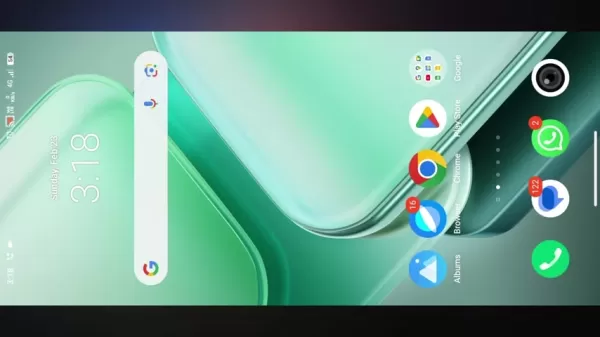
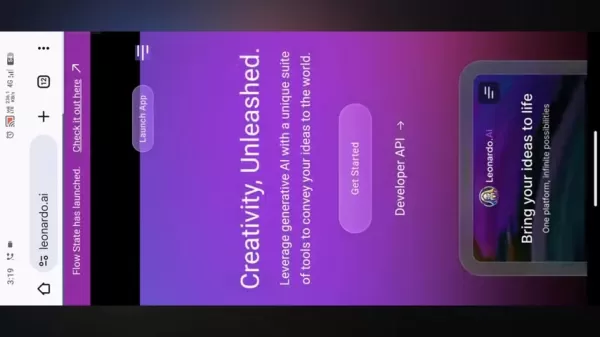
Your journey with Leonardo AI begins with setting up an account. Head over to their website and hit the 'Get Started' button. You'll need to sign up using your Google account, pick a unique username, and agree to the terms of service. Once you're in, you'll find yourself at the main dashboard, ready to explore and start creating your videos.
Generating Emoji Images with Specific Prompts
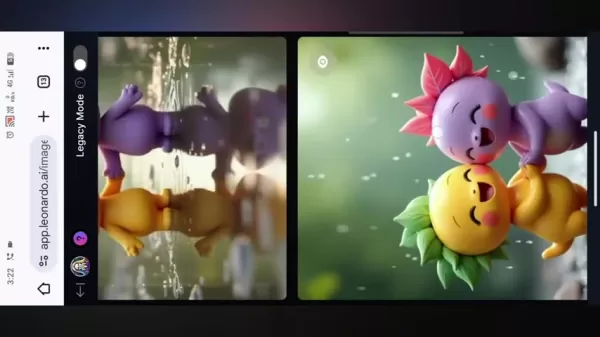
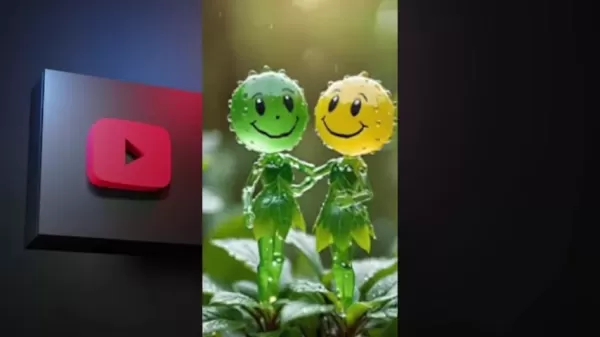
Once you're logged into Leonardo AI, head to the 'Image Creation' section. This is where the magic happens, turning your text prompts into emoji images. Crafting clear and detailed prompts is key to getting the results you want. For instance, you might enter a prompt like 'A smiling emoji head with green leaves, one with pink leaves, holding hands, standing on a wet surface'. Don't be afraid to play around with different prompts to generate a variety of emojis, specifying elements like facial expressions, settings (like 'also raining'), and styles (like '3D animation').
Setting Up Image Dimensions and Generating the Images
Before you hit generate, you'll want to set up your image dimensions. Click on the settings icon to choose your video ratio - go with '1:1' for Instagram or '2:3' for vertical content on platforms like TikTok, or '16:9' if you're aiming for YouTube. Adjust other settings like the number of images and style presets to fit your project's needs. Once you're happy with your setup, hit 'Generate', and Leonardo AI will work its magic, creating images based on your prompts. Pick the ones that fit your vision and download them for editing.
Understanding YouTube Monetization Policies
Avoiding Monetization Issues
To keep your YouTube channel monetized, you'll need to steer clear of any actions that could violate YouTube's policies. That means no copyrighted material without permission, no promoting violence, hate speech, or harmful activities, and sticking to YouTube's guidelines on spam and deception. Always review your content to ensure it's original and compliant with policies, avoiding any potential monetization issues down the line. The key to a healthy, profitable YouTube channel is creating engaging, original content that respects the platform's rules.
Video Editing in CapCut: A Step-by-Step Guide
Importing Media and Setting Up the Timeline
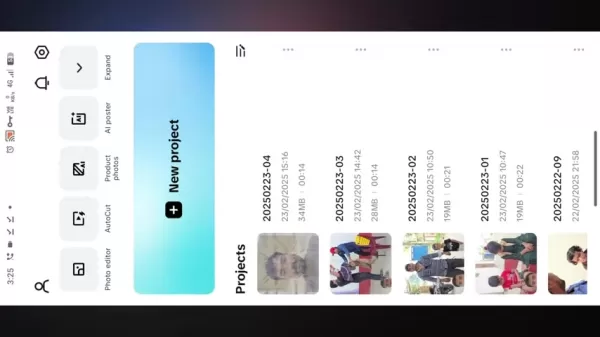
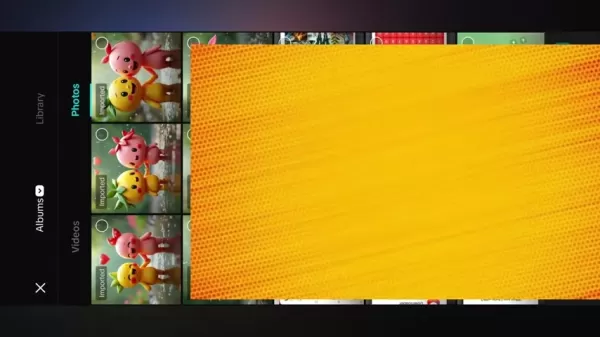
With your images ready, it's time to dive into CapCut and start building your video. Open a new project, import your Leonardo AI-generated emoji images, and arrange them on the timeline in the order you want them to appear. Crafting seamless transitions between each image is crucial for keeping your audience engaged, so take your time to get it right, starting with the image you want to lead with.
Adding Transitions and Effects
CapCut's library of transitions and effects can add a dynamic touch to your emoji video. Use transitions like fade, slide, and zoom to create a smooth flow between images. Experiment with effects like zoom in and zoom out to add visual interest and depth, applying them to specific areas of your video for the best impact.
Adding Dynamic Audio and Finalizing the Video
Audio can transform the feel of your video and grab your audience's attention. Add background music to set the mood and sound effects to highlight key moments or transitions. Make sure the audio complements your visuals without overpowering them. Once you're happy with your edits, export your video at a high resolution to keep the quality sharp. Adding music can also be a great way to monetize your video on YouTube or other platforms.
Tips for Adding Green Screen Elements (If Applicable)
If you're using a green screen, start by uploading your video to YouTube. Make sure the background is a solid green. Then, in CapCut, use the chroma key feature to remove the green, blending your video with the new background. Adjust the settings to get a seamless blend, and consider using an outro to encourage more engagement and potentially earn more from your videos.
Leonardo AI Pricing: Understanding the Options
Free vs. Paid Plans
Leonardo AI offers both free and paid plans. The free version lets you generate a limited number of images daily, while paid plans give you more resources, faster generation times, and access to advanced features. If you're planning on producing a lot of emoji videos or need more customization options, a paid plan might be the way to go.
Pros and Cons
Pros
- Easy access to AI-generated images
- Innovative way to teach or captivate your audience
- Plenty of options for users to work with
Cons
- Requires internet access to use the AI generator
Core Features of Leonardo AI for Emoji Video Creation
Key Features Overview
One of the standout features of Leonardo AI is its ability to help you avoid copyright issues by generating original content. Always review the platform's policies to ensure your images are compliant. This not only helps in increasing traffic and views but also enhances the user experience, making your social media page more attractive to visitors.
Use Cases: Applications of Emoji Videos
Applications for Emoji Videos
Emoji videos are versatile and can be used for educational purposes, providing a visual guide that makes learning fun and engaging. They're also excellent for marketing and advertisement, helping to convey messages in a way that resonates with your audience.
FAQ
What is Leonardo AI, and why is it useful for creating emoji videos?
Leonardo AI is an AI platform that turns text prompts into high-quality images, making it invaluable for creating custom emojis. Its user-friendly interface and advanced features make it perfect for crafting content that stands out on social media.
Can I use Leonardo AI for free, and what are the limitations?
Yes, Leonardo AI has a free plan that allows a limited number of images to be generated daily. It's slower and has fewer resources compared to the paid plans, which offer higher image quotas and faster generation speeds for more creative freedom.
How do I sign up for Leonardo AI, and what's the first step after creating an account?
Sign up for Leonardo AI by visiting their website and using your Google account. After choosing a username and agreeing to the terms, navigate to the 'Image Creation' section to start generating emoji images from your text prompts.
Related Questions
How can I monetize my YouTube channel using emoji videos without facing monetization issues?
To monetize your YouTube channel with emoji videos, focus on creating original content that adheres to YouTube's policies. Avoid copyrighted material, violence, hate speech, and harmful activities. Consistently producing engaging and compliant videos will help maintain your channel's monetization and growth.
Related article
 How to fix Core Web Vitals for better SEO rankings
Streamline Report Card Comments with AI ToolsIntroductionAI Tools for Generating Report Card CommentsMagic SchoolAlmanac AIChat GPTUsing Magic School to Generate Report Card CommentsLogging into Magic SchoolSelecting the Report Card Comments ToolCust
Slackbot Becomes an AI Agent
Slackbot, the automated assistant embedded in Salesforce’s corporate messaging platform Slack, is evolving into an AI agent. Salesforce CTO Parker Harris envisions it achieving viral status comparable to OpenAI’s ChatGPT.The cloud software giant laun
ByteDance Boosts Core AI Incentives as Doubao Surges 14.6%
ByteDance recently convened a DouBao equity briefing to unveil fresh incentive policies for staff involved in the DouBao division. The strike price for DouBao shares has been lifted from $14.85 in June 2026 to $17.02, marking an approximate 14.6% inc
Related Special Topic Recommendations
Education and Learning
How to fix Core Web Vitals for better SEO rankings
Streamline Report Card Comments with AI ToolsIntroductionAI Tools for Generating Report Card CommentsMagic SchoolAlmanac AIChat GPTUsing Magic School to Generate Report Card CommentsLogging into Magic SchoolSelecting the Report Card Comments ToolCust
Slackbot Becomes an AI Agent
Slackbot, the automated assistant embedded in Salesforce’s corporate messaging platform Slack, is evolving into an AI agent. Salesforce CTO Parker Harris envisions it achieving viral status comparable to OpenAI’s ChatGPT.The cloud software giant laun
ByteDance Boosts Core AI Incentives as Doubao Surges 14.6%
ByteDance recently convened a DouBao equity briefing to unveil fresh incentive policies for staff involved in the DouBao division. The strike price for DouBao shares has been lifted from $14.85 in June 2026 to $17.02, marking an approximate 14.6% inc
Related Special Topic Recommendations
Education and Learning
 AI Study Tools for Homework and Exam Prep
2026 Latest Best AI Study Tools for Homework and Exam Prep! XIX.AI curates a top-rated list of powerful, game-changing tools that help students boost productivity, streamline homework completion, and ace exams through real-world tests. Get a free vs paid comparison, detailed rankings, and must-try options to unlock your AI edge. Explore now!
 10 tools
 xix.ai
Music composition
AI Vocal Demo Tools for Songwriters, Hooks, Toplines, and Multilingual Draft Sessions
xix.ai
Music composition
AI Vocal Demo Tools for Songwriters, Hooks, Toplines, and Multilingual Draft Sessions
2026 Latest Best AI Vocal Demo Tools for Songwriters, Hook Creators, and Multi-Language Content Teams! XIX.AI has curated a top-rated list of powerful game-changing tools that go through rigorous real-world tests. You’ll find detailed free vs paid comparison data, comprehensive rankings, and must-try options to help you boost writing efficiency and unlock your creative potential. Explore now to discover your perfect tool for all your content needs!
9 tools
xix.ai
Business
Best AI Competitive Research Tools for Small Businesses
2026 Latest Best Top-rated AI Competitive Research Tools for Small Businesses! XIX.AI has curated a highly powerful game-changing collection, updated weekly with rigorous real-world tests and detailed rankings. You can find a comprehensive free vs paid comparison to help you identify the must-try tools that boost your productivity and give you a competitive edge. Explore now to discover your perfect tool!
9 tools
xix.ai
Image editing
Photoshop AI Retouch Tools for Ecommerce Apparel, Skin Cleanup, and Color Consistency
2026 Latest Best Photoshop AI retouch tools for ecommerce apparel, skin cleanup, and color consistency! This top-rated curated list features powerful game-changing solutions that help you boost writing efficiency, streamline content creation, and achieve perfect visual results effortlessly. Each tool has undergone real-world tests through weekly updated rankings, complete with free vs paid comparison details. Backed by XIX.AI, it’s the must-try guide for anyone aiming to unlock your AI edge. Explore now!
10 tools
xix.ai
Prompt
Best AI Prompt Libraries for ChatGPT Workflows
2026 Latest Best Top-Rated AI Prompt Libraries for optimizing all types of ChatGPT workflows. XIX.AI has curated a powerful, game-changing collection that goes through rigorous real-world tests to ensure top performance. You can find detailed free vs paid comparisons and expert rankings to help you choose the must-try tools that boost your productivity and unlock your AI edge. Explore now!
11 tools
xix.ai
Education and Learning
AI Quiz Builder Platforms for Teachers, Tutors, and Cohort-Based Learning Programs
2026 Latest Best AI Quiz Builder Platforms for Teachers, Tutors, and Cohort-Based Learning Programs! XIX.AI has curated a top-rated list of powerful game-changing tools that go through real-world tests to deliver accurate rankings. These must-try platforms help boost writing efficiency, streamline content creation, and simplify quiz design across all learning scenarios. Explore now to discover your perfect tool for unlocking your AI edge in teaching!
13 tools
xix.ai

 Comments (6)
0/500
Comments (6)
0/500
![KeithNelson]()
Honestly, I've been seeing these emoji videos everywhere and wondering how they're made. This tutorial seems straightforward enough – maybe I'll finally hop on the trend. 😎
![GregoryCarter]()
Не уверен, что мир готов к ещё большим вирусным видео с эмодзи... Но руководство выглядит полезно! Интересно, сколько времени уйдёт на создание такого контента с Leonardo AI? Может, попробую для личного блога 😅
![BillyThomas]()
¡Qué tutorial más práctico! 😍 Justo estaba buscando cómo hacer videos virales con emojis para mi negocio. Me encanta que Leonardo AI lo haga fácil hasta para principiantes como yo. ¡A probarlo este fin de semana! ¿Alguien más lo ha usado ya?
![OwenLewis]()
This tutorial is super fun! 😍 I never thought making emoji videos could be so easy with Leonardo AI. Gonna try this for my TikTok!
![ChloeGreen]()
This tutorial is super fun! 😍 I never thought making emoji videos could be this easy with Leonardo AI. Gonna try it for my TikTok!
![HenryWalker]()
This tutorial is a game-changer! 😍 I never thought making emoji videos could be so easy with Leonardo AI. Gonna try this for my TikTok this weekend!
In today's whirlwind of digital content, standing out is all about creating something that captures attention. Emoji videos have surged in popularity across social media, offering a playful and engaging way to share ideas. This guide walks you through the process of crafting your own trending emoji videos, using the innovative tools of Leonardo AI and CapCut to bring your visuals to life and edit them with flair.
Key Points
- Creating trending emoji videos using Leonardo AI
- Signing up and navigating the Leonardo AI platform
- Generating emoji images with specific prompts
- Editing emoji videos in CapCut
- Optimizing videos for YouTube and Instagram
- Addressing monetization concerns for YouTube channels
- Adding green screen elements for enhanced engagement
Crafting Engaging Emoji Videos with Leonardo AI: A Detailed Tutorial
Introduction to Leonardo AI
Leonardo AI stands out as a cutting-edge platform that transforms text into high-quality images through artificial intelligence. Its intuitive design and robust features make it a go-to for anyone looking to create standout visuals for emoji videos. Whether your goal is to captivate audiences on YouTube, Instagram, or Facebook, mastering Leonardo AI is your ticket to producing top-notch content. This section will introduce you to its core functionalities, setting the stage for creating compelling emoji-based content.
Signing Up and Getting Started with Leonardo AI
Your journey with Leonardo AI begins with setting up an account. Head over to their website and hit the 'Get Started' button. You'll need to sign up using your Google account, pick a unique username, and agree to the terms of service. Once you're in, you'll find yourself at the main dashboard, ready to explore and start creating your videos.
Generating Emoji Images with Specific Prompts
Once you're logged into Leonardo AI, head to the 'Image Creation' section. This is where the magic happens, turning your text prompts into emoji images. Crafting clear and detailed prompts is key to getting the results you want. For instance, you might enter a prompt like 'A smiling emoji head with green leaves, one with pink leaves, holding hands, standing on a wet surface'. Don't be afraid to play around with different prompts to generate a variety of emojis, specifying elements like facial expressions, settings (like 'also raining'), and styles (like '3D animation').
Setting Up Image Dimensions and Generating the Images
Before you hit generate, you'll want to set up your image dimensions. Click on the settings icon to choose your video ratio - go with '1:1' for Instagram or '2:3' for vertical content on platforms like TikTok, or '16:9' if you're aiming for YouTube. Adjust other settings like the number of images and style presets to fit your project's needs. Once you're happy with your setup, hit 'Generate', and Leonardo AI will work its magic, creating images based on your prompts. Pick the ones that fit your vision and download them for editing.
Understanding YouTube Monetization Policies
Avoiding Monetization Issues
To keep your YouTube channel monetized, you'll need to steer clear of any actions that could violate YouTube's policies. That means no copyrighted material without permission, no promoting violence, hate speech, or harmful activities, and sticking to YouTube's guidelines on spam and deception. Always review your content to ensure it's original and compliant with policies, avoiding any potential monetization issues down the line. The key to a healthy, profitable YouTube channel is creating engaging, original content that respects the platform's rules.
Video Editing in CapCut: A Step-by-Step Guide
Importing Media and Setting Up the Timeline
With your images ready, it's time to dive into CapCut and start building your video. Open a new project, import your Leonardo AI-generated emoji images, and arrange them on the timeline in the order you want them to appear. Crafting seamless transitions between each image is crucial for keeping your audience engaged, so take your time to get it right, starting with the image you want to lead with.
Adding Transitions and Effects
CapCut's library of transitions and effects can add a dynamic touch to your emoji video. Use transitions like fade, slide, and zoom to create a smooth flow between images. Experiment with effects like zoom in and zoom out to add visual interest and depth, applying them to specific areas of your video for the best impact.
Adding Dynamic Audio and Finalizing the Video
Audio can transform the feel of your video and grab your audience's attention. Add background music to set the mood and sound effects to highlight key moments or transitions. Make sure the audio complements your visuals without overpowering them. Once you're happy with your edits, export your video at a high resolution to keep the quality sharp. Adding music can also be a great way to monetize your video on YouTube or other platforms.
Tips for Adding Green Screen Elements (If Applicable)
If you're using a green screen, start by uploading your video to YouTube. Make sure the background is a solid green. Then, in CapCut, use the chroma key feature to remove the green, blending your video with the new background. Adjust the settings to get a seamless blend, and consider using an outro to encourage more engagement and potentially earn more from your videos.
Leonardo AI Pricing: Understanding the Options
Free vs. Paid Plans
Leonardo AI offers both free and paid plans. The free version lets you generate a limited number of images daily, while paid plans give you more resources, faster generation times, and access to advanced features. If you're planning on producing a lot of emoji videos or need more customization options, a paid plan might be the way to go.
Pros and Cons
Pros
- Easy access to AI-generated images
- Innovative way to teach or captivate your audience
- Plenty of options for users to work with
Cons
- Requires internet access to use the AI generator
Core Features of Leonardo AI for Emoji Video Creation
Key Features Overview
One of the standout features of Leonardo AI is its ability to help you avoid copyright issues by generating original content. Always review the platform's policies to ensure your images are compliant. This not only helps in increasing traffic and views but also enhances the user experience, making your social media page more attractive to visitors.
Use Cases: Applications of Emoji Videos
Applications for Emoji Videos
Emoji videos are versatile and can be used for educational purposes, providing a visual guide that makes learning fun and engaging. They're also excellent for marketing and advertisement, helping to convey messages in a way that resonates with your audience.
FAQ
What is Leonardo AI, and why is it useful for creating emoji videos?
Leonardo AI is an AI platform that turns text prompts into high-quality images, making it invaluable for creating custom emojis. Its user-friendly interface and advanced features make it perfect for crafting content that stands out on social media.
Can I use Leonardo AI for free, and what are the limitations?
Yes, Leonardo AI has a free plan that allows a limited number of images to be generated daily. It's slower and has fewer resources compared to the paid plans, which offer higher image quotas and faster generation speeds for more creative freedom.
How do I sign up for Leonardo AI, and what's the first step after creating an account?
Sign up for Leonardo AI by visiting their website and using your Google account. After choosing a username and agreeing to the terms, navigate to the 'Image Creation' section to start generating emoji images from your text prompts.
Related Questions
How can I monetize my YouTube channel using emoji videos without facing monetization issues?
To monetize your YouTube channel with emoji videos, focus on creating original content that adheres to YouTube's policies. Avoid copyrighted material, violence, hate speech, and harmful activities. Consistently producing engaging and compliant videos will help maintain your channel's monetization and growth.








 How to fix Core Web Vitals for better SEO rankings
Streamline Report Card Comments with AI ToolsIntroductionAI Tools for Generating Report Card CommentsMagic SchoolAlmanac AIChat GPTUsing Magic School to Generate Report Card CommentsLogging into Magic SchoolSelecting the Report Card Comments ToolCust
How to fix Core Web Vitals for better SEO rankings
Streamline Report Card Comments with AI ToolsIntroductionAI Tools for Generating Report Card CommentsMagic SchoolAlmanac AIChat GPTUsing Magic School to Generate Report Card CommentsLogging into Magic SchoolSelecting the Report Card Comments ToolCust
 Slackbot Becomes an AI Agent
Slackbot, the automated assistant embedded in Salesforce’s corporate messaging platform Slack, is evolving into an AI agent. Salesforce CTO Parker Harris envisions it achieving viral status comparable to OpenAI’s ChatGPT.The cloud software giant laun
Slackbot Becomes an AI Agent
Slackbot, the automated assistant embedded in Salesforce’s corporate messaging platform Slack, is evolving into an AI agent. Salesforce CTO Parker Harris envisions it achieving viral status comparable to OpenAI’s ChatGPT.The cloud software giant laun
 ByteDance Boosts Core AI Incentives as Doubao Surges 14.6%
ByteDance recently convened a DouBao equity briefing to unveil fresh incentive policies for staff involved in the DouBao division. The strike price for DouBao shares has been lifted from $14.85 in June 2026 to $17.02, marking an approximate 14.6% inc
ByteDance Boosts Core AI Incentives as Doubao Surges 14.6%
ByteDance recently convened a DouBao equity briefing to unveil fresh incentive policies for staff involved in the DouBao division. The strike price for DouBao shares has been lifted from $14.85 in June 2026 to $17.02, marking an approximate 14.6% inc

2026 Latest Best AI Study Tools for Homework and Exam Prep! XIX.AI curates a top-rated list of powerful, game-changing tools that help students boost productivity, streamline homework completion, and ace exams through real-world tests. Get a free vs paid comparison, detailed rankings, and must-try options to unlock your AI edge. Explore now!
10 tools
xix.ai

2026 Latest Best AI Vocal Demo Tools for Songwriters, Hook Creators, and Multi-Language Content Teams! XIX.AI has curated a top-rated list of powerful game-changing tools that go through rigorous real-world tests. You’ll find detailed free vs paid comparison data, comprehensive rankings, and must-try options to help you boost writing efficiency and unlock your creative potential. Explore now to discover your perfect tool for all your content needs!
9 tools
xix.ai

2026 Latest Best Top-rated AI Competitive Research Tools for Small Businesses! XIX.AI has curated a highly powerful game-changing collection, updated weekly with rigorous real-world tests and detailed rankings. You can find a comprehensive free vs paid comparison to help you identify the must-try tools that boost your productivity and give you a competitive edge. Explore now to discover your perfect tool!
9 tools
xix.ai

2026 Latest Best Photoshop AI retouch tools for ecommerce apparel, skin cleanup, and color consistency! This top-rated curated list features powerful game-changing solutions that help you boost writing efficiency, streamline content creation, and achieve perfect visual results effortlessly. Each tool has undergone real-world tests through weekly updated rankings, complete with free vs paid comparison details. Backed by XIX.AI, it’s the must-try guide for anyone aiming to unlock your AI edge. Explore now!
10 tools
xix.ai

2026 Latest Best Top-Rated AI Prompt Libraries for optimizing all types of ChatGPT workflows. XIX.AI has curated a powerful, game-changing collection that goes through rigorous real-world tests to ensure top performance. You can find detailed free vs paid comparisons and expert rankings to help you choose the must-try tools that boost your productivity and unlock your AI edge. Explore now!
11 tools
xix.ai

2026 Latest Best AI Quiz Builder Platforms for Teachers, Tutors, and Cohort-Based Learning Programs! XIX.AI has curated a top-rated list of powerful game-changing tools that go through real-world tests to deliver accurate rankings. These must-try platforms help boost writing efficiency, streamline content creation, and simplify quiz design across all learning scenarios. Explore now to discover your perfect tool for unlocking your AI edge in teaching!
13 tools
xix.ai

Honestly, I've been seeing these emoji videos everywhere and wondering how they're made. This tutorial seems straightforward enough – maybe I'll finally hop on the trend. 😎
Не уверен, что мир готов к ещё большим вирусным видео с эмодзи... Но руководство выглядит полезно! Интересно, сколько времени уйдёт на создание такого контента с Leonardo AI? Может, попробую для личного блога 😅
¡Qué tutorial más práctico! 😍 Justo estaba buscando cómo hacer videos virales con emojis para mi negocio. Me encanta que Leonardo AI lo haga fácil hasta para principiantes como yo. ¡A probarlo este fin de semana! ¿Alguien más lo ha usado ya?
This tutorial is super fun! 😍 I never thought making emoji videos could be so easy with Leonardo AI. Gonna try this for my TikTok!
This tutorial is super fun! 😍 I never thought making emoji videos could be this easy with Leonardo AI. Gonna try it for my TikTok!
This tutorial is a game-changer! 😍 I never thought making emoji videos could be so easy with Leonardo AI. Gonna try this for my TikTok this weekend!












