


 Home
HomeMaster AI-Powered Instagram Reels: A Step-by-Step Guide
Producing captivating Instagram Reels is now simpler than ever with AI tools. You don’t need advanced scripting, on-camera confidence, or voice-over expertise. This guide offers a clear, step-by-step approach to using AI for creating stunning Reels efficiently, whether on mobile or desktop.
Key Highlights
Explore AI tools that streamline Reel production.
Create Reels without appearing on camera or recording audio.
Learn why choosing a niche boosts Instagram growth.
Discover AI tools for crafting engaging scripts.
Access resources for striking visuals and professional voice-overs.
Master easy editing techniques for polished Reels.
Produce Reels effortlessly, no matter your skill level.
Automate your social media content creation process.
Unlock a new approach to content creation with AI.
Save time and expand your creative possibilities with these tools.
Creating Reels with AI: A Complete Guide
Using AI for Seamless Reel Production
Social media content creation is transforming, with Artificial Intelligence (AI) becoming a game-changer.
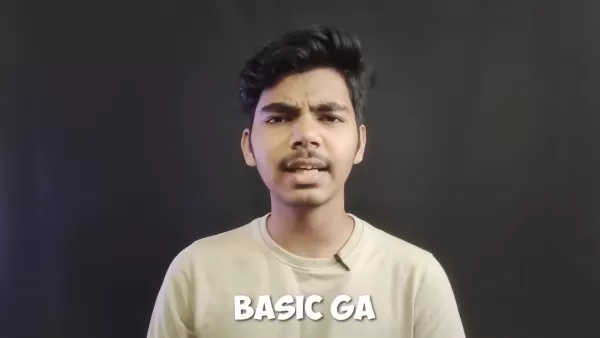
AI tools make high-quality video production accessible, simplifying the creation of Instagram Reels with minimal effort.
No Script? No Worries!
Say goodbye to hours spent perfecting scripts. AI-powered script generators can turn your ideas into engaging narratives, analyzing trends, keywords, and audience preferences to optimize for interaction.
Create Without Showing Your Face
Not comfortable on camera? AI solves this with generated avatars, animated characters, or stock footage, allowing you to craft visually appealing Reels while staying off-screen.
Automated Voice-Overs
If recording voice-overs isn’t for you, AI Text-to-Speech tools offer a solution. Input your script, select a voice style, and let AI produce a professional voice-over in seconds.
Effortless Editing for Stunning Results
AI simplifies editing with automated tools that trim clips, add transitions, and include music with little input. Customizable templates help you create attention-grabbing Reels quickly.
Mobile and Desktop Compatibility
Whether using a phone or computer, creating Reels is straightforward. These tools are user-friendly, and this guide will help you produce engaging Reels in no time, all without appearing on camera or recording audio. Keep reading to learn how!
Comparing AI Tools for Reel Creation
Feature Comparison Table
To help you pick the best AI tools for Reels, here’s a comparison of Synthesia, Murf.ai, and ChatGPT.
Feature Synthesia Murf.ai ChatGPT Core Functionality AI avatar and video creation AI-generated voice-overs Text generation and natural language processing Avatar Options Wide variety of AI avatars N/A N/A Voice Options N/A Diverse voices and accents N/A Text Generation Limited N/A Advanced text creation capabilities Customization Flexible templates Adjustable voice styles Limited Pricing Subscription-based Subscription-based Free (limited) / Paid plans Use Cases Professional videos, explainers Voice-overs for videos, podcasts Scriptwriting, content creation
This table highlights each tool’s strengths, helping you choose the best fit for your needs.
Step-by-Step Guide to AI-Powered Reels
Step 1: Choose Your Niche

Selecting a niche is key to growing your Instagram audience. A focused niche attracts a dedicated audience, boosting traffic and engagement. Reflect on your passions—fitness, cooking, travel, or tech—and pick a niche that matches your expertise and appeals to a specific group. A clear niche ensures consistent content and audience loyalty.
Why Niche Selection Matters
- Targeted Audience: Draws in viewers interested in your topic.
- Higher Engagement: Relevant content sparks more interaction.
- Authority Building: Positions you as an expert in your field.
- Better Discoverability: Enhances visibility through searches and hashtags.
Step 2: Generate Scripts with AI
After choosing a niche, create a script for your Reel. AI tools make this process quick and efficient.
Using ChatGPT for Scripts
ChatGPT, an advanced AI model, can craft engaging scripts. Provide a niche-related prompt, and it will generate a script outline or full draft.
Sample ChatGPT Prompts
- “Write a concise, engaging script for a Reel on morning meditation benefits.”
- “Create a funny script for a Reel about kitchen mishaps.”
- “Draft a script for a Reel highlighting three top Southeast Asia travel spots.”
Experiment with prompts to create scripts that match your vision.
Step 3: Create Visuals and Voice-Overs with AI
With your script ready, use AI to produce visuals and voice-overs, eliminating the need for traditional recording.
Synthesia: AI Video and Avatar Creation
Synthesia lets you create videos with AI avatars. Choose an avatar, input your script, and generate a professional video without appearing on camera.
Murf.ai: AI Voice-Over Creation
Murf.ai generates realistic voice-overs. Upload your script, select a voice, and create a high-quality voice-over with a wide range of styles and accents.
Additional Visual and Voice Resources
- Stock Footage Sites: Pexels and Unsplash provide free stock footage and images for Reels.
- Animation Platforms: Animaker and Vyond simplify animated video creation.
Combine these tools to produce visually engaging Reels with professional voice-overs.
Step 4: Edit and Finalize Your Reel
Assemble your Reel using a user-friendly video editing app. Many mobile apps offer simple features ideal for Reels.
Top Video Editing Apps
- InShot: A feature-rich app for trimming, merging, and adding text, music, and filters.
- CapCut: A free app with auto-captions, background removal, and trending effects.
- Splice: An intuitive app with a clean interface for easy editing.
Editing Tips for Impactful Reels
- Keep It Brief: Aim for 15-30 seconds to maintain engagement.
- Use Striking Visuals: Incorporate high-quality visuals and transitions.
- Add Music or Effects: Choose trending audio to enhance appeal.
- Include Text Overlays: Highlight key points with text.
- Add a Call to Action: Prompt viewers to like, comment, or follow.
These tips will help you create Reels that captivate and perform well.
Pricing
Pricing for AI Tools
Here’s an overview of pricing for the AI tools mentioned. Check official websites for the latest details.
- Synthesia: Offers plans for individuals with monthly or annual fees.
- Murf.ai: Includes a free plan with limited features and paid plans for advanced options.
- ChatGPT: Free for basic use, with a paid ChatGPT Plus plan for faster access and more features.
- Mobile Editing Apps: Mostly freemium, with premium subscriptions for watermark-free versions.
Pros and Cons of AI for Reels
Pros
Saves time compared to traditional content creation.
Allows Reels without on-camera presence or voice recording.
Simplifies scripting and editing tasks.
Offers diverse visuals and voice styles.
Helps overcome creative blocks with fresh ideas.
Enables beginners to create professional Reels easily.
Cons
AI content may lack the warmth of human-created work.
Subscription costs can be a hurdle for some.
AI results may occasionally be unpredictable.
Customization may be less flexible than manual methods.
Overusing AI could limit creative growth.
Multiple tools may be needed for complex projects.
Core Features of Recommended AI Tools
Key Features
Here’s a summary of the main features of the recommended AI tools.
- Synthesia:
- AI avatar creation.
- Text-to-video generation.
- Customizable templates.
- Multi-language support.
- Murf.ai:
- AI voice-over generation.
- Diverse voices and accents.
- Customizable voice styles.
- Text-to-speech conversion.
- ChatGPT:
- Natural language processing.
- Text generation.
- Content summarization.
- Question answering.
Use Cases
Applications for AI-Powered Reels
These AI tools support a variety of Reel types for different goals.
- Educational Reels: Teach viewers about specific topics.
- Promotional Reels: Highlight products or services engagingly.
- Entertaining Reels: Create fun content to grab attention.
- Personal Branding Reels: Share insights or behind-the-scenes content.
- Tutorial Reels: Guide viewers through step-by-step tutorials.
Using these tools, you can craft Reels that are visually stunning, engaging, and informative.
Frequently Asked Questions
Do I need technical skills to use these AI tools?
No, these tools are designed for users of all skill levels, with intuitive interfaces and tutorials to guide you.
Are these AI tools free?
Some offer free plans with limited features, but most require paid subscriptions for full access. The time saved often justifies the cost.
Can I customize AI-generated content?
Yes, most tools allow customization of scripts, visuals, voice-overs, and editing to align with your brand.
Related Questions
What are the best practices for creating engaging Reels?
Know Your Audience: Tailor content to their preferences.
Create High-Quality Content: Use clear visuals, audio, and storytelling.
Use Trending Music and Hashtags: Boost discoverability.
Be Consistent: Post regularly to grow your audience.
Engage with Viewers: Respond to comments to build community.
How can I measure Reel success?
Track Instagram analytics like views, likes, comments, shares, saves, and reach to understand what resonates and optimize future Reels.
Related article
 U.S. Stocks Hit Historic Milestone as AI and Aerospace Giants Prepare for Trillion-Dollar Debut
Elon Musk, Sam Altman, and Dario Amodei, three titans of the technology sector, are advancing toward initial public offerings for their respective ventures. With SpaceX, OpenAI, and Anthropic—three industry behemoths nearing trillion-dollar valuation
Swedish AI Startup Lovable Eyes $13.2 Billion Valuation After Major Funding Round
As AI-driven coding tools gain traction, Swedish startup Lovable has secured a major funding round. The company aims to raise $3 billion, potentially boosting its valuation to $13.2 billion—double the $6.6 billion recorded last December. Menlo Ventur
Google Tests Remy AI Agent for Gemini as Focus Shifts to User Control
According to Business Insider, Google is testing Remy, a new AI personal agent for Gemini. This tool aims to execute tasks on behalf of users, streamlining both professional workflows and daily routines.Currently, Remy is undergoing testing in an int
Related Special Topic Recommendations
SEO
U.S. Stocks Hit Historic Milestone as AI and Aerospace Giants Prepare for Trillion-Dollar Debut
Elon Musk, Sam Altman, and Dario Amodei, three titans of the technology sector, are advancing toward initial public offerings for their respective ventures. With SpaceX, OpenAI, and Anthropic—three industry behemoths nearing trillion-dollar valuation
Swedish AI Startup Lovable Eyes $13.2 Billion Valuation After Major Funding Round
As AI-driven coding tools gain traction, Swedish startup Lovable has secured a major funding round. The company aims to raise $3 billion, potentially boosting its valuation to $13.2 billion—double the $6.6 billion recorded last December. Menlo Ventur
Google Tests Remy AI Agent for Gemini as Focus Shifts to User Control
According to Business Insider, Google is testing Remy, a new AI personal agent for Gemini. This tool aims to execute tasks on behalf of users, streamlining both professional workflows and daily routines.Currently, Remy is undergoing testing in an int
Related Special Topic Recommendations
SEO
 Best AI SERP Analysis Tools for Search Strategy
2026 Latest Best Top-rated AI SERP Analysis Tools for Search Strategy are curated by XIX.AI through rigorous real-world tests and weekly updated rankings. These powerful tools help you unlock hidden optimization opportunities, boost content performance, and gain a competitive edge in search. Discover your perfect tool to elevate your search strategy today. Explore now!
 13 tools
 xix.ai
Data Analysis
Best AI Anomaly Detection Tools for KPI Monitoring across SaaS and Ecommerce Teams
xix.ai
Data Analysis
Best AI Anomaly Detection Tools for KPI Monitoring across SaaS and Ecommerce Teams
2026 Latest Best Top-rated AI Anomaly Detection Tools for KPI Monitoring in SaaS and Ecommerce teams! XIX.AI has curated a powerful, game-changing collection based on rigorous real-world tests and weekly updated rankings. You’ll find detailed free vs paid comparison insights to help you identify the must-try solution that boosts productivity and unlocks your AI edge. Explore now!
10 tools
xix.ai
writing
Best AI Outline Generators for Long-Form SEO Articles
2026 Latest Best Top-Rated AI Outline Generators for Long-Form SEO Articles, meticulously curated by XIX.AI. These powerful tools offer game-changing assistance in creating high-quality content quickly, boosting writing efficiency significantly. Get a free vs paid comparison along with real-world tests and detailed rankings to help you find the must-try option that suits your needs. Explore now to unlock your AI edge.
8 tools
xix.ai
Education and Learning
AI Study Tools for Homework and Exam Prep
2026 Latest Best AI Study Tools for Homework and Exam Prep! XIX.AI curates a top-rated list of powerful, game-changing tools that help students boost productivity, streamline homework completion, and ace exams through real-world tests. Get a free vs paid comparison, detailed rankings, and must-try options to unlock your AI edge. Explore now!
10 tools
xix.ai
Music composition
AI Vocal Demo Tools for Songwriters, Hooks, Toplines, and Multilingual Draft Sessions
2026 Latest Best AI Vocal Demo Tools for Songwriters, Hook Creators, and Multi-Language Content Teams! XIX.AI has curated a top-rated list of powerful game-changing tools that go through rigorous real-world tests. You’ll find detailed free vs paid comparison data, comprehensive rankings, and must-try options to help you boost writing efficiency and unlock your creative potential. Explore now to discover your perfect tool for all your content needs!
9 tools
xix.ai
Business
Best AI Competitive Research Tools for Small Businesses
2026 Latest Best Top-rated AI Competitive Research Tools for Small Businesses! XIX.AI has curated a highly powerful game-changing collection, updated weekly with rigorous real-world tests and detailed rankings. You can find a comprehensive free vs paid comparison to help you identify the must-try tools that boost your productivity and give you a competitive edge. Explore now to discover your perfect tool!
9 tools
xix.ai

 Comments (3)
0/500
Comments (3)
0/500
![EricMartin]()
Finally, a guide that doesn't assume I have a production studio in my closet! 🎬 The step-by-step approach is exactly what I needed—AI tools are great, but knowing where to click without feeling like a tech wizard is half the battle. Curious if this works for faceless accounts too though 🤔
![RichardJohnson]()
AI를 사용해서 인스타그램 릴스를 만든다고? 🤔 기술이 정말 쉬워졌네요. 하지만 모든 사람이 AI를 쓰면 콘텐츠가 비슷비슷해지는 건 아 아닐까 걱정이 되기도 해요. 그래도 가이드는 도움이 될 것 같아요!
![BruceRoberts]()
Enfin un guide pratique pour les débutants comme moi ! J'ai toujours trouvé les Reels intimidants avec tous les effets spéciaux et montages... 🎬 Est-ce que ces outils AI marchent aussi bien pour les vidéos éducatives ?
Producing captivating Instagram Reels is now simpler than ever with AI tools. You don’t need advanced scripting, on-camera confidence, or voice-over expertise. This guide offers a clear, step-by-step approach to using AI for creating stunning Reels efficiently, whether on mobile or desktop.
Key Highlights
Explore AI tools that streamline Reel production.
Create Reels without appearing on camera or recording audio.
Learn why choosing a niche boosts Instagram growth.
Discover AI tools for crafting engaging scripts.
Access resources for striking visuals and professional voice-overs.
Master easy editing techniques for polished Reels.
Produce Reels effortlessly, no matter your skill level.
Automate your social media content creation process.
Unlock a new approach to content creation with AI.
Save time and expand your creative possibilities with these tools.
Creating Reels with AI: A Complete Guide
Using AI for Seamless Reel Production
Social media content creation is transforming, with Artificial Intelligence (AI) becoming a game-changer.
AI tools make high-quality video production accessible, simplifying the creation of Instagram Reels with minimal effort.
No Script? No Worries!
Say goodbye to hours spent perfecting scripts. AI-powered script generators can turn your ideas into engaging narratives, analyzing trends, keywords, and audience preferences to optimize for interaction.
Create Without Showing Your Face
Not comfortable on camera? AI solves this with generated avatars, animated characters, or stock footage, allowing you to craft visually appealing Reels while staying off-screen.
Automated Voice-Overs
If recording voice-overs isn’t for you, AI Text-to-Speech tools offer a solution. Input your script, select a voice style, and let AI produce a professional voice-over in seconds.
Effortless Editing for Stunning Results
AI simplifies editing with automated tools that trim clips, add transitions, and include music with little input. Customizable templates help you create attention-grabbing Reels quickly.
Mobile and Desktop Compatibility
Whether using a phone or computer, creating Reels is straightforward. These tools are user-friendly, and this guide will help you produce engaging Reels in no time, all without appearing on camera or recording audio. Keep reading to learn how!
Comparing AI Tools for Reel Creation
Feature Comparison Table
To help you pick the best AI tools for Reels, here’s a comparison of Synthesia, Murf.ai, and ChatGPT.
| Feature | Synthesia | Murf.ai | ChatGPT |
|---|---|---|---|
| Core Functionality | AI avatar and video creation | AI-generated voice-overs | Text generation and natural language processing |
| Avatar Options | Wide variety of AI avatars | N/A | N/A |
| Voice Options | N/A | Diverse voices and accents | N/A |
| Text Generation | Limited | N/A | Advanced text creation capabilities |
| Customization | Flexible templates | Adjustable voice styles | Limited |
| Pricing | Subscription-based | Subscription-based | Free (limited) / Paid plans |
| Use Cases | Professional videos, explainers | Voice-overs for videos, podcasts | Scriptwriting, content creation |
This table highlights each tool’s strengths, helping you choose the best fit for your needs.
Step-by-Step Guide to AI-Powered Reels
Step 1: Choose Your Niche
Selecting a niche is key to growing your Instagram audience. A focused niche attracts a dedicated audience, boosting traffic and engagement. Reflect on your passions—fitness, cooking, travel, or tech—and pick a niche that matches your expertise and appeals to a specific group. A clear niche ensures consistent content and audience loyalty.
Why Niche Selection Matters
- Targeted Audience: Draws in viewers interested in your topic.
- Higher Engagement: Relevant content sparks more interaction.
- Authority Building: Positions you as an expert in your field.
- Better Discoverability: Enhances visibility through searches and hashtags.
Step 2: Generate Scripts with AI
After choosing a niche, create a script for your Reel. AI tools make this process quick and efficient.
Using ChatGPT for Scripts
ChatGPT, an advanced AI model, can craft engaging scripts. Provide a niche-related prompt, and it will generate a script outline or full draft.
Sample ChatGPT Prompts
- “Write a concise, engaging script for a Reel on morning meditation benefits.”
- “Create a funny script for a Reel about kitchen mishaps.”
- “Draft a script for a Reel highlighting three top Southeast Asia travel spots.”
Experiment with prompts to create scripts that match your vision.
Step 3: Create Visuals and Voice-Overs with AI
With your script ready, use AI to produce visuals and voice-overs, eliminating the need for traditional recording.
Synthesia: AI Video and Avatar Creation
Synthesia lets you create videos with AI avatars. Choose an avatar, input your script, and generate a professional video without appearing on camera.
Murf.ai: AI Voice-Over Creation
Murf.ai generates realistic voice-overs. Upload your script, select a voice, and create a high-quality voice-over with a wide range of styles and accents.
Additional Visual and Voice Resources
- Stock Footage Sites: Pexels and Unsplash provide free stock footage and images for Reels.
- Animation Platforms: Animaker and Vyond simplify animated video creation.
Combine these tools to produce visually engaging Reels with professional voice-overs.
Step 4: Edit and Finalize Your Reel
Assemble your Reel using a user-friendly video editing app. Many mobile apps offer simple features ideal for Reels.
Top Video Editing Apps
- InShot: A feature-rich app for trimming, merging, and adding text, music, and filters.
- CapCut: A free app with auto-captions, background removal, and trending effects.
- Splice: An intuitive app with a clean interface for easy editing.
Editing Tips for Impactful Reels
- Keep It Brief: Aim for 15-30 seconds to maintain engagement.
- Use Striking Visuals: Incorporate high-quality visuals and transitions.
- Add Music or Effects: Choose trending audio to enhance appeal.
- Include Text Overlays: Highlight key points with text.
- Add a Call to Action: Prompt viewers to like, comment, or follow.
These tips will help you create Reels that captivate and perform well.
Pricing
Pricing for AI Tools
Here’s an overview of pricing for the AI tools mentioned. Check official websites for the latest details.
- Synthesia: Offers plans for individuals with monthly or annual fees.
- Murf.ai: Includes a free plan with limited features and paid plans for advanced options.
- ChatGPT: Free for basic use, with a paid ChatGPT Plus plan for faster access and more features.
- Mobile Editing Apps: Mostly freemium, with premium subscriptions for watermark-free versions.
Pros and Cons of AI for Reels
Pros
Saves time compared to traditional content creation.
Allows Reels without on-camera presence or voice recording.
Simplifies scripting and editing tasks.
Offers diverse visuals and voice styles.
Helps overcome creative blocks with fresh ideas.
Enables beginners to create professional Reels easily.
Cons
AI content may lack the warmth of human-created work.
Subscription costs can be a hurdle for some.
AI results may occasionally be unpredictable.
Customization may be less flexible than manual methods.
Overusing AI could limit creative growth.
Multiple tools may be needed for complex projects.
Core Features of Recommended AI Tools
Key Features
Here’s a summary of the main features of the recommended AI tools.
- Synthesia:
- AI avatar creation.
- Text-to-video generation.
- Customizable templates.
- Multi-language support.
- Murf.ai:
- AI voice-over generation.
- Diverse voices and accents.
- Customizable voice styles.
- Text-to-speech conversion.
- ChatGPT:
- Natural language processing.
- Text generation.
- Content summarization.
- Question answering.
Use Cases
Applications for AI-Powered Reels
These AI tools support a variety of Reel types for different goals.
- Educational Reels: Teach viewers about specific topics.
- Promotional Reels: Highlight products or services engagingly.
- Entertaining Reels: Create fun content to grab attention.
- Personal Branding Reels: Share insights or behind-the-scenes content.
- Tutorial Reels: Guide viewers through step-by-step tutorials.
Using these tools, you can craft Reels that are visually stunning, engaging, and informative.
Frequently Asked Questions
Do I need technical skills to use these AI tools?
No, these tools are designed for users of all skill levels, with intuitive interfaces and tutorials to guide you.
Are these AI tools free?
Some offer free plans with limited features, but most require paid subscriptions for full access. The time saved often justifies the cost.
Can I customize AI-generated content?
Yes, most tools allow customization of scripts, visuals, voice-overs, and editing to align with your brand.
Related Questions
What are the best practices for creating engaging Reels?
Know Your Audience: Tailor content to their preferences. Create High-Quality Content: Use clear visuals, audio, and storytelling. Use Trending Music and Hashtags: Boost discoverability. Be Consistent: Post regularly to grow your audience. Engage with Viewers: Respond to comments to build community.
How can I measure Reel success?
Track Instagram analytics like views, likes, comments, shares, saves, and reach to understand what resonates and optimize future Reels.








 U.S. Stocks Hit Historic Milestone as AI and Aerospace Giants Prepare for Trillion-Dollar Debut
Elon Musk, Sam Altman, and Dario Amodei, three titans of the technology sector, are advancing toward initial public offerings for their respective ventures. With SpaceX, OpenAI, and Anthropic—three industry behemoths nearing trillion-dollar valuation
U.S. Stocks Hit Historic Milestone as AI and Aerospace Giants Prepare for Trillion-Dollar Debut
Elon Musk, Sam Altman, and Dario Amodei, three titans of the technology sector, are advancing toward initial public offerings for their respective ventures. With SpaceX, OpenAI, and Anthropic—three industry behemoths nearing trillion-dollar valuation
 Swedish AI Startup Lovable Eyes $13.2 Billion Valuation After Major Funding Round
As AI-driven coding tools gain traction, Swedish startup Lovable has secured a major funding round. The company aims to raise $3 billion, potentially boosting its valuation to $13.2 billion—double the $6.6 billion recorded last December. Menlo Ventur
Google Tests Remy AI Agent for Gemini as Focus Shifts to User Control
According to Business Insider, Google is testing Remy, a new AI personal agent for Gemini. This tool aims to execute tasks on behalf of users, streamlining both professional workflows and daily routines.Currently, Remy is undergoing testing in an int
Swedish AI Startup Lovable Eyes $13.2 Billion Valuation After Major Funding Round
As AI-driven coding tools gain traction, Swedish startup Lovable has secured a major funding round. The company aims to raise $3 billion, potentially boosting its valuation to $13.2 billion—double the $6.6 billion recorded last December. Menlo Ventur
Google Tests Remy AI Agent for Gemini as Focus Shifts to User Control
According to Business Insider, Google is testing Remy, a new AI personal agent for Gemini. This tool aims to execute tasks on behalf of users, streamlining both professional workflows and daily routines.Currently, Remy is undergoing testing in an int

2026 Latest Best Top-rated AI SERP Analysis Tools for Search Strategy are curated by XIX.AI through rigorous real-world tests and weekly updated rankings. These powerful tools help you unlock hidden optimization opportunities, boost content performance, and gain a competitive edge in search. Discover your perfect tool to elevate your search strategy today. Explore now!
13 tools
xix.ai

2026 Latest Best Top-rated AI Anomaly Detection Tools for KPI Monitoring in SaaS and Ecommerce teams! XIX.AI has curated a powerful, game-changing collection based on rigorous real-world tests and weekly updated rankings. You’ll find detailed free vs paid comparison insights to help you identify the must-try solution that boosts productivity and unlocks your AI edge. Explore now!
10 tools
xix.ai

2026 Latest Best Top-Rated AI Outline Generators for Long-Form SEO Articles, meticulously curated by XIX.AI. These powerful tools offer game-changing assistance in creating high-quality content quickly, boosting writing efficiency significantly. Get a free vs paid comparison along with real-world tests and detailed rankings to help you find the must-try option that suits your needs. Explore now to unlock your AI edge.
8 tools
xix.ai

2026 Latest Best AI Study Tools for Homework and Exam Prep! XIX.AI curates a top-rated list of powerful, game-changing tools that help students boost productivity, streamline homework completion, and ace exams through real-world tests. Get a free vs paid comparison, detailed rankings, and must-try options to unlock your AI edge. Explore now!
10 tools
xix.ai

2026 Latest Best AI Vocal Demo Tools for Songwriters, Hook Creators, and Multi-Language Content Teams! XIX.AI has curated a top-rated list of powerful game-changing tools that go through rigorous real-world tests. You’ll find detailed free vs paid comparison data, comprehensive rankings, and must-try options to help you boost writing efficiency and unlock your creative potential. Explore now to discover your perfect tool for all your content needs!
9 tools
xix.ai

2026 Latest Best Top-rated AI Competitive Research Tools for Small Businesses! XIX.AI has curated a highly powerful game-changing collection, updated weekly with rigorous real-world tests and detailed rankings. You can find a comprehensive free vs paid comparison to help you identify the must-try tools that boost your productivity and give you a competitive edge. Explore now to discover your perfect tool!
9 tools
xix.ai

Finally, a guide that doesn't assume I have a production studio in my closet! 🎬 The step-by-step approach is exactly what I needed—AI tools are great, but knowing where to click without feeling like a tech wizard is half the battle. Curious if this works for faceless accounts too though 🤔
AI를 사용해서 인스타그램 릴스를 만든다고? 🤔 기술이 정말 쉬워졌네요. 하지만 모든 사람이 AI를 쓰면 콘텐츠가 비슷비슷해지는 건 아 아닐까 걱정이 되기도 해요. 그래도 가이드는 도움이 될 것 같아요!
Enfin un guide pratique pour les débutants comme moi ! J'ai toujours trouvé les Reels intimidants avec tous les effets spéciaux et montages... 🎬 Est-ce que ces outils AI marchent aussi bien pour les vidéos éducatives ?












