


 Home
HomeBuild an AI-Powered Q&A System for YouTube Videos
Ever found yourself slogging through hours of YouTube videos, searching for nuggets of wisdom buried within endless streams of audio? Picture this: you're sitting there, clicking play on tutorial after tutorial, hoping to stumble upon that one crucial piece of information you need. Now, imagine a world where you could instantly skim through all that content, pull out exactly what you need, and even get answers to specific questions—all at the flick of a finger. This article shows you how to build your very own Q&A system for YouTube videos using some of the latest AI tools. By combining Chroma, LangChain, and OpenAI’s Whisper, you can turn hours of audio into actionable insights. From summarizing long lectures to finding precise timestamps for key moments, this system could change the way you consume video content forever.
Got a burning question about AI tools, coding tips, or just need a space to geek out? Join our community on Discord—it’s the perfect spot to connect with like-minded folks!
Building a Q&A System for YouTube Videos
Before diving in, let’s talk about why this is worth your time. In today’s fast-paced digital world, people are constantly bombarded with information. Whether you're a student trying to nail down complex concepts or a professional eager to stay ahead of the curve, efficiently extracting knowledge from lengthy YouTube videos is essential. A Q&A system makes this easier by condensing hours of content into digestible summaries, allowing you to pinpoint exactly what you need. Think of it as turning your favorite video into a cheat sheet that answers all your burning questions.
Here’s how this works: imagine asking, “What’s the difference between vector databases and relational databases?” Instead of spending hours watching the video, the system pulls out the relevant section, gives you the answer, and even tells you the exact timestamp. No more wasted time scrolling aimlessly—just pure, focused learning. Plus, this isn’t just for academics; it’s equally useful for anyone looking to analyze business calls, podcast episodes, or any other form of audio content.
The Core Components: Chroma, LangChain, and OpenAI’s Whisper
To build this Q&A system, you’ll rely on three powerful tools that work hand-in-hand:
Chroma
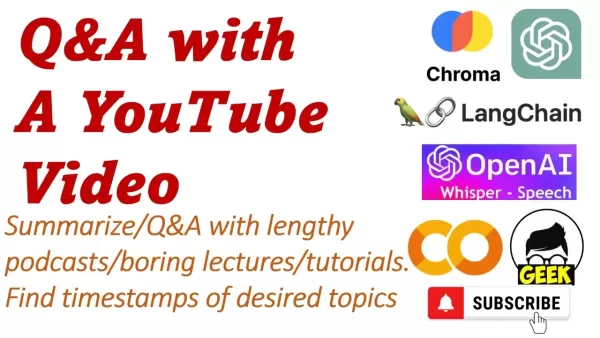
Chroma is your trusty sidekick when it comes to vector storage. Think of it as a super-smart filing cabinet that organizes text data into searchable vectors. Why does this matter? Well, instead of wading through pages of text, Chroma lets you perform lightning-fast similarity searches. When you ask a question, it quickly matches your query to the most relevant parts of the video transcript. Chroma’s efficiency makes it ideal for handling large datasets like transcriptions, ensuring you get answers in a flash.
LangChain
LangChain acts as the brain behind the operation. It’s the conductor orchestrating everything—from pulling transcripts to generating answers. With its modular design, LangChain connects different AI components seamlessly, ensuring they work together harmoniously. For instance, it takes care of maintaining context across multiple interactions, keeping the conversation flowing naturally. LangChain’s flexibility means you can tweak the system to suit your needs, whether you’re aiming for concise summaries or detailed explanations.
OpenAI’s Whisper
When it comes to converting audio into text, Whisper is king. This open-source tool excels at transcribing spoken words into written form, handling everything from subtle accents to noisy environments. Its reliability ensures that the text produced is as accurate as possible, laying the foundation for effective analysis. Without Whisper, the rest of the system would struggle to interpret the raw audio data.
Step-by-Step Guide to Building Your Q&A System
Ready to roll up your sleeves and build something awesome? Follow these steps to create your personalized YouTube Q&A system:
Step 1: Install the Required Libraries
Start by installing the necessary libraries. Each one plays a vital role in the process:
whisper: Converts audio to text.pytube: Downloads YouTube videos.langchain: Handles the Q&A logic.chromadb: Stores embeddings for efficient searching.openai: Interacts with OpenAI’s models.
Run the following command in your terminal:
pip install git+https://github.com/openai/whisper.git
pip install pytube
pip install langchain
pip install chromadb
pip install openai
Make sure each library installs correctly before moving forward.
Step 2: Import the Necessary Modules
Once the libraries are installed, import them into your script:
import whisper
import torch
import os
from pytube import YouTube
from langchain.text_splitter import CharacterTextSplitter
from langchain.document_loaders import DataFrameLoader
from langchain.vectorstores import Chroma
from langchain.chains import RetrievalQAWithSourcesChain
from langchain.embeddings.openai import OpenAIEmbeddings
from langchain.llms import OpenAI
import pandas as pd
These modules bring all the functionality you’ll need to the table.
Step 3: Configure the Device and Load the Whisper Model
Decide whether you want to leverage your GPU (if available) or stick to the CPU:
device = "cuda" if torch.cuda.is_available() else "cpu"
whisper_model = whisper.load_model("large", device=device)
Choosing the right model size depends on your hardware. Larger models offer better accuracy but require more resources.
Step 4: Extract Audio from YouTube Videos
Create a function to download and save the audio:
def extract_and_save_audio(video_url, destination, final_filename):
    video = YouTube(video_url)
    audio = video.streams.filter(only_audio=True).first()
    output_path = audio.download(output_path=destination)
    ext = os.path.splitext(output_path)[1]
    new_file = final_filename + '.mp3'
    os.rename(output_path, new_file)
    return new_file
This function grabs the audio stream from the YouTube video and saves it as an MP3 file. Clean audio is crucial for accurate transcription.
Step 5: Transcribe the Audio and Split It into Chunks
Use Whisper to transcribe the audio:
audio_file = 'geek_avenue.mp3'
result = whisper_model.transcribe(audio_file)
transcription = pd.DataFrame(result['segments'])
Now, divide the transcription into manageable chunks:
def chunk_clips(transcription, clip_size):
    texts = []
    sources = []
    for i in range(0, len(transcription), clip_size):
        clip_df = transcription.iloc[i:i + clip_size]
        text = '. '.join(clip_df['text'].to_list())
        sources.append(text)
        text = '. '.join(clip_df['text'].to_list())
        source = str(round(clip_df.iloc[0]['start'] / 60, 2)) + "--" + str(round(clip_df.iloc[-1]['end'] / 60, 2)) + " min"
        texts.append(text)
        sources.append(source)
    return texts, sources
texts, sources = chunk_clips(transcription, clip_size=4)
Chunking prevents the system from hitting token limits and keeps things manageable.
Step 6: Create Embeddings and Set Up Chroma
Generate embeddings for the text chunks:
embeddings = OpenAIEmbeddings()
df = pd.DataFrame({'text': texts, 'sources': sources})
document_loader = DataFrameLoader(df, page_content_column="text")
documents = document_loader.load()
Initialize Chroma with these documents:
vectorstore = Chroma.from_documents(documents=documents, embedding=embeddings, persist_directory="./chroma_db")
vectorstore.persist()
This sets up a local database where Chroma stores the embedded text chunks.
Step 7: Build the Q&A Chain
Put everything together with LangChain:
chain = RetrievalQAWithSourcesChain.from_chain_type(
    llm=OpenAI(temperature=0.5),
    chain_type="stuff",
    retriever=vectorstore.as_retriever()
)
This chain combines a language model with a retriever to fetch and answer questions effectively.
Step 8: Test the System
Try out your Q&A system with sample queries
Related article
 Google Tests Remy AI Agent for Gemini as Focus Shifts to User Control
According to Business Insider, Google is testing Remy, a new AI personal agent for Gemini. This tool aims to execute tasks on behalf of users, streamlining both professional workflows and daily routines.Currently, Remy is undergoing testing in an int
How to fix Core Web Vitals for better SEO rankings
Streamline Report Card Comments with AI ToolsIntroductionAI Tools for Generating Report Card CommentsMagic SchoolAlmanac AIChat GPTUsing Magic School to Generate Report Card CommentsLogging into Magic SchoolSelecting the Report Card Comments ToolCust
Slackbot Becomes an AI Agent
Slackbot, the automated assistant embedded in Salesforce’s corporate messaging platform Slack, is evolving into an AI agent. Salesforce CTO Parker Harris envisions it achieving viral status comparable to OpenAI’s ChatGPT.The cloud software giant laun
Related Special Topic Recommendations
writing
Google Tests Remy AI Agent for Gemini as Focus Shifts to User Control
According to Business Insider, Google is testing Remy, a new AI personal agent for Gemini. This tool aims to execute tasks on behalf of users, streamlining both professional workflows and daily routines.Currently, Remy is undergoing testing in an int
How to fix Core Web Vitals for better SEO rankings
Streamline Report Card Comments with AI ToolsIntroductionAI Tools for Generating Report Card CommentsMagic SchoolAlmanac AIChat GPTUsing Magic School to Generate Report Card CommentsLogging into Magic SchoolSelecting the Report Card Comments ToolCust
Slackbot Becomes an AI Agent
Slackbot, the automated assistant embedded in Salesforce’s corporate messaging platform Slack, is evolving into an AI agent. Salesforce CTO Parker Harris envisions it achieving viral status comparable to OpenAI’s ChatGPT.The cloud software giant laun
Related Special Topic Recommendations
writing
 Best AI Outline Generators for Long-Form SEO Articles
2026 Latest Best Top-Rated AI Outline Generators for Long-Form SEO Articles, meticulously curated by XIX.AI. These powerful tools offer game-changing assistance in creating high-quality content quickly, boosting writing efficiency significantly. Get a free vs paid comparison along with real-world tests and detailed rankings to help you find the must-try option that suits your needs. Explore now to unlock your AI edge.
 8 tools
 xix.ai
Education and Learning
AI Study Tools for Homework and Exam Prep
xix.ai
Education and Learning
AI Study Tools for Homework and Exam Prep
2026 Latest Best AI Study Tools for Homework and Exam Prep! XIX.AI curates a top-rated list of powerful, game-changing tools that help students boost productivity, streamline homework completion, and ace exams through real-world tests. Get a free vs paid comparison, detailed rankings, and must-try options to unlock your AI edge. Explore now!
10 tools
xix.ai
Music composition
AI Vocal Demo Tools for Songwriters, Hooks, Toplines, and Multilingual Draft Sessions
2026 Latest Best AI Vocal Demo Tools for Songwriters, Hook Creators, and Multi-Language Content Teams! XIX.AI has curated a top-rated list of powerful game-changing tools that go through rigorous real-world tests. You’ll find detailed free vs paid comparison data, comprehensive rankings, and must-try options to help you boost writing efficiency and unlock your creative potential. Explore now to discover your perfect tool for all your content needs!
9 tools
xix.ai
Business
Best AI Competitive Research Tools for Small Businesses
2026 Latest Best Top-rated AI Competitive Research Tools for Small Businesses! XIX.AI has curated a highly powerful game-changing collection, updated weekly with rigorous real-world tests and detailed rankings. You can find a comprehensive free vs paid comparison to help you identify the must-try tools that boost your productivity and give you a competitive edge. Explore now to discover your perfect tool!
9 tools
xix.ai
Image editing
Photoshop AI Retouch Tools for Ecommerce Apparel, Skin Cleanup, and Color Consistency
2026 Latest Best Photoshop AI retouch tools for ecommerce apparel, skin cleanup, and color consistency! This top-rated curated list features powerful game-changing solutions that help you boost writing efficiency, streamline content creation, and achieve perfect visual results effortlessly. Each tool has undergone real-world tests through weekly updated rankings, complete with free vs paid comparison details. Backed by XIX.AI, it’s the must-try guide for anyone aiming to unlock your AI edge. Explore now!
10 tools
xix.ai
Prompt
Best AI Prompt Libraries for ChatGPT Workflows
2026 Latest Best Top-Rated AI Prompt Libraries for optimizing all types of ChatGPT workflows. XIX.AI has curated a powerful, game-changing collection that goes through rigorous real-world tests to ensure top performance. You can find detailed free vs paid comparisons and expert rankings to help you choose the must-try tools that boost your productivity and unlock your AI edge. Explore now!
11 tools
xix.ai

 Comments (9)
0/500
Comments (9)
0/500
![WillieRamirez]()
Endlich! Ich hab schon so oft Stunden in Tutorials versenkt, nur um eine spezifische Info zu finden. Die Idee, ein KI-System für YouTube-Fragen zu bauen, klingt nach einem Game-Changer. Aber mal ehrlich, wird das nicht irgendwann dazu führen, dass wir gar nicht mehr zuhören, sondern nur noch Fragen in eine Maschine tippen? 😅 Trotzdem, cooles Projekt!
![JoeLewis]()
Das klingt nach einer echten Zeitersparnis! Ich schaue oft lange Tutorials und ärgere mich, wenn ich nur eine bestimmte Info suche. Die Idee, direkt Fragen an das Video zu stellen, ist genial. Hoffentlich wird das Tool auch mit deutschen Untertiteln klarkommen. 😅
![JohnGarcia]()
¡Qué buena idea! Siempre me ocurre buscar respuestas concretas en tutoriales de YouTube, pero fastidia tener que rebobinar partes enteras. Una IA que lo haga por ti sería increíble 😌. Sin embargo, me genera duda hasta dónde llegará la precisión con videojuegos, doblajes o temas muy especializados.
![CharlesWhite]()
Qué idea tan práctica, la aplicación de IA en contenido multimedia me parece el siguiente paso lógico. Aunque, ¿no creéis que esto podría hacer que la gente deje de ver videos por completo y solo consulte respuestas rápidas? Perderíamos esa serendipia de descubrir cosas inesperadas al ver el contenido completo 😅 Me pregunto si YouTube implementará algo así nativamente pronto.
![JoseAdams]()
Un système de Q&A par IA pour YouTube ? Génial ! Fini les heures à chercher une info précise. Hâte de voir ça en action ! 😊
![GregoryClark]()
Классная идея с ИИ для YouTube! Теперь не придется часами искать нужный момент в видео. Надеюсь, оно справится с длинными лекциями! 🚀
Ever found yourself slogging through hours of YouTube videos, searching for nuggets of wisdom buried within endless streams of audio? Picture this: you're sitting there, clicking play on tutorial after tutorial, hoping to stumble upon that one crucial piece of information you need. Now, imagine a world where you could instantly skim through all that content, pull out exactly what you need, and even get answers to specific questions—all at the flick of a finger. This article shows you how to build your very own Q&A system for YouTube videos using some of the latest AI tools. By combining Chroma, LangChain, and OpenAI’s Whisper, you can turn hours of audio into actionable insights. From summarizing long lectures to finding precise timestamps for key moments, this system could change the way you consume video content forever.
Got a burning question about AI tools, coding tips, or just need a space to geek out? Join our community on Discord—it’s the perfect spot to connect with like-minded folks!
Building a Q&A System for YouTube Videos
Before diving in, let’s talk about why this is worth your time. In today’s fast-paced digital world, people are constantly bombarded with information. Whether you're a student trying to nail down complex concepts or a professional eager to stay ahead of the curve, efficiently extracting knowledge from lengthy YouTube videos is essential. A Q&A system makes this easier by condensing hours of content into digestible summaries, allowing you to pinpoint exactly what you need. Think of it as turning your favorite video into a cheat sheet that answers all your burning questions.
Here’s how this works: imagine asking, “What’s the difference between vector databases and relational databases?” Instead of spending hours watching the video, the system pulls out the relevant section, gives you the answer, and even tells you the exact timestamp. No more wasted time scrolling aimlessly—just pure, focused learning. Plus, this isn’t just for academics; it’s equally useful for anyone looking to analyze business calls, podcast episodes, or any other form of audio content.
The Core Components: Chroma, LangChain, and OpenAI’s Whisper
To build this Q&A system, you’ll rely on three powerful tools that work hand-in-hand:
Chroma
Chroma is your trusty sidekick when it comes to vector storage. Think of it as a super-smart filing cabinet that organizes text data into searchable vectors. Why does this matter? Well, instead of wading through pages of text, Chroma lets you perform lightning-fast similarity searches. When you ask a question, it quickly matches your query to the most relevant parts of the video transcript. Chroma’s efficiency makes it ideal for handling large datasets like transcriptions, ensuring you get answers in a flash.
LangChain
LangChain acts as the brain behind the operation. It’s the conductor orchestrating everything—from pulling transcripts to generating answers. With its modular design, LangChain connects different AI components seamlessly, ensuring they work together harmoniously. For instance, it takes care of maintaining context across multiple interactions, keeping the conversation flowing naturally. LangChain’s flexibility means you can tweak the system to suit your needs, whether you’re aiming for concise summaries or detailed explanations.
OpenAI’s Whisper
When it comes to converting audio into text, Whisper is king. This open-source tool excels at transcribing spoken words into written form, handling everything from subtle accents to noisy environments. Its reliability ensures that the text produced is as accurate as possible, laying the foundation for effective analysis. Without Whisper, the rest of the system would struggle to interpret the raw audio data.
Step-by-Step Guide to Building Your Q&A System
Ready to roll up your sleeves and build something awesome? Follow these steps to create your personalized YouTube Q&A system:
Step 1: Install the Required Libraries
Start by installing the necessary libraries. Each one plays a vital role in the process:
whisper: Converts audio to text.pytube: Downloads YouTube videos.langchain: Handles the Q&A logic.chromadb: Stores embeddings for efficient searching.openai: Interacts with OpenAI’s models.
Run the following command in your terminal:
pip install git+https://github.com/openai/whisper.git
pip install pytube
pip install langchain
pip install chromadb
pip install openaiMake sure each library installs correctly before moving forward.
Step 2: Import the Necessary Modules
Once the libraries are installed, import them into your script:
import whisper
import torch
import os
from pytube import YouTube
from langchain.text_splitter import CharacterTextSplitter
from langchain.document_loaders import DataFrameLoader
from langchain.vectorstores import Chroma
from langchain.chains import RetrievalQAWithSourcesChain
from langchain.embeddings.openai import OpenAIEmbeddings
from langchain.llms import OpenAI
import pandas as pdThese modules bring all the functionality you’ll need to the table.
Step 3: Configure the Device and Load the Whisper Model
Decide whether you want to leverage your GPU (if available) or stick to the CPU:
device = "cuda" if torch.cuda.is_available() else "cpu"
whisper_model = whisper.load_model("large", device=device)Choosing the right model size depends on your hardware. Larger models offer better accuracy but require more resources.
Step 4: Extract Audio from YouTube Videos
Create a function to download and save the audio:
def extract_and_save_audio(video_url, destination, final_filename):
video = YouTube(video_url)
audio = video.streams.filter(only_audio=True).first()
output_path = audio.download(output_path=destination)
ext = os.path.splitext(output_path)[1]
new_file = final_filename + '.mp3'
os.rename(output_path, new_file)
return new_fileThis function grabs the audio stream from the YouTube video and saves it as an MP3 file. Clean audio is crucial for accurate transcription.
Step 5: Transcribe the Audio and Split It into Chunks
Use Whisper to transcribe the audio:
audio_file = 'geek_avenue.mp3'
result = whisper_model.transcribe(audio_file)
transcription = pd.DataFrame(result['segments'])Now, divide the transcription into manageable chunks:
def chunk_clips(transcription, clip_size):
texts = []
sources = []
for i in range(0, len(transcription), clip_size):
clip_df = transcription.iloc[i:i + clip_size]
text = '. '.join(clip_df['text'].to_list())
sources.append(text)
text = '. '.join(clip_df['text'].to_list())
source = str(round(clip_df.iloc[0]['start'] / 60, 2)) + "--" + str(round(clip_df.iloc[-1]['end'] / 60, 2)) + " min"
texts.append(text)
sources.append(source)
return texts, sources
texts, sources = chunk_clips(transcription, clip_size=4)
Chunking prevents the system from hitting token limits and keeps things manageable.
Step 6: Create Embeddings and Set Up Chroma
Generate embeddings for the text chunks:
embeddings = OpenAIEmbeddings()
df = pd.DataFrame({'text': texts, 'sources': sources})
document_loader = DataFrameLoader(df, page_content_column="text")
documents = document_loader.load()Initialize Chroma with these documents:
vectorstore = Chroma.from_documents(documents=documents, embedding=embeddings, persist_directory="./chroma_db")
vectorstore.persist()This sets up a local database where Chroma stores the embedded text chunks.
Step 7: Build the Q&A Chain
Put everything together with LangChain:
chain = RetrievalQAWithSourcesChain.from_chain_type(
llm=OpenAI(temperature=0.5),
chain_type="stuff",
retriever=vectorstore.as_retriever()
)This chain combines a language model with a retriever to fetch and answer questions effectively.
Step 8: Test the System
Try out your Q&A system with sample queries







 Google Tests Remy AI Agent for Gemini as Focus Shifts to User Control
According to Business Insider, Google is testing Remy, a new AI personal agent for Gemini. This tool aims to execute tasks on behalf of users, streamlining both professional workflows and daily routines.Currently, Remy is undergoing testing in an int
Google Tests Remy AI Agent for Gemini as Focus Shifts to User Control
According to Business Insider, Google is testing Remy, a new AI personal agent for Gemini. This tool aims to execute tasks on behalf of users, streamlining both professional workflows and daily routines.Currently, Remy is undergoing testing in an int
 How to fix Core Web Vitals for better SEO rankings
Streamline Report Card Comments with AI ToolsIntroductionAI Tools for Generating Report Card CommentsMagic SchoolAlmanac AIChat GPTUsing Magic School to Generate Report Card CommentsLogging into Magic SchoolSelecting the Report Card Comments ToolCust
How to fix Core Web Vitals for better SEO rankings
Streamline Report Card Comments with AI ToolsIntroductionAI Tools for Generating Report Card CommentsMagic SchoolAlmanac AIChat GPTUsing Magic School to Generate Report Card CommentsLogging into Magic SchoolSelecting the Report Card Comments ToolCust
 Slackbot Becomes an AI Agent
Slackbot, the automated assistant embedded in Salesforce’s corporate messaging platform Slack, is evolving into an AI agent. Salesforce CTO Parker Harris envisions it achieving viral status comparable to OpenAI’s ChatGPT.The cloud software giant laun
Slackbot Becomes an AI Agent
Slackbot, the automated assistant embedded in Salesforce’s corporate messaging platform Slack, is evolving into an AI agent. Salesforce CTO Parker Harris envisions it achieving viral status comparable to OpenAI’s ChatGPT.The cloud software giant laun

2026 Latest Best Top-Rated AI Outline Generators for Long-Form SEO Articles, meticulously curated by XIX.AI. These powerful tools offer game-changing assistance in creating high-quality content quickly, boosting writing efficiency significantly. Get a free vs paid comparison along with real-world tests and detailed rankings to help you find the must-try option that suits your needs. Explore now to unlock your AI edge.
8 tools
xix.ai

2026 Latest Best AI Study Tools for Homework and Exam Prep! XIX.AI curates a top-rated list of powerful, game-changing tools that help students boost productivity, streamline homework completion, and ace exams through real-world tests. Get a free vs paid comparison, detailed rankings, and must-try options to unlock your AI edge. Explore now!
10 tools
xix.ai

2026 Latest Best AI Vocal Demo Tools for Songwriters, Hook Creators, and Multi-Language Content Teams! XIX.AI has curated a top-rated list of powerful game-changing tools that go through rigorous real-world tests. You’ll find detailed free vs paid comparison data, comprehensive rankings, and must-try options to help you boost writing efficiency and unlock your creative potential. Explore now to discover your perfect tool for all your content needs!
9 tools
xix.ai

2026 Latest Best Top-rated AI Competitive Research Tools for Small Businesses! XIX.AI has curated a highly powerful game-changing collection, updated weekly with rigorous real-world tests and detailed rankings. You can find a comprehensive free vs paid comparison to help you identify the must-try tools that boost your productivity and give you a competitive edge. Explore now to discover your perfect tool!
9 tools
xix.ai

2026 Latest Best Photoshop AI retouch tools for ecommerce apparel, skin cleanup, and color consistency! This top-rated curated list features powerful game-changing solutions that help you boost writing efficiency, streamline content creation, and achieve perfect visual results effortlessly. Each tool has undergone real-world tests through weekly updated rankings, complete with free vs paid comparison details. Backed by XIX.AI, it’s the must-try guide for anyone aiming to unlock your AI edge. Explore now!
10 tools
xix.ai

2026 Latest Best Top-Rated AI Prompt Libraries for optimizing all types of ChatGPT workflows. XIX.AI has curated a powerful, game-changing collection that goes through rigorous real-world tests to ensure top performance. You can find detailed free vs paid comparisons and expert rankings to help you choose the must-try tools that boost your productivity and unlock your AI edge. Explore now!
11 tools
xix.ai

Endlich! Ich hab schon so oft Stunden in Tutorials versenkt, nur um eine spezifische Info zu finden. Die Idee, ein KI-System für YouTube-Fragen zu bauen, klingt nach einem Game-Changer. Aber mal ehrlich, wird das nicht irgendwann dazu führen, dass wir gar nicht mehr zuhören, sondern nur noch Fragen in eine Maschine tippen? 😅 Trotzdem, cooles Projekt!
Das klingt nach einer echten Zeitersparnis! Ich schaue oft lange Tutorials und ärgere mich, wenn ich nur eine bestimmte Info suche. Die Idee, direkt Fragen an das Video zu stellen, ist genial. Hoffentlich wird das Tool auch mit deutschen Untertiteln klarkommen. 😅
¡Qué buena idea! Siempre me ocurre buscar respuestas concretas en tutoriales de YouTube, pero fastidia tener que rebobinar partes enteras. Una IA que lo haga por ti sería increíble 😌. Sin embargo, me genera duda hasta dónde llegará la precisión con videojuegos, doblajes o temas muy especializados.
Qué idea tan práctica, la aplicación de IA en contenido multimedia me parece el siguiente paso lógico. Aunque, ¿no creéis que esto podría hacer que la gente deje de ver videos por completo y solo consulte respuestas rápidas? Perderíamos esa serendipia de descubrir cosas inesperadas al ver el contenido completo 😅 Me pregunto si YouTube implementará algo así nativamente pronto.
Un système de Q&A par IA pour YouTube ? Génial ! Fini les heures à chercher une info précise. Hâte de voir ça en action ! 😊
Классная идея с ИИ для YouTube! Теперь не придется часами искать нужный момент в видео. Надеюсь, оно справится с длинными лекциями! 🚀












