


 Home
HomeBlackboard AI Assistant Enhances Course Design with Intelligent Tools
In today's dynamic educational landscape, educators seek efficient ways to refine course creation and boost student engagement. The Blackboard AI Design Assistant simplifies the shift from Blackboard Original to Ultra, saving time and enriching the learning experience. This article explores its features and benefits for instructors.
Key Points
The Blackboard AI Design Assistant streamlines course transitions from Blackboard Original to Ultra.
It saves educators time in developing and updating course materials.
AI supports creating varied content and assessments.
The tool helps instructors refine teaching strategies effectively.
It aids in grading assessments based on set criteria.
Understanding the Blackboard AI Design Assistant
What is the Blackboard AI Design Assistant?
The Blackboard AI Design Assistant is a tool crafted to help educators transition courses from the Blackboard Original interface to the modern Blackboard Ultra.
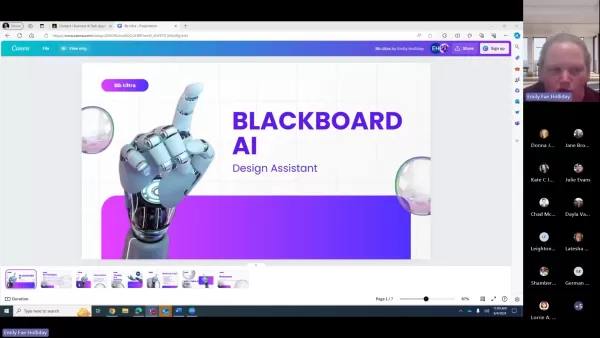
Its primary goal is to reduce time spent on course design, allowing instructors to focus on teaching and student interaction.
It generates diverse content and assessments, leveraging AI to enhance teaching methods and student engagement. The assistant creates fresh materials, introduces innovative ways to engage learners, and keeps courses relevant. It complements instructors, enabling efficient delivery of high-quality content. The tool also supports tailored assessments, grading them based on instructor-defined criteria.
It optimizes course design and offers solutions for effective teaching while saving time. The assistant suggests creative ways to incorporate content and assessments.
Key Benefits:
Time Efficiency: Cuts down course design time.
Modernization: Simplifies transition to Blackboard Ultra.
Content Creation: Generates diverse content and assessments.
Enhanced Teaching: Supports innovative teaching methods.
Grading Efficiency: Streamlines grading with predefined criteria.
Future Trends in AI-Enhanced Education
Personalized Learning Paths
AI-driven personalized learning paths analyze student data to address gaps and tailor content to individual needs. This ensures optimized learning and allows instructors to support students effectively, fostering an equitable environment.
AI-Driven Tutoring Systems
AI tutoring systems offer personalized feedback, answer questions, and provide step-by-step guidance. They identify common challenges, enabling instructors to adjust strategies and enhance student understanding.
Step-by-Step Guide: Using the Blackboard AI Design Assistant
Accessing the AI Design Assistant
- Log into your Blackboard account and select the course to enhance.
- Find the AI Design Assistant in the Course Management menu.
- Open the AI interface by clicking the tool.
Converting a Course to Ultra
- Choose the "Convert to Ultra" option in the AI Design Assistant.
- Review AI suggestions for course reformatting and restructuring.
- Adjust suggestions to match your teaching style.
- Apply changes to complete the conversion.
Generating New Content
- Select the "Generate Content" option.
- Input the topic, objectives, and specific guidelines.
- Review AI-generated content, including assessments and resources.
- Customize content to meet course needs.
- Add content to course modules.
Adapting Teaching Strategies
- Navigate to the "Teaching Strategies" section in the AI Design Assistant.
- Explore AI suggestions for new teaching methods.
- Choose strategies aligning with your teaching style and objectives.
- Implement strategies by adjusting course structure or adding activities.
Evaluate: Pros and Cons of Using Blackboard AI
Pros
Saves significant time in course design and updates.
Boosts student engagement with interactive content.
Eases transition to Blackboard Ultra.
Offers insights into modern teaching strategies.
Supports diverse assessment creation.
Cons
Requires initial setup and learning.
AI content may need tailoring to fit instructor preferences.
Risk of over-reliance on AI, potentially limiting creativity.
Depends on AI algorithm accuracy.
Explore the Core Features of Blackboard AI Design Assistant
AI-Powered Course Conversion
The Blackboard AI Design Assistant simplifies converting courses to Blackboard Ultra by reformatting content, restructuring modules, and ensuring compatibility. It automates repetitive tasks like reorganizing folders and updating navigation, while suggesting optimal layouts for enhanced usability.
- Automated Reformatting: Adjusts content for Ultra compatibility.
- Module Restructuring: Suggests optimal module layouts.
- Content Optimization: Enhances materials to meet educational standards.
Content Creation Assistance
The assistant generates diverse content, including multiple-choice questions, short-answer prompts, and interactive quizzes. It curates external resources like videos and articles, tailoring content to course objectives for enriched learning.
- Assessment Generation: Creates varied assessments.
- Resource Curation: Recommends relevant external resources.
- Content Customization: Aligns materials with course goals.
Teaching Strategy Adaptation
The assistant provides insights for adapting teaching strategies to the Ultra environment, suggesting methods like flipped classrooms and active learning. It offers evidence-based practices and integrates modern technologies for effective teaching.
- Pedagogical Recommendations: Suggests modern teaching methods.
- Instructional Best Practices: Provides evidence-based strategies.
- Technology Integration: Incorporates modern tools into courses.
Automated Grading and Feedback
The assistant streamlines grading based on instructor criteria, saving time and providing actionable feedback for students.
- Objective Grading: Automates grading for assessments.
- Feedback Suggestions: Offers constructive feedback for students.
Real-World Use Cases of Blackboard AI
Streamlining Course Updates
Dr. Emily Carter, a history professor, used the AI to update her course, replacing outdated resources with current content. This saved 10 hours and resulted in a more engaging course.
Enhancing Student Engagement
Professor Michael Lee, an engineering instructor, integrated AI-generated quizzes and simulations, improving exam scores by 15% through dynamic content.
Facilitating Online Learning
Professor Sarah Johnson adapted her course for online delivery using the AI, which restructured modules and optimized content, ensuring a seamless transition.
Frequently Asked Questions
Is the Blackboard AI Design Assistant free to use?
Pricing depends on your institution’s Blackboard subscription. Contact your IT department or Blackboard administrator to confirm access or additional costs.
Does the AI Design Assistant support all types of course content?
The assistant supports documents, videos, assessments, and interactive elements, but compatibility varies. Test content and check Blackboard’s documentation for supported formats.
How secure is the AI Design Assistant?
Blackboard ensures the assistant meets industry-standard security and data protection protocols. Instructors should review data practices to safeguard sensitive information.
Related Questions
What are the ethical considerations of using AI in education?
Ethical concerns include addressing algorithm biases for fair outcomes, protecting data privacy, and preserving the role of human educators. Transparency and accountability are key.
How can I ensure the accuracy and reliability of AI-generated content?
Validate AI content with trusted sources, seek colleague feedback, and test thoroughly. Encourage students to critically assess content to foster independent thinking.
Related article
 U.S. Stocks Hit Historic Milestone as AI and Aerospace Giants Prepare for Trillion-Dollar Debut
Elon Musk, Sam Altman, and Dario Amodei, three titans of the technology sector, are advancing toward initial public offerings for their respective ventures. With SpaceX, OpenAI, and Anthropic—three industry behemoths nearing trillion-dollar valuation
Swedish AI Startup Lovable Eyes $13.2 Billion Valuation After Major Funding Round
As AI-driven coding tools gain traction, Swedish startup Lovable has secured a major funding round. The company aims to raise $3 billion, potentially boosting its valuation to $13.2 billion—double the $6.6 billion recorded last December. Menlo Ventur
Google Tests Remy AI Agent for Gemini as Focus Shifts to User Control
According to Business Insider, Google is testing Remy, a new AI personal agent for Gemini. This tool aims to execute tasks on behalf of users, streamlining both professional workflows and daily routines.Currently, Remy is undergoing testing in an int
Related Special Topic Recommendations
Data Analysis
U.S. Stocks Hit Historic Milestone as AI and Aerospace Giants Prepare for Trillion-Dollar Debut
Elon Musk, Sam Altman, and Dario Amodei, three titans of the technology sector, are advancing toward initial public offerings for their respective ventures. With SpaceX, OpenAI, and Anthropic—three industry behemoths nearing trillion-dollar valuation
Swedish AI Startup Lovable Eyes $13.2 Billion Valuation After Major Funding Round
As AI-driven coding tools gain traction, Swedish startup Lovable has secured a major funding round. The company aims to raise $3 billion, potentially boosting its valuation to $13.2 billion—double the $6.6 billion recorded last December. Menlo Ventur
Google Tests Remy AI Agent for Gemini as Focus Shifts to User Control
According to Business Insider, Google is testing Remy, a new AI personal agent for Gemini. This tool aims to execute tasks on behalf of users, streamlining both professional workflows and daily routines.Currently, Remy is undergoing testing in an int
Related Special Topic Recommendations
Data Analysis
 Best AI Anomaly Detection Tools for KPI Monitoring across SaaS and Ecommerce Teams
2026 Latest Best Top-rated AI Anomaly Detection Tools for KPI Monitoring in SaaS and Ecommerce teams! XIX.AI has curated a powerful, game-changing collection based on rigorous real-world tests and weekly updated rankings. You’ll find detailed free vs paid comparison insights to help you identify the must-try solution that boosts productivity and unlocks your AI edge. Explore now!
 10 tools
 xix.ai
writing
Best AI Outline Generators for Long-Form SEO Articles
xix.ai
writing
Best AI Outline Generators for Long-Form SEO Articles
2026 Latest Best Top-Rated AI Outline Generators for Long-Form SEO Articles, meticulously curated by XIX.AI. These powerful tools offer game-changing assistance in creating high-quality content quickly, boosting writing efficiency significantly. Get a free vs paid comparison along with real-world tests and detailed rankings to help you find the must-try option that suits your needs. Explore now to unlock your AI edge.
8 tools
xix.ai
Education and Learning
AI Study Tools for Homework and Exam Prep
2026 Latest Best AI Study Tools for Homework and Exam Prep! XIX.AI curates a top-rated list of powerful, game-changing tools that help students boost productivity, streamline homework completion, and ace exams through real-world tests. Get a free vs paid comparison, detailed rankings, and must-try options to unlock your AI edge. Explore now!
10 tools
xix.ai
Music composition
AI Vocal Demo Tools for Songwriters, Hooks, Toplines, and Multilingual Draft Sessions
2026 Latest Best AI Vocal Demo Tools for Songwriters, Hook Creators, and Multi-Language Content Teams! XIX.AI has curated a top-rated list of powerful game-changing tools that go through rigorous real-world tests. You’ll find detailed free vs paid comparison data, comprehensive rankings, and must-try options to help you boost writing efficiency and unlock your creative potential. Explore now to discover your perfect tool for all your content needs!
9 tools
xix.ai
Business
Best AI Competitive Research Tools for Small Businesses
2026 Latest Best Top-rated AI Competitive Research Tools for Small Businesses! XIX.AI has curated a highly powerful game-changing collection, updated weekly with rigorous real-world tests and detailed rankings. You can find a comprehensive free vs paid comparison to help you identify the must-try tools that boost your productivity and give you a competitive edge. Explore now to discover your perfect tool!
9 tools
xix.ai
Image editing
Photoshop AI Retouch Tools for Ecommerce Apparel, Skin Cleanup, and Color Consistency
2026 Latest Best Photoshop AI retouch tools for ecommerce apparel, skin cleanup, and color consistency! This top-rated curated list features powerful game-changing solutions that help you boost writing efficiency, streamline content creation, and achieve perfect visual results effortlessly. Each tool has undergone real-world tests through weekly updated rankings, complete with free vs paid comparison details. Backed by XIX.AI, it’s the must-try guide for anyone aiming to unlock your AI edge. Explore now!
10 tools
xix.ai

 Comments (6)
0/500
Comments (6)
0/500
![WalterNelson]()
I've been using Blackboard for years and this AI assistant sounds promising but I'm skeptical about how intuitive it really is. The transition from classic Blackboard to something new is always a pain. Hope they've tested it thoroughly. 😅
![WillieRodriguez]()
Enfin un outil qui semble vraiment comprendre les défis des enseignants ! J'ai hâte de voir si cet assistant IA peut réellement réduire le temps passé sur la préparation des cours. Reste à savoir comment il gère les particularités des différentes disciplines... 🧐
![MichaelThomas]()
This AI assistant for Blackboard sounds like a game-changer! Streamlining course design is huge for teachers swamped with work. Curious how it handles student engagement—hope it’s not just another overhyped tool! 😄
![WillSmith]()
This AI tool for Blackboard sounds like a game-changer for teachers! Streamlining course design? Yes, please! 🥳 Curious how it handles student engagement, though.
![WalterMartinez]()
This AI assistant for Blackboard sounds like a game-changer! Streamlining course design could save teachers so much time. But I wonder, will it make courses feel too cookie-cutter? 🤔 Curious to see how it balances creativity and efficiency.
![OwenLewis]()
This AI assistant for Blackboard sounds like a game-changer! Streamlining course design is huge for teachers juggling a million tasks. Curious how it handles student engagement though—any cool features for interactive learning? 😎
In today's dynamic educational landscape, educators seek efficient ways to refine course creation and boost student engagement. The Blackboard AI Design Assistant simplifies the shift from Blackboard Original to Ultra, saving time and enriching the learning experience. This article explores its features and benefits for instructors.
Key Points
The Blackboard AI Design Assistant streamlines course transitions from Blackboard Original to Ultra.
It saves educators time in developing and updating course materials.
AI supports creating varied content and assessments.
The tool helps instructors refine teaching strategies effectively.
It aids in grading assessments based on set criteria.
Understanding the Blackboard AI Design Assistant
What is the Blackboard AI Design Assistant?
The Blackboard AI Design Assistant is a tool crafted to help educators transition courses from the Blackboard Original interface to the modern Blackboard Ultra.
Its primary goal is to reduce time spent on course design, allowing instructors to focus on teaching and student interaction.
It generates diverse content and assessments, leveraging AI to enhance teaching methods and student engagement. The assistant creates fresh materials, introduces innovative ways to engage learners, and keeps courses relevant. It complements instructors, enabling efficient delivery of high-quality content. The tool also supports tailored assessments, grading them based on instructor-defined criteria.
It optimizes course design and offers solutions for effective teaching while saving time. The assistant suggests creative ways to incorporate content and assessments.
Key Benefits:
Time Efficiency: Cuts down course design time.
Modernization: Simplifies transition to Blackboard Ultra.
Content Creation: Generates diverse content and assessments.
Enhanced Teaching: Supports innovative teaching methods.
Grading Efficiency: Streamlines grading with predefined criteria.
Future Trends in AI-Enhanced Education
Personalized Learning Paths
AI-driven personalized learning paths analyze student data to address gaps and tailor content to individual needs. This ensures optimized learning and allows instructors to support students effectively, fostering an equitable environment.
AI-Driven Tutoring Systems
AI tutoring systems offer personalized feedback, answer questions, and provide step-by-step guidance. They identify common challenges, enabling instructors to adjust strategies and enhance student understanding.
Step-by-Step Guide: Using the Blackboard AI Design Assistant
Accessing the AI Design Assistant
- Log into your Blackboard account and select the course to enhance.
- Find the AI Design Assistant in the Course Management menu.
- Open the AI interface by clicking the tool.
Converting a Course to Ultra
- Choose the "Convert to Ultra" option in the AI Design Assistant.
- Review AI suggestions for course reformatting and restructuring.
- Adjust suggestions to match your teaching style.
- Apply changes to complete the conversion.
Generating New Content
- Select the "Generate Content" option.
- Input the topic, objectives, and specific guidelines.
- Review AI-generated content, including assessments and resources.
- Customize content to meet course needs.
- Add content to course modules.
Adapting Teaching Strategies
- Navigate to the "Teaching Strategies" section in the AI Design Assistant.
- Explore AI suggestions for new teaching methods.
- Choose strategies aligning with your teaching style and objectives.
- Implement strategies by adjusting course structure or adding activities.
Evaluate: Pros and Cons of Using Blackboard AI
Pros
Saves significant time in course design and updates.
Boosts student engagement with interactive content.
Eases transition to Blackboard Ultra.
Offers insights into modern teaching strategies.
Supports diverse assessment creation.
Cons
Requires initial setup and learning.
AI content may need tailoring to fit instructor preferences.
Risk of over-reliance on AI, potentially limiting creativity.
Depends on AI algorithm accuracy.
Explore the Core Features of Blackboard AI Design Assistant
AI-Powered Course Conversion
The Blackboard AI Design Assistant simplifies converting courses to Blackboard Ultra by reformatting content, restructuring modules, and ensuring compatibility. It automates repetitive tasks like reorganizing folders and updating navigation, while suggesting optimal layouts for enhanced usability.
- Automated Reformatting: Adjusts content for Ultra compatibility.
- Module Restructuring: Suggests optimal module layouts.
- Content Optimization: Enhances materials to meet educational standards.
Content Creation Assistance
The assistant generates diverse content, including multiple-choice questions, short-answer prompts, and interactive quizzes. It curates external resources like videos and articles, tailoring content to course objectives for enriched learning.
- Assessment Generation: Creates varied assessments.
- Resource Curation: Recommends relevant external resources.
- Content Customization: Aligns materials with course goals.
Teaching Strategy Adaptation
The assistant provides insights for adapting teaching strategies to the Ultra environment, suggesting methods like flipped classrooms and active learning. It offers evidence-based practices and integrates modern technologies for effective teaching.
- Pedagogical Recommendations: Suggests modern teaching methods.
- Instructional Best Practices: Provides evidence-based strategies.
- Technology Integration: Incorporates modern tools into courses.
Automated Grading and Feedback
The assistant streamlines grading based on instructor criteria, saving time and providing actionable feedback for students.
- Objective Grading: Automates grading for assessments.
- Feedback Suggestions: Offers constructive feedback for students.
Real-World Use Cases of Blackboard AI
Streamlining Course Updates
Dr. Emily Carter, a history professor, used the AI to update her course, replacing outdated resources with current content. This saved 10 hours and resulted in a more engaging course.
Enhancing Student Engagement
Professor Michael Lee, an engineering instructor, integrated AI-generated quizzes and simulations, improving exam scores by 15% through dynamic content.
Facilitating Online Learning
Professor Sarah Johnson adapted her course for online delivery using the AI, which restructured modules and optimized content, ensuring a seamless transition.
Frequently Asked Questions
Is the Blackboard AI Design Assistant free to use?
Pricing depends on your institution’s Blackboard subscription. Contact your IT department or Blackboard administrator to confirm access or additional costs.
Does the AI Design Assistant support all types of course content?
The assistant supports documents, videos, assessments, and interactive elements, but compatibility varies. Test content and check Blackboard’s documentation for supported formats.
How secure is the AI Design Assistant?
Blackboard ensures the assistant meets industry-standard security and data protection protocols. Instructors should review data practices to safeguard sensitive information.
Related Questions
What are the ethical considerations of using AI in education?
Ethical concerns include addressing algorithm biases for fair outcomes, protecting data privacy, and preserving the role of human educators. Transparency and accountability are key.
How can I ensure the accuracy and reliability of AI-generated content?
Validate AI content with trusted sources, seek colleague feedback, and test thoroughly. Encourage students to critically assess content to foster independent thinking.








 U.S. Stocks Hit Historic Milestone as AI and Aerospace Giants Prepare for Trillion-Dollar Debut
Elon Musk, Sam Altman, and Dario Amodei, three titans of the technology sector, are advancing toward initial public offerings for their respective ventures. With SpaceX, OpenAI, and Anthropic—three industry behemoths nearing trillion-dollar valuation
U.S. Stocks Hit Historic Milestone as AI and Aerospace Giants Prepare for Trillion-Dollar Debut
Elon Musk, Sam Altman, and Dario Amodei, three titans of the technology sector, are advancing toward initial public offerings for their respective ventures. With SpaceX, OpenAI, and Anthropic—three industry behemoths nearing trillion-dollar valuation
 Swedish AI Startup Lovable Eyes $13.2 Billion Valuation After Major Funding Round
As AI-driven coding tools gain traction, Swedish startup Lovable has secured a major funding round. The company aims to raise $3 billion, potentially boosting its valuation to $13.2 billion—double the $6.6 billion recorded last December. Menlo Ventur
Google Tests Remy AI Agent for Gemini as Focus Shifts to User Control
According to Business Insider, Google is testing Remy, a new AI personal agent for Gemini. This tool aims to execute tasks on behalf of users, streamlining both professional workflows and daily routines.Currently, Remy is undergoing testing in an int
Swedish AI Startup Lovable Eyes $13.2 Billion Valuation After Major Funding Round
As AI-driven coding tools gain traction, Swedish startup Lovable has secured a major funding round. The company aims to raise $3 billion, potentially boosting its valuation to $13.2 billion—double the $6.6 billion recorded last December. Menlo Ventur
Google Tests Remy AI Agent for Gemini as Focus Shifts to User Control
According to Business Insider, Google is testing Remy, a new AI personal agent for Gemini. This tool aims to execute tasks on behalf of users, streamlining both professional workflows and daily routines.Currently, Remy is undergoing testing in an int

2026 Latest Best Top-rated AI Anomaly Detection Tools for KPI Monitoring in SaaS and Ecommerce teams! XIX.AI has curated a powerful, game-changing collection based on rigorous real-world tests and weekly updated rankings. You’ll find detailed free vs paid comparison insights to help you identify the must-try solution that boosts productivity and unlocks your AI edge. Explore now!
10 tools
xix.ai

2026 Latest Best Top-Rated AI Outline Generators for Long-Form SEO Articles, meticulously curated by XIX.AI. These powerful tools offer game-changing assistance in creating high-quality content quickly, boosting writing efficiency significantly. Get a free vs paid comparison along with real-world tests and detailed rankings to help you find the must-try option that suits your needs. Explore now to unlock your AI edge.
8 tools
xix.ai

2026 Latest Best AI Study Tools for Homework and Exam Prep! XIX.AI curates a top-rated list of powerful, game-changing tools that help students boost productivity, streamline homework completion, and ace exams through real-world tests. Get a free vs paid comparison, detailed rankings, and must-try options to unlock your AI edge. Explore now!
10 tools
xix.ai

2026 Latest Best AI Vocal Demo Tools for Songwriters, Hook Creators, and Multi-Language Content Teams! XIX.AI has curated a top-rated list of powerful game-changing tools that go through rigorous real-world tests. You’ll find detailed free vs paid comparison data, comprehensive rankings, and must-try options to help you boost writing efficiency and unlock your creative potential. Explore now to discover your perfect tool for all your content needs!
9 tools
xix.ai

2026 Latest Best Top-rated AI Competitive Research Tools for Small Businesses! XIX.AI has curated a highly powerful game-changing collection, updated weekly with rigorous real-world tests and detailed rankings. You can find a comprehensive free vs paid comparison to help you identify the must-try tools that boost your productivity and give you a competitive edge. Explore now to discover your perfect tool!
9 tools
xix.ai

2026 Latest Best Photoshop AI retouch tools for ecommerce apparel, skin cleanup, and color consistency! This top-rated curated list features powerful game-changing solutions that help you boost writing efficiency, streamline content creation, and achieve perfect visual results effortlessly. Each tool has undergone real-world tests through weekly updated rankings, complete with free vs paid comparison details. Backed by XIX.AI, it’s the must-try guide for anyone aiming to unlock your AI edge. Explore now!
10 tools
xix.ai

I've been using Blackboard for years and this AI assistant sounds promising but I'm skeptical about how intuitive it really is. The transition from classic Blackboard to something new is always a pain. Hope they've tested it thoroughly. 😅
Enfin un outil qui semble vraiment comprendre les défis des enseignants ! J'ai hâte de voir si cet assistant IA peut réellement réduire le temps passé sur la préparation des cours. Reste à savoir comment il gère les particularités des différentes disciplines... 🧐
This AI assistant for Blackboard sounds like a game-changer! Streamlining course design is huge for teachers swamped with work. Curious how it handles student engagement—hope it’s not just another overhyped tool! 😄
This AI tool for Blackboard sounds like a game-changer for teachers! Streamlining course design? Yes, please! 🥳 Curious how it handles student engagement, though.
This AI assistant for Blackboard sounds like a game-changer! Streamlining course design could save teachers so much time. But I wonder, will it make courses feel too cookie-cutter? 🤔 Curious to see how it balances creativity and efficiency.
This AI assistant for Blackboard sounds like a game-changer! Streamlining course design is huge for teachers juggling a million tasks. Curious how it handles student engagement though—any cool features for interactive learning? 😎












