


 Home
HomeAI-Driven Viral Instagram Trends: A Step-by-Step PixVerse Tutorial
In the ever-evolving landscape of social media, keeping up with the latest trends on Instagram is essential for boosting your visibility and engagement. This guide will walk you through how to use AI to craft viral videos that grab attention and ride the wave of popularity. With PixVerse AI, you'll learn to create content that not only captures the zeitgeist but also leverages the platform's capabilities to the fullest.
Key Points
- Discover how to create trending Instagram videos.
- Learn to navigate and use the PixVerse AI platform effectively.
- Find out how to remove watermarks from your AI-generated videos.
- Enhance your video editing skills to create viral content.
- Understand how to quickly adapt to new social media trends.
Introduction to Creating Viral Instagram Trends
The Power of Trending Videos on Instagram
Instagram's algorithm loves content that's in tune with the latest trends, giving a boost to videos that catch the current wave. But creating this kind of content can be a real challenge, often requiring a lot of time and technical know-how. Thankfully, AI tools have stepped in to make trend-jumping easier than ever. They help you produce eye-catching content with less effort, but you've got to know how to use them to your advantage.
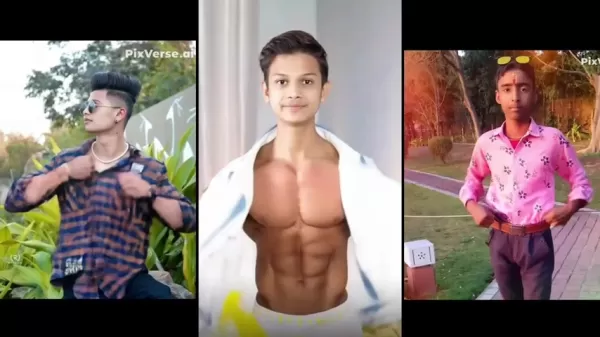
With PixVerse AI at your fingertips, crafting those viral videos becomes a breeze, allowing you to focus more on spotting and adapting to the latest social media crazes.
What is PixVerse AI?
PixVerse AI is your go-to platform for whipping up professional-looking videos using AI. It's designed to be user-friendly, offering a range of templates and editing tools that polish your videos to perfection. Even if you're new to video editing, you'll find it easy to create content that stands out. Plus, its AI features help you stay ahead of the curve by quickly adapting to new trends, keeping your content fresh and engaging.
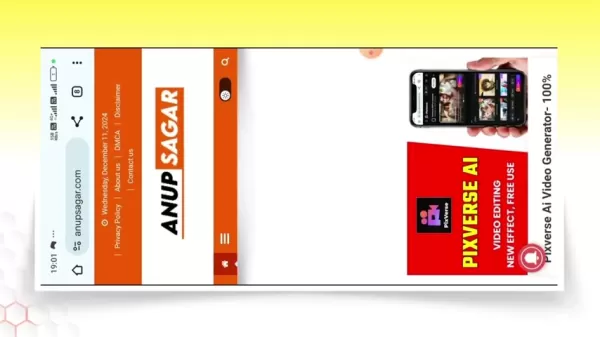
This tutorial will show you how to make the most of PixVerse AI, helping you create videos that are ready to go viral.
Leveraging Trends and Music for Enhanced Virality
Identifying and Adapting to Trends
Staying on top of trends is crucial if you want your videos to go viral. Trends move fast, and what's hot one day might be forgotten the next. To keep up, you need the right tools and strategies.
Here's how you can spot and ride those trends:
- Utilize Trend Monitoring Tools: Platforms like Google Trends and Twitter Trends, along with specialized social media analytics tools, give you real-time insights into what's gaining traction.
- Follow Influencers and Trendsetters: Keep an eye on the big names in your niche. They often set the pace for new trends, giving you a sneak peek at what's coming next.
- Engage with Your Audience: Pay attention to what your followers are interacting with. Comments, shares, and likes can guide you to their interests and preferences.
- Experiment and Analyze: Don't be afraid to try new things. Experiment with different content and analyze the results to see what clicks with your audience.
To adapt to trends:
- Modify Existing Content: Instead of starting from scratch, tweak what you already have to fit the latest trends. Add new visuals, music, or editing styles to stay relevant.
- Collaborate with Other Creators: Teaming up with creators who are already in the thick of a trending topic can expose your content to a wider audience.
- Use Relevant Hashtags: Hashtags are your ticket to discoverability. Research and use the right ones to reach your target audience.
- Participate in Challenges: Jumping on a viral challenge can skyrocket your video's visibility. It's a quick way to get noticed.
PixVerse AI helps you create high-quality videos in a snap, allowing you to seize these fleeting trend opportunities and maximize your reach and engagement.
Music Integration and Sound Design
The right music and sound design can make a huge difference in how your video resonates with viewers. Music isn't just background noise; it sets the mood, adds emotional depth, and connects with your audience on a deeper level. With tools like VN Video Editor, you can seamlessly integrate trending songs into your videos.
Here are some types of trending sounds to consider:
- Trending Songs: Adding a popular song can boost your video's discoverability. Just make sure it matches the vibe you're going for.
- Original Sound: Trending sound effects or dialogues from movies and TV shows can be a hit. See if you can weave them into your video.
- Custom Soundscapes: For a unique touch, work with sound designers to create custom soundscapes. Tailored audio can make your video stand out and tell a story.
Step-by-Step Guide to Creating Viral Videos with PixVerse AI
Accessing PixVerse AI Through AnupSagar.com
- Open Chrome Browser:
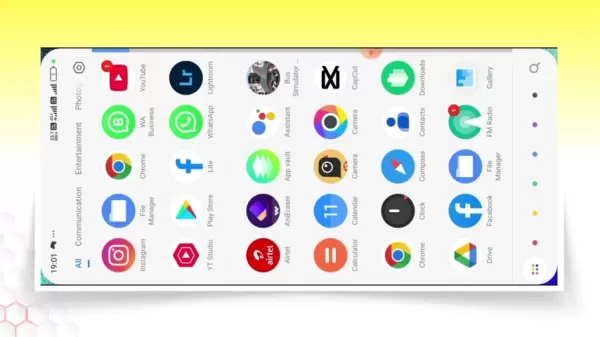 Start by opening Chrome on your smartphone, your gateway to PixVerse AI.
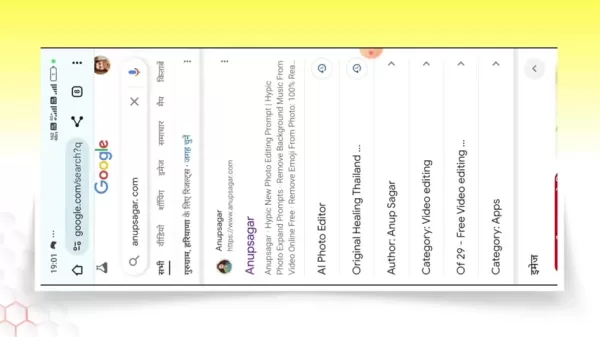
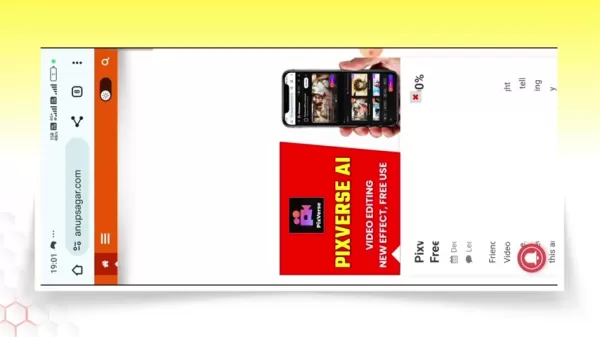
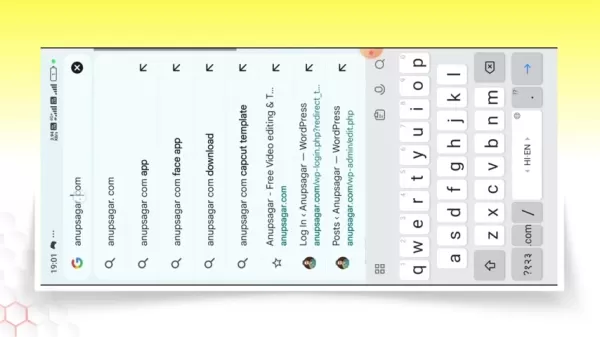
 - Navigate to AnupSagar.com: Type 'anupsagar.com' into the address bar and hit enter. Anup Sagar offers resources and access to various AI video editing tools, including PixVerse AI.
- Find PixVerse AI: Look for a direct post or banner on the homepage, or use the search function to find it.
- Using the Search Function: Tap the search icon (usually a magnifying glass) and type 'PixVerse AI'. This should lead you straight to the tool.
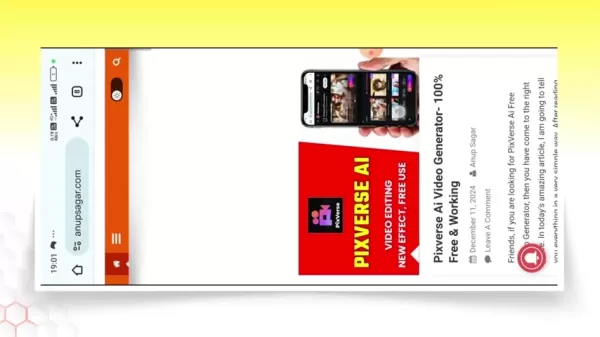
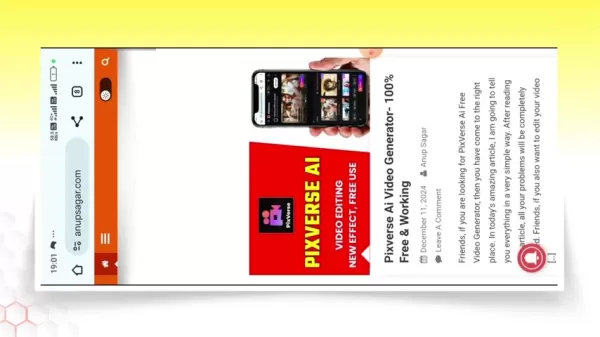
- Access the PixVerse AI Tool: Click on the search result or post to navigate to the detailed page about PixVerse AI.
Launching PixVerse AI
- Locate the 'Try PixVerse for Free' Button:
 Scroll down on the PixVerse AI page until you find this button.
 - Tap the Button: Click it to be redirected to the PixVerse AI application interface, where you can start creating your video.
Creating Your Video
- Choose an Effect:
 Browse through the effects to find one that fits your content. Trending effects are often highlighted.
 - Upload Your Media: Select the effect and upload your image or video from your device.
Editing and Finalizing Your Video
- Adjust Settings (If Necessary): Depending on the effect, you might have options to tweak settings or add prompts to customize the video.
- Create the Video: Once your media is uploaded and settings adjusted, hit the 'Create' button. The AI will generate your video based on the chosen template.
 Be patient; processing times can vary.
 - Review and Download: After it's generated, review the video. If you're happy with it, tap the download icon to save it to your device.
Removing Watermarks
- Edit the Video in VN: Import your saved video into VN video editor.
- Delete the Watermark:
 VN makes it easy to trim or crop out the watermark without ruining the video's quality.
 - Adjust Settings in VN: Optimize the video for Instagram by adjusting the canvas ratio. A 9:16 ratio works well for stories and reels.
- Export the Video: Once edited, export the video with your preferred settings.
PixVerse AI Pricing Plans
Understanding the Costs and Benefits
While PixVerse AI offers powerful tools, its pricing can impact your decision. It's important to understand what each plan offers to make the best choice for your needs and budget.
Feature Free Plan Premium Plan Enterprise Plan Video Generation Limited Unlimited Custom High-Resolution Output No Yes Yes Priority Support No Yes Dedicated Support Custom Templates No Limited Unlimited Ad-Free Experience No Yes Yes Price Free $[Price] per month Custom Pricing Watermark Removal Additional Charge (See below on how to edit it for free) Included Included
PixVerse AI: Weighing the Benefits and Drawbacks
Pros
- Easy to use with an intuitive interface.
- Quick video generation saves time.
- Access to trending video templates.
- Free version available for basic use.
Cons
- Watermark on free version videos.
- Full features require a paid subscription.
- May lack originality due to reliance on templates.
- Potential for ethical concerns with AI-generated content.
Frequently Asked Questions
How do I find trending video templates in PixVerse AI?
Check out the 'Effects' section. Trending templates are usually highlighted or categorized for easy access.
Can I use my own images and videos in PixVerse AI templates?
Yes, PixVerse AI lets you upload your own media. Just pick a template and upload your image or video to personalize it.
What file formats are supported for media uploads?
PixVerse AI typically supports common formats like MP4, JPEG, and PNG. Check the platform's help documentation for a full list.
How can I remove the watermark from my PixVerse AI video?
You can remove watermarks for free by exporting the video and using VN. This method works regardless of your PixVerse subscription.
Related Questions
Are there any risks associated with using AI for content creation?
AI tools like PixVerse AI offer plenty of advantages, but there are risks too. One worry is the potential for content that lacks originality. Since AI uses existing data and algorithms, there's a chance your videos might end up feeling a bit generic. To counter this, blend your creativity with the AI's output. Another concern is the ethical use of AI-generated content. Make sure you're not infringing on copyrights or spreading misinformation. Staying updated on best practices for ethical AI use can help keep your content authentic and credible.
How can I ensure my AI-generated video aligns with Instagram's community guidelines?
Instagram has strict community guidelines to keep the platform safe and positive. Before you post an AI-generated video, review these guidelines to avoid any violations. Key areas to consider include:
- Inappropriate Content: Ensure your video doesn't contain explicit or suggestive content that breaches Instagram's policies on nudity and sexual activity.
- Hate Speech and Discrimination: Keep your video free from hate speech, discrimination, or any form of harassment targeting individuals or groups based on race, ethnicity, religion, gender, sexual orientation, disability, or other characteristics.
- Violence and Graphic Content: Avoid showing or promoting violence, animal abuse, or any graphic content that could be disturbing or harmful to viewers.
- Misinformation and Deception: Don't spread false or misleading information, especially on sensitive topics like health, politics, or history. Be transparent and accurate in your content.
- Copyright Infringement: Only use content you have the rights to. This includes music, video clips, images, and other elements. Obtaining necessary permissions can save you from legal issues.
By being proactive, you contribute to a healthy and engaging Instagram community, promoting a positive viewing environment and enhancing your credibility.
Related article
 Slackbot Becomes an AI Agent
Slackbot, the automated assistant embedded in Salesforce’s corporate messaging platform Slack, is evolving into an AI agent. Salesforce CTO Parker Harris envisions it achieving viral status comparable to OpenAI’s ChatGPT.The cloud software giant laun
ByteDance Boosts Core AI Incentives as Doubao Surges 14.6%
ByteDance recently convened a DouBao equity briefing to unveil fresh incentive policies for staff involved in the DouBao division. The strike price for DouBao shares has been lifted from $14.85 in June 2026 to $17.02, marking an approximate 14.6% inc
MiniMax Unveils 10x Team Program to Incentivize Global AI Experts
MiniMax (Xiyu Technology), the General Artificial Intelligence Lab, has officially launched "10x Team," a global talent collaboration initiative. This program aims to recruit top experts across industries to explore the deep application of large mode
Related Special Topic Recommendations
Education and Learning
Slackbot Becomes an AI Agent
Slackbot, the automated assistant embedded in Salesforce’s corporate messaging platform Slack, is evolving into an AI agent. Salesforce CTO Parker Harris envisions it achieving viral status comparable to OpenAI’s ChatGPT.The cloud software giant laun
ByteDance Boosts Core AI Incentives as Doubao Surges 14.6%
ByteDance recently convened a DouBao equity briefing to unveil fresh incentive policies for staff involved in the DouBao division. The strike price for DouBao shares has been lifted from $14.85 in June 2026 to $17.02, marking an approximate 14.6% inc
MiniMax Unveils 10x Team Program to Incentivize Global AI Experts
MiniMax (Xiyu Technology), the General Artificial Intelligence Lab, has officially launched "10x Team," a global talent collaboration initiative. This program aims to recruit top experts across industries to explore the deep application of large mode
Related Special Topic Recommendations
Education and Learning
 AI Study Tools for Homework and Exam Prep
2026 Latest Best AI Study Tools for Homework and Exam Prep! XIX.AI curates a top-rated list of powerful, game-changing tools that help students boost productivity, streamline homework completion, and ace exams through real-world tests. Get a free vs paid comparison, detailed rankings, and must-try options to unlock your AI edge. Explore now!
 10 tools
 xix.ai
Music composition
AI Vocal Demo Tools for Songwriters, Hooks, Toplines, and Multilingual Draft Sessions
xix.ai
Music composition
AI Vocal Demo Tools for Songwriters, Hooks, Toplines, and Multilingual Draft Sessions
2026 Latest Best AI Vocal Demo Tools for Songwriters, Hook Creators, and Multi-Language Content Teams! XIX.AI has curated a top-rated list of powerful game-changing tools that go through rigorous real-world tests. You’ll find detailed free vs paid comparison data, comprehensive rankings, and must-try options to help you boost writing efficiency and unlock your creative potential. Explore now to discover your perfect tool for all your content needs!
9 tools
xix.ai
Business
Best AI Competitive Research Tools for Small Businesses
2026 Latest Best Top-rated AI Competitive Research Tools for Small Businesses! XIX.AI has curated a highly powerful game-changing collection, updated weekly with rigorous real-world tests and detailed rankings. You can find a comprehensive free vs paid comparison to help you identify the must-try tools that boost your productivity and give you a competitive edge. Explore now to discover your perfect tool!
9 tools
xix.ai
Image editing
Photoshop AI Retouch Tools for Ecommerce Apparel, Skin Cleanup, and Color Consistency
2026 Latest Best Photoshop AI retouch tools for ecommerce apparel, skin cleanup, and color consistency! This top-rated curated list features powerful game-changing solutions that help you boost writing efficiency, streamline content creation, and achieve perfect visual results effortlessly. Each tool has undergone real-world tests through weekly updated rankings, complete with free vs paid comparison details. Backed by XIX.AI, it’s the must-try guide for anyone aiming to unlock your AI edge. Explore now!
10 tools
xix.ai
Prompt
Best AI Prompt Libraries for ChatGPT Workflows
2026 Latest Best Top-Rated AI Prompt Libraries for optimizing all types of ChatGPT workflows. XIX.AI has curated a powerful, game-changing collection that goes through rigorous real-world tests to ensure top performance. You can find detailed free vs paid comparisons and expert rankings to help you choose the must-try tools that boost your productivity and unlock your AI edge. Explore now!
11 tools
xix.ai
Education and Learning
AI Quiz Builder Platforms for Teachers, Tutors, and Cohort-Based Learning Programs
2026 Latest Best AI Quiz Builder Platforms for Teachers, Tutors, and Cohort-Based Learning Programs! XIX.AI has curated a top-rated list of powerful game-changing tools that go through real-world tests to deliver accurate rankings. These must-try platforms help boost writing efficiency, streamline content creation, and simplify quiz design across all learning scenarios. Explore now to discover your perfect tool for unlocking your AI edge in teaching!
13 tools
xix.ai

 Comments (5)
0/500
Comments (5)
0/500
![RichardWhite]()
Finally, a tutorial that actually explains the workflow instead of just showing flashy results! 🎥 I've been struggling with consistency in my Reels, so PixVerse looks like a game-changer. Hope the audio sync isn't as buggy as other tools I've tried. 🤞 #AItrends
![PatrickSmith]()
This is cool but honestly, the market is so saturated now. Everyone's using AI for the same effects. How do you stand out? still, useful tips for beginners. 👍
![BrianMartinez]()
Yo pensaba q hacer videos virales en Instagram era súper difícil 🤯 pero con IA se ve más alcanzable. Me pregunto si esto no hará q todos los reels se vean iguales después de un tiempo... Al menos promete ahorrar tiempo editando! 😅
![DouglasRodriguez]()
This PixVerse tutorial is a game-changer! 😍 I tried it and my Insta reels got way more likes. Super easy to follow, but I wonder if AI trends will oversaturate the platform soon.
![BillyThomas]()
¡Qué guía tan genial! Usar IA para crear videos virales en Instagram suena a magia. ¿Alguien ha probado PixVerse? ¡Quiero ver esos resultados! 😎
In the ever-evolving landscape of social media, keeping up with the latest trends on Instagram is essential for boosting your visibility and engagement. This guide will walk you through how to use AI to craft viral videos that grab attention and ride the wave of popularity. With PixVerse AI, you'll learn to create content that not only captures the zeitgeist but also leverages the platform's capabilities to the fullest.
Key Points
- Discover how to create trending Instagram videos.
- Learn to navigate and use the PixVerse AI platform effectively.
- Find out how to remove watermarks from your AI-generated videos.
- Enhance your video editing skills to create viral content.
- Understand how to quickly adapt to new social media trends.
Introduction to Creating Viral Instagram Trends
The Power of Trending Videos on Instagram
Instagram's algorithm loves content that's in tune with the latest trends, giving a boost to videos that catch the current wave. But creating this kind of content can be a real challenge, often requiring a lot of time and technical know-how. Thankfully, AI tools have stepped in to make trend-jumping easier than ever. They help you produce eye-catching content with less effort, but you've got to know how to use them to your advantage.
With PixVerse AI at your fingertips, crafting those viral videos becomes a breeze, allowing you to focus more on spotting and adapting to the latest social media crazes.
What is PixVerse AI?
PixVerse AI is your go-to platform for whipping up professional-looking videos using AI. It's designed to be user-friendly, offering a range of templates and editing tools that polish your videos to perfection. Even if you're new to video editing, you'll find it easy to create content that stands out. Plus, its AI features help you stay ahead of the curve by quickly adapting to new trends, keeping your content fresh and engaging.
This tutorial will show you how to make the most of PixVerse AI, helping you create videos that are ready to go viral.
Leveraging Trends and Music for Enhanced Virality
Identifying and Adapting to Trends
Staying on top of trends is crucial if you want your videos to go viral. Trends move fast, and what's hot one day might be forgotten the next. To keep up, you need the right tools and strategies.
Here's how you can spot and ride those trends:
- Utilize Trend Monitoring Tools: Platforms like Google Trends and Twitter Trends, along with specialized social media analytics tools, give you real-time insights into what's gaining traction.
- Follow Influencers and Trendsetters: Keep an eye on the big names in your niche. They often set the pace for new trends, giving you a sneak peek at what's coming next.
- Engage with Your Audience: Pay attention to what your followers are interacting with. Comments, shares, and likes can guide you to their interests and preferences.
- Experiment and Analyze: Don't be afraid to try new things. Experiment with different content and analyze the results to see what clicks with your audience.
To adapt to trends:
- Modify Existing Content: Instead of starting from scratch, tweak what you already have to fit the latest trends. Add new visuals, music, or editing styles to stay relevant.
- Collaborate with Other Creators: Teaming up with creators who are already in the thick of a trending topic can expose your content to a wider audience.
- Use Relevant Hashtags: Hashtags are your ticket to discoverability. Research and use the right ones to reach your target audience.
- Participate in Challenges: Jumping on a viral challenge can skyrocket your video's visibility. It's a quick way to get noticed.
PixVerse AI helps you create high-quality videos in a snap, allowing you to seize these fleeting trend opportunities and maximize your reach and engagement.
Music Integration and Sound Design
The right music and sound design can make a huge difference in how your video resonates with viewers. Music isn't just background noise; it sets the mood, adds emotional depth, and connects with your audience on a deeper level. With tools like VN Video Editor, you can seamlessly integrate trending songs into your videos.
Here are some types of trending sounds to consider:
- Trending Songs: Adding a popular song can boost your video's discoverability. Just make sure it matches the vibe you're going for.
- Original Sound: Trending sound effects or dialogues from movies and TV shows can be a hit. See if you can weave them into your video.
- Custom Soundscapes: For a unique touch, work with sound designers to create custom soundscapes. Tailored audio can make your video stand out and tell a story.
Step-by-Step Guide to Creating Viral Videos with PixVerse AI
Accessing PixVerse AI Through AnupSagar.com
- Open Chrome Browser: Start by opening Chrome on your smartphone, your gateway to PixVerse AI.
- Navigate to AnupSagar.com: Type 'anupsagar.com' into the address bar and hit enter. Anup Sagar offers resources and access to various AI video editing tools, including PixVerse AI.
- Find PixVerse AI: Look for a direct post or banner on the homepage, or use the search function to find it.
- Using the Search Function: Tap the search icon (usually a magnifying glass) and type 'PixVerse AI'. This should lead you straight to the tool.
- Access the PixVerse AI Tool: Click on the search result or post to navigate to the detailed page about PixVerse AI.
Launching PixVerse AI
- Locate the 'Try PixVerse for Free' Button: Scroll down on the PixVerse AI page until you find this button.
- Tap the Button: Click it to be redirected to the PixVerse AI application interface, where you can start creating your video.
Creating Your Video
- Choose an Effect: Browse through the effects to find one that fits your content. Trending effects are often highlighted.
- Upload Your Media: Select the effect and upload your image or video from your device.
Editing and Finalizing Your Video
- Adjust Settings (If Necessary): Depending on the effect, you might have options to tweak settings or add prompts to customize the video.
- Create the Video: Once your media is uploaded and settings adjusted, hit the 'Create' button. The AI will generate your video based on the chosen template. Be patient; processing times can vary.
- Review and Download: After it's generated, review the video. If you're happy with it, tap the download icon to save it to your device.
Removing Watermarks
- Edit the Video in VN: Import your saved video into VN video editor.
- Delete the Watermark: VN makes it easy to trim or crop out the watermark without ruining the video's quality.
- Adjust Settings in VN: Optimize the video for Instagram by adjusting the canvas ratio. A 9:16 ratio works well for stories and reels.
- Export the Video: Once edited, export the video with your preferred settings.
PixVerse AI Pricing Plans
Understanding the Costs and Benefits
While PixVerse AI offers powerful tools, its pricing can impact your decision. It's important to understand what each plan offers to make the best choice for your needs and budget.
| Feature | Free Plan | Premium Plan | Enterprise Plan |
|---|---|---|---|
| Video Generation | Limited | Unlimited | Custom |
| High-Resolution Output | No | Yes | Yes |
| Priority Support | No | Yes | Dedicated Support |
| Custom Templates | No | Limited | Unlimited |
| Ad-Free Experience | No | Yes | Yes |
| Price | Free | $[Price] per month | Custom Pricing |
| Watermark Removal | Additional Charge (See below on how to edit it for free) | Included | Included |
PixVerse AI: Weighing the Benefits and Drawbacks
Pros
- Easy to use with an intuitive interface.
- Quick video generation saves time.
- Access to trending video templates.
- Free version available for basic use.
Cons
- Watermark on free version videos.
- Full features require a paid subscription.
- May lack originality due to reliance on templates.
- Potential for ethical concerns with AI-generated content.
Frequently Asked Questions
How do I find trending video templates in PixVerse AI?
Check out the 'Effects' section. Trending templates are usually highlighted or categorized for easy access.
Can I use my own images and videos in PixVerse AI templates?
Yes, PixVerse AI lets you upload your own media. Just pick a template and upload your image or video to personalize it.
What file formats are supported for media uploads?
PixVerse AI typically supports common formats like MP4, JPEG, and PNG. Check the platform's help documentation for a full list.
How can I remove the watermark from my PixVerse AI video?
You can remove watermarks for free by exporting the video and using VN. This method works regardless of your PixVerse subscription.
Related Questions
Are there any risks associated with using AI for content creation?
AI tools like PixVerse AI offer plenty of advantages, but there are risks too. One worry is the potential for content that lacks originality. Since AI uses existing data and algorithms, there's a chance your videos might end up feeling a bit generic. To counter this, blend your creativity with the AI's output. Another concern is the ethical use of AI-generated content. Make sure you're not infringing on copyrights or spreading misinformation. Staying updated on best practices for ethical AI use can help keep your content authentic and credible.
How can I ensure my AI-generated video aligns with Instagram's community guidelines?
Instagram has strict community guidelines to keep the platform safe and positive. Before you post an AI-generated video, review these guidelines to avoid any violations. Key areas to consider include:
- Inappropriate Content: Ensure your video doesn't contain explicit or suggestive content that breaches Instagram's policies on nudity and sexual activity.
- Hate Speech and Discrimination: Keep your video free from hate speech, discrimination, or any form of harassment targeting individuals or groups based on race, ethnicity, religion, gender, sexual orientation, disability, or other characteristics.
- Violence and Graphic Content: Avoid showing or promoting violence, animal abuse, or any graphic content that could be disturbing or harmful to viewers.
- Misinformation and Deception: Don't spread false or misleading information, especially on sensitive topics like health, politics, or history. Be transparent and accurate in your content.
- Copyright Infringement: Only use content you have the rights to. This includes music, video clips, images, and other elements. Obtaining necessary permissions can save you from legal issues.
By being proactive, you contribute to a healthy and engaging Instagram community, promoting a positive viewing environment and enhancing your credibility.








 Slackbot Becomes an AI Agent
Slackbot, the automated assistant embedded in Salesforce’s corporate messaging platform Slack, is evolving into an AI agent. Salesforce CTO Parker Harris envisions it achieving viral status comparable to OpenAI’s ChatGPT.The cloud software giant laun
Slackbot Becomes an AI Agent
Slackbot, the automated assistant embedded in Salesforce’s corporate messaging platform Slack, is evolving into an AI agent. Salesforce CTO Parker Harris envisions it achieving viral status comparable to OpenAI’s ChatGPT.The cloud software giant laun
 ByteDance Boosts Core AI Incentives as Doubao Surges 14.6%
ByteDance recently convened a DouBao equity briefing to unveil fresh incentive policies for staff involved in the DouBao division. The strike price for DouBao shares has been lifted from $14.85 in June 2026 to $17.02, marking an approximate 14.6% inc
ByteDance Boosts Core AI Incentives as Doubao Surges 14.6%
ByteDance recently convened a DouBao equity briefing to unveil fresh incentive policies for staff involved in the DouBao division. The strike price for DouBao shares has been lifted from $14.85 in June 2026 to $17.02, marking an approximate 14.6% inc
 MiniMax Unveils 10x Team Program to Incentivize Global AI Experts
MiniMax (Xiyu Technology), the General Artificial Intelligence Lab, has officially launched "10x Team," a global talent collaboration initiative. This program aims to recruit top experts across industries to explore the deep application of large mode
MiniMax Unveils 10x Team Program to Incentivize Global AI Experts
MiniMax (Xiyu Technology), the General Artificial Intelligence Lab, has officially launched "10x Team," a global talent collaboration initiative. This program aims to recruit top experts across industries to explore the deep application of large mode

2026 Latest Best AI Study Tools for Homework and Exam Prep! XIX.AI curates a top-rated list of powerful, game-changing tools that help students boost productivity, streamline homework completion, and ace exams through real-world tests. Get a free vs paid comparison, detailed rankings, and must-try options to unlock your AI edge. Explore now!
10 tools
xix.ai

2026 Latest Best AI Vocal Demo Tools for Songwriters, Hook Creators, and Multi-Language Content Teams! XIX.AI has curated a top-rated list of powerful game-changing tools that go through rigorous real-world tests. You’ll find detailed free vs paid comparison data, comprehensive rankings, and must-try options to help you boost writing efficiency and unlock your creative potential. Explore now to discover your perfect tool for all your content needs!
9 tools
xix.ai

2026 Latest Best Top-rated AI Competitive Research Tools for Small Businesses! XIX.AI has curated a highly powerful game-changing collection, updated weekly with rigorous real-world tests and detailed rankings. You can find a comprehensive free vs paid comparison to help you identify the must-try tools that boost your productivity and give you a competitive edge. Explore now to discover your perfect tool!
9 tools
xix.ai

2026 Latest Best Photoshop AI retouch tools for ecommerce apparel, skin cleanup, and color consistency! This top-rated curated list features powerful game-changing solutions that help you boost writing efficiency, streamline content creation, and achieve perfect visual results effortlessly. Each tool has undergone real-world tests through weekly updated rankings, complete with free vs paid comparison details. Backed by XIX.AI, it’s the must-try guide for anyone aiming to unlock your AI edge. Explore now!
10 tools
xix.ai

2026 Latest Best Top-Rated AI Prompt Libraries for optimizing all types of ChatGPT workflows. XIX.AI has curated a powerful, game-changing collection that goes through rigorous real-world tests to ensure top performance. You can find detailed free vs paid comparisons and expert rankings to help you choose the must-try tools that boost your productivity and unlock your AI edge. Explore now!
11 tools
xix.ai

2026 Latest Best AI Quiz Builder Platforms for Teachers, Tutors, and Cohort-Based Learning Programs! XIX.AI has curated a top-rated list of powerful game-changing tools that go through real-world tests to deliver accurate rankings. These must-try platforms help boost writing efficiency, streamline content creation, and simplify quiz design across all learning scenarios. Explore now to discover your perfect tool for unlocking your AI edge in teaching!
13 tools
xix.ai

Finally, a tutorial that actually explains the workflow instead of just showing flashy results! 🎥 I've been struggling with consistency in my Reels, so PixVerse looks like a game-changer. Hope the audio sync isn't as buggy as other tools I've tried. 🤞 #AItrends
This is cool but honestly, the market is so saturated now. Everyone's using AI for the same effects. How do you stand out? still, useful tips for beginners. 👍
Yo pensaba q hacer videos virales en Instagram era súper difícil 🤯 pero con IA se ve más alcanzable. Me pregunto si esto no hará q todos los reels se vean iguales después de un tiempo... Al menos promete ahorrar tiempo editando! 😅
This PixVerse tutorial is a game-changer! 😍 I tried it and my Insta reels got way more likes. Super easy to follow, but I wonder if AI trends will oversaturate the platform soon.
¡Qué guía tan genial! Usar IA para crear videos virales en Instagram suena a magia. ¿Alguien ha probado PixVerse? ¡Quiero ver esos resultados! 😎












