


 Home
HomeAI Video Editing: Creating Animated Robot Content Easily
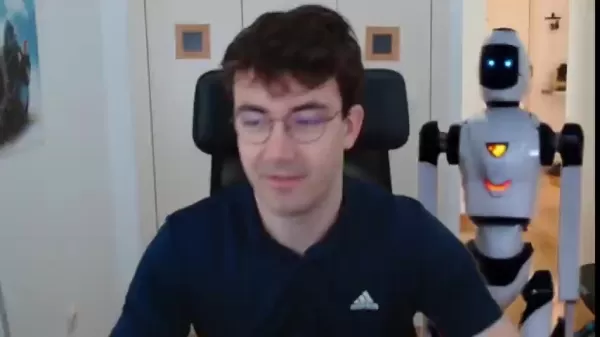
Creating engaging video content doesn’t have to be an intimidating task, especially when you’ve got artificial intelligence on your side. Nowadays, tools like Davinci Resolve, Adobe Firefly, and Kling AI are making it possible to produce professional-looking AI-animated robot videos without needing to be a video editing wizard. Let’s dive into how you can harness these tools to bring your ideas to life!
Step-by-Step Guide to Creating AI-Animated Robot Videos
Extracting a Still Frame with Davinci Resolve
The first step is simple yet crucial: extracting a still frame from your existing footage. Why? Think of it as setting the stage for your animated robot.
To do this in Davinci Resolve:
- Import your video clip into the Media Pool.
- Drag it onto the timeline.
- Head over to the Color tab, where you’ll find the magic.
- Pause the playback at the exact moment you want your still frame and right-click on the preview. Select ‘Grab Still’. Voilà! Your frame is now saved in the Gallery.
- From there, export the still frame in a format like PNG or JPEG. Give it a name like ‘Robot Still’ so you know what it’s for, and save it somewhere accessible.
This still frame is the foundation of your animated masterpiece. The cleaner and more focused it is, the better the AI will interpret it.
Enhancing the Still Frame with Adobe Firefly
With your still frame ready, it’s time to kick things up a notch. Enter Adobe Firefly, a fantastic tool for adding flair and detail to your image.
Here’s how you do it:
- Go to the Firefly website and upload your still frame.
- Choose the ‘Insert’ option to add something new—like a robot.
- Use the brush tool to outline where you want the robot to go. Precision here matters!
- Type in a prompt like ‘a futuristic robot’ in the text box. Firefly will generate several options, so pick the one that fits your vision.
- Once you’re happy, download the enhanced image. Just remember, Firefly adds a small watermark, but that’s easily dealt with later.
Firefly is super quick and beginner-friendly, making it a great starting point for adding that special touch to your image.
Animating the Enhanced Image with Kling AI
Now comes the exciting part—turning your enhanced image into motion! Kling AI is perfect for this, offering a seamless way to bring your robot to life.
Here’s how:
- Sign up for a free account on the Kling AI platform.
- Navigate to the ‘AI Videos’ section and select ‘Image to Video’.
- Upload your enhanced image.
- Write a prompt like ‘robot walking, fixed camera angle’ to tell Kling AI exactly what you want.
- Tweak the video settings, like choosing the latest model and specifying the length of your clip.
- Hit ‘Generate’, and within moments, you’ll have a short video clip of your animated robot in action.
Kling AI handles the heavy lifting, leaving you with a polished clip that’s ready to roll.
Compositing the Animated Robot into Original Footage
Finally, it’s time to bring everything together. You’ll need to integrate your AI-animated robot into your original video footage.
Back in Davinci Resolve:
- Import the animated video from Kling AI into the Media Pool.
- Place it above your original footage on the timeline.
- Switch to the Color tab and use the Magic Mask tool to isolate the robot.
- Add a node to create an alpha channel, removing the background.
- Move the robot into place in your original scene and adjust its size and orientation to match the environment.
Voilà! Your animated robot now fits seamlessly into your footage. It’s like it was always meant to be there.
AI Video Editing Tools Overview
The Best AI Video Tools
There are tons of AI video tools out there, but a few stand out for their quality and versatility:
- Kling AI: Great for transforming images into videos. It’s what we used in this guide.
- Runway: Known for high-quality outputs, though it can be pricier.
- DreamMachine: Offers decent results but sometimes struggles with camera movements.
Each tool has its strengths, so choose based on your specific needs.
Understanding Prompts for AI Video Creation
Prompts are the secret sauce of AI video editing. They guide the AI on what to do, so clarity is key. For example:
- Specify the type of motion (e.g., ‘walking’).
- Keep the camera fixed to focus solely on the subject.
- Avoid cluttering the prompt with too many details to prevent confusion.
Frequently Asked Questions
Q: What is AI video editing?
A: It’s using AI to automate or enhance parts of video production, from generating content to adding animations.
Q: What is Adobe Firefly?
A: It’s an AI tool for inserting new elements into images, making it ideal for enhancing still frames.
Q: What is Kling AI?
A: It specializes in turning images into short, dynamic videos, perfect for adding motion to static shots.
Q: What is Davinci Resolve Magic Mask?
A: It’s a tool for isolating objects in videos, useful for removing backgrounds and compositing.
Q: Can I use AI video editing for commercial purposes?
A: Yes, but check the licensing terms of each tool, as some offer commercial tiers.
Related article
 Ex-Ramp Engineers Raise $20M for Melius Platform After Pivoting From First Product
Melius, an AI-driven platform for creating ad campaigns, images, and videos, announced on Tuesday that it has secured $25 million in total funding. This includes a $20 million Series A round led by CRV and a $5 million seed round backed by General Ca
WeRide Unveils WIIT, a Physical AI Perception Model to Decode the Real World
At the 2026 World Artificial Intelligence Conference (WAIC), WeRide unveiled WIIT, a physical AI cognitive foundation model that charts a new course for artificial intelligence, shifting the focus from data interpretation to real-world cognition.WIIT
Anthropic CEO Amodei Dismisses Pessimistic Views, Attributes AI Trust Crisis to Unkept Promises
Amidst escalating public discourse on AI risks and regulation, Anthropic CEO Dario Amodei has pushed back against claims that his messaging is unduly pessimistic. This clarification directly addresses critiques from investor Gavin Baker, who appeared
Related Special Topic Recommendations
Video creation
Ex-Ramp Engineers Raise $20M for Melius Platform After Pivoting From First Product
Melius, an AI-driven platform for creating ad campaigns, images, and videos, announced on Tuesday that it has secured $25 million in total funding. This includes a $20 million Series A round led by CRV and a $5 million seed round backed by General Ca
WeRide Unveils WIIT, a Physical AI Perception Model to Decode the Real World
At the 2026 World Artificial Intelligence Conference (WAIC), WeRide unveiled WIIT, a physical AI cognitive foundation model that charts a new course for artificial intelligence, shifting the focus from data interpretation to real-world cognition.WIIT
Anthropic CEO Amodei Dismisses Pessimistic Views, Attributes AI Trust Crisis to Unkept Promises
Amidst escalating public discourse on AI risks and regulation, Anthropic CEO Dario Amodei has pushed back against claims that his messaging is unduly pessimistic. This clarification directly addresses critiques from investor Gavin Baker, who appeared
Related Special Topic Recommendations
Video creation
 AI Subtitle and Dubbing Tools: Localize Video for Global Audiences
2026 Latest Best Top-rated AI Subtitle and Dubbing Tools Curated for Localizing Video for Global Audiences Powerfully boost content reach across language barriers with game-changing accuracy Real-world tests prove these must-try solutions offer free vs paid comparison and reliable rankings to maximize productivity Explore now to Discover your perfect tool for global content delivery
 10 tools
 xix.ai
automation
AI Invoice Processing Tools for AP Automation, Approval Routing, and ERP Sync Workflows
xix.ai
automation
AI Invoice Processing Tools for AP Automation, Approval Routing, and ERP Sync Workflows
2026 Latest Best AI Invoice Processing Tools for AP Automation, Approval Routing, and ERP Sync Workflows! XIX.AI curates top-rated, powerful solutions that pass rigorous real-world tests to boost productivity dramatically. Get a free vs paid comparison, see detailed rankings, and discover must-try options to streamline your finance operations. Explore now to unlock your AI edge!
9 tools
xix.ai
writing
AI Technical Documentation Tools for Developer Teams
2026 Latest Best Top-rated AI Technical Documentation Tools for Developer Teams! XIX.AI has curated a powerful, game-changing collection of must-try tools that go through rigorous real-world tests and weekly updated rankings. These top-rated solutions help teams boost productivity dramatically by streamlining content creation, fixing documentation errors, and accelerating coding workflows across all projects. Explore now to Discover your perfect tool for unlocking your AI edge!
13 tools
xix.ai
Software Development
AI Bug Triage Assistants: Rank Issues by Severity and User Impact
2026 Latest Best Top-rated AI Bug Triage Assistants Ranked! This curated collection showcases powerful game-changing tools that help teams quickly sort bugs by severity and user impact, saving valuable time. XIX.AI offers a free vs paid comparison along with real-world tests to help you find the must-try solution that boosts productivity significantly. Explore now to Discover your perfect tool for streamlining development workflows!
10 tools
xix.ai
code
Best AI Coding Tools for Python and JavaScript
2026 Latest Best Top-Rated AI Coding Tools for Python and JavaScript are here on XIX.AI’s curated list. These powerful game-changing tools have undergone rigorous real-world tests to deliver exceptional results for writing efficient code, fixing bugs, and boosting productivity. Get a free vs paid comparison and see which options suit your needs. Explore now to Discover your perfect coding tool and Unlock your AI edge.
10 tools
xix.ai
Academic Research
Best AI Citation Mapping Tools for Research Discovery
2026 Latest Best Top-Rated AI Citation Mapping Tools for Research Discovery! XIX.AI has curated a powerful, game-changing collection of must-try tools that go through rigorous real-world tests to deliver accurate results. You’ll find detailed free vs paid comparisons, weekly updated rankings, and insights to help you boost your research efficiency and uncover valuable data faster. Explore now to discover your perfect tool for academic work! 238 characters
11 tools
xix.ai

 Comments (2)
0/500
Comments (2)
0/500
![ChristopherBrown]()
現在連機器人都能自己剪片了,我們人類是不是該轉行去賣珍奶了?🤣不過說真的,這些工具越來越強,以後連Youtuber都要被AI取代了吧?
![CarlPerez]()
This AI video editing stuff is wild! I tried Kling AI and made a robot dance video in like 20 minutes. Super easy, but I’m wondering if it’ll make human editors obsolete. 🤔 Anyone else tried these tools yet?
Creating engaging video content doesn’t have to be an intimidating task, especially when you’ve got artificial intelligence on your side. Nowadays, tools like Davinci Resolve, Adobe Firefly, and Kling AI are making it possible to produce professional-looking AI-animated robot videos without needing to be a video editing wizard. Let’s dive into how you can harness these tools to bring your ideas to life!
Step-by-Step Guide to Creating AI-Animated Robot Videos
Extracting a Still Frame with Davinci Resolve
The first step is simple yet crucial: extracting a still frame from your existing footage. Why? Think of it as setting the stage for your animated robot.
To do this in Davinci Resolve:
- Import your video clip into the Media Pool.
- Drag it onto the timeline.
- Head over to the Color tab, where you’ll find the magic.
- Pause the playback at the exact moment you want your still frame and right-click on the preview. Select ‘Grab Still’. Voilà! Your frame is now saved in the Gallery.
- From there, export the still frame in a format like PNG or JPEG. Give it a name like ‘Robot Still’ so you know what it’s for, and save it somewhere accessible.
This still frame is the foundation of your animated masterpiece. The cleaner and more focused it is, the better the AI will interpret it.
Enhancing the Still Frame with Adobe Firefly
With your still frame ready, it’s time to kick things up a notch. Enter Adobe Firefly, a fantastic tool for adding flair and detail to your image.
Here’s how you do it:
- Go to the Firefly website and upload your still frame.
- Choose the ‘Insert’ option to add something new—like a robot.
- Use the brush tool to outline where you want the robot to go. Precision here matters!
- Type in a prompt like ‘a futuristic robot’ in the text box. Firefly will generate several options, so pick the one that fits your vision.
- Once you’re happy, download the enhanced image. Just remember, Firefly adds a small watermark, but that’s easily dealt with later.
Firefly is super quick and beginner-friendly, making it a great starting point for adding that special touch to your image.
Animating the Enhanced Image with Kling AI
Now comes the exciting part—turning your enhanced image into motion! Kling AI is perfect for this, offering a seamless way to bring your robot to life.
Here’s how:
- Sign up for a free account on the Kling AI platform.
- Navigate to the ‘AI Videos’ section and select ‘Image to Video’.
- Upload your enhanced image.
- Write a prompt like ‘robot walking, fixed camera angle’ to tell Kling AI exactly what you want.
- Tweak the video settings, like choosing the latest model and specifying the length of your clip.
- Hit ‘Generate’, and within moments, you’ll have a short video clip of your animated robot in action.
Kling AI handles the heavy lifting, leaving you with a polished clip that’s ready to roll.
Compositing the Animated Robot into Original Footage
Finally, it’s time to bring everything together. You’ll need to integrate your AI-animated robot into your original video footage.
Back in Davinci Resolve:
- Import the animated video from Kling AI into the Media Pool.
- Place it above your original footage on the timeline.
- Switch to the Color tab and use the Magic Mask tool to isolate the robot.
- Add a node to create an alpha channel, removing the background.
- Move the robot into place in your original scene and adjust its size and orientation to match the environment.
Voilà! Your animated robot now fits seamlessly into your footage. It’s like it was always meant to be there.
AI Video Editing Tools Overview
The Best AI Video Tools
There are tons of AI video tools out there, but a few stand out for their quality and versatility:
- Kling AI: Great for transforming images into videos. It’s what we used in this guide.
- Runway: Known for high-quality outputs, though it can be pricier.
- DreamMachine: Offers decent results but sometimes struggles with camera movements.
Each tool has its strengths, so choose based on your specific needs.
Understanding Prompts for AI Video Creation
Prompts are the secret sauce of AI video editing. They guide the AI on what to do, so clarity is key. For example:
- Specify the type of motion (e.g., ‘walking’).
- Keep the camera fixed to focus solely on the subject.
- Avoid cluttering the prompt with too many details to prevent confusion.
Frequently Asked Questions
Q: What is AI video editing? A: It’s using AI to automate or enhance parts of video production, from generating content to adding animations.
Q: What is Adobe Firefly? A: It’s an AI tool for inserting new elements into images, making it ideal for enhancing still frames.
Q: What is Kling AI? A: It specializes in turning images into short, dynamic videos, perfect for adding motion to static shots.
Q: What is Davinci Resolve Magic Mask? A: It’s a tool for isolating objects in videos, useful for removing backgrounds and compositing.
Q: Can I use AI video editing for commercial purposes? A: Yes, but check the licensing terms of each tool, as some offer commercial tiers.








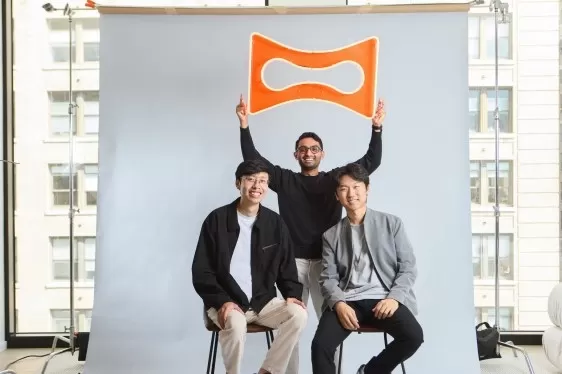 Ex-Ramp Engineers Raise $20M for Melius Platform After Pivoting From First Product
Melius, an AI-driven platform for creating ad campaigns, images, and videos, announced on Tuesday that it has secured $25 million in total funding. This includes a $20 million Series A round led by CRV and a $5 million seed round backed by General Ca
Ex-Ramp Engineers Raise $20M for Melius Platform After Pivoting From First Product
Melius, an AI-driven platform for creating ad campaigns, images, and videos, announced on Tuesday that it has secured $25 million in total funding. This includes a $20 million Series A round led by CRV and a $5 million seed round backed by General Ca
 WeRide Unveils WIIT, a Physical AI Perception Model to Decode the Real World
At the 2026 World Artificial Intelligence Conference (WAIC), WeRide unveiled WIIT, a physical AI cognitive foundation model that charts a new course for artificial intelligence, shifting the focus from data interpretation to real-world cognition.WIIT
WeRide Unveils WIIT, a Physical AI Perception Model to Decode the Real World
At the 2026 World Artificial Intelligence Conference (WAIC), WeRide unveiled WIIT, a physical AI cognitive foundation model that charts a new course for artificial intelligence, shifting the focus from data interpretation to real-world cognition.WIIT
 Anthropic CEO Amodei Dismisses Pessimistic Views, Attributes AI Trust Crisis to Unkept Promises
Amidst escalating public discourse on AI risks and regulation, Anthropic CEO Dario Amodei has pushed back against claims that his messaging is unduly pessimistic. This clarification directly addresses critiques from investor Gavin Baker, who appeared
Anthropic CEO Amodei Dismisses Pessimistic Views, Attributes AI Trust Crisis to Unkept Promises
Amidst escalating public discourse on AI risks and regulation, Anthropic CEO Dario Amodei has pushed back against claims that his messaging is unduly pessimistic. This clarification directly addresses critiques from investor Gavin Baker, who appeared
2026 Latest Best Top-rated AI Subtitle and Dubbing Tools Curated for Localizing Video for Global Audiences Powerfully boost content reach across language barriers with game-changing accuracy Real-world tests prove these must-try solutions offer free vs paid comparison and reliable rankings to maximize productivity Explore now to Discover your perfect tool for global content delivery
10 tools
xix.ai

2026 Latest Best AI Invoice Processing Tools for AP Automation, Approval Routing, and ERP Sync Workflows! XIX.AI curates top-rated, powerful solutions that pass rigorous real-world tests to boost productivity dramatically. Get a free vs paid comparison, see detailed rankings, and discover must-try options to streamline your finance operations. Explore now to unlock your AI edge!
9 tools
xix.ai

2026 Latest Best Top-rated AI Technical Documentation Tools for Developer Teams! XIX.AI has curated a powerful, game-changing collection of must-try tools that go through rigorous real-world tests and weekly updated rankings. These top-rated solutions help teams boost productivity dramatically by streamlining content creation, fixing documentation errors, and accelerating coding workflows across all projects. Explore now to Discover your perfect tool for unlocking your AI edge!
13 tools
xix.ai

2026 Latest Best Top-rated AI Bug Triage Assistants Ranked! This curated collection showcases powerful game-changing tools that help teams quickly sort bugs by severity and user impact, saving valuable time. XIX.AI offers a free vs paid comparison along with real-world tests to help you find the must-try solution that boosts productivity significantly. Explore now to Discover your perfect tool for streamlining development workflows!
10 tools
xix.ai

2026 Latest Best Top-Rated AI Coding Tools for Python and JavaScript are here on XIX.AI’s curated list. These powerful game-changing tools have undergone rigorous real-world tests to deliver exceptional results for writing efficient code, fixing bugs, and boosting productivity. Get a free vs paid comparison and see which options suit your needs. Explore now to Discover your perfect coding tool and Unlock your AI edge.
10 tools
xix.ai

2026 Latest Best Top-Rated AI Citation Mapping Tools for Research Discovery! XIX.AI has curated a powerful, game-changing collection of must-try tools that go through rigorous real-world tests to deliver accurate results. You’ll find detailed free vs paid comparisons, weekly updated rankings, and insights to help you boost your research efficiency and uncover valuable data faster. Explore now to discover your perfect tool for academic work! 238 characters
11 tools
xix.ai

現在連機器人都能自己剪片了,我們人類是不是該轉行去賣珍奶了?🤣不過說真的,這些工具越來越強,以後連Youtuber都要被AI取代了吧?
This AI video editing stuff is wild! I tried Kling AI and made a robot dance video in like 20 minutes. Super easy, but I’m wondering if it’ll make human editors obsolete. 🤔 Anyone else tried these tools yet?












