


 Home
HomeAI Transcription with Happy Scribe Boosts Content Creator Efficiency
For content creators, time is critical. Manually transcribing audio or video is slow and labor-intensive. AI-driven transcription tools simplify this task. This article highlights Happy Scribe, an advanced platform using artificial intelligence to swiftly and accurately convert audio and video into text. Discover how creators can enhance productivity, improve accessibility, and explore new creative opportunities with this tool.
Key Points
Happy Scribe employs AI for efficient audio and video transcription.
Creators save time and effort using Happy Scribe.
Supports multiple languages for broader accessibility.
Use temporary email services for free trial access with Happy Scribe.
Upload files or paste YouTube links for transcription.
Why Transcription Tools Matter
Challenges for Content Creators
Content creation demands time, energy, and innovation.
Converting spoken content to text, such as interviews or podcasts, is often time-consuming. Transcription tools streamline workflows, boosting efficiency.
- Time Savings: Automated transcription cuts hours from manual work.
- High Accuracy: Advanced AI tools deliver reliable text with minimal errors.
- Greater Accessibility: Transcripts reach wider audiences, including those with hearing impairments, and enhance SEO.
- Creative Versatility: Text versions enable repurposing content into subtitles, blog posts, or articles.
Happy Scribe: A Powerful AI Solution
Happy Scribe is a top AI transcription platform, simplifying audio and video conversion to text. It offers automatic transcription and subtitle generation, empowering creators to optimize workflows.
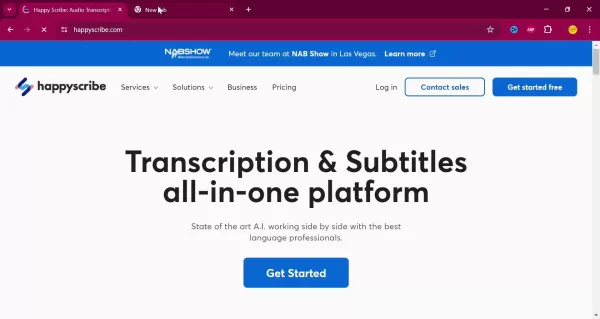
Happy Scribe is a versatile tool for managing and repurposing content. Its intuitive interface and robust features make it essential for creators aiming to boost productivity.
Key advantages of Happy Scribe:
- Automated Transcription: Advanced AI quickly transcribes files, saving time.
- Multilingual Support: Transcribe content in various languages.
- Subtitle Creation: Generate video subtitles for broader accessibility.
- Team Collaboration: Share projects for seamless teamwork.
- Customizable Options: Adjust accuracy or add speaker labels to fit specific needs.
Using Happy Scribe: A Guide
Free Access with Temp Mail
Happy Scribe is a paid service, but creators can use temporary email services like Temp Mail for free trial access.
Temp Mail provides a temporary email for trial sign-ups, letting creators test Happy Scribe’s features before subscribing. Paid plans unlock advanced tools for greater efficiency.
Transcription Process Steps
How to transcribe with Happy Scribe:
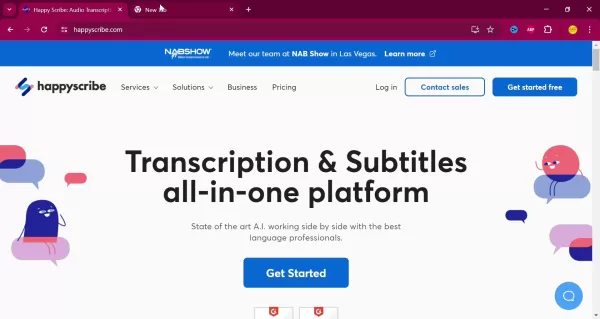
Visit Happy Scribe: Access the website in your browser.
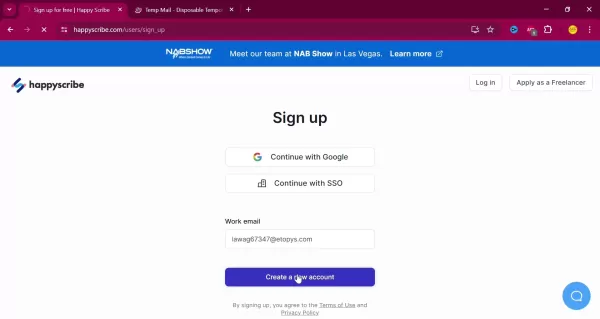
Sign Up: Use a temporary or primary email to create an account.
Begin Transcription: Click ‘New Transcription’ to start.
Upload or Link: Upload files or paste YouTube/Google Drive links.
Select Language: Choose the content’s spoken language.
Choose Method: Select ‘Machine Generated’ for AI transcription.
Start Process: Click ‘Create’ to begin transcription.
Edit Transcript: Review and refine the text for accuracy.
Export File: Save transcript as TXT, SRT, or DOCX.
Optimizing Transcription Accuracy
AI transcription isn’t flawless; audio quality, accents, or noise can impact results.
Tips for better accuracy:
- Clear Audio: Use high-quality recordings.
- Reduce Noise: Minimize background sounds.
- Review Edits: Check transcripts for errors.
- Speaker Labels: Identify speakers for clarity.
These steps enhance transcription quality with Happy Scribe.
Using Temp Mail
Generating Temporary Emails
Visit temp-mail.org.
Get Email: A temporary address is auto-generated.
Copy Address: Use the Copy button.
Refresh Emails: Click Refresh for new emails.
Happy Scribe: Pros and Cons
Pros
Accurate AI transcription
Multilingual support
Easy YouTube link transcription
Intuitive interface
Time-saving automation
Cons
Subscription-based model
Requires review for accuracy
Needs internet connection
Challenges with accents or noise
AI Transcription FAQs
How accurate is AI transcription?
Accuracy depends on audio quality and accents, but Happy Scribe offers high precision. Always review transcripts.
Is Happy Scribe free?
It’s primarily paid, but Temp Mail enables free trial access.
What languages does Happy Scribe support?
It supports numerous languages for diverse audiences.
Can I transcribe YouTube videos?
Yes, paste the video link for transcription.
Related Questions
Other AI Tools for Creators
AI tools enhance workflows:
- Writing Assistants: Grammarly, Jasper improve writing and SEO.
- Image Generators: DALL-E 2, Midjourney create visuals.
- Video Editors: RunwayML, Descript simplify editing.
- Audio Enhancers: Adobe Podcast, Auphonic improve sound quality.
Improving SEO with Transcripts
Strategies for SEO:
- Add to Blogs: Boost keyword density.
- Create Subtitles: Enhance video accessibility.
- Optimize Keywords: Use relevant terms naturally.
- Meta Descriptions: Craft from transcripts.
- Submit to Search Engines: Improve indexability.
Related article
 Swedish AI Startup Lovable Eyes $13.2 Billion Valuation After Major Funding Round
As AI-driven coding tools gain traction, Swedish startup Lovable has secured a major funding round. The company aims to raise $3 billion, potentially boosting its valuation to $13.2 billion—double the $6.6 billion recorded last December. Menlo Ventur
Google Tests Remy AI Agent for Gemini as Focus Shifts to User Control
According to Business Insider, Google is testing Remy, a new AI personal agent for Gemini. This tool aims to execute tasks on behalf of users, streamlining both professional workflows and daily routines.Currently, Remy is undergoing testing in an int
How to fix Core Web Vitals for better SEO rankings
Streamline Report Card Comments with AI ToolsIntroductionAI Tools for Generating Report Card CommentsMagic SchoolAlmanac AIChat GPTUsing Magic School to Generate Report Card CommentsLogging into Magic SchoolSelecting the Report Card Comments ToolCust
Related Special Topic Recommendations
writing
Swedish AI Startup Lovable Eyes $13.2 Billion Valuation After Major Funding Round
As AI-driven coding tools gain traction, Swedish startup Lovable has secured a major funding round. The company aims to raise $3 billion, potentially boosting its valuation to $13.2 billion—double the $6.6 billion recorded last December. Menlo Ventur
Google Tests Remy AI Agent for Gemini as Focus Shifts to User Control
According to Business Insider, Google is testing Remy, a new AI personal agent for Gemini. This tool aims to execute tasks on behalf of users, streamlining both professional workflows and daily routines.Currently, Remy is undergoing testing in an int
How to fix Core Web Vitals for better SEO rankings
Streamline Report Card Comments with AI ToolsIntroductionAI Tools for Generating Report Card CommentsMagic SchoolAlmanac AIChat GPTUsing Magic School to Generate Report Card CommentsLogging into Magic SchoolSelecting the Report Card Comments ToolCust
Related Special Topic Recommendations
writing
 Best AI Outline Generators for Long-Form SEO Articles
2026 Latest Best Top-Rated AI Outline Generators for Long-Form SEO Articles, meticulously curated by XIX.AI. These powerful tools offer game-changing assistance in creating high-quality content quickly, boosting writing efficiency significantly. Get a free vs paid comparison along with real-world tests and detailed rankings to help you find the must-try option that suits your needs. Explore now to unlock your AI edge.
 8 tools
 xix.ai
Education and Learning
AI Study Tools for Homework and Exam Prep
xix.ai
Education and Learning
AI Study Tools for Homework and Exam Prep
2026 Latest Best AI Study Tools for Homework and Exam Prep! XIX.AI curates a top-rated list of powerful, game-changing tools that help students boost productivity, streamline homework completion, and ace exams through real-world tests. Get a free vs paid comparison, detailed rankings, and must-try options to unlock your AI edge. Explore now!
10 tools
xix.ai
Music composition
AI Vocal Demo Tools for Songwriters, Hooks, Toplines, and Multilingual Draft Sessions
2026 Latest Best AI Vocal Demo Tools for Songwriters, Hook Creators, and Multi-Language Content Teams! XIX.AI has curated a top-rated list of powerful game-changing tools that go through rigorous real-world tests. You’ll find detailed free vs paid comparison data, comprehensive rankings, and must-try options to help you boost writing efficiency and unlock your creative potential. Explore now to discover your perfect tool for all your content needs!
9 tools
xix.ai
Business
Best AI Competitive Research Tools for Small Businesses
2026 Latest Best Top-rated AI Competitive Research Tools for Small Businesses! XIX.AI has curated a highly powerful game-changing collection, updated weekly with rigorous real-world tests and detailed rankings. You can find a comprehensive free vs paid comparison to help you identify the must-try tools that boost your productivity and give you a competitive edge. Explore now to discover your perfect tool!
9 tools
xix.ai
Image editing
Photoshop AI Retouch Tools for Ecommerce Apparel, Skin Cleanup, and Color Consistency
2026 Latest Best Photoshop AI retouch tools for ecommerce apparel, skin cleanup, and color consistency! This top-rated curated list features powerful game-changing solutions that help you boost writing efficiency, streamline content creation, and achieve perfect visual results effortlessly. Each tool has undergone real-world tests through weekly updated rankings, complete with free vs paid comparison details. Backed by XIX.AI, it’s the must-try guide for anyone aiming to unlock your AI edge. Explore now!
10 tools
xix.ai
Prompt
Best AI Prompt Libraries for ChatGPT Workflows
2026 Latest Best Top-Rated AI Prompt Libraries for optimizing all types of ChatGPT workflows. XIX.AI has curated a powerful, game-changing collection that goes through rigorous real-world tests to ensure top performance. You can find detailed free vs paid comparisons and expert rankings to help you choose the must-try tools that boost your productivity and unlock your AI edge. Explore now!
11 tools
xix.ai

 Comments (2)
0/500
Comments (2)
0/500
![FrankMartínez]()
As a video editor, I've wasted countless hours on manual transcription. Happy Scribe looks like a game-changer for efficiency, though I wonder how it handles heavy accents or background noise. Definitely worth a try for anyone drowning in content deadlines! 🎥✨
![JustinJohnson]()
Tried this tool for my podcast editing last week and it cut down the prep time by almost 60%! Honestly, the accuracy even with multiple speakers and background music was impressive. Makes me wonder though, what happens to all the professional transcriptionists if AI gets this good so fast? 🤔 Still, as a creator, I'm not complaining about getting hours back!
For content creators, time is critical. Manually transcribing audio or video is slow and labor-intensive. AI-driven transcription tools simplify this task. This article highlights Happy Scribe, an advanced platform using artificial intelligence to swiftly and accurately convert audio and video into text. Discover how creators can enhance productivity, improve accessibility, and explore new creative opportunities with this tool.
Key Points
Happy Scribe employs AI for efficient audio and video transcription.
Creators save time and effort using Happy Scribe.
Supports multiple languages for broader accessibility.
Use temporary email services for free trial access with Happy Scribe.
Upload files or paste YouTube links for transcription.
Why Transcription Tools Matter
Challenges for Content Creators
Content creation demands time, energy, and innovation.
Converting spoken content to text, such as interviews or podcasts, is often time-consuming. Transcription tools streamline workflows, boosting efficiency.
- Time Savings: Automated transcription cuts hours from manual work.
- High Accuracy: Advanced AI tools deliver reliable text with minimal errors.
- Greater Accessibility: Transcripts reach wider audiences, including those with hearing impairments, and enhance SEO.
- Creative Versatility: Text versions enable repurposing content into subtitles, blog posts, or articles.
Happy Scribe: A Powerful AI Solution
Happy Scribe is a top AI transcription platform, simplifying audio and video conversion to text. It offers automatic transcription and subtitle generation, empowering creators to optimize workflows.
Happy Scribe is a versatile tool for managing and repurposing content. Its intuitive interface and robust features make it essential for creators aiming to boost productivity.
Key advantages of Happy Scribe:
- Automated Transcription: Advanced AI quickly transcribes files, saving time.
- Multilingual Support: Transcribe content in various languages.
- Subtitle Creation: Generate video subtitles for broader accessibility.
- Team Collaboration: Share projects for seamless teamwork.
- Customizable Options: Adjust accuracy or add speaker labels to fit specific needs.
Using Happy Scribe: A Guide
Free Access with Temp Mail
Happy Scribe is a paid service, but creators can use temporary email services like Temp Mail for free trial access.
Temp Mail provides a temporary email for trial sign-ups, letting creators test Happy Scribe’s features before subscribing. Paid plans unlock advanced tools for greater efficiency.
Transcription Process Steps
How to transcribe with Happy Scribe:
Visit Happy Scribe: Access the website in your browser.
Sign Up: Use a temporary or primary email to create an account.
Begin Transcription: Click ‘New Transcription’ to start.
Upload or Link: Upload files or paste YouTube/Google Drive links.
Select Language: Choose the content’s spoken language.
Choose Method: Select ‘Machine Generated’ for AI transcription.
Start Process: Click ‘Create’ to begin transcription.
Edit Transcript: Review and refine the text for accuracy.
Export File: Save transcript as TXT, SRT, or DOCX.
Optimizing Transcription Accuracy
AI transcription isn’t flawless; audio quality, accents, or noise can impact results.
Tips for better accuracy:
- Clear Audio: Use high-quality recordings.
- Reduce Noise: Minimize background sounds.
- Review Edits: Check transcripts for errors.
- Speaker Labels: Identify speakers for clarity.
These steps enhance transcription quality with Happy Scribe.
Using Temp Mail
Generating Temporary Emails
Visit temp-mail.org.
Get Email: A temporary address is auto-generated.
Copy Address: Use the Copy button.
Refresh Emails: Click Refresh for new emails.
Happy Scribe: Pros and Cons
Pros
Accurate AI transcription
Multilingual support
Easy YouTube link transcription
Intuitive interface
Time-saving automation
Cons
Subscription-based model
Requires review for accuracy
Needs internet connection
Challenges with accents or noise
AI Transcription FAQs
How accurate is AI transcription?
Accuracy depends on audio quality and accents, but Happy Scribe offers high precision. Always review transcripts.
Is Happy Scribe free?
It’s primarily paid, but Temp Mail enables free trial access.
What languages does Happy Scribe support?
It supports numerous languages for diverse audiences.
Can I transcribe YouTube videos?
Yes, paste the video link for transcription.
Related Questions
Other AI Tools for Creators
AI tools enhance workflows:
- Writing Assistants: Grammarly, Jasper improve writing and SEO.
- Image Generators: DALL-E 2, Midjourney create visuals.
- Video Editors: RunwayML, Descript simplify editing.
- Audio Enhancers: Adobe Podcast, Auphonic improve sound quality.
Improving SEO with Transcripts
Strategies for SEO:
- Add to Blogs: Boost keyword density.
- Create Subtitles: Enhance video accessibility.
- Optimize Keywords: Use relevant terms naturally.
- Meta Descriptions: Craft from transcripts.
- Submit to Search Engines: Improve indexability.








 Swedish AI Startup Lovable Eyes $13.2 Billion Valuation After Major Funding Round
As AI-driven coding tools gain traction, Swedish startup Lovable has secured a major funding round. The company aims to raise $3 billion, potentially boosting its valuation to $13.2 billion—double the $6.6 billion recorded last December. Menlo Ventur
Google Tests Remy AI Agent for Gemini as Focus Shifts to User Control
According to Business Insider, Google is testing Remy, a new AI personal agent for Gemini. This tool aims to execute tasks on behalf of users, streamlining both professional workflows and daily routines.Currently, Remy is undergoing testing in an int
Swedish AI Startup Lovable Eyes $13.2 Billion Valuation After Major Funding Round
As AI-driven coding tools gain traction, Swedish startup Lovable has secured a major funding round. The company aims to raise $3 billion, potentially boosting its valuation to $13.2 billion—double the $6.6 billion recorded last December. Menlo Ventur
Google Tests Remy AI Agent for Gemini as Focus Shifts to User Control
According to Business Insider, Google is testing Remy, a new AI personal agent for Gemini. This tool aims to execute tasks on behalf of users, streamlining both professional workflows and daily routines.Currently, Remy is undergoing testing in an int
 How to fix Core Web Vitals for better SEO rankings
Streamline Report Card Comments with AI ToolsIntroductionAI Tools for Generating Report Card CommentsMagic SchoolAlmanac AIChat GPTUsing Magic School to Generate Report Card CommentsLogging into Magic SchoolSelecting the Report Card Comments ToolCust
How to fix Core Web Vitals for better SEO rankings
Streamline Report Card Comments with AI ToolsIntroductionAI Tools for Generating Report Card CommentsMagic SchoolAlmanac AIChat GPTUsing Magic School to Generate Report Card CommentsLogging into Magic SchoolSelecting the Report Card Comments ToolCust

2026 Latest Best Top-Rated AI Outline Generators for Long-Form SEO Articles, meticulously curated by XIX.AI. These powerful tools offer game-changing assistance in creating high-quality content quickly, boosting writing efficiency significantly. Get a free vs paid comparison along with real-world tests and detailed rankings to help you find the must-try option that suits your needs. Explore now to unlock your AI edge.
8 tools
xix.ai

2026 Latest Best AI Study Tools for Homework and Exam Prep! XIX.AI curates a top-rated list of powerful, game-changing tools that help students boost productivity, streamline homework completion, and ace exams through real-world tests. Get a free vs paid comparison, detailed rankings, and must-try options to unlock your AI edge. Explore now!
10 tools
xix.ai

2026 Latest Best AI Vocal Demo Tools for Songwriters, Hook Creators, and Multi-Language Content Teams! XIX.AI has curated a top-rated list of powerful game-changing tools that go through rigorous real-world tests. You’ll find detailed free vs paid comparison data, comprehensive rankings, and must-try options to help you boost writing efficiency and unlock your creative potential. Explore now to discover your perfect tool for all your content needs!
9 tools
xix.ai

2026 Latest Best Top-rated AI Competitive Research Tools for Small Businesses! XIX.AI has curated a highly powerful game-changing collection, updated weekly with rigorous real-world tests and detailed rankings. You can find a comprehensive free vs paid comparison to help you identify the must-try tools that boost your productivity and give you a competitive edge. Explore now to discover your perfect tool!
9 tools
xix.ai

2026 Latest Best Photoshop AI retouch tools for ecommerce apparel, skin cleanup, and color consistency! This top-rated curated list features powerful game-changing solutions that help you boost writing efficiency, streamline content creation, and achieve perfect visual results effortlessly. Each tool has undergone real-world tests through weekly updated rankings, complete with free vs paid comparison details. Backed by XIX.AI, it’s the must-try guide for anyone aiming to unlock your AI edge. Explore now!
10 tools
xix.ai

2026 Latest Best Top-Rated AI Prompt Libraries for optimizing all types of ChatGPT workflows. XIX.AI has curated a powerful, game-changing collection that goes through rigorous real-world tests to ensure top performance. You can find detailed free vs paid comparisons and expert rankings to help you choose the must-try tools that boost your productivity and unlock your AI edge. Explore now!
11 tools
xix.ai

As a video editor, I've wasted countless hours on manual transcription. Happy Scribe looks like a game-changer for efficiency, though I wonder how it handles heavy accents or background noise. Definitely worth a try for anyone drowning in content deadlines! 🎥✨
Tried this tool for my podcast editing last week and it cut down the prep time by almost 60%! Honestly, the accuracy even with multiple speakers and background music was impressive. Makes me wonder though, what happens to all the professional transcriptionists if AI gets this good so fast? 🤔 Still, as a creator, I'm not complaining about getting hours back!












