


 Home
HomeMaster AI Photo Editing with CapCut: Professional Guide & Tips
While renowned as a video editing powerhouse, CapCut also offers surprisingly robust AI-powered photo editing capabilities. This comprehensive tutorial demonstrates how to leverage CapCut's intelligent tools to execute professional-grade photo enhancements, seamless background replacements, and creative transformations - no technical expertise required. Whether you're a casual smartphone photographer or aspiring content creator, these AI-driven techniques will elevate your images to new heights.
Key Points
AI-Powered Transformation: CapCut delivers intelligent photo editing through advanced AI technology.
Enhanced Background Editing: Swap or expand backgrounds using text prompts for creative control.
Seamless Hypic Integration: Access professional-grade editing tools via the 'Edit More' feature.
Quality Enhancement: AI algorithms automatically improve resolution, sharpness, and visual quality.
Mobile Studio Power: Complete sophisticated edits directly from your smartphone camera roll.
Introduction to AI Photo Editing with CapCut
Professional Editing Made Accessible
CapCut has expanded beyond video to offer surprisingly capable AI-powered photo editing tools that rival dedicated apps. This user-friendly platform makes professional results achievable for anyone, eliminating the steep learning curve of traditional photo editing software. Our guide explores how these intelligent features can transform ordinary snapshots into gallery-quality images with just a few taps.

The AI technology embedded in CapCut handles complex editing tasks automatically - from enhancing low-resolution images to generating entirely new backgrounds through text prompts. These capabilities democratize photo editing, putting high-end results within reach of casual users and professionals alike.
Navigating the Interface
CapCut's intuitive design makes powerful editing accessible through a straightforward workflow:
- Launch the app and select 'Photo Editor' from the main screen
- Choose images directly from your device's gallery
- Access comprehensive editing tools through the bottom toolbar
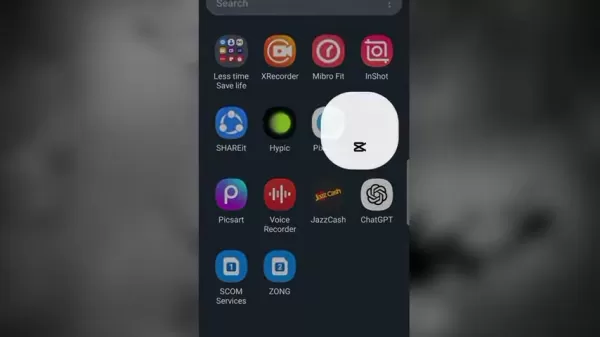
The 'Edit More' option serves as a gateway to Hypic's advanced features, creating a seamless transition between basic and professional-level adjustments. This thoughtful integration allows users to progressively explore more sophisticated editing techniques as their confidence grows.
Advanced Photo Editing with Hypic Through CapCut
Unlocking Professional Tools
The Hypic integration expands CapCut's capabilities significantly, bringing studio-quality editing tools to mobile users. Access these advanced features by:
- Selecting your photo in CapCut
- Tapping 'Edit More' at the bottom
- Exploring Hypic's comprehensive toolset

Hypic operates both as an integrated module and standalone app, offering flexibility for different editing workflows. The integration maintains CapCut's signature simplicity while providing access to powerful tools typically found in premium desktop software.
AI Enhancement Capabilities
Hypic's AI tools dramatically improve photo quality with minimal effort:
- One-tap quality enhancement
- Automatic lighting and color correction
- Advanced portrait refinements
- Intelligent background manipulation

The AI Enhance tool analyzes images and applies sophisticated corrections automatically, ideal for quickly improving underexposed, blurry, or low-quality photos. Portrait-specific tools allow for professional-grade retouching with precise control over facial features and skin texture.
Creative Background Expansion
CapCut's AI Expand feature revolutionizes creative composition by:
- Generating seamless background extensions
- Responding to descriptive text prompts
- Providing multiple stylistic options

Simply describe your desired background (e.g., "sunset beach with palm trees") and let the AI generate photorealistic extensions that perfectly match your original image's perspective and lighting. The tool maintains natural proportions while intelligently interpreting your creative vision.
Step-by-Step Guide: AI Photo Editing in CapCut
Comprehensive Editing Workflow
Follow this professional editing sequence for optimal results:
- Initial Setup: Open CapCut and select 'Photo Editor'
- Image Selection: Choose your base photo from gallery
- Basic Adjustments: Apply initial composition and lighting changes
- Hypic Access: Tap 'Edit More' for advanced tools
- AI Enhancements: Improve quality with one-tap optimization

- Creative Expansion: Use AI Expand for background modifications
- Final Refinements: Remove artifacts with Clean Up tool
- Export: Save high-quality final version to device
Advantages and Disadvantages of Using CapCut for AI Photo Editing
Key Benefits
- Intuitive mobile interface requiring minimal learning curve
- Professional results without premium software costs
- Integrated AI tools that simplify complex edits
- Flexible workflow accommodating various skill levels
- Regular updates expanding creative possibilities
Limitations to Consider
- Advanced features may require premium subscription
- Editing precision slightly below dedicated desktop software
- Output quality depends on original image resolution
- Some creative control sacrificed to automation
Frequently Asked Questions
Does CapCut watermark edited photos?
No, CapCut does not automatically add watermarks to exported photos. Users maintain full ownership and control over their edited images.
Can AI editing replace professional photo editing skills?
While AI tools dramatically simplify many editing tasks, professional judgment and artistic vision remain essential for truly exceptional results. These tools excel at automating technical processes but complement rather than replace human creativity.
How does CapCut's photo editing compare to Lightroom?
CapCut offers comparable basic editing features with a more intuitive interface, though Lightroom provides superior color grading and RAW file support for professional workflows.
Related Questions
What file formats does CapCut support for photo editing?
CapCut primarily works with JPEG and PNG formats, making it compatible with most smartphone photos while maintaining good quality for social media sharing.
Related article
 How to fix Core Web Vitals for better SEO rankings
Streamline Report Card Comments with AI ToolsIntroductionAI Tools for Generating Report Card CommentsMagic SchoolAlmanac AIChat GPTUsing Magic School to Generate Report Card CommentsLogging into Magic SchoolSelecting the Report Card Comments ToolCust
Slackbot Becomes an AI Agent
Slackbot, the automated assistant embedded in Salesforce’s corporate messaging platform Slack, is evolving into an AI agent. Salesforce CTO Parker Harris envisions it achieving viral status comparable to OpenAI’s ChatGPT.The cloud software giant laun
ByteDance Boosts Core AI Incentives as Doubao Surges 14.6%
ByteDance recently convened a DouBao equity briefing to unveil fresh incentive policies for staff involved in the DouBao division. The strike price for DouBao shares has been lifted from $14.85 in June 2026 to $17.02, marking an approximate 14.6% inc
Related Special Topic Recommendations
writing
How to fix Core Web Vitals for better SEO rankings
Streamline Report Card Comments with AI ToolsIntroductionAI Tools for Generating Report Card CommentsMagic SchoolAlmanac AIChat GPTUsing Magic School to Generate Report Card CommentsLogging into Magic SchoolSelecting the Report Card Comments ToolCust
Slackbot Becomes an AI Agent
Slackbot, the automated assistant embedded in Salesforce’s corporate messaging platform Slack, is evolving into an AI agent. Salesforce CTO Parker Harris envisions it achieving viral status comparable to OpenAI’s ChatGPT.The cloud software giant laun
ByteDance Boosts Core AI Incentives as Doubao Surges 14.6%
ByteDance recently convened a DouBao equity briefing to unveil fresh incentive policies for staff involved in the DouBao division. The strike price for DouBao shares has been lifted from $14.85 in June 2026 to $17.02, marking an approximate 14.6% inc
Related Special Topic Recommendations
writing
 Best AI Outline Generators for Long-Form SEO Articles
2026 Latest Best Top-Rated AI Outline Generators for Long-Form SEO Articles, meticulously curated by XIX.AI. These powerful tools offer game-changing assistance in creating high-quality content quickly, boosting writing efficiency significantly. Get a free vs paid comparison along with real-world tests and detailed rankings to help you find the must-try option that suits your needs. Explore now to unlock your AI edge.
 8 tools
 xix.ai
Education and Learning
AI Study Tools for Homework and Exam Prep
xix.ai
Education and Learning
AI Study Tools for Homework and Exam Prep
2026 Latest Best AI Study Tools for Homework and Exam Prep! XIX.AI curates a top-rated list of powerful, game-changing tools that help students boost productivity, streamline homework completion, and ace exams through real-world tests. Get a free vs paid comparison, detailed rankings, and must-try options to unlock your AI edge. Explore now!
10 tools
xix.ai
Music composition
AI Vocal Demo Tools for Songwriters, Hooks, Toplines, and Multilingual Draft Sessions
2026 Latest Best AI Vocal Demo Tools for Songwriters, Hook Creators, and Multi-Language Content Teams! XIX.AI has curated a top-rated list of powerful game-changing tools that go through rigorous real-world tests. You’ll find detailed free vs paid comparison data, comprehensive rankings, and must-try options to help you boost writing efficiency and unlock your creative potential. Explore now to discover your perfect tool for all your content needs!
9 tools
xix.ai
Business
Best AI Competitive Research Tools for Small Businesses
2026 Latest Best Top-rated AI Competitive Research Tools for Small Businesses! XIX.AI has curated a highly powerful game-changing collection, updated weekly with rigorous real-world tests and detailed rankings. You can find a comprehensive free vs paid comparison to help you identify the must-try tools that boost your productivity and give you a competitive edge. Explore now to discover your perfect tool!
9 tools
xix.ai
Image editing
Photoshop AI Retouch Tools for Ecommerce Apparel, Skin Cleanup, and Color Consistency
2026 Latest Best Photoshop AI retouch tools for ecommerce apparel, skin cleanup, and color consistency! This top-rated curated list features powerful game-changing solutions that help you boost writing efficiency, streamline content creation, and achieve perfect visual results effortlessly. Each tool has undergone real-world tests through weekly updated rankings, complete with free vs paid comparison details. Backed by XIX.AI, it’s the must-try guide for anyone aiming to unlock your AI edge. Explore now!
10 tools
xix.ai
Prompt
Best AI Prompt Libraries for ChatGPT Workflows
2026 Latest Best Top-Rated AI Prompt Libraries for optimizing all types of ChatGPT workflows. XIX.AI has curated a powerful, game-changing collection that goes through rigorous real-world tests to ensure top performance. You can find detailed free vs paid comparisons and expert rankings to help you choose the must-try tools that boost your productivity and unlock your AI edge. Explore now!
11 tools
xix.ai

 Comments (2)
0/500
Comments (2)
0/500
![LucasNelson]()
Wait, CapCut has AI photo editing? I've been using it just for videos, but these tips are eye-opening. The retouch feature sounds like a game-changer for quick fixes. Might have to ditch my usual photo editor now! 😂
![CharlesJohnson]()
¿CapCut también sirve para fotos? 😯 La guía promete resultados profesionales, pero me pregunto si es realmente tan bueno como programas dedicados. De todos modos, probaré a mejorar ese retrato del verano pasado con sus herramientas de IA a ver qué tal queda. ¡Espero que maneje bien las sombras!
While renowned as a video editing powerhouse, CapCut also offers surprisingly robust AI-powered photo editing capabilities. This comprehensive tutorial demonstrates how to leverage CapCut's intelligent tools to execute professional-grade photo enhancements, seamless background replacements, and creative transformations - no technical expertise required. Whether you're a casual smartphone photographer or aspiring content creator, these AI-driven techniques will elevate your images to new heights.
Key Points
AI-Powered Transformation: CapCut delivers intelligent photo editing through advanced AI technology.
Enhanced Background Editing: Swap or expand backgrounds using text prompts for creative control.
Seamless Hypic Integration: Access professional-grade editing tools via the 'Edit More' feature.
Quality Enhancement: AI algorithms automatically improve resolution, sharpness, and visual quality.
Mobile Studio Power: Complete sophisticated edits directly from your smartphone camera roll.
Introduction to AI Photo Editing with CapCut
Professional Editing Made Accessible
CapCut has expanded beyond video to offer surprisingly capable AI-powered photo editing tools that rival dedicated apps. This user-friendly platform makes professional results achievable for anyone, eliminating the steep learning curve of traditional photo editing software. Our guide explores how these intelligent features can transform ordinary snapshots into gallery-quality images with just a few taps.
The AI technology embedded in CapCut handles complex editing tasks automatically - from enhancing low-resolution images to generating entirely new backgrounds through text prompts. These capabilities democratize photo editing, putting high-end results within reach of casual users and professionals alike.
Navigating the Interface
CapCut's intuitive design makes powerful editing accessible through a straightforward workflow:
- Launch the app and select 'Photo Editor' from the main screen
- Choose images directly from your device's gallery
- Access comprehensive editing tools through the bottom toolbar
The 'Edit More' option serves as a gateway to Hypic's advanced features, creating a seamless transition between basic and professional-level adjustments. This thoughtful integration allows users to progressively explore more sophisticated editing techniques as their confidence grows.
Advanced Photo Editing with Hypic Through CapCut
Unlocking Professional Tools
The Hypic integration expands CapCut's capabilities significantly, bringing studio-quality editing tools to mobile users. Access these advanced features by:
- Selecting your photo in CapCut
- Tapping 'Edit More' at the bottom
- Exploring Hypic's comprehensive toolset
Hypic operates both as an integrated module and standalone app, offering flexibility for different editing workflows. The integration maintains CapCut's signature simplicity while providing access to powerful tools typically found in premium desktop software.
AI Enhancement Capabilities
Hypic's AI tools dramatically improve photo quality with minimal effort:
- One-tap quality enhancement
- Automatic lighting and color correction
- Advanced portrait refinements
- Intelligent background manipulation
The AI Enhance tool analyzes images and applies sophisticated corrections automatically, ideal for quickly improving underexposed, blurry, or low-quality photos. Portrait-specific tools allow for professional-grade retouching with precise control over facial features and skin texture.
Creative Background Expansion
CapCut's AI Expand feature revolutionizes creative composition by:
- Generating seamless background extensions
- Responding to descriptive text prompts
- Providing multiple stylistic options
Simply describe your desired background (e.g., "sunset beach with palm trees") and let the AI generate photorealistic extensions that perfectly match your original image's perspective and lighting. The tool maintains natural proportions while intelligently interpreting your creative vision.
Step-by-Step Guide: AI Photo Editing in CapCut
Comprehensive Editing Workflow
Follow this professional editing sequence for optimal results:
- Initial Setup: Open CapCut and select 'Photo Editor'
- Image Selection: Choose your base photo from gallery
- Basic Adjustments: Apply initial composition and lighting changes
- Hypic Access: Tap 'Edit More' for advanced tools
- AI Enhancements: Improve quality with one-tap optimization
- Creative Expansion: Use AI Expand for background modifications
- Final Refinements: Remove artifacts with Clean Up tool
- Export: Save high-quality final version to device
Advantages and Disadvantages of Using CapCut for AI Photo Editing
Key Benefits
- Intuitive mobile interface requiring minimal learning curve
- Professional results without premium software costs
- Integrated AI tools that simplify complex edits
- Flexible workflow accommodating various skill levels
- Regular updates expanding creative possibilities
Limitations to Consider
- Advanced features may require premium subscription
- Editing precision slightly below dedicated desktop software
- Output quality depends on original image resolution
- Some creative control sacrificed to automation
Frequently Asked Questions
Does CapCut watermark edited photos?
No, CapCut does not automatically add watermarks to exported photos. Users maintain full ownership and control over their edited images.
Can AI editing replace professional photo editing skills?
While AI tools dramatically simplify many editing tasks, professional judgment and artistic vision remain essential for truly exceptional results. These tools excel at automating technical processes but complement rather than replace human creativity.
How does CapCut's photo editing compare to Lightroom?
CapCut offers comparable basic editing features with a more intuitive interface, though Lightroom provides superior color grading and RAW file support for professional workflows.
Related Questions
What file formats does CapCut support for photo editing?
CapCut primarily works with JPEG and PNG formats, making it compatible with most smartphone photos while maintaining good quality for social media sharing.








 How to fix Core Web Vitals for better SEO rankings
Streamline Report Card Comments with AI ToolsIntroductionAI Tools for Generating Report Card CommentsMagic SchoolAlmanac AIChat GPTUsing Magic School to Generate Report Card CommentsLogging into Magic SchoolSelecting the Report Card Comments ToolCust
How to fix Core Web Vitals for better SEO rankings
Streamline Report Card Comments with AI ToolsIntroductionAI Tools for Generating Report Card CommentsMagic SchoolAlmanac AIChat GPTUsing Magic School to Generate Report Card CommentsLogging into Magic SchoolSelecting the Report Card Comments ToolCust
 Slackbot Becomes an AI Agent
Slackbot, the automated assistant embedded in Salesforce’s corporate messaging platform Slack, is evolving into an AI agent. Salesforce CTO Parker Harris envisions it achieving viral status comparable to OpenAI’s ChatGPT.The cloud software giant laun
Slackbot Becomes an AI Agent
Slackbot, the automated assistant embedded in Salesforce’s corporate messaging platform Slack, is evolving into an AI agent. Salesforce CTO Parker Harris envisions it achieving viral status comparable to OpenAI’s ChatGPT.The cloud software giant laun
 ByteDance Boosts Core AI Incentives as Doubao Surges 14.6%
ByteDance recently convened a DouBao equity briefing to unveil fresh incentive policies for staff involved in the DouBao division. The strike price for DouBao shares has been lifted from $14.85 in June 2026 to $17.02, marking an approximate 14.6% inc
ByteDance Boosts Core AI Incentives as Doubao Surges 14.6%
ByteDance recently convened a DouBao equity briefing to unveil fresh incentive policies for staff involved in the DouBao division. The strike price for DouBao shares has been lifted from $14.85 in June 2026 to $17.02, marking an approximate 14.6% inc

2026 Latest Best Top-Rated AI Outline Generators for Long-Form SEO Articles, meticulously curated by XIX.AI. These powerful tools offer game-changing assistance in creating high-quality content quickly, boosting writing efficiency significantly. Get a free vs paid comparison along with real-world tests and detailed rankings to help you find the must-try option that suits your needs. Explore now to unlock your AI edge.
8 tools
xix.ai

2026 Latest Best AI Study Tools for Homework and Exam Prep! XIX.AI curates a top-rated list of powerful, game-changing tools that help students boost productivity, streamline homework completion, and ace exams through real-world tests. Get a free vs paid comparison, detailed rankings, and must-try options to unlock your AI edge. Explore now!
10 tools
xix.ai

2026 Latest Best AI Vocal Demo Tools for Songwriters, Hook Creators, and Multi-Language Content Teams! XIX.AI has curated a top-rated list of powerful game-changing tools that go through rigorous real-world tests. You’ll find detailed free vs paid comparison data, comprehensive rankings, and must-try options to help you boost writing efficiency and unlock your creative potential. Explore now to discover your perfect tool for all your content needs!
9 tools
xix.ai

2026 Latest Best Top-rated AI Competitive Research Tools for Small Businesses! XIX.AI has curated a highly powerful game-changing collection, updated weekly with rigorous real-world tests and detailed rankings. You can find a comprehensive free vs paid comparison to help you identify the must-try tools that boost your productivity and give you a competitive edge. Explore now to discover your perfect tool!
9 tools
xix.ai

2026 Latest Best Photoshop AI retouch tools for ecommerce apparel, skin cleanup, and color consistency! This top-rated curated list features powerful game-changing solutions that help you boost writing efficiency, streamline content creation, and achieve perfect visual results effortlessly. Each tool has undergone real-world tests through weekly updated rankings, complete with free vs paid comparison details. Backed by XIX.AI, it’s the must-try guide for anyone aiming to unlock your AI edge. Explore now!
10 tools
xix.ai

2026 Latest Best Top-Rated AI Prompt Libraries for optimizing all types of ChatGPT workflows. XIX.AI has curated a powerful, game-changing collection that goes through rigorous real-world tests to ensure top performance. You can find detailed free vs paid comparisons and expert rankings to help you choose the must-try tools that boost your productivity and unlock your AI edge. Explore now!
11 tools
xix.ai

Wait, CapCut has AI photo editing? I've been using it just for videos, but these tips are eye-opening. The retouch feature sounds like a game-changer for quick fixes. Might have to ditch my usual photo editor now! 😂
¿CapCut también sirve para fotos? 😯 La guía promete resultados profesionales, pero me pregunto si es realmente tan bueno como programas dedicados. De todos modos, probaré a mejorar ese retrato del verano pasado con sus herramientas de IA a ver qué tal queda. ¡Espero que maneje bien las sombras!












