


 Home
HomeAI Images for Faceless YouTube Channels: A Comprehensive Guide
Are you running or planning to start a faceless YouTube channel? If so, you've probably considered how AI-generated images can enhance your content. As someone who runs a faceless channel myself, I can attest to the transformative power of AI visuals. They're not just a nice-to-have; they're essential for bringing your ideas to life and keeping viewers hooked. Let's explore how to make the most of AI images in your YouTube journey.
The Power of AI Images for YouTube
What is a Faceless YouTube Channel?
A faceless YouTube channel is one where the creator remains off-camera, focusing solely on the content itself. This style is perfect for tutorials, informational videos, relaxation content, and more. It allows creators to express themselves without the pressure of being on-screen, offering a level of anonymity that can make video production feel more personal and focused. Faceless channels have exploded in popularity, showing that compelling content can stand on its own without the creator's face. AI images play a crucial role here, providing a rich visual library to enhance your videos.
Why Use AI Images?
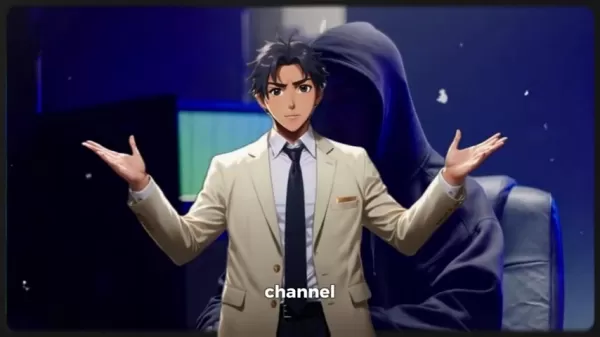 AI images are a game-changer for faceless channels. They're cost-effective and can elevate your video's aesthetic appeal, drawing viewers in and keeping them engaged. Whether you need characters, landscapes, or abstract designs, AI can produce exactly what you're looking for. The versatility is incredible—you can tailor visuals to match your narrative perfectly. Plus, AI tools save you time. Instead of hunting for stock photos or spending hours designing, you can generate images in minutes. This efficiency lets you concentrate on crafting your message. AI images also help maintain a consistent visual brand, something that's tough to achieve manually. In short, AI images are a must-have for standing out in the digital crowd.
The Importance of High-Quality AI Images
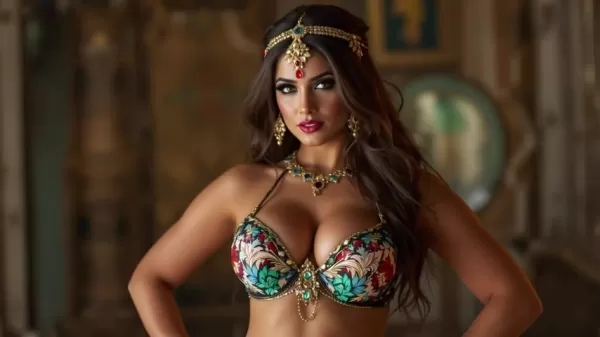
 High-quality AI images are non-negotiable. Low-resolution or blurry images can ruin your content's impact and leave viewers unimpressed. Quality visuals signal that you care about your presentation and the value you offer. They make your videos more engaging and professional, enhancing the viewer experience and increasing retention. Investing in good AI tools or services that produce high-resolution images is definitely worth it. These images look great on any device, from smartphones to large TVs. Clear images are also easier for viewers to process, boosting comprehension and engagement. For a faceless channel, where visuals are the star of the show, high-quality AI images are essential for building credibility and attracting a broader audience.
Turning AI Images into Stunning Videos
 With high-quality AI images in hand, you can create stunning videos. Various tools can animate or compile these images into dynamic videos, adding effects, transitions, and music to enrich the viewing experience. One effective method is using slow pans and zooms to bring still images to life, adding depth and movement. You can also enhance your videos with text overlays or graphics for added context. Video editing software like Adobe Premiere Pro or Filmora can further elevate your visuals with advanced effects and color correction. Pairing AI images with AI-generated voiceovers streamlines your content creation even more. Experiment with different styles and effects to see what clicks with your audience. Transforming AI images into videos opens up endless possibilities for visual storytelling on your faceless YouTube channel. Matching the images' mood to your video's theme through lighting and color palettes can also captivate viewers.
Recommended AI Image Generators
Top AI Image Generators for YouTube Content
Choosing the right AI image generator can be a game-changer. Here are some top picks known for their quality, versatility, and ease of use:
- Midjourney: Ideal for artistic and detailed visuals, perfect for creating unique and imaginative content.
- DALL-E 2: Developed by OpenAI, it's great for generating realistic and creative images from text descriptions, suitable for diverse content needs.
- Stable Diffusion: An open-source model offering flexibility and customization, allowing you to fine-tune the image generation process to your liking.
The best choice depends on your needs and budget. Midjourney might be your go-to for artistic quality, while DALL-E 2 offers a balance of realism and creativity. Stable Diffusion is excellent for those who prefer an open-source solution. Try out different generators to find the one that aligns with your creative vision.
Step-by-Step Guide to Generating AI Images
Finding the Best AI Image Generator
 Finding the right AI image generator involves a few key steps. The ideal tool depends on your project and the types of images you want to create. Here's how to find the perfect one:
- Determine Your Needs: What kind of images do you need? Photorealistic, artistic, or something else? How much control do you want over the process?
- Research Different Tools: Explore options like Midjourney, DALL-E 2, and Stable Diffusion, each with unique strengths and weaknesses.
- Check Reviews and Comparisons: Look at reviews and comparisons to assess image quality, ease of use, pricing, and features.
- Consider the Pricing: AI generators range from free to subscription-based. Choose one that fits your budget and needs.
- Test Different Tools: Take advantage of free trials or demos to test various tools. Experiment with prompts and settings to see what each can do.
Crafting Effective Prompts
The secret to great AI images is crafting effective prompts. A prompt guides the AI in creating the image you want. The more specific and detailed, the better the results. Here are some tips:
- Be Specific: Include details like subject, style, colors, and composition. For example, "a vibrant sunset over a mountain range with snow-capped peaks" is better than "a landscape."
- Use Keywords: Relevant keywords help the AI understand your vision. Use terms like "photorealistic," "abstract," or "digital art."
- Experiment with Styles: Try different styles like "Impressionist," "Surrealist," or "Cyberpunk" for unique results.
- Add Modifiers: Control lighting, perspective, and mood with modifiers like "soft lighting," "wide-angle lens," or "dreamlike atmosphere."
The more you experiment with prompts, the better you'll get at generating the perfect images for your channel.
Enhancing and Editing AI Images
After generating your AI image, you might want to enhance and edit it. Here are some techniques:
- Upscaling: Use tools to increase image resolution and clarity, especially if the original is low-res.
- Color Correction: Adjust colors and tones to achieve the desired look. Tweak brightness, contrast, saturation, and hue.
- Retouching: Remove imperfections or unwanted elements using retouching tools.
- Adding Effects: Experiment with effects to add visual interest and depth.
By enhancing and editing your AI images, you can create truly stunning visuals for your YouTube channel.
Pricing of AI Image Generators
Cost Comparison of Popular AI Image Generators
The cost of AI image generators varies based on the tool and subscription plan. Here's a quick overview:
AI Image Generator Pricing Structure Estimated Cost Midjourney Subscription-based $10 - $60 per month DALL-E 2 Pay-per-image or subscription Varies based on usage Stable Diffusion Open-source (potential costs for hardware and maintenance) Varies
When choosing an AI image generator, consider your budget and how much you're willing to spend on visuals. Free options are great for casual users, while paid options offer higher quality and more features for professionals.
Pros and Cons of Using AI Images
Pros
- Cost-effective: Cheaper than hiring a designer or buying stock photos.
- Time-saving: Generate images in minutes, saving valuable time.
- Versatile: Create a wide range of images, from realistic to abstract.
- Unique: Customize images to match your specific needs and preferences.
- Consistent: Maintain a consistent style and brand identity across your videos.
Cons
- Quality can vary: The quality depends on the tool and the prompt used.
- Limited control: You might have limited control over the final image.
- Ethical concerns: There are ethical issues surrounding AI-generated content.
- Potential for bias: AI models can be biased, leading to skewed or inaccurate images.
- Technical skills required: Crafting effective prompts and editing images may require some technical know-how.
Core Features of AI Image Generators
Key Features to Look for in an AI Image Generator
When selecting an AI image generator, keep these core features in mind:
- Image Quality: High-resolution, detailed images are essential for professional content.
- Customization Options: Look for tools with style selection, color control, and prompt modifiers.
- Ease of Use: An intuitive interface and clear instructions are crucial.
- Speed: Quick image generation streamlines your content creation process.
- Integration: Check if the tool integrates with other software you use, like video editing or graphic design programs.
By prioritizing these features, you'll find an AI image generator that meets your needs and helps create stunning visuals for your channel.
Use Cases for AI Images in Faceless YouTube Channels
How to Use AI Images for Different Types of Content
AI images can enhance your faceless YouTube channel in various ways:
- Tutorials: Use AI images to illustrate concepts and processes. For example, generate step-by-step visuals for drawing tutorials.
- Informational Videos: Create engaging visuals to complement your information, like charts, graphs, and illustrations.
- Relaxation Videos: Generate calming landscapes and nature scenes to create a soothing atmosphere.
- Storytelling: Bring your stories to life with AI-generated characters, settings, and scenes.
Tailoring AI images to your content type maximizes their impact and keeps your viewers engaged.
FAQ
Are AI images copyright-free?
The copyright status of AI images can be tricky and depends on the AI tool and its terms of use. Generally, you own the copyright to images you generate with a paid service, but always check the terms. Free AI generators may have different rules about copyright and usage rights. Always review licensing agreements to ensure legal use. Be cautious about using AI images that closely resemble existing copyrighted works to avoid infringement issues.
Can I use AI images for commercial purposes?
Yes, you can usually use AI images for commercial purposes, especially with paid AI generators. However, always check the terms of service. Some may have restrictions on commercial use, like limits on the number of images or specific industries. Be aware of potential copyright issues and ensure AI-generated images don't infringe on existing trademarks or copyrighted material. When in doubt, consult a legal professional to ensure compliance with all relevant laws and regulations.
Related Questions
What are the ethical considerations when using AI images?
Using AI images brings up several ethical considerations. Transparency is crucial: let your audience know the images are AI-generated, especially if they could be mistaken for real photos or art. This builds trust and avoids misleading viewers. Be mindful of bias in AI models, which can lead to skewed or stereotypical representations. Review images to ensure they don't perpetuate harmful stereotypes. Consider intellectual property rights; while you might own the generated image, the AI was trained on existing datasets. Ensure it's not directly replicating copyrighted content. Finally, think about the impact on human artists. While AI can assist, it's important to value and support human creativity, not replace it. By addressing these ethical considerations, you can use AI images responsibly and contribute to a fair and ethical creative ecosystem.
Related article
 How to fix Core Web Vitals for better SEO rankings
Streamline Report Card Comments with AI ToolsIntroductionAI Tools for Generating Report Card CommentsMagic SchoolAlmanac AIChat GPTUsing Magic School to Generate Report Card CommentsLogging into Magic SchoolSelecting the Report Card Comments ToolCust
Slackbot Becomes an AI Agent
Slackbot, the automated assistant embedded in Salesforce’s corporate messaging platform Slack, is evolving into an AI agent. Salesforce CTO Parker Harris envisions it achieving viral status comparable to OpenAI’s ChatGPT.The cloud software giant laun
ByteDance Boosts Core AI Incentives as Doubao Surges 14.6%
ByteDance recently convened a DouBao equity briefing to unveil fresh incentive policies for staff involved in the DouBao division. The strike price for DouBao shares has been lifted from $14.85 in June 2026 to $17.02, marking an approximate 14.6% inc
Related Special Topic Recommendations
Education and Learning
How to fix Core Web Vitals for better SEO rankings
Streamline Report Card Comments with AI ToolsIntroductionAI Tools for Generating Report Card CommentsMagic SchoolAlmanac AIChat GPTUsing Magic School to Generate Report Card CommentsLogging into Magic SchoolSelecting the Report Card Comments ToolCust
Slackbot Becomes an AI Agent
Slackbot, the automated assistant embedded in Salesforce’s corporate messaging platform Slack, is evolving into an AI agent. Salesforce CTO Parker Harris envisions it achieving viral status comparable to OpenAI’s ChatGPT.The cloud software giant laun
ByteDance Boosts Core AI Incentives as Doubao Surges 14.6%
ByteDance recently convened a DouBao equity briefing to unveil fresh incentive policies for staff involved in the DouBao division. The strike price for DouBao shares has been lifted from $14.85 in June 2026 to $17.02, marking an approximate 14.6% inc
Related Special Topic Recommendations
Education and Learning
 AI Study Tools for Homework and Exam Prep
2026 Latest Best AI Study Tools for Homework and Exam Prep! XIX.AI curates a top-rated list of powerful, game-changing tools that help students boost productivity, streamline homework completion, and ace exams through real-world tests. Get a free vs paid comparison, detailed rankings, and must-try options to unlock your AI edge. Explore now!
 10 tools
 xix.ai
Music composition
AI Vocal Demo Tools for Songwriters, Hooks, Toplines, and Multilingual Draft Sessions
xix.ai
Music composition
AI Vocal Demo Tools for Songwriters, Hooks, Toplines, and Multilingual Draft Sessions
2026 Latest Best AI Vocal Demo Tools for Songwriters, Hook Creators, and Multi-Language Content Teams! XIX.AI has curated a top-rated list of powerful game-changing tools that go through rigorous real-world tests. You’ll find detailed free vs paid comparison data, comprehensive rankings, and must-try options to help you boost writing efficiency and unlock your creative potential. Explore now to discover your perfect tool for all your content needs!
9 tools
xix.ai
Business
Best AI Competitive Research Tools for Small Businesses
2026 Latest Best Top-rated AI Competitive Research Tools for Small Businesses! XIX.AI has curated a highly powerful game-changing collection, updated weekly with rigorous real-world tests and detailed rankings. You can find a comprehensive free vs paid comparison to help you identify the must-try tools that boost your productivity and give you a competitive edge. Explore now to discover your perfect tool!
9 tools
xix.ai
Image editing
Photoshop AI Retouch Tools for Ecommerce Apparel, Skin Cleanup, and Color Consistency
2026 Latest Best Photoshop AI retouch tools for ecommerce apparel, skin cleanup, and color consistency! This top-rated curated list features powerful game-changing solutions that help you boost writing efficiency, streamline content creation, and achieve perfect visual results effortlessly. Each tool has undergone real-world tests through weekly updated rankings, complete with free vs paid comparison details. Backed by XIX.AI, it’s the must-try guide for anyone aiming to unlock your AI edge. Explore now!
10 tools
xix.ai
Prompt
Best AI Prompt Libraries for ChatGPT Workflows
2026 Latest Best Top-Rated AI Prompt Libraries for optimizing all types of ChatGPT workflows. XIX.AI has curated a powerful, game-changing collection that goes through rigorous real-world tests to ensure top performance. You can find detailed free vs paid comparisons and expert rankings to help you choose the must-try tools that boost your productivity and unlock your AI edge. Explore now!
11 tools
xix.ai
Education and Learning
AI Quiz Builder Platforms for Teachers, Tutors, and Cohort-Based Learning Programs
2026 Latest Best AI Quiz Builder Platforms for Teachers, Tutors, and Cohort-Based Learning Programs! XIX.AI has curated a top-rated list of powerful game-changing tools that go through real-world tests to deliver accurate rankings. These must-try platforms help boost writing efficiency, streamline content creation, and simplify quiz design across all learning scenarios. Explore now to discover your perfect tool for unlocking your AI edge in teaching!
13 tools
xix.ai

 Comments (2)
0/500
Comments (2)
0/500
![AndrewAllen]()
Ça m'a beaucoup fait réfléchir sur l'éthique derrière le tout-automatisé. Est-ce qu'une chaîne sans visage utilisant des images d'IA risque de diluer le lien humain avec le public ? 🤔 D'un côté c'est pratique, de l'autre ça me donne un peu froid dans le dos.
![MatthewBaker]()
AI-generated images sound like a game-changer for faceless channels! I’ve been struggling with visuals for my YouTube, and this guide makes me curious—how do you balance creativity with not looking too 'AI-ish'? 😅 Excited to try this out!
Are you running or planning to start a faceless YouTube channel? If so, you've probably considered how AI-generated images can enhance your content. As someone who runs a faceless channel myself, I can attest to the transformative power of AI visuals. They're not just a nice-to-have; they're essential for bringing your ideas to life and keeping viewers hooked. Let's explore how to make the most of AI images in your YouTube journey.
The Power of AI Images for YouTube
What is a Faceless YouTube Channel?
A faceless YouTube channel is one where the creator remains off-camera, focusing solely on the content itself. This style is perfect for tutorials, informational videos, relaxation content, and more. It allows creators to express themselves without the pressure of being on-screen, offering a level of anonymity that can make video production feel more personal and focused. Faceless channels have exploded in popularity, showing that compelling content can stand on its own without the creator's face. AI images play a crucial role here, providing a rich visual library to enhance your videos.
Why Use AI Images?
AI images are a game-changer for faceless channels. They're cost-effective and can elevate your video's aesthetic appeal, drawing viewers in and keeping them engaged. Whether you need characters, landscapes, or abstract designs, AI can produce exactly what you're looking for. The versatility is incredible—you can tailor visuals to match your narrative perfectly. Plus, AI tools save you time. Instead of hunting for stock photos or spending hours designing, you can generate images in minutes. This efficiency lets you concentrate on crafting your message. AI images also help maintain a consistent visual brand, something that's tough to achieve manually. In short, AI images are a must-have for standing out in the digital crowd.
The Importance of High-Quality AI Images
High-quality AI images are non-negotiable. Low-resolution or blurry images can ruin your content's impact and leave viewers unimpressed. Quality visuals signal that you care about your presentation and the value you offer. They make your videos more engaging and professional, enhancing the viewer experience and increasing retention. Investing in good AI tools or services that produce high-resolution images is definitely worth it. These images look great on any device, from smartphones to large TVs. Clear images are also easier for viewers to process, boosting comprehension and engagement. For a faceless channel, where visuals are the star of the show, high-quality AI images are essential for building credibility and attracting a broader audience.
Turning AI Images into Stunning Videos
With high-quality AI images in hand, you can create stunning videos. Various tools can animate or compile these images into dynamic videos, adding effects, transitions, and music to enrich the viewing experience. One effective method is using slow pans and zooms to bring still images to life, adding depth and movement. You can also enhance your videos with text overlays or graphics for added context. Video editing software like Adobe Premiere Pro or Filmora can further elevate your visuals with advanced effects and color correction. Pairing AI images with AI-generated voiceovers streamlines your content creation even more. Experiment with different styles and effects to see what clicks with your audience. Transforming AI images into videos opens up endless possibilities for visual storytelling on your faceless YouTube channel. Matching the images' mood to your video's theme through lighting and color palettes can also captivate viewers.
Recommended AI Image Generators
Top AI Image Generators for YouTube Content
Choosing the right AI image generator can be a game-changer. Here are some top picks known for their quality, versatility, and ease of use:
- Midjourney: Ideal for artistic and detailed visuals, perfect for creating unique and imaginative content.
- DALL-E 2: Developed by OpenAI, it's great for generating realistic and creative images from text descriptions, suitable for diverse content needs.
- Stable Diffusion: An open-source model offering flexibility and customization, allowing you to fine-tune the image generation process to your liking.
The best choice depends on your needs and budget. Midjourney might be your go-to for artistic quality, while DALL-E 2 offers a balance of realism and creativity. Stable Diffusion is excellent for those who prefer an open-source solution. Try out different generators to find the one that aligns with your creative vision.
Step-by-Step Guide to Generating AI Images
Finding the Best AI Image Generator
Finding the right AI image generator involves a few key steps. The ideal tool depends on your project and the types of images you want to create. Here's how to find the perfect one:
- Determine Your Needs: What kind of images do you need? Photorealistic, artistic, or something else? How much control do you want over the process?
- Research Different Tools: Explore options like Midjourney, DALL-E 2, and Stable Diffusion, each with unique strengths and weaknesses.
- Check Reviews and Comparisons: Look at reviews and comparisons to assess image quality, ease of use, pricing, and features.
- Consider the Pricing: AI generators range from free to subscription-based. Choose one that fits your budget and needs.
- Test Different Tools: Take advantage of free trials or demos to test various tools. Experiment with prompts and settings to see what each can do.
Crafting Effective Prompts
The secret to great AI images is crafting effective prompts. A prompt guides the AI in creating the image you want. The more specific and detailed, the better the results. Here are some tips:
- Be Specific: Include details like subject, style, colors, and composition. For example, "a vibrant sunset over a mountain range with snow-capped peaks" is better than "a landscape."
- Use Keywords: Relevant keywords help the AI understand your vision. Use terms like "photorealistic," "abstract," or "digital art."
- Experiment with Styles: Try different styles like "Impressionist," "Surrealist," or "Cyberpunk" for unique results.
- Add Modifiers: Control lighting, perspective, and mood with modifiers like "soft lighting," "wide-angle lens," or "dreamlike atmosphere."
The more you experiment with prompts, the better you'll get at generating the perfect images for your channel.
Enhancing and Editing AI Images
After generating your AI image, you might want to enhance and edit it. Here are some techniques:
- Upscaling: Use tools to increase image resolution and clarity, especially if the original is low-res.
- Color Correction: Adjust colors and tones to achieve the desired look. Tweak brightness, contrast, saturation, and hue.
- Retouching: Remove imperfections or unwanted elements using retouching tools.
- Adding Effects: Experiment with effects to add visual interest and depth.
By enhancing and editing your AI images, you can create truly stunning visuals for your YouTube channel.
Pricing of AI Image Generators
Cost Comparison of Popular AI Image Generators
The cost of AI image generators varies based on the tool and subscription plan. Here's a quick overview:
| AI Image Generator | Pricing Structure | Estimated Cost |
|---|---|---|
| Midjourney | Subscription-based | $10 - $60 per month |
| DALL-E 2 | Pay-per-image or subscription | Varies based on usage |
| Stable Diffusion | Open-source (potential costs for hardware and maintenance) | Varies |
When choosing an AI image generator, consider your budget and how much you're willing to spend on visuals. Free options are great for casual users, while paid options offer higher quality and more features for professionals.
Pros and Cons of Using AI Images
Pros
- Cost-effective: Cheaper than hiring a designer or buying stock photos.
- Time-saving: Generate images in minutes, saving valuable time.
- Versatile: Create a wide range of images, from realistic to abstract.
- Unique: Customize images to match your specific needs and preferences.
- Consistent: Maintain a consistent style and brand identity across your videos.
Cons
- Quality can vary: The quality depends on the tool and the prompt used.
- Limited control: You might have limited control over the final image.
- Ethical concerns: There are ethical issues surrounding AI-generated content.
- Potential for bias: AI models can be biased, leading to skewed or inaccurate images.
- Technical skills required: Crafting effective prompts and editing images may require some technical know-how.
Core Features of AI Image Generators
Key Features to Look for in an AI Image Generator
When selecting an AI image generator, keep these core features in mind:
- Image Quality: High-resolution, detailed images are essential for professional content.
- Customization Options: Look for tools with style selection, color control, and prompt modifiers.
- Ease of Use: An intuitive interface and clear instructions are crucial.
- Speed: Quick image generation streamlines your content creation process.
- Integration: Check if the tool integrates with other software you use, like video editing or graphic design programs.
By prioritizing these features, you'll find an AI image generator that meets your needs and helps create stunning visuals for your channel.
Use Cases for AI Images in Faceless YouTube Channels
How to Use AI Images for Different Types of Content
AI images can enhance your faceless YouTube channel in various ways:
- Tutorials: Use AI images to illustrate concepts and processes. For example, generate step-by-step visuals for drawing tutorials.
- Informational Videos: Create engaging visuals to complement your information, like charts, graphs, and illustrations.
- Relaxation Videos: Generate calming landscapes and nature scenes to create a soothing atmosphere.
- Storytelling: Bring your stories to life with AI-generated characters, settings, and scenes.
Tailoring AI images to your content type maximizes their impact and keeps your viewers engaged.
FAQ
Are AI images copyright-free?
The copyright status of AI images can be tricky and depends on the AI tool and its terms of use. Generally, you own the copyright to images you generate with a paid service, but always check the terms. Free AI generators may have different rules about copyright and usage rights. Always review licensing agreements to ensure legal use. Be cautious about using AI images that closely resemble existing copyrighted works to avoid infringement issues.
Can I use AI images for commercial purposes?
Yes, you can usually use AI images for commercial purposes, especially with paid AI generators. However, always check the terms of service. Some may have restrictions on commercial use, like limits on the number of images or specific industries. Be aware of potential copyright issues and ensure AI-generated images don't infringe on existing trademarks or copyrighted material. When in doubt, consult a legal professional to ensure compliance with all relevant laws and regulations.
Related Questions
What are the ethical considerations when using AI images?
Using AI images brings up several ethical considerations. Transparency is crucial: let your audience know the images are AI-generated, especially if they could be mistaken for real photos or art. This builds trust and avoids misleading viewers. Be mindful of bias in AI models, which can lead to skewed or stereotypical representations. Review images to ensure they don't perpetuate harmful stereotypes. Consider intellectual property rights; while you might own the generated image, the AI was trained on existing datasets. Ensure it's not directly replicating copyrighted content. Finally, think about the impact on human artists. While AI can assist, it's important to value and support human creativity, not replace it. By addressing these ethical considerations, you can use AI images responsibly and contribute to a fair and ethical creative ecosystem.








 How to fix Core Web Vitals for better SEO rankings
Streamline Report Card Comments with AI ToolsIntroductionAI Tools for Generating Report Card CommentsMagic SchoolAlmanac AIChat GPTUsing Magic School to Generate Report Card CommentsLogging into Magic SchoolSelecting the Report Card Comments ToolCust
How to fix Core Web Vitals for better SEO rankings
Streamline Report Card Comments with AI ToolsIntroductionAI Tools for Generating Report Card CommentsMagic SchoolAlmanac AIChat GPTUsing Magic School to Generate Report Card CommentsLogging into Magic SchoolSelecting the Report Card Comments ToolCust
 Slackbot Becomes an AI Agent
Slackbot, the automated assistant embedded in Salesforce’s corporate messaging platform Slack, is evolving into an AI agent. Salesforce CTO Parker Harris envisions it achieving viral status comparable to OpenAI’s ChatGPT.The cloud software giant laun
Slackbot Becomes an AI Agent
Slackbot, the automated assistant embedded in Salesforce’s corporate messaging platform Slack, is evolving into an AI agent. Salesforce CTO Parker Harris envisions it achieving viral status comparable to OpenAI’s ChatGPT.The cloud software giant laun
 ByteDance Boosts Core AI Incentives as Doubao Surges 14.6%
ByteDance recently convened a DouBao equity briefing to unveil fresh incentive policies for staff involved in the DouBao division. The strike price for DouBao shares has been lifted from $14.85 in June 2026 to $17.02, marking an approximate 14.6% inc
ByteDance Boosts Core AI Incentives as Doubao Surges 14.6%
ByteDance recently convened a DouBao equity briefing to unveil fresh incentive policies for staff involved in the DouBao division. The strike price for DouBao shares has been lifted from $14.85 in June 2026 to $17.02, marking an approximate 14.6% inc

2026 Latest Best AI Study Tools for Homework and Exam Prep! XIX.AI curates a top-rated list of powerful, game-changing tools that help students boost productivity, streamline homework completion, and ace exams through real-world tests. Get a free vs paid comparison, detailed rankings, and must-try options to unlock your AI edge. Explore now!
10 tools
xix.ai

2026 Latest Best AI Vocal Demo Tools for Songwriters, Hook Creators, and Multi-Language Content Teams! XIX.AI has curated a top-rated list of powerful game-changing tools that go through rigorous real-world tests. You’ll find detailed free vs paid comparison data, comprehensive rankings, and must-try options to help you boost writing efficiency and unlock your creative potential. Explore now to discover your perfect tool for all your content needs!
9 tools
xix.ai

2026 Latest Best Top-rated AI Competitive Research Tools for Small Businesses! XIX.AI has curated a highly powerful game-changing collection, updated weekly with rigorous real-world tests and detailed rankings. You can find a comprehensive free vs paid comparison to help you identify the must-try tools that boost your productivity and give you a competitive edge. Explore now to discover your perfect tool!
9 tools
xix.ai

2026 Latest Best Photoshop AI retouch tools for ecommerce apparel, skin cleanup, and color consistency! This top-rated curated list features powerful game-changing solutions that help you boost writing efficiency, streamline content creation, and achieve perfect visual results effortlessly. Each tool has undergone real-world tests through weekly updated rankings, complete with free vs paid comparison details. Backed by XIX.AI, it’s the must-try guide for anyone aiming to unlock your AI edge. Explore now!
10 tools
xix.ai

2026 Latest Best Top-Rated AI Prompt Libraries for optimizing all types of ChatGPT workflows. XIX.AI has curated a powerful, game-changing collection that goes through rigorous real-world tests to ensure top performance. You can find detailed free vs paid comparisons and expert rankings to help you choose the must-try tools that boost your productivity and unlock your AI edge. Explore now!
11 tools
xix.ai

2026 Latest Best AI Quiz Builder Platforms for Teachers, Tutors, and Cohort-Based Learning Programs! XIX.AI has curated a top-rated list of powerful game-changing tools that go through real-world tests to deliver accurate rankings. These must-try platforms help boost writing efficiency, streamline content creation, and simplify quiz design across all learning scenarios. Explore now to discover your perfect tool for unlocking your AI edge in teaching!
13 tools
xix.ai

Ça m'a beaucoup fait réfléchir sur l'éthique derrière le tout-automatisé. Est-ce qu'une chaîne sans visage utilisant des images d'IA risque de diluer le lien humain avec le public ? 🤔 D'un côté c'est pratique, de l'autre ça me donne un peu froid dans le dos.
AI-generated images sound like a game-changer for faceless channels! I’ve been struggling with visuals for my YouTube, and this guide makes me curious—how do you balance creativity with not looking too 'AI-ish'? 😅 Excited to try this out!












