


 Home
HomeDrake and Kendrick Lamar Exchange Diss Tracks Featuring AI Voice Cloning
Artificial intelligence has unlocked new creative pathways for musicians and enthusiasts. This article explores the dynamic, and sometimes contentious, world of AI-generated diss tracks, imagining a lyrical showdown between hip-hop titans Drake and Kendrick Lamar. We’ll demonstrate how to use CleeAI alongside CapCut for music production and voice conversion to craft AI music. Get ready to dive into the intersection of technology and artistic expression.
Key Points
Use CleeAI to craft diss track lyrics from user input.
Find royalty-free beats on platforms like YouTube Creator Studio.
Edit video and integrate audio using CapCut.
Apply AI voice conversion tools like Vocs.ai to mimic popular artists.
Consider the ethical implications of AI-generated content, particularly artist impersonation.
Learn effective techniques to improve your music production and create compelling content.
Generating a Diss Track with AI: A Step-by-Step Guide
Leveraging AI for Lyric Generation with CleeAI
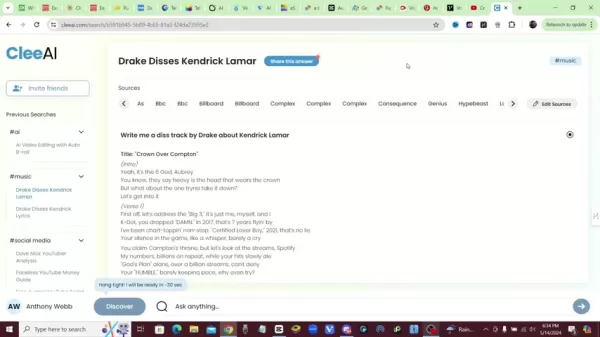
Begin creating your AI diss track by using CleeAI, a powerful tool that produces lyrics based on your prompts. For example, input a request like, "Write a diss track from Drake targeting Kendrick Lamar." CleeAI then composes lyrics by drawing from sources such as BBC, Billboard, Complex, Consequence, Genius, and Hypebeast, building a structured song. This rapid process gives you a solid creative foundation with verses and hooks that reflect the chosen artist’s style.
Why CleeAI?
- Quick Lyric Generation: Instantly produce song content.
- Multiple Source Integration: Pulls from leading media outlets.
- Customizable Results: Tailor lyrics to specific artists and topics.
Generating lyrics efficiently lets you focus on refining the content and blending it into your musical composition.
Sourcing Royalty-Free Beats
The next essential step
is choosing the right instrumental beat. Platforms like YouTube Creator Studio provide extensive libraries of royalty-free music, free from copyright concerns. Search for hip-hop or trap instrumentals that match the tone of your lyrics. Download your chosen beat for use in your audio editing software.
Finding the Right Beat:
- Go to YouTube Creator Studio and open the Audio Library.
- Apply Search Filters: Narrow results by genre, mood, or instrument to match your lyrical theme.
- Preview Options: Listen to several tracks to ensure the beat suits your diss track’s energy.
- Download Your Pick: Once you’ve found the ideal beat, download it in a high-quality format.
Your selected beat should amplify the lyrics' impact, creating a cohesive and engaging track.
Video Editing and Audio Integration with CapCut
CapCut
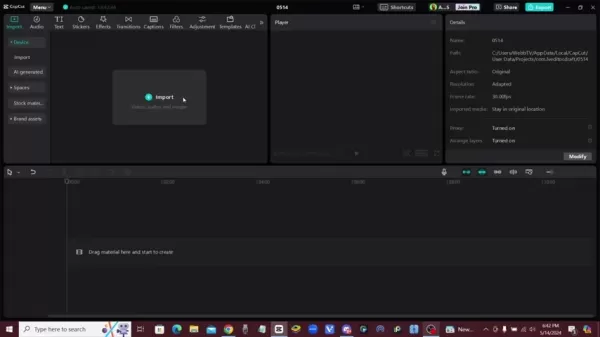
is a great tool for video editing and merging audio, offering an intuitive interface ideal for combining lyrics with your beat. Import the audio track and any visuals you want for your video. Sync the lyrics with the beat by aligning them on the timeline, tweaking timing to match rhythm and flow.
Integrating Audio and Video Elements:
- Import Media: Upload the instrumental beat and the AI-converted vocals into CapCut.
- Align Audio Tracks: Position the vocal track over the instrumental and adjust for perfect synchronization.
- Include Visuals: Add relevant video clips or images to enhance the track's presentation.
- Edit and Polish: Use CapCut’s tools to adjust audio levels, add transitions, and enhance visual effects.
CapCut’s editing features help you produce a refined and professional final video.
AI Voice Conversion: Impersonating Drake
A fascinating aspect of AI diss tracks is using voice conversion to replicate famous artists. Sites like Vocs.ai

let you upload a vocal recording and transform it to match a selected artist's voice. By choosing Drake’s vocal model, you can generate audio that closely resembles his style, adding authenticity to your diss track. Remember to weigh the ethical and copyright issues tied to impersonation.
Using Vocs.ai for Voice Conversion:
- Record Your Vocals: Capture a clean take of your vocal performance.
- Upload to Vocs.ai: Transfer your vocal file to the Vocs.ai platform.
- Choose Drake’s Voice: Select the AI model that emulates Drake's vocal tone.
- Convert and Download: Process the audio and download the converted file.
This technology offers exciting creative potential but demands careful ethical consideration.
Advanced Music Production Tips for AI Tracks
Enhancing Audio Quality
Boosting the audio quality of your AI-generated diss track is key to a professional result. Consider these mixing techniques:
- Equalization (EQ): Adjust frequency levels in the vocal and instrumental tracks to reduce muddiness and enhance clarity.
- Compression: Apply compression to balance the vocal dynamics, ensuring consistency and presence in the mix.
- Reverb and Delay: Add subtle reverb and delay to create dimension and atmosphere, similar to studio recordings.
- Noise Reduction: Remove unwanted background noise from your vocal recordings.
Experiment with these methods to achieve a polished and powerful mix.
Additional Resources:
- Mixing Tutorials: Watch online guides for audio mixing techniques.
- Sound Design Tools: Explore tools to introduce unique sonic elements.
Addressing Ethical Concerns
Creating AI diss tracks that mimic artists involves ethical responsibilities. Understand and respect copyright laws, artist rights, and the risk of misuse. Keep these points in mind:
- Copyright Infringement: Avoid infringing on existing copyrights by mimicking protected works.
- Artist Impersonation: Be open about using AI for voice imitation. Clearly label content as AI-generated, not the artist’s own work.
- Misinformation: Avoid producing content that could spread false claims about the artists.
Following ethical guidelines allows you to explore AI music creation responsibly.
Step-by-Step Tutorial: Creating a Diss Track
Step 1: Generate Initial Lyrics with CleeAI
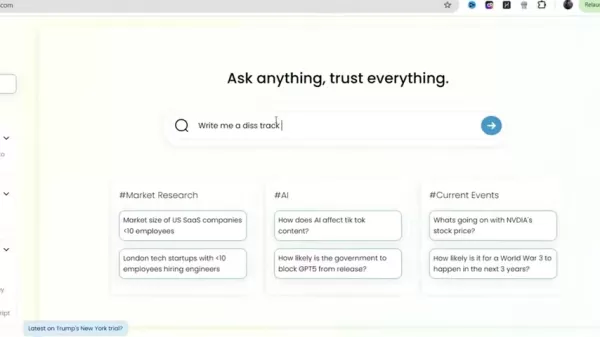
Start by visiting the CleeAI website and entering a specific prompt, such as "Write a diss track by Drake about Kendrick Lamar." After submission, CleeAI generates lyrics sourced from various online platforms. These lyrics are your starting point, which you can later refine to align with your creative direction.
Step 2: Source a Royalty-Free Beat from YouTube Creator Studio
Next, go to YouTube Creator Studio and open the Audio Library. Search for royalty-free hip-hop or trap beats that fit your diss track’s mood. Preview multiple options before selecting. Download your chosen beat in high quality for editing.
Step 3: Integrate Audio and Lyrics in CapCut
Open CapCut and import both the instrumental beat and your lyrics. Align the lyrics with the beat on the timeline, adjusting their timing to match the rhythm. CapCut provides tools to help synchronize these elements smoothly.
Step 4: Convert Vocals Using Vocs.ai
Record yourself performing the lyrics. Upload this recording to Vocs.ai. Pick the AI voice model that replicates Drake’s style to convert your vocals. Download the resulting audio file.
Step 5: Combine the Elements and Edit Your Track
Return to CapCut and import the converted vocal track and the instrumental
. Sync the vocal track with the beat, making any needed timing corrections. Add visuals, transitions, and effects to create an engaging music video. Balance the audio mix so vocals and instruments blend well. Export the finished video.
Pros and Cons of Using AI to Create Diss Tracks
Pros
Fast content creation
Access to varied vocal styles
Experiment with new musical formats
Low-cost entry into music production
Emerging AI music opportunities
Cons
Ethical issues with artist impersonation
Possible copyright complications
Potential for misuse
Over-reliance on AI may limit creativity
Output quality depends on AI algorithms
FAQ
Is it legal to create AI music using an artist's voice?
Legality is complex and depends on copyright law and artist rights. Always check the terms of service for AI voice tools and disclose AI use in your content.
What are the best AI tools for music creation?
In addition to CleeAI and Vocs.ai, other popular tools include Amper Music, OpenAI's Jukebox, and AIVA. Each offers distinct features for music generation.
How can I improve the quality of AI-generated vocals?
Use quality recording gear, apply audio editing like EQ and compression, and test different AI voice models for the best match.
How do I avoid copyright issues when using AI-generated music?
Use royalty-free beats from reliable sources, be transparent about AI use, and avoid directly copying existing songs. Credit original creators where possible.
Related Questions
What are the ethical considerations of using AI for creating diss tracks?
Using AI to imitate artists in diss tracks raises ethical questions about rights, copyright, and misinformation. Creators should prioritize transparency and avoid content that damages an artist's reputation or income. Ethics are crucial in AI content creation, balancing innovation with accountability. Implementing safeguards helps AI empower creativity while protecting artists' rights. Ongoing assessment of ethical impacts is vital as AI evolves. Education on copyright, fair use, and responsible AI practices can reduce risks. AI integration in music offers creative expansion but requires clear ethical boundaries and a commitment to protecting everyone's interests.
What role does creativity play when generating content with AI tools?
Although AI automates parts of creation, human creativity is essential for shaping the final output. AI can generate initial lyrics and musical structures, but the artist's creative input adds emotion, depth, and originality. Creativity drives the refinement of AI content to reflect the creator's unique perspective. It involves artistic decisions—editing lyrics, tweaking melodies, adding personal touches—that AI alone cannot achieve. The collaboration between AI and human creativity can yield groundbreaking work that expands artistic expression. Artists can partner with AI to explore new inspirations while keeping creative control. This fusion of technology and ingenuity redefines creation, opening paths for innovation. Creativity ensures AI is a tool for empowerment, helping artists realize their visions in meaningful ways.
Related article
 Swedish AI Startup Lovable Eyes $13.2 Billion Valuation After Major Funding Round
As AI-driven coding tools gain traction, Swedish startup Lovable has secured a major funding round. The company aims to raise $3 billion, potentially boosting its valuation to $13.2 billion—double the $6.6 billion recorded last December. Menlo Ventur
Google Tests Remy AI Agent for Gemini as Focus Shifts to User Control
According to Business Insider, Google is testing Remy, a new AI personal agent for Gemini. This tool aims to execute tasks on behalf of users, streamlining both professional workflows and daily routines.Currently, Remy is undergoing testing in an int
How to fix Core Web Vitals for better SEO rankings
Streamline Report Card Comments with AI ToolsIntroductionAI Tools for Generating Report Card CommentsMagic SchoolAlmanac AIChat GPTUsing Magic School to Generate Report Card CommentsLogging into Magic SchoolSelecting the Report Card Comments ToolCust
Related Special Topic Recommendations
writing
Swedish AI Startup Lovable Eyes $13.2 Billion Valuation After Major Funding Round
As AI-driven coding tools gain traction, Swedish startup Lovable has secured a major funding round. The company aims to raise $3 billion, potentially boosting its valuation to $13.2 billion—double the $6.6 billion recorded last December. Menlo Ventur
Google Tests Remy AI Agent for Gemini as Focus Shifts to User Control
According to Business Insider, Google is testing Remy, a new AI personal agent for Gemini. This tool aims to execute tasks on behalf of users, streamlining both professional workflows and daily routines.Currently, Remy is undergoing testing in an int
How to fix Core Web Vitals for better SEO rankings
Streamline Report Card Comments with AI ToolsIntroductionAI Tools for Generating Report Card CommentsMagic SchoolAlmanac AIChat GPTUsing Magic School to Generate Report Card CommentsLogging into Magic SchoolSelecting the Report Card Comments ToolCust
Related Special Topic Recommendations
writing
 Best AI Outline Generators for Long-Form SEO Articles
2026 Latest Best Top-Rated AI Outline Generators for Long-Form SEO Articles, meticulously curated by XIX.AI. These powerful tools offer game-changing assistance in creating high-quality content quickly, boosting writing efficiency significantly. Get a free vs paid comparison along with real-world tests and detailed rankings to help you find the must-try option that suits your needs. Explore now to unlock your AI edge.
 8 tools
 xix.ai
Education and Learning
AI Study Tools for Homework and Exam Prep
xix.ai
Education and Learning
AI Study Tools for Homework and Exam Prep
2026 Latest Best AI Study Tools for Homework and Exam Prep! XIX.AI curates a top-rated list of powerful, game-changing tools that help students boost productivity, streamline homework completion, and ace exams through real-world tests. Get a free vs paid comparison, detailed rankings, and must-try options to unlock your AI edge. Explore now!
10 tools
xix.ai
Music composition
AI Vocal Demo Tools for Songwriters, Hooks, Toplines, and Multilingual Draft Sessions
2026 Latest Best AI Vocal Demo Tools for Songwriters, Hook Creators, and Multi-Language Content Teams! XIX.AI has curated a top-rated list of powerful game-changing tools that go through rigorous real-world tests. You’ll find detailed free vs paid comparison data, comprehensive rankings, and must-try options to help you boost writing efficiency and unlock your creative potential. Explore now to discover your perfect tool for all your content needs!
9 tools
xix.ai
Business
Best AI Competitive Research Tools for Small Businesses
2026 Latest Best Top-rated AI Competitive Research Tools for Small Businesses! XIX.AI has curated a highly powerful game-changing collection, updated weekly with rigorous real-world tests and detailed rankings. You can find a comprehensive free vs paid comparison to help you identify the must-try tools that boost your productivity and give you a competitive edge. Explore now to discover your perfect tool!
9 tools
xix.ai
Image editing
Photoshop AI Retouch Tools for Ecommerce Apparel, Skin Cleanup, and Color Consistency
2026 Latest Best Photoshop AI retouch tools for ecommerce apparel, skin cleanup, and color consistency! This top-rated curated list features powerful game-changing solutions that help you boost writing efficiency, streamline content creation, and achieve perfect visual results effortlessly. Each tool has undergone real-world tests through weekly updated rankings, complete with free vs paid comparison details. Backed by XIX.AI, it’s the must-try guide for anyone aiming to unlock your AI edge. Explore now!
10 tools
xix.ai
Prompt
Best AI Prompt Libraries for ChatGPT Workflows
2026 Latest Best Top-Rated AI Prompt Libraries for optimizing all types of ChatGPT workflows. XIX.AI has curated a powerful, game-changing collection that goes through rigorous real-world tests to ensure top performance. You can find detailed free vs paid comparisons and expert rankings to help you choose the must-try tools that boost your productivity and unlock your AI edge. Explore now!
11 tools
xix.ai

 Comments (2)
0/500
Comments (2)
0/500
![KennethRoberts]()
Die Vorstellung, dass KI jetzt auch in Beefs zwischen Rappern eingesetzt wird, ist irgendwie gruselig und faszinierend zugleich. Wo hört die Kunst auf und fängt Betrug an? Einerseits ein kreatives Tool, andererseits könnte es echte Künstler komplett ersetzen... macht mir schon etwas Angst um die Zukunft der Musik. 🎤🤖
![LarryWilliams]()
Ces diss tracks avec des voix IA, c'est vraiment le futur des beefs dans le rap ou juste une mode passagère ? J'adore l'idée mais ça pourrait devenir problématique si n'importe qui peut créer des clashes fictifs 😅
Artificial intelligence has unlocked new creative pathways for musicians and enthusiasts. This article explores the dynamic, and sometimes contentious, world of AI-generated diss tracks, imagining a lyrical showdown between hip-hop titans Drake and Kendrick Lamar. We’ll demonstrate how to use CleeAI alongside CapCut for music production and voice conversion to craft AI music. Get ready to dive into the intersection of technology and artistic expression.
Key Points
Use CleeAI to craft diss track lyrics from user input.
Find royalty-free beats on platforms like YouTube Creator Studio.
Edit video and integrate audio using CapCut.
Apply AI voice conversion tools like Vocs.ai to mimic popular artists.
Consider the ethical implications of AI-generated content, particularly artist impersonation.
Learn effective techniques to improve your music production and create compelling content.
Generating a Diss Track with AI: A Step-by-Step Guide
Leveraging AI for Lyric Generation with CleeAI
Begin creating your AI diss track by using CleeAI, a powerful tool that produces lyrics based on your prompts. For example, input a request like, "Write a diss track from Drake targeting Kendrick Lamar." CleeAI then composes lyrics by drawing from sources such as BBC, Billboard, Complex, Consequence, Genius, and Hypebeast, building a structured song. This rapid process gives you a solid creative foundation with verses and hooks that reflect the chosen artist’s style.
Why CleeAI?
- Quick Lyric Generation: Instantly produce song content.
- Multiple Source Integration: Pulls from leading media outlets.
- Customizable Results: Tailor lyrics to specific artists and topics.
Generating lyrics efficiently lets you focus on refining the content and blending it into your musical composition.
Sourcing Royalty-Free Beats
The next essential step
is choosing the right instrumental beat. Platforms like YouTube Creator Studio provide extensive libraries of royalty-free music, free from copyright concerns. Search for hip-hop or trap instrumentals that match the tone of your lyrics. Download your chosen beat for use in your audio editing software.
Finding the Right Beat:
- Go to YouTube Creator Studio and open the Audio Library.
- Apply Search Filters: Narrow results by genre, mood, or instrument to match your lyrical theme.
- Preview Options: Listen to several tracks to ensure the beat suits your diss track’s energy.
- Download Your Pick: Once you’ve found the ideal beat, download it in a high-quality format.
Your selected beat should amplify the lyrics' impact, creating a cohesive and engaging track.
Video Editing and Audio Integration with CapCut
CapCut
is a great tool for video editing and merging audio, offering an intuitive interface ideal for combining lyrics with your beat. Import the audio track and any visuals you want for your video. Sync the lyrics with the beat by aligning them on the timeline, tweaking timing to match rhythm and flow.
Integrating Audio and Video Elements:
- Import Media: Upload the instrumental beat and the AI-converted vocals into CapCut.
- Align Audio Tracks: Position the vocal track over the instrumental and adjust for perfect synchronization.
- Include Visuals: Add relevant video clips or images to enhance the track's presentation.
- Edit and Polish: Use CapCut’s tools to adjust audio levels, add transitions, and enhance visual effects.
CapCut’s editing features help you produce a refined and professional final video.
AI Voice Conversion: Impersonating Drake
A fascinating aspect of AI diss tracks is using voice conversion to replicate famous artists. Sites like Vocs.ai
let you upload a vocal recording and transform it to match a selected artist's voice. By choosing Drake’s vocal model, you can generate audio that closely resembles his style, adding authenticity to your diss track. Remember to weigh the ethical and copyright issues tied to impersonation.
Using Vocs.ai for Voice Conversion:
- Record Your Vocals: Capture a clean take of your vocal performance.
- Upload to Vocs.ai: Transfer your vocal file to the Vocs.ai platform.
- Choose Drake’s Voice: Select the AI model that emulates Drake's vocal tone.
- Convert and Download: Process the audio and download the converted file.
This technology offers exciting creative potential but demands careful ethical consideration.
Advanced Music Production Tips for AI Tracks
Enhancing Audio Quality
Boosting the audio quality of your AI-generated diss track is key to a professional result. Consider these mixing techniques:
- Equalization (EQ): Adjust frequency levels in the vocal and instrumental tracks to reduce muddiness and enhance clarity.
- Compression: Apply compression to balance the vocal dynamics, ensuring consistency and presence in the mix.
- Reverb and Delay: Add subtle reverb and delay to create dimension and atmosphere, similar to studio recordings.
- Noise Reduction: Remove unwanted background noise from your vocal recordings.
Experiment with these methods to achieve a polished and powerful mix.
Additional Resources:
- Mixing Tutorials: Watch online guides for audio mixing techniques.
- Sound Design Tools: Explore tools to introduce unique sonic elements.
Addressing Ethical Concerns
Creating AI diss tracks that mimic artists involves ethical responsibilities. Understand and respect copyright laws, artist rights, and the risk of misuse. Keep these points in mind:
- Copyright Infringement: Avoid infringing on existing copyrights by mimicking protected works.
- Artist Impersonation: Be open about using AI for voice imitation. Clearly label content as AI-generated, not the artist’s own work.
- Misinformation: Avoid producing content that could spread false claims about the artists.
Following ethical guidelines allows you to explore AI music creation responsibly.
Step-by-Step Tutorial: Creating a Diss Track
Step 1: Generate Initial Lyrics with CleeAI
Start by visiting the CleeAI website and entering a specific prompt, such as "Write a diss track by Drake about Kendrick Lamar." After submission, CleeAI generates lyrics sourced from various online platforms. These lyrics are your starting point, which you can later refine to align with your creative direction.
Step 2: Source a Royalty-Free Beat from YouTube Creator Studio
Next, go to YouTube Creator Studio and open the Audio Library. Search for royalty-free hip-hop or trap beats that fit your diss track’s mood. Preview multiple options before selecting. Download your chosen beat in high quality for editing.
Step 3: Integrate Audio and Lyrics in CapCut
Open CapCut and import both the instrumental beat and your lyrics. Align the lyrics with the beat on the timeline, adjusting their timing to match the rhythm. CapCut provides tools to help synchronize these elements smoothly.
Step 4: Convert Vocals Using Vocs.ai
Record yourself performing the lyrics. Upload this recording to Vocs.ai. Pick the AI voice model that replicates Drake’s style to convert your vocals. Download the resulting audio file.
Step 5: Combine the Elements and Edit Your Track
Return to CapCut and import the converted vocal track and the instrumental
. Sync the vocal track with the beat, making any needed timing corrections. Add visuals, transitions, and effects to create an engaging music video. Balance the audio mix so vocals and instruments blend well. Export the finished video.
Pros and Cons of Using AI to Create Diss Tracks
Pros
Fast content creation
Access to varied vocal styles
Experiment with new musical formats
Low-cost entry into music production
Emerging AI music opportunities
Cons
Ethical issues with artist impersonation
Possible copyright complications
Potential for misuse
Over-reliance on AI may limit creativity
Output quality depends on AI algorithms
FAQ
Is it legal to create AI music using an artist's voice?
Legality is complex and depends on copyright law and artist rights. Always check the terms of service for AI voice tools and disclose AI use in your content.
What are the best AI tools for music creation?
In addition to CleeAI and Vocs.ai, other popular tools include Amper Music, OpenAI's Jukebox, and AIVA. Each offers distinct features for music generation.
How can I improve the quality of AI-generated vocals?
Use quality recording gear, apply audio editing like EQ and compression, and test different AI voice models for the best match.
How do I avoid copyright issues when using AI-generated music?
Use royalty-free beats from reliable sources, be transparent about AI use, and avoid directly copying existing songs. Credit original creators where possible.
Related Questions
What are the ethical considerations of using AI for creating diss tracks?
Using AI to imitate artists in diss tracks raises ethical questions about rights, copyright, and misinformation. Creators should prioritize transparency and avoid content that damages an artist's reputation or income. Ethics are crucial in AI content creation, balancing innovation with accountability. Implementing safeguards helps AI empower creativity while protecting artists' rights. Ongoing assessment of ethical impacts is vital as AI evolves. Education on copyright, fair use, and responsible AI practices can reduce risks. AI integration in music offers creative expansion but requires clear ethical boundaries and a commitment to protecting everyone's interests.
What role does creativity play when generating content with AI tools?
Although AI automates parts of creation, human creativity is essential for shaping the final output. AI can generate initial lyrics and musical structures, but the artist's creative input adds emotion, depth, and originality. Creativity drives the refinement of AI content to reflect the creator's unique perspective. It involves artistic decisions—editing lyrics, tweaking melodies, adding personal touches—that AI alone cannot achieve. The collaboration between AI and human creativity can yield groundbreaking work that expands artistic expression. Artists can partner with AI to explore new inspirations while keeping creative control. This fusion of technology and ingenuity redefines creation, opening paths for innovation. Creativity ensures AI is a tool for empowerment, helping artists realize their visions in meaningful ways.








 Swedish AI Startup Lovable Eyes $13.2 Billion Valuation After Major Funding Round
As AI-driven coding tools gain traction, Swedish startup Lovable has secured a major funding round. The company aims to raise $3 billion, potentially boosting its valuation to $13.2 billion—double the $6.6 billion recorded last December. Menlo Ventur
Google Tests Remy AI Agent for Gemini as Focus Shifts to User Control
According to Business Insider, Google is testing Remy, a new AI personal agent for Gemini. This tool aims to execute tasks on behalf of users, streamlining both professional workflows and daily routines.Currently, Remy is undergoing testing in an int
Swedish AI Startup Lovable Eyes $13.2 Billion Valuation After Major Funding Round
As AI-driven coding tools gain traction, Swedish startup Lovable has secured a major funding round. The company aims to raise $3 billion, potentially boosting its valuation to $13.2 billion—double the $6.6 billion recorded last December. Menlo Ventur
Google Tests Remy AI Agent for Gemini as Focus Shifts to User Control
According to Business Insider, Google is testing Remy, a new AI personal agent for Gemini. This tool aims to execute tasks on behalf of users, streamlining both professional workflows and daily routines.Currently, Remy is undergoing testing in an int
 How to fix Core Web Vitals for better SEO rankings
Streamline Report Card Comments with AI ToolsIntroductionAI Tools for Generating Report Card CommentsMagic SchoolAlmanac AIChat GPTUsing Magic School to Generate Report Card CommentsLogging into Magic SchoolSelecting the Report Card Comments ToolCust
How to fix Core Web Vitals for better SEO rankings
Streamline Report Card Comments with AI ToolsIntroductionAI Tools for Generating Report Card CommentsMagic SchoolAlmanac AIChat GPTUsing Magic School to Generate Report Card CommentsLogging into Magic SchoolSelecting the Report Card Comments ToolCust

2026 Latest Best Top-Rated AI Outline Generators for Long-Form SEO Articles, meticulously curated by XIX.AI. These powerful tools offer game-changing assistance in creating high-quality content quickly, boosting writing efficiency significantly. Get a free vs paid comparison along with real-world tests and detailed rankings to help you find the must-try option that suits your needs. Explore now to unlock your AI edge.
8 tools
xix.ai

2026 Latest Best AI Study Tools for Homework and Exam Prep! XIX.AI curates a top-rated list of powerful, game-changing tools that help students boost productivity, streamline homework completion, and ace exams through real-world tests. Get a free vs paid comparison, detailed rankings, and must-try options to unlock your AI edge. Explore now!
10 tools
xix.ai

2026 Latest Best AI Vocal Demo Tools for Songwriters, Hook Creators, and Multi-Language Content Teams! XIX.AI has curated a top-rated list of powerful game-changing tools that go through rigorous real-world tests. You’ll find detailed free vs paid comparison data, comprehensive rankings, and must-try options to help you boost writing efficiency and unlock your creative potential. Explore now to discover your perfect tool for all your content needs!
9 tools
xix.ai

2026 Latest Best Top-rated AI Competitive Research Tools for Small Businesses! XIX.AI has curated a highly powerful game-changing collection, updated weekly with rigorous real-world tests and detailed rankings. You can find a comprehensive free vs paid comparison to help you identify the must-try tools that boost your productivity and give you a competitive edge. Explore now to discover your perfect tool!
9 tools
xix.ai

2026 Latest Best Photoshop AI retouch tools for ecommerce apparel, skin cleanup, and color consistency! This top-rated curated list features powerful game-changing solutions that help you boost writing efficiency, streamline content creation, and achieve perfect visual results effortlessly. Each tool has undergone real-world tests through weekly updated rankings, complete with free vs paid comparison details. Backed by XIX.AI, it’s the must-try guide for anyone aiming to unlock your AI edge. Explore now!
10 tools
xix.ai

2026 Latest Best Top-Rated AI Prompt Libraries for optimizing all types of ChatGPT workflows. XIX.AI has curated a powerful, game-changing collection that goes through rigorous real-world tests to ensure top performance. You can find detailed free vs paid comparisons and expert rankings to help you choose the must-try tools that boost your productivity and unlock your AI edge. Explore now!
11 tools
xix.ai

Die Vorstellung, dass KI jetzt auch in Beefs zwischen Rappern eingesetzt wird, ist irgendwie gruselig und faszinierend zugleich. Wo hört die Kunst auf und fängt Betrug an? Einerseits ein kreatives Tool, andererseits könnte es echte Künstler komplett ersetzen... macht mir schon etwas Angst um die Zukunft der Musik. 🎤🤖
Ces diss tracks avec des voix IA, c'est vraiment le futur des beefs dans le rap ou juste une mode passagère ? J'adore l'idée mais ça pourrait devenir problématique si n'importe qui peut créer des clashes fictifs 😅












