


 Home
HomeAI Character Consistency: OpenArt's Single Image Power!
Creating consistent AI-generated characters has always been a challenge, but now it's easier than ever. Imagine being able to generate photorealistic characters using just one image! Thanks to OpenArt's latest feature, this dream is now a reality. With accessible tools, you can create consistent, high-quality character images and even train LoRAs from a single source. This breakthrough opens up new possibilities for content creation, storytelling, and design, making it user-friendly for everyone.
Key Points
- Generate consistent character images using just one image with OpenArt.
- Learn how to create realistic, consistent characters with OpenArt's new features.
- Discover how to generate LoRAs from one single image.
- Explore the comfy UI for character consistency and LoRA generation.
- Upscale existing character images for higher resolution results.
- Download and use LoRAs locally for greater control.
The Challenge of AI Character Consistency
Prior Methods: Training LoRAs and Flux Limitations
In the past, achieving character consistency in AI-generated art was a tough nut to crack. It often involved extensive training or using tools like Flux, which could be less than perfect. Training your own model or LoRA (Low-Rank Adaptation) required a collection of images, making it a time-consuming and technically challenging process.
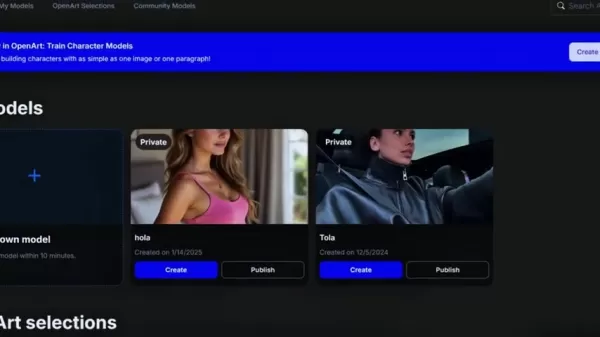
While alternatives like Flux PuLID on Hugging Face offered simpler solutions, the results often looked plastic and unrealistic. Finding the perfect balance of quality, consistency, and ease-of-use in the AI art world has been a struggle.
OpenArt: A New Era of Character Consistency
Enter OpenArt, which is revolutionizing the game with its latest feature. Now, you can create consistent and realistic character images from just one source image. It's a game-changer!
Thanks to OpenArt's new feature, generating consistent and realistic images from a single image is now possible. If you're a fan of the comfy UI, there's even a way to generate a LoRA from one image and download it for local use. This feature makes the process accessible to users of all skill levels, eliminating the need for a large dataset or advanced technical knowledge. The presenter promises to show two different methods: generating easy consistency from one image and training a LoRA from a single image. It's all about unlocking that perfect blend of simplicity and quality for character creation.
Creating Consistent Characters with OpenArt
Generating a High-Quality Base Face
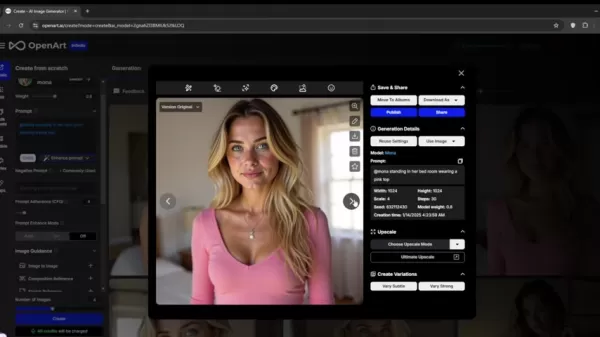
The most crucial step is generating a high-quality base face. This is essential for ensuring consistency and realism in subsequent images. The presenter suggests using a close-up portrait, and OpenArt's intuitive UI makes the entire face generation process quick and simple. Alternatively, you can import your own face.

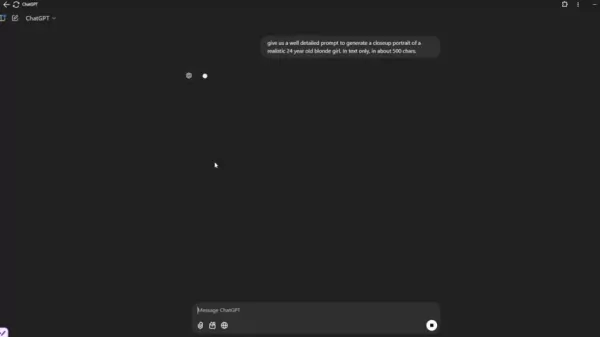
Start by using a popular tool like ChatGPT to generate a well-detailed description. Prompt ChatGPT to create a close-up portrait, specifying the number of characters for the result. Once you have your prompt, open OpenArt and create an image by pasting in the prompt you created. Choose the flux realism model to enhance photo realism.
Step-by-Step Guide: Generating Your Base Image
Here's a breakdown of the steps within OpenArt for creating that perfect base face:
- Open OpenArt to access the AI image generation platform, where you'll bring your characters to life.
- Click on "Create Image" to start generating a face.
- Paste in the well-detailed prompt you created with ChatGPT.
- Choose the flux realism model to enhance photo realism.
- Scroll down to select a square aspect ratio and enhance the images.
- Upscale the image before downloading to ensure the highest quality. The presenter recommends using 4x plus face.
- Save your new high-quality base image, which will be the key to character consistency across all your generations.
Important Tip: When generating a base image, it's best to choose a more neutral photo. Using a smiling face can sometimes cause issues with the final result.
Generating Consistent Characters From a Single Image
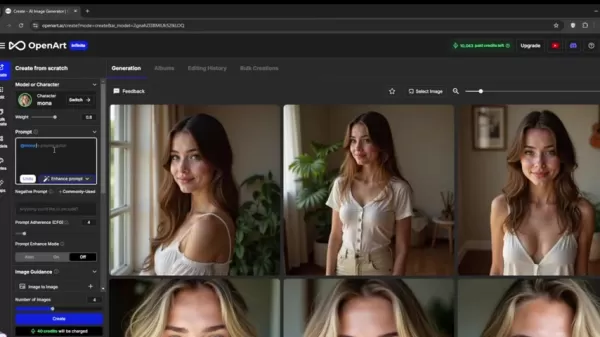
OpenArt has released a wonderful new feature, still in beta, called "Characters." To start creating, you'll need just one image.
Here's how to get started:
- Navigate back to the homepage and select "Characters" to access the screen where you can start generating a character.
- Add the reference image and upload it.
- Describe your character by adding an additional description to make the images more realistic. You can also include any negative prompts to further customize the images.
- Generate and admire the consistency of your AI-generated character!
How to Use Trained LoRA for Consistent Character
Generating Training Videos for your LoRA
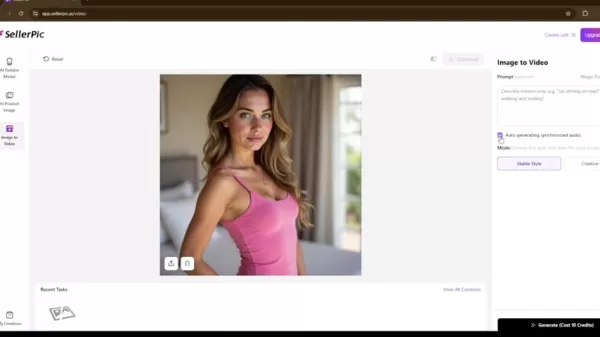
The presenter recommends a tool to help train your LoRA. After creating the original picture, the next step is to choose a generator tool, such as Seller Pic AI.
Here are the steps:
- Upload the single source image to Seller Pic AI.
- Create a prompt to make the image turn, ensuring consistency of the face from different angles.
- Download the images to generate the LoRA.
Step-by-Step Guide: Generating Video For a LoRA
After creating images from OpenArt, follow these steps to further enhance the quality of the images:
- Open Ezgif Video to PNG to convert the video to PNG.
- Upload your new video.
- Select "Video to PNG" to convert the video to PNG format.
- Download and select frames with different angles of the face to ensure consistency when generating the LoRA.
Training a LoRA
To train a LoRA, start by going to the Models section and training your own model. You'll need at least four images to train a LoRA for the character.
- Name your LoRA and select it to train.
- If training with four or more images, increase the number of steps to ensure the LoRA is trained properly.
Once the LoRA is trained, you can create ultra-realistic images with this consistent character.

OpenArt Pricing
Understanding OpenArt Credits
OpenArt operates on a credit-based system. Creating images, enhancing prompts, upscaling, and training models all consume credits. The new "Characters" feature ranges from 2000 to 2600 credits, making the platform accessible to a wide range of users, from casual creatives to professionals. You can purchase more credits or upgrade your plan on their website.
OpenArt's Single Image Character Generation: The Verdict
Pros
- Consistent characters with minimal input.
- High-quality, realistic image generation.
- Easy-to-use ComfyUI workflows.
- Ability to train and download LoRAs locally.
Cons
- Can require many attempts to ensure all aspects of the image have proper settings.
- The AI may not be as detailed with just a single image.
FAQ
What is OpenArt, and what new features does it offer?
OpenArt is an AI image generation platform known for its user-friendly interface and high-quality results. The new feature allows you to generate consistent characters from a single image, streamlining character creation.
What is a LoRA, and why is it important for AI character creation?
LoRA (Low-Rank Adaptation) is a technique used to train AI models more efficiently, requiring fewer resources. Training your own LoRA can require a great deal of images. It allows for greater control over character consistency and realism in AI-generated art.
How can I generate a high-quality base face for my AI character?
The new beta character model is key for consistency. Generating a prompt from ChatGPT can assist you in creating well-defined descriptions to make great photos.
What is the cost of training models on OpenArt?
The costs vary depending on which feature you use. Generating ultra-realistic images costs about 3-20 credits.
Related Questions
Are there any specific tools that can help download LoRAs to ComfyUI?
If you wish to download a LoRA to a comfy UI, you must first create one by uploading several PNG images. Next, train a model and download the LoRA to bring it to your comfy workflow.
How can you find better results when creating images?
There are a few settings you can change when creating images on OpenArt. First, remember to upscale the image to generate it into a higher quality. Another helpful tip is to experiment with the settings to generate the photo in new ways. Finally, remember to be specific in your prompt!
Related article
 U.S. Stocks Hit Historic Milestone as AI and Aerospace Giants Prepare for Trillion-Dollar Debut
Elon Musk, Sam Altman, and Dario Amodei, three titans of the technology sector, are advancing toward initial public offerings for their respective ventures. With SpaceX, OpenAI, and Anthropic—three industry behemoths nearing trillion-dollar valuation
Swedish AI Startup Lovable Eyes $13.2 Billion Valuation After Major Funding Round
As AI-driven coding tools gain traction, Swedish startup Lovable has secured a major funding round. The company aims to raise $3 billion, potentially boosting its valuation to $13.2 billion—double the $6.6 billion recorded last December. Menlo Ventur
Google Tests Remy AI Agent for Gemini as Focus Shifts to User Control
According to Business Insider, Google is testing Remy, a new AI personal agent for Gemini. This tool aims to execute tasks on behalf of users, streamlining both professional workflows and daily routines.Currently, Remy is undergoing testing in an int
Related Special Topic Recommendations
Data Analysis
U.S. Stocks Hit Historic Milestone as AI and Aerospace Giants Prepare for Trillion-Dollar Debut
Elon Musk, Sam Altman, and Dario Amodei, three titans of the technology sector, are advancing toward initial public offerings for their respective ventures. With SpaceX, OpenAI, and Anthropic—three industry behemoths nearing trillion-dollar valuation
Swedish AI Startup Lovable Eyes $13.2 Billion Valuation After Major Funding Round
As AI-driven coding tools gain traction, Swedish startup Lovable has secured a major funding round. The company aims to raise $3 billion, potentially boosting its valuation to $13.2 billion—double the $6.6 billion recorded last December. Menlo Ventur
Google Tests Remy AI Agent for Gemini as Focus Shifts to User Control
According to Business Insider, Google is testing Remy, a new AI personal agent for Gemini. This tool aims to execute tasks on behalf of users, streamlining both professional workflows and daily routines.Currently, Remy is undergoing testing in an int
Related Special Topic Recommendations
Data Analysis
 Best AI Anomaly Detection Tools for KPI Monitoring across SaaS and Ecommerce Teams
2026 Latest Best Top-rated AI Anomaly Detection Tools for KPI Monitoring in SaaS and Ecommerce teams! XIX.AI has curated a powerful, game-changing collection based on rigorous real-world tests and weekly updated rankings. You’ll find detailed free vs paid comparison insights to help you identify the must-try solution that boosts productivity and unlocks your AI edge. Explore now!
 10 tools
 xix.ai
writing
Best AI Outline Generators for Long-Form SEO Articles
xix.ai
writing
Best AI Outline Generators for Long-Form SEO Articles
2026 Latest Best Top-Rated AI Outline Generators for Long-Form SEO Articles, meticulously curated by XIX.AI. These powerful tools offer game-changing assistance in creating high-quality content quickly, boosting writing efficiency significantly. Get a free vs paid comparison along with real-world tests and detailed rankings to help you find the must-try option that suits your needs. Explore now to unlock your AI edge.
8 tools
xix.ai
Education and Learning
AI Study Tools for Homework and Exam Prep
2026 Latest Best AI Study Tools for Homework and Exam Prep! XIX.AI curates a top-rated list of powerful, game-changing tools that help students boost productivity, streamline homework completion, and ace exams through real-world tests. Get a free vs paid comparison, detailed rankings, and must-try options to unlock your AI edge. Explore now!
10 tools
xix.ai
Music composition
AI Vocal Demo Tools for Songwriters, Hooks, Toplines, and Multilingual Draft Sessions
2026 Latest Best AI Vocal Demo Tools for Songwriters, Hook Creators, and Multi-Language Content Teams! XIX.AI has curated a top-rated list of powerful game-changing tools that go through rigorous real-world tests. You’ll find detailed free vs paid comparison data, comprehensive rankings, and must-try options to help you boost writing efficiency and unlock your creative potential. Explore now to discover your perfect tool for all your content needs!
9 tools
xix.ai
Business
Best AI Competitive Research Tools for Small Businesses
2026 Latest Best Top-rated AI Competitive Research Tools for Small Businesses! XIX.AI has curated a highly powerful game-changing collection, updated weekly with rigorous real-world tests and detailed rankings. You can find a comprehensive free vs paid comparison to help you identify the must-try tools that boost your productivity and give you a competitive edge. Explore now to discover your perfect tool!
9 tools
xix.ai
Image editing
Photoshop AI Retouch Tools for Ecommerce Apparel, Skin Cleanup, and Color Consistency
2026 Latest Best Photoshop AI retouch tools for ecommerce apparel, skin cleanup, and color consistency! This top-rated curated list features powerful game-changing solutions that help you boost writing efficiency, streamline content creation, and achieve perfect visual results effortlessly. Each tool has undergone real-world tests through weekly updated rankings, complete with free vs paid comparison details. Backed by XIX.AI, it’s the must-try guide for anyone aiming to unlock your AI edge. Explore now!
10 tools
xix.ai

 Comments (9)
0/500
Comments (9)
0/500
![EricAllen]()
Endlich mal eine praktische Lösung! 😅 Ich hab schon so viel Zeit mit inkonsistenten KI-Charakteren verschwendet. Aber eine ethische Frage: Wer haftet eigentlich, wenn jemand damit täuschend echte Fake-Profile erstellt? Die Technik ist beeindruckend, aber mir fehlen da noch klare Richtlinien.
![FrankAllen]()
This OpenArt feature is a game-changer! Generating consistent characters from just one image? Mind blown. Perfect for my comic project, but I wonder how it handles super unique designs. 🤯
![JasonJohnson]()
This is wild! Generating realistic characters from just one image? OpenArt's killing it! Can't wait to try this for my comic project—hope it nails the details! 😎
![HarryRoberts]()
This OpenArt feature is a game-changer! Generating consistent characters from just one image feels like magic. I’m curious how it handles complex designs—any limitations for fantasy characters? 🤔
![LarryEvans]()
Générer des persos cohérents avec une seule image ? OpenArt déchire ! 😄 J’espère juste que ça reste abordable pour les petits créateurs.
![DouglasAllen]()
Wow, OpenArt's single-image character generation sounds like a game-changer! 😍 I’m excited to try creating consistent characters for my comic project without needing tons of reference images.
Creating consistent AI-generated characters has always been a challenge, but now it's easier than ever. Imagine being able to generate photorealistic characters using just one image! Thanks to OpenArt's latest feature, this dream is now a reality. With accessible tools, you can create consistent, high-quality character images and even train LoRAs from a single source. This breakthrough opens up new possibilities for content creation, storytelling, and design, making it user-friendly for everyone.
Key Points
- Generate consistent character images using just one image with OpenArt.
- Learn how to create realistic, consistent characters with OpenArt's new features.
- Discover how to generate LoRAs from one single image.
- Explore the comfy UI for character consistency and LoRA generation.
- Upscale existing character images for higher resolution results.
- Download and use LoRAs locally for greater control.
The Challenge of AI Character Consistency
Prior Methods: Training LoRAs and Flux Limitations
In the past, achieving character consistency in AI-generated art was a tough nut to crack. It often involved extensive training or using tools like Flux, which could be less than perfect. Training your own model or LoRA (Low-Rank Adaptation) required a collection of images, making it a time-consuming and technically challenging process.
While alternatives like Flux PuLID on Hugging Face offered simpler solutions, the results often looked plastic and unrealistic. Finding the perfect balance of quality, consistency, and ease-of-use in the AI art world has been a struggle.
OpenArt: A New Era of Character Consistency
Enter OpenArt, which is revolutionizing the game with its latest feature. Now, you can create consistent and realistic character images from just one source image. It's a game-changer!
Thanks to OpenArt's new feature, generating consistent and realistic images from a single image is now possible. If you're a fan of the comfy UI, there's even a way to generate a LoRA from one image and download it for local use. This feature makes the process accessible to users of all skill levels, eliminating the need for a large dataset or advanced technical knowledge. The presenter promises to show two different methods: generating easy consistency from one image and training a LoRA from a single image. It's all about unlocking that perfect blend of simplicity and quality for character creation.
Creating Consistent Characters with OpenArt
Generating a High-Quality Base Face
The most crucial step is generating a high-quality base face. This is essential for ensuring consistency and realism in subsequent images. The presenter suggests using a close-up portrait, and OpenArt's intuitive UI makes the entire face generation process quick and simple. Alternatively, you can import your own face.
Start by using a popular tool like ChatGPT to generate a well-detailed description. Prompt ChatGPT to create a close-up portrait, specifying the number of characters for the result. Once you have your prompt, open OpenArt and create an image by pasting in the prompt you created. Choose the flux realism model to enhance photo realism.
Step-by-Step Guide: Generating Your Base Image
Here's a breakdown of the steps within OpenArt for creating that perfect base face:
- Open OpenArt to access the AI image generation platform, where you'll bring your characters to life.
- Click on "Create Image" to start generating a face.
- Paste in the well-detailed prompt you created with ChatGPT.
- Choose the flux realism model to enhance photo realism.
- Scroll down to select a square aspect ratio and enhance the images.
- Upscale the image before downloading to ensure the highest quality. The presenter recommends using 4x plus face.
- Save your new high-quality base image, which will be the key to character consistency across all your generations.
Important Tip: When generating a base image, it's best to choose a more neutral photo. Using a smiling face can sometimes cause issues with the final result.
Generating Consistent Characters From a Single Image
OpenArt has released a wonderful new feature, still in beta, called "Characters." To start creating, you'll need just one image.
Here's how to get started:
- Navigate back to the homepage and select "Characters" to access the screen where you can start generating a character.
- Add the reference image and upload it.
- Describe your character by adding an additional description to make the images more realistic. You can also include any negative prompts to further customize the images.
- Generate and admire the consistency of your AI-generated character!
How to Use Trained LoRA for Consistent Character
Generating Training Videos for your LoRA
The presenter recommends a tool to help train your LoRA. After creating the original picture, the next step is to choose a generator tool, such as Seller Pic AI.
Here are the steps:
- Upload the single source image to Seller Pic AI.
- Create a prompt to make the image turn, ensuring consistency of the face from different angles.
- Download the images to generate the LoRA.
Step-by-Step Guide: Generating Video For a LoRA
After creating images from OpenArt, follow these steps to further enhance the quality of the images:
- Open Ezgif Video to PNG to convert the video to PNG.
- Upload your new video.
- Select "Video to PNG" to convert the video to PNG format.
- Download and select frames with different angles of the face to ensure consistency when generating the LoRA.
Training a LoRA
To train a LoRA, start by going to the Models section and training your own model. You'll need at least four images to train a LoRA for the character.
- Name your LoRA and select it to train.
- If training with four or more images, increase the number of steps to ensure the LoRA is trained properly.
Once the LoRA is trained, you can create ultra-realistic images with this consistent character.
OpenArt Pricing
Understanding OpenArt Credits
OpenArt operates on a credit-based system. Creating images, enhancing prompts, upscaling, and training models all consume credits. The new "Characters" feature ranges from 2000 to 2600 credits, making the platform accessible to a wide range of users, from casual creatives to professionals. You can purchase more credits or upgrade your plan on their website.
OpenArt's Single Image Character Generation: The Verdict
Pros
- Consistent characters with minimal input.
- High-quality, realistic image generation.
- Easy-to-use ComfyUI workflows.
- Ability to train and download LoRAs locally.
Cons
- Can require many attempts to ensure all aspects of the image have proper settings.
- The AI may not be as detailed with just a single image.
FAQ
What is OpenArt, and what new features does it offer?
OpenArt is an AI image generation platform known for its user-friendly interface and high-quality results. The new feature allows you to generate consistent characters from a single image, streamlining character creation.
What is a LoRA, and why is it important for AI character creation?
LoRA (Low-Rank Adaptation) is a technique used to train AI models more efficiently, requiring fewer resources. Training your own LoRA can require a great deal of images. It allows for greater control over character consistency and realism in AI-generated art.
How can I generate a high-quality base face for my AI character?
The new beta character model is key for consistency. Generating a prompt from ChatGPT can assist you in creating well-defined descriptions to make great photos.
What is the cost of training models on OpenArt?
The costs vary depending on which feature you use. Generating ultra-realistic images costs about 3-20 credits.
Related Questions
Are there any specific tools that can help download LoRAs to ComfyUI?
If you wish to download a LoRA to a comfy UI, you must first create one by uploading several PNG images. Next, train a model and download the LoRA to bring it to your comfy workflow.
How can you find better results when creating images?
There are a few settings you can change when creating images on OpenArt. First, remember to upscale the image to generate it into a higher quality. Another helpful tip is to experiment with the settings to generate the photo in new ways. Finally, remember to be specific in your prompt!








 U.S. Stocks Hit Historic Milestone as AI and Aerospace Giants Prepare for Trillion-Dollar Debut
Elon Musk, Sam Altman, and Dario Amodei, three titans of the technology sector, are advancing toward initial public offerings for their respective ventures. With SpaceX, OpenAI, and Anthropic—three industry behemoths nearing trillion-dollar valuation
U.S. Stocks Hit Historic Milestone as AI and Aerospace Giants Prepare for Trillion-Dollar Debut
Elon Musk, Sam Altman, and Dario Amodei, three titans of the technology sector, are advancing toward initial public offerings for their respective ventures. With SpaceX, OpenAI, and Anthropic—three industry behemoths nearing trillion-dollar valuation
 Swedish AI Startup Lovable Eyes $13.2 Billion Valuation After Major Funding Round
As AI-driven coding tools gain traction, Swedish startup Lovable has secured a major funding round. The company aims to raise $3 billion, potentially boosting its valuation to $13.2 billion—double the $6.6 billion recorded last December. Menlo Ventur
Google Tests Remy AI Agent for Gemini as Focus Shifts to User Control
According to Business Insider, Google is testing Remy, a new AI personal agent for Gemini. This tool aims to execute tasks on behalf of users, streamlining both professional workflows and daily routines.Currently, Remy is undergoing testing in an int
Swedish AI Startup Lovable Eyes $13.2 Billion Valuation After Major Funding Round
As AI-driven coding tools gain traction, Swedish startup Lovable has secured a major funding round. The company aims to raise $3 billion, potentially boosting its valuation to $13.2 billion—double the $6.6 billion recorded last December. Menlo Ventur
Google Tests Remy AI Agent for Gemini as Focus Shifts to User Control
According to Business Insider, Google is testing Remy, a new AI personal agent for Gemini. This tool aims to execute tasks on behalf of users, streamlining both professional workflows and daily routines.Currently, Remy is undergoing testing in an int

2026 Latest Best Top-rated AI Anomaly Detection Tools for KPI Monitoring in SaaS and Ecommerce teams! XIX.AI has curated a powerful, game-changing collection based on rigorous real-world tests and weekly updated rankings. You’ll find detailed free vs paid comparison insights to help you identify the must-try solution that boosts productivity and unlocks your AI edge. Explore now!
10 tools
xix.ai

2026 Latest Best Top-Rated AI Outline Generators for Long-Form SEO Articles, meticulously curated by XIX.AI. These powerful tools offer game-changing assistance in creating high-quality content quickly, boosting writing efficiency significantly. Get a free vs paid comparison along with real-world tests and detailed rankings to help you find the must-try option that suits your needs. Explore now to unlock your AI edge.
8 tools
xix.ai

2026 Latest Best AI Study Tools for Homework and Exam Prep! XIX.AI curates a top-rated list of powerful, game-changing tools that help students boost productivity, streamline homework completion, and ace exams through real-world tests. Get a free vs paid comparison, detailed rankings, and must-try options to unlock your AI edge. Explore now!
10 tools
xix.ai

2026 Latest Best AI Vocal Demo Tools for Songwriters, Hook Creators, and Multi-Language Content Teams! XIX.AI has curated a top-rated list of powerful game-changing tools that go through rigorous real-world tests. You’ll find detailed free vs paid comparison data, comprehensive rankings, and must-try options to help you boost writing efficiency and unlock your creative potential. Explore now to discover your perfect tool for all your content needs!
9 tools
xix.ai

2026 Latest Best Top-rated AI Competitive Research Tools for Small Businesses! XIX.AI has curated a highly powerful game-changing collection, updated weekly with rigorous real-world tests and detailed rankings. You can find a comprehensive free vs paid comparison to help you identify the must-try tools that boost your productivity and give you a competitive edge. Explore now to discover your perfect tool!
9 tools
xix.ai

2026 Latest Best Photoshop AI retouch tools for ecommerce apparel, skin cleanup, and color consistency! This top-rated curated list features powerful game-changing solutions that help you boost writing efficiency, streamline content creation, and achieve perfect visual results effortlessly. Each tool has undergone real-world tests through weekly updated rankings, complete with free vs paid comparison details. Backed by XIX.AI, it’s the must-try guide for anyone aiming to unlock your AI edge. Explore now!
10 tools
xix.ai

Endlich mal eine praktische Lösung! 😅 Ich hab schon so viel Zeit mit inkonsistenten KI-Charakteren verschwendet. Aber eine ethische Frage: Wer haftet eigentlich, wenn jemand damit täuschend echte Fake-Profile erstellt? Die Technik ist beeindruckend, aber mir fehlen da noch klare Richtlinien.
This OpenArt feature is a game-changer! Generating consistent characters from just one image? Mind blown. Perfect for my comic project, but I wonder how it handles super unique designs. 🤯
This is wild! Generating realistic characters from just one image? OpenArt's killing it! Can't wait to try this for my comic project—hope it nails the details! 😎
This OpenArt feature is a game-changer! Generating consistent characters from just one image feels like magic. I’m curious how it handles complex designs—any limitations for fantasy characters? 🤔
Générer des persos cohérents avec une seule image ? OpenArt déchire ! 😄 J’espère juste que ça reste abordable pour les petits créateurs.
Wow, OpenArt's single-image character generation sounds like a game-changer! 😍 I’m excited to try creating consistent characters for my comic project without needing tons of reference images.












