


 Home
Home2024's Top AI Tools Transforming UI/UX Design
Artificial intelligence is reshaping the world of UI/UX design, making it easier and more exciting for designers to craft stunning interfaces. As we step into 2024, the market is buzzing with AI-powered tools that support designers at every step, from the initial brainstorming to the final touches. These tools harness the power of machine learning to not only speed up tasks but also offer smart insights and design enhancements. Let's dive into some of the leading AI tools that are changing the game in UI/UX design, making the process smoother and more impactful.
Key Points
- AI is revolutionizing UI/UX design by boosting creativity and streamlining workflows.
- Design tools powered by AI help with suggestions for layout, color, and typography.
- AI-driven research offers deep insights for creating personalized designs.
- Figma uses AI to enhance design processes and facilitate seamless collaboration.
- Sketch focuses on real-time teamwork and AI-powered plugins for UI design.
- Khroma assists designers in finding unique and carefully curated color palettes.
- Wizard automates design tasks, turning sketches into code.
- Marvel AI is great for collaboration and prototyping, with AI helping to create icons, logos, and graphics.
- Framer is key for building interactive and user-friendly web experiences.
- Dora AI lets designers describe designs in simple English, which AI then translates into functional elements.
The Impact of AI on UI/UX Design
Revolutionizing the Design Process
The integration of AI into UI/UX design is truly transforming how we work. It's like having a super-smart assistant that helps us understand user behavior, design preferences, and potential usability issues by analyzing tons of data. This data-driven approach empowers us to make informed decisions, resulting in more effective designs and better user experiences.

AI takes care of the repetitive stuff—think wireframing, generating design variations, and testing usability—freeing us up to focus on the fun, creative parts of design. It's a game-changer for productivity and innovation. Plus, AI tools give us a nudge in the right direction with layout, color, and typography suggestions, making our interfaces not only functional but also visually appealing.
The beauty of AI goes beyond just individual tasks; it touches the entire design workflow. With AI-driven research, we can tailor our designs to meet the specific needs and preferences of our audience, ensuring a more engaging and intuitive experience. As AI continues to evolve, we're looking at even more exciting advancements in the future, promising to revolutionize the industry and help us create exceptional user experiences.
Enhancing Creativity and Personalization
AI isn't just about making things faster; it's also about sparking creativity and personalizing experiences. Imagine tools that not only suggest design ideas but also explore different layout options and recommend color schemes that fit your brand's vibe and target audience. These tools can delve into user data to create personalized interfaces, adjusting to individual preferences and behaviors.
By tapping into machine learning, AI can spot patterns and trends in user data that might be invisible to us. This insight lets us create more targeted and impactful designs that really connect with users. For instance, AI can analyze how users interact with an app to suggest the best spot for a call-to-action button or the most effective messaging to boost conversions.
In today's competitive landscape, where personalized experiences are the norm, AI's ability to tailor interfaces is invaluable. It helps us craft engaging and intuitive designs that keep users coming back. Plus, AI can help us make our designs more accessible, ensuring everyone, including those with disabilities, can enjoy a seamless experience.
Spotlight on Top AI-Powered UI/UX Design Tools
Figma: A Collaborative Design Powerhouse
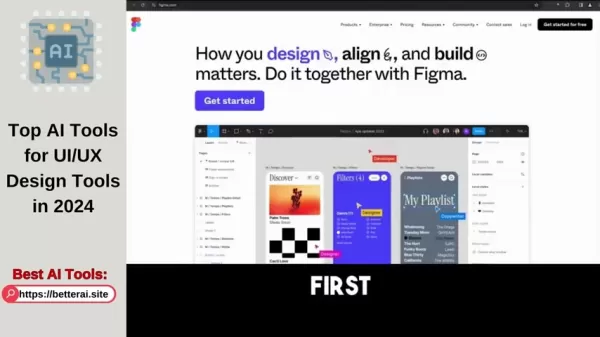
Figma has become a go-to for UI/UX designers, thanks to its cloud-based platform that makes collaboration a breeze. It's like having a team of digital helpers who enhance the design process with AI. Figma's real-time collaboration feature lets multiple designers work together seamlessly, while its AI algorithms offer smart suggestions for layout, color, and typography. Plus, with version control, prototyping capabilities, and an extensive plugin ecosystem, Figma is a powerhouse that boosts productivity and design quality, all while keeping teamwork smooth and cost-effective.
Sketch: Emphasizing Real-Time Collaboration and AI Plugins
Sketch is all about making design collaboration smooth and efficient on Mac. It's packed with real-time collaboration features and AI-powered plugins that streamline the design process. One standout feature is Sketch to React, which uses AI to convert designs into working code, saving developers a ton of time. With its symbol library and vector-based design capabilities, Sketch ensures designs are consistent and scalable, making it a top choice for designers looking to enhance their workflow and design quality.
Khroma: Discovering Unique Color Palettes with AI
Khroma is a designer's dream for finding unique and well-curated color palettes. It's like having a color consultant that learns your style and suggests palettes that match your taste. Khroma's AI algorithms analyze your design preferences to generate visually appealing color options, while also ensuring the palettes are accessible to users with visual impairments. This tool is a game-changer for boosting creativity and saving time on color selection.
Wizard: Automating Design Processes with AI
Wizard is all about speeding up the design process by turning sketches into code. It's like having a magic wand that automates the design-to-code transition, saving developers time and effort. Wizard's AI comprehends graphical user interfaces, generating accurate code automatically. This tool not only increases efficiency but also improves design quality and reduces costs, helping teams get their products to market faster.
Marvel AI: A Collaboration and Prototyping Powerhouse
Marvel AI is your go-to for collaboration and prototyping, with AI making tasks like creating icons, logos, and graphics a breeze. It's like having a team of AI assistants that help you design and test prototypes in real-time. With features like user testing and version control, Marvel AI ensures you can create high-quality designs that meet user needs, all while fostering seamless teamwork.
Framer: Crafting Interactive Web Experiences with AI
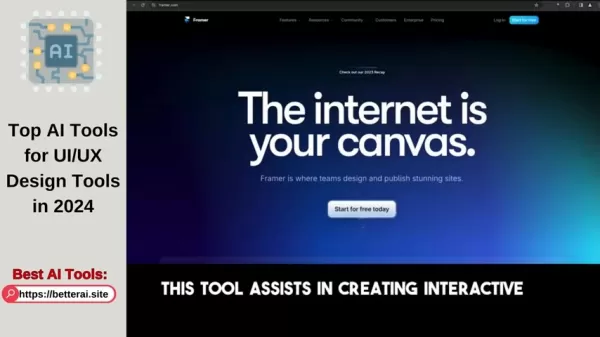
Framer is perfect for building interactive and user-friendly web experiences. It's like having a toolkit that lets you add cool interactivity using JavaScript and simulate real-world physics. Framer's AI-powered features help increase user engagement and create more immersive experiences. With its code components, collaboration features, and prototyping capabilities, Framer is a must-have for any designer looking to elevate their web designs.
Dora AI: Simplifying Website Creation with Plain English
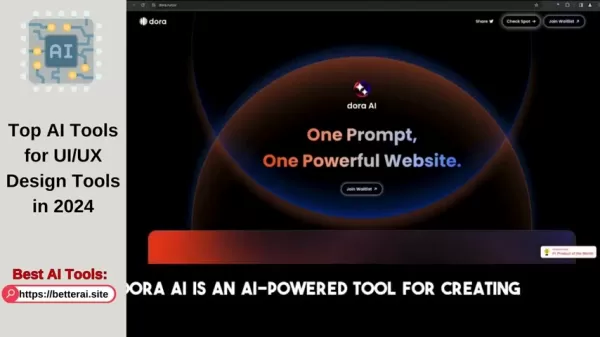
Dora AI is a game-changer for creating complex and responsive websites. It's like having a translator that turns your plain English descriptions into functional website components. Dora AI's natural language interface simplifies the website creation process, making it easier and more efficient. With features like responsive design, collaboration, and prototyping, Dora AI is a valuable tool for any designer looking to build websites quickly and easily.
Getting Started with AI in UI/UX Design
Step 1: Identify Your Needs
Before jumping into AI-powered tools, take a moment to figure out what you need most. What tasks are slowing you down? Where do you need a creative boost? What user insights are you missing? By pinpointing your challenges, you can choose the AI tools that will help you the most.
Step 2: Explore Available Tools
With your needs in mind, start exploring the AI tools out there. The ones we've covered here are a great starting point, but there are plenty more to discover. Use free trials and demos to see which tools fit your workflow best. Consider factors like price, features, ease of use, and how well they integrate with your existing software.
Step 3: Integrate AI into Your Workflow
Once you've picked your tools, it's time to weave them into your design process. Start small, experimenting with AI on minor projects before scaling up. Don't be afraid to push boundaries and try new things. Remember, AI is here to enhance your creativity and efficiency, not replace it. Use it to automate the boring stuff, spark new ideas, and gain insights, but always keep your creative vision at the forefront.
Step 4: Stay Up-to-Date
AI is constantly evolving, so staying informed is key. Keep up with industry blogs, attend conferences, and join online communities to learn about the latest AI technologies and best practices. By staying in the loop, you can keep refining your design workflow and make the most of AI.
Pricing Models for AI-Powered UI/UX Tools
Understanding the Costs
When considering AI-powered UI/UX tools, it's crucial to understand their pricing models to plan your budget and assess ROI. These tools often offer different subscription plans with varying features. For instance, Figma has a free plan for basic needs, with paid plans starting at around $12 per editor/month, billed annually. Sketch offers a subscription for about $9 per editor/month, billed annually. Khroma has a one-time purchase or subscription model, while Wizard and Marvel AI offer free plans for personal use with paid options starting at around $15 and $12 per month, respectively. Framer's paid plans start at approximately $20 per month, and Dora AI, currently in beta, is expected to offer a range of plans. Evaluate the features within each pricing tier to find the most cost-effective option for your needs.
Advantages and Disadvantages of AI-Powered UI/UX Design Tools
Pros
- Increased Efficiency: Automates repetitive tasks and streamlines design workflows.
- Enhanced Creativity: Generates design ideas and suggests innovative color schemes.
- Data-Driven Insights: Provides valuable insights into user behavior and preferences.
- Improved Collaboration: Facilitates seamless teamwork among designers and developers.
- Personalized User Experiences: Creates tailored interfaces based on individual needs.
Cons
- Cost: AI-powered tools can be pricey, especially for small teams and individual designers.
- Learning Curve: Some tools may take time to master.
- Lack of Creative Control: AI suggestions may not always align with a designer's vision.
- Dependence on Technology: Over-reliance on AI can stifle creativity and originality.
- Ethical Concerns: AI-driven personalization raises questions about data privacy and user manipulation.
Key Features of AI-Driven UI/UX Design Tools
Maximizing Design Efficiency
AI-driven UI/UX tools come packed with features that boost design efficiency and enhance user experiences. They use machine learning and data analysis to automate tasks, offer smart suggestions, and facilitate collaboration. Highlights include AI-powered design suggestions, automated code generation, intelligent color palette creation, real-time collaboration, prototyping and user testing, and personalized user experiences. These features empower designers to create more efficient, effective, and engaging interfaces.
Use Cases for AI in UI/UX Design
Transforming Design Workflows
AI-driven tools transform design workflows across various scenarios. They're used for website design, mobile app design, prototyping, user research, accessibility design, and branding. Whether you're creating responsive websites with Dora AI and Framer, designing mobile app interfaces with Figma and Sketch, or prototyping with Marvel AI and Framer, AI helps you create innovative and user-centric experiences across platforms and devices.
Frequently Asked Questions about AI in UI/UX Design
What are the key benefits of using AI in UI/UX design?
AI in UI/UX design offers benefits like increased efficiency, enhanced creativity, data-driven insights, improved collaboration, and personalized user experiences. It automates repetitive tasks, sparks new ideas, and helps tailor interfaces to individual needs.
How can AI help with prototyping?
AI enhances prototyping by automating tasks and providing insights. It can generate interactive prototypes from sketches or descriptions, analyze user interactions, and create personalized prototypes for targeted testing.
Are there any ethical concerns associated with using AI in UI/UX design?
Yes, ethical concerns include data privacy and user manipulation. AI personalization relies on user data, raising questions about its use and protection. Additionally, AI can influence user behavior, which needs careful consideration to avoid harm.
What is the future of AI in UI/UX design?
The future of AI in UI/UX design looks bright, with continued advancements expected to automate tasks, generate ideas, and provide insights. AI tools will become more sophisticated and user-friendly, helping designers create exceptional user experiences.
Related Questions
What skills are essential for a UI/UX designer in 2024?
In 2024, UI/UX designers need a mix of traditional and modern skills to stay competitive. Essential skills include proficiency in design tools like Figma, Sketch, and Adobe XD, understanding of front-end development with HTML, CSS, and JavaScript, and familiarity with user testing and analytics. Core design principles such as visual design, interaction design, and information architecture are crucial, as are soft skills like empathy, communication, and problem-solving. Staying updated with emerging technologies like AI, VR, and AR, and having a strong portfolio showcasing diverse projects, are also vital. Continuous learning and adaptability are key to thriving in the evolving design landscape.
Related article
 Swedish AI Startup Lovable Eyes $13.2 Billion Valuation After Major Funding Round
As AI-driven coding tools gain traction, Swedish startup Lovable has secured a major funding round. The company aims to raise $3 billion, potentially boosting its valuation to $13.2 billion—double the $6.6 billion recorded last December. Menlo Ventur
Google Tests Remy AI Agent for Gemini as Focus Shifts to User Control
According to Business Insider, Google is testing Remy, a new AI personal agent for Gemini. This tool aims to execute tasks on behalf of users, streamlining both professional workflows and daily routines.Currently, Remy is undergoing testing in an int
How to fix Core Web Vitals for better SEO rankings
Streamline Report Card Comments with AI ToolsIntroductionAI Tools for Generating Report Card CommentsMagic SchoolAlmanac AIChat GPTUsing Magic School to Generate Report Card CommentsLogging into Magic SchoolSelecting the Report Card Comments ToolCust
Related Special Topic Recommendations
writing
Swedish AI Startup Lovable Eyes $13.2 Billion Valuation After Major Funding Round
As AI-driven coding tools gain traction, Swedish startup Lovable has secured a major funding round. The company aims to raise $3 billion, potentially boosting its valuation to $13.2 billion—double the $6.6 billion recorded last December. Menlo Ventur
Google Tests Remy AI Agent for Gemini as Focus Shifts to User Control
According to Business Insider, Google is testing Remy, a new AI personal agent for Gemini. This tool aims to execute tasks on behalf of users, streamlining both professional workflows and daily routines.Currently, Remy is undergoing testing in an int
How to fix Core Web Vitals for better SEO rankings
Streamline Report Card Comments with AI ToolsIntroductionAI Tools for Generating Report Card CommentsMagic SchoolAlmanac AIChat GPTUsing Magic School to Generate Report Card CommentsLogging into Magic SchoolSelecting the Report Card Comments ToolCust
Related Special Topic Recommendations
writing
 Best AI Outline Generators for Long-Form SEO Articles
2026 Latest Best Top-Rated AI Outline Generators for Long-Form SEO Articles, meticulously curated by XIX.AI. These powerful tools offer game-changing assistance in creating high-quality content quickly, boosting writing efficiency significantly. Get a free vs paid comparison along with real-world tests and detailed rankings to help you find the must-try option that suits your needs. Explore now to unlock your AI edge.
 8 tools
 xix.ai
Education and Learning
AI Study Tools for Homework and Exam Prep
xix.ai
Education and Learning
AI Study Tools for Homework and Exam Prep
2026 Latest Best AI Study Tools for Homework and Exam Prep! XIX.AI curates a top-rated list of powerful, game-changing tools that help students boost productivity, streamline homework completion, and ace exams through real-world tests. Get a free vs paid comparison, detailed rankings, and must-try options to unlock your AI edge. Explore now!
10 tools
xix.ai
Music composition
AI Vocal Demo Tools for Songwriters, Hooks, Toplines, and Multilingual Draft Sessions
2026 Latest Best AI Vocal Demo Tools for Songwriters, Hook Creators, and Multi-Language Content Teams! XIX.AI has curated a top-rated list of powerful game-changing tools that go through rigorous real-world tests. You’ll find detailed free vs paid comparison data, comprehensive rankings, and must-try options to help you boost writing efficiency and unlock your creative potential. Explore now to discover your perfect tool for all your content needs!
9 tools
xix.ai
Business
Best AI Competitive Research Tools for Small Businesses
2026 Latest Best Top-rated AI Competitive Research Tools for Small Businesses! XIX.AI has curated a highly powerful game-changing collection, updated weekly with rigorous real-world tests and detailed rankings. You can find a comprehensive free vs paid comparison to help you identify the must-try tools that boost your productivity and give you a competitive edge. Explore now to discover your perfect tool!
9 tools
xix.ai
Image editing
Photoshop AI Retouch Tools for Ecommerce Apparel, Skin Cleanup, and Color Consistency
2026 Latest Best Photoshop AI retouch tools for ecommerce apparel, skin cleanup, and color consistency! This top-rated curated list features powerful game-changing solutions that help you boost writing efficiency, streamline content creation, and achieve perfect visual results effortlessly. Each tool has undergone real-world tests through weekly updated rankings, complete with free vs paid comparison details. Backed by XIX.AI, it’s the must-try guide for anyone aiming to unlock your AI edge. Explore now!
10 tools
xix.ai
Prompt
Best AI Prompt Libraries for ChatGPT Workflows
2026 Latest Best Top-Rated AI Prompt Libraries for optimizing all types of ChatGPT workflows. XIX.AI has curated a powerful, game-changing collection that goes through rigorous real-world tests to ensure top performance. You can find detailed free vs paid comparisons and expert rankings to help you choose the must-try tools that boost your productivity and unlock your AI edge. Explore now!
11 tools
xix.ai

 Comments (24)
0/500
Comments (24)
0/500
![MarkHarris]()
Die KI-Tools für UI/UX werden echt immer intuitiver. Hoffentlich führt das nicht dazu, dass Designer nur noch auf Vorlagen zurückgreifen und die Kreativität leidet. Spannend wäre, wie sich das auf den Jobmarkt auswirkt. 🤔
![PaulMartínez]()
AI tools for UI/UX sound cool, but are they making designers lazy or just leveling up creativity? 🤔 Excited to see where this goes in 2024!
![TerryAdams]()
C'est incroyable comment l'IA transforme le design UI/UX ! Ces outils rendent tout tellement plus fluide, mais je me demande si les designers ne vont pas devenir trop dépendants. 😅 Qu'en pensez-vous ?
![RaymondNelson]()
AI in UI/UX design sounds like a game-changer! I'm curious how these tools balance creativity with automation—can they really match a human designer's spark? 🤔
![TerryGonzález]()
These AI tools for UI/UX design in 2024 are just mind-blowing! They make the whole process so smooth and fun, I feel like a kid in a candy store every time I use them. The only downside? I spend too much time playing around with all the options! 🤓 Anyone else feel the same?
![HaroldLopez]()
2024년 UI/UX 디자인을 위한 AI 도구들은 정말 놀랍습니다! 인터페이스 디자인이 훨씬 쉬워지고 재미있어졌어요. 몇 가지를 시도해봤는데, 정말로 워크플로우가 빨라졌어요. 유일한 단점은 조금 비싸다는 점이지만, 디자인에 진지하다면 완전히 가치가 있습니다! 🎨
Artificial intelligence is reshaping the world of UI/UX design, making it easier and more exciting for designers to craft stunning interfaces. As we step into 2024, the market is buzzing with AI-powered tools that support designers at every step, from the initial brainstorming to the final touches. These tools harness the power of machine learning to not only speed up tasks but also offer smart insights and design enhancements. Let's dive into some of the leading AI tools that are changing the game in UI/UX design, making the process smoother and more impactful.
Key Points
- AI is revolutionizing UI/UX design by boosting creativity and streamlining workflows.
- Design tools powered by AI help with suggestions for layout, color, and typography.
- AI-driven research offers deep insights for creating personalized designs.
- Figma uses AI to enhance design processes and facilitate seamless collaboration.
- Sketch focuses on real-time teamwork and AI-powered plugins for UI design.
- Khroma assists designers in finding unique and carefully curated color palettes.
- Wizard automates design tasks, turning sketches into code.
- Marvel AI is great for collaboration and prototyping, with AI helping to create icons, logos, and graphics.
- Framer is key for building interactive and user-friendly web experiences.
- Dora AI lets designers describe designs in simple English, which AI then translates into functional elements.
The Impact of AI on UI/UX Design
Revolutionizing the Design Process
The integration of AI into UI/UX design is truly transforming how we work. It's like having a super-smart assistant that helps us understand user behavior, design preferences, and potential usability issues by analyzing tons of data. This data-driven approach empowers us to make informed decisions, resulting in more effective designs and better user experiences.
AI takes care of the repetitive stuff—think wireframing, generating design variations, and testing usability—freeing us up to focus on the fun, creative parts of design. It's a game-changer for productivity and innovation. Plus, AI tools give us a nudge in the right direction with layout, color, and typography suggestions, making our interfaces not only functional but also visually appealing.
The beauty of AI goes beyond just individual tasks; it touches the entire design workflow. With AI-driven research, we can tailor our designs to meet the specific needs and preferences of our audience, ensuring a more engaging and intuitive experience. As AI continues to evolve, we're looking at even more exciting advancements in the future, promising to revolutionize the industry and help us create exceptional user experiences.
Enhancing Creativity and Personalization
AI isn't just about making things faster; it's also about sparking creativity and personalizing experiences. Imagine tools that not only suggest design ideas but also explore different layout options and recommend color schemes that fit your brand's vibe and target audience. These tools can delve into user data to create personalized interfaces, adjusting to individual preferences and behaviors.
By tapping into machine learning, AI can spot patterns and trends in user data that might be invisible to us. This insight lets us create more targeted and impactful designs that really connect with users. For instance, AI can analyze how users interact with an app to suggest the best spot for a call-to-action button or the most effective messaging to boost conversions.
In today's competitive landscape, where personalized experiences are the norm, AI's ability to tailor interfaces is invaluable. It helps us craft engaging and intuitive designs that keep users coming back. Plus, AI can help us make our designs more accessible, ensuring everyone, including those with disabilities, can enjoy a seamless experience.
Spotlight on Top AI-Powered UI/UX Design Tools
Figma: A Collaborative Design Powerhouse
Figma has become a go-to for UI/UX designers, thanks to its cloud-based platform that makes collaboration a breeze. It's like having a team of digital helpers who enhance the design process with AI. Figma's real-time collaboration feature lets multiple designers work together seamlessly, while its AI algorithms offer smart suggestions for layout, color, and typography. Plus, with version control, prototyping capabilities, and an extensive plugin ecosystem, Figma is a powerhouse that boosts productivity and design quality, all while keeping teamwork smooth and cost-effective.
Sketch: Emphasizing Real-Time Collaboration and AI Plugins
Sketch is all about making design collaboration smooth and efficient on Mac. It's packed with real-time collaboration features and AI-powered plugins that streamline the design process. One standout feature is Sketch to React, which uses AI to convert designs into working code, saving developers a ton of time. With its symbol library and vector-based design capabilities, Sketch ensures designs are consistent and scalable, making it a top choice for designers looking to enhance their workflow and design quality.
Khroma: Discovering Unique Color Palettes with AI
Khroma is a designer's dream for finding unique and well-curated color palettes. It's like having a color consultant that learns your style and suggests palettes that match your taste. Khroma's AI algorithms analyze your design preferences to generate visually appealing color options, while also ensuring the palettes are accessible to users with visual impairments. This tool is a game-changer for boosting creativity and saving time on color selection.
Wizard: Automating Design Processes with AI
Wizard is all about speeding up the design process by turning sketches into code. It's like having a magic wand that automates the design-to-code transition, saving developers time and effort. Wizard's AI comprehends graphical user interfaces, generating accurate code automatically. This tool not only increases efficiency but also improves design quality and reduces costs, helping teams get their products to market faster.
Marvel AI: A Collaboration and Prototyping Powerhouse
Marvel AI is your go-to for collaboration and prototyping, with AI making tasks like creating icons, logos, and graphics a breeze. It's like having a team of AI assistants that help you design and test prototypes in real-time. With features like user testing and version control, Marvel AI ensures you can create high-quality designs that meet user needs, all while fostering seamless teamwork.
Framer: Crafting Interactive Web Experiences with AI
Framer is perfect for building interactive and user-friendly web experiences. It's like having a toolkit that lets you add cool interactivity using JavaScript and simulate real-world physics. Framer's AI-powered features help increase user engagement and create more immersive experiences. With its code components, collaboration features, and prototyping capabilities, Framer is a must-have for any designer looking to elevate their web designs.
Dora AI: Simplifying Website Creation with Plain English
Dora AI is a game-changer for creating complex and responsive websites. It's like having a translator that turns your plain English descriptions into functional website components. Dora AI's natural language interface simplifies the website creation process, making it easier and more efficient. With features like responsive design, collaboration, and prototyping, Dora AI is a valuable tool for any designer looking to build websites quickly and easily.
Getting Started with AI in UI/UX Design
Step 1: Identify Your Needs
Before jumping into AI-powered tools, take a moment to figure out what you need most. What tasks are slowing you down? Where do you need a creative boost? What user insights are you missing? By pinpointing your challenges, you can choose the AI tools that will help you the most.
Step 2: Explore Available Tools
With your needs in mind, start exploring the AI tools out there. The ones we've covered here are a great starting point, but there are plenty more to discover. Use free trials and demos to see which tools fit your workflow best. Consider factors like price, features, ease of use, and how well they integrate with your existing software.
Step 3: Integrate AI into Your Workflow
Once you've picked your tools, it's time to weave them into your design process. Start small, experimenting with AI on minor projects before scaling up. Don't be afraid to push boundaries and try new things. Remember, AI is here to enhance your creativity and efficiency, not replace it. Use it to automate the boring stuff, spark new ideas, and gain insights, but always keep your creative vision at the forefront.
Step 4: Stay Up-to-Date
AI is constantly evolving, so staying informed is key. Keep up with industry blogs, attend conferences, and join online communities to learn about the latest AI technologies and best practices. By staying in the loop, you can keep refining your design workflow and make the most of AI.
Pricing Models for AI-Powered UI/UX Tools
Understanding the Costs
When considering AI-powered UI/UX tools, it's crucial to understand their pricing models to plan your budget and assess ROI. These tools often offer different subscription plans with varying features. For instance, Figma has a free plan for basic needs, with paid plans starting at around $12 per editor/month, billed annually. Sketch offers a subscription for about $9 per editor/month, billed annually. Khroma has a one-time purchase or subscription model, while Wizard and Marvel AI offer free plans for personal use with paid options starting at around $15 and $12 per month, respectively. Framer's paid plans start at approximately $20 per month, and Dora AI, currently in beta, is expected to offer a range of plans. Evaluate the features within each pricing tier to find the most cost-effective option for your needs.
Advantages and Disadvantages of AI-Powered UI/UX Design Tools
Pros
- Increased Efficiency: Automates repetitive tasks and streamlines design workflows.
- Enhanced Creativity: Generates design ideas and suggests innovative color schemes.
- Data-Driven Insights: Provides valuable insights into user behavior and preferences.
- Improved Collaboration: Facilitates seamless teamwork among designers and developers.
- Personalized User Experiences: Creates tailored interfaces based on individual needs.
Cons
- Cost: AI-powered tools can be pricey, especially for small teams and individual designers.
- Learning Curve: Some tools may take time to master.
- Lack of Creative Control: AI suggestions may not always align with a designer's vision.
- Dependence on Technology: Over-reliance on AI can stifle creativity and originality.
- Ethical Concerns: AI-driven personalization raises questions about data privacy and user manipulation.
Key Features of AI-Driven UI/UX Design Tools
Maximizing Design Efficiency
AI-driven UI/UX tools come packed with features that boost design efficiency and enhance user experiences. They use machine learning and data analysis to automate tasks, offer smart suggestions, and facilitate collaboration. Highlights include AI-powered design suggestions, automated code generation, intelligent color palette creation, real-time collaboration, prototyping and user testing, and personalized user experiences. These features empower designers to create more efficient, effective, and engaging interfaces.
Use Cases for AI in UI/UX Design
Transforming Design Workflows
AI-driven tools transform design workflows across various scenarios. They're used for website design, mobile app design, prototyping, user research, accessibility design, and branding. Whether you're creating responsive websites with Dora AI and Framer, designing mobile app interfaces with Figma and Sketch, or prototyping with Marvel AI and Framer, AI helps you create innovative and user-centric experiences across platforms and devices.
Frequently Asked Questions about AI in UI/UX Design
What are the key benefits of using AI in UI/UX design?
AI in UI/UX design offers benefits like increased efficiency, enhanced creativity, data-driven insights, improved collaboration, and personalized user experiences. It automates repetitive tasks, sparks new ideas, and helps tailor interfaces to individual needs.
How can AI help with prototyping?
AI enhances prototyping by automating tasks and providing insights. It can generate interactive prototypes from sketches or descriptions, analyze user interactions, and create personalized prototypes for targeted testing.
Are there any ethical concerns associated with using AI in UI/UX design?
Yes, ethical concerns include data privacy and user manipulation. AI personalization relies on user data, raising questions about its use and protection. Additionally, AI can influence user behavior, which needs careful consideration to avoid harm.
What is the future of AI in UI/UX design?
The future of AI in UI/UX design looks bright, with continued advancements expected to automate tasks, generate ideas, and provide insights. AI tools will become more sophisticated and user-friendly, helping designers create exceptional user experiences.
Related Questions
What skills are essential for a UI/UX designer in 2024?
In 2024, UI/UX designers need a mix of traditional and modern skills to stay competitive. Essential skills include proficiency in design tools like Figma, Sketch, and Adobe XD, understanding of front-end development with HTML, CSS, and JavaScript, and familiarity with user testing and analytics. Core design principles such as visual design, interaction design, and information architecture are crucial, as are soft skills like empathy, communication, and problem-solving. Staying updated with emerging technologies like AI, VR, and AR, and having a strong portfolio showcasing diverse projects, are also vital. Continuous learning and adaptability are key to thriving in the evolving design landscape.








 Swedish AI Startup Lovable Eyes $13.2 Billion Valuation After Major Funding Round
As AI-driven coding tools gain traction, Swedish startup Lovable has secured a major funding round. The company aims to raise $3 billion, potentially boosting its valuation to $13.2 billion—double the $6.6 billion recorded last December. Menlo Ventur
Google Tests Remy AI Agent for Gemini as Focus Shifts to User Control
According to Business Insider, Google is testing Remy, a new AI personal agent for Gemini. This tool aims to execute tasks on behalf of users, streamlining both professional workflows and daily routines.Currently, Remy is undergoing testing in an int
Swedish AI Startup Lovable Eyes $13.2 Billion Valuation After Major Funding Round
As AI-driven coding tools gain traction, Swedish startup Lovable has secured a major funding round. The company aims to raise $3 billion, potentially boosting its valuation to $13.2 billion—double the $6.6 billion recorded last December. Menlo Ventur
Google Tests Remy AI Agent for Gemini as Focus Shifts to User Control
According to Business Insider, Google is testing Remy, a new AI personal agent for Gemini. This tool aims to execute tasks on behalf of users, streamlining both professional workflows and daily routines.Currently, Remy is undergoing testing in an int
 How to fix Core Web Vitals for better SEO rankings
Streamline Report Card Comments with AI ToolsIntroductionAI Tools for Generating Report Card CommentsMagic SchoolAlmanac AIChat GPTUsing Magic School to Generate Report Card CommentsLogging into Magic SchoolSelecting the Report Card Comments ToolCust
How to fix Core Web Vitals for better SEO rankings
Streamline Report Card Comments with AI ToolsIntroductionAI Tools for Generating Report Card CommentsMagic SchoolAlmanac AIChat GPTUsing Magic School to Generate Report Card CommentsLogging into Magic SchoolSelecting the Report Card Comments ToolCust

2026 Latest Best Top-Rated AI Outline Generators for Long-Form SEO Articles, meticulously curated by XIX.AI. These powerful tools offer game-changing assistance in creating high-quality content quickly, boosting writing efficiency significantly. Get a free vs paid comparison along with real-world tests and detailed rankings to help you find the must-try option that suits your needs. Explore now to unlock your AI edge.
8 tools
xix.ai

2026 Latest Best AI Study Tools for Homework and Exam Prep! XIX.AI curates a top-rated list of powerful, game-changing tools that help students boost productivity, streamline homework completion, and ace exams through real-world tests. Get a free vs paid comparison, detailed rankings, and must-try options to unlock your AI edge. Explore now!
10 tools
xix.ai

2026 Latest Best AI Vocal Demo Tools for Songwriters, Hook Creators, and Multi-Language Content Teams! XIX.AI has curated a top-rated list of powerful game-changing tools that go through rigorous real-world tests. You’ll find detailed free vs paid comparison data, comprehensive rankings, and must-try options to help you boost writing efficiency and unlock your creative potential. Explore now to discover your perfect tool for all your content needs!
9 tools
xix.ai

2026 Latest Best Top-rated AI Competitive Research Tools for Small Businesses! XIX.AI has curated a highly powerful game-changing collection, updated weekly with rigorous real-world tests and detailed rankings. You can find a comprehensive free vs paid comparison to help you identify the must-try tools that boost your productivity and give you a competitive edge. Explore now to discover your perfect tool!
9 tools
xix.ai

2026 Latest Best Photoshop AI retouch tools for ecommerce apparel, skin cleanup, and color consistency! This top-rated curated list features powerful game-changing solutions that help you boost writing efficiency, streamline content creation, and achieve perfect visual results effortlessly. Each tool has undergone real-world tests through weekly updated rankings, complete with free vs paid comparison details. Backed by XIX.AI, it’s the must-try guide for anyone aiming to unlock your AI edge. Explore now!
10 tools
xix.ai

2026 Latest Best Top-Rated AI Prompt Libraries for optimizing all types of ChatGPT workflows. XIX.AI has curated a powerful, game-changing collection that goes through rigorous real-world tests to ensure top performance. You can find detailed free vs paid comparisons and expert rankings to help you choose the must-try tools that boost your productivity and unlock your AI edge. Explore now!
11 tools
xix.ai

Die KI-Tools für UI/UX werden echt immer intuitiver. Hoffentlich führt das nicht dazu, dass Designer nur noch auf Vorlagen zurückgreifen und die Kreativität leidet. Spannend wäre, wie sich das auf den Jobmarkt auswirkt. 🤔
AI tools for UI/UX sound cool, but are they making designers lazy or just leveling up creativity? 🤔 Excited to see where this goes in 2024!
C'est incroyable comment l'IA transforme le design UI/UX ! Ces outils rendent tout tellement plus fluide, mais je me demande si les designers ne vont pas devenir trop dépendants. 😅 Qu'en pensez-vous ?
AI in UI/UX design sounds like a game-changer! I'm curious how these tools balance creativity with automation—can they really match a human designer's spark? 🤔
These AI tools for UI/UX design in 2024 are just mind-blowing! They make the whole process so smooth and fun, I feel like a kid in a candy store every time I use them. The only downside? I spend too much time playing around with all the options! 🤓 Anyone else feel the same?
2024년 UI/UX 디자인을 위한 AI 도구들은 정말 놀랍습니다! 인터페이스 디자인이 훨씬 쉬워지고 재미있어졌어요. 몇 가지를 시도해봤는데, 정말로 워크플로우가 빨라졌어요. 유일한 단점은 조금 비싸다는 점이지만, 디자인에 진지하다면 완전히 가치가 있습니다! 🎨












