


 Home
HomeChatGPT Helper - GPTab



Helps TikTok sellers, brands, MCNs, and TAPs discover winning products and find creators.

HelpLook is an AI-powered all-in-one knowledge base tool that helps businesses quickly build knowledge bases, help centers, and...

Your AI Workspace

302.AI is an enterprise-grade AI resource platform with pay-as-you-go pricing, API access to a full range of AI models, and ready-to-use online applications.

剧火AI — AI Screenwriter + Director, a One-Person Short Drama Studio In one sentence, what is it?
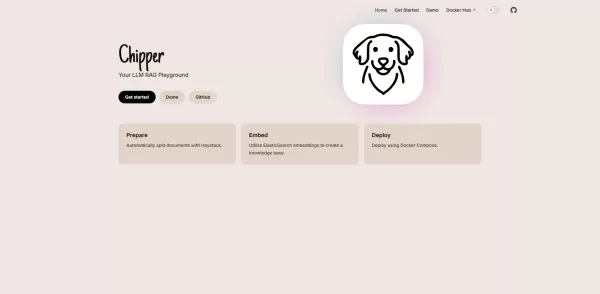
What is Chipper?Chipper is a fully open-source React component library that streamlines building conversational interfaces powered by large language models. It provides real-time streaming of AI responses, built-in chat history and context management

What is Superchat - AI Virtual Chat?Superchat AI Virtual Chat is a cutting-edge application that uses artificial intelligence to connect you with a diverse range of personas, including historical figures, fictional characters, and contemporary expert
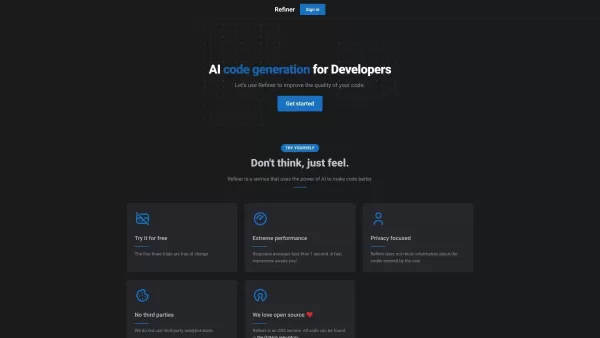
What is Refiner?Refiner is a sophisticated survey platform designed to capture actionable user feedback and insights. It provides businesses with a complete set of tools to build, share, and analyze surveys that meet their specific requirements. With

What is the AIML API?AIMLAPI delivers access to more than 200 AI models through a single, unified API, designed for low latency and effortless scaling. It's an ideal tool for developers and businesses aiming to add sophisticated AI features to their
What is Ollama?Ollama is an innovative platform that makes AI models easier to use by offering a streamlined command-line interface. It lets users effortlessly access, run, and manage a variety of AI models, eliminating complicated installation or co
ChatGPT Helper - GPTab Product Information
What is ChatGPT Helper - GPTab?
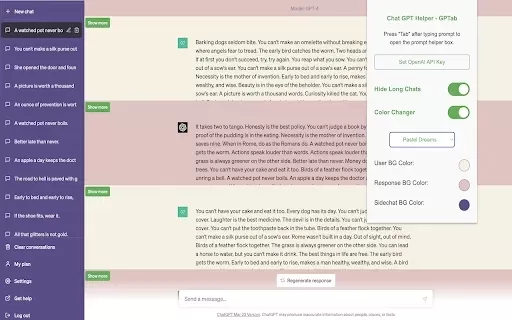
ChatGPT Helper - GPTab is a Chrome extension designed to improve your ChatGPT interactions through a smoother, more intuitive interface. By harnessing the power of GPT-3.5 Turbo, it delivers more intelligent and context-aware responses to your prompts. You can personalize the chat with vibrant color themes and tidy up your workspace by hiding lengthy conversations, resulting in a cleaner, more focused chat experience.
Who will use ChatGPT Helper - GPTab?
- Students
- Professionals
- Content Creators
- Researchers
- Casual Users
How to use the ChatGPT Helper - GPTab?
- Step 1: Install the ChatGPT Helper - GPTab extension from the Chrome Web Store.
- Step 2: Open ChatGPT in your Chrome browser.
- Step 3: Press the Tab key while typing to receive enhanced responses powered by GPT-3.5 Turbo.
- Step 4: Personalize the chat interface colors in the extension settings.
- Step 5: Manage your chat view to hide old or lengthy conversations for better organization.
Platform
- Chrome
ChatGPT Helper - GPTab's Core Features & Benefits
The Core Features
- Integrated GPT-3.5 Turbo assistance
- Customizable chat interface colors
- Option to hide lengthy chats
The Benefits
- More engaging and dynamic conversations
- Greater personalization of your chat environment
- A streamlined, clutter-free chat experience
ChatGPT Helper - GPTab's Main Use Cases & Applications
- Streamlining content creation workflows
- Enhancing study and research with intelligent Q&A
- Organizing and decluttering extensive chat histories
FAQs of ChatGPT Helper - GPTab
What is ChatGPT Helper - GPTab?
It's a Chrome extension that upgrades your ChatGPT with a better interface and smarter features.
How do I install the extension?
Simply download and install it from the Chrome Web Store.
Is it free to use?
Yes, the extension is completely free to install and use.
What is GPT-3.5 Turbo?
GPT-3.5 Turbo is a powerful AI language model that improves the quality and intelligence of chat interactions.
How can I hide long chat histories?
Use the chat visibility controls within the extension's settings to hide long conversations.
Who is this extension for?
It's ideal for students, professionals, content creators, researchers, and everyday users.
What browsers support this extension?
This extension is built specifically for the Google Chrome browser.
Can it help in my studies?
Absolutely. Its enhanced Q&A capabilities can be a valuable aid for learning and research.
Where can I find support for the extension?
Support details are typically available on the extension's Chrome Web Store listing.
Can I customize the color of the chat interface?
Yes, you can fully customize the chat interface colors to your preference in the settings.
ChatGPT Helper - GPTab Company Information
Website:
https://5-letter-words.comCompany Name:
NASupport Email:
NAFacebook:
NAX(Twitter):
NAYouTube:
NAInstagram:
NATiktok:
NALinkedIn:
NA
ChatGPT Helper - GPTab Screenshot



2026 Latest Best Top-rated AI Competitive Research Tools for Small Businesses! XIX.AI has curated a highly powerful game-changing collection, updated weekly with rigorous real-world tests and detailed rankings. You can find a comprehensive free vs paid comparison to help you identify the must-try tools that boost your productivity and give you a competitive edge. Explore now to discover your perfect tool!
 9 tools
 xix.ai

2026 Latest Best Photoshop AI retouch tools for ecommerce apparel, skin cleanup, and color consistency! This top-rated curated list features powerful game-changing solutions that help you boost writing efficiency, streamline content creation, and achieve perfect visual results effortlessly. Each tool has undergone real-world tests through weekly updated rankings, complete with free vs paid comparison details. Backed by XIX.AI, it’s the must-try guide for anyone aiming to unlock your AI edge. Explore now!
10 tools
xix.ai

2026 Latest Best Top-Rated AI Prompt Libraries for optimizing all types of ChatGPT workflows. XIX.AI has curated a powerful, game-changing collection that goes through rigorous real-world tests to ensure top performance. You can find detailed free vs paid comparisons and expert rankings to help you choose the must-try tools that boost your productivity and unlock your AI edge. Explore now!
11 tools
xix.ai

2026 Latest Best AI Quiz Builder Platforms for Teachers, Tutors, and Cohort-Based Learning Programs! XIX.AI has curated a top-rated list of powerful game-changing tools that go through real-world tests to deliver accurate rankings. These must-try platforms help boost writing efficiency, streamline content creation, and simplify quiz design across all learning scenarios. Explore now to discover your perfect tool for unlocking your AI edge in teaching!
13 tools
xix.ai

2026 Latest Best AI Pull Request Review Tools for GitHub Teams are here on XIX.AI! This top-rated curated list showcases powerful game-changing solutions that streamline refactoring, bug fixing, and security gap detection across all team workflows. Enjoy a free vs paid comparison along with real-world tests and detailed rankings to help you find the perfect tool that boosts productivity significantly. Explore now to unlock your AI edge!
12 tools
xix.ai

2026 Latest Best Top-rated AI Text to Speech Tools for Natural Voiceovers are here on XIX.AI! This curated list features powerful, game-changing options that deliver crystal-clear voices for every use case, backed by real-world tests and weekly updated rankings. Get a free vs paid comparison to find the must-try solution that boosts your productivity instantly. Explore now to Unlock your AI edge!
11 tools
xix.ai


