


 Home
HomeChatDOC: PDF AI Reading Assistant
ChatDOC: Chat with PDFs, AI-Powered Analysis



Helps TikTok sellers, brands, MCNs, and TAPs discover winning products and find creators.

HelpLook is an AI-powered all-in-one knowledge base tool that helps businesses quickly build knowledge bases, help centers, and...

Your AI Workspace

302.AI is an enterprise-grade AI resource platform with pay-as-you-go pricing, API access to a full range of AI models, and ready-to-use online applications.

剧火AI — AI Screenwriter + Director, a One-Person Short Drama Studio In one sentence, what is it?
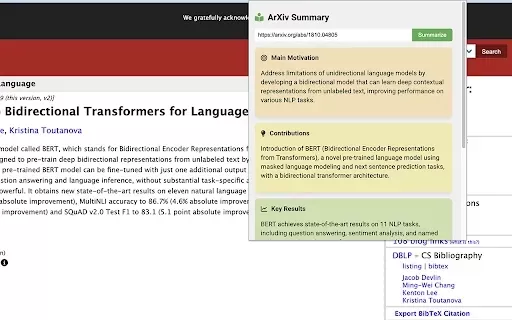
What is ArXiv Insight: Paper Summarizer?ArXiv Insight is a Chrome extension powered by AI that instantly creates summaries of complex ArXiv papers. With a single click, you get the paper's main motivation, contributions, findings, and conclusions. It
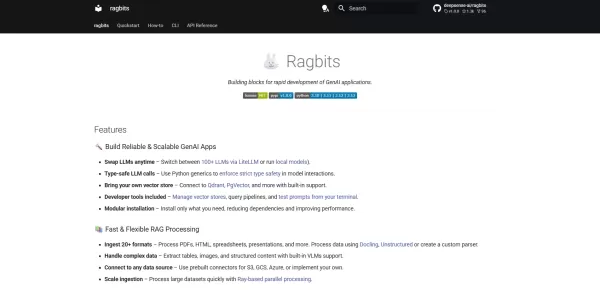
What is RagBits?RagBits is an enterprise-ready RAG framework that enables companies to extract insights from their private data. It processes documents in various formats, creates vector embeddings, and indexes them in leading vector databases. Users
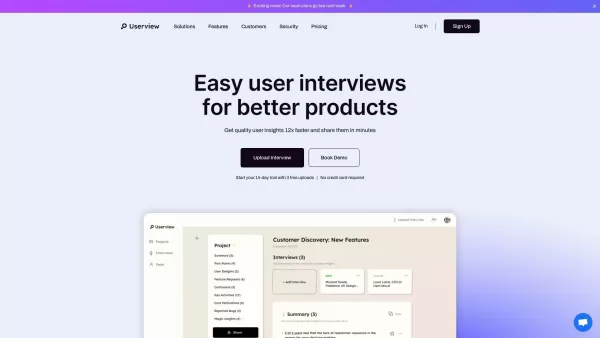
What is Userview.ai?Userview.ai is an advanced platform that simplifies the analysis of user interviews. Upload your audio or video recordings, and the tool quickly produces thorough interview reports. It focuses on speed and precision, delivering bo
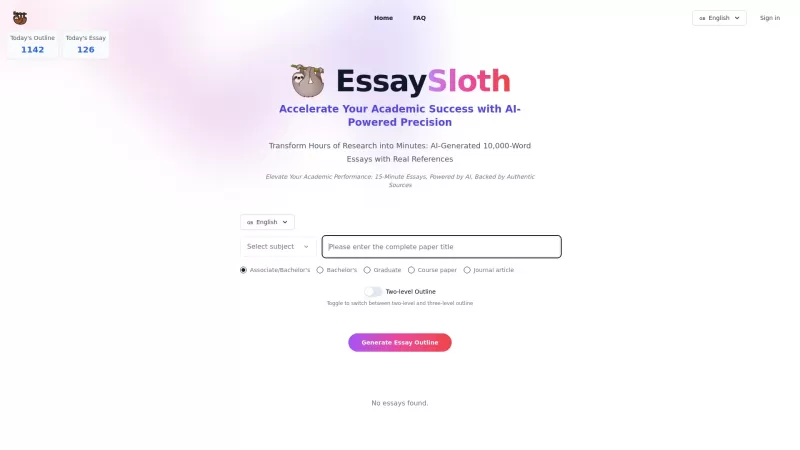
Ever found yourself staring at a blank screen, dreading the looming deadline for your next academic essay? Enter EssaySloth, your new best friend in the world of academic writing. This AI-powered tool isn't just another writing assistant; it's a game-changer that automates essay generation and hunts
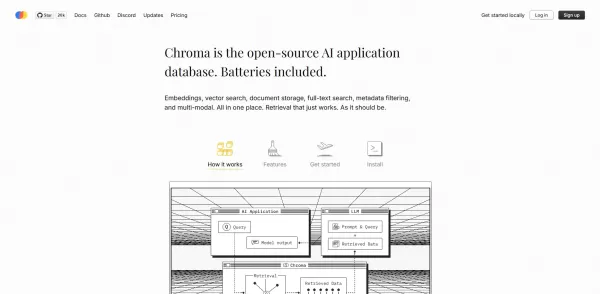
What is Chroma?Chroma is an AI-powered agent designed to simplify content creation and information summarization. It leverages state-of-the-art language models to analyze data, identify key insights, and produce clear summaries or text. This tool is
ChatDOC: PDF AI Reading Assistant Product Information
What is ChatDOC: PDF AI Reading Assistant?
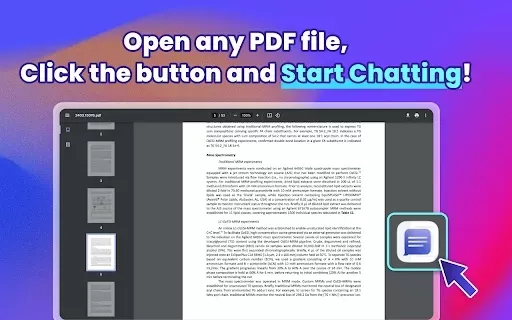
ChatDOC is an intelligent PDF reading assistant powered by AI. It enables seamless interaction with your documents, allowing you to converse directly with any PDF file. Instantly get summaries, data insights, and clear explanations of complex tables and formulas. Ideal for academic studies or professional tasks, ChatDOC helps you uncover key details from dense documents, extracting vital information with speed and precision.
Who uses ChatDOC: PDF AI Reading Assistant?
- Students
- Researchers
- Business Professionals
- Academics
- Legal Professionals
How to use ChatDOC: PDF AI Reading Assistant?
- Step 1: Add the ChatDOC extension from the Chrome Web Store.
- Step 2: Open any PDF document with ChatDOC.
- Step 3: Pose questions or highlight specific text, tables, or formulas to get AI-powered answers.
- Step 4: Continue the dialogue with follow-up questions until you have all the information you need.
Platform
- Chrome
ChatDOC: PDF AI Reading Assistant's Core Features & Benefits
The Core Features
- Smart, AI-driven document conversation
- On-demand summaries and data analysis
- Table and formula explanation
- Chat across multiple documents
- Citation support for verifying facts
The Benefits
- Rapid and accurate information retrieval
- Deeper comprehension of intricate materials
- Saves valuable time for research and learning
- Boosts professional efficiency and output
ChatDOC: PDF AI Reading Assistant's Main Use Cases & Applications
- Academic research and writing papers
- Analyzing legal contracts and documents
- Reviewing business reports and proposals
- Interpreting data within scientific literature
- A supplemental educational tool for learners
FAQs of ChatDOC: PDF AI Reading Assistant
What is ChatDOC?
ChatDOC is an AI-based assistant that lets you interact with and question your PDF documents.
How does ChatDOC work?
The AI technology allows you to ask questions directly about your PDF's content and receive immediate answers.
Can I use ChatDOC for document analysis?
Yes. Beyond text, it can analyze and explain data within tables and complex formulas.
Is ChatDOC suitable for academic use?
Definitely. It's built to assist students and researchers in studying more effectively.
What platforms does ChatDOC support?
It is currently offered as an extension for the Chrome browser.
Can I ask follow-up questions?
Yes, you can engage in a continuous conversation to dive deeper into any topic.
Does ChatDOC save the document context?
Yes, it maintains context throughout your chat to deliver coherent and relevant responses.
How do I install ChatDOC?
Simply search for "ChatDOC" in the Chrome Web Store and add the extension.
Is there a cost to use ChatDOC?
Core features are generally free to use, with potential premium plans available.
What types of documents can I use with ChatDOC?
It works primarily with PDFs, as well as other common document formats.
ChatDOC: PDF AI Reading Assistant Company Information
ChatDOC: PDF AI Reading Assistant Screenshot

2026 Latest Best AI Pull Request Review Tools for GitHub Teams are here on XIX.AI! This top-rated curated list showcases powerful game-changing solutions that streamline refactoring, bug fixing, and security gap detection across all team workflows. Enjoy a free vs paid comparison along with real-world tests and detailed rankings to help you find the perfect tool that boosts productivity significantly. Explore now to unlock your AI edge!
 12 tools
 xix.ai

2026 Latest Best Top-rated AI Text to Speech Tools for Natural Voiceovers are here on XIX.AI! This curated list features powerful, game-changing options that deliver crystal-clear voices for every use case, backed by real-world tests and weekly updated rankings. Get a free vs paid comparison to find the must-try solution that boosts your productivity instantly. Explore now to Unlock your AI edge!
11 tools
xix.ai

2026 Latest Best Manga AI Background Generators Ranked Top-Rated! This curated collection showcases powerful game-changing tools perfect for creating high-quality chapter backgrounds, book covers, and promotional art. Every option has undergone rigorous real-world tests to ensure reliability. Get a free vs paid comparison along with detailed insights. Explore now to discover your perfect tool and unlock your AI edge in manga creation.
6 tools
xix.ai

2026 Latest Best Top-rated AI Object Removal Editors for portraits travel product shots! XIX.AI curates a powerful game-changing collection regularly updated with weekly rankings. These tools offer real-world tests to help you quickly remove unwanted elements, boost content quality, and save tons of time without compromising results. Must-try for anyone aiming to unlock their AI creation edge. Explore now!
10 tools
xix.ai

2026 Latest Best Top-rated AI Text to Speech Tools for Online Courses are curated by XIX.AI based on rigorous real-world tests and weekly updated rankings. These powerful tools help creators deliver crystal-clear audio content effortlessly, boosting writing efficiency and streamlining course production. Check out the free vs paid comparison to find your perfect fit. Explore now to unlock your AI edge in online education.
10 tools
xix.ai

2026 Latest Best Top-Rated AI Blog Title Tools for Higher Click Through Rates! XIX.AI has carefully curated a powerful, game-changing collection of top tools that go through rigorous real-world tests. You’ll find a free vs paid comparison, weekly updated rankings, and detailed insights to help you boost your blog’s traffic efficiently. Must-try options are highlighted to help you unlock your AI edge. Explore now!
10 tools
xix.ai


