


 Home
HomeDisPDF
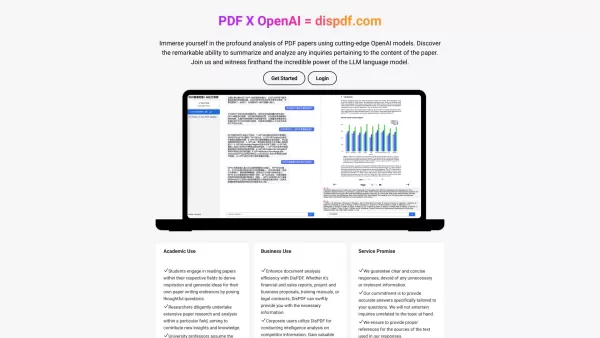
DisPDF is a web platform for discussing and collaborating on PDF files.



Helps TikTok sellers, brands, MCNs, and TAPs discover winning products and find creators.

HelpLook is an AI-powered all-in-one knowledge base tool that helps businesses quickly build knowledge bases, help centers, and...

Your AI Workspace

302.AI is an enterprise-grade AI resource platform with pay-as-you-go pricing, API access to a full range of AI models, and ready-to-use online applications.

剧火AI — AI Screenwriter + Director, a One-Person Short Drama Studio In one sentence, what is it?
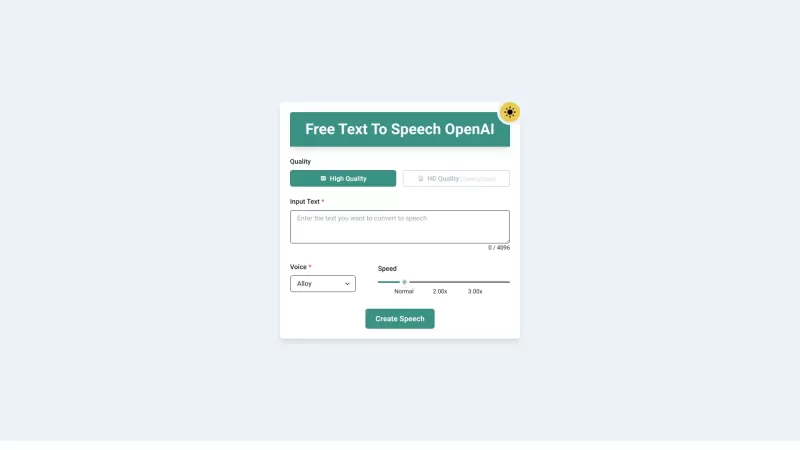
Ever wished you could transform your PDFs and eBooks into something you could listen to while on the go? Well, that's exactly what PDF to Audiobook does—it turns your static text into dynamic audiobooks or MP3 files. Imagine being able to listen to your f
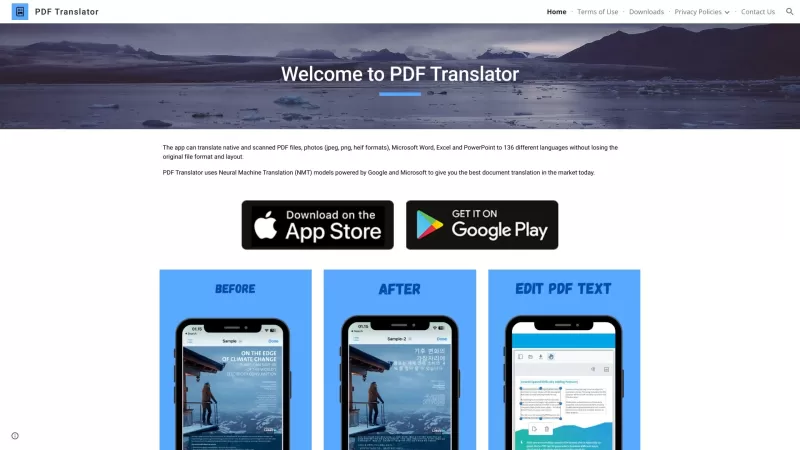
Ever found yourself staring at a PDF document, wishing you could read it in your native language? Well, let me introduce you to the PDF Translator—a nifty online tool that's like a linguistic superhero for your documents. It doesn't just translate; it tra
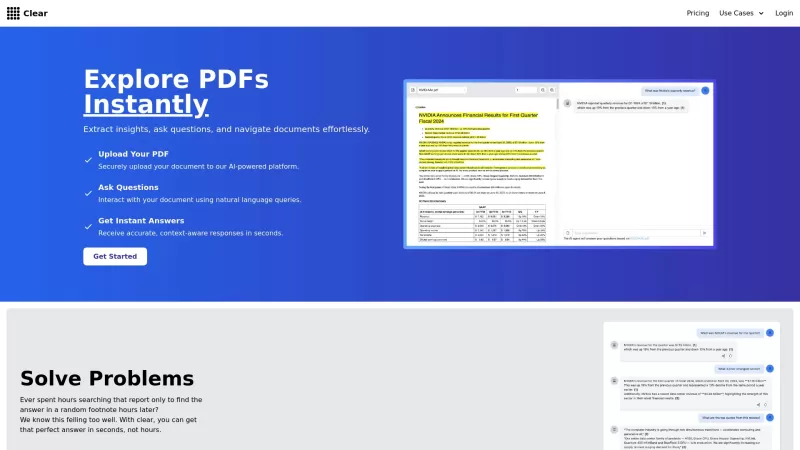
Ever found yourself lost in a sea of documents, hunting for that one elusive piece of information? That's where Clear comes in, acting like your personal detective for all your document needs. Imagine you're knee-deep in a report, and that crucial detail
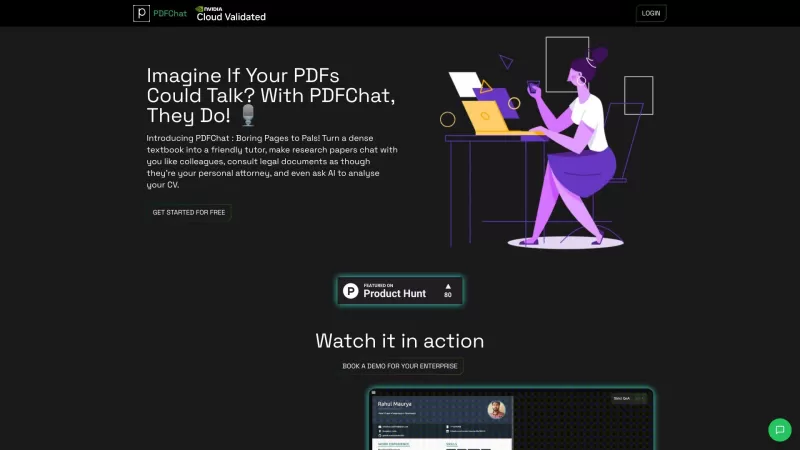
Ever found yourself struggling to make sense of a hefty PDF? Enter PDFChat, a game-changer in how we interact with documents. Imagine turning a dense textbook into your personal tutor, or having a research paper chat with you like a colleague. PDFChat doe
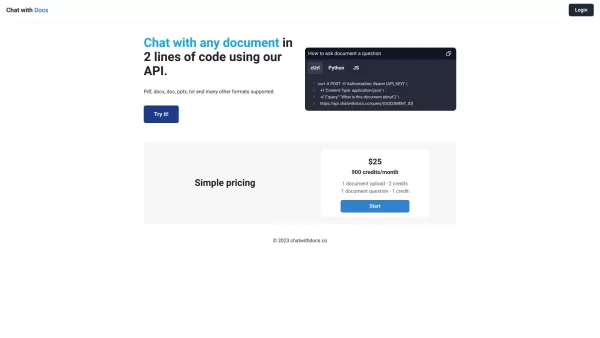
Ever found yourself buried under a mountain of documents, wishing you could just have a conversation with them? Well, with Chat with Docs, that dream becomes reality. This innovative platform lets you interact with your documents as if they were old frien
DisPDF Product Information
Ever stumbled upon a platform that not only lets you upload your PDF files but also turns them into a hub for vibrant discussions? That's DisPDF for you—a nifty web-based tool built with create-react-app. It's like having a virtual round table where you and your collaborators can dive deep into the content of your PDFs, no matter where you are.
How to Make the Most Out of DisPDF?
Getting started with DisPDF is a breeze. Just upload your PDF and you're ready to kick off a discussion. Want to highlight a particularly juicy bit of text? Go for it. Feel like adding a comment or starting a chat? It's all at your fingertips. Your collaborators can jump in anytime, adding their two cents, annotating in real-time, and making your document review process feel alive and interactive.
What Makes DisPDF Tick?
PDF File Upload
Drag and drop your PDF, and you're good to go. It's that simple.
Text Highlighting
Spot something interesting? Highlight it and let the discussion begin.
Commenting
Add your thoughts directly on the document. It's like scribbling in the margins, but better.
Real-time Collaboration
Watch as your team's input comes to life right before your eyes. It's like magic, but it's tech.
Chat Functionality
Need to hash out an idea? The built-in chat makes it easy to communicate without leaving the platform.
Where Can DisPDF Make a Difference?
Collaborative Document Review
Whether it's a business proposal or a legal document, get everyone's input in one place.
Team Collaboration on PDF Files
From project plans to design specs, DisPDF keeps your team on the same page—literally.
Academic Research and Study Groups
Imagine dissecting research papers or preparing for exams with your study group, all in real-time.
Proofreading and Editing
Turn your PDF into a living, breathing document where every suggestion and correction can be seen and acted upon.
Sharing Annotations and Feedback
Share your insights and get feedback in a way that's both efficient and engaging.
Frequently Asked Questions About DisPDF
- Can I convert PDF files to different formats using DisPDF?
- Currently, DisPDF focuses on collaboration rather than file conversion.
- Can I invite others to join my PDF discussions?
- Absolutely! Just share the link and they can join the fun.
- Is DisPDF compatible with all operating systems?
- Yes, as long as you have a web browser, you're good to go.
- Can I access previous discussions and annotations on DisPDF?
- All your past discussions and annotations are saved and easily accessible.
- Is there a limit to the number of collaborators in a single discussion?
- No limit here! Invite as many people as you need.
- Can I download the commented PDF file after discussions?
- Yes, you can download the PDF with all the comments and annotations intact.
- Is there a mobile app available for DisPDF?
- Not yet, but the web version works great on mobile devices.
- Can I import PDF files from cloud storage platforms like Dropbox or Google Drive?
- Not directly, but you can download from these services and then upload to DisPDF.
- Does DisPDF support multiple languages?
- Yes, DisPDF is designed to support multiple languages for a global audience.
- Is my data secure on DisPDF?
- Your data's safety is a top priority. DisPDF uses robust security measures to keep your discussions private.
DisPDF Screenshot


2026 Latest Best Top-rated AI Text to Speech Tools for Online Courses are curated by XIX.AI based on rigorous real-world tests and weekly updated rankings. These powerful tools help creators deliver crystal-clear audio content effortlessly, boosting writing efficiency and streamlining course production. Check out the free vs paid comparison to find your perfect fit. Explore now to unlock your AI edge in online education.
 10 tools
 xix.ai

2026 Latest Best Top-Rated AI Blog Title Tools for Higher Click Through Rates! XIX.AI has carefully curated a powerful, game-changing collection of top tools that go through rigorous real-world tests. You’ll find a free vs paid comparison, weekly updated rankings, and detailed insights to help you boost your blog’s traffic efficiently. Must-try options are highlighted to help you unlock your AI edge. Explore now!
10 tools
xix.ai

2026 Latest Best Top-rated AI Task Routing Tools for Support Workflows! XIX.AI has curated a highly powerful game-changing collection of must-try solutions, all undergoing rigorous real-world tests and updated weekly. These tools streamline workflows, boost productivity, and help teams deliver faster, more efficient support. Explore now to discover your perfect tool and unlock your AI edge!
17 tools
xix.ai

2026 Latest Best Top-Rated AI Citation and Paper Summary Tools Curated by XIX.AI. Get powerful game-changing solutions for quick content creation, improved writing efficiency, and boosting productivity. We offer a free vs paid comparison along with real-world tests and weekly updated rankings to help you find the must-try tool that fits your needs perfectly. Explore now to Unlock your AI edge.
10 tools
xix.ai

2026 Latest Best Top-Rated AI Productivity Tools for Daily Work! XIX.AI has curated a powerful, game-changing selection based on rigorous weekly updated rankings and real-world tests. You’ll find must-try options that boost writing efficiency, streamline content creation, and help you overcome daily work challenges. Get a free vs paid comparison to find the perfect fit for your needs. Explore now to unlock your AI edge!
9 tools
xix.ai

2026 Latest Best Top-Rated AI Systematic Review Tools for Research Screening are here on XIX.AI! This curated collection includes powerful, game-changing solutions that go through rigorous real-world tests to deliver accurate results. We also offer a free vs paid comparison along with weekly updated rankings to help you find the must-try option that boosts your research efficiency significantly. Explore now to unlock your AI edge in academic work!
11 tools
xix.ai


