


 Home
HomeXpptx



Helps TikTok sellers, brands, MCNs, and TAPs discover winning products and find creators.

HelpLook is an AI-powered all-in-one knowledge base tool that helps businesses quickly build knowledge bases, help centers, and...

Your AI Workspace

302.AI is an enterprise-grade AI resource platform with pay-as-you-go pricing, API access to a full range of AI models, and ready-to-use online applications.

剧火AI — AI Screenwriter + Director, a One-Person Short Drama Studio In one sentence, what is it?
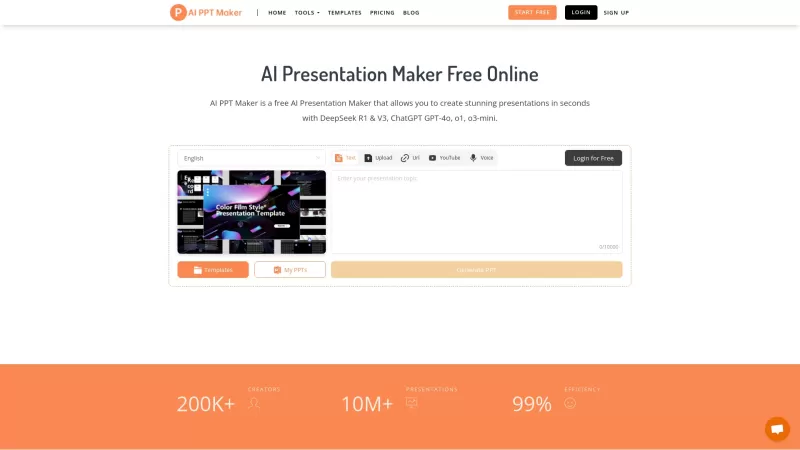
Ever found yourself staring at a blank screen, dreading the hours it'll take to whip up a professional presentation? Enter AI PPT Maker, your new best friend for transforming any type of content into slick, ready-to-present slides in no time. Whether you'
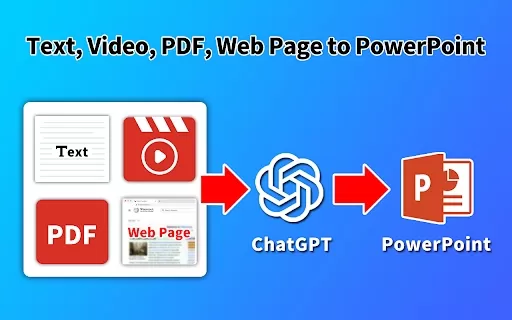
What is the GPT PowerPoint Maker AI Chrome Extension? GPT PowerPoint Maker is an AI-powered tool that automates the creation of PowerPoint presentations. It lets you produce slides from text, PDF files, videos, or URLs, saving time and effort. The ex
Xpptx Product Information
What is Xpptx?
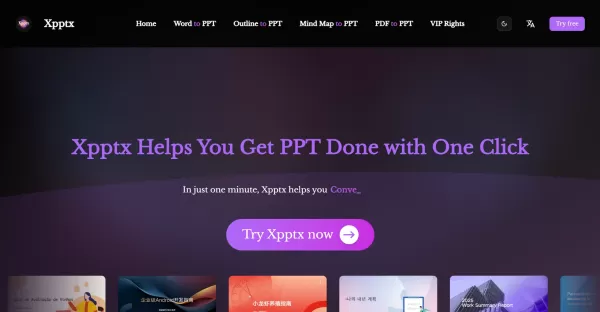
Xpptx is an AI-powered tool that automates the creation of professional PowerPoint presentations. Simply provide a project title or upload documents like Word files or mind maps. Xpptx then uses advanced AI and deep search to generate polished, well-structured slides complete with professional layouts and copy. It supports multiple content sources and formats, offers flexible editing, and dramatically cuts down the time needed to produce high-quality slides for market research, sales pitches, training, and strategic plans.
Who uses Xpptx?
- Business professionals crafting reports or presentations
- Marketers developing marketing strategies
- Researchers compiling market analysis
- Trainers preparing instructional materials
- Project managers and strategists
- Students and educators
How to use Xpptx
- Step 1: Enter your presentation title or specific requirements.
- Step 2: Optionally upload supporting documents like Word files or mind maps.
- Step 3: Click the generate button for AI to create your PPT.
- Step 4: Review the automatically generated outline and copy.
- Step 5: Customize and edit the presentation to match your style.
- Step 6: Download or present your professional-quality PowerPoint.
Platform
- Web
Xpptx's Core Features & Benefits
Core Features
- AI-powered, one-click PPT generation
- Support for multiple input formats (Word, mind maps, etc.)
- Automatic professional copywriting and outline creation
- Intelligent layout design and beautification
- Customizable editing options
- Open platform with private deployment available
Benefits
- Saves significant time and effort in creating presentations
- Ensures professional-quality slides with a consistent style
- Supports a wide range of presentation scenarios
- Enables easy customization and editing
- Reduces reliance on manual design skills
- Offers flexibility with private deployment for businesses
Xpptx's Main Use Cases & Applications
- Market research presentations
- Work reports and summaries
- Marketing plan decks
- Training and educational materials
- Strategic planning and project summaries
- Sales presentation slides
Xpptx's Pros & Cons
Pros
Rapid PPT creation, typically under one minute
High-quality, AI-generated outlines and copywriting
Supports various input sources and file formats
Customization options for fine-tuning
Web-based platform, no software installation needed
Open platform allowing for private deployment
Cons
No dedicated mobile or desktop applications mentioned
Not available as open-source software
Limited information on multi-language support
Requires a stable internet connection
Pricing details require a visit to the website
No explicit community or social media links provided
FAQs about Xpptx
What does Xpptx AI do?
It quickly generates professional PowerPoints by using a title or uploaded documents to automatically create outlines, copy, and layouts.
How long does it take to generate a PPT?
It typically takes about one minute from input to finished presentation, though times may vary slightly.
Can I use Xpptx-generated PPTs for commercial purposes?
Yes, the presentations created can be used commercially.
What types of presentations can Xpptx create?
It can generate work reports, marketing plans, training materials, market research analyses, and other professional slide decks.
What languages does Xpptx support?
Support details are limited; it is primarily designed for English but may handle other languages contextually.
Is there a mobile or desktop app for Xpptx?
Currently, Xpptx is a web-based platform with no dedicated mobile or desktop apps.
Can I upload different document formats?
Yes, it supports uploading Word documents and mind maps for conversion into presentations.
Does Xpptx offer private deployment?
Yes, enterprises can request private deployment of Xpptx's AI capabilities.
Is Xpptx open-source?
No, Xpptx is not an open-source platform.
Where can I find pricing information?
Pricing details are available on the official Xpptx pricing page.
Xpptx Company Information
Xpptx Launch embedsUse website badges to drive support from your community for your Creati.ai Launch. They're easy to embed on your homepage or footer.
How to install?
Xpptx Screenshot


2026 Latest Best AI Vocal Demo Tools for Songwriters, Hook Creators, and Multi-Language Content Teams! XIX.AI has curated a top-rated list of powerful game-changing tools that go through rigorous real-world tests. You’ll find detailed free vs paid comparison data, comprehensive rankings, and must-try options to help you boost writing efficiency and unlock your creative potential. Explore now to discover your perfect tool for all your content needs!
 9 tools
 xix.ai

2026 Latest Best Top-rated AI Competitive Research Tools for Small Businesses! XIX.AI has curated a highly powerful game-changing collection, updated weekly with rigorous real-world tests and detailed rankings. You can find a comprehensive free vs paid comparison to help you identify the must-try tools that boost your productivity and give you a competitive edge. Explore now to discover your perfect tool!
9 tools
xix.ai

2026 Latest Best Photoshop AI retouch tools for ecommerce apparel, skin cleanup, and color consistency! This top-rated curated list features powerful game-changing solutions that help you boost writing efficiency, streamline content creation, and achieve perfect visual results effortlessly. Each tool has undergone real-world tests through weekly updated rankings, complete with free vs paid comparison details. Backed by XIX.AI, it’s the must-try guide for anyone aiming to unlock your AI edge. Explore now!
10 tools
xix.ai

2026 Latest Best Top-Rated AI Prompt Libraries for optimizing all types of ChatGPT workflows. XIX.AI has curated a powerful, game-changing collection that goes through rigorous real-world tests to ensure top performance. You can find detailed free vs paid comparisons and expert rankings to help you choose the must-try tools that boost your productivity and unlock your AI edge. Explore now!
11 tools
xix.ai

2026 Latest Best AI Quiz Builder Platforms for Teachers, Tutors, and Cohort-Based Learning Programs! XIX.AI has curated a top-rated list of powerful game-changing tools that go through real-world tests to deliver accurate rankings. These must-try platforms help boost writing efficiency, streamline content creation, and simplify quiz design across all learning scenarios. Explore now to discover your perfect tool for unlocking your AI edge in teaching!
13 tools
xix.ai

2026 Latest Best AI Pull Request Review Tools for GitHub Teams are here on XIX.AI! This top-rated curated list showcases powerful game-changing solutions that streamline refactoring, bug fixing, and security gap detection across all team workflows. Enjoy a free vs paid comparison along with real-world tests and detailed rankings to help you find the perfect tool that boosts productivity significantly. Explore now to unlock your AI edge!
12 tools
xix.ai


