


 Home
HomeWudpecker
Wudpecker AI: Meeting Notes Assistant



Helps TikTok sellers, brands, MCNs, and TAPs discover winning products and find creators.

HelpLook is an AI-powered all-in-one knowledge base tool that helps businesses quickly build knowledge bases, help centers, and...

Your AI Workspace

302.AI is an enterprise-grade AI resource platform with pay-as-you-go pricing, API access to a full range of AI models, and ready-to-use online applications.

剧火AI — AI Screenwriter + Director, a One-Person Short Drama Studio In one sentence, what is it?
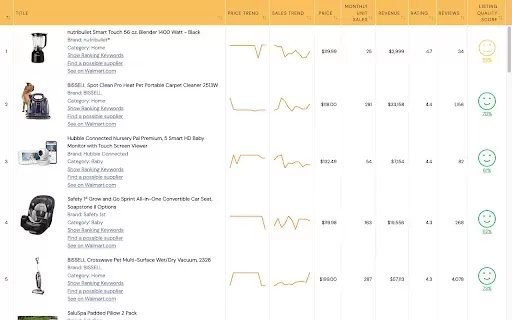
What is WallySmarter?WallySmarter is an all-in-one platform that empowers Walmart sellers to effortlessly analyze product performance, estimate sales, and conduct keyword research. By aggregating data from Walmart's vast inventory, this tool helps us

What is NOA?NOA Tech provides innovative technology solutions to enhance your business productivity. Utilizing advanced AI tools and custom automation, we identify operational bottlenecks, implement automation strategies, and empower your team to con
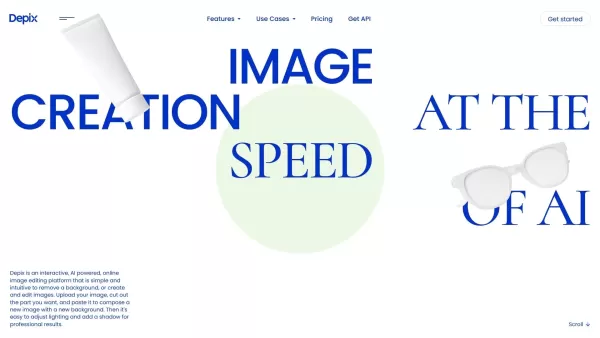
What is Depix AI?Depix AI is a cutting-edge, AI-powered platform that transforms automotive and product design. It offers sketching tools, AI-generated imagery, and HDRI visuals, enabling designers to quickly turn sketches into photorealistic images
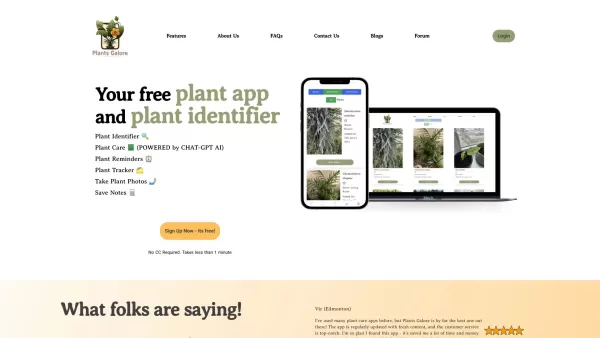
What is PlantsGalore AI Plant Assistant?Plants Galore is a comprehensive app crafted to assist plant lovers in identifying, monitoring, and nurturing their plants. It delivers detailed plant profiles, customized care advice, and growth tracking tools
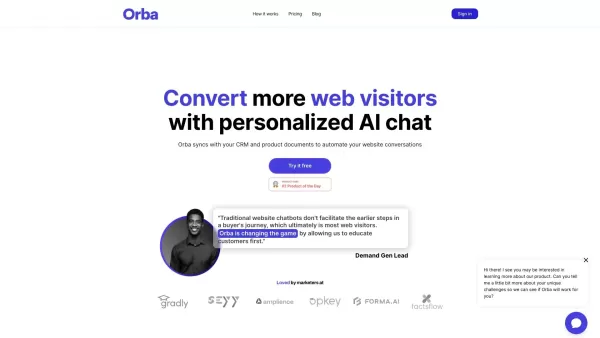
What is Orba?Orba is an AI-powered platform that personalizes interactions with your website visitors to enhance engagement and drive more conversions. It provides automated SDR outbound services, featuring an AI-driven website chatbot and personaliz
Wudpecker Product Information
What is Wudpecker?
Wudpecker is an advanced AI meeting assistant that simplifies meeting management for individuals and teams. It integrates seamlessly with popular conferencing tools like Zoom, Google Meet, and Microsoft Teams to automatically join, record, transcribe, and create personalized notes from your meetings. This tool streamlines your entire meeting workflow, from preparation to follow-up, ensuring all key decisions, action items, and important insights are captured accurately and are readily available.
Who uses Wudpecker?
- Business professionals
- Teams
- Project managers
- Sales teams
- Educators
- Remote workers
How to use Wudpecker
- Step 1: Create a Wudpecker account and connect it to your calendar.
- Step 2: Schedule your meeting and allow Wudpecker to generate the agenda.
- Step 3: Start the meeting; Wudpecker will automatically join, record, and transcribe notes.
- Step 4: Review the AI-generated summary and assign tasks using the follow-up features.
- Step 5: Share the finalized notes with attendees and stakeholders.
Platform
- Web
Wudpecker's Core Features & Benefits
Core Features
- Personalized, AI-generated meeting notes
- Automatic meeting recording and transcription
- Integration with Zoom, Google Meet, and Microsoft Teams
- Summaries and task assignment tools
Benefits
- Boosts meeting productivity
- Improves documentation accuracy
- Minimizes manual note-taking
- Simplifies team collaboration and follow-up
Key Use Cases & Applications
- Sales meetings: Accurately record client needs and action items.
- Project management: Document key discussions and delegate tasks.
- Educational sessions: Summarize lectures and collaborative discussions.
- Corporate meetings: Ensure all critical points are documented and acted upon.
Wudpecker's Pros & Cons
Pros
Unifies customer voice and behavior analytics in a single platform
Helps track engagement trends, feature adoption, and potential churn risks
Offers ready-made dashboards with industry-standard metrics
GDPR compliant with secure data encryption and EU-based data storage
Generates insights from diverse feedback sources, including interviews, support tickets, and surveys
Cons
No indication of open-source availability
Public GitHub repository or mobile app links are not available
Some user reports mention occasional syncing issues with meeting recordings
Wudpecker's Pricing
Free plan available | YES |
|---|---|
Free trial details | 14-day free trial, no credit card required |
Pricing model | Freemium |
Credit card required? | No |
Paid plans start from | 19 USD |
Lifetime plan available | No |
Billing frequency | Monthly |
Pricing Plan Details
Free
0 USD
- 10 meetings per month with the notetaker bot
- 3 Ask AI questions per recording
- Desktop and phone applications
- Record in-person meetings
- Unlimited meetings per month, but with limited AI features
- Organize calls into collections and use custom templates
- Share notes directly or via view-only links
- Transcription for 39 languages
- Email notifications when notes are ready
- Fully editable notes and speaker names
- Integrations: Google Meet, Zoom, Microsoft Teams
Plus
19 USD
- Includes all Free features
- 30 meetings per month with the notetaker bot
- Unlimited Ask AI questions
- Set auto-join preferences for the notetaker bot
- Customize the notetaker bot's name and greeting message
- Manually invite the Notetaker to unscheduled meetings
- Integrations with Notion, Slack, and HubSpot
- Early access to new beta features
Pro
32 USD
- Includes all Plus features
- 100 meetings per month with the notetaker bot
- Team workspace
- Additional integrations are planned
Discount:
20% discount for annual billing
For the most current pricing, visit: https://www.wudpecker.io/pricing
Wudpecker FAQs
Is there a free trial available?
Yes, Wudpecker provides a free trial for new users.
Does Wudpecker work with Zoom, Google Meet, or Microsoft Teams?
Yes, it is fully compatible with Zoom, Google Meet, and Microsoft Teams.
How can I add multiple calendars?
You can link multiple calendars by integrating your Google Calendar, Microsoft Outlook, and iCal accounts.
Which languages do you support?
Wudpecker supports transcription in more than 100 languages.
Can I customize the meeting notes template?
Yes, you have some customization options for meeting note templates in Wudpecker.
How secure is my data with Wudpecker?
Wudpecker secures your data with encryption and adheres to data protection regulations.
Can I use Wudpecker for in-person meetings?
Wudpecker is mainly designed for virtual meetings on its supported platforms.
What happens if a meeting extends beyond the scheduled time?
Wudpecker continues recording and transcribing until the meeting concludes.
How do I share the meeting notes?
You can share the generated notes directly from the Wudpecker platform via email or a shareable link.
Does Wudpecker provide real-time transcription?
Yes, it offers real-time transcription during your meetings.
Wudpecker Company Details
Website:
https://www.wudpecker.io/Company Name:
WudpeckerSupport Email:
NAFacebook:
NAX(Twitter):
https://twitter.com/wudpecker_ioYouTube:
NAInstagram:
NATikTok:
NALinkedIn:
NA
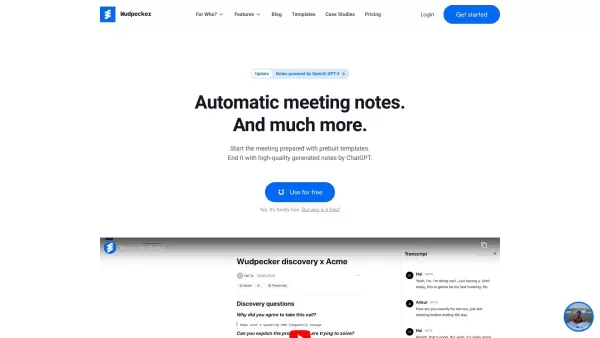
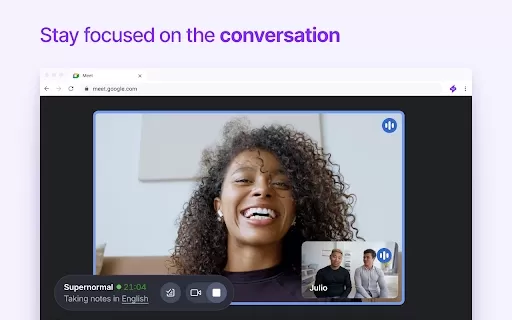
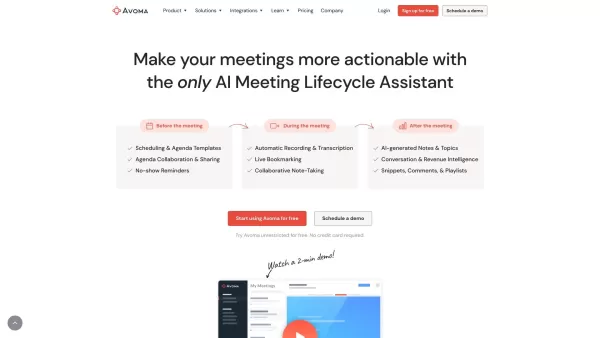
Wudpecker Screenshot

2026 Latest Best AI Pull Request Review Tools for GitHub Teams are here on XIX.AI! This top-rated curated list showcases powerful game-changing solutions that streamline refactoring, bug fixing, and security gap detection across all team workflows. Enjoy a free vs paid comparison along with real-world tests and detailed rankings to help you find the perfect tool that boosts productivity significantly. Explore now to unlock your AI edge!
 12 tools
 xix.ai

2026 Latest Best Top-rated AI Text to Speech Tools for Natural Voiceovers are here on XIX.AI! This curated list features powerful, game-changing options that deliver crystal-clear voices for every use case, backed by real-world tests and weekly updated rankings. Get a free vs paid comparison to find the must-try solution that boosts your productivity instantly. Explore now to Unlock your AI edge!
11 tools
xix.ai

2026 Latest Best Manga AI Background Generators Ranked Top-Rated! This curated collection showcases powerful game-changing tools perfect for creating high-quality chapter backgrounds, book covers, and promotional art. Every option has undergone rigorous real-world tests to ensure reliability. Get a free vs paid comparison along with detailed insights. Explore now to discover your perfect tool and unlock your AI edge in manga creation.
6 tools
xix.ai

2026 Latest Best Top-rated AI Object Removal Editors for portraits travel product shots! XIX.AI curates a powerful game-changing collection regularly updated with weekly rankings. These tools offer real-world tests to help you quickly remove unwanted elements, boost content quality, and save tons of time without compromising results. Must-try for anyone aiming to unlock their AI creation edge. Explore now!
10 tools
xix.ai

2026 Latest Best Top-rated AI Text to Speech Tools for Online Courses are curated by XIX.AI based on rigorous real-world tests and weekly updated rankings. These powerful tools help creators deliver crystal-clear audio content effortlessly, boosting writing efficiency and streamlining course production. Check out the free vs paid comparison to find your perfect fit. Explore now to unlock your AI edge in online education.
10 tools
xix.ai

2026 Latest Best Top-Rated AI Blog Title Tools for Higher Click Through Rates! XIX.AI has carefully curated a powerful, game-changing collection of top tools that go through rigorous real-world tests. You’ll find a free vs paid comparison, weekly updated rankings, and detailed insights to help you boost your blog’s traffic efficiently. Must-try options are highlighted to help you unlock your AI edge. Explore now!
10 tools
xix.ai


