


 Home
HomeVoiceChatter
VoiceChatter: Voice to Text for Chatting



Helps TikTok sellers, brands, MCNs, and TAPs discover winning products and find creators.

HelpLook is an AI-powered all-in-one knowledge base tool that helps businesses quickly build knowledge bases, help centers, and...

Your AI Workspace

302.AI is an enterprise-grade AI resource platform with pay-as-you-go pricing, API access to a full range of AI models, and ready-to-use online applications.

剧火AI — AI Screenwriter + Director, a One-Person Short Drama Studio In one sentence, what is it?

What is Revoldiv AI Chrome Extension? Revoldiv is a Chrome browser extension that instantly transcribes audio and video directly in your browser. It lets users follow along by reading live transcriptions and search for specific spoken words within po
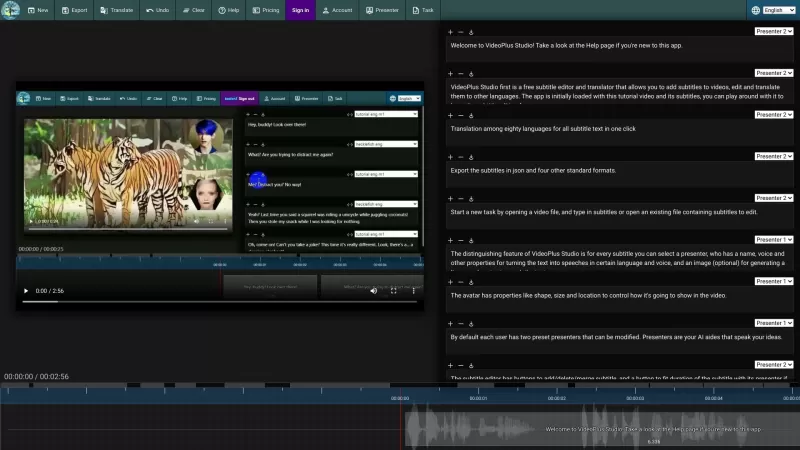
VideoPlus Studio is more than just your average subtitle editor; it's a game-changer for video creators. Imagine being able to not only add and tweak subtitles on your videos but also translate them into over 80 languages with just a click. That's right,
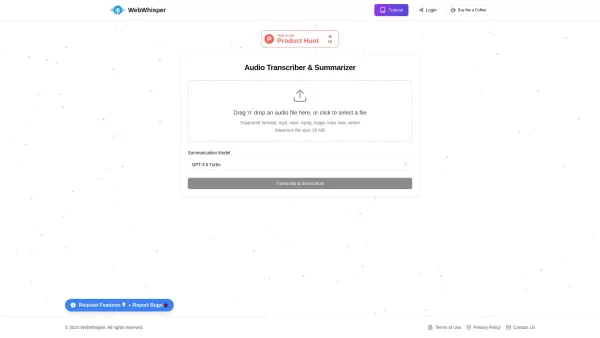
Ever found yourself wishing you could magically turn audio into text? Well, let me introduce you to WebWhisper, your new best friend in the world of audio transcription and summarization. This nifty online tool harnesses the power of cutting-edge AI
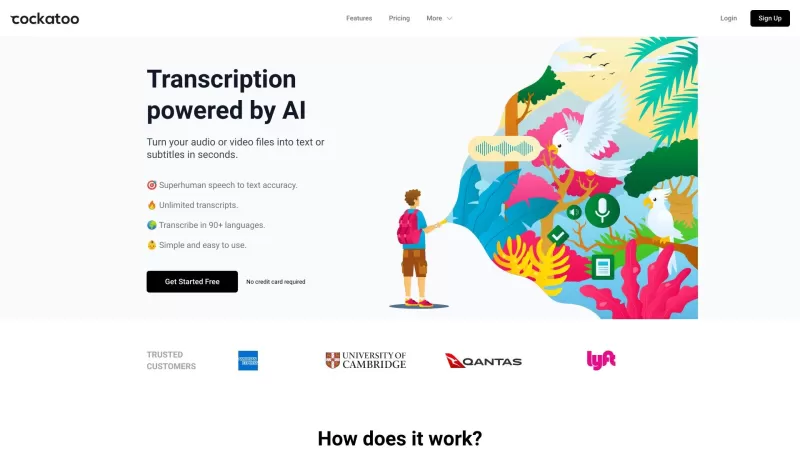
Ever wondered what Cockatoo is all about? Well, let me tell you, it's not just another bird in the tech jungle. Cockatoo is a cutting-edge AI-powered transcription service that turns your audio or video files into text or subtitles in the blink of an eye.

Ever found yourself in need of a quick and accurate transcription of a video or audio file? That's where Video To Text AI comes into play. It's a slick AI-powered tool designed to effortlessly convert your media into text. Whether you're juggling YouTube
VoiceChatter Product Information
What is VoiceChatter?
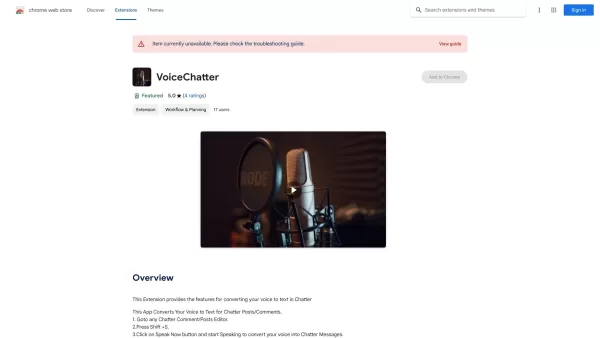
VoiceChatter is a practical Chrome extension that makes commenting and posting in chat apps effortless. By pressing a simple keyboard shortcut, you can speak your thoughts, which are then instantly transcribed into text. This feature saves you time and improves your communication, making it great for both casual chatting and professional messaging. Whether you're joining discussions or leaving feedback, VoiceChatter offers a smooth text input experience, helping you share your ideas clearly and effectively.
Who can use VoiceChatter?
- Students
- Professionals
- Gamers
- Content Creators
- Anyone who uses chat applications
How to use VoiceChatter
- Step 1: Install the VoiceChatter extension from the Chrome Web Store.
- Step 2: Open any Chatter post or comment editor.
- Step 3: Press Shift + S to enable voice input.
- Step 4: Click the Speak Now button and start dictating your message.
- Step 5: Review the transcribed text and make any edits before posting.
Platform
- Chrome
VoiceChatter's Core Features & Benefits
The Core Features
- Voice-to-text conversion
- Easy activation with keyboard shortcuts
- Compatible with multiple chat applications
The Benefits
- Saves time on typing
- Improves communication efficiency
- User-friendly and easy to use
VoiceChatter's Primary Use Cases & Applications
- Online education
- Remote work communication
- Gaming chat
- Social media interactions
VoiceChatter FAQs
How do I install VoiceChatter?
Go to the Chrome Web Store, search for VoiceChatter, and click Install.
Is VoiceChatter free?
Yes, VoiceChatter is a free Chrome extension.
Can I use VoiceChatter on non-Chrome browsers?
No, VoiceChatter is specifically built for Google Chrome.
Which chat applications support VoiceChatter?
VoiceChatter works with most chat apps that allow text input.
Does VoiceChatter support multiple languages?
It mainly supports English, but it may also work with other languages.
How do I activate the voice input feature?
Press Shift + S to activate voice input.
Is my voice data stored?
No, VoiceChatter processes your voice locally and does not store it.
Can I edit the text after dictation?
Yes, you can review and edit the text before posting.
What if voice recognition is inaccurate?
You can review the text and make corrections before posting.
Can I use VoiceChatter on mobile devices?
No, VoiceChatter is currently only available for Chrome on desktop.
VoiceChatter Company Information
Website:
https://5-letter-words.comCompany Name:
NASupport Email:
NAFacebook:
NAX(Twitter):
NAYouTube:
NAInstagram:
NATikTok:
NALinkedIn:
NA
VoiceChatter Screenshot



2026 Latest Best Top-rated AI Object Removal Editors for portraits travel product shots! XIX.AI curates a powerful game-changing collection regularly updated with weekly rankings. These tools offer real-world tests to help you quickly remove unwanted elements, boost content quality, and save tons of time without compromising results. Must-try for anyone aiming to unlock their AI creation edge. Explore now!
 10 tools
 xix.ai

2026 Latest Best Top-rated AI Text to Speech Tools for Online Courses are curated by XIX.AI based on rigorous real-world tests and weekly updated rankings. These powerful tools help creators deliver crystal-clear audio content effortlessly, boosting writing efficiency and streamlining course production. Check out the free vs paid comparison to find your perfect fit. Explore now to unlock your AI edge in online education.
10 tools
xix.ai

2026 Latest Best Top-Rated AI Blog Title Tools for Higher Click Through Rates! XIX.AI has carefully curated a powerful, game-changing collection of top tools that go through rigorous real-world tests. You’ll find a free vs paid comparison, weekly updated rankings, and detailed insights to help you boost your blog’s traffic efficiently. Must-try options are highlighted to help you unlock your AI edge. Explore now!
10 tools
xix.ai

2026 Latest Best Top-rated AI Task Routing Tools for Support Workflows! XIX.AI has curated a highly powerful game-changing collection of must-try solutions, all undergoing rigorous real-world tests and updated weekly. These tools streamline workflows, boost productivity, and help teams deliver faster, more efficient support. Explore now to discover your perfect tool and unlock your AI edge!
17 tools
xix.ai

2026 Latest Best Top-Rated AI Citation and Paper Summary Tools Curated by XIX.AI. Get powerful game-changing solutions for quick content creation, improved writing efficiency, and boosting productivity. We offer a free vs paid comparison along with real-world tests and weekly updated rankings to help you find the must-try tool that fits your needs perfectly. Explore now to Unlock your AI edge.
10 tools
xix.ai

2026 Latest Best Top-Rated AI Productivity Tools for Daily Work! XIX.AI has curated a powerful, game-changing selection based on rigorous weekly updated rankings and real-world tests. You’ll find must-try options that boost writing efficiency, streamline content creation, and help you overcome daily work challenges. Get a free vs paid comparison to find the perfect fit for your needs. Explore now to unlock your AI edge!
9 tools
xix.ai


This is so useful for quick replies in Slack! I'm always typing with one hand while holding coffee, now I can just speak my mind. The shortcut worked right away 🎤


