


 Home
HomeVideoPlus Studio
Subtitle editor with dynamic avatars.



Helps TikTok sellers, brands, MCNs, and TAPs discover winning products and find creators.

HelpLook is an AI-powered all-in-one knowledge base tool that helps businesses quickly build knowledge bases, help centers, and...

Your AI Workspace

302.AI is an enterprise-grade AI resource platform with pay-as-you-go pricing, API access to a full range of AI models, and ready-to-use online applications.

剧火AI — AI Screenwriter + Director, a One-Person Short Drama Studio In one sentence, what is it?

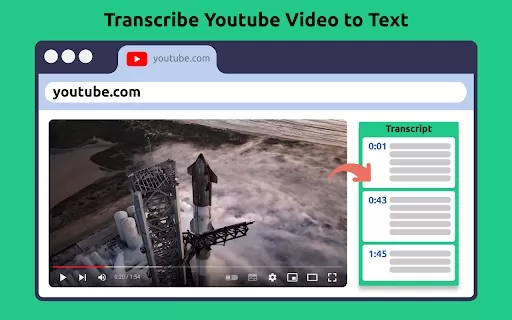
What is Revoldiv AI Chrome Extension? Revoldiv is a Chrome browser extension that instantly transcribes audio and video directly in your browser. It lets users follow along by reading live transcriptions and search for specific spoken words within po
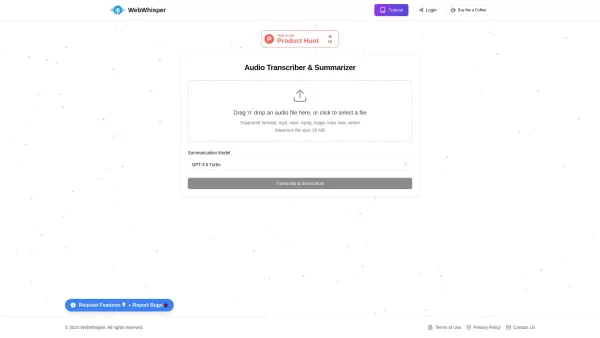
Ever found yourself wishing you could magically turn audio into text? Well, let me introduce you to WebWhisper, your new best friend in the world of audio transcription and summarization. This nifty online tool harnesses the power of cutting-edge AI
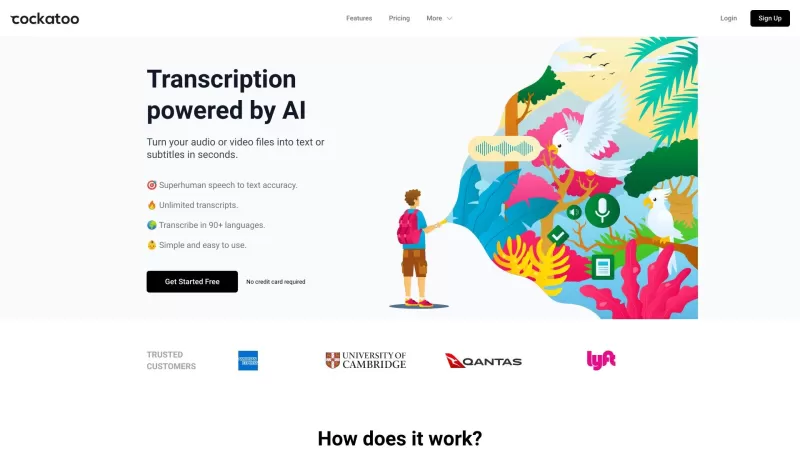
Ever wondered what Cockatoo is all about? Well, let me tell you, it's not just another bird in the tech jungle. Cockatoo is a cutting-edge AI-powered transcription service that turns your audio or video files into text or subtitles in the blink of an eye.

Ever found yourself in need of a quick and accurate transcription of a video or audio file? That's where Video To Text AI comes into play. It's a slick AI-powered tool designed to effortlessly convert your media into text. Whether you're juggling YouTube
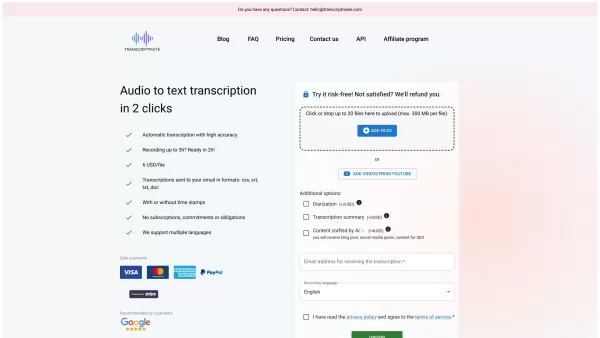
What is Transcriptmate? Transcriptmate is an online service that transcribes your audio and video files. It operates on a convenient 'Pay-As-You-Go' basis, meaning no sign-ups, subscriptions, or monthly fees. You simply pay per file, not per minute,
VideoPlus Studio Product Information
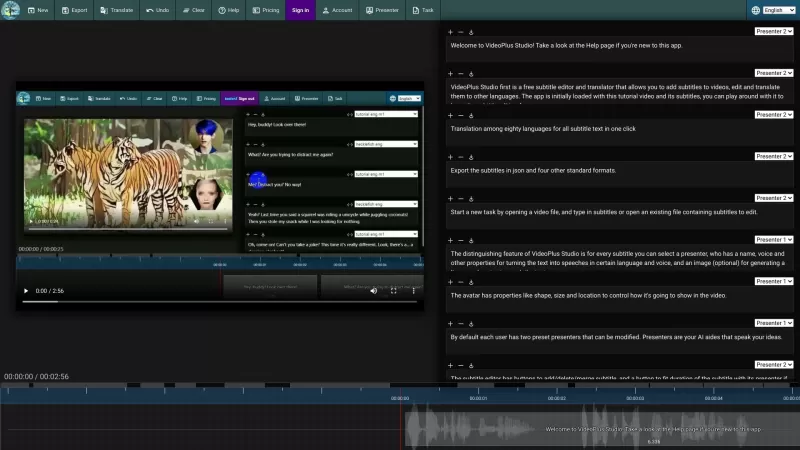
VideoPlus Studio is more than just your average subtitle editor; it's a game-changer for video creators. Imagine being able to not only add and tweak subtitles on your videos but also translate them into over 80 languages with just a click. That's right, VideoPlus Studio lets you do all that and more, for free! What sets it apart is its unique feature: you can assign a 'presenter' to each subtitle. This presenter can turn your text into spoken words, voiced by an avatar of your choice. It's like having a virtual cast for your videos, making them more engaging and dynamic.
How to Use VideoPlus Studio?
Getting started with VideoPlus Studio is a breeze. Just kick things off by opening a video or subtitle file. From there, you can save your subtitles to a local file, or if you're feeling tech-savvy, export them in json or other standard formats. Want to reach a broader audience? No problem—translate your subtitles into another language with ease. Made a mistake? No sweat, just hit undo or clear all subtitles if you need a fresh start. Curious about the premium features? Check out the pricing and maybe even subscribe to a paid plan. Don't forget to sign in to tweak your account details, and while you're at it, you can view or edit your presenters. Once you're ready, submit your task for processing and keep an eye on your task history to see how things are progressing.
VideoPlus Studio's Core Features
VideoPlus Studio isn't messing around when it comes to features. You get a free subtitle editor and translator right off the bat. Add and edit subtitles to your heart's content, and with the one-click translation feature, you can reach audiences in 80 different languages. Exporting your subtitles is flexible too, with json and four other standard formats at your fingertips. But the real star of the show? The ability to select a presenter for each subtitle. These presenters aren't just any old avatars; they're lip-synced to match the text, and you can customize their shape, size, and location to fit your video's vibe. You can even tweak preset presenters and adjust the subtitle duration to sync perfectly with your chosen avatar. And the best part? You can play your video and watch the text move in real-time along the timeline. Once you're done, submit your tasks for processing and keep tabs on your task history.
VideoPlus Studio's Use Cases
With VideoPlus Studio, you can take your video content to the next level. Want to make your videos pop with dynamic avatars? Check. Looking to reach a global audience by translating subtitles? Double check. How about enhancing your videos with eye-catching subtitles? You got it. And if you want to go the extra mile, generate lip-synced avatars to bring your subtitles to life. VideoPlus Studio makes it all possible, turning your video projects into something truly special.
FAQ from VideoPlus Studio
- What languages does VideoPlus Studio support for translation?
- VideoPlus Studio supports translation into over 80 languages, making it easy to reach a global audience.
- Can I export the subtitles in json format?
- Absolutely, you can export subtitles in json format along with four other standard formats.
- How do I add subtitles to a video?
- Start by opening a video or subtitle file in VideoPlus Studio, then you can add and edit subtitles as needed.
- Can I modify the properties of the presenters?
- Yes, you can customize the shape, size, and location of your presenters to fit your video's style.
- How can I fit the duration of a subtitle with its presenter?
- You can adjust the subtitle duration to sync perfectly with the presenter's speech, ensuring a seamless viewing experience.
- How can I submit a task for processing?
- Once you've prepared your subtitles and settings, simply submit the task for processing and monitor its progress through the task history.
Need more help? Reach out to VideoPlus Studio's support team via email or check out their customer service and refund policies. For more contact options, visit the contact us page.
VideoPlus Studio is brought to you by aiTransformer Technologies, a company dedicated to transforming the way we interact with video content.
VideoPlus Studio Screenshot

2026 Latest Best Manga AI Background Generators Ranked Top-Rated! This curated collection showcases powerful game-changing tools perfect for creating high-quality chapter backgrounds, book covers, and promotional art. Every option has undergone rigorous real-world tests to ensure reliability. Get a free vs paid comparison along with detailed insights. Explore now to discover your perfect tool and unlock your AI edge in manga creation.
 6 tools
 xix.ai

2026 Latest Best Top-rated AI Object Removal Editors for portraits travel product shots! XIX.AI curates a powerful game-changing collection regularly updated with weekly rankings. These tools offer real-world tests to help you quickly remove unwanted elements, boost content quality, and save tons of time without compromising results. Must-try for anyone aiming to unlock their AI creation edge. Explore now!
10 tools
xix.ai

2026 Latest Best Top-rated AI Text to Speech Tools for Online Courses are curated by XIX.AI based on rigorous real-world tests and weekly updated rankings. These powerful tools help creators deliver crystal-clear audio content effortlessly, boosting writing efficiency and streamlining course production. Check out the free vs paid comparison to find your perfect fit. Explore now to unlock your AI edge in online education.
10 tools
xix.ai

2026 Latest Best Top-Rated AI Blog Title Tools for Higher Click Through Rates! XIX.AI has carefully curated a powerful, game-changing collection of top tools that go through rigorous real-world tests. You’ll find a free vs paid comparison, weekly updated rankings, and detailed insights to help you boost your blog’s traffic efficiently. Must-try options are highlighted to help you unlock your AI edge. Explore now!
10 tools
xix.ai

2026 Latest Best Top-rated AI Task Routing Tools for Support Workflows! XIX.AI has curated a highly powerful game-changing collection of must-try solutions, all undergoing rigorous real-world tests and updated weekly. These tools streamline workflows, boost productivity, and help teams deliver faster, more efficient support. Explore now to discover your perfect tool and unlock your AI edge!
17 tools
xix.ai

2026 Latest Best Top-Rated AI Citation and Paper Summary Tools Curated by XIX.AI. Get powerful game-changing solutions for quick content creation, improved writing efficiency, and boosting productivity. We offer a free vs paid comparison along with real-world tests and weekly updated rankings to help you find the must-try tool that fits your needs perfectly. Explore now to Unlock your AI edge.
10 tools
xix.ai


