


 Home
HomeUpMeeting - Chrome Extension
Conduct Teams meetings with AI analysis



Helps TikTok sellers, brands, MCNs, and TAPs discover winning products and find creators.

HelpLook is an AI-powered all-in-one knowledge base tool that helps businesses quickly build knowledge bases, help centers, and...

Your AI Workspace

302.AI is an enterprise-grade AI resource platform with pay-as-you-go pricing, API access to a full range of AI models, and ready-to-use online applications.

剧火AI — AI Screenwriter + Director, a One-Person Short Drama Studio In one sentence, what is it?
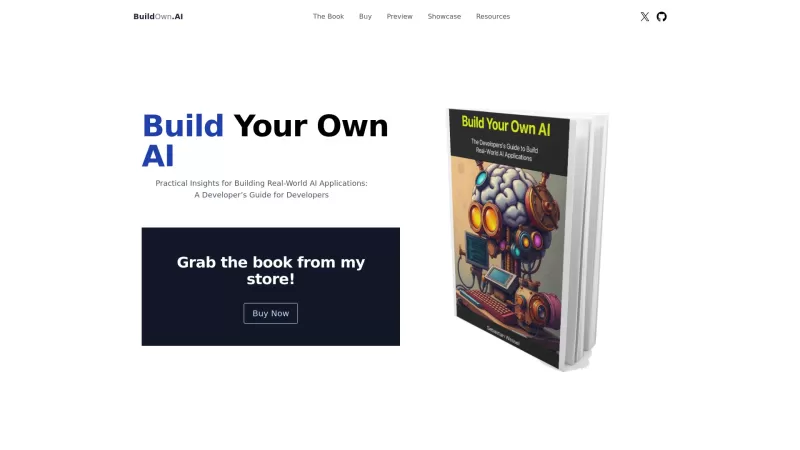
Build Your Own AI is your go-to resource for diving into the world of AI development. It's all about giving developers the tools and know-how to create real-world AI applications, with a special focus on Large Language Models (LLMs) and the art of prompt engineering. Whether you're a seasoned coder
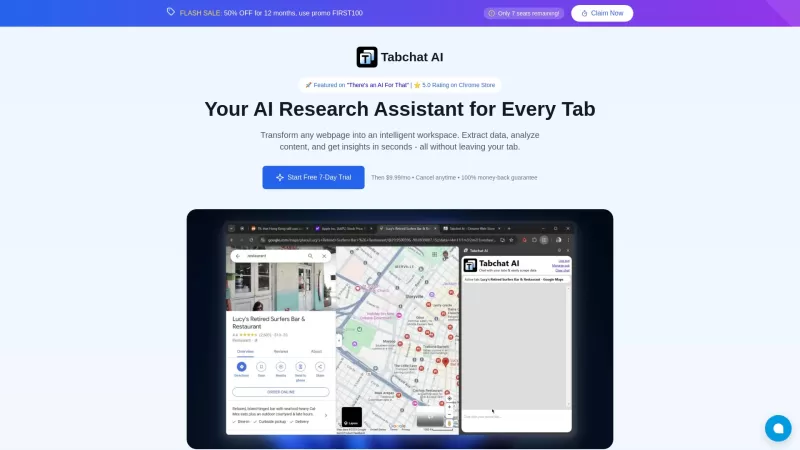
Ever found yourself juggling multiple tabs, wishing you could just talk to them to get the info you need? Well, Tabchat AI might just be your new best friend. It's a nifty Chrome extension that lets you chat with your active browsing tabs and even scrape
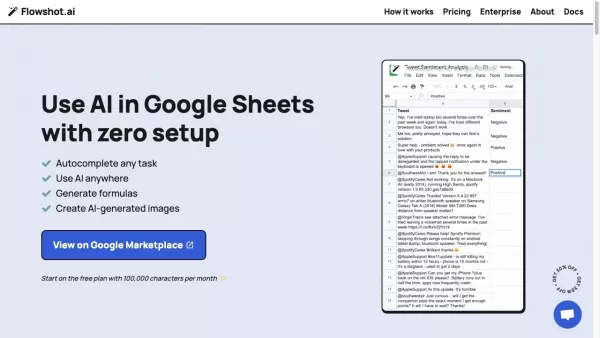
Ever wished you could supercharge your Google Sheets with the power of AI? Enter Flowshot—an AI plugin that's like having a smart assistant right in your spreadsheets. It's not just about making your work easier; it's about transforming how you work. With features like AI prompts, autocomplete for t
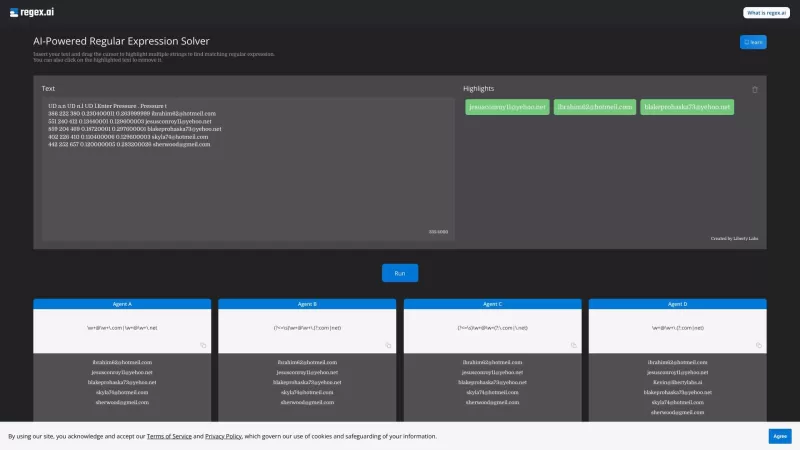
Ever found yourself wrestling with those pesky regular expressions? Well, let me introduce you to Regex.ai, your new best friend in the world of regex. It's not just another tool; it's an AI-powered wizard that generates and solves regular expressions for

Ever found yourself staring at a PDF, wishing you could magically transform its contents into something more usable? Well, let me introduce you to Convert PDF to JSON, an AI-powered marvel that turns those static PDF files into structured JSON data. It's
UpMeeting - Chrome Extension Product Information
Ever found yourself in the middle of a Microsoft Teams meeting, wishing you had a smart sidekick to help you keep track of everything? Well, let me introduce you to the UpMeeting AI Chrome extension—a game-changer for anyone who's tired of juggling notes, action items, and trying to remember what was said during those endless meetings.
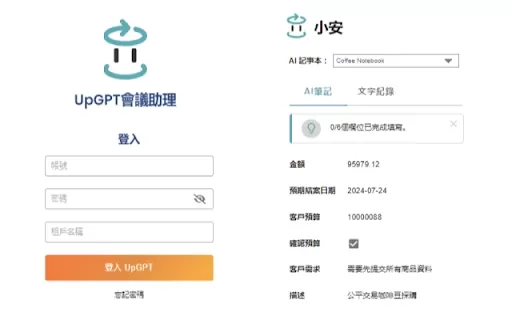
So, what's the deal with UpMeeting? It's your new best friend for conducting Teams meetings with a twist of AI magic. This handy Chrome extension not only helps you run your meetings smoothly but also dives into the conversation to pull out the juicy bits—data extraction and AI analysis at its finest.
How to Use UpMeeting AI Chrome Extension?
Getting started with UpMeeting is as easy as pie. First, you'll want to sign up on their website—no fuss, no muss. Once you're in, schedule your next Teams meeting like you normally would. But here's where the fun begins: flick on the AI analysis feature, and you're all set. As you conduct your meeting, UpMeeting works its magic, extracting data and analyzing the discussion in real-time. It's like having a super-smart note-taker and analyst rolled into one.
UpMeeting AI Chrome Extension's Core Features
AI Analysis During Teams Meetings
Imagine you're in a meeting, and instead of scrambling to catch every detail, UpMeeting's AI is listening in, making sense of the chaos. It analyzes the conversation, picking up on key points and themes. It's like having a meeting whisperer right in your browser.
Data Extraction from Discussions
Ever wished you could just magically pull out the important stuff from a meeting? UpMeeting does just that. It sifts through the chatter, extracting the data you need without you having to lift a finger. It's perfect for those moments when you're too busy steering the meeting to take notes.
UpMeeting AI Chrome Extension's Use Cases
Analyzing Meeting Data for Action Points
After your meeting, you don't want to spend hours trying to figure out what to do next. UpMeeting's AI steps in, analyzing the meeting data to pinpoint action points. It's like having a personal assistant who knows exactly what needs to be done and by whom.
Extracting Key Information for Reports
Need to whip up a report after your meeting? UpMeeting makes it a breeze by extracting all the key information you need. No more sifting through pages of notes—just let the AI do the heavy lifting, and you'll have your report ready in no time.
FAQ from UpMeeting
- Can I use UpMeeting for other video conferencing platforms?
- Right now, UpMeeting is all about making your Microsoft Teams meetings better. But who knows what the future holds? Keep an eye out for updates if you're hoping to use it with other platforms!
UpMeeting - Chrome Extension Screenshot


2026 Latest Best AI Study Tools for Homework and Exam Prep! XIX.AI curates a top-rated list of powerful, game-changing tools that help students boost productivity, streamline homework completion, and ace exams through real-world tests. Get a free vs paid comparison, detailed rankings, and must-try options to unlock your AI edge. Explore now!
 10 tools
 xix.ai

2026 Latest Best AI Vocal Demo Tools for Songwriters, Hook Creators, and Multi-Language Content Teams! XIX.AI has curated a top-rated list of powerful game-changing tools that go through rigorous real-world tests. You’ll find detailed free vs paid comparison data, comprehensive rankings, and must-try options to help you boost writing efficiency and unlock your creative potential. Explore now to discover your perfect tool for all your content needs!
9 tools
xix.ai

2026 Latest Best Top-rated AI Competitive Research Tools for Small Businesses! XIX.AI has curated a highly powerful game-changing collection, updated weekly with rigorous real-world tests and detailed rankings. You can find a comprehensive free vs paid comparison to help you identify the must-try tools that boost your productivity and give you a competitive edge. Explore now to discover your perfect tool!
9 tools
xix.ai

2026 Latest Best Photoshop AI retouch tools for ecommerce apparel, skin cleanup, and color consistency! This top-rated curated list features powerful game-changing solutions that help you boost writing efficiency, streamline content creation, and achieve perfect visual results effortlessly. Each tool has undergone real-world tests through weekly updated rankings, complete with free vs paid comparison details. Backed by XIX.AI, it’s the must-try guide for anyone aiming to unlock your AI edge. Explore now!
10 tools
xix.ai

2026 Latest Best Top-Rated AI Prompt Libraries for optimizing all types of ChatGPT workflows. XIX.AI has curated a powerful, game-changing collection that goes through rigorous real-world tests to ensure top performance. You can find detailed free vs paid comparisons and expert rankings to help you choose the must-try tools that boost your productivity and unlock your AI edge. Explore now!
11 tools
xix.ai

2026 Latest Best AI Quiz Builder Platforms for Teachers, Tutors, and Cohort-Based Learning Programs! XIX.AI has curated a top-rated list of powerful game-changing tools that go through real-world tests to deliver accurate rankings. These must-try platforms help boost writing efficiency, streamline content creation, and simplify quiz design across all learning scenarios. Explore now to discover your perfect tool for unlocking your AI edge in teaching!
13 tools
xix.ai


UpMeetingはTeamsミーティングで本当に助かります!メモを取る必要がなく、すべてを追跡してくれます。ただ、時々速い横話を見逃すことがあります。全体的に、ミーティングノートに悩まされている人には必須ですね!😊
O UpMeeting é um salva-vidas nas minhas reuniões do Teams! Ele acompanha tudo para que eu não precise. A única coisa é que às vezes perde algumas conversas rápidas. No geral, é indispensável para quem está afogado em notas de reunião! 😊
उपमीटिंग ने मेरी टीम्स मीटिंग्स में जान बचाई है! यह सब कुछ ट्रैक करता है ताकि मुझे नोट्स लेने की जरूरत न पड़े। बस, कभी-कभी यह तेज़ साइड कन्वर्सेशन्स को मिस कर देता है। कुल मिलाकर, मीटिंग नोट्स में डूबे हुए किसी के लिए यह जरूरी है! 😊
UpMeeting ha sido un salvavidas en mis reuniones de Teams. ¡Sigue todo para que yo no tenga que hacerlo! Lo único es que a veces se pierde algunas conversaciones rápidas. En general, es imprescindible para quien se ahoga en notas de reunión. 😊
UpMeeting has been a lifesaver in my Teams meetings! It keeps track of everything so I don't have to. The only thing is, sometimes it misses out on quick side conversations. Overall, a must-have for anyone drowning in meeting notes! 😊


