


 Home
HomeTypeTab Auto-Complete



Helps TikTok sellers, brands, MCNs, and TAPs discover winning products and find creators.

HelpLook is an AI-powered all-in-one knowledge base tool that helps businesses quickly build knowledge bases, help centers, and...

Your AI Workspace

302.AI is an enterprise-grade AI resource platform with pay-as-you-go pricing, API access to a full range of AI models, and ready-to-use online applications.

剧火AI — AI Screenwriter + Director, a One-Person Short Drama Studio In one sentence, what is it?
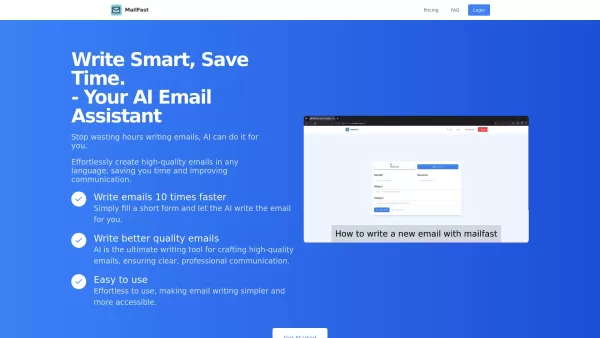
Ever found yourself staring at a blank email, wondering how to get your point across without sounding like a robot? Enter MailFast—an AI-powered email writing tool that's here to save the day. It's like having a personal email assistant that whips up high
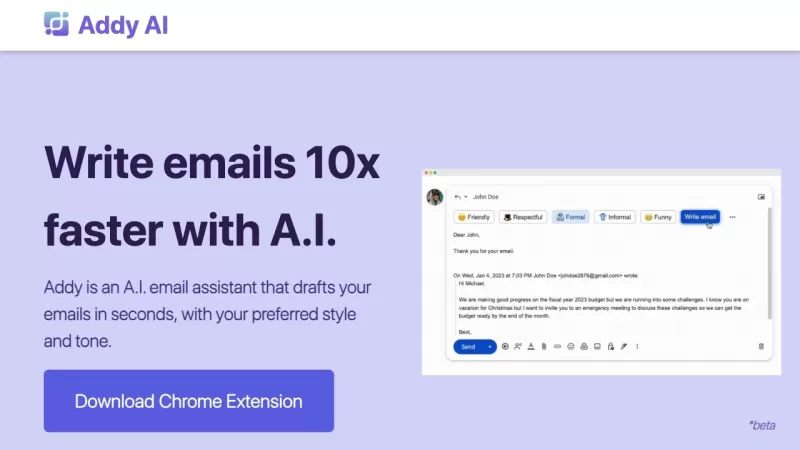
Ever wished you had a personal assistant to handle your emails? Meet Addy, your new AI-powered email buddy that can whip up emails in seconds, perfectly tailored to your style and tone. Whether you're crafting a formal business email or a casual note to a
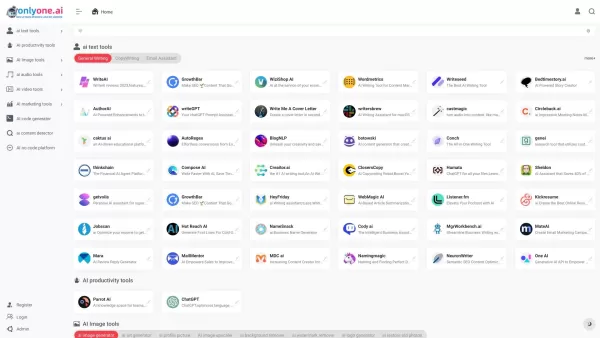
Only one AI is your go-to destination for a comprehensive collection of AI tools, boasting the largest directory on the web. Whether you're a tech enthusiast or a professional looking to streamline your workflow, this platform has something for every
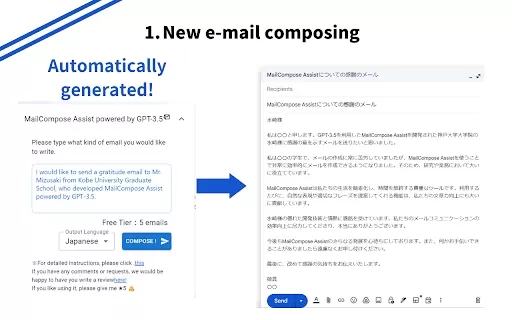
What is the Mail Composition Assist AI Chrome Extension? Mail Composition Assist is a tool designed to save you time when writing emails in Gmail and Outlook. It helps users navigate the complexities of formal language and culturally-specific email e
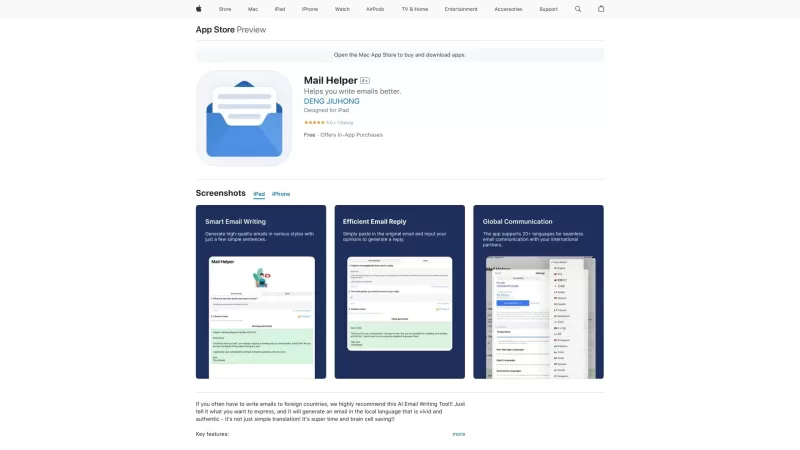
Ever found yourself drowning in a sea of emails, wishing for a lifeline? Enter Mail Helper, your personal on-the-go email assistant that's here to transform your email experience. It's not just about sending and receiving emails anymore; it's about doing
TypeTab Auto-Complete Product Information
What is TypeTab Auto-Complete?
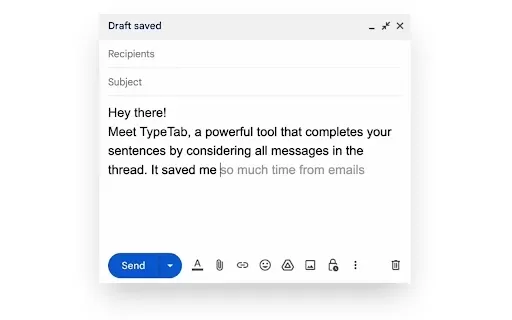
TypeTab is an intuitive Chrome extension that enhances your email writing. It uses advanced AI to understand your email context and provides smart, real-time suggestions to help you compose messages faster. Built with privacy in mind, your data is never sold or used beyond its core purpose. Integrating TypeTab into your workflow cuts down email writing time, making communication smoother and more productive.
Who uses TypeTab Auto-Complete?
- Professionals
- Business owners
- Students
- Freelancers
- Email marketers
How to use TypeTab Auto-Complete
- Step 1: Install the TypeTab extension from the Chrome Web Store.
- Step 2: Open your email platform.
- Step 3: Start typing your email.
- Step 4: Press 'Tab' to accept or ignore AI suggestions as you write.
- Step 5: Send your email when you're happy with the content.
Platform
- Web
- Chrome
TypeTab Auto-Complete's Core Features & Benefits
Core Features
- AI-powered email autocomplete
- Context-aware suggestions
- Seamless email platform integration
Benefits
- Compose emails faster
- Boost productivity
- Reduce manual typing
- Guaranteed data privacy
TypeTab Auto-Complete's Main Use Cases & Applications
- Daily email correspondence
- Customer support replies
- Marketing emails
- Business communication
FAQs for TypeTab Auto-Complete
How do I install TypeTab?
Install TypeTab by searching for it in the Chrome Web Store and clicking 'Add to Chrome'.
Does TypeTab work with my email platform?
TypeTab integrates with most popular email platforms directly within Chrome.
Is my data safe with TypeTab?
Yes. TypeTab prioritizes your privacy and never sells or misuses your data.
Can I customize the AI suggestions?
Currently, TypeTab provides intelligent suggestions based on your email's context.
Does TypeTab support multiple languages?
TypeTab's AI suggestions primarily support English at this time.
Is there a cost for TypeTab?
TypeTab offers a free basic version, with optional premium features available for purchase.
How do I disable TypeTab temporarily?
You can turn off the extension in your Chrome browser settings.
Will TypeTab slow down my email platform?
No. TypeTab is designed to run smoothly without impacting your email platform's performance.
Can I use TypeTab on mobile devices?
TypeTab is currently available as a Chrome extension for web browsers.
How can I provide feedback on TypeTab?
Share your feedback on the TypeTab Chrome Web Store page or by contacting support directly.
TypeTab Auto-Complete Company Information
TypeTab Auto-Complete Screenshot

2026 Latest Best Top-rated AI Text to Speech Tools for Online Courses are curated by XIX.AI based on rigorous real-world tests and weekly updated rankings. These powerful tools help creators deliver crystal-clear audio content effortlessly, boosting writing efficiency and streamlining course production. Check out the free vs paid comparison to find your perfect fit. Explore now to unlock your AI edge in online education.
 10 tools
 xix.ai

2026 Latest Best Top-Rated AI Blog Title Tools for Higher Click Through Rates! XIX.AI has carefully curated a powerful, game-changing collection of top tools that go through rigorous real-world tests. You’ll find a free vs paid comparison, weekly updated rankings, and detailed insights to help you boost your blog’s traffic efficiently. Must-try options are highlighted to help you unlock your AI edge. Explore now!
10 tools
xix.ai

2026 Latest Best Top-rated AI Task Routing Tools for Support Workflows! XIX.AI has curated a highly powerful game-changing collection of must-try solutions, all undergoing rigorous real-world tests and updated weekly. These tools streamline workflows, boost productivity, and help teams deliver faster, more efficient support. Explore now to discover your perfect tool and unlock your AI edge!
17 tools
xix.ai

2026 Latest Best Top-Rated AI Citation and Paper Summary Tools Curated by XIX.AI. Get powerful game-changing solutions for quick content creation, improved writing efficiency, and boosting productivity. We offer a free vs paid comparison along with real-world tests and weekly updated rankings to help you find the must-try tool that fits your needs perfectly. Explore now to Unlock your AI edge.
10 tools
xix.ai

2026 Latest Best Top-Rated AI Productivity Tools for Daily Work! XIX.AI has curated a powerful, game-changing selection based on rigorous weekly updated rankings and real-world tests. You’ll find must-try options that boost writing efficiency, streamline content creation, and help you overcome daily work challenges. Get a free vs paid comparison to find the perfect fit for your needs. Explore now to unlock your AI edge!
9 tools
xix.ai

2026 Latest Best Top-Rated AI Systematic Review Tools for Research Screening are here on XIX.AI! This curated collection includes powerful, game-changing solutions that go through rigorous real-world tests to deliver accurate results. We also offer a free vs paid comparison along with weekly updated rankings to help you find the must-try option that boosts your research efficiency significantly. Explore now to unlock your AI edge in academic work!
11 tools
xix.ai


