


 Home
HomeTEAMCAL AI



Helps TikTok sellers, brands, MCNs, and TAPs discover winning products and find creators.

HelpLook is an AI-powered all-in-one knowledge base tool that helps businesses quickly build knowledge bases, help centers, and...

Your AI Workspace

302.AI is an enterprise-grade AI resource platform with pay-as-you-go pricing, API access to a full range of AI models, and ready-to-use online applications.

剧火AI — AI Screenwriter + Director, a One-Person Short Drama Studio In one sentence, what is it?

What is Concisely?Concisely is a cutting-edge Chrome extension that redefines email reading by using advanced AI to deliver one-sentence summaries of entire email threads. It allows busy professionals to capture the main idea instantly, eliminating t
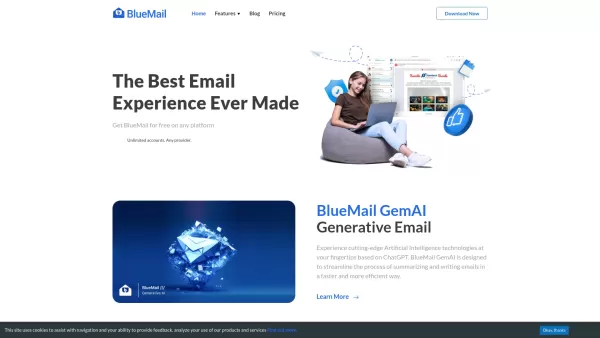
BlueMail isn't just another email app; it's a powerhouse designed to make your life easier across various platforms. Whether you're juggling IMAP, Exchange, or POP3 accounts, BlueMail brings them all together into a seamless, unified inbox. It's like havi

What is Stacks?Stacks is an AI-powered agent designed to orchestrate various productivity tools, automating tasks and boosting work efficiency. It seamlessly connects different applications, enabling users to execute complex workflows smoothly. From
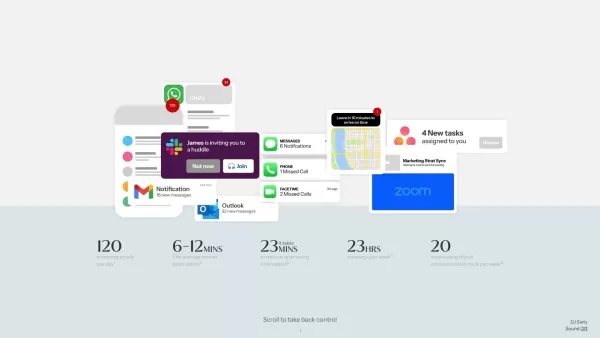
What is Sixty?Sixty is a smart AI assistant built to tackle your constant stream of emails, notifications, and calendar events. The platform applies intelligent algorithms to identify the tasks that matter most, while automating repetitive workflows—
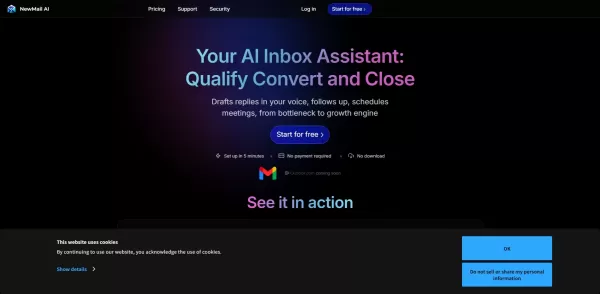
What is NewMail AI?NewMail AI provides a comprehensive suite of features that simplify email management. Powered by advanced AI algorithms, it automatically sorts incoming emails, highlights urgent messages, and proposes intelligent responses to boos
TEAMCAL AI Product Information
What is TEAMCAL AI?
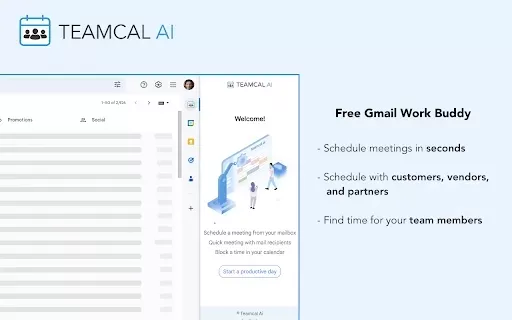
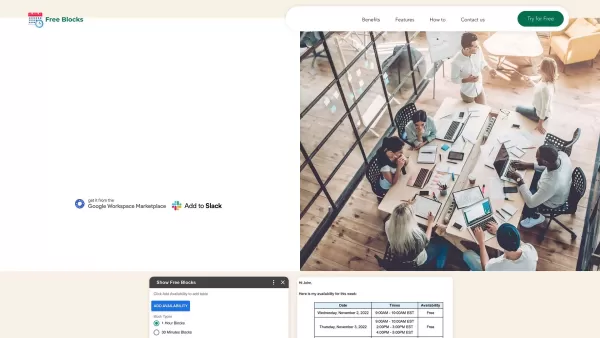
TEAMCAL AI integrates directly with your Gmail to offer an intelligent meeting scheduling assistant. It instantly finds mutual availability and schedules follow-ups, simplifying calendar coordination across teams, organizations, and time zones. The tool cuts down the endless email chains needed to pin down a meeting time, boosting efficiency for individuals and groups alike.
Who uses TEAMCAL AI?
- Professionals
- Teams
- Businesses
- Students
- Freelancers
How to use TEAMCAL AI
- Step1: Install the TEAMCAL AI extension from the Chrome Web Store.
- Step2: Connect it to your Gmail account.
- Step3: Open your Gmail inbox to find the new scheduling features.
- Step4: Choose from available time slots based on attendees' calendars.
- Step5: Confirm and schedule the meeting with one click.
Platform
- Web
- Chrome
TEAMCAL AI's Core Features & Benefits
Core Features
- Gmail Integration
- Automatic Time Finder
- Multiple Calendar Support
- Timezone Synchronization
- Follow-up Scheduling
Key Benefits
- Saves Time
- Boosts Productivity
- Minimizes Scheduling Conflicts
- Improves Team Collaboration
TEAMCAL AI's Main Use Cases & Applications
- Professionals arranging cross-company meetings
- Teams planning project check-ins
- Students coordinating group study times
- Freelancers managing client calls
TEAMCAL AI FAQs
How does TeamCal AI work?
It connects to Gmail to automate and simplify the entire meeting scheduling process.
Is TeamCal AI free to use?
Yes, the core features of TEAMCAL AI are available for free.
Does it work with all email providers?
It is primarily designed for deep integration with Gmail.
Is there a mobile version of TeamCal AI?
Not currently; it operates as a web application and Chrome browser extension.
How do I set up notifications?
Notifications can be configured within your connected Gmail settings.
Can I schedule recurring meetings?
Yes, the tool supports setting up recurring meetings.
What if I encounter issues?
Contact the customer support team by email for assistance.
Is my data safe with TeamCal AI?
Yes, user data security is a top priority for the platform.
Can it sync with other calendar apps?
Yes, it offers synchronization with other popular calendar applications.
Can I use TeamCal AI with multiple calendars?
Absolutely, it supports managing and viewing multiple calendars simultaneously.
TEAMCAL AI Company Information
TEAMCAL AI Screenshot



2026 Latest Best Manga AI Background Generators Ranked Top-Rated! This curated collection showcases powerful game-changing tools perfect for creating high-quality chapter backgrounds, book covers, and promotional art. Every option has undergone rigorous real-world tests to ensure reliability. Get a free vs paid comparison along with detailed insights. Explore now to discover your perfect tool and unlock your AI edge in manga creation.
 6 tools
 xix.ai

2026 Latest Best Top-rated AI Object Removal Editors for portraits travel product shots! XIX.AI curates a powerful game-changing collection regularly updated with weekly rankings. These tools offer real-world tests to help you quickly remove unwanted elements, boost content quality, and save tons of time without compromising results. Must-try for anyone aiming to unlock their AI creation edge. Explore now!
10 tools
xix.ai

2026 Latest Best Top-rated AI Text to Speech Tools for Online Courses are curated by XIX.AI based on rigorous real-world tests and weekly updated rankings. These powerful tools help creators deliver crystal-clear audio content effortlessly, boosting writing efficiency and streamlining course production. Check out the free vs paid comparison to find your perfect fit. Explore now to unlock your AI edge in online education.
10 tools
xix.ai

2026 Latest Best Top-Rated AI Blog Title Tools for Higher Click Through Rates! XIX.AI has carefully curated a powerful, game-changing collection of top tools that go through rigorous real-world tests. You’ll find a free vs paid comparison, weekly updated rankings, and detailed insights to help you boost your blog’s traffic efficiently. Must-try options are highlighted to help you unlock your AI edge. Explore now!
10 tools
xix.ai

2026 Latest Best Top-rated AI Task Routing Tools for Support Workflows! XIX.AI has curated a highly powerful game-changing collection of must-try solutions, all undergoing rigorous real-world tests and updated weekly. These tools streamline workflows, boost productivity, and help teams deliver faster, more efficient support. Explore now to discover your perfect tool and unlock your AI edge!
17 tools
xix.ai

2026 Latest Best Top-Rated AI Citation and Paper Summary Tools Curated by XIX.AI. Get powerful game-changing solutions for quick content creation, improved writing efficiency, and boosting productivity. We offer a free vs paid comparison along with real-world tests and weekly updated rankings to help you find the must-try tool that fits your needs perfectly. Explore now to Unlock your AI edge.
10 tools
xix.ai


Just tried TEAMCAL AI for scheduling a cross-team sync, and it saved me so much back-and-forth emailing! The Gmail integration is seamless. Honestly, a bit scary how it just reads my calendar and finds slots, but super convenient. Hope it stays secure though! 😅
TEAMCAL AIでGmail予定調整のストレスが激減!チーム内での会議設定が本当にラクになって、空き時間の確認もワンクリックで済む😊 AIアシスタントが提案する時間帯が的確で、手間が省けて助かります。もっと多言語対応が充実するともっと良いかも?


