


 Home
HomeStacks
Stacks AI Agent: Optimize Task Management & Workflow



Helps TikTok sellers, brands, MCNs, and TAPs discover winning products and find creators.

HelpLook is an AI-powered all-in-one knowledge base tool that helps businesses quickly build knowledge bases, help centers, and...

Your AI Workspace

302.AI is an enterprise-grade AI resource platform with pay-as-you-go pricing, API access to a full range of AI models, and ready-to-use online applications.

剧火AI — AI Screenwriter + Director, a One-Person Short Drama Studio In one sentence, what is it?

SalesRobot isn't just another tool in your sales arsenal—it's your new best friend in the world of automated outreach. This cloud-based gem lets you juggle multiple cold outreach campaigns on LinkedIn and through email, all while sipping your morning
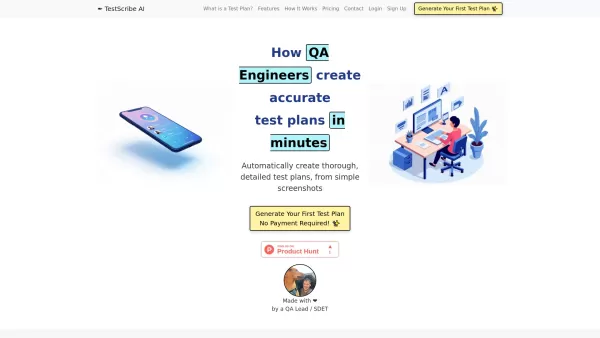
What is TestScribe AI? TestScribe AI revolutionizes software testing by automatically creating comprehensive test plans through artificial intelligence. This cloud-based solution helps testing teams and developers save countless hours on documentatio

What is Linguix — Grammar Checker and AI Writing App?Linguix is an all-in-one grammar checker and AI-powered writing assistant that elevates your text across websites and applications. It supports multiple languages such as English, French, German, S
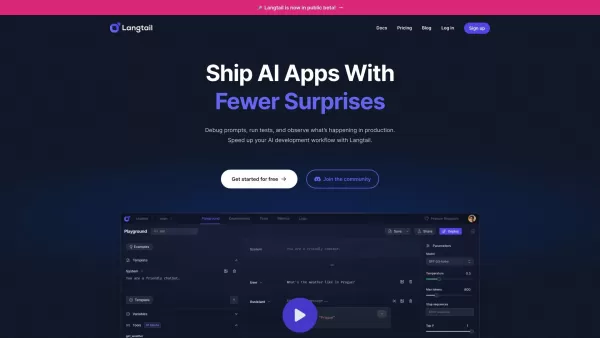
What is Langtail?Langtail is a powerful platform designed to streamline the management of Large Language Model (LLM) prompts, enhancing team collaboration and boosting the efficiency of AI development workflows. It's the go-to tool for developers and

What is Parker AI?Parker AI is an advanced artificial intelligence meeting assistant created to streamline how product conversations are captured, analyzed, and managed. It connects with leading communication platforms like Zoom and Slack, documentin
Stacks Product Information
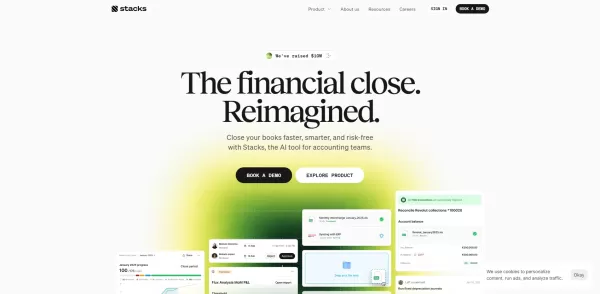
What is Stacks?
Stacks is an AI-powered agent designed to orchestrate various productivity tools, automating tasks and boosting work efficiency. It seamlessly connects different applications, enabling users to execute complex workflows smoothly. From handling emails and schedules to managing project tasks, Stacks offers a robust framework to maximize tool utility, cut down on repetitive work, and enhance overall productivity.
Who will use Stacks?
- Project Managers
- Team Leaders
- Freelancers
- Small Business Owners
- Remote Teams
How to use the Stacks?
- Step 1: Create an account on the Stacks platform.
- Step 2: Link your preferred productivity tools and applications.
- Step 3: Design and customize workflows to match your requirements.
- Step 4: Activate automation to handle routine tasks efficiently.
- Step 5: Track performance and refine workflows for best results.
Platform
- Web
- macOS
- Windows
- Linux
Stacks's Core Features & Benefits
The Core Features
- Multi-tool Integration
- Workflow Automation
- Task Management
- Real-time Collaboration
The Benefits
- Boosted Productivity
- Time-Saving Automation
- Seamless Tool Orchestration
- Improved Team Collaboration
Stacks's Main Use Cases & Applications
- Project Tracking and Management
- Email Organization and Scheduling
- Automating Repetitive Tasks
- Streamlining Team Collaboration
Stacks's Pros & Cons
The Pros
Automates manual accounting processes like reconciliations and journal entries, saving time and minimizing errors.
AI-driven agents improve the accuracy and speed of month-end financial closing.
Delivers real-time insights and reporting linked to your ERP for superior financial oversight.
Robust security measures including encryption, role-based access, and compliance with SOC 2 and ISO 27001 standards.
Trusted by numerous large, rapidly scaling companies, with positive feedback from customers.
The Cons
No public information about being open-source or a GitHub repository.
No clear details on mobile app availability via official app stores.
Pricing is not publicly listed; booking a demo is required for detailed cost information.
Stacks's Pricing
Has free plan | No |
|---|---|
Free trial details | |
Pricing model | |
Is credit card required | No |
Paid from | |
Has lifetime plan | No |
Billing frequency |
For the latest pricing, visit: https://stacks.ai/#products
FAQs of Stacks
What is Stacks?
Stacks is an AI agent that automates and orchestrates your productivity tools.
How does Stacks enhance productivity?
By integrating multiple tools and automating workflows, it saves you significant time.
Is Stacks suitable for teams?
Yes, it's built for both individual professionals and collaborative teams.
What platforms does Stacks support?
Stacks is accessible via web, Windows, macOS, and Linux.
Can I customize my workflows?
Yes, you can fully customize workflows to suit your specific processes.
Does it provide real-time collaboration features?
Yes, Stacks includes features for real-time team collaboration.
Is there a mobile application for Stacks?
Currently, Stacks is focused on web and desktop platforms.
Can I integrate other tools with Stacks?
Yes, it supports integrations with a wide range of productivity applications.
Is there a free trial available?
Yes, a free trial is offered for new users to test its capabilities.
How can I get support for Stacks?
Support is available by emailing the address provided on the Stacks website.
Stacks Company Information
Stacks Screenshot


2026 Latest Best Top-rated AI Workflow Automation Tools for streamlining tasks, connecting different apps, and eliminating busywork. XIX.AI curates a powerful, game-changing selection that has undergone rigorous real-world tests through weekly updated rankings. Get a free vs paid comparison to find the must-try tool perfect for boosting your productivity. Explore now to Unlock your AI edge!
 10 tools
 xix.ai
2026 Latest Best Top-Rated AI Workflow Automation Tools for Business Operations are here on XIX.AI! This curated collection features powerful, game-changing solutions that streamline tasks, boost productivity, and save time across teams. We conduct real-world tests to deliver accurate rankings and a free vs paid comparison so you can easily find the must-try tool that fits your needs. Explore now to unlock your AI edge!
9 tools
xix.ai
Discover the 2026 latest top-rated AI productivity tools for creators. Our curated list features powerful, game-changing solutions to automate routine tasks, boost efficiency, and let you focus on content creation. Compare free vs paid options with weekly updated rankings. Unlock your AI edge now at XIX.AI.
10 tools
xix.ai
Discover the 2026 latest top-rated AI tools for multi-agent prompting. Our curated list features powerful solutions for designing complex task orchestration and automated loops. Compare free vs paid options with real-world tests and weekly updated rankings. Unlock your AI edge today at XIX.AI.
10 tools
xix.ai
2026 Latest: Discover the best AI multi-agent orchestrators to design complex automated workflows through natural language. Our curated list features top-rated, powerful platforms for seamless task automation and intelligent process management. Compare free vs paid options with real-world insights. Unlock your AI edge with XIX.AI's expert weekly updated rankings.
10 tools
xix.ai
Explore the 2026 Latest Top-Rated AI Assistants for Business. Discover powerful, curated tools for seamless automation and enhanced team collaboration. Boost productivity with real-world tested, weekly updated rankings and free vs paid comparisons. Unlock your AI edge with XIX.AI.
10 tools
xix.ai


