


 Home
HomeSnapEdit - All-in-one AI Photo Editor



Helps TikTok sellers, brands, MCNs, and TAPs discover winning products and find creators.

HelpLook is an AI-powered all-in-one knowledge base tool that helps businesses quickly build knowledge bases, help centers, and...

Your AI Workspace

302.AI is an enterprise-grade AI resource platform with pay-as-you-go pricing, API access to a full range of AI models, and ready-to-use online applications.

剧火AI — AI Screenwriter + Director, a One-Person Short Drama Studio In one sentence, what is it?
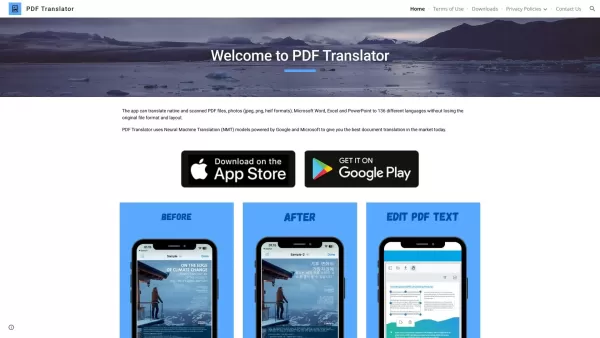
What is PDF Translator & Editor?PDF Translator & Editor is an all-in-one solution for translating and editing PDFs. It allows you to convert native PDFs, scanned files, and other formats like Word, Excel, PowerPoint, and images across 136 languages.
What is PDFY?PDFY.AI is an AI-powered application that allows users to interact with PDF files, websites, audio, and video content. It uses artificial intelligence to answer your questions, generate summaries, and pinpoint specific details within you
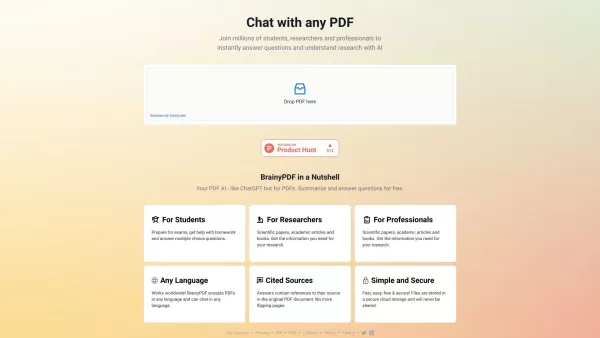
What is BrainyPDF?BrainyPDF is an AI-powered platform that enables users to ask questions and get detailed answers directly from any PDF. It includes intelligent features like context-aware text adjustments, AI-driven editing, and multi-language supp

What is IP Author?IP Author is a specialized AI software platform designed for patent drafting. It employs sophisticated artificial intelligence to streamline the entire patent creation journey, from generating claims to conducting prior art searches
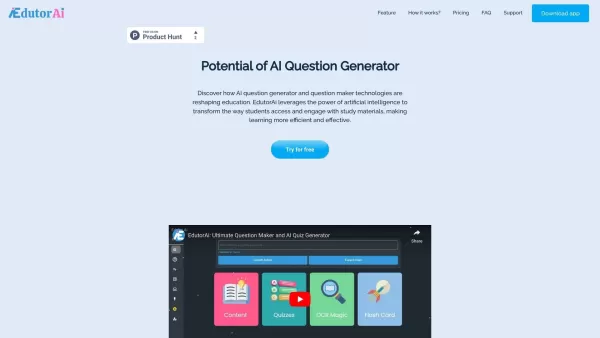
What is Edutor AI?EdutorAI is an AI-driven educational platform that delivers personalized learning experiences for students. It leverages sophisticated algorithms to adapt content according to individual learning styles and needs, enhancing the effi
SnapEdit - All-in-one AI Photo Editor Product Information
What is SnapEdit - All-in-one AI Photo Editor?
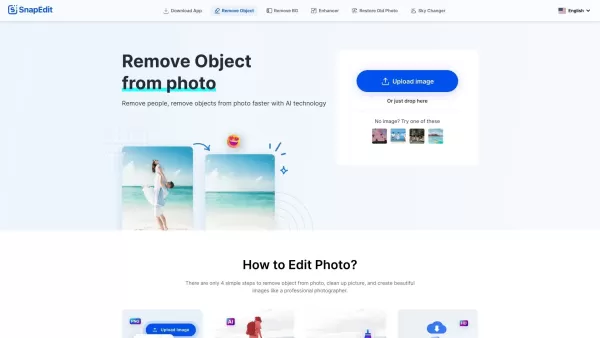
SnapEdit is an AI-driven online photo editor packed with tools for precise photo enhancement, retouching, and modification. It uses advanced AI to automatically identify and edit out unwanted objects, people, text, and background elements. Designed for simplicity, it enables users to easily improve image quality, sharpen details, and achieve professional-looking results. It's the perfect tool for both everyday users and professional photographers looking for a straightforward yet powerful editing solution.
Who will use SnapEdit - All-in-one AI Photo Editor?
- Everyday users
- Graphic designers
- Professional photographers
- Online business owners
How to use the SnapEdit - All-in-one AI Photo Editor?
- Step 1: Go to the SnapEdit website or install the app.
- Step 2: Upload the photo you wish to edit.
- Step 3: Select your preferred editing tool (e.g., object removal, image enhancer).
- Step 4: Apply your edits using the AI-powered features.
- Step 5: Save and download your final photo.
Platform
- Web
- iOS
- Android
SnapEdit - All-in-one AI Photo Editor's Core Features & Benefits
The Core Features
- AI-powered object removal
- Background removal
- Image enhancement
- Detail sharpening
- Blemish retouching
The Benefits
- Streamlines the photo editing workflow
- Effortlessly improves photo quality
- Delivers professional-grade results
- Saves time on edits
SnapEdit - All-in-one AI Photo Editor's Main Use Cases & Applications
- Erasing unwanted items from pictures
- Boosting overall image quality
- Sharpening details in blurry images
- Retouching skin imperfections
SnapEdit - All-in-one AI Photo Editor's Pros & Cons
The Pros
An all-in-one editor featuring multiple AI tools for object removal, background removal, and photo enhancement.
A user-friendly interface that requires no advanced editing skills.
Accessible across various devices, including smartphones and computers.
Supports downloading images in high resolution.
Provides access to over 100 pre-designed background templates.
A large, established user community demonstrates its reliability.
The Cons
No open-source code or public GitHub repository is available.
Limited information on discount options or free tier limits beyond ad-supported use.
Offline usage capabilities are not explicitly mentioned.
Fewer advanced editing features compared to dedicated professional software.
SnapEdit - All-in-one AI Photo Editor's Pricing
Has free plan | YES |
|---|---|
Free trial details | |
Pricing model | Freemium |
Is credit card required | No |
Paid from | USD |
Has lifetime plan | No |
Billing frequency | Annually |
Details of Pricing Plan
Free
0 USD
- 10 credits monthly
- Standard quality export (max 1600px)
- Unlimited non-AI features
- Limited AI features
- Unlimited exports with watermark
- Ad-free experience
Standard
USD
- All Free plan features
- Full access to all AI services
- 4X image upscaling
- Watermark-free exports
- Best quality export (max 5600px)
- Batch processing
- Ad-free experience
PRO
USD
- All Standard plan features
- AI Super Remove
- AI Magic Enhance
- PRO access to the mobile app
- Early access to the latest AI updates
Business
USD
- All PRO plan features
- Priority early access to new AI services
For the latest pricing, visit: https://snapedit.app/pricing
FAQs of SnapEdit - All-in-one AI Photo Editor
Is SnapEdit free to use?
Yes, SnapEdit has a free plan with certain limits, while premium features require a subscription.
Can SnapEdit remove backgrounds?
Yes, SnapEdit uses AI to automatically remove backgrounds from photos.
Is SnapEdit available on iOS?
Yes, SnapEdit can be downloaded from the Apple App Store.
Does SnapEdit support batch editing?
Batch editing is not currently supported by SnapEdit.
How do I contact SnapEdit support?
You can reach SnapEdit support via the contact form on their official website.
Can I use SnapEdit on Windows?
Yes, you can use SnapEdit on Windows through its web app in any browser.
What image formats does SnapEdit support?
SnapEdit supports common formats like JPEG and PNG.
Are the edits made by SnapEdit permanent?
No, edits are saved as new files, keeping your original photo intact.
Does SnapEdit offer a mobile app?
Yes, SnapEdit offers dedicated mobile apps for Android and iOS.
Is there a limit to the number of photos I can edit on SnapEdit?
Limits depend on your subscription tier; please check their website for specific details.
SnapEdit - All-in-one AI Photo Editor Company Information
- SnapEdit
- https://snapedit.app
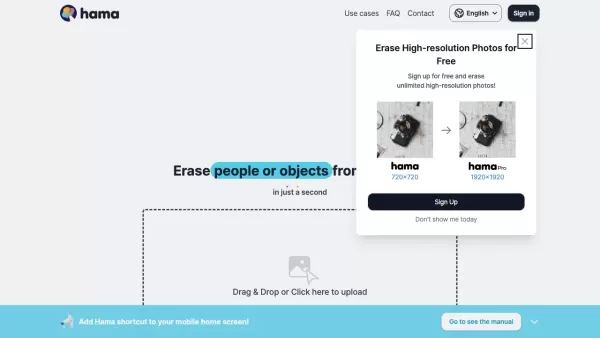
SnapEdit - All-in-one AI Photo Editor Screenshot

2026 Latest Best Top-rated AI Anomaly Detection Tools for KPI Monitoring in SaaS and Ecommerce teams! XIX.AI has curated a powerful, game-changing collection based on rigorous real-world tests and weekly updated rankings. You’ll find detailed free vs paid comparison insights to help you identify the must-try solution that boosts productivity and unlocks your AI edge. Explore now!
 10 tools
 xix.ai

2026 Latest Best Top-Rated AI Outline Generators for Long-Form SEO Articles, meticulously curated by XIX.AI. These powerful tools offer game-changing assistance in creating high-quality content quickly, boosting writing efficiency significantly. Get a free vs paid comparison along with real-world tests and detailed rankings to help you find the must-try option that suits your needs. Explore now to unlock your AI edge.
8 tools
xix.ai

2026 Latest Best AI Study Tools for Homework and Exam Prep! XIX.AI curates a top-rated list of powerful, game-changing tools that help students boost productivity, streamline homework completion, and ace exams through real-world tests. Get a free vs paid comparison, detailed rankings, and must-try options to unlock your AI edge. Explore now!
10 tools
xix.ai

2026 Latest Best AI Vocal Demo Tools for Songwriters, Hook Creators, and Multi-Language Content Teams! XIX.AI has curated a top-rated list of powerful game-changing tools that go through rigorous real-world tests. You’ll find detailed free vs paid comparison data, comprehensive rankings, and must-try options to help you boost writing efficiency and unlock your creative potential. Explore now to discover your perfect tool for all your content needs!
9 tools
xix.ai

2026 Latest Best Top-rated AI Competitive Research Tools for Small Businesses! XIX.AI has curated a highly powerful game-changing collection, updated weekly with rigorous real-world tests and detailed rankings. You can find a comprehensive free vs paid comparison to help you identify the must-try tools that boost your productivity and give you a competitive edge. Explore now to discover your perfect tool!
9 tools
xix.ai

2026 Latest Best Photoshop AI retouch tools for ecommerce apparel, skin cleanup, and color consistency! This top-rated curated list features powerful game-changing solutions that help you boost writing efficiency, streamline content creation, and achieve perfect visual results effortlessly. Each tool has undergone real-world tests through weekly updated rankings, complete with free vs paid comparison details. Backed by XIX.AI, it’s the must-try guide for anyone aiming to unlock your AI edge. Explore now!
10 tools
xix.ai


