


 Home
HomeVisio Studio
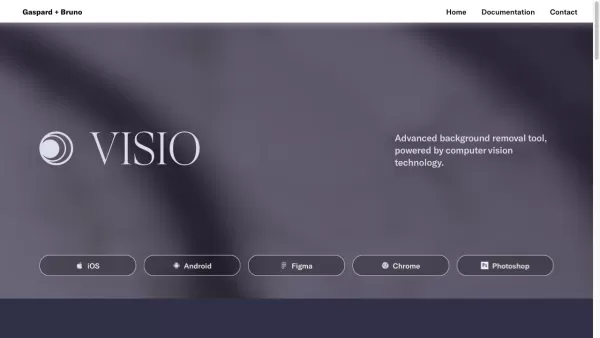
Visio Studio: Image Editing and Background Removal



Helps TikTok sellers, brands, MCNs, and TAPs discover winning products and find creators.

HelpLook is an AI-powered all-in-one knowledge base tool that helps businesses quickly build knowledge bases, help centers, and...

Your AI Workspace

302.AI is an enterprise-grade AI resource platform with pay-as-you-go pricing, API access to a full range of AI models, and ready-to-use online applications.

剧火AI — AI Screenwriter + Director, a One-Person Short Drama Studio In one sentence, what is it?

Ever wondered how to take your business to the next level? Enter the AI Business Coach, your digital guide to success. It's not just another tool; it's like having a seasoned mentor by your side, offering clarity and keeping you accountable every step of

Ever wondered how to take your Amazon business to the next level? Enter Frequently Ai, your go-to AI assistant designed specifically for Amazon sellers. With over three decades of expertise and the latest in AI technology, we're here to provide you w

What is Laiers.ai?LAIERS revolutionizes AI conversations by transforming traditional linear chats into dynamic visual networks. Designed for knowledge workers, it enables parallel exploration of concepts while maintaining structured clarity - perfect

Have you ever wished you could tap into the power of data science without the hassle of hiring someone full-time? Well, the Data Science Kit might just be your golden ticket! With this service, you get to enjoy machine learning, forecasting, and a whole s

Pepper Content is an AI-powered content marketing platform designed for CMOs and marketing teams who want to streamline their content creation process and track performance effectively. Think of it as your one-stop shop for turning great ideas into engaging content while keeping tabs on how well it
Visio Studio Product Information
Ever wondered how to make your images pop and stand out? Enter Visio Studio, your go-to tool for capturing, enhancing, and editing images like a pro. Whether you're a seasoned photographer or just starting out, Visio Studio offers a robust set of features that'll take your visuals to the next level.
How to Use Visio Studio?
Getting started with Visio Studio is a breeze. Simply upload your image or snap a new one using the built-in camera feature. Once your image is loaded, dive into the world of editing. From removing backgrounds to tweaking colors, applying filters, and cropping, Visio Studio's intuitive interface makes it easy to transform your images. It's like having a mini photo studio right at your fingertips, whether you're a beginner or a seasoned pro.
Visio Studio's Core Features
Image Capturing
With Visio Studio, you can capture images directly within the app, making it super convenient to start your editing journey from scratch.
Background Removal
Say goodbye to distracting backgrounds. Visio Studio's background removal feature lets you isolate your subject effortlessly, giving your images that professional touch.
Editing Tools
From color adjustments to filters and cropping, Visio Studio's editing tools are designed to enhance your images with precision and ease.
Integrated Camera Feature
Why fumble with separate apps when you can capture and edit all in one place? Visio Studio's integrated camera feature streamlines your workflow.
Intuitive User Interface
Navigating through Visio Studio feels like a walk in the park, thanks to its user-friendly design. You'll be editing like a pro in no time.
Visio Studio's Use Cases
Professional Photographers and Designers
If you're in the business of creating stunning visuals, Visio Studio is your secret weapon. Enhance your photos and designs with ease.
E-commerce Businesses
Need to make your product images stand out? Visio Studio helps you create captivating visuals that can boost your sales.
Digital Marketing Agencies
Efficiency is key in digital marketing. Visio Studio provides quick and effective image editing solutions to keep your campaigns on point.
FAQ from Visio Studio
- Can I capture images directly within Visio Studio?
- Yes, Visio Studio includes an integrated camera feature for direct image capture.
- Is it possible to remove backgrounds from images?
- Absolutely, Visio Studio's background removal tool is perfect for isolating your subject.
- What editing options are available?
- You can adjust colors, apply filters, and crop your images, among other editing options.
- Who can benefit from using Visio Studio?
- Professional photographers, designers, e-commerce businesses, and digital marketing agencies can all benefit from Visio Studio's features.
- Where can I find pricing information?
- For pricing details, visit the contact us page at https://gaspardbruno.typeform.com/to/oUNfLqWm.
- Is Visio Studio suitable for beginners?
- Yes, its intuitive interface makes it easy for beginners to start editing like pros.
For any support or inquiries, you can reach out to Visio Studio via their support email or visit their contact page at https://gaspardbruno.typeform.com/to/oUNfLqWm. Visio Studio is brought to you by Gaspard+Bruno Ltd., and you can follow them on Twitter at https://twitter.com/gaspardbruno and Instagram at https://www.instagram.com/signature__ai/.
Visio Studio Screenshot

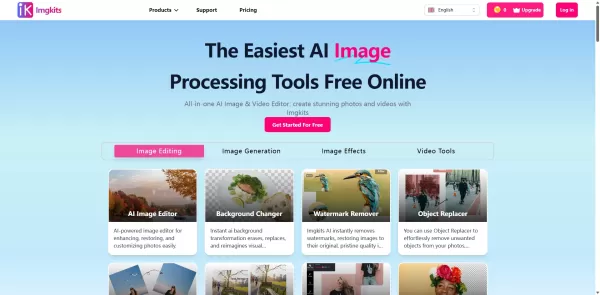
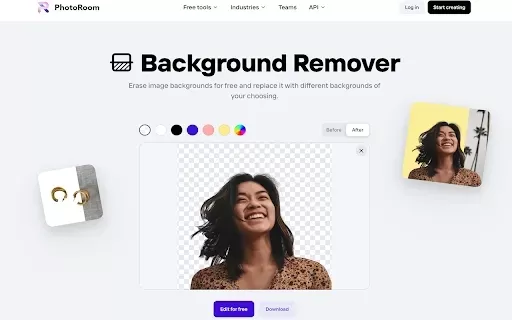
2026 Latest Best Top-rated AI Batch Background Removal Tools for Catalog Images are curated by XIX.AI for quick, powerful removal of backgrounds from multiple images at once. These tools offer real-world tests and free vs paid comparison to help you find the most efficient solution that boosts your productivity significantly. Must-try options are regularly updated weekly. Explore now to Discover your perfect tool and Unlock your AI edge.
 14 tools
 xix.ai

2026 Latest Best Top-rated AI Batch Background Removal Platforms for Catalog Images and Marketplace Listings. This curated list showcases powerful game-changing tools that go through real-world tests to deliver flawless results every time. Get a free vs paid comparison, see detailed rankings, and learn how they boost productivity by eliminating tedious manual editing tasks. XIX.AI is also included in this must-try collection. Explore now to find your perfect tool for streamlining image workflows.
19 tools
xix.ai
Discover the 2026 best AI product photography tools for studio-quality commercial backgrounds. Our top-rated, curated list features powerful, game-changing solutions to elevate your visuals. Compare free vs paid options with real-world tests and weekly updated rankings. Find your perfect tool at XIX.AI.
10 tools
xix.ai

Discover the 2026 best AI product photo editors for Shopify. Our top-rated, curated list features powerful tools that automatically generate studio-quality backgrounds. Compare free vs paid options with real-world tests and weekly updated rankings. Unlock your e-commerce edge and elevate your visuals today at XIX.AI.
10 tools
xix.ai
Discover the 2026 best AI text extractors and removers at XIX.AI. Our top-rated, curated list features powerful tools to instantly clean up memes, subtitles, and graphic posters. Compare free vs paid options with real-world tests. Unlock your perfect editing tool today!
10 tools
xix.ai

Discover the 2026 best AI object erasers for flawless edits. Our top-rated, curated list features powerful tools to seamlessly remove unwanted people, watermarks, and blemishes. Get weekly updated rankings, free vs paid comparisons, and real-world tests. Find your perfect editing solution at XIX.AI.
10 tools
xix.ai


Visio Studio 真的讓我的圖像編輯變簡單了!以前總要想辦法讓照片突出來,現在用它調整幾下就超有質感。不過功能這麼多,剛開始有點眼花撩亂,但摸索後超順手。期待之後出更多濾鏡效果哈哈!📸
Visio Studio는 편집에 정말 좋습니다! 필터가 최고인데, 처음에는 사용하기 어려워요. 익숙해지면 사진이 멋지게 변해요. 다만, 튜토리얼이 더 있었으면 좋겠어요! 🎨
Visio Studioは編集に最適です!フィルターが最高ですが、最初は使いづらいです。慣れると写真が素晴らしくなります。ただ、チュートリアルがもっと欲しいですね!🎨
Visio Studio es genial para editar! Los filtros son de primera, pero puede ser un poco difícil de usar al principio. Una vez que te acostumbras, tus fotos se ven increíbles. ¡Solo desearía que tuviera más tutoriales! 🎨
Visio Studio is awesome for editing! The filters are top-notch, but it can be a bit tricky to use at first. Once you get the hang of it, your photos will look amazing. Just wish it had more tutorials! 🎨


