


 Home
HomeShotva
AI Polishes Screenshots to Visuals



Helps TikTok sellers, brands, MCNs, and TAPs discover winning products and find creators.

HelpLook is an AI-powered all-in-one knowledge base tool that helps businesses quickly build knowledge bases, help centers, and...

Your AI Workspace

302.AI is an enterprise-grade AI resource platform with pay-as-you-go pricing, API access to a full range of AI models, and ready-to-use online applications.

剧火AI — AI Screenwriter + Director, a One-Person Short Drama Studio In one sentence, what is it?
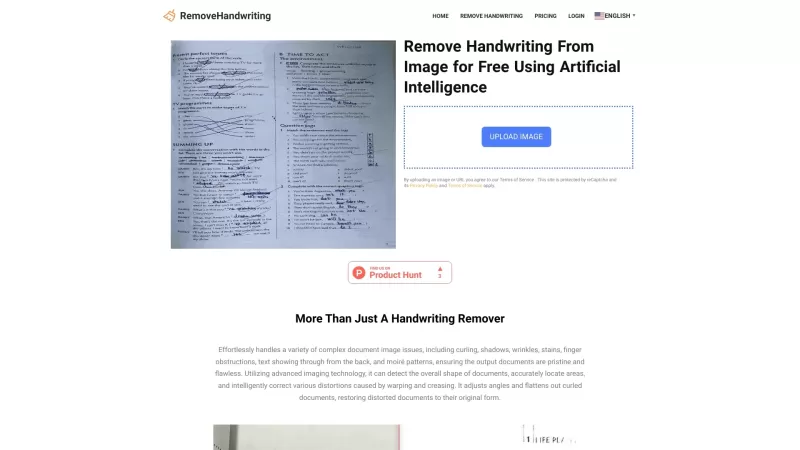
What is RemoveHandwriting?RemoveHandwriting is an innovative online AI tool designed to effortlessly remove handwriting from images and PDFs. It's like having a magic eraser for your documents, making them look clean and professional in no time!How to Use RemoveHandwriting?Using RemoveHandwriting is
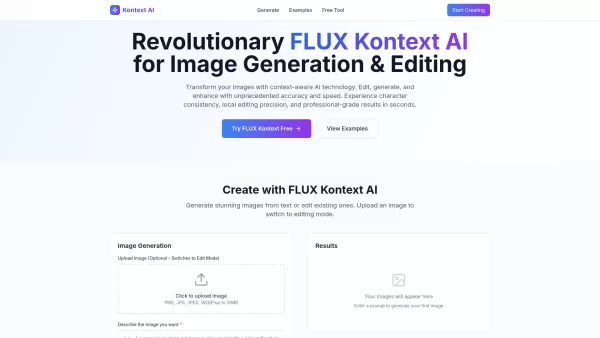
What is Kontext AI? Kontext AI is a cutting-edge, free image generation and editing tool powered by FLUX Kontext technology. It uses context-aware artificial intelligence to produce, alter, and improve images with remarkable speed and precision. The
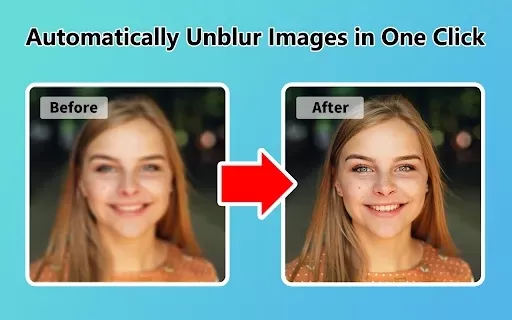
What is Unblur Image?Unblur Image is a smart Chrome extension that automatically sharpens blurry images. Leveraging advanced AI, it precisely identifies and corrects blurry sections in your photos, only enhancing the affected areas. Whether you're wo
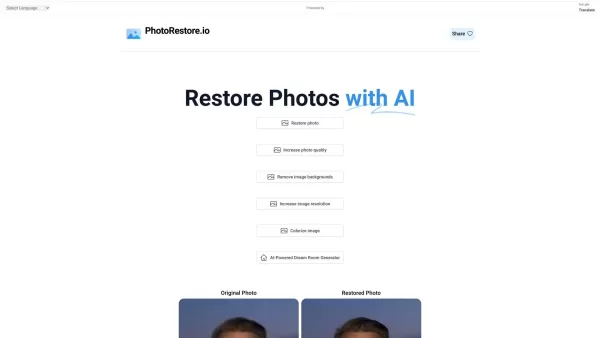
What is Photo Restore?PhotoRestore.io provides a specialized, free AI photo restoration service dedicated to reviving old, blurry, or damaged photographs. Utilizing advanced artificial intelligence, it repairs fading, enhances clarity, and improves o

Ever wished you could transform your old, pixelated photos into crisp, stunning 4K masterpieces? Well, that's where the 4K AI Upscaler comes into play! This nifty online tool harnesses the power of advanced AI technology to breathe new life into your imag
Shotva Product Information
What is Shotva?
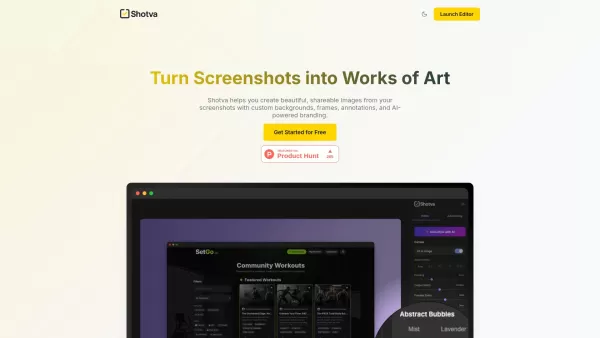
Shotva is a web-based tool that instantly turns plain screenshots into professional, polished images suitable for sharing. It lets users quickly add stylish backgrounds, drop shadows, and custom branding elements, making screenshots ready for social media posts, presentations, or product showcases. In short, Shotva helps you create stunning, custom images from screenshots by offering backgrounds, frames, annotations, and AI-powered branding tools.
How to use Shotva?
Simply launch the Shotva editor in your browser to start transforming screenshots. You can apply custom backgrounds, choose frames, add annotations, and use AI-powered branding features. Tools like AI Auto-Styling, Instant Ad Creation, Endless Customization, and Annotate & Enhance are available to help you create impressive visuals quickly.
Shotva's Core Features
AI Auto-Styling
Instant Ad Creation
Endless Customization
Annotate & Enhance
Shotva's Use Cases
Creating polished visuals for social media posts.
Designing professional images for presentations.
Showcasing products with enhanced screenshots.
Generating compelling ad creatives from brand identity.
Adding annotations and highlights to screenshots for clarity.
FAQ from Shotva
What is Shotva?
Does Shotva use AI?
What kind of customization options does Shotva offer?
Shotva Support Email & Customer service contact & Refund contact etc.
Contact Shotva customer support via email at: .
Shotva Company
Shotva Company name: Shotva .
Shotva Screenshot

2026 Latest Best AI Study Tools for Homework and Exam Prep! XIX.AI curates a top-rated list of powerful, game-changing tools that help students boost productivity, streamline homework completion, and ace exams through real-world tests. Get a free vs paid comparison, detailed rankings, and must-try options to unlock your AI edge. Explore now!
 10 tools
 xix.ai

2026 Latest Best AI Vocal Demo Tools for Songwriters, Hook Creators, and Multi-Language Content Teams! XIX.AI has curated a top-rated list of powerful game-changing tools that go through rigorous real-world tests. You’ll find detailed free vs paid comparison data, comprehensive rankings, and must-try options to help you boost writing efficiency and unlock your creative potential. Explore now to discover your perfect tool for all your content needs!
9 tools
xix.ai

2026 Latest Best Top-rated AI Competitive Research Tools for Small Businesses! XIX.AI has curated a highly powerful game-changing collection, updated weekly with rigorous real-world tests and detailed rankings. You can find a comprehensive free vs paid comparison to help you identify the must-try tools that boost your productivity and give you a competitive edge. Explore now to discover your perfect tool!
9 tools
xix.ai

2026 Latest Best Photoshop AI retouch tools for ecommerce apparel, skin cleanup, and color consistency! This top-rated curated list features powerful game-changing solutions that help you boost writing efficiency, streamline content creation, and achieve perfect visual results effortlessly. Each tool has undergone real-world tests through weekly updated rankings, complete with free vs paid comparison details. Backed by XIX.AI, it’s the must-try guide for anyone aiming to unlock your AI edge. Explore now!
10 tools
xix.ai

2026 Latest Best Top-Rated AI Prompt Libraries for optimizing all types of ChatGPT workflows. XIX.AI has curated a powerful, game-changing collection that goes through rigorous real-world tests to ensure top performance. You can find detailed free vs paid comparisons and expert rankings to help you choose the must-try tools that boost your productivity and unlock your AI edge. Explore now!
11 tools
xix.ai

2026 Latest Best AI Quiz Builder Platforms for Teachers, Tutors, and Cohort-Based Learning Programs! XIX.AI has curated a top-rated list of powerful game-changing tools that go through real-world tests to deliver accurate rankings. These must-try platforms help boost writing efficiency, streamline content creation, and simplify quiz design across all learning scenarios. Explore now to discover your perfect tool for unlocking your AI edge in teaching!
13 tools
xix.ai


これはまさにプロ向けにSNSで使いたいものだよ!スクショをそのままアップするのは味気ない時に、一瞬で見栄え良くなるなんて最高。ただ、無料版だとウォーターマークやバックグラウンドの色が足りないかも。とりあえず試してみる価値ありそう!📱✨


