


 Home
HomeSharkFoto
AI Tools: Create Videos, Images, Music | SharkFoto



Helps TikTok sellers, brands, MCNs, and TAPs discover winning products and find creators.

HelpLook is an AI-powered all-in-one knowledge base tool that helps businesses quickly build knowledge bases, help centers, and...

Your AI Workspace

302.AI is an enterprise-grade AI resource platform with pay-as-you-go pricing, API access to a full range of AI models, and ready-to-use online applications.

剧火AI — AI Screenwriter + Director, a One-Person Short Drama Studio In one sentence, what is it?

What is Banana AI - Free AI Photo Editor?Banana AI is a free, AI-driven photo editor that uses Google's Nano Banana technology (Gemini 2.5 Flash Image) to transform your pictures with simple text commands. Easily remove unwanted objects, swap backgro

What is Deepfake Maker Nano Banana AI? Nano Banana AI is an advanced artificial intelligence platform that generates stunning images from text descriptions and facilitates seamless image-to-image transformations. This cutting-edge AI model revolution

What is Line Art Maker?Line Art Maker is an intuitive application that effortlessly transforms your photos into stunning line drawings. Powered by sophisticated algorithms, it precisely identifies outlines and turns your images into detailed sketches

What is TranslateImages?AI Image Translator is an advanced tool that precisely translates text embedded in images, keeping the original layout and format intact. It supports over a dozen languages, such as English, Hindi, Arabic, Chinese, Japanese, K

What is Nano Banana | Nanana AI? Nanana AI is the leading AI image generator and AI image editor on the market. It taps into the full potential of Google's revolutionary Nano Banana model to offer unmatched image creation and editing power. As an ear
SharkFoto Product Information
What is SharkFoto?
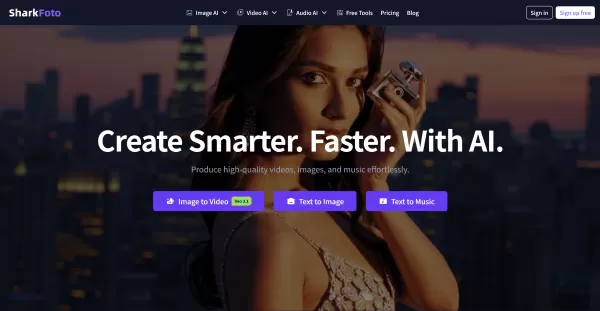
SharkFoto is an AI media platform that consolidates multiple creative tools into a single, user-friendly workspace. It helps streamline content creation by allowing users to animate photos, edit and upscale images, generate music from text, and remove video watermarks—all directly from a web browser. Powered by advanced AI, it enables both novice and professional creators to produce high-quality content quickly and efficiently.
Who will use SharkFoto?
- Content creators and influencers
- Marketing professionals
- Social media managers
- Freelance designers
- Independent musicians
- Digital entrepreneurs
- Online sellers and store owners
How to use SharkFoto?
- Step 1: Go to the SharkFoto website and pick the AI tool that fits your project.
- Step 2: Upload your images, enter text, or provide other media as required by the tool.
- Step 3: Adjust available settings to match your creative vision.
- Step 4: Allow the AI to process your input and generate or refine the media.
- Step 5: Review the result, tweak if necessary, and download the final asset.
- Step 6: Use the new content in your marketing, social posts, or personal work.
Platform
- Web browser
SharkFoto's Core Features & Benefits
The Core Features
- Turn images into animated videos
- Generate images from text prompts
- Create videos from text descriptions
- AI-powered background removal
- Music and song generation from lyrics or mood
- Image enhancement and 4K upscaling
- Video watermark removal
The Benefits
- Simplifies multimedia creation in one platform
- Easy-to-use, browser-based interface
- No technical expertise or design skills needed
- Cuts down editing and production time
- Delivers professional-quality results
- Accommodates varied creative tasks (video, image, audio)
SharkFoto's Main Use Cases & Applications
- Animating still photos for engaging social media content
- Producing original artwork or visuals from text ideas
- Easily crafting promotional videos and advertisements
- Cleaning up product photos by removing backgrounds
- Composing custom music for marketing or campaigns
- Clearing unwanted watermarks from video clips
SharkFoto's Pros & Cons
The Pros
A comprehensive, all-in-one AI creative suite
Accessible online with no software to install
Multiple AI tools, including free trial options
Supports a broad spectrum of media creation
The Cons
Available only as a web platform
No standalone mobile or desktop applications
Not an open-source solution
Advanced capabilities may need a paid plan
SharkFoto's Pricing
Has free plan | YES |
|---|---|
Free trial details | |
Pricing model | Freemium |
Is credit card required | No |
Paid from | 10 USD |
Has lifetime plan | No |
Billing frequency | Monthly |
Details of Pricing Plan
Personal
10 USD per month
- Watermark-free outputs
- Commercial usage license
- 5GB cloud storage
- 50 credits monthly ($0.18 per credit)
- 10+ free image tools with batch editing
- Referral program to earn extra credits
Professional
30 USD per month
- Watermark-free outputs
- Commercial usage license
- 10GB cloud storage
- 200 credits monthly ($0.135 per credit)
- 10+ free image tools with batch editing
- Referral program to earn extra credits
For the latest pricing, visit: https://sharkfoto.com/pricing
FAQs of SharkFoto
How much does SharkFoto cost?
SharkFoto provides a free plan with basic features and several affordable subscription tiers. Full pricing details are available on their website.
Is SharkFoto easy to use for beginners?
Absolutely. Its browser-based platform is designed for simplicity, allowing anyone to start creating without a learning curve.
Can SharkFoto generate music from lyrics?
Yes. You can input lyrics or describe a mood, and the AI will compose original music to match.
Does SharkFoto have mobile apps?
Not at this time. SharkFoto operates as a web app accessible through any modern browser.
Can I remove backgrounds from images easily?
Yes. The AI background removal tool quickly isolates subjects with a single click.
Is the platform suitable for commercial use?
Yes. Many marketers and businesses use SharkFoto to create commercial content under its licensing terms.
Are there any usage limits on the free plan?
The free plan includes usage caps, and access to premium features requires a subscription.
Can I animate my photos to videos?
Yes. The Image to Video feature transforms static pictures into animated clips with cinematic motion.
Does SharkFoto support multi-language inputs?
The interface is in English, but many of its AI tools can process text inputs in various languages.
How can I get support if I have issues?
Support is available through the contact form or email address listed on the SharkFoto website.
SharkFoto Company Information
- SharkFoto
- https://sharkfoto.com
- https://www.facebook.com/SharkFoto-100253106125543
- https://twitter.com/Shark_Foto
- https://www.linkedin.com/company/sharkfoto
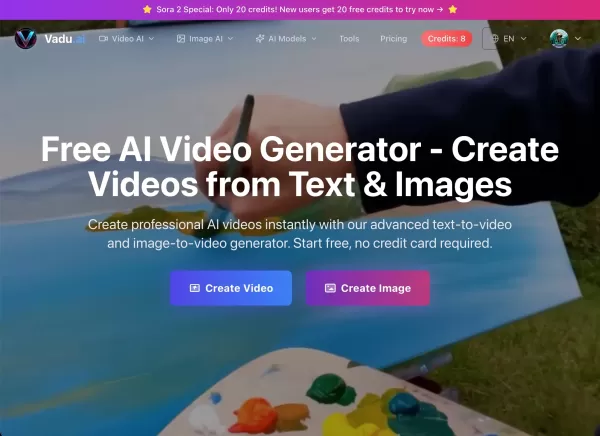
SharkFoto Screenshot

2026 Latest Best Top-rated AI Text to Speech Tools for Natural Voiceovers are here on XIX.AI! This curated list features powerful, game-changing options that deliver crystal-clear voices for every use case, backed by real-world tests and weekly updated rankings. Get a free vs paid comparison to find the must-try solution that boosts your productivity instantly. Explore now to Unlock your AI edge!
 11 tools
 xix.ai

2026 Latest Best Manga AI Background Generators Ranked Top-Rated! This curated collection showcases powerful game-changing tools perfect for creating high-quality chapter backgrounds, book covers, and promotional art. Every option has undergone rigorous real-world tests to ensure reliability. Get a free vs paid comparison along with detailed insights. Explore now to discover your perfect tool and unlock your AI edge in manga creation.
6 tools
xix.ai

2026 Latest Best Top-rated AI Object Removal Editors for portraits travel product shots! XIX.AI curates a powerful game-changing collection regularly updated with weekly rankings. These tools offer real-world tests to help you quickly remove unwanted elements, boost content quality, and save tons of time without compromising results. Must-try for anyone aiming to unlock their AI creation edge. Explore now!
10 tools
xix.ai

2026 Latest Best Top-rated AI Text to Speech Tools for Online Courses are curated by XIX.AI based on rigorous real-world tests and weekly updated rankings. These powerful tools help creators deliver crystal-clear audio content effortlessly, boosting writing efficiency and streamlining course production. Check out the free vs paid comparison to find your perfect fit. Explore now to unlock your AI edge in online education.
10 tools
xix.ai

2026 Latest Best Top-Rated AI Blog Title Tools for Higher Click Through Rates! XIX.AI has carefully curated a powerful, game-changing collection of top tools that go through rigorous real-world tests. You’ll find a free vs paid comparison, weekly updated rankings, and detailed insights to help you boost your blog’s traffic efficiently. Must-try options are highlighted to help you unlock your AI edge. Explore now!
10 tools
xix.ai

2026 Latest Best Top-rated AI Task Routing Tools for Support Workflows! XIX.AI has curated a highly powerful game-changing collection of must-try solutions, all undergoing rigorous real-world tests and updated weekly. These tools streamline workflows, boost productivity, and help teams deliver faster, more efficient support. Explore now to discover your perfect tool and unlock your AI edge!
17 tools
xix.ai


