


 Home
HomeRivia.AI: documentation with screenshots



Helps TikTok sellers, brands, MCNs, and TAPs discover winning products and find creators.

HelpLook is an AI-powered all-in-one knowledge base tool that helps businesses quickly build knowledge bases, help centers, and...

Your AI Workspace

302.AI is an enterprise-grade AI resource platform with pay-as-you-go pricing, API access to a full range of AI models, and ready-to-use online applications.

剧火AI — AI Screenwriter + Director, a One-Person Short Drama Studio In one sentence, what is it?

What is GPT2Markdown?GPT2Markdown is a Chrome extension that streamlines the process of exporting your ChatGPT conversations into Markdown format. With a single click, it allows you to download your chat history as a Markdown (.md) file directly to y

What is NOA?NOA Tech provides innovative technology solutions to enhance your business productivity. Utilizing advanced AI tools and custom automation, we identify operational bottlenecks, implement automation strategies, and empower your team to con

What is Parker AI?Parker AI is an advanced artificial intelligence meeting assistant created to streamline how product conversations are captured, analyzed, and managed. It connects with leading communication platforms like Zoom and Slack, documentin
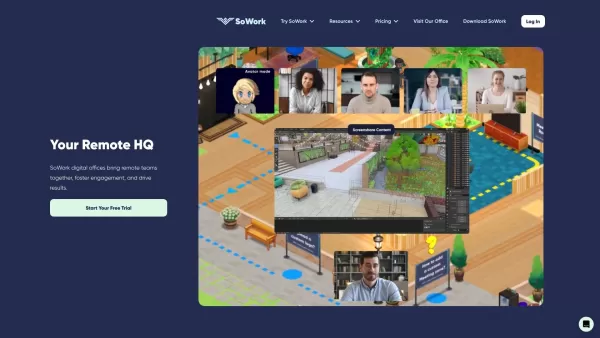
What is SoWork?SoWork provides a virtual office platform that helps remote teams collaborate effortlessly. Its features include proximity-based video and audio calls that start automatically as colleagues "walk" near each other, fostering spontaneous
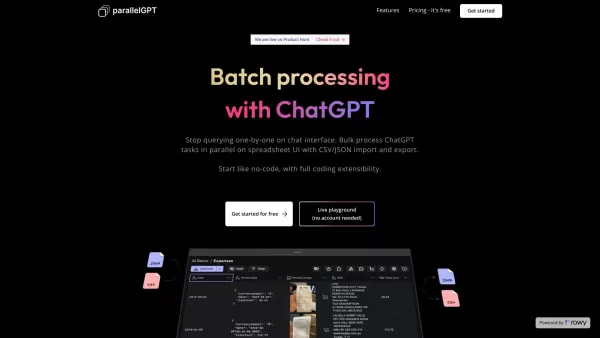
What is ParallelGPT?ParallelGPT is an innovative platform for bulk processing of ChatGPT tasks. Utilizing a spreadsheet-style interface, it allows users to easily import and export prompts in CSV or JSON formats and execute them concurrently. This en
Rivia.AI: documentation with screenshots Product Information
What Is Rivia.AI Documentation with Screenshots?
Rivia.AI allows users to automate documentation by capturing their workflows in real time. The extension generates a detailed guide with screenshots effortlessly. Users can then edit and customize the guides to meet their specific needs. Whether for training new employees or creating user manuals, Rivia.AI simplifies the often tedious documentation process, making it efficient and visually appealing.
Who Will Use Rivia.AI Documentation with Screenshots?
- Technical Writers
- Trainers
- Educators
- Product Managers
- Developers
How to Use Rivia.AI Documentation with Screenshots
- Step 1: Install the Rivia.AI Chrome extension.
- Step 2: Start recording your workflow using the extension.
- Step 3: Rivia.AI automatically captures screenshots.
- Step 4: Once finished, review and edit the generated guide.
- Step 5: Save and share your step-by-step documentation.
Platform
- Chrome
Rivia.AI Documentation with Screenshots' Core Features & Benefits
The Core Features
- Automated Workflow Recording
- Screenshot Integration
- Editable Documentation
- User-Friendly Interface
The Benefits
- Saves Time in Documentation Creation
- Enhances Training and Onboarding
- Improves User Engagement
- Simplifies Complex Tasks
Rivia.AI Documentation with Screenshots' Main Use Cases & Applications
- Onboarding New Employees
- Creating User Manuals
- Developing Training Materials
- Documenting Internal Processes
FAQs of Rivia.AI Documentation with Screenshots
Does It Work on Other Browsers?
Currently, Rivia.AI is designed exclusively for Chrome.
How Do I Install the Extension?
You can install it directly from the Chrome Web Store.
Is Rivia.AI Free to Use?
Yes, Rivia.AI offers a free version with essential features.
Can I Edit the Generated Documents?
Absolutely, you can edit and customize the documentation as needed.
What Types of Guides Can I Create?
You can create onboarding guides, user manuals, and more.
Is There a Limit to the Recording Time?
There is no strict limit, but longer recordings may affect performance.
Can I Share My Guides with Others?
Yes, you can save and share your guides easily.
Can I Use Rivia.AI for Business Purposes?
Yes, it is suitable for professional and business use.
What If I Encounter Technical Issues?
You can reach out to support via the provided contact email.
Is There a Mobile Version?
No, Rivia.AI is only available as a Chrome extension.
Rivia.AI Documentation with Screenshots Company Information
Website:
https://www.rivia.ai/Company Name:
Rivia.AISupport Email:
Facebook:
N/AX (Twitter):
N/AYouTube:
N/AInstagram:
N/ATikTok:
N/ALinkedIn:
N/A
Rivia.AI: documentation with screenshots Screenshot
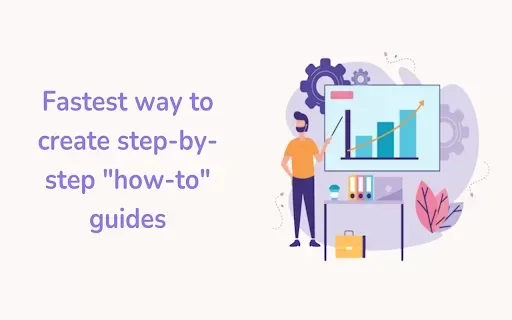
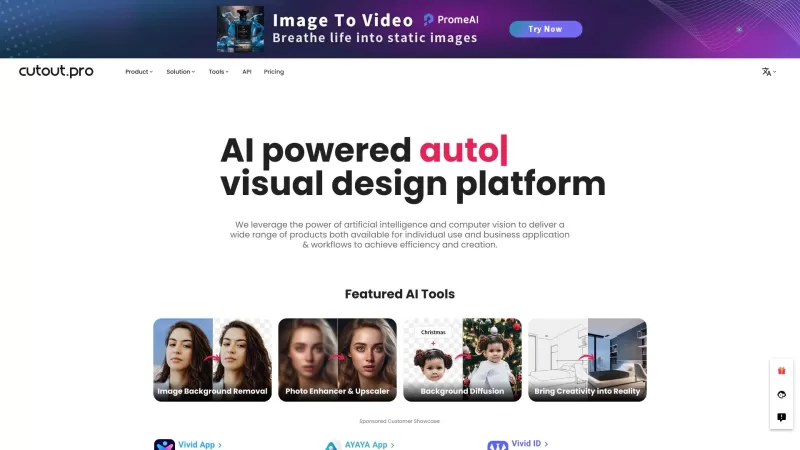


2026 Latest Best Top-rated AI Competitive Research Tools for Small Businesses! XIX.AI has curated a highly powerful game-changing collection, updated weekly with rigorous real-world tests and detailed rankings. You can find a comprehensive free vs paid comparison to help you identify the must-try tools that boost your productivity and give you a competitive edge. Explore now to discover your perfect tool!
 9 tools
 xix.ai

2026 Latest Best Photoshop AI retouch tools for ecommerce apparel, skin cleanup, and color consistency! This top-rated curated list features powerful game-changing solutions that help you boost writing efficiency, streamline content creation, and achieve perfect visual results effortlessly. Each tool has undergone real-world tests through weekly updated rankings, complete with free vs paid comparison details. Backed by XIX.AI, it’s the must-try guide for anyone aiming to unlock your AI edge. Explore now!
10 tools
xix.ai

2026 Latest Best Top-Rated AI Prompt Libraries for optimizing all types of ChatGPT workflows. XIX.AI has curated a powerful, game-changing collection that goes through rigorous real-world tests to ensure top performance. You can find detailed free vs paid comparisons and expert rankings to help you choose the must-try tools that boost your productivity and unlock your AI edge. Explore now!
11 tools
xix.ai

2026 Latest Best AI Quiz Builder Platforms for Teachers, Tutors, and Cohort-Based Learning Programs! XIX.AI has curated a top-rated list of powerful game-changing tools that go through real-world tests to deliver accurate rankings. These must-try platforms help boost writing efficiency, streamline content creation, and simplify quiz design across all learning scenarios. Explore now to discover your perfect tool for unlocking your AI edge in teaching!
13 tools
xix.ai

2026 Latest Best AI Pull Request Review Tools for GitHub Teams are here on XIX.AI! This top-rated curated list showcases powerful game-changing solutions that streamline refactoring, bug fixing, and security gap detection across all team workflows. Enjoy a free vs paid comparison along with real-world tests and detailed rankings to help you find the perfect tool that boosts productivity significantly. Explore now to unlock your AI edge!
12 tools
xix.ai

2026 Latest Best Top-rated AI Text to Speech Tools for Natural Voiceovers are here on XIX.AI! This curated list features powerful, game-changing options that deliver crystal-clear voices for every use case, backed by real-world tests and weekly updated rankings. Get a free vs paid comparison to find the must-try solution that boosts your productivity instantly. Explore now to Unlock your AI edge!
11 tools
xix.ai


