


 Home
HomeSoWork
Smart Virtual Office for Remote Teams



Helps TikTok sellers, brands, MCNs, and TAPs discover winning products and find creators.

HelpLook is an AI-powered all-in-one knowledge base tool that helps businesses quickly build knowledge bases, help centers, and...

Your AI Workspace

302.AI is an enterprise-grade AI resource platform with pay-as-you-go pricing, API access to a full range of AI models, and ready-to-use online applications.

剧火AI — AI Screenwriter + Director, a One-Person Short Drama Studio In one sentence, what is it?

What is Undressbaby AI?Undressbaby is a cutting-edge, AI-driven platform that lets users creatively alter their photos and videos. From swapping faces to trying on virtual outfits, it offers a simple yet powerful solution. Just upload your media, and

What is Celebrity AI?CelebrityAI revolutionizes digital content creation with its cutting-edge artificial intelligence platform that generates lifelike celebrity videos and voice messages. Using sophisticated technologies including deep neural networ
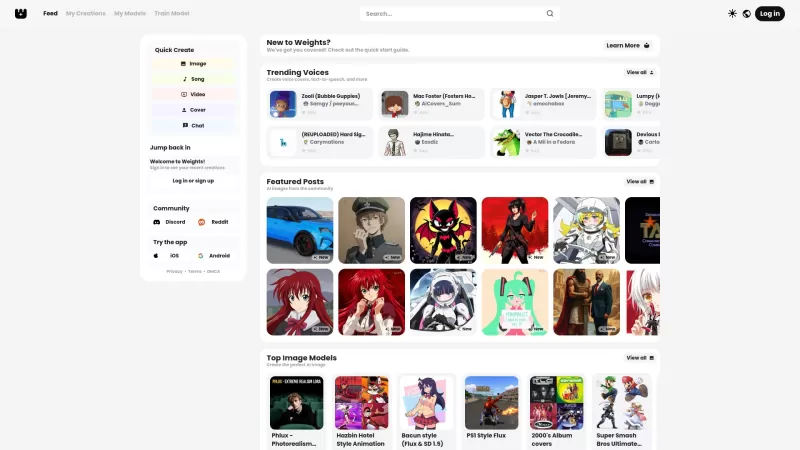
Ever stumbled upon Weights and wondered what it's all about? Well, let me break it down for you. Weights isn't just another AI tool; it's your creative playground where you can whip up AI voice covers, transform text into speech, and conjure up stunning A
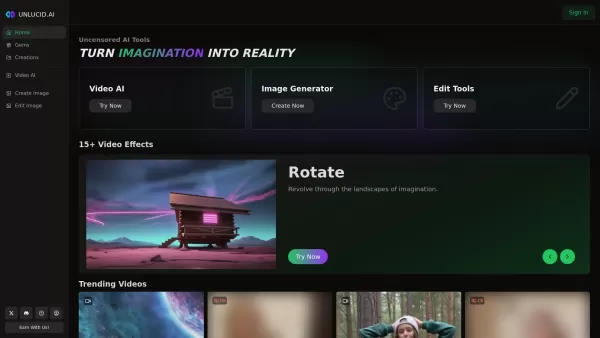
What is Unlucid AI? Unlucid AI provides free, uncensored AI tools empowering creators to craft, edit, and animate videos using advanced AI technology. It transforms imagination into reality with unres

What is AIShowX?AIShowX represents the next generation of creative tools - a comprehensive online platform powered by artificial intelligence that empowers anyone to produce professional-quality videos, images, and audio content with remarkable ease.
SoWork Product Information
What is SoWork?
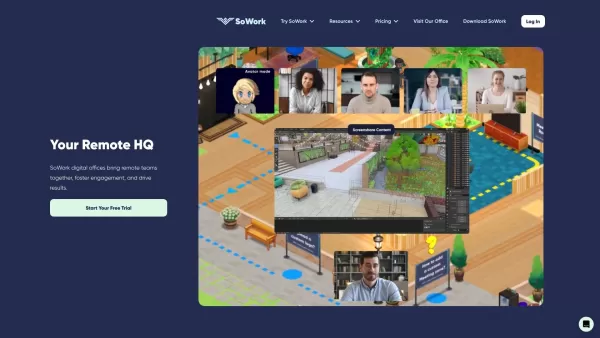
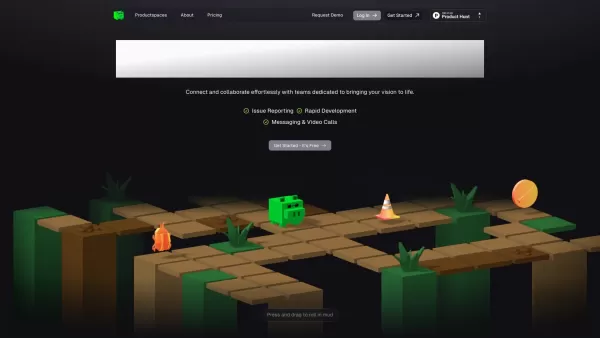
SoWork provides a virtual office platform that helps remote teams collaborate effortlessly. Its features include proximity-based video and audio calls that start automatically as colleagues "walk" near each other, fostering spontaneous and effective teamwork. Powered by AI tools, SoWork brings the advantages of a physical office into a digital environment, helping to build a more connected and productive work culture.
Who will use SoWork?
- Fully remote teams
- Distributed virtual teams
- Individual remote workers
- Organizations transitioning to remote or hybrid work
How to use SoWork?
- Step 1: Create your account on SoWork.com.
- Step 2: Set up or join a virtual office space.
- Step 3: Personalize your office to match your team's identity.
- Step 4: Send invitations for your team members to enter the virtual office.
- Step 5: Utilize the space for meetings, collaborative work, and day-to-day tasks.
Platform
- Web browser
- macOS
- Windows
SoWork's Core Features & Benefits
The Core Features
- Proximity-based video & audio calls
- AI-powered productivity tools
- Fully customizable virtual offices
- Real-time presence & spontaneity features
The Benefits
- Improves collaboration for remote teams
- Strengthens team connection and culture
- Boosts overall productivity
- Brings the best parts of an in-person office online
SoWork's Main Use Cases & Applications
- Seamless virtual collaboration for remote teams
- Company-wide and team meetings
- Conducting daily work in a shared virtual space
- Remote team-building and social events
SoWork's Pros & Cons
The Pros
Creates an immersive virtual office that closely mimics the experience of in-person collaboration.
Leverages AI to automate meeting notes and create actionable task lists.
Improves team communication through natural, walk-up video conversations.
Enhances team engagement and culture with extensive customization options.
Supports mobile access, allowing teams to connect from any location.
The Cons
It is not an open-source platform.
The initial setup and onboarding process may be complex for some teams.
The homepage does not provide detailed pricing or feature comparisons for different tiers.
SoWork's Pricing
Has free plan | YES |
|---|---|
Free trial details | 14-day free trial for the Premium plan |
Pricing model | Freemium |
Is credit card required | No |
Paid from | 6 USD |
Has lifetime plan | No |
Billing frequency | Annual billing |
Details of Pricing Plan
Free
0 USD
- Supports up to 10 members
- Unlimited meetings
- 30-minute meeting duration limit
- Audio-only meetings
- Standard support
Basic
6 USD per member/month
- Unlimited team members
- Unlimited meetings
- No meeting time limits
- Video calling included
- Standard support
Premium
13 USD per member/month
- Unlimited team members
- Unlimited meetings
- No meeting time limits
- Video calling included
- Priority live support
- Meeting recordings
- AI-generated meeting summaries
- Team analytics dashboard
- Zapier automations
- Background noise cancellation
- Dedicated onboarding and team training
For the most current pricing, visit: https://www.sowork.com/pricing
FAQs of SoWork
How do I sign up for SoWork?
Simply visit SoWork.com to register for a free account.
On which platforms is SoWork available?
SoWork is accessible via Web browsers, macOS, and Windows applications.
What is SoWork?
SoWork is an intelligent virtual office platform built to improve how remote teams work together.
Who can use SoWork?
SoWork is perfect for fully remote teams, distributed teams, remote employees, and companies adopting remote or hybrid models.
What features does SoWork offer?
Key features include proximity chat, AI tools, customizable virtual spaces, and indicators for presence and spontaneous interaction.
How can I customize my virtual office on SoWork?
After creating or joining an office, you can tailor the space with various themes and layouts to reflect your team's culture.
Can I invite team members to SoWork?
Absolutely. You can easily invite colleagues to join your virtual office.
Do SoWork's tools enhance productivity?
Yes, by replicating office-like interactions and automating tasks, SoWork's tools are designed to increase team productivity.
How does SoWork promote a connected work culture?
SoWork fosters connection through features that encourage natural, spontaneous communication and a shared sense of presence.
Are there alternatives to SoWork?
Yes, platforms like Kumospace and Gather offer similar virtual office solutions.
SoWork Company Information
SoWork Screenshot

2026 Latest AI tools for meeting notes & scheduling: Explore our top-rated picks curated at XIX.AI. Compare free vs paid options with real-world tests. Discover your perfect office productivity assistant. Start optimizing your workflow today.
 10 tools
 xix.ai


