


 Home
HomeRemail
Remail - Gmail Chrome Extension for AI-Powered Email Replies



Helps TikTok sellers, brands, MCNs, and TAPs discover winning products and find creators.

HelpLook is an AI-powered all-in-one knowledge base tool that helps businesses quickly build knowledge bases, help centers, and...

Your AI Workspace

302.AI is an enterprise-grade AI resource platform with pay-as-you-go pricing, API access to a full range of AI models, and ready-to-use online applications.

剧火AI — AI Screenwriter + Director, a One-Person Short Drama Studio In one sentence, what is it?
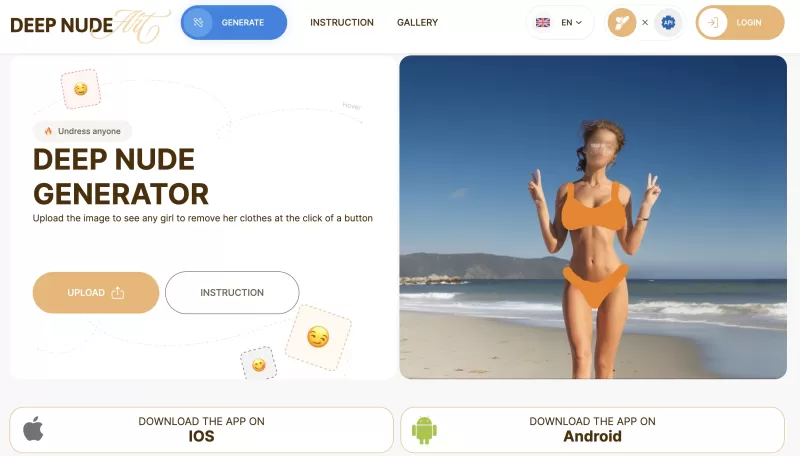
Ever stumbled upon the intriguing world of AI-powered image manipulation? If so, you might have heard about the DeepNude generator. This tool lets you upload a photo and, with just a few clicks, it can create a realistic nude image from it. It's like magi

Ever stumbled upon a platform where you can chat without any boundaries? That's what Uncensored AI is all about—a haven for those who crave unfiltered, unrestricted conversations, images, and videos. It's like having a chat buddy who doesn't hold back, ca

Ever wondered what it's like to have an AI girlfriend? Well, Candy.ai is here to make that fantasy a reality! This platform offers you the chance to dive into the ultimate AI girlfriend experience, where you can create, customize, and interact with your v
Ever found yourself in a situation where you just need the perfect comeback or a witty insult to lighten the mood? That's where the AI Insult Generator comes into play. This innovative tool uses the latest in artificial intelligence to craft personalized,

Møbel.app is this cool online tool that's all about using AI to jazz up your interior design. It's like having a personal interior designer at your fingertips, ready to give you a bunch of personalized room transformations.How to Dive into Møbel.app?Getti
Remail Product Information
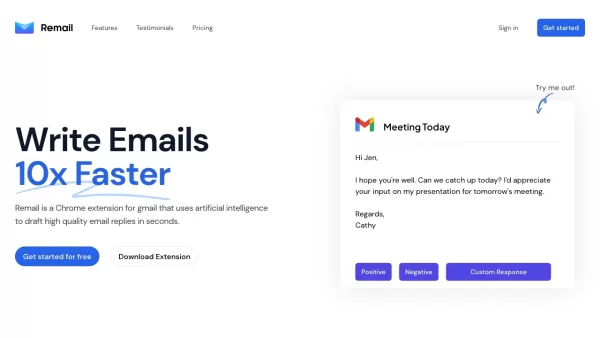
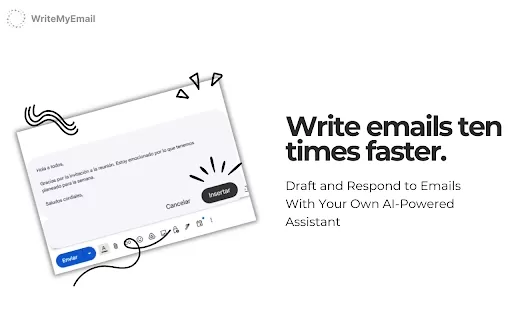
Remail is a game-changer for anyone who spends hours sifting through emails every day. At its core, Remail is a Chrome extension designed specifically for Gmail users, powered by AI to craft polished, professional responses in mere seconds. Think of it as your personal assistant for email management, saving you time while ensuring your replies sound just the way you'd want them to.
Let’s dive into what makes Remail so special—and how it can fit seamlessly into your workflow.
Getting Started with Remail
Using Remail is straightforward. First, head over to the Chrome Web Store and install the extension. Once installed, log in with your Gmail credentials, and you're good to go. The moment you receive an email, Remail springs into action, analyzing the message context and offering tailored replies. It’s like having a co-pilot for your inbox.Core Features of Remail
- AI-Powered Responses: Need a quick reply? Remail’s AI drafts it for you in seconds. Whether you're firing off a polite thank-you note or addressing a complex issue, this feature has got you covered.
- One-Click Responses: Feeling lazy or pressed for time? Choose between positive or negative one-click responses—perfect for those moments when brevity is key.
- Customizable Summaries: Jot down a few words summarizing your email, and Remail will generate a full-fledged response for you. It’s like brainstorming with an invisible partner.
- Scheduling Links: Forgot to schedule a follow-up? No problem. Remail integrates scheduling links directly into its responses, helping you stay on track.
- Tone Customization: Whether you’re aiming for casual or formal, Remail lets you tweak the tone of your reply to match your style.
- Context-Aware Threads: It doesn’t just respond—it understands the flow of the conversation. This ensures your replies feel natural and consistent across threads.
- Multiple Options: Sometimes, you need choices. Remail generates several versions of a reply, giving you the flexibility to pick the best fit.
Who Should Use Remail?
- Power Email Users: If you’re juggling countless emails daily, Remail can shave hours off your workload.
- Casual Emailers: Even if you don’t live in your inbox, Remail’s speed and convenience make it worth trying.
- Inbound Volume Managers: For those drowning in incoming emails, Remail’s efficiency can be a lifesaver.
- Business Professionals: Streamline your communication with clients and colleagues using Remail’s polished responses.
- Students & Industry Experts: From academic projects to corporate emails, Remail fits every professional niche.
Frequently Asked Questions About Remail
- How Does Remail Work?
- Remail uses advanced AI to read your emails, understand the context, and generate appropriate responses. It’s intuitive and lightning-fast.
- What Emails Does Remail Have Access To?
- Remail works exclusively within your Gmail account, ensuring privacy and security.
- How Much Does Remail Cost?
- Subscription pricing varies depending on usage tiers. Check their website for the latest plans.
- How Are Credits Consumed?
- Credits are used per email interaction. Each generated response counts toward your total.
- Do You Offer Discounts for Students or Nonprofits?
- Absolutely! Reach out to their support team for details.
- Do You Offer Team Discounts?
- Yes, teams can enjoy bulk pricing. Contact sales for more information.
- What Happens After Running Out of Credits?
- You can either purchase more credits or explore alternative free modes.
- Can I Use Remail for My Business?
- Of course! Remail is designed for both personal and professional use.
- What’s Your Refund Policy?
- Refunds are available under certain conditions. Visit their FAQ for specifics.
- I Still Have Questions, How Can I Contact You?
- Email them at [\[email protected\]](/cdn-cgi/l/email-protection#65060a0b1104061125372a222e26236b262e), or visit their support page for direct assistance.
Stay Connected
Curious about Remail’s latest updates? Follow them on social media:- TikTok: Check out their TikTok
- Twitter: Follow Remail on X
- Instagram: Snapshots of their journey on Instagram
Ready to supercharge your email productivity? Head over to Remail’s login page and start crafting smarter emails today.
Remail Screenshot


2026 Latest Best Top-rated AI Text to Speech Tools for Natural Voiceovers are here on XIX.AI! This curated list features powerful, game-changing options that deliver crystal-clear voices for every use case, backed by real-world tests and weekly updated rankings. Get a free vs paid comparison to find the must-try solution that boosts your productivity instantly. Explore now to Unlock your AI edge!
 11 tools
 xix.ai

2026 Latest Best Manga AI Background Generators Ranked Top-Rated! This curated collection showcases powerful game-changing tools perfect for creating high-quality chapter backgrounds, book covers, and promotional art. Every option has undergone rigorous real-world tests to ensure reliability. Get a free vs paid comparison along with detailed insights. Explore now to discover your perfect tool and unlock your AI edge in manga creation.
6 tools
xix.ai

2026 Latest Best Top-rated AI Object Removal Editors for portraits travel product shots! XIX.AI curates a powerful game-changing collection regularly updated with weekly rankings. These tools offer real-world tests to help you quickly remove unwanted elements, boost content quality, and save tons of time without compromising results. Must-try for anyone aiming to unlock their AI creation edge. Explore now!
10 tools
xix.ai

2026 Latest Best Top-rated AI Text to Speech Tools for Online Courses are curated by XIX.AI based on rigorous real-world tests and weekly updated rankings. These powerful tools help creators deliver crystal-clear audio content effortlessly, boosting writing efficiency and streamlining course production. Check out the free vs paid comparison to find your perfect fit. Explore now to unlock your AI edge in online education.
10 tools
xix.ai

2026 Latest Best Top-Rated AI Blog Title Tools for Higher Click Through Rates! XIX.AI has carefully curated a powerful, game-changing collection of top tools that go through rigorous real-world tests. You’ll find a free vs paid comparison, weekly updated rankings, and detailed insights to help you boost your blog’s traffic efficiently. Must-try options are highlighted to help you unlock your AI edge. Explore now!
10 tools
xix.ai

2026 Latest Best Top-rated AI Task Routing Tools for Support Workflows! XIX.AI has curated a highly powerful game-changing collection of must-try solutions, all undergoing rigorous real-world tests and updated weekly. These tools streamline workflows, boost productivity, and help teams deliver faster, more efficient support. Explore now to discover your perfect tool and unlock your AI edge!
17 tools
xix.ai


¡Increíble! Remail me ha salvado la vida con el correo. Ya no paso horas redactando respuestas, el IA lo hace en segundos y suena super profesional. Aunque a veces me pregunto si pierdo mi toque personal 😅. ¡Recomendado!


