


 Home
HomeRadioView.AI



Helps TikTok sellers, brands, MCNs, and TAPs discover winning products and find creators.

HelpLook is an AI-powered all-in-one knowledge base tool that helps businesses quickly build knowledge bases, help centers, and...

Your AI Workspace

302.AI is an enterprise-grade AI resource platform with pay-as-you-go pricing, API access to a full range of AI models, and ready-to-use online applications.

剧火AI — AI Screenwriter + Director, a One-Person Short Drama Studio In one sentence, what is it?
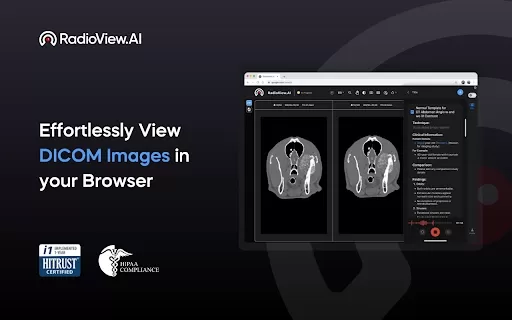
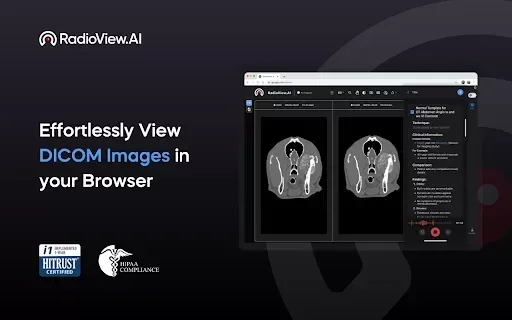
If you're in the medical field, especially radiology, you've likely felt the crunch of generating reports quickly and accurately. Enter RadioView.AI, a nifty Chrome extension that's here to make your life a whole lot easier. Imagine being able to whip up detailed radiology reports directly from your
RadioView.AI Product Information
What is RadioView.AI?
RadioView.AI is a Chrome extension that transforms radiology report creation. It automates reporting by integrating ICD-10 and CPT codes, ensuring billing compliance and simplifying the process. Powered by sophisticated AI, it improves the accuracy of medical image analysis for more precise diagnoses. Its intuitive interface is designed for ease of use by healthcare practitioners. Perfect for radiology departments, clinics, and hospitals, RadioView.AI optimizes the reporting workflow, cuts down processing time, and standardizes documentation—all directly from your browser.
Who will use RadioView.AI?
- Radiologists
- Healthcare Providers
- Radiology Departments
- Clinics
- Hospitals
How to use RadioView.AI?
- Step 1: Install the RadioView.AI Chrome extension.
- Step 2: Launch the extension in your Chrome browser.
- Step 3: Upload or connect to your medical images.
- Step 4: Allow the AI to analyze the images and create a report.
- Step 5: Check the automatically generated ICD-10 and CPT codes.
- Step 6: Download the report or sync it with your existing system.
Platform
- Web
- Chrome
RadioView.AI's Core Features & Benefits
The Core Features
- Automated Radiology Reporting
- ICD-10 & CPT Code Integration
- Advanced AI for Accurate Image Analysis
- User-Friendly Interface
The Benefits
- Improved Diagnostic Accuracy
- Streamlined Reporting Workflow
- Faster Report Turnaround
- Standardized Medical Documentation
RadioView.AI's Main Use Cases & Applications
- Generating Radiology Reports
- Interpreting Medical Images
- Ensuring Billing Code Compliance
- Standardizing Documentation in Radiology Departments
FAQs of RadioView.AI
What is RadioView.AI?
RadioView.AI is a Chrome extension that automates radiology report generation with built-in ICD-10 and CPT code support.
Who can use RadioView.AI?
It is built for radiologists, healthcare providers, radiology departments, clinics, and hospitals.
How do I install RadioView.AI?
Install it directly from the Chrome Web Store.
Does it integrate with other systems?
Yes, generated reports can be downloaded or integrated into your current systems.
What coding standards does it support?
It supports both ICD-10 and CPT coding standards.
Is it easy to use?
Yes, it offers a user-friendly interface tailored for medical professionals.
How does it ensure accuracy?
It employs advanced AI algorithms to interpret medical images and deliver precise assessments.
Is there a support contact?
Yes, contact support at [email protected].
Can it help with billing?
Absolutely. It assists billing by automatically including appropriate ICD-10 and CPT codes.
Is the data secure?
Yes. The developer states that your data is not sold to third parties and is used solely for the extension's core purpose.
RadioView.AI Company Information
- NeuroCare.AI
- https://neurocare.ai
RadioView.AI Screenshot
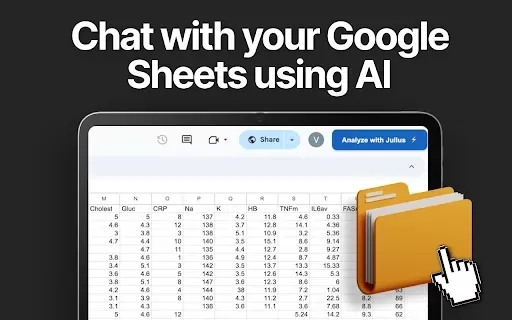
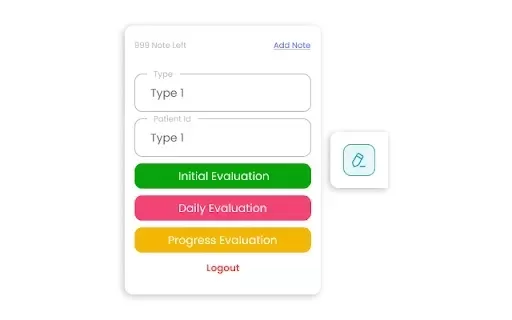

2026 Latest Best Top-rated AI Object Removal Editors for portraits travel product shots! XIX.AI curates a powerful game-changing collection regularly updated with weekly rankings. These tools offer real-world tests to help you quickly remove unwanted elements, boost content quality, and save tons of time without compromising results. Must-try for anyone aiming to unlock their AI creation edge. Explore now!
 10 tools
 xix.ai

2026 Latest Best Top-rated AI Text to Speech Tools for Online Courses are curated by XIX.AI based on rigorous real-world tests and weekly updated rankings. These powerful tools help creators deliver crystal-clear audio content effortlessly, boosting writing efficiency and streamlining course production. Check out the free vs paid comparison to find your perfect fit. Explore now to unlock your AI edge in online education.
10 tools
xix.ai

2026 Latest Best Top-Rated AI Blog Title Tools for Higher Click Through Rates! XIX.AI has carefully curated a powerful, game-changing collection of top tools that go through rigorous real-world tests. You’ll find a free vs paid comparison, weekly updated rankings, and detailed insights to help you boost your blog’s traffic efficiently. Must-try options are highlighted to help you unlock your AI edge. Explore now!
10 tools
xix.ai

2026 Latest Best Top-rated AI Task Routing Tools for Support Workflows! XIX.AI has curated a highly powerful game-changing collection of must-try solutions, all undergoing rigorous real-world tests and updated weekly. These tools streamline workflows, boost productivity, and help teams deliver faster, more efficient support. Explore now to discover your perfect tool and unlock your AI edge!
17 tools
xix.ai

2026 Latest Best Top-Rated AI Citation and Paper Summary Tools Curated by XIX.AI. Get powerful game-changing solutions for quick content creation, improved writing efficiency, and boosting productivity. We offer a free vs paid comparison along with real-world tests and weekly updated rankings to help you find the must-try tool that fits your needs perfectly. Explore now to Unlock your AI edge.
10 tools
xix.ai

2026 Latest Best Top-Rated AI Productivity Tools for Daily Work! XIX.AI has curated a powerful, game-changing selection based on rigorous weekly updated rankings and real-world tests. You’ll find must-try options that boost writing efficiency, streamline content creation, and help you overcome daily work challenges. Get a free vs paid comparison to find the perfect fit for your needs. Explore now to unlock your AI edge!
9 tools
xix.ai


